
Your support inbox usually doesn’t break because of one huge problem. It breaks because of the same small questions showing up all day.
“Where’s my order?”
“Do you ship to Canada?”
“Will this fit me?”
“Can I return opened skincare?”
“Do you have this in black?”
For a Shopify brand, that repetition is expensive. It slows your team down, leaves shoppers waiting during buying moments, and pulls operators away from work that grows the business. Most stores don’t need more tickets. They need fewer manual touches on the tickets they already have.
That’s why help desk automation has moved from “nice to have” to operating system. The market is growing fast because brands are trying to control support costs and keep up with rising demand. The helpdesk automation market reached USD 10.7 billion in 2024, expanded to USD 13.6 billion in 2025, and one projection puts it at USD 91.9 billion by 2033, while AI chatbots can handle up to 80% of routine inquiries and reduce operational costs by up to 30%.
For Shopify merchants, the interesting part isn’t the market size. It’s what automation changes on the storefront. Done well, it answers buyer questions in seconds, reduces abandoned sessions, supports shoppers in multiple languages, and frees your team to handle the messy conversations that require judgment.
Done badly, it gives canned replies, misses product context, and annoys customers right when they’re deciding whether to buy.
This guide focuses on what works for DTC brands. Not internal IT ticket queues. Not abstract AI theory. Just practical help desk automation for stores that want to convert more, support less, and stop treating customer service like a separate department from revenue.
Introduction From Overwhelmed to Automated
A Shopify store can feel under control right up until it doesn’t. One good campaign lands, orders spike, Instagram DMs pick up, email fills with shipping questions, and the support inbox turns into a second fulfillment problem. The team starts spending its day on tracking links, return windows, address changes, and product questions that should have been answered before the shopper had to ask.
For a DTC brand, help desk automation fixes that bottleneck at the customer-facing layer. It handles the repeatable questions first, routes edge cases to the right person, and keeps buyers moving instead of waiting in a queue. That shows up in places operators care about. Fewer support hours per order, fewer abandoned carts from unanswered pre-purchase questions, and less agent time wasted on copy-paste replies.
The point is not to automate everything. The point is to automate the work that does not need judgment.
That distinction matters on Shopify. A good setup can answer “Where is my order?”, surface sizing guidance, suggest the right product, recover shoppers who hesitate at checkout, and reply in the customer’s language. A bad setup spits out generic answers, misses store context, and creates more tickets than it closes.
Practical rule: If a question has a stable answer, your team shouldn’t type it manually all day.
The brands that get value from help desk automation treat it as part of revenue operations, not just support operations. They use it to protect conversion before purchase, reduce friction after purchase, and keep labor costs from rising every time order volume jumps. That is the shift from overwhelmed to automated. You are not buying another inbox. You are building a support layer that helps sell, serve, and retain customers without adding headcount at the same pace as demand.
What Is Help Desk Automation for E-Commerce
The useful definition for Shopify brands
For e-commerce, help desk automation is a system that answers common customer questions, routes conversations correctly, surfaces product or policy information, and hands complex issues to a human when needed.
The easiest analogy is this. It’s like adding a round-the-clock sales associate to your store, except this associate doesn’t get tired, doesn’t forget your return policy, can answer in multiple languages, and can instantly pull from your catalog and FAQs.
That’s different from old-school support tools. A generic ticketing system stores conversations after customers ask for help. Good automation works earlier. It catches shoppers while they’re still deciding, handles post-purchase requests without creating friction, and reduces the amount of human support you need per order.
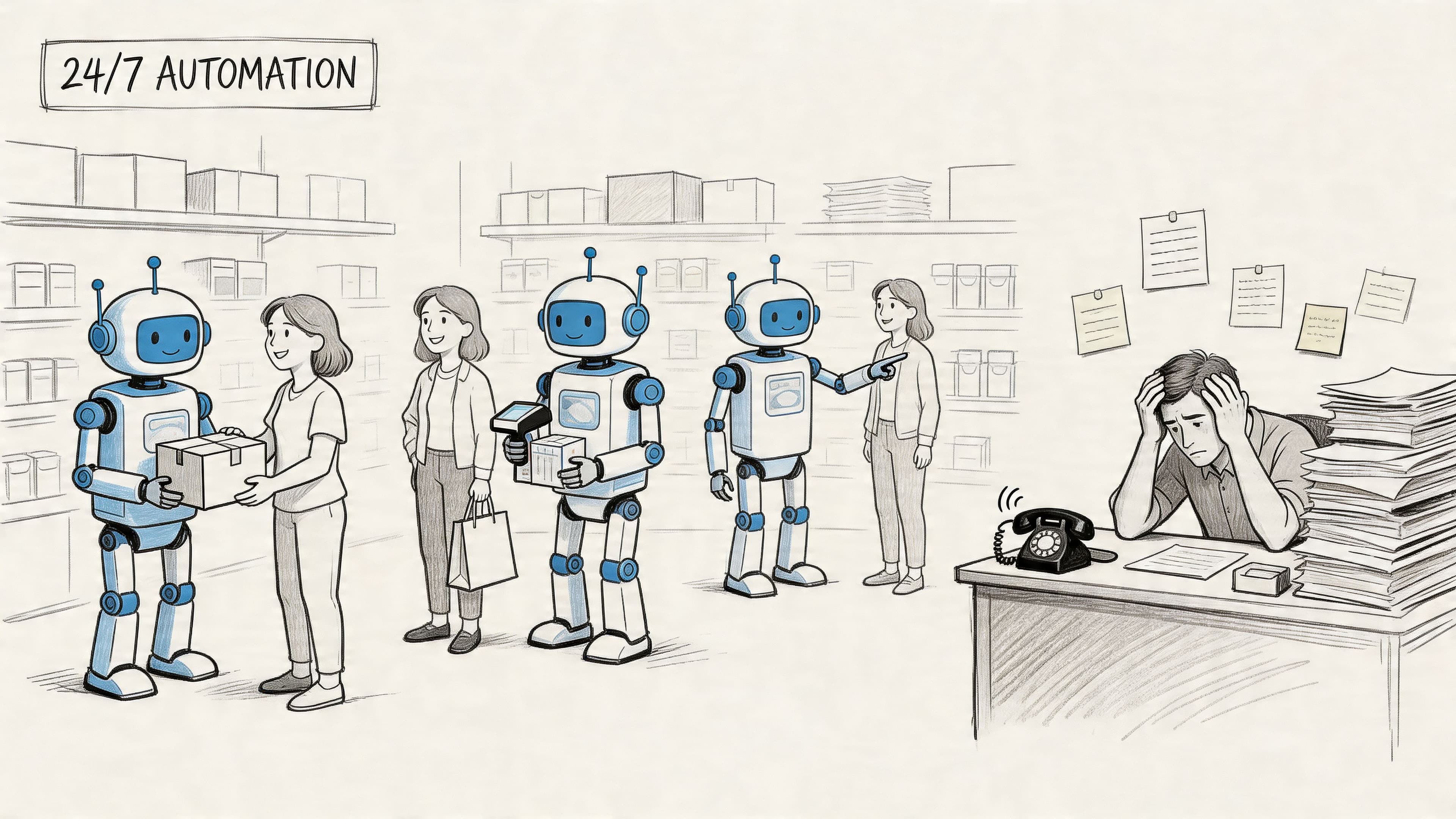
On Shopify, that usually means automation tied to things like product pages, shipping policies, tracking pages, return terms, and shopper behavior. If someone asks whether a serum is pregnancy-safe, whether a hoodie runs oversized, or whether expedited shipping is available, the system should know where to pull that answer from and when to escalate.
A lot of merchants get this wrong because they buy a chatbot instead of an e-commerce support system. If you want a closer look at keeping automation useful without losing brand voice, this piece on balancing Shopify support automation with human touch is worth reading.
Why modern systems work better than old bots
The big difference is Natural Language Processing, or NLP. Modern NLP systems read intent based on meaning, not just exact keywords. That’s the difference between a bot that breaks when phrasing changes and one that understands what the shopper wants.
A customer might write “I can’t log in,” “locked out of my account,” or “password reset not working.” A keyword bot may treat those as three separate things. An NLP-powered system groups them as the same underlying need.
According to Decagon’s explanation of help desk automation and NLP routing, NLP-based systems can achieve 85-95% accuracy in intent detection and reduce resolution times by up to 40% compared with older rule-based chatbots.
That matters on a storefront because shoppers don’t phrase questions neatly. They type fast, misspell words, switch languages, and ask broad questions like a human would.
A bot that only recognizes exact wording isn’t automation. It’s a dead end with a chat bubble.
Here’s what “good” looks like in practice:
- Intent recognition: It understands what the shopper means, even when phrasing is messy.
- Context use: It pulls from product details, policies, and previous conversation context.
- Smart routing: It resolves what it can and escalates what it shouldn’t guess.
- Commercial awareness: It knows that some conversations are support tickets, and others are buying signals.
If your current tool can only answer static FAQs, you don’t have real help desk automation yet. You have a basic deflection layer.
Key Benefits and KPIs for Shopify Stores
What gets better when automation is set up well
The strongest argument for help desk automation isn’t that it sounds efficient. It’s that the economics get better.
When more issues are resolved at the first layer, you spend less on escalations and preserve your team’s attention for higher-stakes work. According to CAI’s service desk outlook, First Level Resolution rates average 74% and are targeted to reach 80% by 2025, with tickets resolved at the first layer costing $12-$25 versus $75-$600 for escalated L2/L3 support. The same source says modern automation can reduce support costs by up to 30%.
For a Shopify store, that means fewer labor-heavy touches on routine issues like order tracking, shipping windows, product availability, sizing basics, and return-policy clarification. It also means your best support people stop spending prime hours on questions the system should answer instantly.
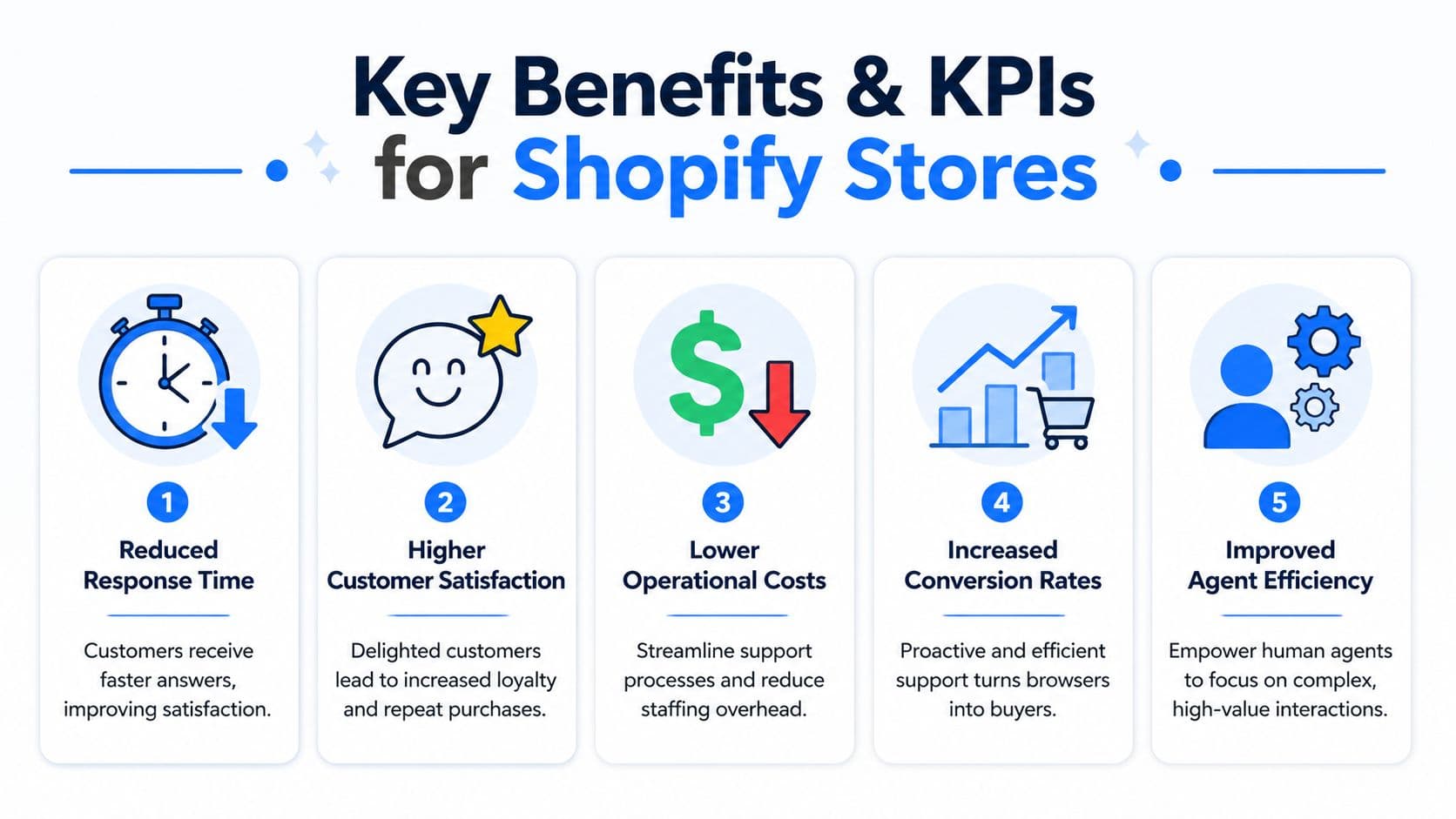
The revenue angle is just as important. Better support during the shopping session can reduce hesitation. Better post-purchase support can protect repeat purchase intent. Better routing can stop high-value sales questions from getting buried under “where is my order” messages.
The KPIs that matter on Shopify
Don’t track automation like an internal IT department. Track it like a merchant.
The first set of KPIs lives inside support operations:
- First response time: How quickly shoppers get an answer.
- Resolution rate: How often issues are solved without manual back-and-forth.
- First level resolution: How many conversations end at the first support layer instead of escalating.
- Escalation share: Which topics still need human handling.
The second set ties directly to commerce outcomes:
- Conversion rate on assisted sessions: Are supported shoppers buying more often?
- Cart recovery rate: Are intervention messages rescuing checkout drop-off?
- Average order value trend: Are recommendation flows improving basket quality?
- Customer satisfaction: Are customers leaving the interaction happier, not just faster?
If you need a practical framework for deciding which metrics deserve weekly attention, this guide to Shopify chat AI ROI metrics is useful.
Operator view: If a metric doesn’t connect to labor saved, revenue protected, or revenue created, it’s not a priority KPI.
Shopify Support Metrics Manual vs Automated
| Metric | Manual Support (Before) | Automated Support (After) |
|---|---|---|
| First response time | Often delayed during peaks, nights, and weekends | Instant for common questions |
| Resolution path | More agent handling for repetitive inquiries | More first-layer resolution before escalation |
| Ticket mix | Team handles routine and complex issues together | Routine questions resolved automatically, humans take exceptions |
| Cart recovery | Usually handled through email flows only | Support layer can intervene during hesitation moments |
| Product guidance | Depends on staff availability and training | Automated suggestions available throughout the session |
| Multilingual coverage | Limited by team language capacity | Broader language coverage through the automation layer |
| Cost per resolved routine issue | Higher because humans answer predictable questions repeatedly | Lower because common issues are handled automatically |
| Agent workload | Constant context switching | More time for edge cases and high-value conversations |
Tables like this look simple, but they’re operationally important. They force you to compare your current state against the setup you want, instead of treating automation as a vague productivity project.
Four Essential Automation Use Cases for Sales Growth
Help desk automation matters most when it shows up in moments that change buyer behavior. These four use cases do that.
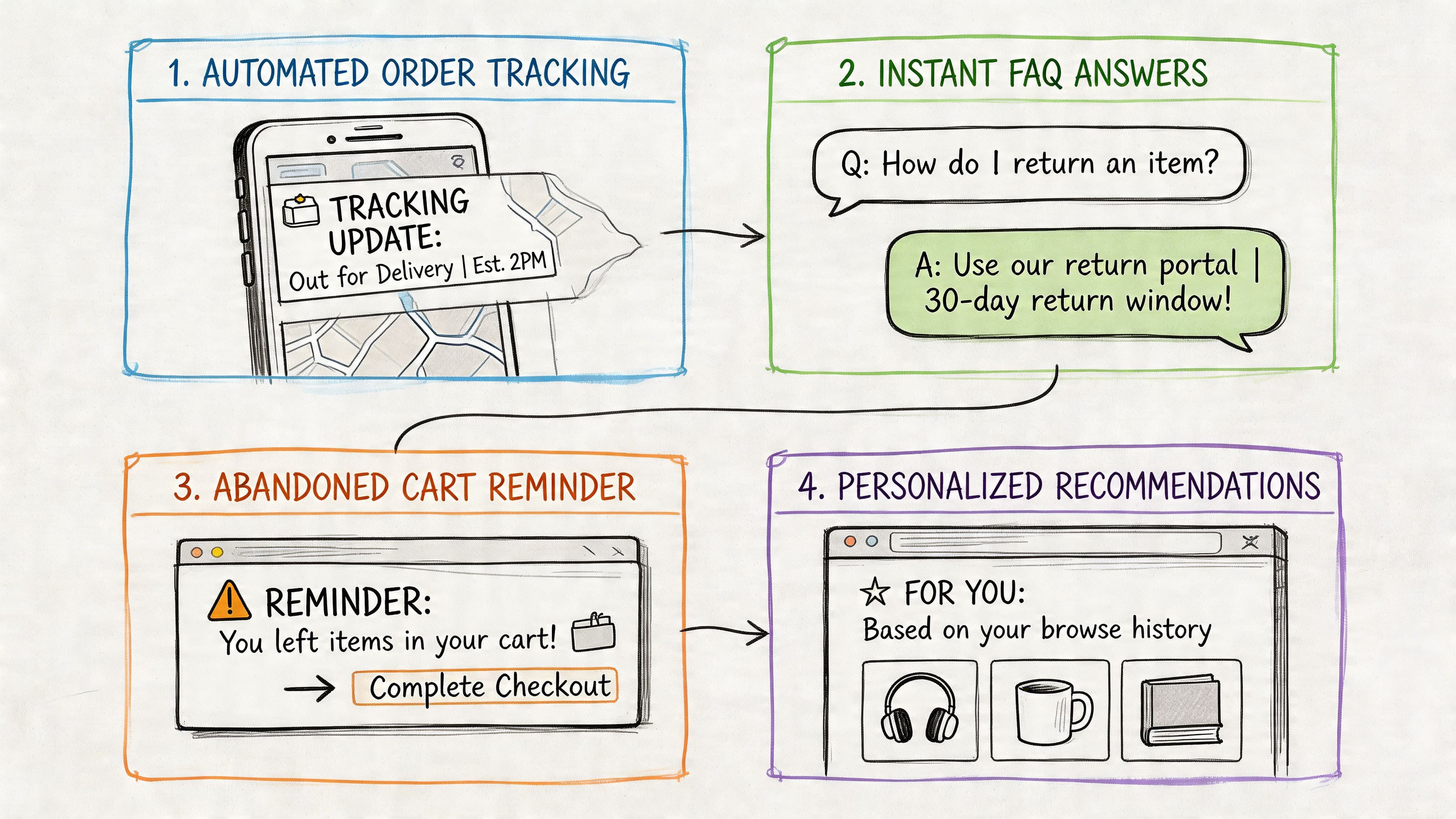
Pre-purchase questions that decide the sale
A shopper lands on a product page and likes what they see. Then one small uncertainty stalls the purchase. Maybe it’s shipping region, delivery timing, ingredients, compatibility, material, or return eligibility.
If they don’t get a fast answer, many leave.
This is the cleanest automation win for a DTC brand because the question is common, the answer is usually stable, and the value of speed is high. Good help desk automation can answer immediately from your shipping rules, policy pages, and product content. Great automation also knows when the customer’s question is too specific and should go to a person.
What doesn’t work is dumping a long FAQ into a widget and hoping shoppers search it themselves. Buyers don’t want homework in the middle of a decision.
Product guidance that feels like a store associate
The next layer is recommendation support. In this layer, automation stops acting like a help center and starts acting like assisted selling.
A customer asks which supplement fits a goal, which foundation shade is closest, whether two items pair well, or what gift works for a certain use case. The system should guide, narrow, and recommend without sounding robotic.
That only works if the tool understands your catalog structure and shopper context. Generic bots often fail here because they can answer policy questions but can’t translate product knowledge into purchase guidance.
A short walkthrough helps show how these customer journeys often play out on-site:
Cart recovery before intent disappears
Cart recovery is usually treated as an email or SMS problem. It’s also a support problem.
A lot of abandoned carts aren’t pure indecision. They’re unresolved objections. Shipping cost confusion. Delivery timing. Discount-code uncertainty. Product fit. Return anxiety. Subscription terms.
When automation is connected to behavior on-site, it can intervene at the exact moment a shopper hesitates and answer the objection before the session ends. That’s much stronger than waiting until the shopper has already left and hoping an email pulls them back.
The best cart recovery message often isn’t a discount. It’s a credible answer delivered before the buyer clicks away.
The trade-off is restraint. Over-aggressive prompts feel desperate and hurt trust. The right play is targeted intervention tied to real friction signals, not constant interruption.
Post-purchase support that protects repeat purchase behavior
Post-purchase automation doesn’t usually get the same attention as conversion flows, but it should. In this neglected aspect, many brands inadvertently damage retention.
Customers ask for tracking updates, exchange steps, return conditions, subscription changes, and product-use guidance after delivery. If those interactions are slow or confusing, the customer remembers the friction more than the product.
Strong post-purchase automation makes these flows feel easy. Tracking questions get answered without an agent touching them. Return steps are clear. Policy interpretation is consistent. The customer doesn’t have to open three pages and send two emails to solve one simple issue.
That doesn’t just reduce workload. It protects the second order.
Your Implementation Roadmap for E-Commerce
Most help desk automation projects fail because the tool gets installed before the store has decided what the tool should own. The better approach is phased.
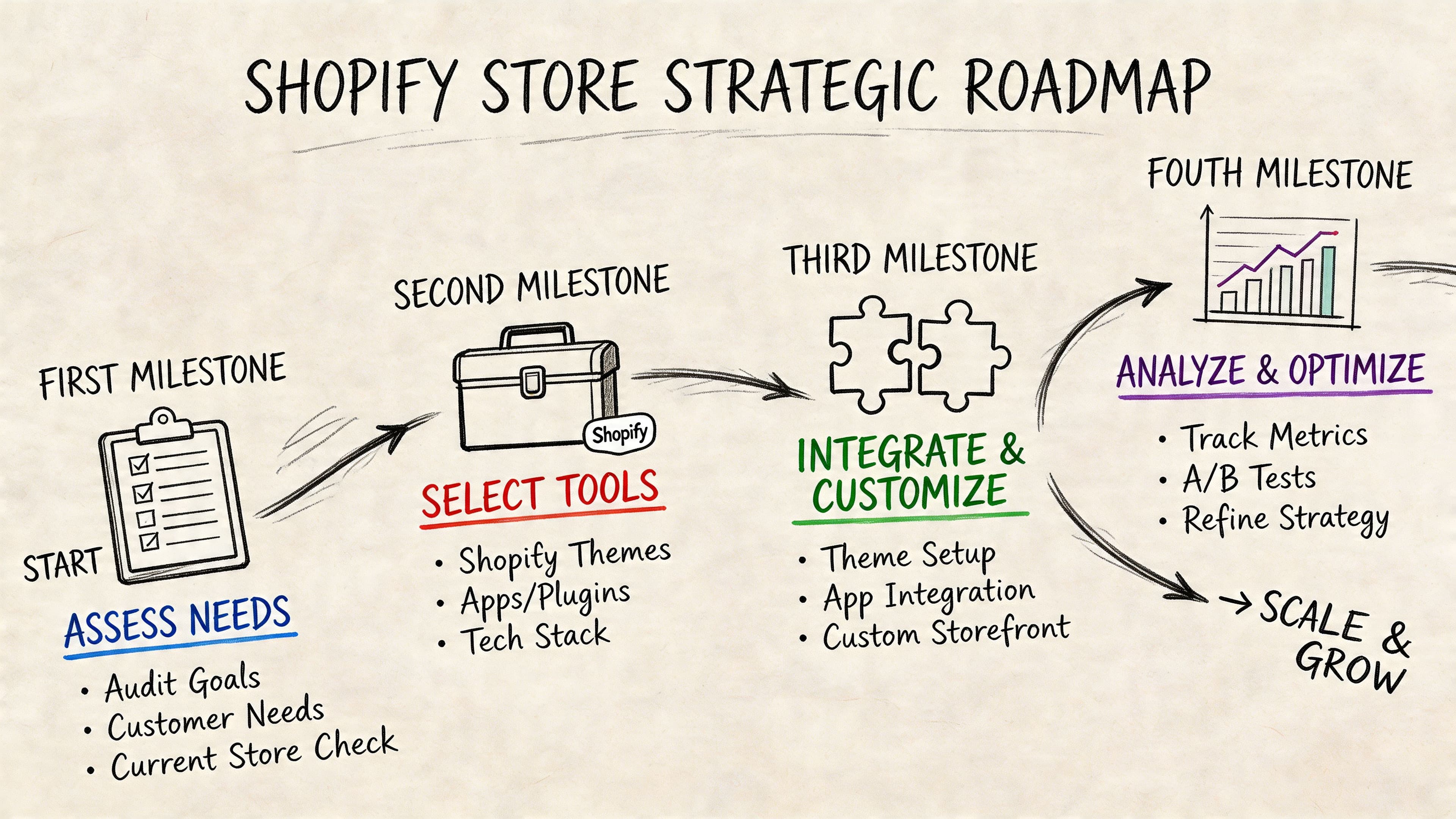
Phase one audit the questions behind the workload
Start with your actual conversations, not a vendor demo.
Pull recent chats, emails, and tickets. Group them by intent. You’ll usually find a handful of recurring themes driving most of the volume. Shipping. Tracking. Returns. Sizing. Product compatibility. Subscription edits. Discount confusion.
Then separate them into three buckets:
-
Safe to automate now
Stable answers, low emotional risk, high frequency. -
Needs guardrails
Questions that can start with automation but may need escalation. -
Keep human-led
Complaints, damaged orders, sensitive refunds, or anything with high nuance.
This first pass gives you the automation boundary. Without it, brands over-automate too early and spend the next month cleaning up bad customer experiences.
Phase two choose for Shopify depth not generic coverage
A lot of help desk software was built for internal service desks or broad support teams. That’s why some tools look polished but struggle in a Shopify environment.
The issue is integration depth. According to Moveworks’ discussion of service desk automation, a critical and often overlooked issue for Shopify brands is deep platform integration. Generic help desk tools often fail at catalog syncing and policy auto-learning, while e-commerce-specific AI chatbots are better suited for multilingual support, proactive sales nudges, and no-code setup.
That changes the buying criteria. Don’t just ask whether the tool has AI. Ask whether it can work with your store as a store.
Look for this:
- Catalog awareness: It should understand products, variants, and collections.
- Policy grounding: It should learn from shipping, return, and FAQ content.
- Behavior triggers: It should react to browsing or cart signals.
- Multilingual capability: It should support the languages your shoppers use.
- Simple setup: If implementation needs constant engineering help, adoption usually stalls.
For a broader evaluation lens, this roundup of the best Shopify chatbots can help frame what matters.
Phase three launch with guardrails
Go live narrow. Don’t automate every channel and every topic on day one.
Start with a few high-volume intents that have low downside if the system gets them slightly wrong. Common examples are shipping questions, tracking requests, store policy clarification, and basic product detail questions. Make escalation obvious. A shopper should never feel trapped inside automation.
This is also where brand voice matters. The bot doesn’t need to sound cute. It needs to sound clear, accurate, and useful. Stores often spend too much time tweaking personality and not enough time checking whether answers are grounded in current policy.
If your policy page changed last week and the bot still gives the old answer, the problem isn’t tone. It’s governance.
Phase four refine based on what shoppers actually ask
After launch, the dashboard becomes more valuable than the widget.
The incoming questions tell you where product pages are weak, where policies are unclear, and where the buyer journey still creates friction. If customers keep asking whether a dress is lined, that’s not just a support issue. It’s a merchandising issue. If they keep asking whether bundles can be split across addresses, that’s a checkout expectation problem.
The smartest operators use help desk automation as both a service layer and a listening layer. It tells you what shoppers still need before they feel confident enough to buy.
Measuring ROI and Avoiding Common Pitfalls
A simple ROI model operators can trust
You don’t need a complicated financial model to justify help desk automation. Start with three buckets.
First, estimate labor saved. Look at how much time your team currently spends answering repeatable questions. Then estimate how much of that volume the system can absorb.
Second, estimate revenue protected or created. That includes recovered carts, conversions saved through fast pre-purchase answers, and repeat purchases protected by smoother post-purchase support.
Third, subtract tool cost and management time. Automation isn’t free just because it’s software. Someone still needs to maintain content quality, review failure cases, and tune flows.
A practical internal formula looks like this:
| ROI component | What to include |
|---|---|
| Support savings | Time saved on repetitive conversations, fewer manual resolutions, lower escalation load |
| Revenue impact | Assisted conversions, recovered carts, reduced drop-off from unanswered questions |
| Retention impact | Fewer frustrating post-purchase experiences, better repeat purchase conditions |
| Cost side | Software spend, setup effort, maintenance, team oversight |
If you’re already tracking first response time, resolution rate, assisted conversion, and cart recovery, the ROI conversation gets much easier. You’re no longer selling the idea of AI. You’re showing operational movement.
The mistakes that sink otherwise good setups
Most failures come from execution, not from the idea itself.
Here’s the short checklist I’d use before blaming the tool:
- You treated it as set-and-forget: Help desk automation needs review. New products, policy changes, and seasonal shipping rules all affect answer quality.
- Your source content is weak: If FAQs, return policies, and product descriptions are vague, the system will produce vague support.
- You chose a generic platform: A tool that isn’t built for e-commerce often struggles with catalog context and commercial moments.
- You automated emotionally charged cases: Returns with friction, damaged deliveries, and angry customers usually need a human path.
- You ignored feedback loops: Repeated confusion in chats usually points to broken storefront communication, not just support demand.
The win is not “more automation.” The win is better automation boundaries.
A lot of merchants learn this late. The strongest setup isn’t the one that automates the most. It’s the one that automates the right things and escalates the rest fast.
Conclusion The Future of Your Customer Experience
For Shopify brands, help desk automation isn’t just a support efficiency play. It’s a growth system.
It reduces the drag created by repetitive questions. It helps shoppers get answers while they’re still in buying mode. It gives your team room to handle the conversations that need judgment, empathy, or product expertise. And it turns support from a reactive cost center into a cleaner part of the customer journey.
That shift matters more as your store grows. More products, more traffic, more geographies, and more channels all create more chances for friction. Manual support alone doesn’t scale well through that complexity. A strong automation layer does.
The brands that get the most from it won’t be the ones chasing novelty. They’ll be the ones using help desk automation with discipline. Clear boundaries. Clean data. Real Shopify integration. Constant refinement.
That’s how you convert more without adding the same amount of operational weight behind every sale.
If you want a Shopify-native way to put this into practice, Carti is built for exactly these customer-facing use cases. It learns your catalog, policies, and FAQs, answers shoppers instantly, supports multilingual conversations, and helps recover revenue through proactive onsite assistance. For DTC brands that want help desk automation tied directly to conversion and support efficiency, it’s a practical place to start.

Written by
Daniel AndersonFounder of Carti. 10+ years building ecommerce brands in apparel and supplements. Still runs a Shopify store and built Carti to help merchants convert more browsers into buyers.
Ready to boost your store's sales?
Install Carti in 5 minutes and let AI handle customer questions, recommend products, and close sales 24/7.
Start Free Trial14-day free trial