
You’re paying for traffic, polishing product pages, and fixing your checkout flow. Yet shoppers still leave with one item in cart and one unresolved question. It’s usually something small. Shipping timing, sizing, ingredients, compatibility, return policy, stock, or whether a product comes in another color.
That’s where most stores misread the problem. They treat chat like a support feature when it should be part of the sales system. A well-configured web chat widget doesn’t just wait for tickets. It steps in at the moment hesitation appears, answers fast, recommends the right product, and keeps the purchase moving.
For Shopify stores, that distinction matters. If your chat only exists to deflect support emails, you’re leaving revenue on the table. If it acts like an always-on sales associate, it can influence conversion, loyalty, and merchandising decisions across the store.
What Is a Web Chat Widget and Why Does It Matter?
A shopper adds a product to cart, gets to checkout, and pauses. They’re not confused enough to email you, and they’re not patient enough to wait for a reply tomorrow. They leave. That sale was often recoverable.
A web chat widget is the small chat interface that appears on your site, usually in the corner of the screen. But for e-commerce, that definition is too narrow. The useful version isn’t just a message box. It’s a digital sales layer that can answer buying questions, recommend products, and intervene when a shopper is close to dropping off.
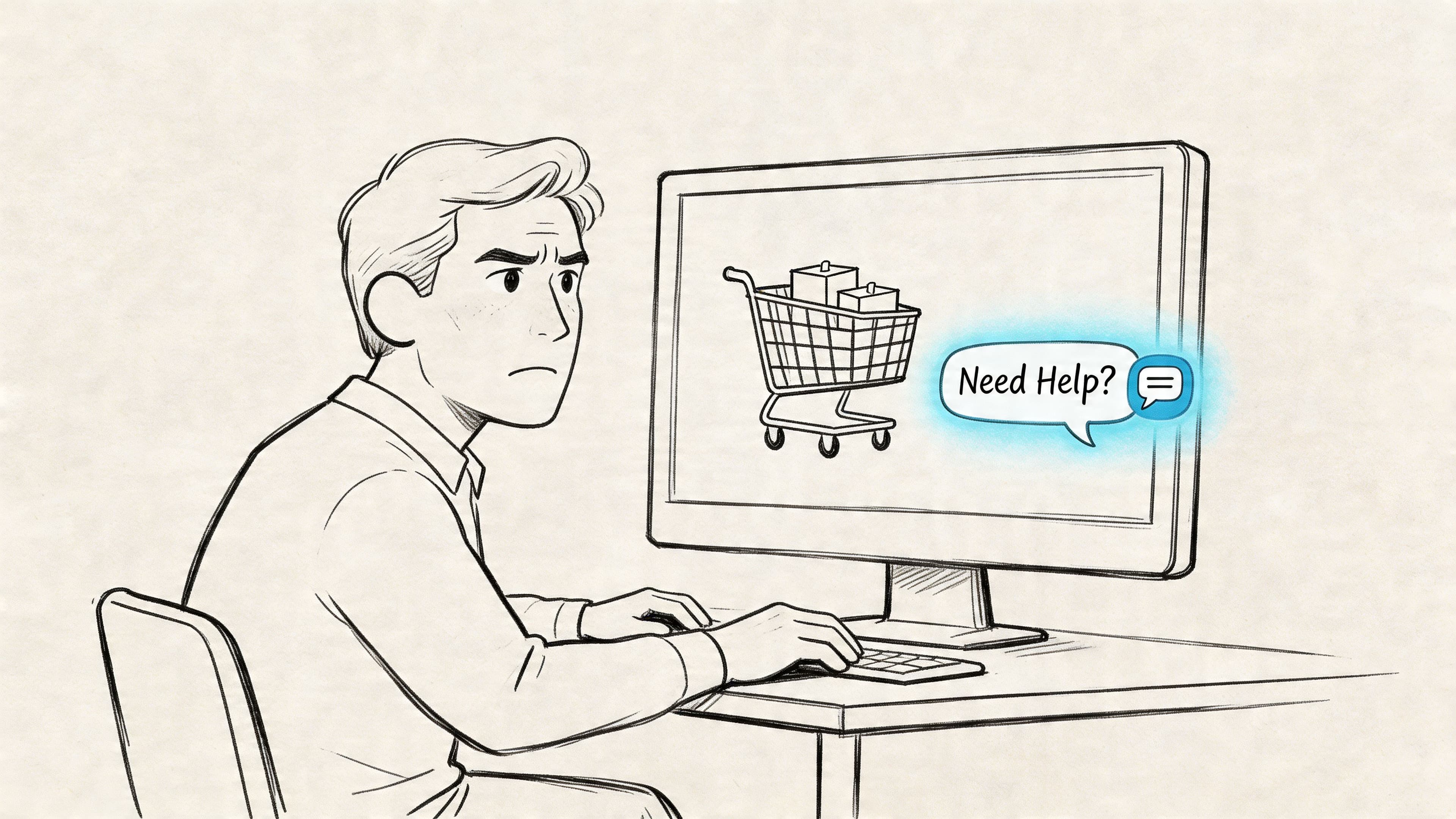
The market has already decided this is standard storefront infrastructure. Over 519,700 websites in the top 1 million sites globally have installed live chat widgets, and adoption has grown 400% since 2015, according to Tidio’s live chat statistics roundup.
More than a floating icon
The old model of chat was reactive. A visitor clicked the bubble, typed a question, and hoped someone was online. That setup helped with support, but it rarely changed revenue outcomes in a meaningful way.
The better model is proactive. The widget notices hesitation on a product page, stalled movement at checkout, or browsing patterns that suggest uncertainty. Then it responds with useful help before the shopper bounces.
Practical rule: If your chat only answers questions after a shopper asks, it’s a service tool. If it helps shoppers choose, compare, and complete checkout, it’s a sales tool.
Why it matters on Shopify
Shopify merchants deal with a familiar mix of purchase blockers:
- Product uncertainty: Size, fit, material, ingredients, compatibility, and care instructions.
- Policy friction: Returns, exchanges, shipping windows, and delivery expectations.
- Decision overload: Too many variants, too many bundles, too little guidance.
- Timing gaps: A shopper is ready now, but your team replies later.
A web chat widget closes those gaps in real time. That’s why it belongs next to your product media, reviews, offers, and checkout optimization. It doesn’t replace those assets. It helps shoppers use them.
How a Chat Widget Drives Revenue and Customer Loyalty
The easiest way to think about a chat widget is this. It’s your best floor salesperson, except it’s available all day, never forgets policy details, and can handle repetitive buyer questions without slowing your team down.
The commercial upside is hard to ignore. Shoppers using live chat are 513% more likely to convert, and 63% of customers report being more likely to return to a website that offers live chat, according to LiveAgent’s live chat statistics.
Conversion happens when friction gets removed
Most stores lose sales for ordinary reasons. A shopper can’t tell which variant fits their need. They don’t know if shipping will arrive in time. They aren’t sure whether your return policy makes the purchase safe.
A good widget handles those moments immediately. It shortens the distance between interest and confidence. That’s why it often performs better when placed on product, collection, and cart pages than when it’s treated as a generic support feature hidden in the footer.
If cart abandonment is a major issue, this guide on reducing Shopify cart abandonment with live chat is worth reviewing alongside your chat setup.
Loyalty starts before the order is placed
A lot of merchants think loyalty is built only after fulfillment. It starts earlier than that. It starts when the buying experience feels easy, responsive, and trustworthy.
A shopper remembers whether your store helped them decide or made them work for basic answers. When chat makes the path to purchase smoother, that positive experience carries into repeat visits.
The store that answers fastest often wins the order, even when the products are similar.
Revenue impact shows up in a few specific ways
- Higher conversion from high-intent visitors: People already browsing product pages or carts usually don’t need a long nurture sequence. They need one answer.
- Better product matching: Chat can steer shoppers to the right size, formula, color, or bundle instead of letting them guess.
- More efficient support coverage: Routine questions get handled without pulling human staff into every conversation.
- Stronger merchandising feedback: Chat logs show where your PDPs are incomplete or where customers repeatedly get stuck.
The last point matters more than is often realized. If shoppers keep asking the same question, the issue often isn’t support volume. It’s missing sales content. Chat helps you spot that faster than analytics alone.
Key Features That Separate Sales Tools from Support Bots
A lot of chat products look similar in demos. On a real store, they don’t behave the same way. Some are basically inboxes with canned replies. Others can guide shoppers, surface products, and intervene at the right moment without sounding robotic.
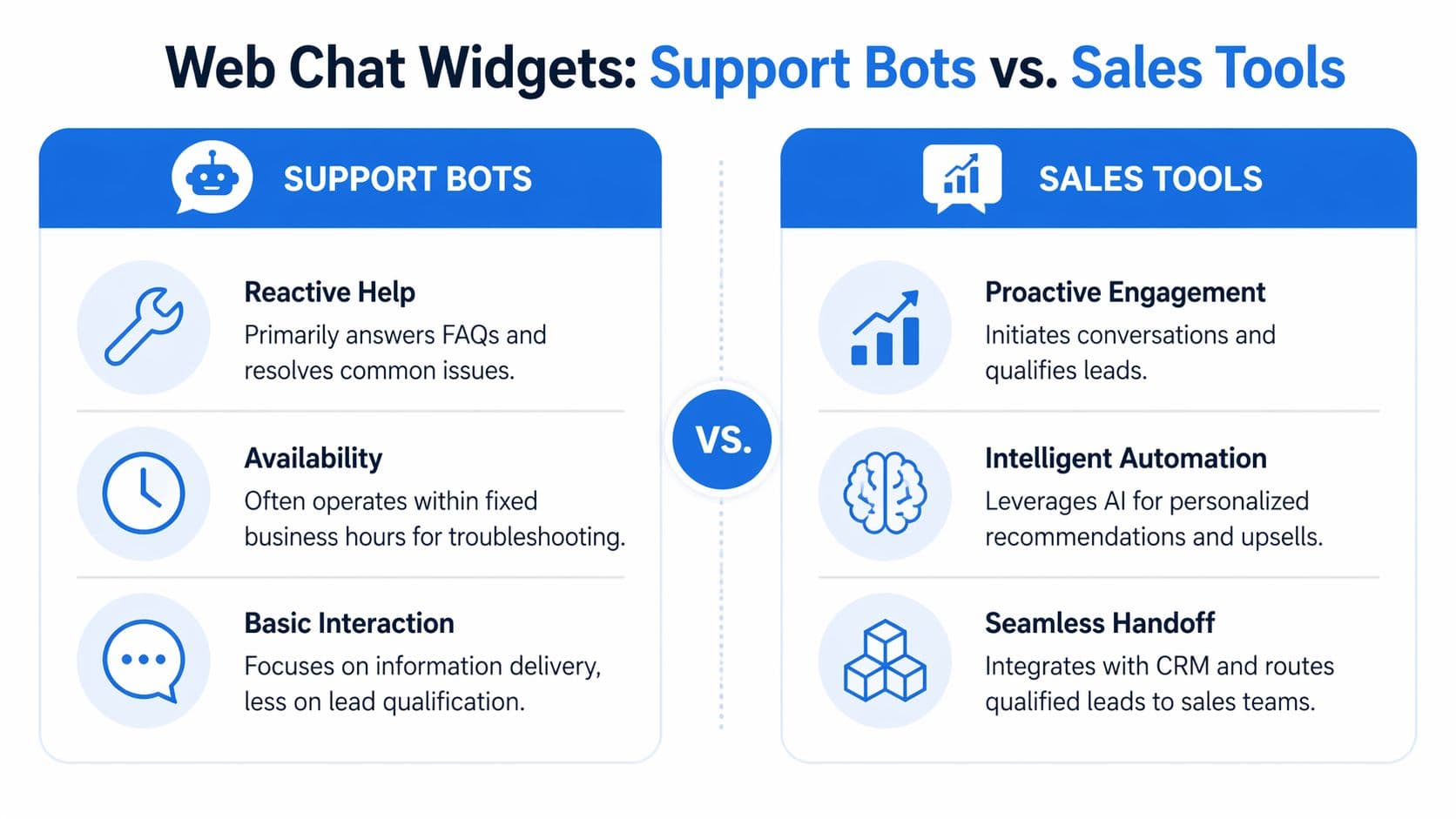
One feature gets ignored until it breaks. Performance at scale. Retailers need to know how a system holds up when handling 500+ concurrent conversations daily, because poor bot behavior during traffic spikes can damage the shopping experience when revenue is most at stake, as noted in Zipchat’s overview of chat widgets for websites.
What basic chat does well
Basic live chat still has a place. It’s useful when your main need is human support, simple FAQ handling, or a low-cost communication channel.
It usually works best for stores with lower product complexity, limited SKU depth, or a team that wants direct manual control over every conversation.
What sales-focused chat must do
Sales-oriented chat needs a different standard. It should understand shopper intent well enough to move a purchase forward, not just answer isolated questions.
Here’s the comparison I’d use when evaluating tools:
| Capability | Basic Live Chat | AI Sales Assistant (e.g., Carti) |
|---|---|---|
| Conversation style | Reactive, visitor starts chat | Proactive, tool can initiate based on behavior |
| Product guidance | Manual links from support team | Automated recommendations using store data |
| Catalog awareness | Limited or manual | Pulls from product catalog and store context |
| Cart recovery | Minimal | Triggered nudges for stalled or exiting buyers |
| Handling repetitive questions | Canned responses | Context-aware automation |
| After-hours coverage | Limited unless staffed | Continuous coverage |
| Handoff | Human-only workflow | Bot-first with escalation when needed |
| Sales measurement | Often basic chat counts | Revenue-focused tracking and conversation analysis |
| Traffic spikes | Can bottleneck quickly | Needs proven stability under heavier load |
The buying checklist I’d use
Don’t buy based on “AI” claims alone. Check whether the widget can perform the work your store needs.
- Natural language handling: It should understand varied customer phrasing, not rely only on exact keyword matches.
- Shopify integration depth: It should access your catalog, variants, policies, and relevant store context.
- Proactive triggers: It should support behavior-based engagement, not just passive availability.
- Clean brand fit: The widget should feel native to your site, not pasted on.
- Human fallback: Some conversations still need a person. The handoff shouldn’t be clumsy.
A flashy demo means very little if the widget can’t answer real product questions from your catalog.
For most Shopify brands, the wrong tool isn’t one that lacks features. It’s one that adds conversation volume without improving buying decisions.
Setting Up Your Chat Widget for Maximum Sales Impact
Installing a widget is easy. Configuring it well is where stores either gain a sales channel or create another noisy app.
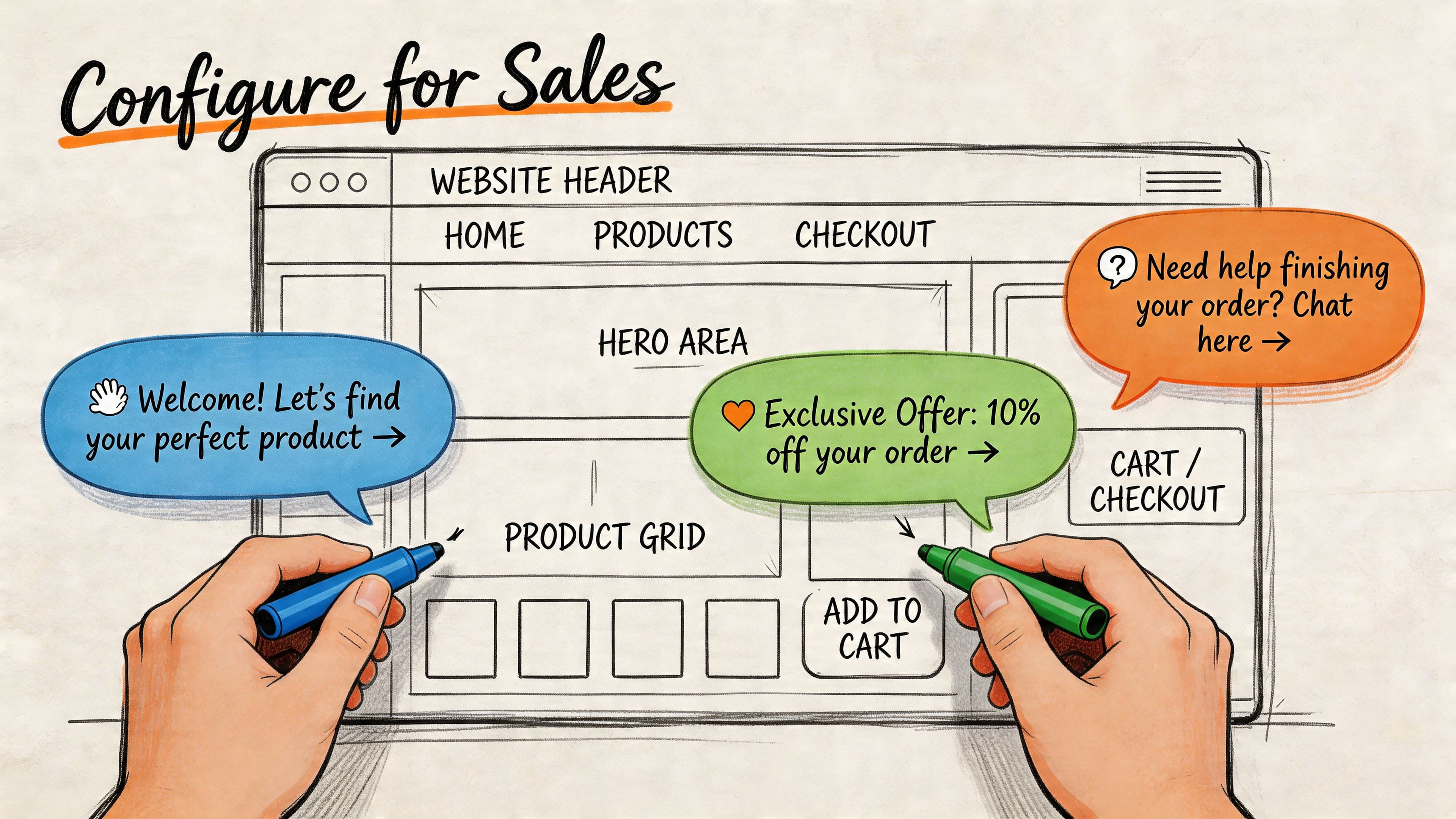
If you’re still at the installation stage, this walkthrough on how to add a chatbot to Shopify covers the mechanics. The more important part is deciding what the widget should say, where it should appear, and which shopper behaviors should trigger it.
Start with the pages that influence purchase decisions
Don’t spread the same greeting across the whole site. Homepage traffic, PDP traffic, and cart traffic have different intent.
A few practical examples:
- Homepage: Keep it broad. Offer help finding the right product, gift, or collection.
- Collection pages: Help narrow choices. Ask what the shopper is looking for, not whether they “need assistance.”
- Product pages: Focus on objections. Size, ingredients, compatibility, shipping, and returns usually matter most.
- Cart or checkout-adjacent pages: Address urgency, reassurance, and final blockers.
What doesn’t work is generic chat copy like “Hi, how can we help?” It puts the burden back on the shopper. Better prompts reduce effort and signal that the widget can handle buying questions.
Use proactive triggers carefully
A web chat widget starts acting like a sales associate instead of a passive inbox. Proactive chat widgets use exit-intent detection and idle timers to trigger interventions that can recover 15-25% of abandoned carts, according to Quickchat’s article on chatbot cart abandonment.
That matters because the trigger is doing the timing work for you. It watches for signs of hesitation such as exit behavior or stalled session activity, then presents a message that fits the moment.
A good setup usually includes:
- Exit-intent on cart or checkout-related pages for shoppers about to leave.
- Idle timers on product pages when someone lingers without adding to cart.
- Context-aware prompts tied to the page they’re viewing.
- Offer restraint so every message doesn’t become a discount pop-up.
Here’s the practical line. Trigger too early and you become annoying. Trigger too late and the shopper is already gone.
Train it like part of your storefront
The widget should know the same things your best support lead knows. Product details, policy language, shipping expectations, common comparison questions, and the edge cases that come up repeatedly.
That training work is usually more important than visual customization. Colors matter. Correct answers matter more.
A short product demo can help teams visualize the setup and flow in context:
A few operational rules help:
- Write for objections: Pull from support tickets, reviews, and on-site search terms.
- Match your brand voice: Friendly is fine. Vague isn’t.
- Check the recommendations manually: Don’t assume the widget is surfacing the right products without testing.
- Review mobile behavior: A prompt that feels acceptable on desktop can feel intrusive on a phone.
Chat Widget Strategies for Fashion, Beauty, Home, and Wellness
The strongest chat setups usually reflect the products being sold. A generic script won’t work equally well for dresses, serums, furniture, and supplements. The buying questions are different, so the conversation design should be different too.
Fashion
Fashion shoppers often hesitate because they’re deciding between variants, fit, or styling use cases. A visitor lands on a product page, likes the item, but can’t tell whether a certain color exists in their size or whether the fabric suits a specific occasion.
A good chat flow answers those questions directly and links the shopper to the right variant or related product. It should also help when shoppers ask in everyday language, not perfect merchandising terms.
Useful fashion prompts include:
- Variant discovery: “Looking for another color or size?”
- Fit reassurance: “Need help choosing between two sizes?”
- Outfit building: “Want matching items for this look?”
Beauty
Beauty is less about variants and more about suitability. Shoppers want to know whether a product fits their skin type, routine, or concern. If your widget can guide that decision clearly, it reduces both drop-off and bad-fit purchases.
The best beauty flows feel consultative. They ask one or two clarifying questions, then narrow the recommendation instead of dumping the full catalog into chat.
If your beauty chat only repeats ingredient lists, it’s not selling. It’s reciting.
Home
Home shoppers often need specifics that product pages bury too low. Dimensions, materials, room fit, assembly expectations, care, and compatibility with existing pieces all matter.
A useful widget for home goods should respond like a showroom associate. It should answer practical questions fast and, when relevant, suggest complementary items such as matching finishes or adjacent categories.
Common high-intent home questions include whether a piece fits a space, whether the finish matches another item, and what the delivery or setup expectations are.
Wellness
Wellness shoppers often arrive with ingredient, dietary, or usage questions. They want confidence before they buy, especially when the product category involves routines, sensitivities, or restrictions.
Your chat needs to handle direct questions cleanly. Is it vegan? Is it gluten-free? When should it be taken? What’s the difference between two formulas? A slow or uncertain answer hurts trust quickly in this category.
The broad lesson across all four verticals is simple. The widget should sound informed about the products shoppers are buying. Not just available to chat.
Key Metrics and How to Improve Chat Performance
Most merchants can tell whether people are using chat. Fewer can tell whether chat is producing profitable sales. That’s the gap that causes chat tools to get judged by activity instead of business impact.
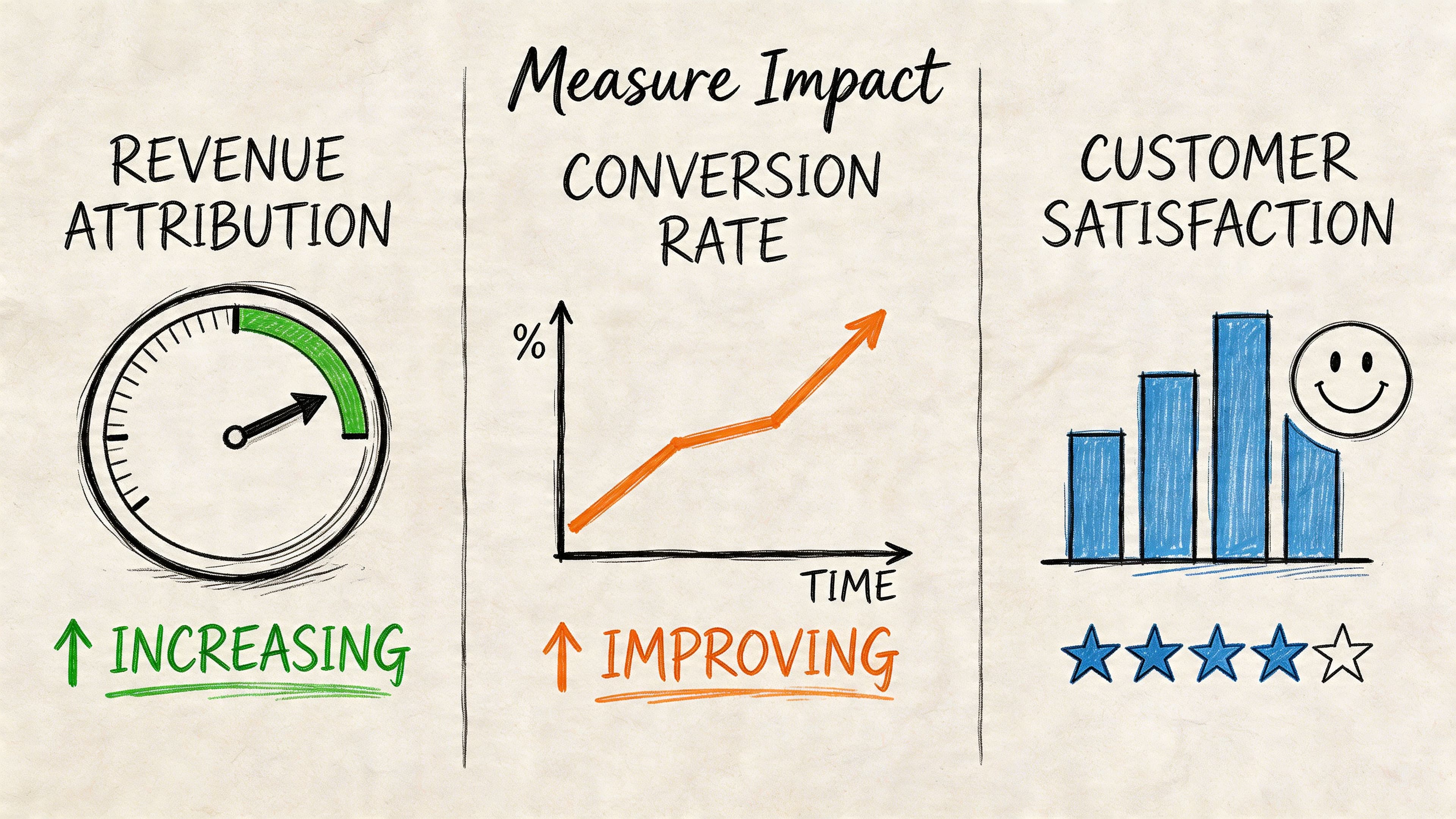
That problem is common. Heyy’s article on chat widgets points out that many merchants struggle to measure ROI because they don’t attribute revenue to specific chat conversations, and they fail to distinguish between chat-assisted sales and chat-driven sales.
Separate assistance from causation
These two categories should not be lumped together.
- Chat-assisted sales: The shopper likely would have purchased, but chat removed friction or improved confidence.
- Chat-driven sales: The conversation materially changed the outcome. The shopper discovered the right product, recovered a stalled cart, or overcame a purchase blocker because of chat.
That distinction matters when you evaluate payback, staffing, and tool selection. If you want a deeper framework, this guide on Shopify chat AI ROI metrics is a practical next read.
What to review every week
Skip vanity metrics first. Chat volume alone doesn’t tell you much.
Review a short list instead:
- Conversation-to-order patterns: Which chats are followed by purchases, and which types of questions show the strongest purchase intent.
- Page-level friction: Are shoppers asking the same question on the same product or collection pages?
- Recommendation quality: Which products get suggested often, and whether those suggestions align with actual sales.
- Escalation themes: Which questions still need a human and why.
- Lost-sale signals: Where conversations end without resolution or where the answer appears incomplete.
Don’t ask whether chat is busy. Ask whether chat is helping buyers move from uncertainty to checkout.
The best optimization work usually starts with repeated questions. If shoppers keep asking about shipping cutoffs, update the PDP and cart copy. If they keep comparing two products, add a comparison block. If they ask about ingredients or dimensions, make that information easier to find before the chat opens.
That’s when a web chat widget stops being just a support layer. It becomes a feedback engine for the entire storefront.
Your Next Step Toward a Smarter Storefront
A web chat widget earns its place when it helps shoppers buy, not when it acts solely as a message collector. For Shopify stores, the difference is operational and financial. The right setup can reduce hesitation, recover otherwise lost orders, guide product discovery, and surface the buying questions your site still isn’t answering well enough.
That’s why the most useful way to evaluate chat isn’t “Do we have it?” The better question is “Is it actively helping people convert?”
Treat chat like part of merchandising, conversion optimization, and retention. Configure it around real product questions. Trigger it where hesitation shows up. Measure it with revenue in mind. Then improve the site using what shoppers ask most.
Stores that do this well don’t just answer faster. They sell better.
If you want a web chat widget built specifically for Shopify sales, Carti is worth a serious look. It’s designed to act like a 24/7 AI sales associate, not just a reactive support bubble, with fast no-code setup, catalog-aware answers, proactive assistance, and analytics that help you tie conversations back to revenue.

Written by
Daniel AndersonFounder of Carti. 10+ years building ecommerce brands in apparel and supplements. Still runs a Shopify store and built Carti to help merchants convert more browsers into buyers.