
Sales assist AI is software that helps shoppers make buying decisions before they leave your store. In practice, it answers pre-purchase questions, recommends the right product, handles common objections, and nudges high-intent visitors toward checkout while they are still deciding.
What it is:
- a digital sales layer for product discovery, objections, and checkout hesitation
- grounded on your catalog, policies, FAQs, and store context
- useful across the funnel, from first product question to last-minute cart doubt
What it is not:
- a generic chatbot that repeats canned FAQ answers
- a post-purchase support bot that only helps after the order is placed
- a replacement for human reps in complex, sensitive, or high-value conversations
Where it helps most:
- product pages with fit, ingredient, materials, or compatibility questions
- carts where a small uncertainty blocks purchase
- mobile sessions where patience is low and hesitation kills momentum
That distinction matters because checkout friction is still massive. Global cart abandonment has held around 70.22% across 50 independent studies, and mobile abandonment is even worse at 80.02% versus 66.41% on desktop according to Baymard Institute's cart abandonment research. For merchants in fashion, beauty, home, and wellness, that forms the backdrop for this category: shoppers do not need more content, they need faster confidence.
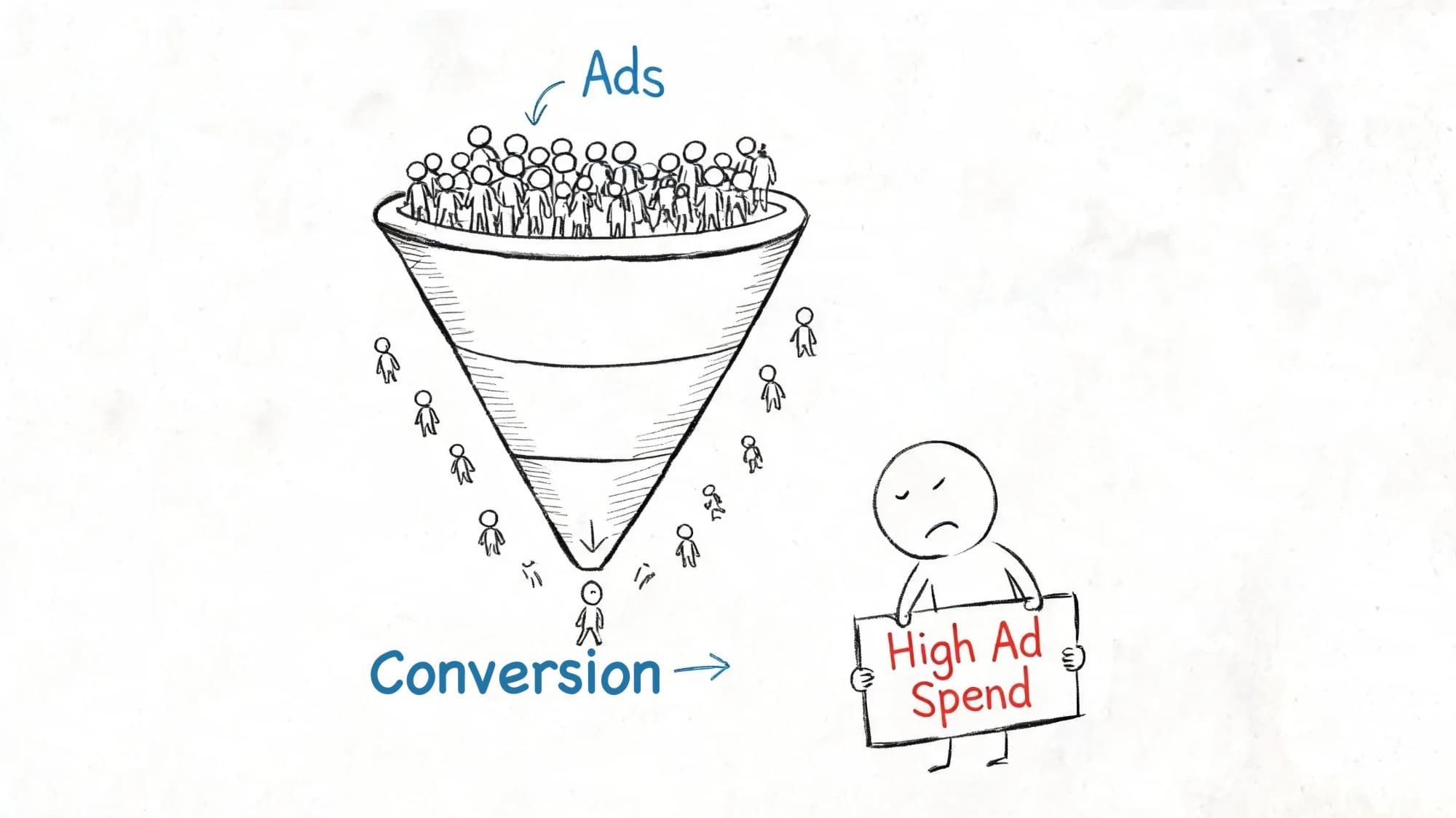
From an operator perspective, I have seen the same failure pattern over and over on storefronts: the traffic is there, the product is good, and the sale dies on a tiny unanswered question. On Shopify, those questions are rarely dramatic. They are sizing nuance, shipping timing, ingredient compatibility, finish, assembly, refill logic, or whether one product works with another. If nobody answers in the session, the customer leaves.
The category is no longer speculative. The global AI sales assistant software market is expected to be worth $3.2 billion in 2026 and to reach $14.2 billion by 2033, expanding at a 23.7% CAGR, with retail and e-commerce identified as a key opportunity segment according to Persistence Market Research’s AI sales assistant software market analysis. Shopify is one important use case inside that broader shift, not the whole definition.
If you’ve been looking at broader resources on automating sales outreach with AI, the missing piece is usually storefront execution. Shopify has different problems. Product fit questions, shipping objections, bundle opportunities, shade matching, sizing uncertainty, returns anxiety, cart hesitation. Those issues don’t sit in a CRM waiting for a rep. They happen live, on site, while a customer is deciding whether to buy.
How We Evaluated Sales Assist AI for Shopify Stores
We reviewed this category through a merchant lens rather than a vendor-feature lens. The core question was simple: does the assistant help a shopper buy with less friction, or does it just add another chat bubble?
Our evaluation criteria were:
- Answer accuracy: does it answer store-specific questions correctly
- Catalog grounding: are recommendations tied to real products, variants, and availability
- Policy coverage: can it handle shipping, returns, timing, and common pre-sales rules
- Recommendation relevance: do suggestions reduce decision effort instead of creating more of it
- Handoff quality: can it escalate clearly when confidence is low or the issue needs a person
- Setup friction: how much work it takes to go live and keep it useful
- Reporting value: whether chat data reveals objections you can act on
Good performance looks like concise, accurate answers tied to store knowledge, recommendations that fit the shopper’s context, and obvious guardrails for escalation. What would rule a tool or approach out: vague responses, hallucinated product claims, weak syncing, no handoff controls, or analytics that say plenty about chats and very little about revenue.
One editorial bias worth stating up front: I care less about whether a tool sounds impressive in a demo and more about whether it survives ordinary shopper questions at 9:30 p.m. on mobile. That is where most storefront AI wins or loses.
Your Best Salesperson May Not Be a Person
A lot of Shopify stores don’t have a traffic problem. They have an assistance problem.
The customer lands from Meta, Google, email, or TikTok. They like the product. Then a tiny question stops the sale. Does this run small? Will this ship before the weekend? Is this finish matte or glossy? Can I use this serum with retinol? If nobody answers fast, the customer leaves and your ad spend paid for a bounce.
That’s why the best way to think about sales assist AI on Shopify is simple. It’s not software replacing your team. It’s software covering the moments your team physically can’t. Nights, weekends, launch spikes, international traffic, and all the product-page hesitation that happens before someone ever opens an email.
A weak setup behaves like a static help center. A strong one behaves like a trained store associate. It knows your catalog, your policies, and the common objections that block checkout. It answers in the buying moment, not three hours later when the shopper is already gone.
Practical rule: If the tool only answers support questions after purchase, it’s not doing enough for revenue.
For Shopify merchants in fashion, beauty, and home goods, that distinction matters. A customer doesn’t need a lecture about AI. They need clarity, confidence, and a reason to keep moving toward checkout.
The stores getting value from sales assist AI usually treat it like conversion infrastructure. They use it to reduce hesitation, protect carts, and keep the shopping experience responsive without adding payroll to every hour of the day. That’s the difference between “we installed a chatbot” and “we added a digital closer to the storefront.”
What Sales Assist AI Actually Does
The most useful way to understand an AI sales assistant is by where it helps in the buying journey. On Shopify, that journey usually starts with intent, turns into qualification, then product selection, then checkout hesitation, and finally a purchase decision. A generic bot can answer questions inside that flow. A true sales-assist system is supposed to move the shopper through it.
Instant context-aware answers
The first job is identifying intent and resolving the question behind it.
Shoppers rarely ask in textbook language. They ask whatever is blocking them right now. “Does this sweater pill?” “Will it fit in a small entryway?” “Which shade is less warm?” “Can I wash this cover?” “Will this arrive before Friday?” The assistant has to infer what matters and answer from the store’s actual knowledge base.
The line between a support bot and a sales assistant becomes obvious. A basic bot matches keywords and points to a help article. A stronger setup answers with product context, policy nuance, and enough specificity to keep the shopper moving.
On Shopify, that usually means pulling from:
- product descriptions and metafields
- variant and inventory data
- shipping and returns policies
- care, compatibility, and usage guidance
- prior support content that already reflects the brand’s voice
One thing that stands out when reviewing live stores: merchants often think their FAQ is the knowledge base. It usually is not. Pre-purchase knowledge often lives in support macros, product team notes, ingredient pages, and half-documented sizing guidance. If that material never gets into the assistant, answer quality caps out fast.
Proactive and smart suggestions
The second job is qualifying the shopper and narrowing choices without making the experience feel pushy.
Qualification on a storefront does not look like B2B lead scoring. It looks more like reading signals: which category a shopper is in, what product they are viewing, what objection they raised, what price band they are considering, and whether their question suggests confusion or purchase intent. Someone asking about shipping cutoff is close. Someone asking about the difference between two serums may need guided selection. Someone hovering between sofa fabrics may need reassurance more than upsell.
That context should shape recommendations. Good suggestions are not random bundles. They are next-best actions tied to the shopper’s stated need.
Examples:
- A shopper between sizes gets a fit-oriented alternative.
- A customer asking about a vitamin C serum gets a compatible moisturizer instead of a generic bestseller.
- A visitor comparing bar stools gets a concise explanation of height, material, and matching pieces before any accessory suggestion appears.
A recommendation only helps if it removes decision friction. If it adds cognitive load, it hurts conversion.
Automated cart recovery
The next stage is recovering stalled moments before they turn into lost sessions.
Cart recovery is one of the clearest proof points for this category because the demand already exists. Around $260 billion in recoverable revenue sits in abandoned carts annually in the US, while global abandoned merchandise value is often cited near $4.6 trillion. Recovery programs usually recapture only 10% to 15% of abandoned carts, even though the first abandoned-cart email still sees a 41.18% open rate, according to 2026 cart recovery benchmarks. That is exactly why live intervention matters.
At this stage, the assistant should not just flash a discount or repeat “complete your order.” It should help diagnose the hesitation. Shipping cost, promo-code confusion, fit uncertainty, delivery timing, policy concern, comparison shopping, or simple distraction all require different responses.
On Shopify, practical triggers can include checkout inactivity, exit intent, repeat visits to the same PDP, or a shopper reopening chat after adding to cart. The best flows feel like assistance, not interception.
Actionable customer insights
The final job is supporting the purchase decision and feeding insight back into the business.
An assistant that repeatedly hears “Will this shrink?” “Is this safe with tretinoin?” or “What’s the difference between walnut and oak?” is exposing merchandising gaps. Those questions should change PDP copy, comparison tables, bundle strategy, and policy presentation.
Good sales-assist AI therefore does two jobs at once:
- closes more sales in the moment
- shows your team where the store still creates uncertainty
That is one reason merchants increasingly position this software as a digital store associate rather than a FAQ layer. Reported lifts vary widely by store and by implementation, so treat any single headline number with suspicion. The direction is the reliable part. When buying intent gets help in the moment, more of it survives to checkout. Our own Shopify chat AI ROI metrics guide covers how to measure that on your store rather than trusting a benchmark.
There are also limits. AI should hand off when the answer is ambiguous, the policy is exceptional, the customer is upset, or the order value makes human judgment worth it. I would rather see a tool escalate early than bluff its way through a warranty exception or a nuanced skin-sensitivity question. The best implementations are opinionated about where automation stops.
And one more constraint matters: not every problem should be solved in chat. If the assistant keeps answering the same product question well, that is also a signal to fix the product page so fewer customers need to ask at all.
How Sales Assist AI Drives Shopify Conversions
Features matter less than outcomes. Shopify operators care about conversion rate, average order value, and operating efficiency because those three metrics tell you whether a new tool is helping profitably or just adding another dashboard.
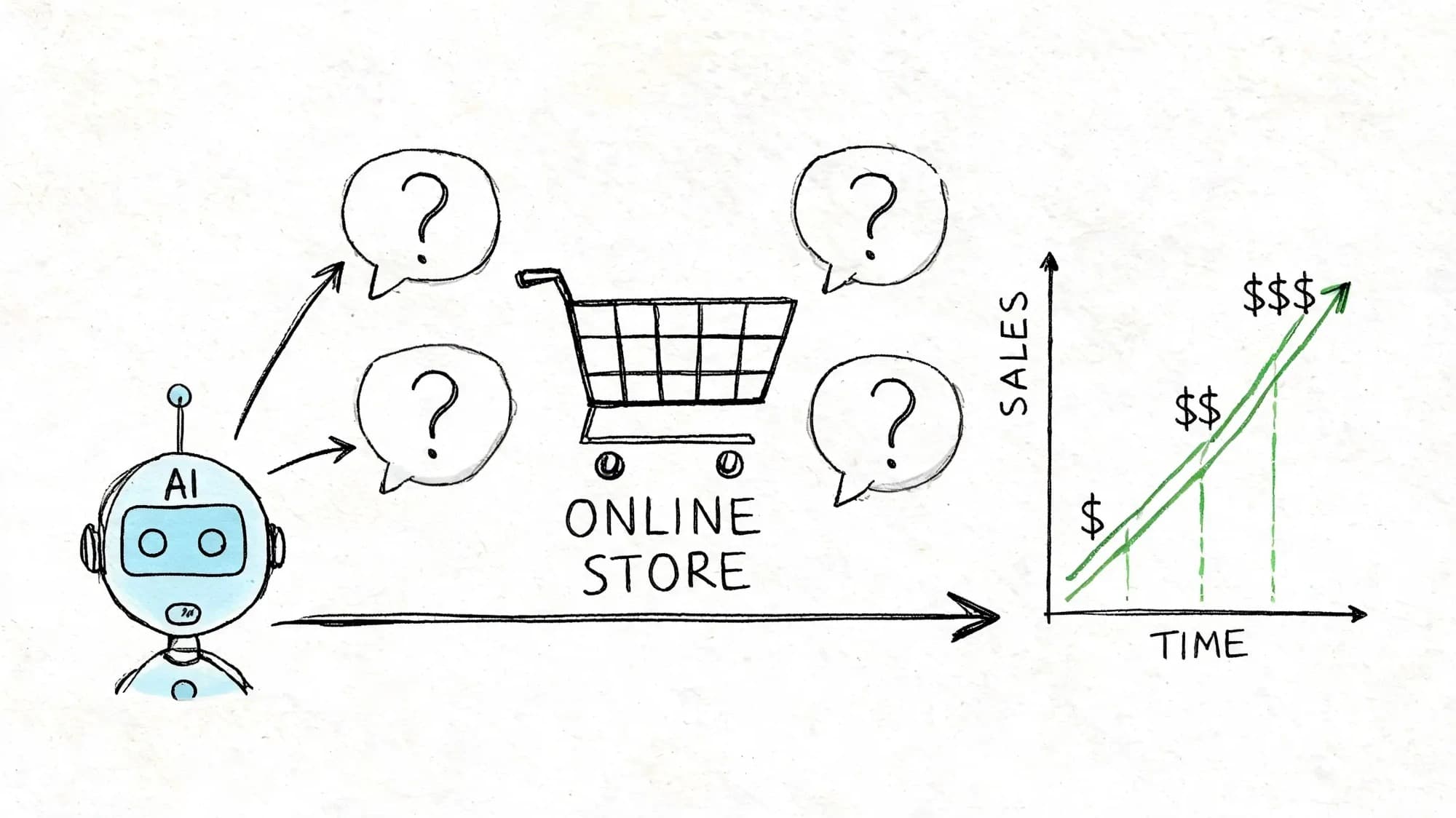
Vendor-reported gains in this category run wide, and most published figures come from the vendors themselves rather than independent studies. On Shopify, the practical takeaway does not depend on any of them. Fast answers and better guidance convert demand that already exists.
Conversion rate moves when friction disappears
The biggest conversion lift usually doesn’t come from flashy automation. It comes from removing uncertainty during the session.
A shopper who gets an immediate answer about fit, ingredient compatibility, shipping timing, or product use is far more likely to continue than a shopper who has to dig through policy pages. This is why web chat placement and timing matter as much as the AI itself. If you’re evaluating storefront behavior, this breakdown of a Shopify web chat widget is a useful reference for where chat supports buying instead of distracting from it.
Here’s the operator view. If your store gets the same pre-sales questions every week, those aren’t support questions. They’re conversion blockers.
AOV improves when recommendations are timely
Average order value rises when recommendations feel like help.
The pattern is common in DTC. The shopper has already chosen the hero product. What they need next is a relevant add-on, not a random carousel. Sales assist AI can suggest the complementary item inside the same conversation where the customer is already asking for reassurance.
That works especially well in categories with natural pairings:
- Fashion: size-adjacent alternatives, matching accessories, care items
- Beauty: regimen extensions, shade-adjacent products, refill options
- Home: coordinated items, material care, room-specific add-ons
The revenue effect comes from context. A recommendation attached to a live objection lands better than one buried in a template.
Support efficiency protects margin
There’s also a margin story here.
When AI handles repetitive pre-purchase questions, your human team gets pulled into fewer low-value loops. That doesn’t mean removing humans. It means reserving them for edge cases, VIP customers, damaged-order situations, and nuanced product advice where judgment matters.
The healthiest model is hybrid. Let AI handle speed and repetition. Let people handle nuance and exceptions.
That operational split improves customer experience because shoppers get instant help when the answer is straightforward, and real support when the issue is not.
Sales Assist AI in Action: Short Case Studies
The easiest way to judge sales assist AI is to watch what happens in ordinary shopping moments. Not demos. Not vendor claims. Real customer hesitation.
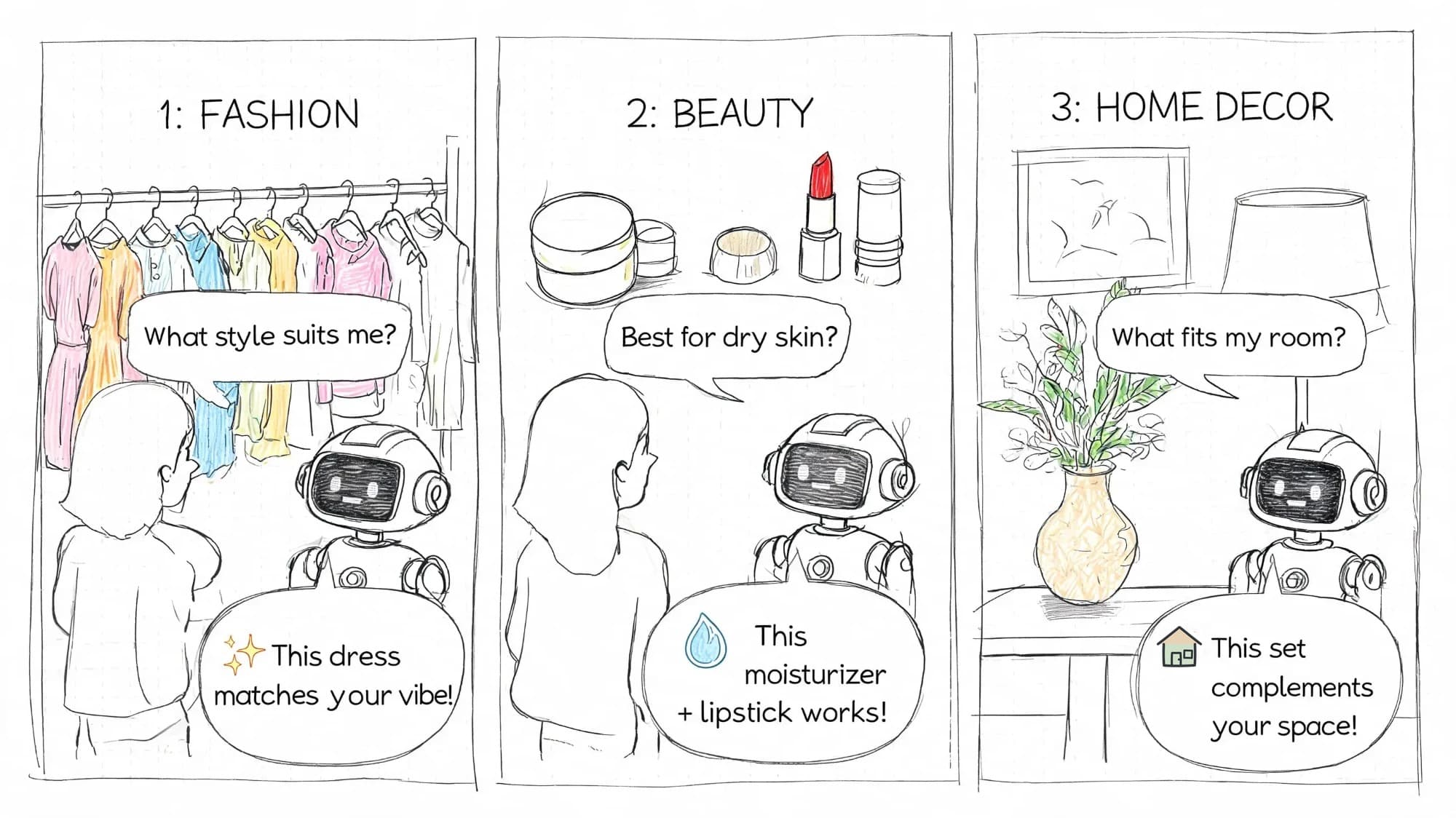
Fashion store and the sizing question
Initial friction: a customer lands on a dress page from Instagram, likes the silhouette, but hesitates because the PDP has only a basic size chart and a short fit note. She wants to know whether the dress runs true to size, whether the fabric has stretch, and what to do if she sits between sizes.
What the AI does: instead of dumping her into the size chart, it answers directly in plain language, explains the fit guidance tied to that SKU, and suggests either sizing up or considering a second cut if her use case points that way.
What knowledge enables the answer: product-specific fit notes, fabric composition, prior support guidance about stretch and returns, and variant-level availability.
What outcome it should influence: higher conversion on assisted sessions, fewer size-related pre-sales tickets, and fewer drop-offs from shoppers who would otherwise bounce to compare another store.
In apparel, this is one of the most common patterns we see: the customer is not asking for fashion advice, just permission to feel safe ordering.
Beauty brand and the natural add-on
Initial friction: a shopper adds a serum to cart but pauses because she already uses an exfoliant and wants to know whether the two can be used together. She is not asking for a pitch. She is checking for risk.
What the AI does: it answers the compatibility question using the brand’s own usage guidance, clarifies when to apply each product, and then recommends a moisturizer or SPF only if it fits that routine.
What knowledge enables the answer: ingredient compatibility notes, regimen sequencing guidance, brand-authored FAQ content, and product relationships already built into the catalog.
What outcome it should influence: better conversion, higher AOV from routine-based add-ons, and reduced support load from repetitive compatibility questions.
The recommendation works because it follows the question naturally. It doesn’t interrupt it.
This is also where one practical Shopify tool can fit. A product like Carti is built for this kind of storefront behavior, using catalog and policy knowledge to answer questions and suggest relevant products inside the same conversation.
Home goods store and the make-or-break detail
Initial friction: a customer is close to buying dining chairs but stops over materials and finish. He wants to know whether the upholstery is easy to clean, whether the wood tone skews warm, and whether the dimensions will work in a tighter dining area.
What the AI does: it answers the care question, explains the finish in practical terms, links the answer back to the exact product specs, and then points to the matching bench or table only if the shopper is clearly building a set.
What knowledge enables the answer: materials and dimensions from the catalog, care instructions, finish descriptions, delivery notes, and any comparison content between adjacent SKUs.
What outcome it should influence: fewer exits on high-consideration products, improved attachment rate for matching items, and lower support burden on product-detail questions that rarely need a human.
Most lost sales in home aren’t dramatic. They die in the details. Materials, dimensions, finish, delivery, assembly.
These stories matter because they’re ordinary. That’s the point. On Shopify, sales assist AI earns its keep in the routine moments that happen all day and shape revenue.
Your Implementation Checklist for Shopify
A lot of AI rollouts fail for boring reasons. Bad data. Weak setup. No ownership. Or the tool takes too much work to integrate, so the team never gets past installation.
Implementation friction is not imaginary. A recent McKinsey survey found that only 1% of companies describe their AI rollouts as mature, which is a useful reminder that deployment quality, governance, and adoption are usually harder than the demo according to McKinsey’s State of AI. On Shopify, the practical lesson is to evaluate and launch narrowly before you try to automate everything.
Another reality check is adoption. Many merchants still lose shoppers before any tool gets a chance to help. With roughly seven in ten carts abandoned, the practical framing for implementation is simple. Start where hesitation already costs revenue.
Phase 1: Goals before tools
Start with the commercial problem, not the feature list.
Decide where the assistant should help first: product Q&A, guided recommendations, cart recovery, or support deflection. Then define what success looks like in business terms. If you cannot name the buyer friction you are solving, you are not ready to choose a tool.
Use this decision lens before you shortlist anything:
- Data quality: is your catalog detailed enough to support accurate answers
- Knowledge grounding: can the tool use your policies, FAQs, and product guidance rather than inventing responses
- Handoff controls: can you escalate by topic, confidence, sentiment, or order value
- Recommendation relevance: does it suggest products based on context rather than generic upsell rules
- Reporting: can you tie conversations to objections, conversion, AOV, and escalation themes
- Time-to-value: can the store realistically go live and improve inside 14 to 30 days
Common goals look like this:
- Improve conversion quality: reduce hesitation on high-intent product pages
- Lift order value: increase attachment of relevant add-ons
- Reduce repetitive tickets: move routine pre-purchase questions out of support queues
Disqualifiers matter too. I would rule out any tool that cannot stay grounded in store data, gives weak control over proactive triggers, or makes human takeover clumsy. A flashy interface does not compensate for bad answers.
Phase 2: Choose a setup that won’t stall
If setup is painful, adoption dies early.
Look for no-code installation, clean Shopify catalog sync, and a straightforward way to ingest policies, FAQs, and product information. If you want a practical walkthrough of the install side, this guide on how to add a chatbot to Shopify covers the storefront basics merchants usually need to get live quickly.
Use a simple evaluation lens:
| Criteria | What to check | Why it matters |
|---|---|---|
| Catalog sync | Products, variants, collections update cleanly | Bad product data creates bad answers |
| Policy ingestion | Shipping, returns, FAQs are easy to upload | Pre-sales trust depends on policy clarity |
| Trigger controls | You can set when proactive chat appears | Poor timing annoys shoppers |
| Handoff options | Human escalation exists for edge cases | Not every conversation should stay automated |
| Reporting depth | Assisted revenue, objection themes, escalation reasons | You need evidence to tune the program |
| Recommendation logic | Suggestions reflect shopper context | Irrelevant add-ons suppress trust |
Phase 3: Train it on real store knowledge
This step is where many implementations get lazy.
Feed it the actual material customers ask about. Product descriptions alone won’t cover enough. Add returns rules, shipping answers, sizing guidance, compatibility notes, care instructions, and any language your support team already uses successfully.
A good test is internal. Open your own storefront and ask the ten questions your inbox gets most often. Then ask them badly, the way real shoppers do. If the AI answers vaguely, overstates certainty, or misses the policy detail, it’s not trained enough yet.
One common mistake I see is merchants uploading polished marketing copy and assuming that means the assistant is trained. It is usually the gritty operational detail that makes or breaks answer quality.
Phase 4: Test the moments that matter
Don’t test with generic prompts. Test with buying friction.
Use scenarios like abandoned checkout, product comparison, discount confusion, delivery urgency, gift buying, shade or size uncertainty, and material concerns. Watch whether the response is accurate, useful, and brand-appropriate.
In the first 14 to 30 days, test for:
- answer accuracy on the top 20 pre-sales questions
- conversion rate from engaged chats versus your initial baseline
- AOV on AI-assisted orders
- escalation rate by topic
- cart-save performance on triggered recovery moments
- repeated failure themes that point to missing knowledge or bad prompting
Tie each KPI to a decision. If engaged-chat conversion is flat, your answers or timing may be weak. If AOV rises but conversion falls, recommendations may be too aggressive. If escalations spike on shipping and returns, your policy grounding probably needs work. If the same questions appear in chat all week, update the PDP or FAQ instead of only tuning the bot.
Launching with weak answers is worse than launching later with strong ones.
Phase 5: Review and improve weekly
Once it’s live, treat it like a revenue program, not a one-time app install.
Use a KPI table so your team knows what to watch:
| KPI | What It Measures | Why It Matters | Example Goal |
|---|---|---|---|
| Conversion rate from engaged chats | How often assisted shoppers buy | Shows whether conversations are helping sales | Increase over current assisted-session baseline |
| Average order value | Order size when AI influences the journey | Reveals whether recommendations are relevant | Lift AOV on AI-assisted orders |
| Cart recovery performance | Recovered checkouts after proactive intervention | Measures checkout-save impact | Improve recovery among engaged abandoners |
| Resolution quality | Whether shoppers get useful answers without escalation | Protects CX and team efficiency | Reduce repetitive pre-sales tickets |
| Escalation themes | Topics the AI can’t handle well yet | Guides training and content fixes | Shrink recurring failure categories over time |
The stores that get value keep tuning prompts, knowledge sources, triggers, and handoff rules. That’s where the compounding gains come from.
Common rollout mistakes are usually unglamorous: turning on proactive chat too aggressively, trusting thin product data, failing to define ownership, or judging success only by chat volume. If nobody owns weekly review, the assistant slowly drifts from sales tool to neglected widget.
Best Practices for Maximizing Your ROI
Most merchants leave money on the table after launch. They install sales assist AI, let it answer questions, and stop there. The bigger payoff comes when you use it as both a sales layer and a learning system.
Treat the insights dashboard like merchandising input
Repeated questions are diagnostic.
If shoppers constantly ask about fit, your PDP needs better fit copy. If they ask when a best-seller will restock, your merchandising and back-in-stock flow may need work. If they keep comparing two similar products, collection pages may be creating confusion instead of clarity.
The AI shouldn’t just reduce tickets. It should tell you where the store is making people work too hard.
Match the assistant to your brand voice
A luxury skincare store shouldn’t sound like a discount electronics chat bot. A playful fashion label shouldn’t answer like legal copy.
Tune the language so the assistant fits the brand, but keep the copy direct. Friendly is good. Vague is not. Customers still need clear answers they can act on.
Keep humans for edge cases
The strongest setups don’t pretend automation can handle everything.
Use AI for fast answers, product guidance, and common objections. Route emotionally sensitive issues, unusual requests, and high-stakes service problems to a person. That’s how you keep both speed and trust.
Build for inclusivity from day one
This part matters more as stores sell globally. Language is the clearest version of this. In a survey of 8,709 consumers across 29 countries, CSA Research found that 76% of online shoppers prefer to buy products with information in their native language and 40% will never buy from websites in other languages (CSA Research). That is a purchase-refusal figure rather than a cart-abandonment rate, but the lesson for a storefront assistant is the same. If it cannot meet a shopper in their own language, some of them were never going to buy from you. If you’re measuring outcomes, this overview of Shopify chat AI ROI metrics is a useful companion to track whether performance is improving without creating experience issues.
Review recommendations for tone, assumptions, and language coverage. Make sure responses work for different customer segments, not just the audience closest to your home market.
Inclusive AI isn’t a branding exercise. It protects trust, reduces abandonment, and makes the store easier to buy from.
Sales assist AI works best when it’s treated like an operator tool. It should answer accurately, recommend carefully, recover carts without sounding desperate, and give your team a clearer view of what customers need to buy with confidence.
Frequently Asked Questions About Sales Assist AI
Q: What is an AI sales assistant?
An AI sales assistant is software that helps customers or sales teams move a deal or purchase forward. On a Shopify store, that usually means answering product questions, recommending the right item, handling common objections, and supporting checkout decisions in real time.
Q: What is sales assist?
Sales assist is the layer of help that reduces friction before a purchase happens. In ecommerce, it includes product guidance, policy clarity, comparison help, and well-timed nudges that make it easier for a shopper to decide.
Q: Is there an AI for sales?
Yes. There are AI tools for outbound sales, CRM workflows, lead qualification, call coaching, and storefront conversion. For merchants, the relevant category is the one that operates inside the shopping session, where buying intent can be helped or lost quickly.
Q: How is this different from a normal chatbot?
A normal chatbot often answers generic support questions. A sales-focused assistant is grounded in catalog and policy data, understands shopper context, and is designed to increase conversion, AOV, or cart recovery rather than deflecting tickets.
Q: When should AI hand off to a human?
It should hand off when the answer is uncertain, the issue is emotional or exceptional, the policy needs interpretation, or the order is valuable enough that human judgment matters more than speed.
Q: What should a merchant test first?
Start with the top pre-purchase questions on your highest-intent pages. Then test recommendation relevance, cart-recovery moments, escalation behavior, and whether conversation data points to clear site fixes.
If you want a Shopify-native way to put that into practice, Carti is built for exactly this use case. It gives merchants a no-code AI sales assistant that learns the store catalog, policies, and FAQs, answers shoppers around the clock, and supports product recommendations and cart recovery inside the buying journey.

Written by
Daniel AndersonFounder of Carti. 10+ years building ecommerce brands in apparel and supplements. Still runs a Shopify store and built Carti to help merchants convert more browsers into buyers.