Answer “where is my order?” in seconds, day or night
Carti looks the order up in Shopify and shows the shopper its status and tracking link right in the chat, so your team isn't pasting tracking numbers into replies.
Can Carti track Shopify orders?
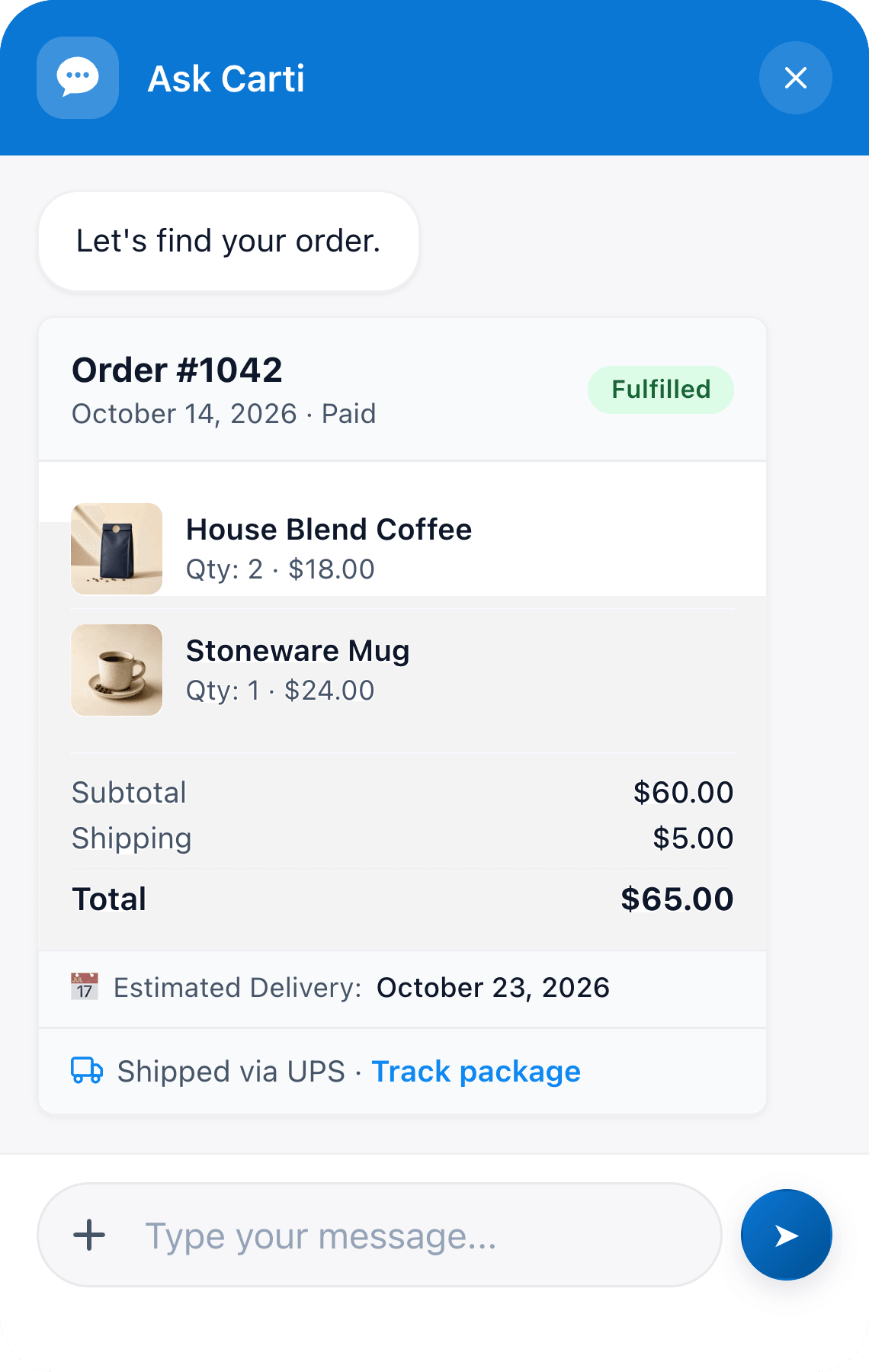
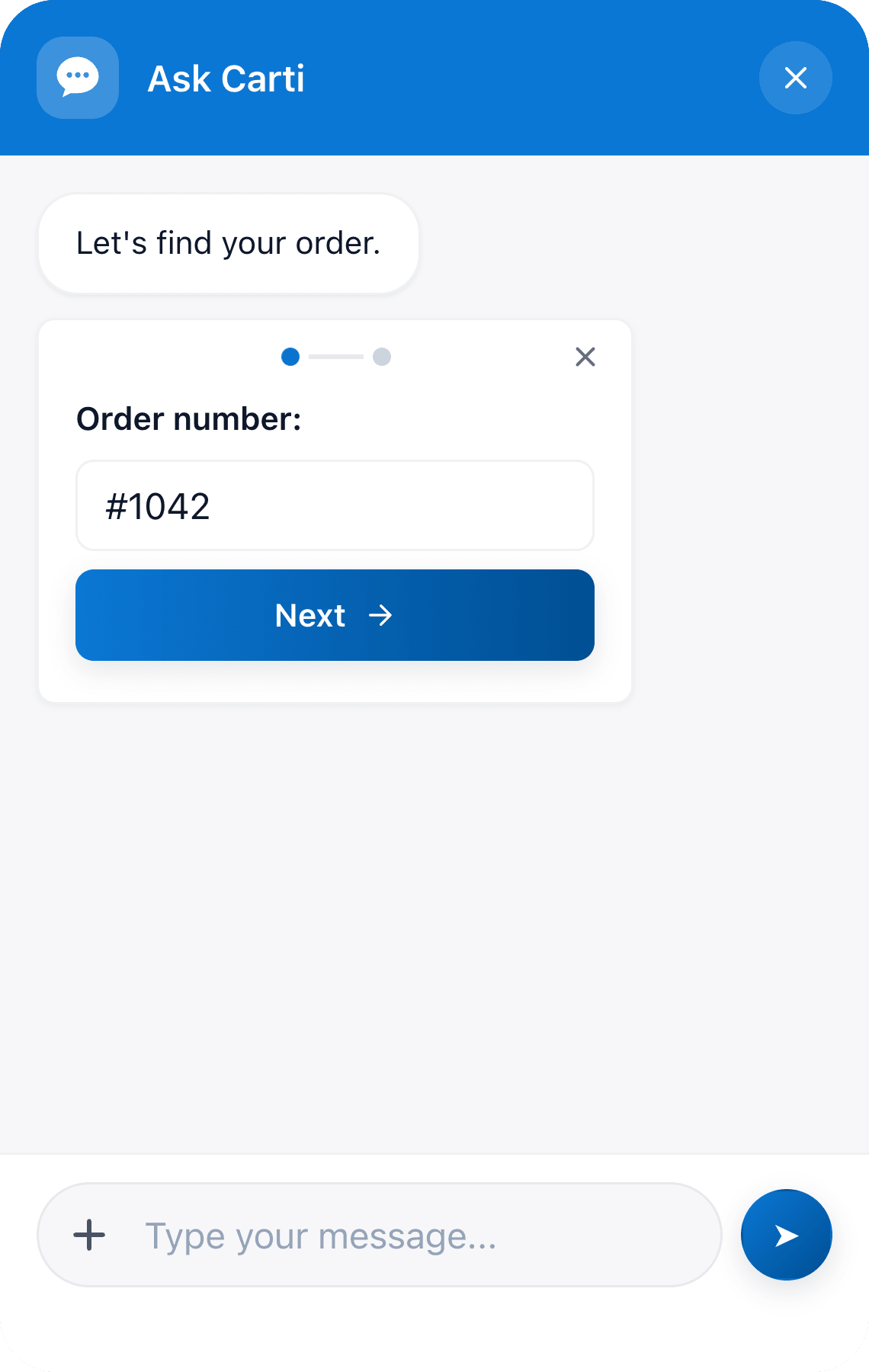
Yes. When a shopper asks where their order is, Carti opens a short secure form for the order number and the email used at checkout, checks both against Shopify, and shows the order with its status, items and the carrier's tracking link, plus a delivery estimate when Shopify has one. Shoppers who are logged in to your store skip the form.
- What shoppers enter
- Order number or Shopify confirmation code, then the checkout email
- What they see
- Status, items, totals, carrier and tracking link, plus a delivery estimate when Shopify has one
- Where it comes from
- Your Shopify orders, read at the moment the shopper asks
- Setup
- None. It works as soon as Carti is on your store
How it works for your shoppers
Three steps, and the shopper never leaves the page they were on.
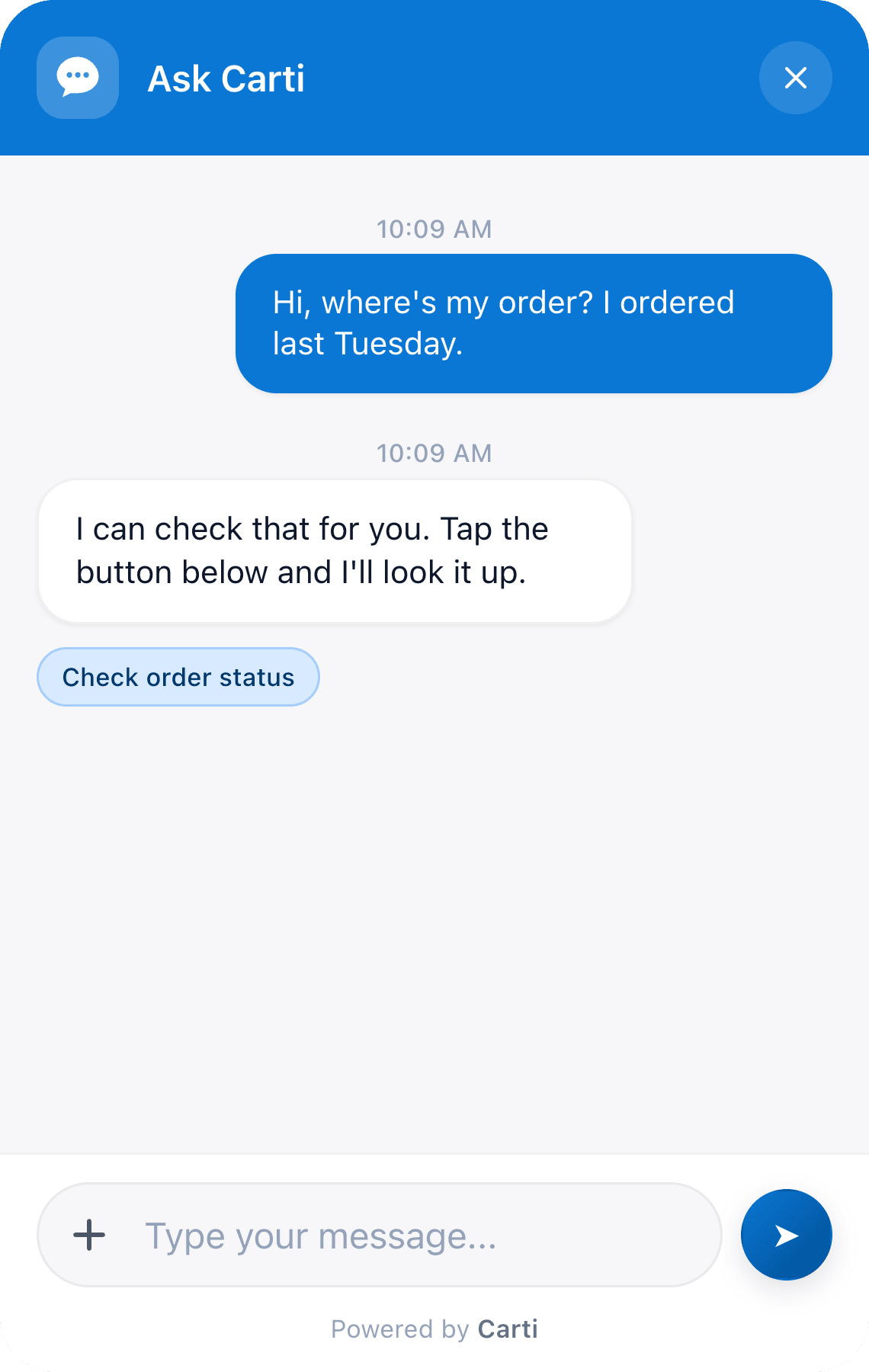
1. They ask, in their own words
2. Two quick fields
3. The order, live from Shopify
Why you can trust its answers
Private details stay out of the chat
Answers come from the order
Hard cases reach your team
Setup: nothing to write
Install Carti from the Shopify App Store and pick a plan. The Free plan works.
Switch on the Carti app embed in your theme editor and click Save. Order tracking works from that moment.
Keep adding tracking numbers when you fulfill orders, as you do today, because that's what Carti shows shoppers.
Common questions
Does a shopper need an account to track an order?
No. Guests use their order number and the email they checked out with. Shoppers who are logged in to your store skip the form, and Carti answers straight away.
What happens if the order number and email don't match?
Carti shows “Order not found” and asks the shopper to double-check both, or to contact your team. It never reveals whether that order number exists under a different email.
Can shoppers use the confirmation code instead of the order number?
Yes. Shopify's confirmation code, the short code on the order status page, works in the same field. Carti checks it against the checkout email the same way it checks an order number.
Which carriers does it work with?
Any carrier whose tracking you add in Shopify. Carti shows the carrier name and the tracking link saved on each fulfillment, with a row for every package in the order.
What if a shopper wants to cancel or change an order?
Carti tells the shopper what the order shows, then passes the chat to your team by email or as a Zendesk or Gorgias ticket, so someone can make the change in Shopify.
Does it work in other languages?
Yes. Carti replies in the shopper's language, with more than 90 languages supported. The order details themselves come straight from Shopify.
Stop answering “where is my order?” by hand
Carti handles order questions around the clock and spends the rest of its time selling.
14-day free trial