


Connecting Fera lets Carti answer shopper questions with what your customers actually said after they bought. Product descriptions tell a shopper what you claim. Reviews tell them what happened to someone like them, and that is what closes the sale.
Once Fera is connected, Carti can:
- Answer questions like "do these run small?" or "does it hold up?" using real reviews instead of guessing
- Show your star rating and review count on the product cards inside the chat
- Quote a real review back to a shopper who is on the fence, attributed by first name and last initial
- Summarize what customers consistently like and consistently flag, per product or across your whole store
The integration is available on every Carti plan, including the free one.
Before you start
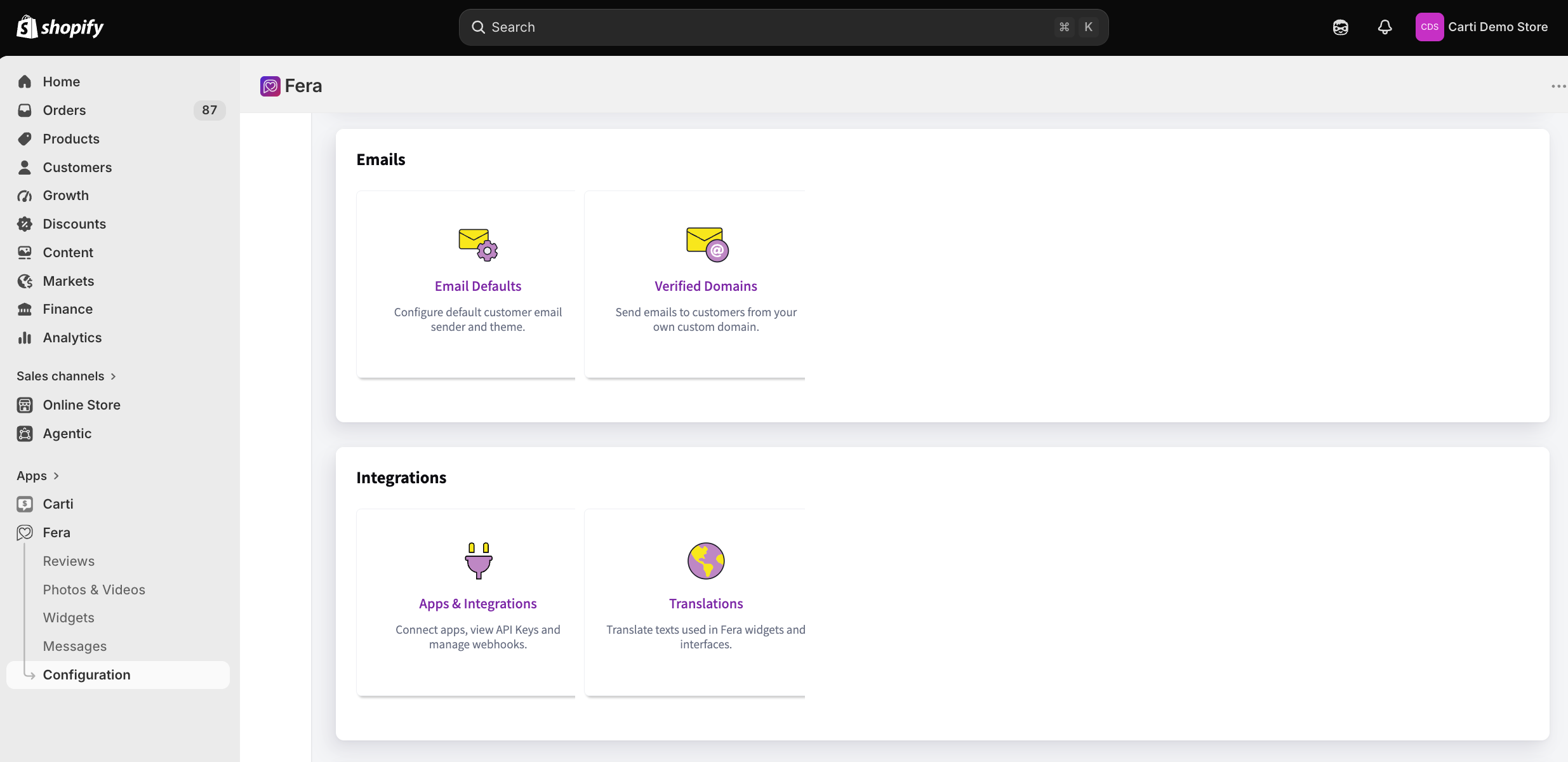
You need the Carti app installed on your Shopify store and your Fera Secret Key. In your Fera dashboard, go to Configuration, then scroll down to Apps & Integrations below Emails.
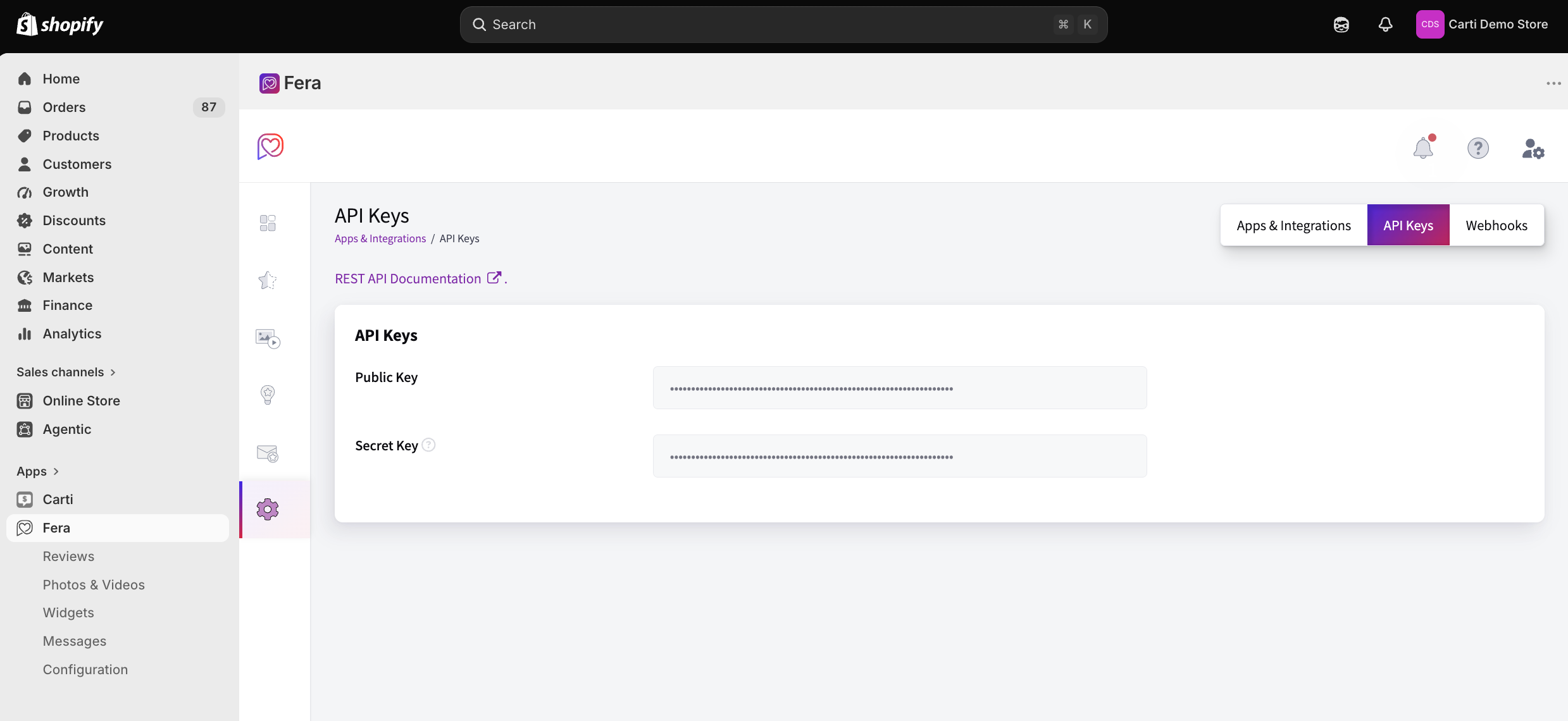
Open the API Keys tab. Fera shows a Public Key and a Secret Key side by side. Copy the Secret Key. The Public Key cannot read reviews, and Carti will reject it.
Connect Fera
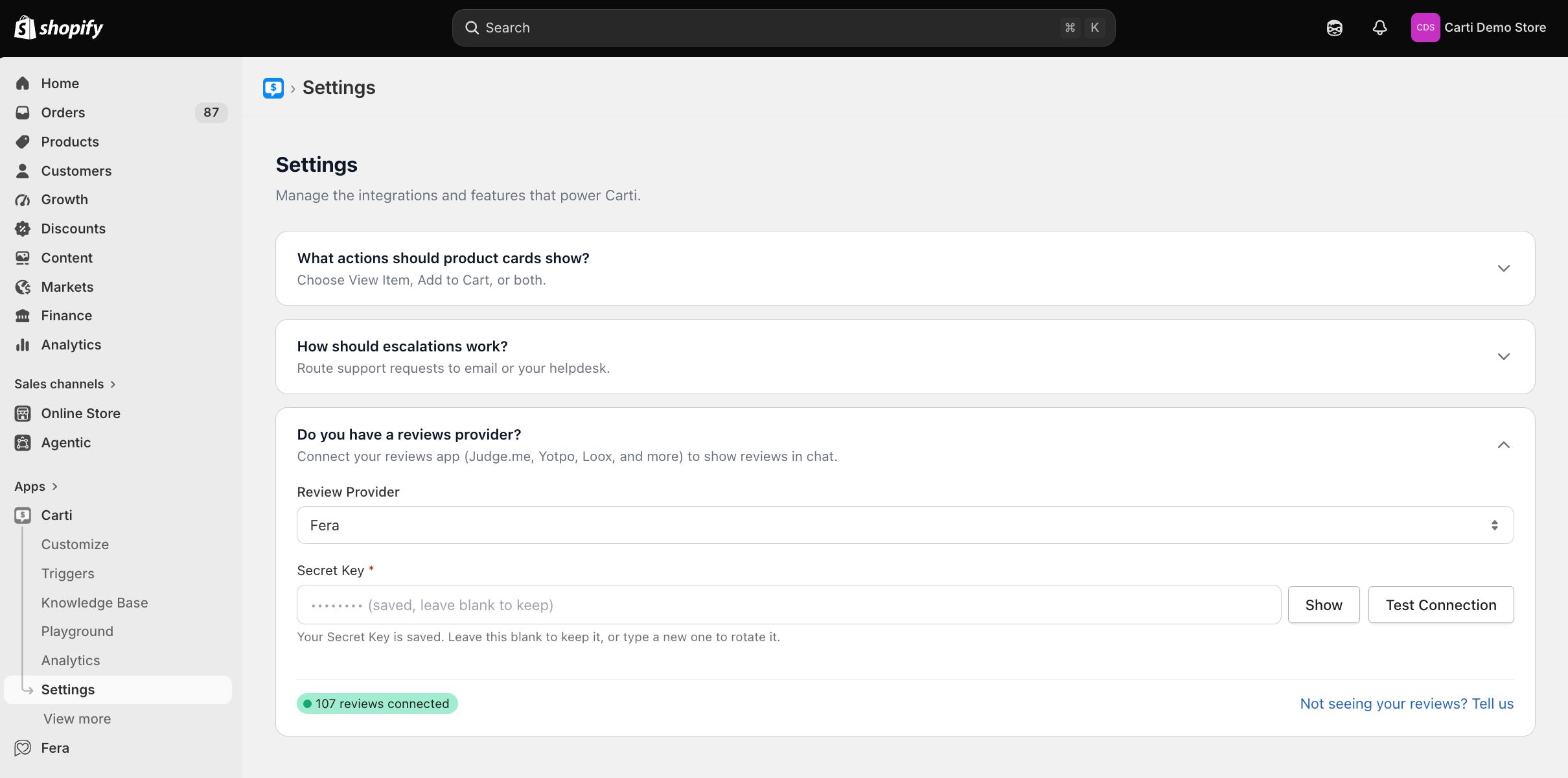
- In your Shopify admin, open Carti and click Settings.
- Expand the section titled Do you have a reviews provider?
- In the Review Provider dropdown, choose Fera.
- Paste your key into the Secret Key field.
- Click Test Connection. You should see a success message. If you see an error about an invalid key, check that you copied the Secret Key and not the Public Key.
- Click Save in the bar at the top of the screen. Your settings are not saved until you do.
Carti starts pulling your reviews as soon as you save. Reviews usually land within a few minutes. Search and star ratings follow a few minutes after that, so give it about ten minutes before you test.
Test it
Open the Playground in your Carti dashboard, or start a chat on your storefront, and ask about a product you know has reviews. Good test questions are "how do people like this?" or "does it run true to size?" Carti should answer using your review content, and products with reviews will show a star rating and review count on their product card.
How it works
Only approved reviews are used. Carti reads reviews through the Fera API and keeps its own searchable copy of the ones you have approved. Pending and declined reviews are left out, so Carti never repeats something to a shopper that you chose not to show.
It stays current on its own. Carti registers webhooks on your Fera account for new, updated, approved, declined, and deleted reviews, so a change in Fera reaches the assistant within seconds. A daily sync runs as a backstop in case a webhook delivery is missed.
Your moderation carries over. If you decline or delete a review in Fera, Carti confirms the review's current status with Fera and removes it from what the assistant can say.
Reviews are searched by meaning, not by keyword. If a shopper asks whether a jacket is warm enough for winter, Carti finds the reviews that talk about warmth even when nobody used the word "winter."
Quotes are real. When Carti uses a review as evidence, it paraphrases the consensus and may add one short quote copied word for word from a real review. It never edits or invents a quote, and it never makes up a reviewer name.
Reviewer privacy is protected. Names are shown as a first name and last initial only. Reviews that are anonymous in Fera stay anonymous in Carti.
Store reviews stay separate. Fera lets customers review your store as well as individual products. Carti keeps those apart, so a comment about shipping speed is never presented as feedback about a product.
Carti only reads. It never creates, edits, replies to, or deletes a review. The only thing it writes to your Fera account is the webhook subscriptions it needs, and it removes those if you switch to a different provider.
Troubleshooting
Test Connection fails with an invalid key error. Fera rejected the key. Go back to Configuration, Apps & Integrations, API Keys and copy the Secret Key again.
Connected, but Carti never mentions reviews. The most common cause is the Public Key. Paste the Secret Key and test again. If the test passes and reviews still do not appear after ten minutes, contact us.
Star ratings are missing. Ratings roll up a few minutes after the initial sync, and they only appear on products that have approved reviews in Fera.
I changed my Fera key. Paste the new Secret Key into Carti and save. Carti updates its connection and re-registers its webhooks automatically.
Need a hand? Click the support bubble in the corner of your Carti dashboard and send us a message, or contact us here.
Still need help?
Our team is happy to help. Contact support →