
Shoppers who engage with an AI chatbot convert at 12.3%, versus 3.1% for shoppers who don’t, based on an analysis of 17 million shopping sessions from Capital One Shopping’s ecommerce AI statistics roundup. That number changes the conversation. An ai chatbot for ecommerce isn’t a cosmetic site feature anymore. It’s a sales layer that answers objections, guides product discovery, and catches revenue that would otherwise disappear.
For Shopify merchants, the issue usually isn’t traffic alone. It’s hesitation. Shoppers want sizing help, shipping clarity, return details, product comparisons, and reassurance before they buy. If your store can’t answer fast enough, they leave. A modern AI chatbot gives your storefront a response system that works all day, all night, and during peak campaigns without adding headcount every time volume spikes.
Why Your Shopify Store Is Leaking Sales and How AI Can Help
Most Shopify stores don’t lose sales because the product is bad. They lose sales because the store goes silent at the exact moment a shopper needs help. A visitor lands, browses, adds to cart, hesitates, then leaves with a small unanswered question still sitting in their head.
That gap between interest and purchase is where an ai chatbot for ecommerce now earns its keep. Instead of waiting for a support email or live agent, the chatbot steps in with immediate answers, product guidance, and checkout help while the shopper is still engaged.
The real problem is hesitation, not just abandonment
A merchant usually sees abandonment as a checkout problem. In practice, it starts much earlier. It starts on the product page when a customer wants to know if a fabric is breathable, whether a supplement fits their routine, or how a lamp compares with another finish.
When those questions go unanswered, the store behaves like a static catalog. When they get answered in the moment, the store starts behaving like a salesperson.
Practical rule: If a shopper has to leave your site to get a product answer, your conversion rate is already under pressure.
That’s why conversational support now belongs in the same category as merchandising, email, and paid traffic. It affects revenue directly. If you’re tightening the rest of your funnel, it also helps to review broader expert advice for e-commerce growth so the chatbot supports a stronger conversion system rather than trying to rescue a weak one by itself.
Why Shopify merchants feel the pain first
Shopify makes it easy to launch and iterate. It also makes competition faster. If your category is fashion, beauty, home, or wellness, shoppers are comparing multiple tabs and expecting instant reassurance.
An AI chatbot helps close that speed gap. It can answer product questions at the point of decision, reduce support load during campaigns, and keep the buying journey moving when your team is offline. That’s the shift. Chat is no longer just support. It’s part of the sales floor.
What Is a Modern AI Chatbot for Ecommerce
A modern ai chatbot for ecommerce is best understood as a digital sales associate connected to your Shopify store. It knows your catalog, your shipping and return policies, your FAQs, and the context of the page the shopper is viewing. It doesn’t just react to a keyword. It responds to intent.
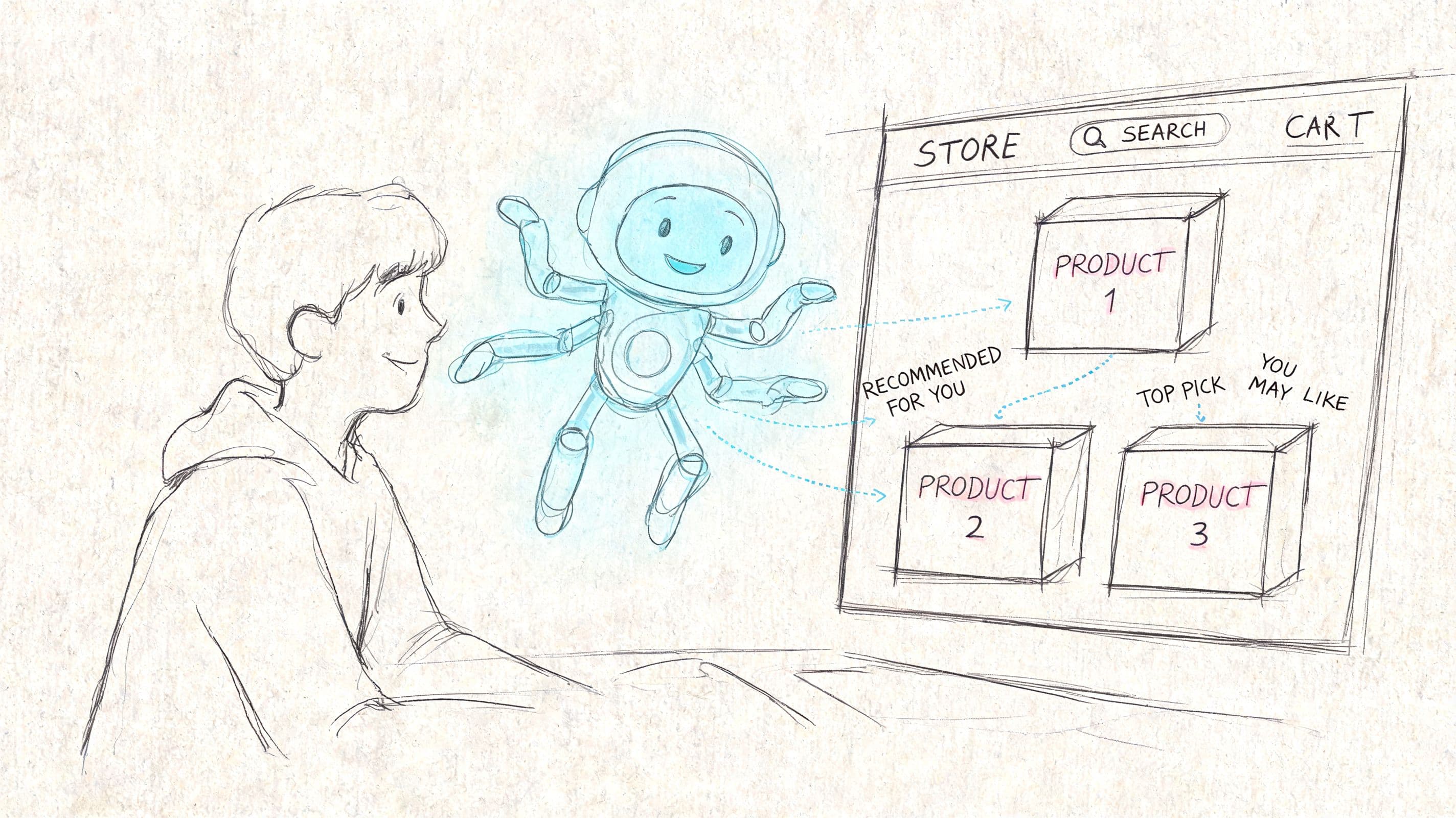
From scripted bot to sales assistant
Older bots were rigid. They worked like decision trees with canned replies. If the shopper asked the exact expected question, the bot looked useful. If they asked something nuanced, the experience broke down fast.
Modern systems are different. They use store data plus language models so they can handle real shopping conversations. If you want a clean breakdown of how business chat systems differ from generic chat tools, this AI chatbot guide for businesses is a useful comparison.
The practical difference for a Shopify merchant is simple:
| Type | What it does well | Where it fails |
|---|---|---|
| Rule-based bot | Basic FAQs, simple routing | Anything outside prewritten flows |
| Modern AI chatbot | Product questions, recommendations, policy explanations, contextual support | Needs good store data and oversight |
Why store data matters more than raw AI power
The strongest ecommerce chatbots don’t rely on a general model guessing from internet knowledge. They use dual-knowledge architecture, combining Retrieval-Augmented Generation (RAG) with Knowledge Graphs to pull from product catalogs and policies while understanding relationships between things like variants, pricing rules, and availability. That setup helps them validate details in real time and avoid the 20-30% hallucination rate seen in general LLMs on ecommerce queries, as explained in AgentiveAIQ’s write-up on cart recovery chatbots.
That matters on Shopify because shoppers ask messy, real questions. They don’t speak in database fields. They ask things like:
-
Fit questions: “Does this run small compared with your other hoodie?”
-
Policy questions: “Can I return sale items if I buy two sizes?”
-
Bundle questions: “Will this serum work with the cleanser I already use?”
-
Urgency questions: “Can this ship today in the blue color?”
A good chatbot answers those in brand voice, with current store context, and without sending the shopper into a support queue. It should also be easy to deploy. For Shopify merchants evaluating the onsite experience itself, this web chat widget guide for Shopify is worth reviewing before you install anything.
The chatbot should know your store better than a new support rep on day one, or it won’t earn placement on revenue-critical pages.
The Four Core Capabilities That Drive Revenue
A chatbot only matters if it changes outcomes. On that front, the most useful benchmark is hard to ignore: based on 17 million shopping sessions, retail AI chatbot implementations can increase sales by 67% on average, and shoppers who engage with an AI chatbot convert at 12.3% versus 3.1% for non-engaged shoppers, according to Capital One Shopping’s compiled ecommerce AI data.
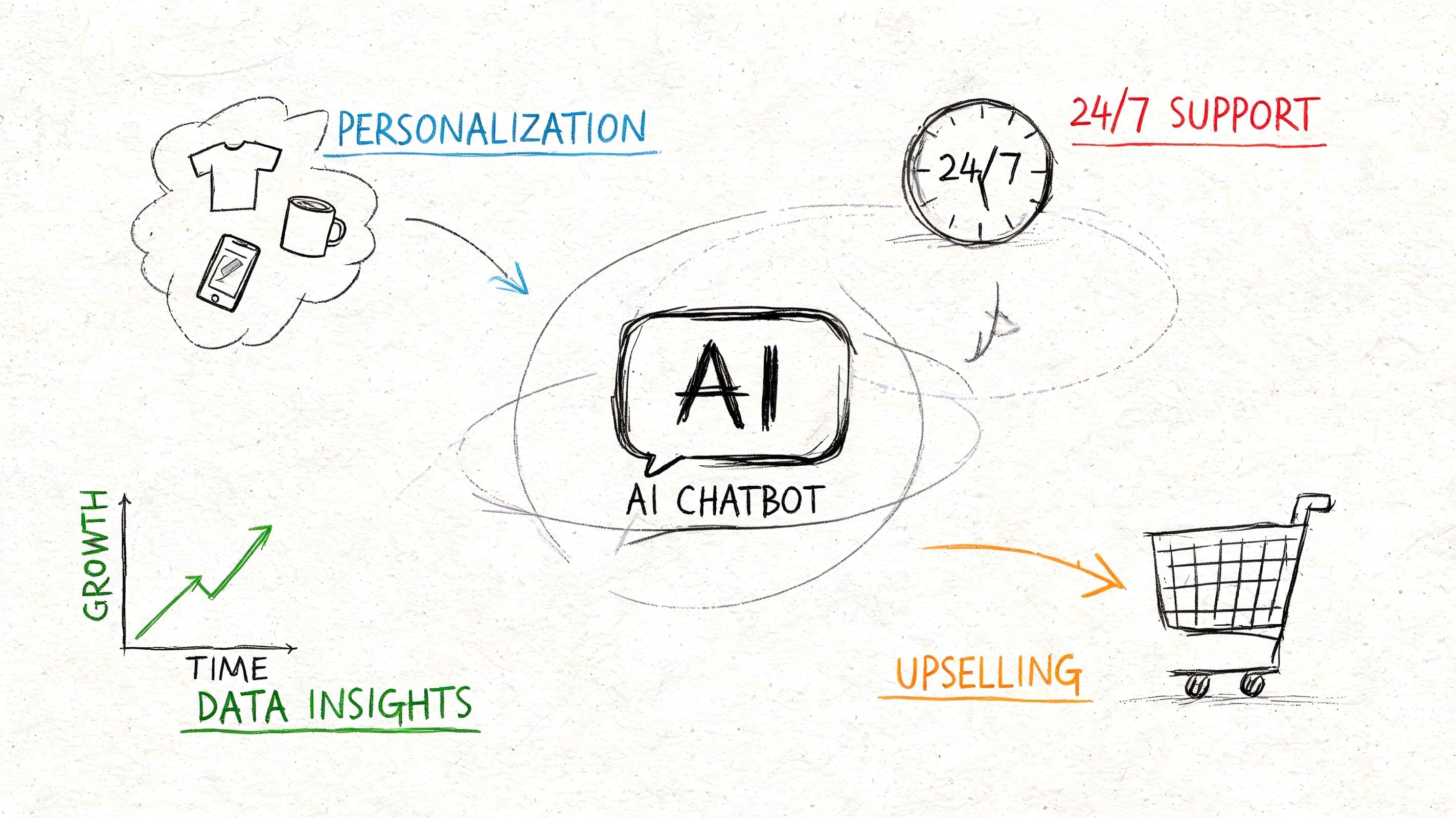
Those results don’t come from chat being present. They come from four capabilities working together.
Instant answers remove buying friction
The first job is speed. When a shopper asks about ingredients, materials, delivery windows, compatibility, or returns, the answer has to appear immediately and it has to be accurate.
This does two things at once:
-
Protects conversion intent: The shopper stays on-site instead of opening another tab.
-
Reduces support strain: Your team handles fewer repetitive tickets.
In categories with lots of pre-purchase questions, this is often the fastest win. Home goods shoppers need dimensions. Beauty shoppers need usage guidance. Apparel shoppers need fit help. If the answer appears inside the buying flow, the path to checkout stays short.
Recommendations and recovery create lift
The second job is guidance. A strong chatbot doesn’t wait for a direct question every time. It can suggest a matching item, surface a better-fit product, or point a customer toward a variant that’s in stock.
Then comes cart recovery, which is where many Shopify stores see the value move from “helpful” to “commercially important.” A shopper pauses at checkout. The chatbot offers clarification on shipping, returns, or sizing, or nudges them back through another channel after they leave.
Here’s a practical way to think about the four capabilities:
-
Instant Answers
These reduce uncertainty. If your product pages can’t carry every objection alone, chat fills the gap. -
Smart Recommendations
These increase basket quality. The bot can act like an associate who knows what complements the item already under consideration. -
Proactive Cart Recovery
This captures intent that was already expensive to acquire. Recovery matters more than most merchants think because paid traffic costs are sunk before the cart is abandoned. -
Multilingual Support
This expands reach, especially if you’re selling into markets where customers prefer shopping in their primary language.
One practical example of this “sales assist” layer is the model described in this Shopify AI sales assistant article, where chat is used less like a help desk and more like guided selling.
A revenue-focused chatbot should answer, recommend, and recover. If it only answers FAQs, you’ve installed a support tool, not a sales tool.
Putting It All Together A Customer's Journey
A useful way to judge an ai chatbot for ecommerce is to follow one shopper through a normal buying session. Not a perfect session. A realistic one with questions, second thoughts, and a little friction.
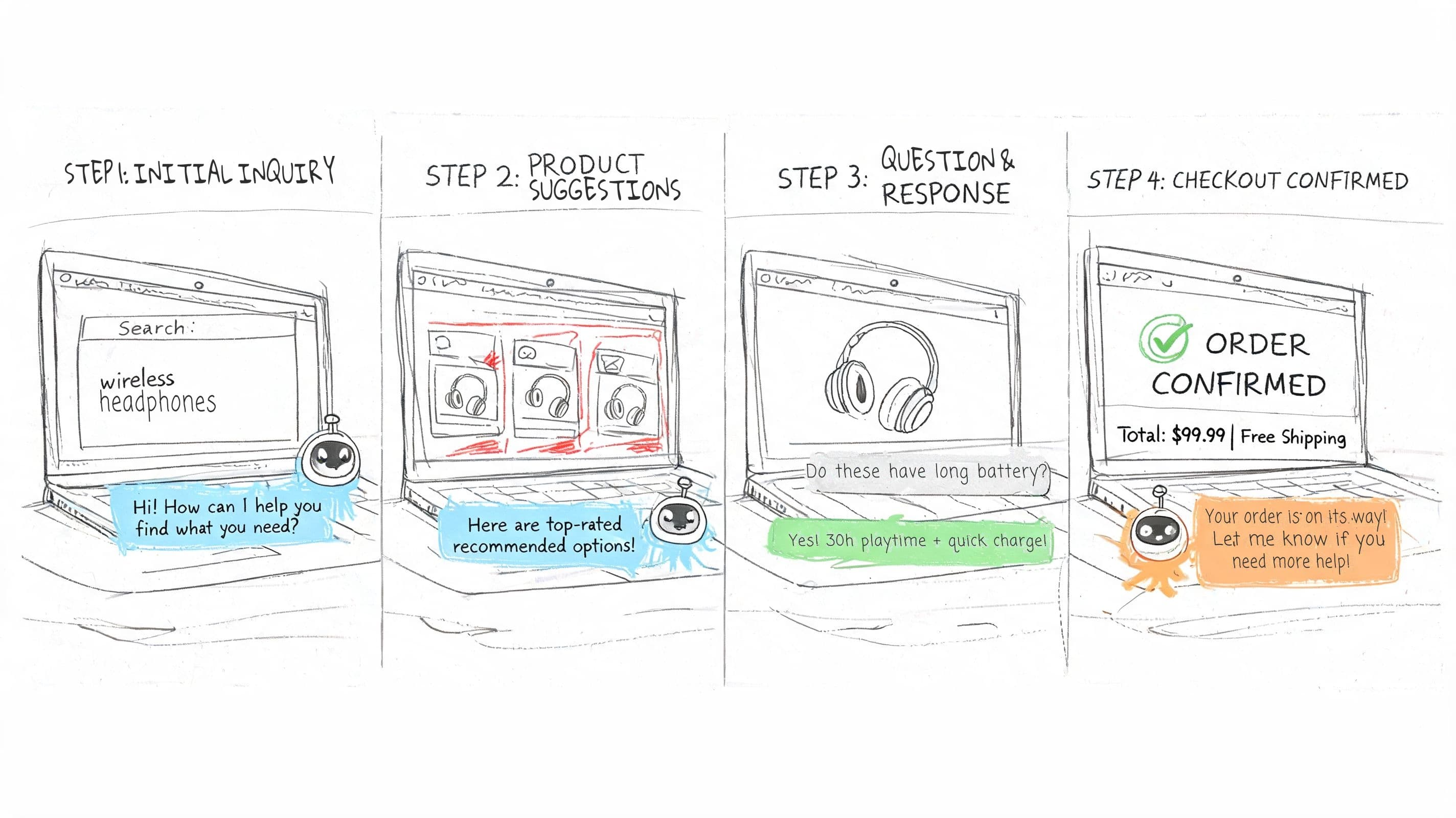
From question to checkout
A visitor lands on a product page for a skincare bundle. She likes the product, but she’s not sure whether one item is suitable for sensitive skin. She opens chat and asks. The bot answers with the relevant product guidance, then suggests the best matching routine based on her concern.
She adds the bundle, then asks a follow-up about returns in case one product doesn’t work for her. The chatbot explains the policy in plain language. No ticket. No waiting. No leaving the product page.
A second example works just as well in fashion. A shopper views a jacket, asks whether it fits over heavier layers, then gets a direct answer plus a suggestion for the matching beanie already discounted in the same collection. That’s not “engagement” in the abstract. That’s assisted selling.
Where recovery workflows do the heavy lifting
Now take the same customer to checkout. She starts entering details, pauses, and drifts toward closing the tab. At this point, proactive workflows matter.
According to n8n’s Shopify abandoned cart workflow breakdown, proactive AI chatbot recovery flows can reduce cart abandonment by up to 40%. Their documented approach uses a 1-hour grace period before sending personalized nudges, and those nudges have achieved over 50% click-through rates, turning typical abandonment into recoverable revenue.
That sequence works because it respects timing. Too fast feels pushy. Too slow loses intent.
A practical recovery flow often looks like this:
-
Onsite hesitation: The chatbot offers help with shipping, sizing, or product fit before the shopper exits.
-
Grace period: The system waits rather than chasing immediately.
-
Personalized follow-up: The shopper gets a message tied to their actual cart contents.
-
Fast return path: The link sends them straight back to checkout instead of forcing them to rebuild the cart.
Recovery works best when the message answers the likely objection. “Need help with sizing?” often beats a generic discount.
For Shopify merchants, this is the bigger picture. The chatbot isn’t one isolated widget. It supports the entire customer journey, from product discovery through checkout rescue, in a way static pages can’t.
Your Shopify AI Chatbot Implementation Checklist
Choosing a chatbot is easy. Choosing one that improves revenue, stays accurate, and gives you believable reporting is harder.
Start with the checklist below. It will save you from installing a tool that looks polished in a demo but collapses under real store traffic or messy customer questions.
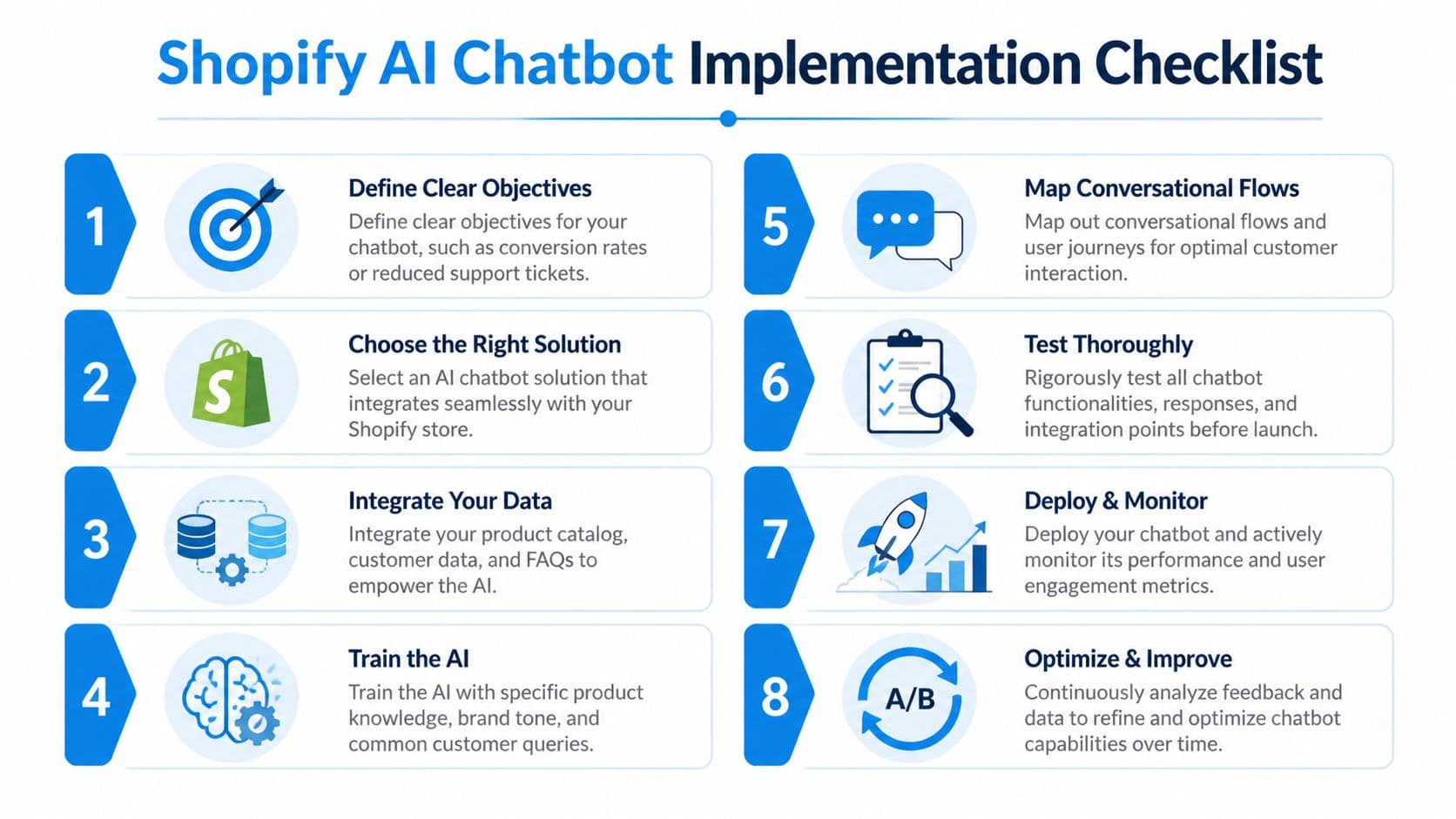
What to verify before you install anything
Use these criteria like a scorecard.
-
Setup should be lightweight: If onboarding requires custom development, long prompt-writing sessions, or manual catalog mapping for basic use cases, the tool is already too expensive in team time.
-
Shopify integration must be deep, not cosmetic: The bot should pull product data, policies, and store context in a way that stays current. If it can’t reflect inventory changes, product variants, or updated FAQs reliably, it will create support work instead of removing it.
-
Brand control needs to be practical: You should be able to adjust tone, widget styling, greetings, escalation paths, and high-risk answers without filing a ticket every time.
-
Escalation rules must be clear: Some conversations need a human. The question isn’t whether handoff exists. The question is whether the bot passes enough context so your team doesn’t have to start from zero.
-
Analytics have to tie to outcomes: Many tools show chat volume, but merchants need more than that. You want to know which conversations influenced add-to-cart, which prompts correlate with conversions, and which questions expose gaps in your product pages.
A useful preparation step is tightening the source material the bot will rely on. This chatbot knowledge base guide is a solid reference for structuring policies, FAQs, and product content so answers stay consistent.
Here’s a quick decision table:
| Question | Good answer | Red flag |
|---|---|---|
| Can it learn from my store quickly? | Pulls catalog, FAQs, and policy content with minimal manual work | Requires lots of hand-built flows before launch |
| Does it know live store context? | Uses current store data for answers and recommendations | Gives generic replies disconnected from actual products |
| Can I control risky responses? | Lets you define approved guidance and fallback behavior | Free-forms everything with little oversight |
| Will my team trust the reporting? | Tracks outcomes tied to sales and support use cases | Reports only vanity metrics |
For merchants comparing options, products in this category range from general support platforms to Shopify-specific tools. Carti is one example built for Shopify workflows, using store data for instant answers, product suggestions, and proactive engagement. The important point isn’t brand selection by itself. It’s fit. Pick the tool that matches your catalog complexity, support volume, and internal capacity to monitor performance.
A short demo helps, but seeing the operational workflow matters more. This walkthrough is useful before rollout:
How to measure performance without fooling yourself
Many teams encounter difficulty with ROI attribution, which remains a weak spot in ecommerce AI. According to Cognigy’s discussion of AI chatbots for ecommerce, only 25% of ecommerce teams use advanced analytics for chatbot attribution, which leads to underinvestment despite reported 20-40% lifts in cart recovery.
That should change how you evaluate reporting. Don’t settle for “the bot handled conversations.” That’s activity, not business impact.
Track at least these buckets:
-
Conversion influence
Which chat sessions occurred before purchase, and on which page types? -
Objection patterns
What do shoppers ask before they buy, and where are those questions clustering? -
Support deflection
Which repetitive tickets dropped after launch? -
Recovery contribution
Which messages brought shoppers back, and which objections responded best?
If attribution is weak, the bot may still be working. You just won’t have the evidence to scale it with confidence.
The best implementations treat the chatbot as both a revenue channel and a research tool. It doesn’t just answer customers. It shows you where your store still creates doubt.
The Future of Your Storefront Is Conversational
Shopify stores used to be judged mostly on design, navigation, and offer strength. Those still matter. But the operating model has changed. Customers expect help while they browse, not after they give up.
That’s why conversational commerce keeps moving from optional to standard. SellersCommerce notes that by 2027, chatbots are projected to become the primary customer service channel for about 25% of organizations worldwide in its roundup of AI in ecommerce statistics. For merchants, that isn’t just a support forecast. It signals a broader expectation that stores should respond like staffed environments, even when no one from the team is online.
The practical upside is bigger than faster answers. A strong ai chatbot for ecommerce can reduce repetitive support work, surface buying objections, help shoppers choose correctly, and recover sales your paid acquisition already worked to earn.
There are trade-offs. Bad data creates bad answers. Weak implementation creates noisy chat that interrupts instead of assists. Reporting can mislead if you don’t define success clearly. But those are execution issues, not reasons to ignore the channel.
The stores that get the most from AI chat usually do three things well:
-
They train it on real store knowledge
-
They place it at friction points, not everywhere blindly
-
They review conversations like merchandising data, not just support logs
A storefront that can answer, guide, and recover in real time is easier to buy from. That’s the standard now. Not prettier pages. Faster decisions for the customer.
If you want to turn your Shopify store into a more responsive sales environment, Carti is worth a look. It’s built for Shopify, focuses on instant answers, product suggestions, and cart recovery, and gives merchants a practical way to add conversational selling without a heavy implementation project.

Written by
Daniel AndersonFounder of Carti. 10+ years building ecommerce brands in apparel and supplements. Still runs a Shopify store and built Carti to help merchants convert more browsers into buyers.
Ready to boost your store's sales?
Install Carti in 5 minutes and let AI handle customer questions, recommend products, and close sales 24/7.
Start Free Trial14-day free trial