
A shopper has reached a product page, selected a size, and paused beside the add-to-cart button. The missing detail isn't another lifestyle photograph. It's whether the fabric stretches, whether that variant will arrive before a trip, or whether an exchange is possible.
The store may already answer those questions on its FAQ page. That doesn't help much if the shopper has to leave the product, search through unrelated policies, and work out which answer applies.
Why Most Shopify FAQ Pages Lose Shoppers Before Checkout
A generic FAQ page asks shoppers to do the store's organizing work. Someone considering a jacket needs fit guidance, not a long list beginning with password resets and business hours. Someone buying a replacement component needs compatibility details, not a broad assurance about product quality.
The problem isn't necessarily missing information. It's information separated from the purchase decision.
The gap between an answer and a useful answer
Consider a hypothetical clothing store with a detailed shipping policy. The policy explains processing and transit, but the selected jacket is a preorder. A shopper reading the general answer could reasonably misunderstand when that particular item will leave the warehouse.
A useful Shopify FAQ template must handle that distinction. It should cover high-frequency concerns such as sizing, shipping, returns, payments, and compatibility without pretending that every product follows identical rules.
An answer belongs where the shopper needs it, not merely where the merchant has room to publish it.
Shopify's own FAQ and support architecture connects concise answers with deeper help resources and distinguishes platform assistance from contacting an individual store. The practical lesson for merchants is to build a connected information system, not copy platform-support questions into a storefront FAQ.
Why reusable answers deserve operational attention
During 2025 Black Friday–Cyber Monday, Shopify merchants generated $14.6 billion in global sales, up 27% from 2024, with more than 81 million consumers purchasing and 16% of global orders crossing borders, according to Shopify's BFCM results. Those historical results illustrate the range of buying situations that store information must accommodate.
They don't prove that adding an accordion increases conversion. They do make a practical case for answers that remain consistent when shoppers, products, and destinations vary.
A dependable template needs to serve several purposes:
- Resolve purchase uncertainty. Explain fit, materials, compatibility, delivery constraints, and relevant exceptions.
- Support order follow-through. Make tracking, returns, exchanges, and contact routes understandable.
- Preserve policy accuracy. Connect short answers to maintained source information instead of scattered copies.
- Reveal missing knowledge. Give the team a way to capture questions that existing content doesn't answer.
A central FAQ still has value as a reference destination. It shouldn't carry every responsibility alone. Content structure, buy-box layout, structured data, delivery tools, and ongoing maintenance all need separate decisions, with shopper understanding taking priority over the appearance of a complete page.
Mapping Questions to the Buying Journey
A shopper comparing two product variants may need one answer before buying: whether the selected option ships on the usual schedule. A central FAQ can explain the store's general process, but it cannot resolve that product-specific uncertainty on its own. Start with the questions customers ask, then place each answer where it can support the decision.
Collect the wording from support tickets, return reasons, product reviews, storefront searches, and pre-purchase conversations. Keep that wording intact during review. “Does this work with an induction hob?” gives the team a clearer content task than an internal label such as “technical specifications.”
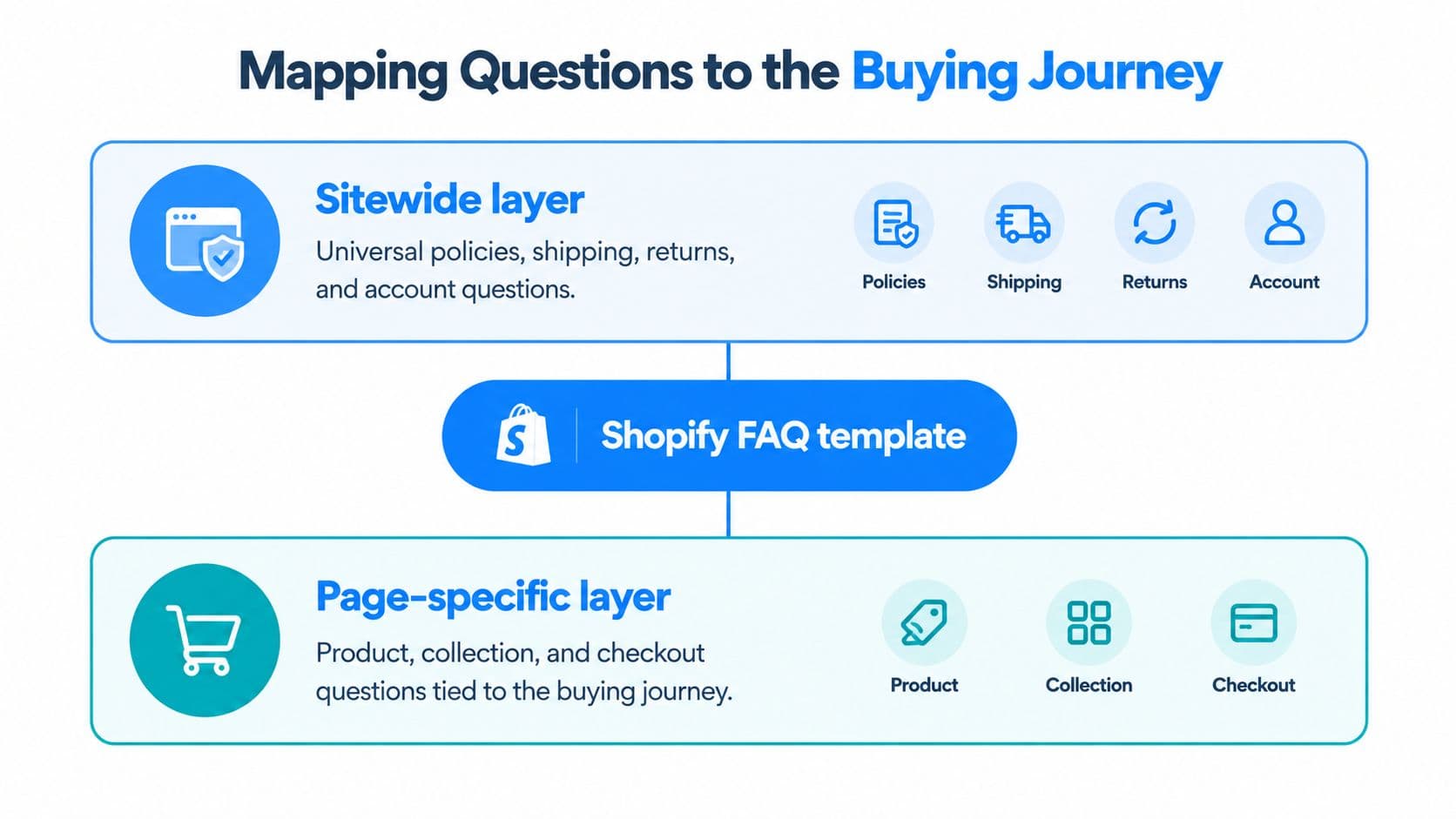
Separate policy knowledge from product knowledge
Use a sitewide layer for rules that stay consistent across the store. Put product, collection, or variant details where shoppers need them, especially beside the buy box if they affect whether someone can confidently add the item to their cart.
| Content layer | Questions it should own | Suitable placement |
|---|---|---|
| Sitewide | Accepted payments, contact routes, general returns process | Central FAQ and relevant policy pages |
| Collection | Shared fit guidance, compatible product families, material characteristics | Collection guidance and related product templates |
| Product or variant | Measurements, care, compatibility, preorder restrictions | Product details and buy-box disclosures |
| Cart | Order-level delivery conditions and payment concerns | Cart messaging and relevant policy links |
Group questions by shopper intent, not by the team that handles them. “Can this arrive before the weekend?” belongs with delivery decisions, even if warehouse and customer service teams both contribute to the answer.
Keep a working record of each question, affected products, buying stage, authoritative source, exceptions, and content owner. Connecting feedback to the journey can help teams use journey data to build loyalty. Treat unanswered questions as an update queue: assign an owner, confirm the source, and revisit the placement when product or policy details change.
Apply the same question differently
For a hypothetical fashion store, a sitewide answer to “When will it ship?” can describe normal fulfillment. The product page should clarify whether a particular color or size follows a different dispatch schedule. That distinction keeps the general policy reusable without hiding the detail that could change a purchase decision.
A candle store may need to distinguish ready-made items from products poured to order. The central policy explains the shipping process; the product-level answer identifies the relevant production condition. A guide to questions about shipping offers further context for organizing these distinctions.
Product research should also include shoppers' own questions, not only assumptions from the merchandising team. Baymard's ecommerce usability research reports that 25% of tested subjects scanned Q&A content to understand products and applicable use cases. Use customer language to identify gaps, then make sure each answer appears where the relevant decision happens.
Placement rule: keep an answer sitewide when its meaning stays the same across the catalog. Put shared guidance on a collection page, and place item- or variant-specific answers on the product page, preferably beside the buy box when they affect the purchase.
Writing Answers and Building the Accordion Layout
A useful answer starts with the decision, then adds conditions. Brand voice can shape the phrasing, but it shouldn't delay the substance.
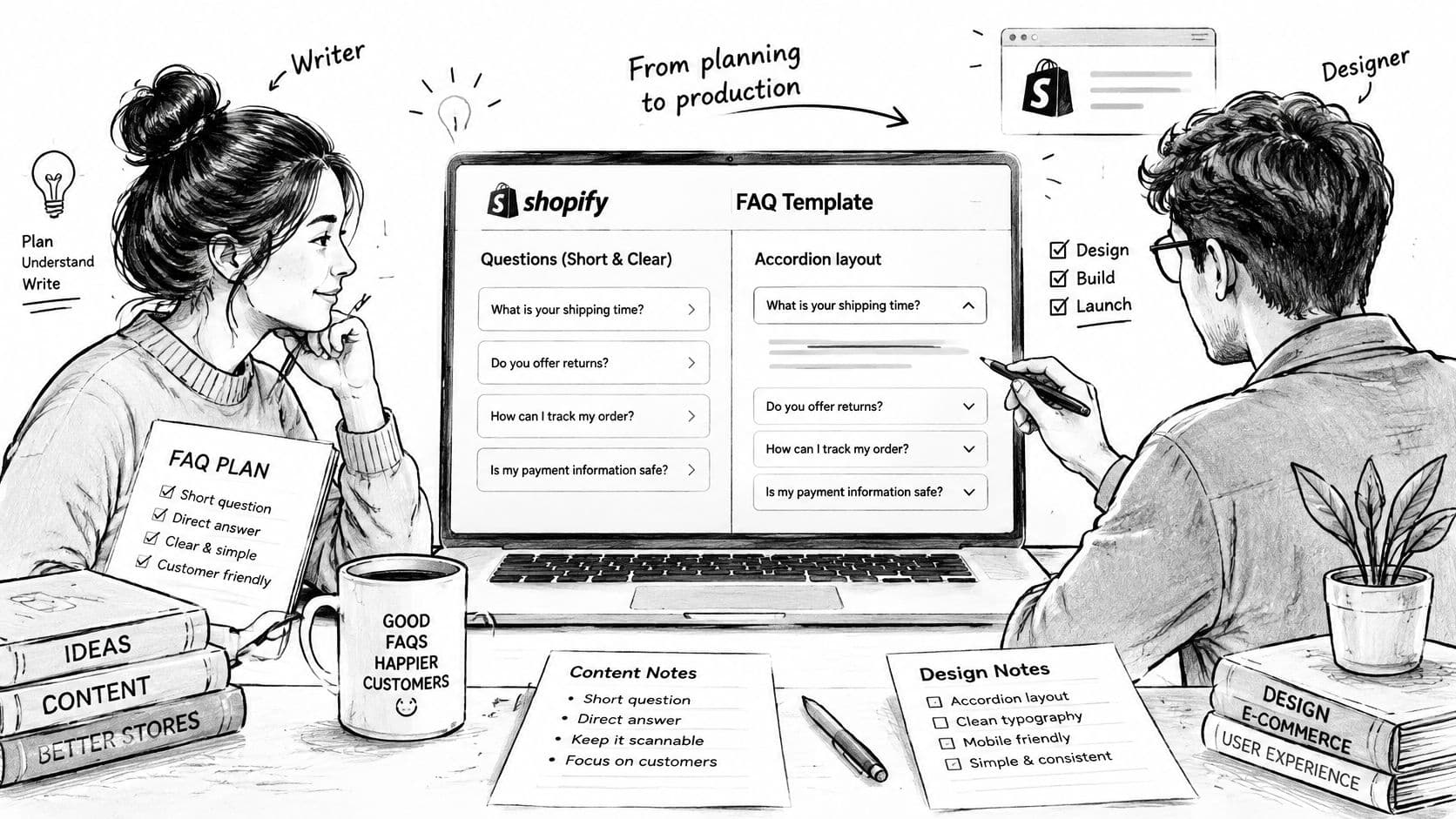
For a hypothetical garment with verified stretch characteristics, the question might be “Does this fabric stretch?” The answer should identify the fabric's actual behavior first, then explain how that affects sizing and point to the garment measurements.
A copy pattern that stays useful
Each entry should contain a specific question, a direct opening sentence, necessary qualifications, and a relevant next step. Avoid phrases such as “shipping varies” unless the answer explains what changes and how the shopper can establish the applicable terms.
The following is a reusable editorial template, not publish-ready policy copy:
| Field | What the merchant supplies |
|---|---|
| Question | The shopper's actual uncertainty |
| Direct answer | The approved product fact or policy |
| Qualification | Variant, destination, eligibility, or use-case exceptions |
| Next step | The relevant size guide, policy, variant, or support route |
Answers shouldn't become miniature sales pitches. A compatibility question requires supported devices or dimensions, not a paragraph about design.
Build a disclosure, not a script dependency
For a theme implementation, store questions and answers in repeatable section blocks. Shopify's section schema provides a JSON-defined settings structure, while Liquid renders the configured content into the page.
A compact rendering pattern is:
{% for block in section.blocks %}<details {{ block.shopify_attributes }}><summary>{{ block.settings.question | escape }}</summary><div>{{ block.settings.answer }}</div></details>{% endfor %}
This illustrative snippet assumes a text setting named question and a rich-text setting named answer. It isn't a complete installable section. The section schema, wrapper heading, styling, and product assignments still need implementation.
Using native details and summary elements provides a disclosure pattern without requiring a custom JavaScript accordion. The answers should arrive in the server-delivered HTML rather than depending on a later request.
Implementation rule: shared layout doesn't require identical answers. Product-specific content should remain product-specific.
For a clothing product, place the fit disclosure in the product-information column beside the variant selector and add-to-cart area. Keep the opening question visible and concise. If the theme's product section can't accept that block in the required location, the developer should add an appropriate block type rather than append an unrelated full-width FAQ at the page bottom.
Before publication, check:
- Keyboard behavior. Focus must remain visible, and each disclosure must open without a mouse.
- Mobile use. Summary rows need comfortable tap areas, readable type, and room for wrapped questions.
- Answer length. Detailed instructions belong in linked guides when they overwhelm the buying area.
- Page behavior. Test without custom JavaScript, inspect layout movement, and remove unnecessary animation or libraries.
Adding FAQ Schema Markup Without Errors
Structured data describes content. It doesn't fix content. An inaccurate delivery answer remains inaccurate when wrapped in JSON-LD, and a polished schema implementation doesn't make a weak FAQ useful.
Google recommends JSON-LD as its preferred structured-data format and advises validation and inspection before broader deployment in its structured-data implementation guidance. For a Shopify FAQ template, the important architectural choice is to generate the visible answer and its structured representation from the same maintained source.
Match the page rather than an old copy
The structured question should match the shopper-facing question. Its answer should preserve the same meaning and conditions, including exclusions that materially affect the purchase.
Collapsed accordion content isn't the same as content unavailable to shoppers. The answer should be accessible through the disclosure and present in the page, not exist only in a script intended for search engines.
A practical implementation should avoid these problems:
- Divergent wording. A theme block changes while a separately pasted schema answer retains an old policy.
- Duplicate generators. The theme and an app both output overlapping structured data.
- Unsupported claims. Promotional assertions appear in markup without corresponding authoritative content.
- Missing scope. A variant-specific answer is presented as applying to every product.
For a broader implementation reference, SemDash's structured data playbook can sit alongside the store's technical deployment checklist. The merchant's own product and policy records should remain the source of truth.
Roll out in a controlled sequence
Begin with a controlled content model that records question, answer, scope, and source. Render that content visibly before adding JSON-LD, then validate both syntax and search-feature eligibility.
Publish to a small representative set of pages, including products with exceptions. Inspect the rendered output and Google's interpretation through URL Inspection before expanding the implementation.
Product attributes deserve attention alongside question-and-answer markup. Sizing, shipping information, and return rules should agree with the product's existing structured information. An FAQ shouldn't introduce a conflicting version of the same commercial terms.
Search presentation is an eligibility outcome, not a promised result.
Monitor impressions, clicks, indexing, and customer behavior separately. A change in search traffic doesn't establish that the FAQ caused it, especially when merchandising, stock availability, and campaigns changed at the same time.
An ordinary store should not build a commercial forecast around FAQ rich results. Valid markup doesn't guarantee enhanced presentation, and FAQ-specific eligibility must be checked against Google's current requirements before implementation. The safer priority is accurate visible content, consistent product information, and error-free structured data.
Comparing FAQ Options and Where Carti Fits
A shopper comparing two products may need a sizing answer beside the buy button, while a shopper with an unusual delivery request may need a conversation with support. FAQ delivery should match the question: publish repeatable answers where purchase decisions happen, and give less predictable questions a clear route to a person or assistant. Each option also creates a different upkeep task.
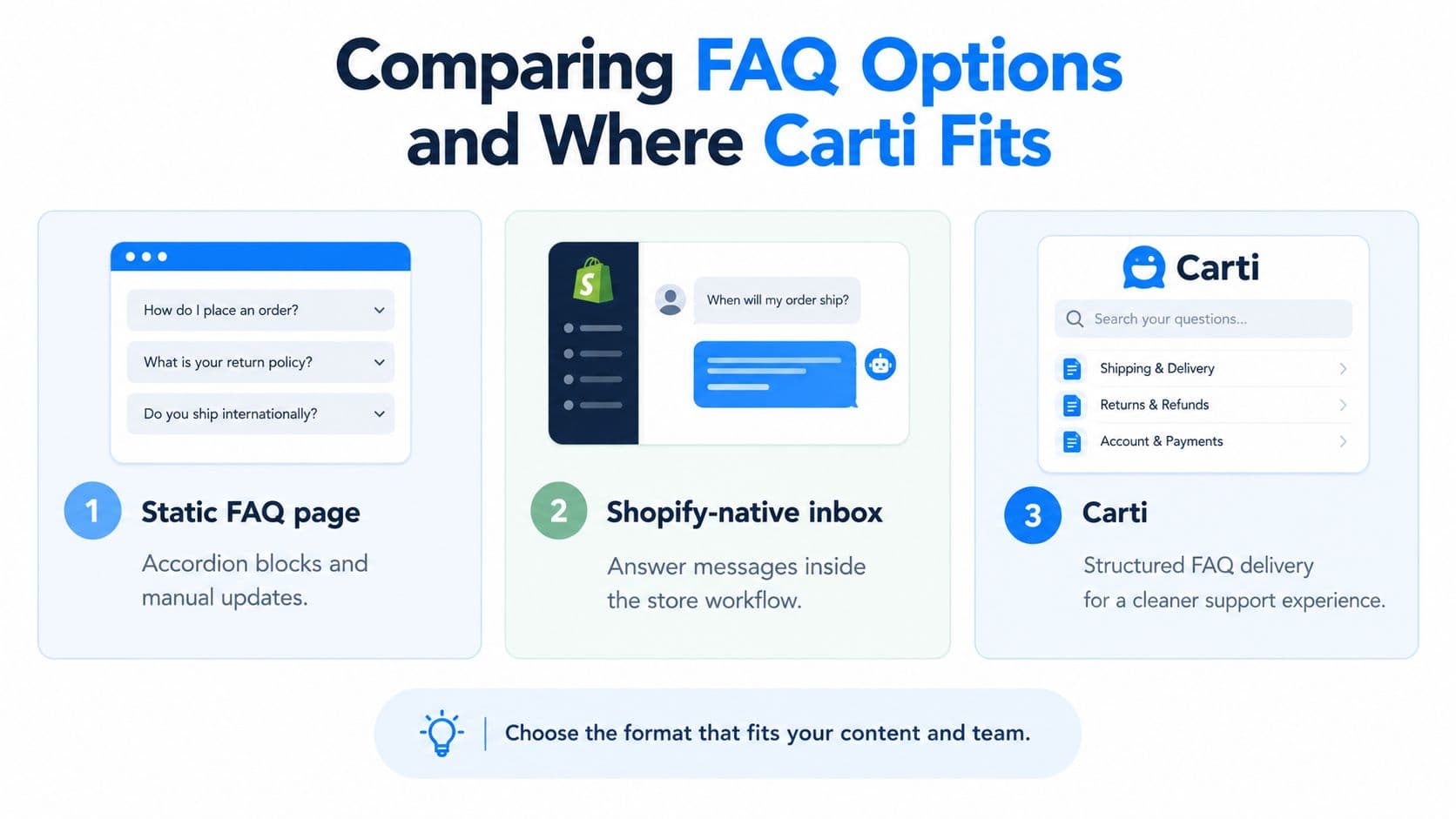
FAQ Delivery Options at a Glance
| Approach | Where It Answers | Insight Into Unanswered Questions |
|---|---|---|
| Static FAQ page with accordion blocks | Published pages and product disclosures | Requires a separate feedback or measurement process |
| Shopify-native inbox style support | A message conversation after a shopper asks | Staff can review conversations and classify recurring gaps |
| AI shopping assistant | Storefront conversations using connected store knowledge | Depends on the assistant's reporting and review tools |
Choose by operating needs
Static content suits predictable decisions. Put dimensions, care instructions, and established policies on the relevant product page, especially near the buy box when they could change a purchase decision. A central FAQ page can hold broader information, but shoppers may miss a correct answer if it is buried or labeled in unfamiliar terms.
An inbox works better when the answer depends on context. Staff can ask about intended use, destination, or product configuration, then clarify the response. The trade-off is ongoing staff time to review and handle conversations.
An assistant makes store information available through a conversation. It still depends on accurate source content, so inconsistent policies should be corrected before choosing a tool to deliver them. Questions that recur in support or storefront conversations can then feed a regular review cycle: identify the gap, update the answer in its source, and place it where the next shopper needs it.
Baymard found that only 28% of benchmarked sites combined merchant-authored FAQs with customer Q&A, while 70% lacked the combination, in its product-page FAQ and Q&A research. The finding supports combining merchant-written answers with customer questions where useful. It does not show that a specific messaging tool improves commercial results.
Where the assistant option fits
Carti uses a Shopify store's catalog, policies, and FAQs to answer pre-purchase questions about sizing, shipping, returns, and product comparisons, and to recommend products. Its Insights Dashboard shows what shoppers ask, which can help merchants find content gaps and maintain a chatbot knowledge base.
Carti's product information states that it replies in 92 languages, can use reviews from Judge.me, Loox, Yotpo, Okendo, and Fera, and has monthly plan allowances of 50, 250, 600, and 1,750 AI conversations.
Choose based on how questions arrive, whether they need clarification, what reporting the tool provides, and who will maintain the source content. A higher conversation allowance cannot fix a stale return rule or missing product measurement.
The right setup may combine all three options. Keep repeatable answers visible on product pages, use an inbox for questions requiring judgment, and treat assistant conversations as input for the next content update.
Keeping Answers Accurate Across Markets and Next Steps
A shopper in one market may see a delivery promise, return instruction, or currency reference that does not apply to their location. Accurate wording is only part of the job. The answer also needs to match the store's policies and the product being considered.
Shopify's localization guidance recommends matching shoppers to the appropriate market experience. Keep FAQ answers aligned with the store's market and storefront configuration. Translating a universal answer does not make it correct for every destination.
Add market scope to the content record
Track the conditions that make each answer valid, not just its language. A maintained record can include:
| Field | Accuracy check |
|---|---|
| Customer country and market | Is the destination served under these terms? |
| Currency | Does the answer describe the applicable charge or threshold? |
| Delivery estimate | Does it reflect the fulfillment method and destination? |
| Duties and taxes | Does the wording match the store's actual handling? |
| Return eligibility | Are exclusions and the local return process clear? |
| Support language | Can the store provide the stated assistance? |
Language review alone may miss an operational change. The reviewer may not know that a destination uses a different return address or that pickup is unavailable. Use a translation accuracy review that checks business meaning as well as fluency. If a policy has not been confirmed, direct shoppers to the right support route instead of promising an outcome.
Turn unresolved questions into a weekly backlog
Review unanswered and low-confidence conversations each week. Sort them by why the existing answer failed, then make a specific change:
- Missing information. Confirm the measurement, material detail, or policy before drafting.
- Incorrect scope. Attach the answer to the right product, variant, collection, or market.
- Poor discoverability. Move an existing answer nearer to the buying decision instead of duplicating it.
- Conflicting sources. Resolve the contradiction and name the authoritative record.
- Unclear language. Rewrite the opening sentence while keeping necessary exceptions.
Assign an owner and review date to every approved change. For product questions, put the answer beside the buy box when it could affect a shopper's decision. After publishing, check whether that question still appears and whether support staff are giving a different answer. This closes the loop between customer uncertainty and product-page content.
Track repetitive pre-sale contacts, product-page add-to-cart behavior, and sizing- or compatibility-related returns. Compare similar periods and account for shifts in product mix or stock availability. Fewer conversations are not a win if shoppers have also lost a useful way to get help.
Start with a product where shoppers hesitate and each answer has a documented source. Publish the relevant disclosures, review the next batch of questions, and correct the source record before applying the process across the catalog.
Carti can answer storefront questions using a store's catalog, policies, and FAQs, while its Insights Dashboard highlights questions to consider adding to the template. Its free plan includes 50 AI conversations a month; paid plans include a 14-day free trial, and setup requires no code.

Written by
Daniel AndersonFounder of Carti. 10+ years building ecommerce brands in apparel and supplements. Still runs a Shopify store and built Carti to help merchants convert more browsers into buyers.
Ready to boost your store's sales?
Install Carti in 5 minutes and let AI handle customer questions, recommend products, and close sales 24/7.
Start Free Trial14-day free trial