
70.22% of carts are abandoned globally, according to Mailmend's summary of Baymard Institute analysis. That means cart abandonment recovery isn't a nice-to-have flow you turn on after everything else is done. It's part of the revenue engine.
Most stores still treat recovery as a delayed email problem. A shopper leaves, then the brand reacts. That approach works, but it leaves money on the table because hesitation often starts before the session ends. The stronger system combines checkout optimization, real-time conversation while the shopper is still on-site, then email and SMS after abandonment if they still leave.
That's the shift worth making in 2026. Stop thinking in terms of a single reminder email. Build a complete cart abandonment recovery system that prevents some exits, recaptures others, and gives you clear data on what changed.
Why Shoppers Leave and What Metrics to Track First
About 7 out of 10 carts never become orders, and the gap is usually widest on mobile, as noted earlier. That matters because recovery performance is set long before the first reminder email or SMS is sent. If the store introduces friction in the cart or checkout, post-abandonment campaigns are working against preventable losses.
The leak usually starts before the cart is abandoned
Shoppers rarely leave for one vague reason. They leave because something made the next step feel harder, riskier, or less worthwhile than they expected.
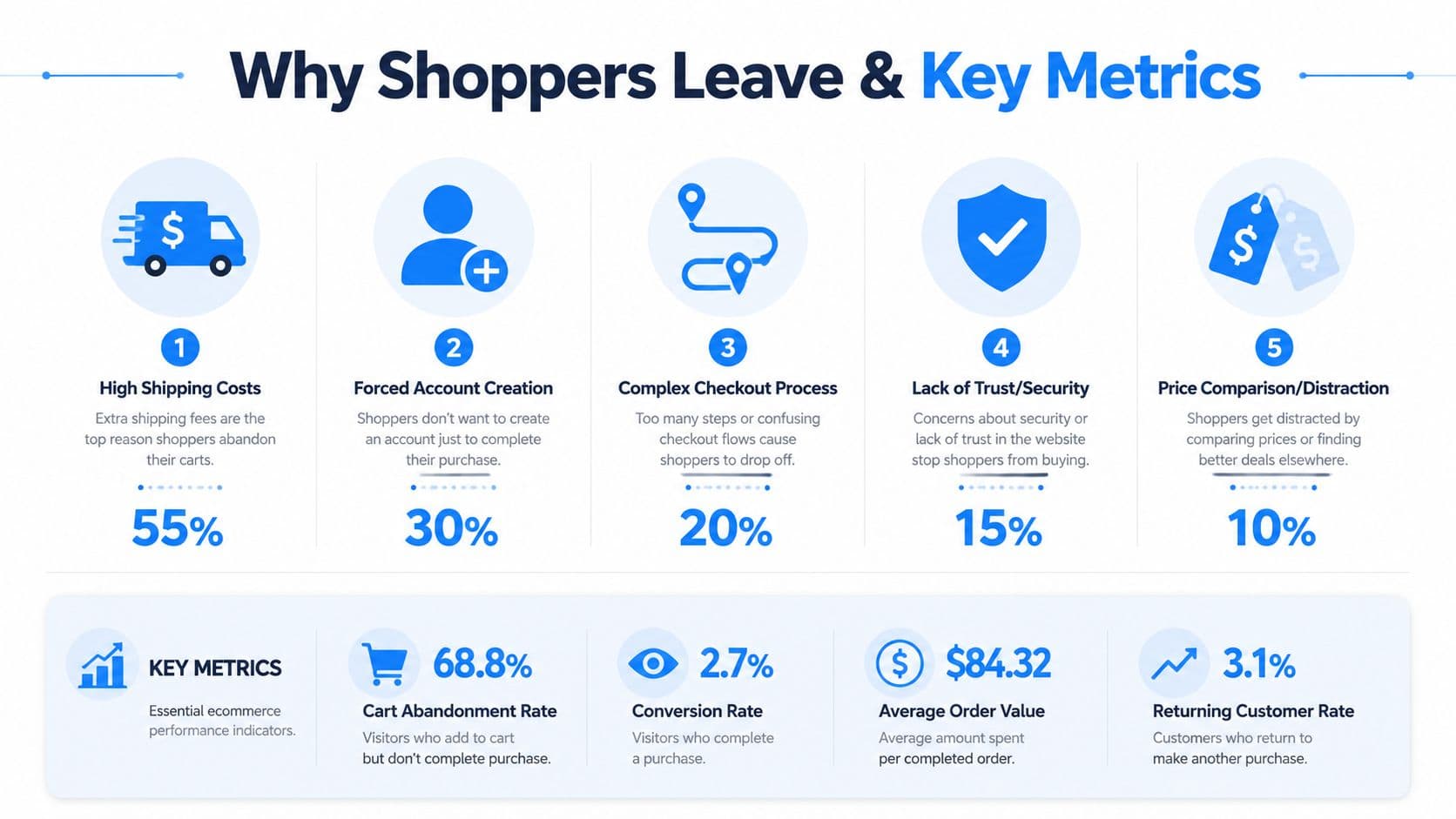
In practice, the biggest causes are predictable:
- Shipping surprise: Costs or delivery windows appear too late and change the value equation.
- Forced commitment: Account creation shows up before the shopper is ready to invest more effort.
- Checkout fatigue: Too many fields, poor mobile inputs, or unclear progress slow momentum.
- Trust gaps: Weak payment reassurance, unclear returns, or limited contact information create doubt.
- Interrupted intent: Shoppers get distracted, compare alternatives, or pause to look for promo codes.
The important distinction is timing. Some of these problems should be handled before the session ends, not after. A shopper hesitating over sizing, shipping, or compatibility is often recoverable in the moment through AI chat. That is where tools like Carti add value to a standard recovery stack. They surface answers while purchase intent is still active, then email and SMS can pick up the shoppers who still leave.
That is a very different job from a reminder sequence.
The other common mistake is treating every abandoner as the same lead. A first-time visitor who bounces at shipping needs a different response than a repeat customer who pauses at payment. Teams that already connect lead capture with downstream conversion usually spot this faster, which is why Market With Boost's lead generation insights are useful. They show how acquisition friction and checkout friction sit in the same system.
Practical rule: Diagnose where hesitation starts before you build automations. Otherwise you end up polishing reminders for a checkout flow that still creates the problem.
Track the metrics that show where friction lives
Start with a baseline. Pull data from Shopify analytics, checkout reports, session recordings, support logs, and on-site chat transcripts. The goal is simple. Find out where intent drops, on which device, and whether the problem is process friction or an unanswered question.
| Metric | What it tells you | Why it matters |
|---|---|---|
| Cart abandonment rate | How many carts fail to become orders | Shows the size of the leak |
| Checkout step drop-off | Where shoppers exit | Points to the exact friction point |
| Device split | Mobile vs desktop behavior | Reveals mobile-specific issues |
| Recovered orders | Which recovery flows bring shoppers back | Measures execution, not just intent |
| Recovered revenue | Revenue won back after abandonment | Connects recovery work to margin and growth |
For teams building a cleaner measurement framework, this guide to ecommerce key performance indicators is a useful reference for deciding what belongs in a weekly review.
A solid first pass looks like this:
- Map exits by checkout step: Cart, information, shipping, and payment.
- Break results out by device: Mobile issues disappear inside blended reporting.
- Read support tickets and chat logs: They often explain drop-off faster than funnel reports.
- Compare new vs returning customers: Their objections are usually different.
- Flag questions that appear before abandonment: Those are strong candidates for real-time AI chat intervention rather than delayed follow-up.
That last point matters more than many teams expect. If shoppers keep asking about delivery timing, sizing, returns, or product fit before they leave, the fix is not another email in the sequence. The fix is answering the objection while the cart is still open. Recovery works best as a full system: reduce preventable exits in real time, then use email and SMS to bring back the people who still need a second chance.
Building Your Multi-Channel Recovery Strategy
A high-performing recovery system doesn't rely on one message or one channel. It uses the right channel for the right moment, then lets each touchpoint do a specific job.
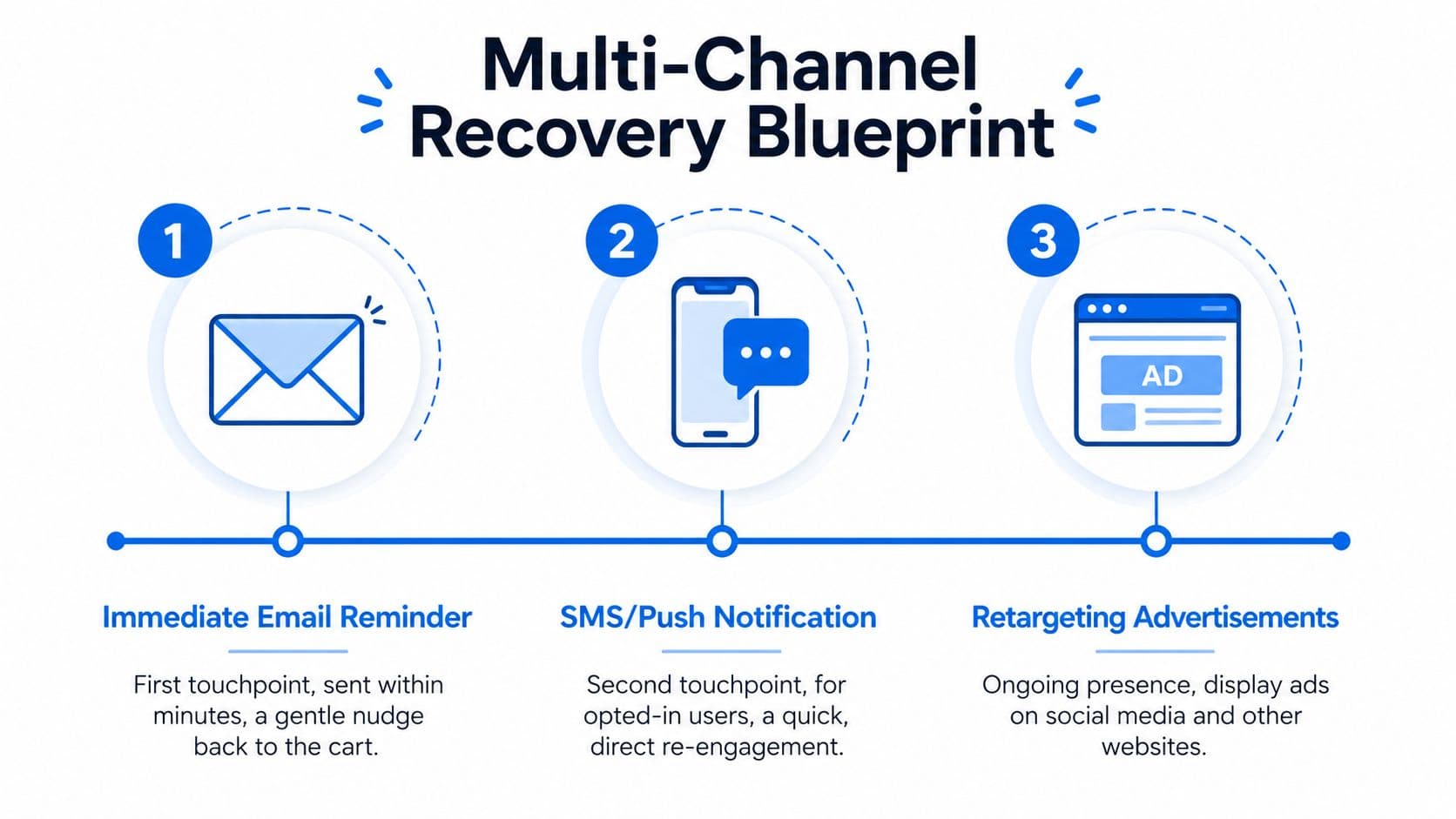
The key timing point is simple. The first email should go out within 1 hour, ideally 30 minutes, and three-email sequences generate far more revenue than single emails, while top programs recover 10% to 15% of abandoned revenue compared with the more typical 3% to 5% noted in Digital Applied's 2026 cart abandonment data roundup.
Use channels by job, not by habit
Many brands overuse email because it's familiar. That creates a weak system. Recovery gets better when each channel has a defined role.
- Real-time on-site chat: Best for objection handling before exit. It answers sizing, shipping, stock, compatibility, or return-policy questions while the cart is still active.
- Email: Best for structured follow-up. It gives you room for product images, reassurance, reviews, FAQs, and a return link to the cart.
- SMS: Best for urgency and convenience, but only for shoppers who've given consent. It's direct, interruptive, and strongest when used selectively.
- Retargeting ads: Best for staying visible after the shopper leaves. Useful, but less precise than first-party channels.
The biggest operational shift is adding conversation before abandonment. Email and SMS are reactive. Chat can be preventive. If someone is hovering on shipping or payment, a well-timed question like “Need help choosing size or delivery?” can save the order before it becomes a recovery problem.
Don't ask every shopper the same question. Trigger conversation when behavior suggests hesitation.
Segment before you automate
The fastest way to flatten performance is to send one generic sequence to every abandoner. Segment first.
A practical segmentation model for Shopify looks like this:
New customers
They need trust. Focus on shipping clarity, return policy, delivery timing, and product confidence. Avoid leading with a discount unless margin and category economics support it.
Returning customers
They usually need less reassurance and more convenience. Shorter copy works. Faster reminders work. Their message can assume product familiarity.
High-value carts
These deserve white-glove treatment. Use richer product context, stronger reassurance, and tighter timing. If you offer an incentive, protect margin by making it conditional and intentional.
Low-intent carts
Not every cart is serious. Some are saved for later, some are price checks, some are casual browsing. These shoppers still deserve a reminder, but they don't need your most aggressive sequence.
Mobile abandoners
Treat them as their own segment. Their issue is often usability, not lack of interest. Short messages, large tap targets, and seamless return-to-cart links matter more here.
A clean workflow usually follows this pattern:
- On-site intervention when hesitation appears
- Email within the first hour
- SMS follow-up for opted-in shoppers if the cart remains open
- Additional email touches based on sequence logic and segment
- Retargeting only if first-party channels don't bring them back
That structure respects intent, timing, and channel fatigue. It also keeps your recovery engine from becoming a coupon cannon.
Crafting Recovery Messages That Actually Convert
Recovery copy fails when it sounds automated, vague, or desperate. The best messages feel like a sharp sales associate stepping in at the right moment with the right answer.
Many brands jump straight to discounts. That's lazy and expensive. As Kissmetrics' analysis of cart abandonment notes, non-monetary strategies like free shipping, bundle offers, or early access can deliver strong ROI and avoid training customers to wait for discounts.
Write like a helpful salesperson, not a coupon machine
Strong recovery messaging usually does one of four things:
- Reminds: “You left something behind.”
- Reassures: “Here's the delivery, return, or product info you might need.”
- Reduces effort: “Your cart is ready. Tap to complete checkout.”
- Incentivizes selectively: “Here's a reason to come back now.”
That order matters. Start with intent and reassurance before you spend margin.
For store owners refining their messaging strategy more broadly, these strategies for online store owners are a useful companion read because they frame abandonment as a mix of UX, offer design, and communication.
A few copy rules consistently hold up in practice:
- Lead with the product: Include the item name or category if your tool supports it.
- Answer the objection you expect: Shipping, sizing, returns, compatibility, or timing.
- Use one clear CTA: “Return to cart” or “Complete your order” works better than multiple choices.
- Keep SMS tighter than email: SMS should nudge, not explain everything.
- Save discounts for later touches or specific segments: Don't train everyone to wait.
Message check: If the email still makes sense after removing the discount, the copy is probably doing real work.
Templates you can adapt fast
Here are practical templates that fit different moments in the recovery window.
Email 1 for early reminder
Subject: You left something in your cart
Body:
You were close to checkout, and your cart is still saved. If you had a question about sizing, shipping, or returns, now's the moment to clear it up.
CTA: Complete your order
This works because it assumes intent instead of pleading for attention.
Email 2 for reassurance
Subject: Still deciding?
Body:
Your cart is waiting. If you paused because you wanted to double-check shipping, delivery timing, or product details, make that easy to find in the email itself. Add product imagery and keep the path back to checkout obvious.
This is also where social proof, policy clarity, or fit guidance can help.
Email 3 with a non-discount incentive
Subject: A little help to finish your order
Body:
Your cart is still reserved. If shipping was the sticking point, offer free shipping. If commitment was the issue, offer early access, a bundle option, or another value-add that protects margin better than a blanket discount.
CTA: Return to cart
SMS for opted-in shoppers
Message:
You left items in your cart. It's still ready for checkout. Tap to finish your order: [link]
Short wins here. Don't stuff SMS with multiple claims or long explanations.
On-site chat nudge
Prompt:
Need help before checkout? I can answer questions about delivery, sizing, returns, or product fit.
That message works because it meets shoppers at the moment of doubt. If you want examples of conversational prompts and support flows, this collection of chat conversation examples is useful for shaping tone and structure.
The common failure mode is over-writing. Recovery messages don't need brand theater. They need relevance, clarity, and a direct path back to purchase.
Technical Setup A Shopify Guide Featuring Carti
About 7 in 10 shoppers leave without buying. Recovery setup matters because a big share of that revenue is won or lost in the handoff between cart, checkout, email, SMS, and on-site support. On Shopify, the strongest systems do two jobs at once. They recover carts after exit, and they reduce abandonment while the shopper is still deciding.
Start with Shopify's baseline automation
Shopify covers the core recovery mechanics well enough for many stores. The problem is execution. I regularly see brands turn on abandoned checkout emails, then leave broken cart links, weak mobile layouts, or generic copy untouched for months.
Set up the foundation first:
- Enable abandoned checkout automation: Trigger the first reminder soon after abandonment, within the window your brand and audience can support.
- Customize the email template: Show the product, restate the value, and answer the top purchase doubts inside the message.
- Test the return-to-cart link: Send test emails to yourself and confirm the shopper returns to a live cart or checkout, not a homepage or empty session.
- Review the mobile experience: Recovery clicks often happen on a phone. Buttons need to be easy to tap, copy needs to be short, and checkout fields need to be usable.
- Remove checkout blockers: Guest checkout, payment options, shipping visibility, and discount code behavior all affect recovery performance more than teams expect.
That baseline system should remind, reassure, and return the shopper to a usable cart with as little friction as possible.
Add real-time conversational recovery before exit
Email and SMS only start working after the shopper leaves. A strong Shopify setup adds a live intervention layer before that happens. This is the gap most abandoned cart guides miss.
A shopper hesitates for reasons that are often fixable in the moment. Delivery timing is unclear. Sizing feels risky. A bundle option is hard to find. Return policy details are buried. AI chat can address those objections before the session is lost, then email and SMS can handle the follow-up if the shopper still leaves.
A practical setup looks like this:
- Trigger on hesitation signals: long cart dwell time, repeated shipping-policy visits, back-and-forth between PDP and cart, coupon searching, or repeated quantity changes.
- Keep the prompt low-pressure: offer help with shipping, fit, compatibility, returns, or stock status instead of pushing a discount immediately.
- Ground responses in store data: the assistant needs current product info, policy details, and FAQs. Generic answers create more doubt.
- Route edge cases correctly: high-intent questions about custom orders, warranty exceptions, or wholesale terms may need a human handoff.
The operational rule is simple. Chat handles objections in-session. Email and SMS recover what still drops.
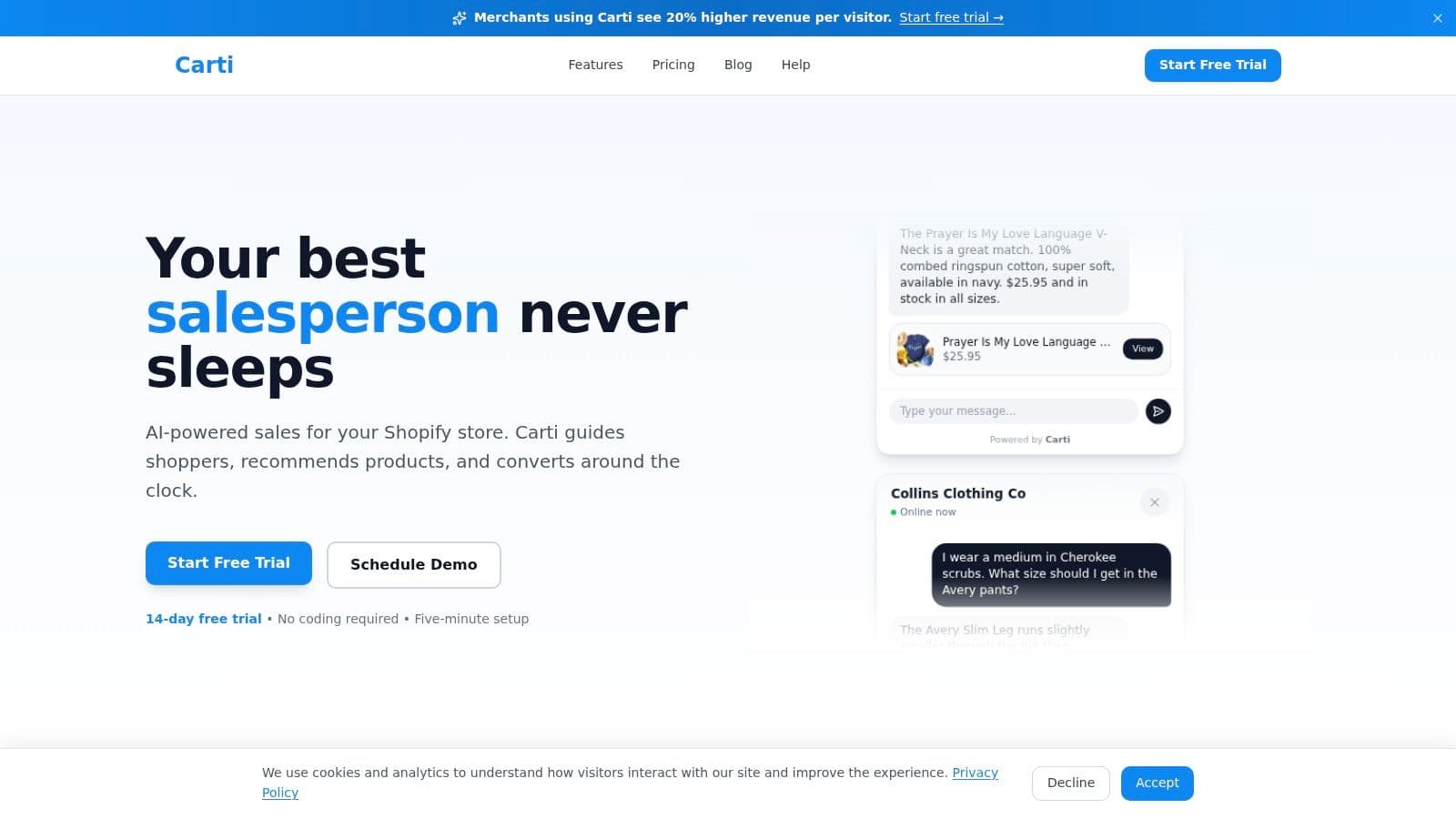
If you want to add that layer, use a setup that connects quickly to your catalog and support content, then review the early conversations for gaps in policy, merchandising, and checkout UX. Carti's Shopify installation guide for AI cart recovery is a practical starting point.
Here's a walkthrough that shows the setup in action:
Connect the system so recovery holds up across devices
The technical failure points are rarely in the send itself. They show up in the return journey.
A shopper adds items on mobile, opens the email later on desktop, and finds an empty cart. Or they tap an SMS link and land on a generic page that forces them to start over. In both cases, the recovery message did its job, but the session architecture failed.
Focus on these checks:
Session regeneration
Recovery links should rebuild the cart cleanly. Test this across browsers, devices, logged-in users, and guest sessions.
Message content sync
Your email, SMS, and on-site assistant should reflect the same pricing, inventory, shipping thresholds, and policy details. Contradictions create hesitation fast.
Tracking and attribution
Use Shopify analytics plus app-level reporting to see which touchpoints assist the sale. Last-click reporting often overstates email and understates the role of live chat in resolving objections earlier in the session.
Recovery works better when checkout, messaging, and support all pull from the same source of truth.
Consent and compliance
SMS only works when consent handling is clean. Keep opt-in logic, suppression lists, and regional compliance rules current.
Many Shopify stores already have email, SMS, and chat installed. What they usually lack is coordination. The fix is not adding another channel for the sake of it. The fix is assigning each channel a job, then making sure the data, links, and cart state stay consistent from first hesitation to completed order.
A/B Testing Your Way to Higher Recovery Rates
A recovery flow that's live but untested usually underperforms for months. Teams assume it's “working” because some orders come back. That's not the standard. The standard is whether the system is improving.
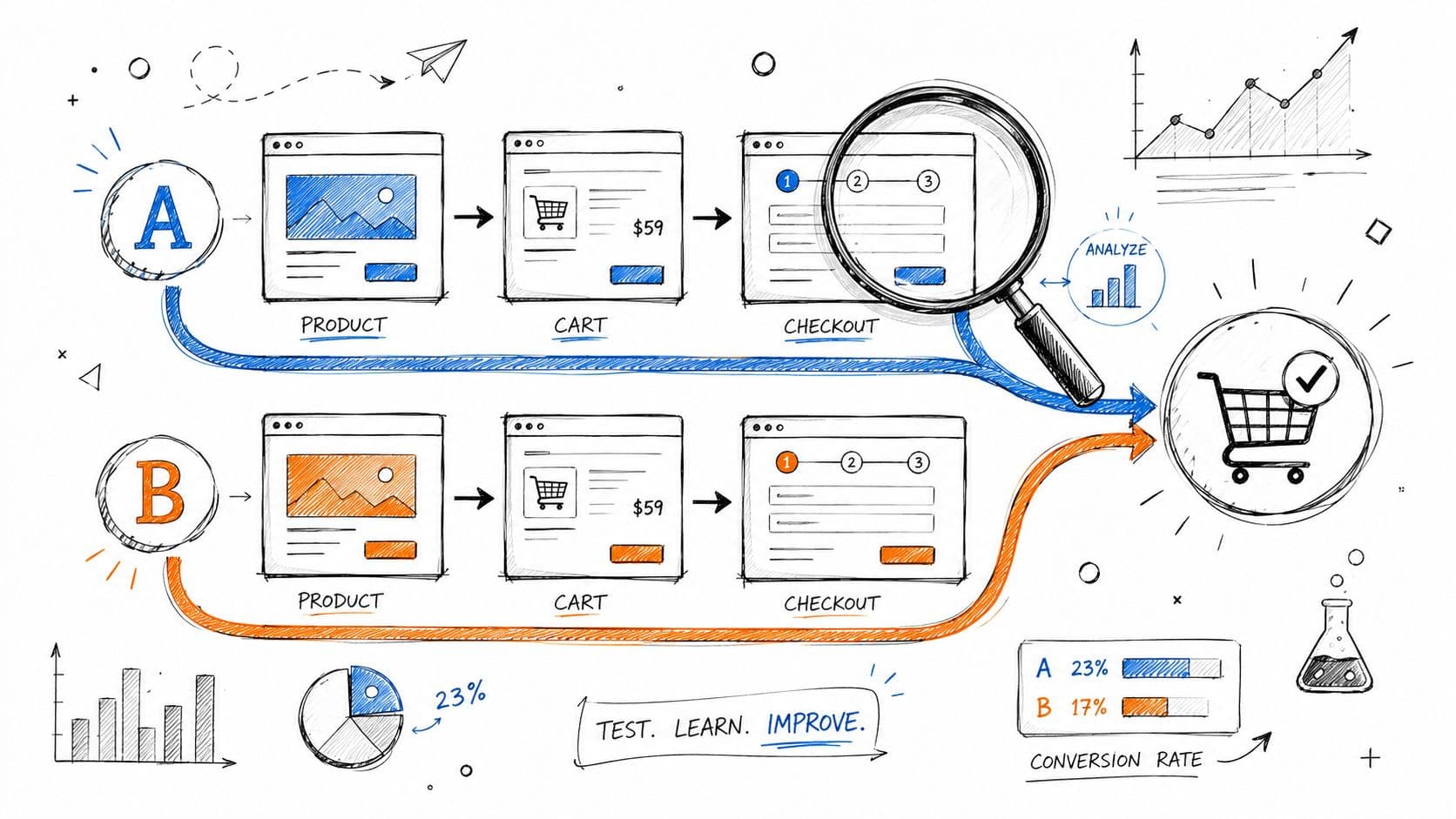
Twilio's guidance on abandoned cart recovery is useful here because it ties performance directly to testing. It notes that effective recovery campaigns A/B test message formats, incentives, and timing, and that SMS sent with a 60-minute delay can recover up to 16.4 orders per 100 messages.
What to test first
Start with the variables closest to revenue.
- Timing: Test the first reminder earlier versus later within your approved window.
- Incentive type: Compare free shipping, bundle value, early access, or no incentive.
- Message angle: Reminder versus reassurance versus urgency.
- CTA language: “Complete your order” versus “Return to cart.”
- Sequence length: Some stores need a lighter sequence. Others benefit from a fuller one.
Don't test tiny cosmetic details first. Button color doesn't matter much if your timing is wrong or your offer is weak.
A strong testing order is usually:
- Send timing
- Offer strategy
- Channel mix
- Copy angle
- Creative and layout
How to keep tests clean
One common pitfall is changing too much at once. If you alter timing, incentive, and audience together, you won't know what caused the result.
Use simple rules:
| Test rule | Why it matters |
|---|---|
| Change one major variable | Keeps the result interpretable |
| Hold audience constant | Prevents segment bias |
| Run long enough to see a pattern | Avoids reacting to noise |
| Track recovered revenue, not just clicks | Clicks don't guarantee recovered orders |
If a test improves opens but lowers recovered revenue, it didn't win.
Set-and-forget recovery flows rarely stay strong. Customer expectations change. Device behavior changes. Inventory and pricing change. Testing is the maintenance work that keeps your cart abandonment recovery engine honest.
Key KPIs to Measure Cart Recovery Success
If you only track opens and clicks, you'll miss the financial story. Recovery is a revenue program. Measure it like one.
Focus on business outcomes, not vanity metrics
The first KPI is recovered revenue. This tells you how much money your recovery system brought back after shoppers left without purchasing. It's the clearest measure of whether the program matters.
The second is cart recovery rate. This shows how many abandoned carts came back and completed purchase. It helps you compare sequence performance over time and across segments.
The third is message conversion rate by channel and touchpoint. Don't look at email, SMS, and on-site conversation as one blended outcome. Break them apart so you can see where effective work happens.
A useful KPI set includes:
- Recovered revenue: The direct money returned through recovery efforts.
- Recovery rate: The share of abandoned carts that later convert.
- Conversion by touchpoint: Which message or channel closes.
- Recovered cart AOV: Whether recovered orders are smaller, similar, or larger than your store average.
- Time to recovery: How quickly people come back after the first touch.
A simple reporting view for Shopify teams
You don't need a giant BI project to manage this well. A weekly operating view is enough for most stores.
Use a report that answers these questions:
| Question | KPI to check |
|---|---|
| Did we recover meaningful revenue this week? | Recovered revenue |
| Which channel produced the strongest return? | Conversion by channel |
| Are recovered carts healthy in value? | Recovered cart AOV |
| Where are we losing momentum? | Recovery rate by segment |
| Did recent tests help or hurt? | Before-and-after conversion and revenue |
This is also where qualitative data helps. Pair your KPI review with actual shopper questions from chat, support, and post-purchase feedback. If shoppers keep asking about shipping times, returns, or product fit, that's not just support noise. It's conversion intelligence.
The best teams use that loop well. They don't just recover more carts. They reduce the number of carts that need recovering in the first place.
If you want a faster way to add real-time conversational support to your Shopify recovery stack, Carti is built for that job. It helps answer shopper questions instantly, supports proactive cart nudges, and gives merchants a lightweight way to turn hesitation into completed orders without relying on email alone.

Written by
Daniel AndersonFounder of Carti. 10+ years building ecommerce brands in apparel and supplements. Still runs a Shopify store and built Carti to help merchants convert more browsers into buyers.
Ready to boost your store's sales?
Install Carti in 5 minutes and let AI handle customer questions, recommend products, and close sales 24/7.
Start Free Trial14-day free trial