
Most Shopify merchants think cart abandonment software is an email problem. It isn't. It's a timing problem.
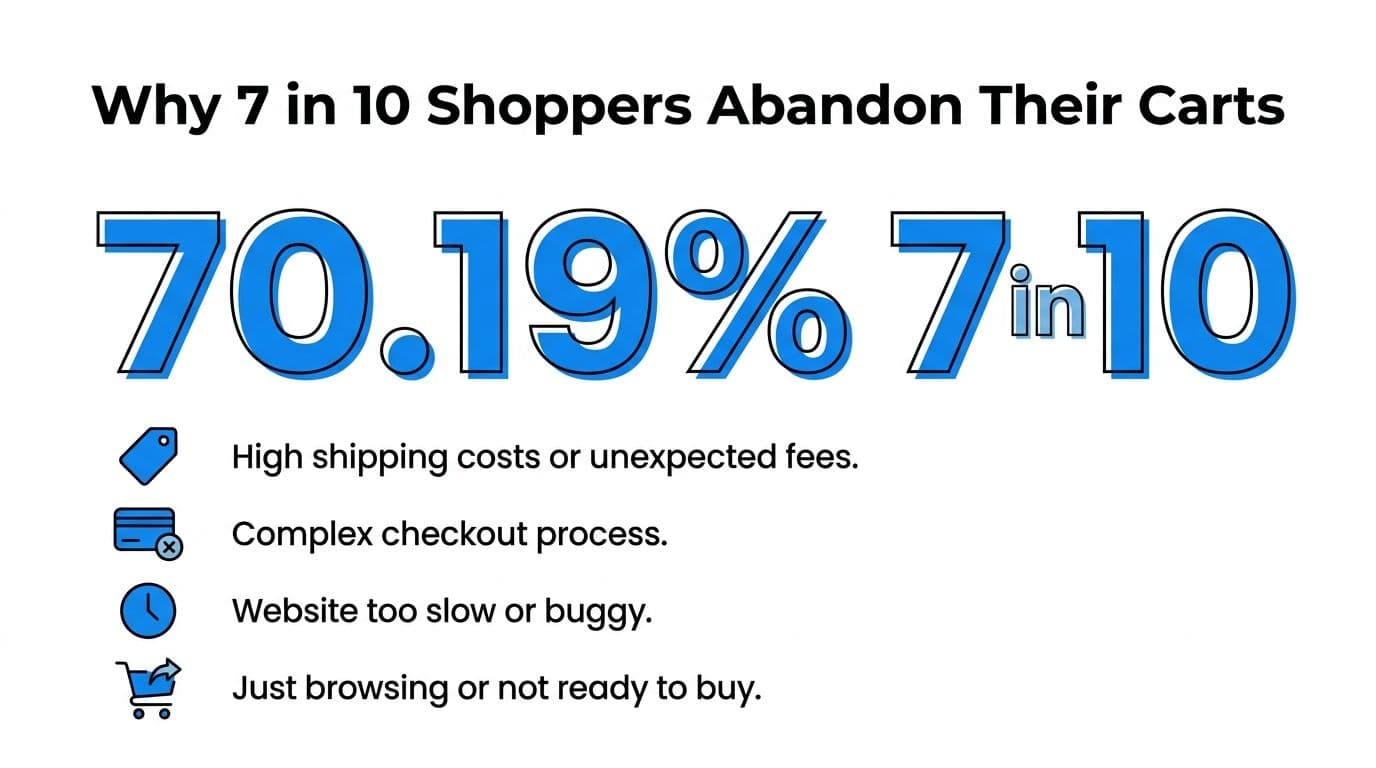
The headline number should change how you evaluate this category. The global average cart abandonment rate in 2025 is 70.19%, which means roughly 7 out of 10 shoppers leave without buying, according to Contentsquare's summary of Baymard Institute data. If your current stack only starts working after the shopper is already gone, you're solving the problem late.
That's why the old playbook misses so much revenue. Recovery emails matter, but they only help if the shopper leaves contact information, sees the message, opens it, and still wants the product later. A lot of hesitation happens earlier, inside the session, when the shopper is deciding whether your shipping policy, sizing info, return terms, or checkout flow feels trustworthy enough.
Good cart abandonment software now does two jobs. It recovers lost carts after the visit, and it prevents abandonment while the shopper is still on site. That second part is where most merchants are underinvested.
Why 7 in 10 Shoppers Abandon Their Carts
More than 7 out of 10 carts never become orders. For Shopify merchants, that usually points to a store experience problem, not just a traffic problem.
The number matters because a cart is high-intent behavior. The shopper already found a product worth considering, accepted the rough price range, and got close enough to test checkout. At that point, every abandonment has a cost. You already paid to acquire that visit, and the buyer already did part of the work.
In practice, I treat cart abandonment as a diagnostic signal. A high rate usually means one of three things is happening: the shopper hit friction, the shopper lacked confidence, or the shopper needed an answer in the moment and did not get one. That is why prevention deserves more attention than many stores give it. If the issue is unclear shipping costs, sizing uncertainty, delivery timing, return policy anxiety, or a last-minute objection, an email sent two hours later is trying to recover a conversion that could have been saved live.
Some abandonment is normal. Comparison shopping is normal too. The job is not to chase every exit. The job is to reduce preventable exits from buyers who were still persuadable during the session.
That distinction changes how merchants should invest. Stores that focus only on post-abandonment emails often spend money further down the funnel while leaving the original friction untouched. Stores that prevent abandonment in real time usually get better efficiency from the same traffic because they resolve hesitation before the shopper leaves.
A useful companion read on the broader conversion picture is this guide to ecommerce conversion strategies, because cart abandonment is usually the result of upstream decisions. Merchandising, policy clarity, mobile usability, and checkout communication all shape whether a shopper keeps going or drops off.
The practical takeaway is simple. Treat abandonment as a live conversion problem first, and a remarketing problem second.
Understanding Cart Abandonment Solutions
Most merchants lump every tool in this category together. That's a mistake. There are really two different jobs: recovery and prevention.
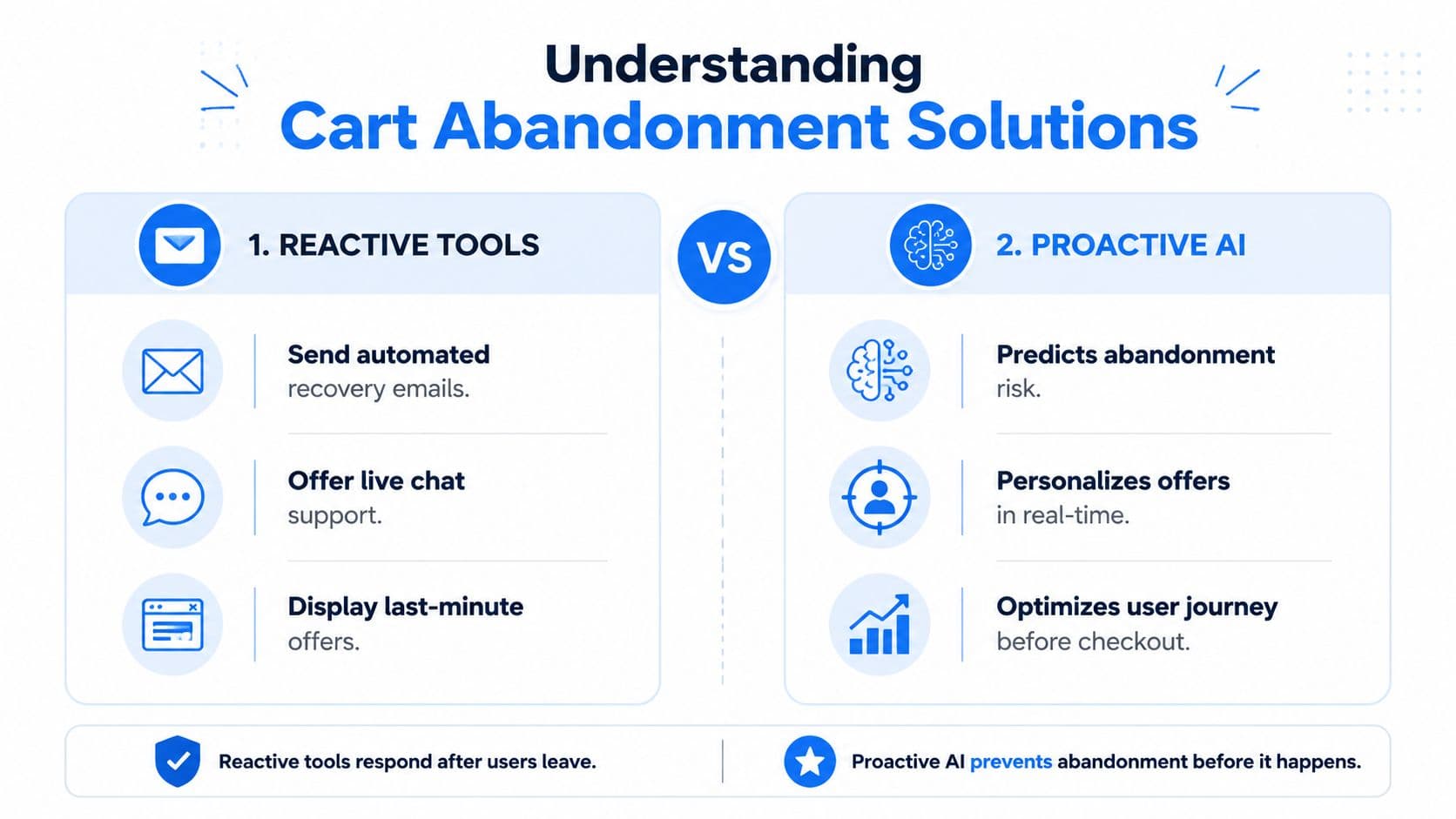
The standard stack usually overweights recovery. It sends an email, maybe an SMS, and hopes the shopper comes back later. That can work. But it doesn't address the reason the shopper hesitated in the first place.
Recovery tools solve a downstream problem
Recovery starts after the exit. Think abandoned cart emails in Klaviyo, SMS reminders in Postscript, or push notifications in other retention tools. These are useful because they re-engage known shoppers and can revive purchase intent that hasn't fully disappeared.
The problem is timing. If the shopper left because checkout felt confusing, shipping costs appeared too late, or they couldn't find a policy answer, a delayed email is trying to reopen a moment that already closed.
Here's a quick way to consider this:
| Approach | When it acts | What it handles well | What it misses |
|---|---|---|---|
| Recovery | After the shopper leaves | Known users, reminders, follow-up incentives | Live objections, unanswered questions, checkout friction |
| Prevention | During the session | Real-time hesitation, exit intent, confusion, support gaps | Shoppers who already left and can't be reached on site |
Prevention tools work at the moment of hesitation
This is the shift more merchants need to make. Fullstory's analysis of cart abandonment states that 92% of shoppers abandon due to in-session friction, and in-session prevention is 3x more effective than email recovery because it resolves objections instantly.
That's the difference between reacting to a lost cart and rescuing a live sale.
What prevention actually looks like
Prevention doesn't have to mean aggressive popups. In the best setups, it's more precise than that.
- Exit-intent prompts: These appear when a shopper shows signs of leaving and present help, not just a coupon.
- Behavior-triggered chat: A shopper lingers on shipping or sizing questions, and the system starts a conversation.
- Checkout reassurance: The software answers policy questions before the shopper opens a new tab to look elsewhere.
- Contextual product help: If the cart suggests uncertainty, the tool can recommend the right variant, bundle, or complementary item.
Practical rule: If your software only starts working after abandonment, it's a recovery tool. If it can change the shopper's mind before they leave, it's a prevention tool.
Essential Features of Modern Cart Abandonment Software
A decent tool sends reminders. Strong cart abandonment software does more than that. It identifies hesitation, responds in context, and gives your team enough visibility to improve the store over time.
Recovery features that still matter
Recovery isn't obsolete. It's just incomplete on its own.
Look for these basics:
- Multi-step messaging: One reminder usually isn't enough. Good tools support sequenced follow-ups across the channels you already use.
- Dynamic cart content: The message should reflect what the shopper left behind, not a generic template.
- Segmentation controls: Returning customers, first-time visitors, high-value carts, and low-intent browsers shouldn't get identical treatment.
- Offer logic: You need control over when a discount appears and when it shouldn't. Blanket couponing trains bad habits.
If a tool can't handle these fundamentals, it will create noise instead of recovered revenue.
Prevention features that change outcomes
In this regard, newer software separates itself from legacy apps.
The must-haves aren't flashy. They're operational.
Real-time behavioral triggers
The software should notice hesitation patterns while the session is still active. That could mean long pauses on checkout, repeated visits to policy pages, or signs of exit intent. Static timing rules aren't enough because not every shopper hesitates the same way.
Conversational support inside the session
A live shopper often needs a small answer, not a major campaign. Sizing, shipping times, returns, ingredient questions, compatibility, giftability. If the tool can answer in context, it removes the reason to leave.
Product guidance
A lot of carts stall because the customer isn't fully confident in what they picked. Modern tools should help with fit, comparison, substitutions, and relevant add-ons without sending the shopper into a maze of collection pages.
Good prevention software behaves more like a sales associate than a popup engine.
Analytics that keep the tool honest
This category gets messy fast when reporting is weak. Merchants install three overlapping apps, all claim credit, and nobody knows what changed shopper behavior.
I want three forms of visibility:
| Feature | Why it matters |
|---|---|
| Intervention reporting | Shows which prompts, chats, or flows influenced real purchases |
| Segmentation insight | Reveals which audience types need different handling |
| Reason-level feedback | Helps the team learn why shoppers hesitate in the first place |
The stack should fit your operations
The best feature set on paper can still be wrong for your store.
For example, Klaviyo is strong when you already run lifecycle marketing seriously and want cart recovery inside that system. Postscript makes sense when SMS is a real channel for your brand, not an afterthought. On-site tools like Justuno or OptiMonk can help if you specifically need behavioral interventions. A Shopify chatbot layer can also fit here when your biggest problem is unanswered product or policy questions during the visit.
What doesn't work is buying a tool because it has a long checklist, then discovering your team won't maintain the flows, review the data, or refine the triggers.
How to Choose the Right Software for Your Shopify Store
Most comparison lists are too generic to be useful. Shopify merchants don't need abstract feature grids. They need to know whether the software fits their catalog, checkout flow, support load, and team capacity.
What smaller stores can get away with
If your store is early-stage or lean, you can survive with a simpler stack for a while. That usually means a reliable recovery layer inside your email or SMS platform, plus basic on-site prompts.
The key is not to overspend on features nobody will use. If your team doesn't have the time to manage deep branching logic or tune multiple channels every week, simplicity wins.
That said, even smaller stores benefit when the software answers pre-purchase questions live. A lightweight prevention layer can often outperform a more elaborate recovery sequence that fires too late.
What high-volume and Plus brands should demand
The bar is higher for Shopify Plus and larger catalogs. Rejoiner's overview of cart abandonment software notes that 80% of Shopify Plus brands report that standard tools lack dynamic SKU-level segmentation, and advanced platforms using AI personalization achieve 20x ROAS compared with under 5x for legacy tools.
That gap matters because enterprise abandonment isn't just about reminders. It's about relevance. If the system can't distinguish between product categories, cart composition, customer type, and intent level, it sends the wrong message at scale.
Three capabilities matter more than merchants often realize:
- Deep Shopify data access: The tool should understand products, variants, inventory signals, and customer context.
- Global readiness: Multi-language outreach and guest checkout handling become more important as brands sell across markets.
- Personalization depth: Category-aware recommendations and customized messaging usually outperform generic reminders.
A related piece on AI product recommendations is worth reviewing if your store has a broad catalog. Recommendation quality affects abandonment more than many businesses expect, especially when shoppers are uncertain about fit or alternatives.
Questions worth asking before you install anything
Don't ask only what the software does. Ask how it behaves in your environment.
If a vendor can't explain how its tool handles guest checkouts, product-level segmentation, and overlap with your current retention stack, keep digging.
Use questions like these:
- Where does it intervene first: On site, in checkout, or only after exit?
- How does it segment carts: By product, category, customer status, or just broad rules?
- What happens when channels overlap: Will email, SMS, and on-site prompts collide?
- Can the support team use the data: Or does the insight stay trapped inside the app?
- Does it reduce operational work: Or does it add another dashboard nobody owns?
A lot of generic tools are acceptable in demos and frustrating in practice. Shopify stores need software that fits the ecosystem, not software that merely claims to support it.
Implementing and Optimizing Your Cart Recovery Strategy
Installing the app is the easy part. The harder part is deciding what should trigger, who should see it, and what the team will do with the data once it starts coming in.
Start with the highest-friction moments
Don't launch everything at once. Start where hesitation is most expensive.
For most Shopify stores, that means product pages with frequent questions, shipping-related hesitation, and checkout steps where confidence drops. Set up your live interventions around those moments first.
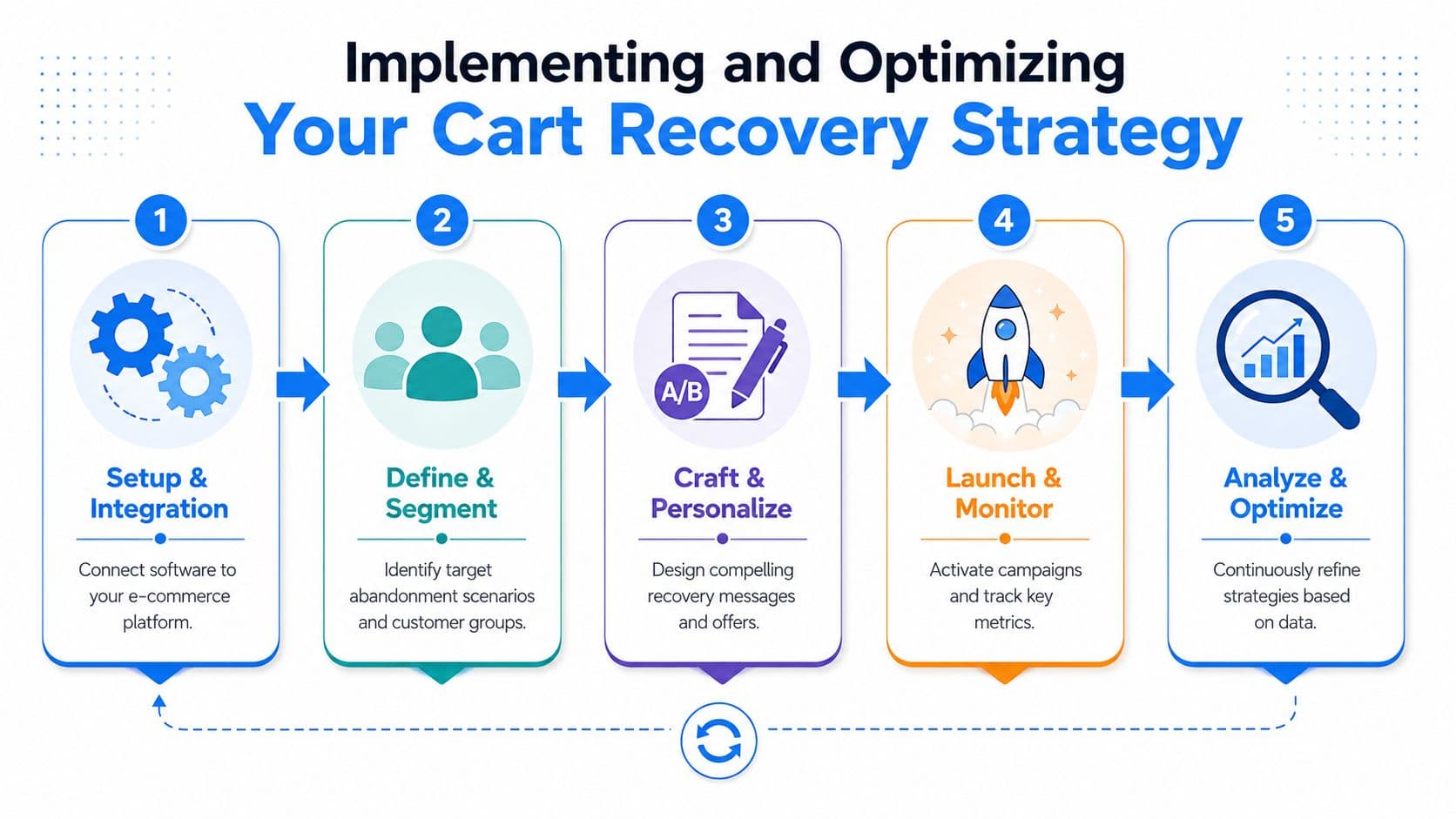
A practical rollout usually follows this order:
- Connect the platform properly: Sync products, policies, and any messaging channels you already use.
- Define your key abandonment scenarios: Exit intent, stalled checkout, repeat product-page visits, or policy-page loops.
- Map answers before campaigns: Make sure the system can respond clearly to common shopper objections.
Build the recovery layer after the live layer
Once prevention is in place, build the follow-up layer around it.
That means your recovery flows should reflect what happened during the session. If the shopper asked about returns, the follow-up shouldn't ignore that. If the cart contained a specific product type, the message should stay relevant to that context.
This guide on how to recover abandoned carts is a useful reference for shaping that follow-up logic without turning every abandonment into a discount campaign.
Use the dashboard to improve the store, not just the campaign
The biggest mistake I see is treating cart abandonment software as a message engine only. The better use is diagnostic.
If shoppers repeatedly ask the same sizing question, update the product page. If they keep hesitating on shipping terms, make those terms easier to find. If a variant causes confusion, clean up the presentation.
The strongest ROI often comes from fixing the reason for abandonment, not just recovering the session after it happens.
A simple optimization loop works well:
| Step | What the team should do |
|---|---|
| Review | Check where interventions appear and which objections show up most often |
| Refine | Adjust copy, timing, and segmentation based on actual shopper behavior |
| Improve site content | Update FAQs, PDP content, and checkout reassurance to reduce repeat friction |
The software should make the store smarter over time. If it only sends reminders, you're leaving value on the table.
How Carti's AI Prevents Abandonment and Boosts Sales
The clearest use case for AI in this category is speed and relevance. A static abandoned cart email can only do so much. AI can adapt to the shopper, the cart, and the moment.
Why AI changes the economics
According to Digital Applied's cart abandonment data, AI-powered cart recovery emails convert at 8.17%, compared with 4.1% for standard template-based emails, and they generate 63% higher revenue per email sent.
That matters because it points to the underlying advantage: optimization. AI adjusts timing, subject lines, recommendations, and message relevance in ways static flows don't.
But the bigger opportunity is to apply that intelligence before the shopper leaves. If AI can recognize hesitation and respond in context, it moves from recovery automation into sales assistance.
What this looks like in a Shopify store
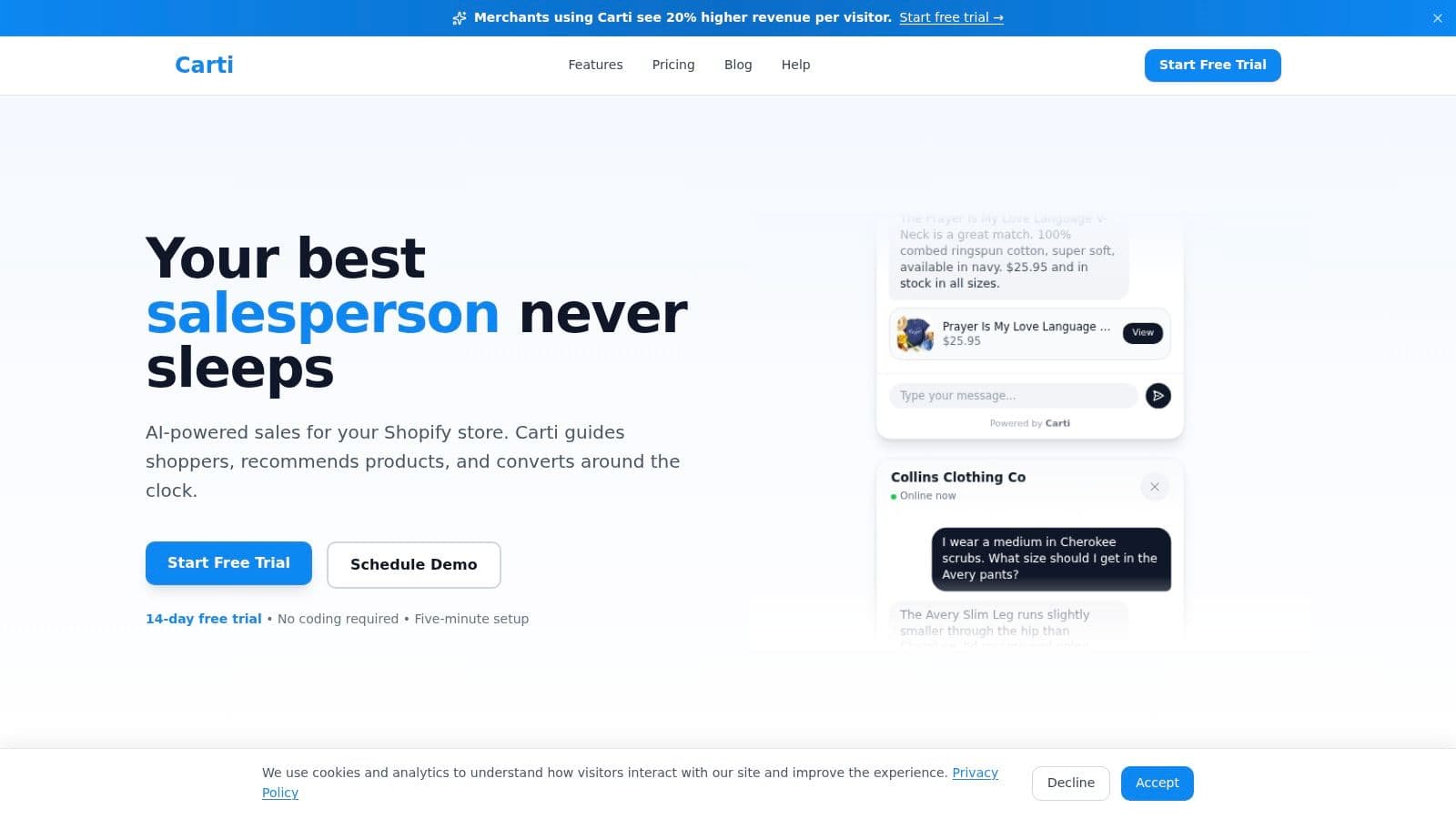
In practice, a tool like an AI-powered sales assistant is particularly useful. Carti is built for Shopify stores and works as an on-site chatbot that answers questions, suggests products, and nudges shoppers forward during the session instead of waiting until after the cart is abandoned.
That's useful in stores where abandonment is tied to uncertainty, not just distraction. Fashion, beauty, home, and wellness brands often run into this problem because customers need reassurance before checkout. Product detail alone doesn't always close the sale.
Here's where this approach tends to work well:
- Policy-heavy purchases: The shopper wants a quick answer on shipping, returns, or delivery timing.
- Choice-heavy catalogs: The customer needs help narrowing options or selecting the right product.
- Support-constrained teams: The store wants immediate responses without requiring staff to stay online around the clock.
- Global storefronts: Shoppers expect help in their own language and won't wait for email support.
The real upgrade isn't that AI sends more messages. It's that AI can remove hesitation while the customer is still deciding.
For many stores, the best setup is not AI instead of recovery. It's AI for live prevention, plus recovery flows for the shoppers who still leave.
Turn Abandoned Carts Into Your Biggest Opportunity
Most merchants look at abandonment and see failure. I see unfinished demand.
The shopper reached the cart. They considered the product. They were close enough to need one more push, one more answer, or one less point of friction. That's why this category matters so much. You're not trying to manufacture intent from scratch. You're trying to convert intent that already exists.
The key shift is simple. Don't treat cart abandonment software as an email add-on. Treat it as part of your conversion system. Recovery still has value, but prevention is where the category is moving because it addresses the core issue while the session is still alive.
That matters beyond checkout too. Stores that reduce hesitation, answer faster, and guide shoppers better also tend to build a powerful brand online, because the buying experience itself becomes more trustworthy.
If your current setup only reminds shoppers after they leave, you still have a large gap in the funnel. Closing that gap usually doesn't require more traffic. It requires better intervention, better timing, and software that can act before the sale disappears.
If you want to stop chasing abandoned carts after the fact, take a look at Carti. It's built for Shopify merchants who want to prevent abandonment in-session with AI-driven conversations, product guidance, and real-time support.

Written by
Daniel AndersonFounder of Carti. 10+ years building ecommerce brands in apparel and supplements. Still runs a Shopify store and built Carti to help merchants convert more browsers into buyers.
Ready to boost your store's sales?
Install Carti in 5 minutes and let AI handle customer questions, recommend products, and close sales 24/7.
Start Free Trial14-day free trial