
Your Shopify store has a chatbot. It answers shipping questions, points people to return policies, maybe even recommends products. The problem is simple. You still can't say whether it's helping revenue or just creating more software to manage.
That's where most merchants get stuck. They see conversations going up and assume the bot is working. That's lazy analysis. A busy bot isn't the same as a profitable bot.
If you're using conversational AI in ecommerce, you need a scorecard tied to outcomes that matter: purchases, recovered carts, fewer support tickets, better customer experience, and cleaner buying journeys. Without that, you're guessing. If you're still evaluating whether an assistant belongs on your storefront, this guide to an AI chatbot for ecommerce is a useful starting point.
Your Chatbot Has Data But Is It Making You Money
A typical Shopify owner opens the chatbot dashboard and sees activity everywhere. Conversations. Greetings. Product questions. Support requests. Maybe even a few transcripts that look promising. But when that owner asks, “Did this increase sales?” the dashboard goes quiet.
That gap is the primary problem.
Most chatbots launch as support tools. They handle repetitive questions and reduce pressure on your inbox. That's useful, but it's incomplete. On a Shopify store, the better question is whether the bot helps shoppers move toward a purchase, keeps hesitant buyers from dropping off, or saves enough support time to justify the tool.
A chatbot becomes valuable when you can connect its activity to money saved, money earned, or friction removed from the buying journey.
This is why chat bot analytics matter. They give you a way to separate vanity from impact. Instead of counting how many people opened the widget, you start measuring whether the bot answered real questions, completed useful goals, handed off fewer dead-end chats, and influenced purchase behavior.
A merchant selling skincare and a merchant selling furniture won't use the same exact flows. But both need the same discipline. They need to know which conversations reduce uncertainty and which ones stall it. They need to know whether shoppers are asking pre-purchase questions that the site isn't answering well enough. They need to know whether “support automation” is functioning as conversion support.
The expensive mistake merchants make
Many stores stop at activity metrics because they're easy to find. Total chats feels concrete. It isn't. A bot can generate a lot of interactions and still fail at the job you hired it to do.
Three bad outcomes usually hide behind a “busy” bot:
- High chat volume with weak answers means shoppers still leave without buying.
- Heavy support usage without resolution means your human team still does the hard work.
- Strong engagement with poor purchase influence means the bot is interesting, not productive.
If you can't tie the bot to outcomes, you don't have a growth asset. You have a widget.
Beyond Conversation Counts Understanding Chatbot Analytics
A shopper lands on a product page, hesitates on sizing, opens the chat, asks two questions, and buys. Another shopper asks about shipping, gets a vague answer, and leaves. Both count as conversations. Only one helped your store make money.
That is the essential job of chat bot analytics.
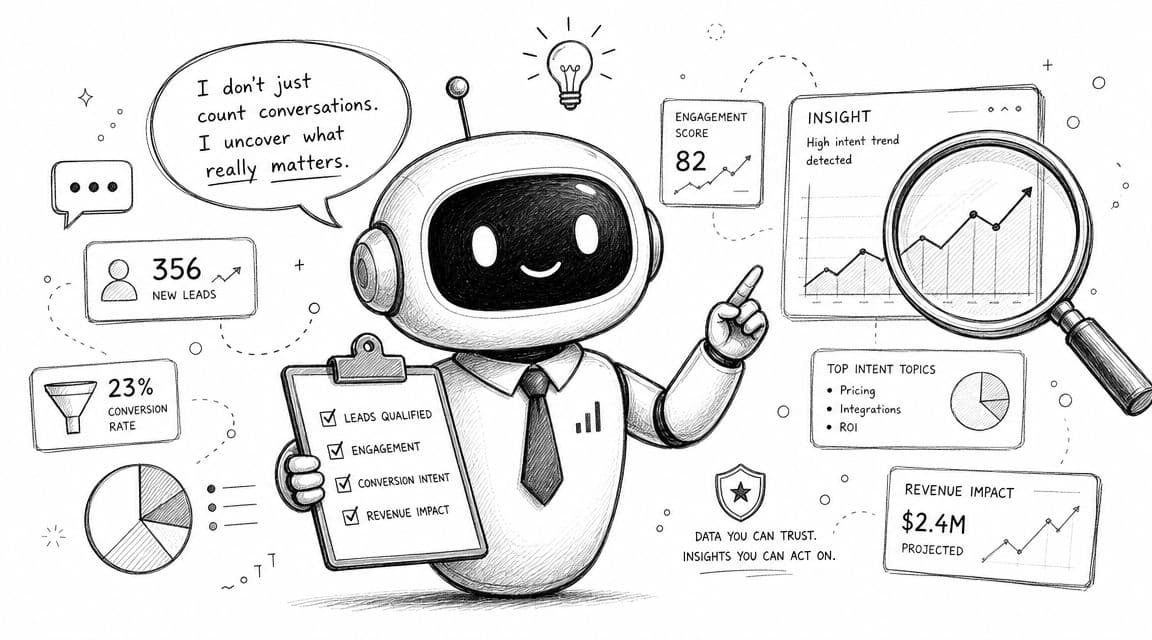
At a basic level, chatbot analytics means tracking how shoppers use the bot, where conversations succeed, and where they break down. Useful reports usually include engagement, goal completion, handoff rate, fallback rate, self-service success, and outcomes tied to support or sales. The point is not to admire activity. The point is to measure whether the bot reduces friction in the buying journey and earns its place in your stack.
For Shopify stores, that changes the standard completely. A chatbot is not just a support layer. It is part of conversion infrastructure. If it answers pre-purchase questions well, it helps protect revenue that would otherwise leak out through hesitation, confusion, or slow support.
Revenue is the frame
Conversation count has some diagnostic value, but it is a weak business metric on its own. A high-volume bot can still miss product questions, create dead ends, and push shoppers back to your support team. A lower-volume bot that resolves high-intent questions before checkout is often far more valuable.
Peak Support's review of chatbot KPIs to track makes the right point. Strong chatbot measurement focuses on outcomes such as resolution, deflection, drop-off, and cost impact. That is the standard Shopify owners should use.
The best way to judge chatbot analytics is simple. Did the bot help more shoppers buy, reduce support load, or expose friction that was blocking conversion?
What good analytics should help you decide
A useful analytics setup should answer business questions, not just platform questions.
It should show whether the bot is handling high-intent pre-purchase questions like sizing, delivery timing, compatibility, returns, bundle logic, or discount confusion. It should show where handoffs happen, where shoppers abandon the chat, and which topics keep repeating because your site still is not clear enough.
That matters beyond the chat widget itself. Repeated bot conversations often point to weak PDP copy, missing FAQ content, poor policy visibility, or search and navigation problems. If you already track broader e-commerce key performance indicators, chatbot analytics should fit into that same operating model. It should help you improve conversion rate, average order value, support efficiency, and retention.
The standard to use
If a chatbot report cannot help you make one of these decisions, it is too shallow:
- Fix a page that keeps creating the same question.
- improve a flow that fails to resolve buyer intent.
- reduce support tickets that should have been automated.
- identify conversations that influence checkout behavior.
That is the difference between a chat tool and a sales tool.
Good chatbot analytics gives you proof. Proof that the bot answers the right questions, removes buying friction, and contributes to revenue instead of just generating transcripts.
The Six Chatbot Metrics That Directly Impact Revenue
Most stores don't need a bloated dashboard. They need a short list of metrics that explain whether the chatbot is reducing friction and influencing purchases. For ecommerce, guidance recommends focusing on a small set of high-impact KPIs such as goal completion rate, response accuracy, CSAT, fallback rate, missed utterances, and conversion rate because each one maps to a specific optimization lever like flow design, training data, or purchase path influence, as explained in Jotform's chatbot analytics guidance.
Why most dashboards mislead merchants
The average dashboard throws everything at you. Message counts. sessions. opens. clicks. That creates noise.
Revenue-focused analysis is simpler. Ask six questions:
- Are shoppers engaging with the bot?
- Does the bot solve the question?
- Does the conversation influence a purchase?
- Does it help recover abandoned demand?
- Does it improve customer value over time?
- Does it answer fast enough to keep momentum?
That framework is far more useful than staring at raw transcript volume. If you want a broader measurement mindset across your store, this guide to e-commerce key performance indicators complements chatbot reporting well.
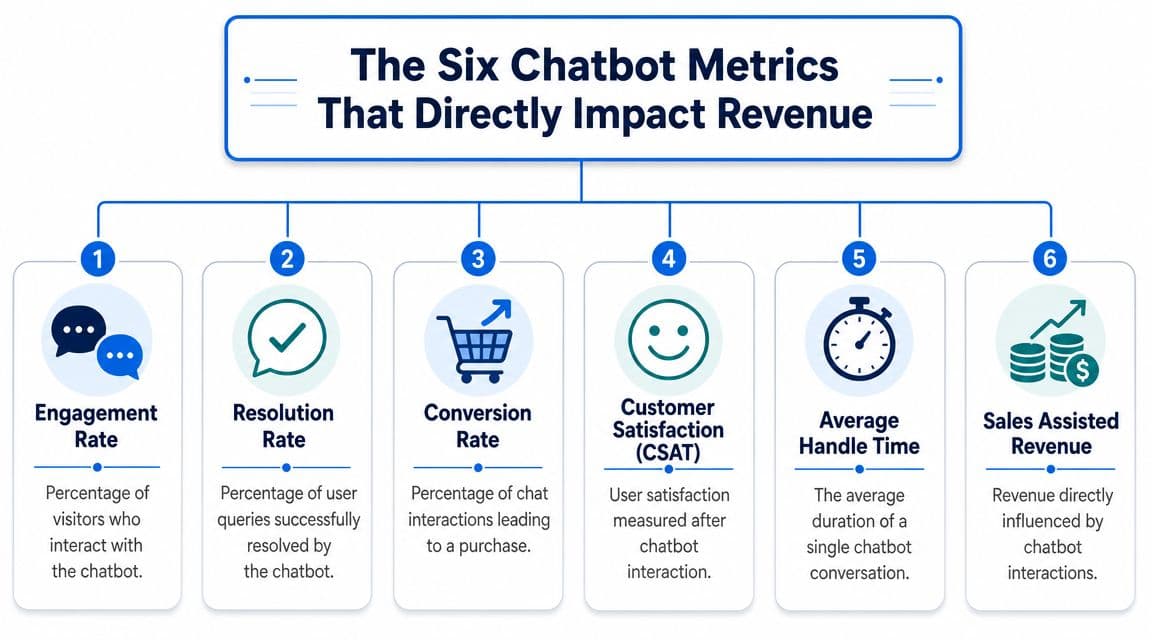
Key chatbot metrics for Shopify stores
| Metric | What It Measures | The Business Question It Answers |
|---|---|---|
| Engagement Rate | How often visitors start or continue meaningful interaction with the bot | Are shoppers noticing and using the assistant when they need help? |
| Resolution Rate | How often the bot solves the issue without needing human help | Is the bot actually reducing friction and support load? |
| Conversion Rate | How often a chat interaction leads to a purchase or desired action | Is the bot helping turn buying intent into orders? |
| Cart Recovery Rate | How often bot prompts or conversations help rescue abandoned carts | Is the bot saving revenue that would otherwise be lost? |
| CLV Uplift | Whether assisted shoppers tend to return, reorder, or buy broader product ranges over time | Is the bot improving customer quality, not just one-off purchases? |
| Response Time | How quickly the bot responds in the moment of intent | Is the experience fast enough to keep shoppers from bouncing? |
A short explainer video can help make the framework easier to visualize:
How each metric affects the store
Engagement Rate
This tells you whether the bot is visible, relevant, and worth interacting with. If engagement is weak, the problem may not be AI quality. It may be poor placement, weak welcome prompts, or a mismatch between where the bot appears and where customers need help most.
Resolution Rate Support automation gains financial meaning through Resolution Rate. If people start chats but still need an agent or leave unresolved, the bot isn't saving time or building trust. A strong resolution rate usually reflects better intent coverage, clearer conversation design, and smarter escalation logic.
High engagement with weak resolution is a warning sign. Shoppers want help, but the bot isn't delivering it.
Conversion Rate
This is the metric most merchants should care about. Not every chatbot conversation should close a sale, but your sales-oriented flows should influence purchase behavior. If shoppers ask about size, ingredients, shipping, compatibility, or returns and then convert, the chat is doing real commercial work.
Cart Recovery Rate
Many merchants overlook this one. A shopper who abandons after a shipping question or discount question often doesn't need another email later. They need clarity now. If your bot can answer objections in-session or send a timely nudge, it can recover intent before it cools off.
CLV Uplift
This is harder to measure, but it matters. Some bots don't just assist a purchase. They guide people to the right product the first time, reduce post-purchase disappointment, and improve repeat behavior. That can make chatbot assistance more valuable than a last-click conversion report suggests.
Response Time
Speed changes outcomes in ecommerce. If the shopper has to wait, the moment is gone. Fast responses matter because the chat often appears at the exact point of hesitation. Delay kills momentum.
A useful dashboard won't treat these as separate islands. It shows how they interact. A bot with fast responses and strong engagement but poor conversion likely has a merchandising problem. A bot with decent conversion but weak resolution may be helping only a narrow slice of intent while failing elsewhere.
From Numbers to Insights Interpreting Your Chatbot Data
A dashboard doesn't tell the truth by itself. You have to read relationships between metrics, not just stare at each one in isolation.
That's where many Shopify teams go wrong. They ask whether a number looks high or low. The better question is what the combination of numbers says about the customer journey.
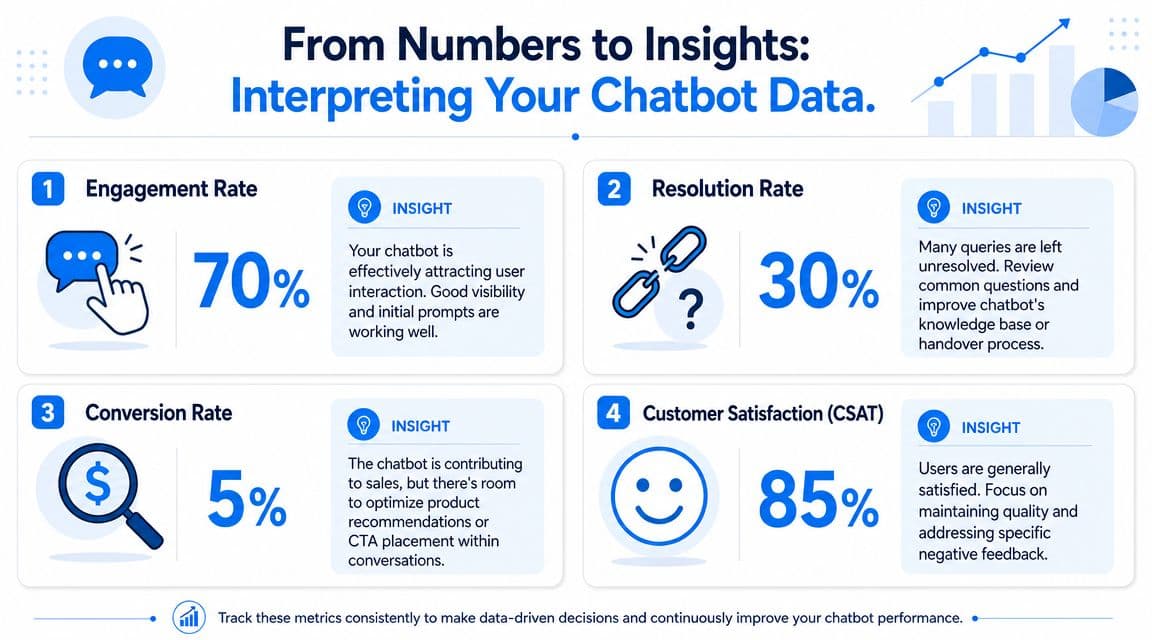
Whisperchat's guidance gets this right. It argues that tracking intent accuracy, fallback rate, escalation triggers, completion rate, and conversion rate together exposes different failure modes. Intent mismatches point to classification errors, fallbacks expose unanswered utterances, escalations reveal knowledge or logic gaps, and conversion shows whether the conversation is producing revenue or sign-ups in its discussion of chatbot analytics methods.
Read patterns instead of isolated numbers
A single metric rarely gives you a reliable answer. Use combinations.
- High engagement plus high fallback usually means shoppers are interested, but the bot doesn't understand enough of what they ask.
- Low fallback plus low conversion often means the bot can answer questions, but those answers aren't moving people toward the product decision.
- High resolution plus poor CSAT suggests the bot may be technically effective while still feeling clunky, robotic, or hard to use.
- Frequent escalations on the same topic usually point to a content gap you can fix at the product page, policy page, or knowledge-base level.
This is why qualitative review matters too. Read transcripts. Look for repeated phrasing. Notice where people ask the same question in slightly different ways. Those patterns often tell you more than raw counts.
What different metric combinations usually mean
Use this as a simple diagnostic grid.
| Pattern | Likely Problem | What to Check |
|---|---|---|
| High engagement, low resolution | Bot is attracting attention but failing to solve issues | Intent coverage, FAQ quality, escalation rules |
| Low engagement, decent resolution | Bot works for those who use it, but too few people see or trust it | Widget placement, triggers, opening prompt |
| High resolution, low conversion | Bot is acting like support only, not sales support | Product recommendations, CTA timing, merchandising logic |
| High fallback on product questions | Catalog language and training data are too thin | Product titles, synonyms, attributes, missed utterances |
| Strong CSAT, weak sales impact | Experience feels good but doesn't influence purchase decisions | Conversation structure near cart and product pages |
If you're auditing your broader stack at the same time, Sensoriium's guide to marketing tools is useful for thinking about how chatbot data should sit alongside CRO, analytics, and campaign tooling.
Don't ask whether the chatbot is “performing.” Ask where it breaks, what kind of intent it handles well, and whether that maps to revenue-critical moments.
There's another layer that merchants should start watching more closely. Chatbot analytics shouldn't stop at on-site conversation outcomes. In the era of generative AI and answer layers in search, some traffic may arrive with weaker intent, altered expectations, or fewer page views before the chat even opens. A more useful setup connects bot queries with landing pages, on-site search behavior, and purchase events so you can see whether the chatbot is recovering demand or merely intercepting already-weakened sessions, as discussed in this analysis of AI Overviews and changing click behavior.
Turn Insights Into Action Optimizing Chat Performance
Most merchants spend too much time reading dashboards and not enough time changing the experience. Analytics only matter when they lead to edits in prompts, flows, product content, and escalation logic.
If your bot underperforms, don't redesign everything at once. Fix the highest-friction pattern first.
What to fix first
Start with the issue that affects the largest slice of buying intent.
-
If resolution is weak
Pull the unanswered-question report. Group similar questions together. Then update product descriptions, policy content, and training inputs around those exact phrases shoppers use. -
If fallbacks cluster around a category
Your catalog language is probably too narrow. Add synonyms, common misspellings, compatibility terms, and shopper wording. A beauty customer may ask for “non-greasy,” while your product page says “lightweight finish.” -
If conversion is weak after successful chats
The bot may be informing without guiding. Add stronger product comparison logic, clearer recommendations, and sharper calls to action near decision moments. -
If cart recovery is disappointing
Review when the bot appears and what it says. A shipping reassurance, returns clarification, or product-fit answer may outperform a generic nudge.
The best optimization work usually starts outside the chatbot. Product pages, policy wording, and merchandising often cause the questions the bot is trying to clean up.
How to build a useful optimization loop
Treat chat bot analytics like conversion optimization, not reporting. That means a repeating cycle:
- Review intent clusters every week. Look for repeated pre-purchase objections.
- Segment the data by landing page, device type, product category, or shopper cohort.
- Test one meaningful change at a time such as prompt copy, recommendation logic, escalation thresholds, or cart prompts.
- Compare against a baseline instead of declaring success from a hunch.
- Feed learnings back into the store by improving PDP copy, FAQs, collections, and search synonyms.
If you need a broader framework for this kind of testing mindset, this comprehensive guide on CRO for Melbourne businesses is useful because the core discipline applies just as much to chatbot flows as it does to landing pages.
One more opinionated recommendation. Stop measuring the chatbot separately from the rest of the storefront. A pre-purchase chat about sizing belongs in the same decision chain as your product page, your shipping policy, and your cart experience. If those teams work in silos, the bot will keep treating symptoms instead of fixing causes.
How Carti Connects Analytics Directly to Your Bottom Line
A Shopify store owner does not need another dashboard full of chat activity. You need proof that the bot is helping more shoppers buy, recover carts, and avoid support friction that kills conversion.
That is the standard Carti should be judged against.
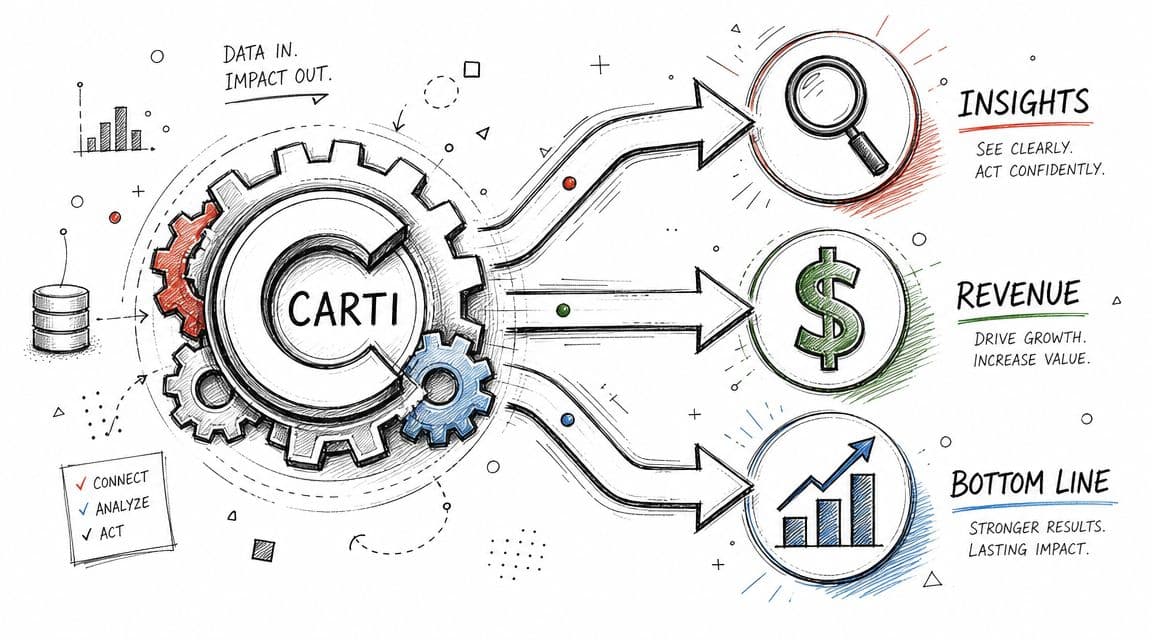
What a revenue-focused analytics layer should do
For a Shopify brand, analytics needs to connect shopper behavior to commercial outcomes. If it cannot show what conversations lead to stronger conversion intent, higher cart completion, or fewer preventable support tickets, it is a reporting tool, not a growth tool.
A useful analytics layer should show:
- Which conversations turn into product discovery so you can separate buyer intent from low-value chat volume
- Where handoffs to support happen so you can find the parts of the journey that still need human help
- Which objections repeat so you can fix weak PDP copy, unclear shipping language, or missing FAQ coverage
- How chat influences cart and checkout behavior so the assistant is measured like a sales channel
- Which shoppers return to use the bot again so you can spot trust and repeat purchase potential
This is the difference that matters. Transcript storage helps you review conversations. Revenue-linked analytics helps you improve the store.
Where Carti fits
Carti is useful because it connects automation to decisions a merchant can act on fast. Instant answers reduce delay at the point of purchase. Product suggestions guide shoppers toward the right SKU. Cart recovery features re-engage stalled buyers. The insights dashboard surfaces the questions that keep blocking conversion.
That gives Shopify teams something more valuable than chat logs. It gives them a list of revenue leaks to fix.
If shoppers keep asking about sizing, ingredients, shipping times, compatibility, or returns, the problem is usually bigger than the bot. Those questions point to missing or weak information across the storefront. Fix that, and the chatbot performs better because the store performs better.
If you want a sharper framework for measuring that impact, this guide to Shopify chat AI ROI metrics that actually tie to revenue is the right next read.
The case for Carti is simple. It should help you sell more, recover more carts, and reduce support drag. If your chatbot analytics cannot connect conversations to those outcomes, you are measuring activity instead of profit.
If you want a Shopify chatbot that does more than answer questions, take a look at Carti. It helps stores turn conversational data into action by combining instant support, product recommendations, cart recovery, and an insights dashboard built around revenue impact.

Written by
Daniel AndersonFounder of Carti. 10+ years building ecommerce brands in apparel and supplements. Still runs a Shopify store and built Carti to help merchants convert more browsers into buyers.
Ready to boost your store's sales?
Install Carti in 5 minutes and let AI handle customer questions, recommend products, and close sales 24/7.
Start Free Trial14-day free trial