
Most advice about customer service channels gets the decision backward. It treats channel strategy like a checklist. Add email. Add chat. Add Instagram DMs. Maybe add phone if you can afford it.
That approach is how small Shopify teams end up buried in tabs, answering the same question three times, and calling it “omnichannel” because customers can technically contact them in more places.
The fundamental question isn't which channels you can add. It's which channels you can consolidate, so support gets faster, conversion improves, and your team doesn't spend the day copying context from one inbox to another. That matters more now because customers move across touchpoints constantly. In 2026, shoppers are projected to engage with brands across an average of 9 different channels in a single interaction, while 97% expect to switch channels without repeating themselves, according to Salesforce research on connected customers.
For Shopify stores, that changes the job. You don't need seven strong channels. You need a system that makes one or two primary channels do the work of five.
The Seven Core Customer Service Channels for E-commerce
Most stores use the same seven customer service channels, but they don't use them for the same jobs. That's where a lot of wasted effort starts. A phone line for a furniture brand can be useful. A phone line for a low-AOV accessories store often becomes an expensive queue for “where's my order?”
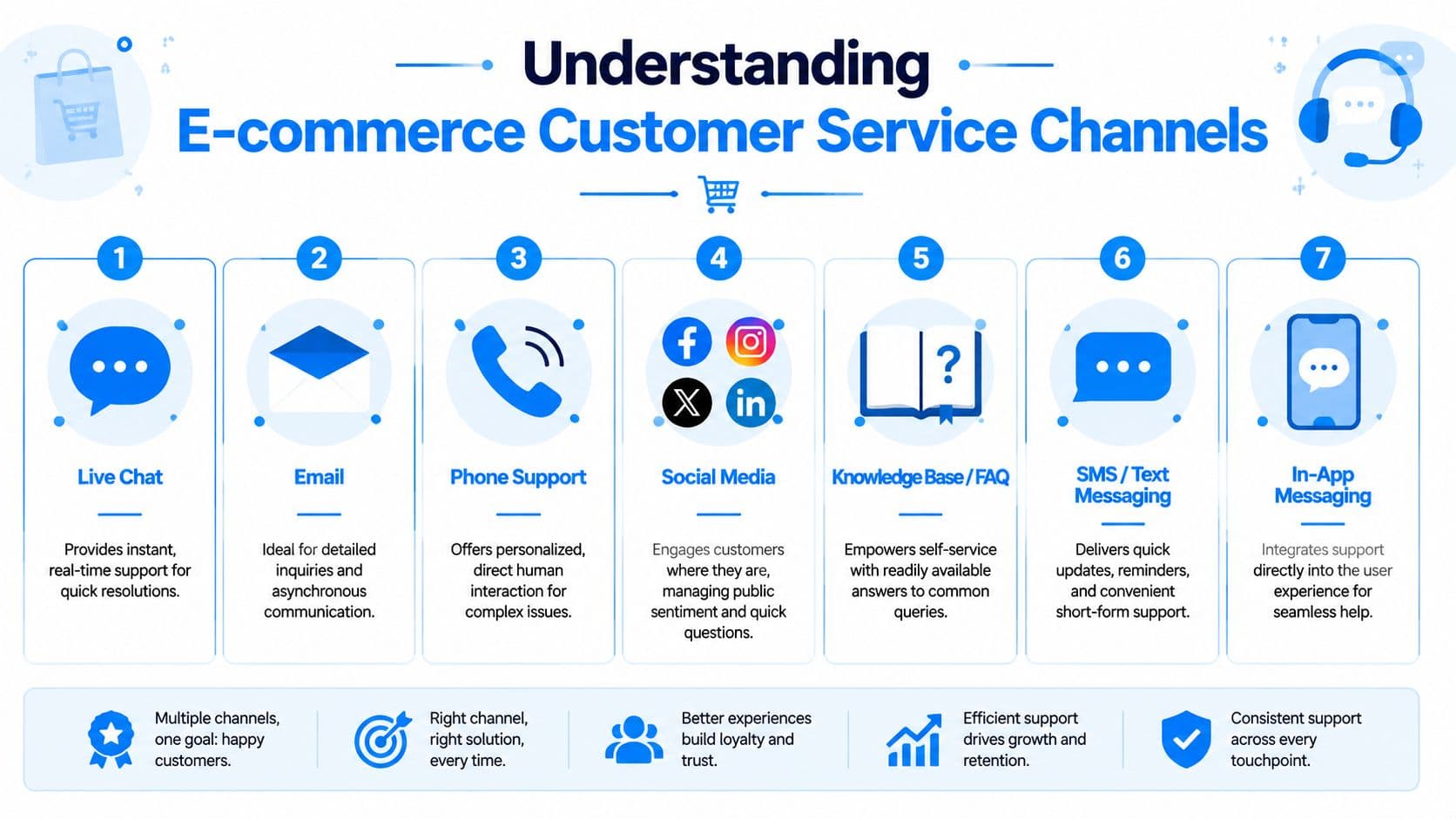
If you're evaluating voice support specifically, this guide on choosing call centre software is useful because it forces the operational questions most merchants skip, like routing, staffing, and whether phone volume justifies dedicated tooling.
A practical comparison
| Customer Service Channel Comparison | Typical Response Time | Scalability | Cost Per Interaction | Sales Conversion Potential |
|---|---|---|---|---|
| Phone | Immediate when staffed | Low | High | High for complex or high-consideration purchases |
| Slower, asynchronous | Medium | Low to medium | Low to medium | |
| Live Chat | Fast, real-time | Medium to high | Medium | High |
| AI Chatbots | Instant, always-on | High | Low | High when tied to product discovery and cart moments |
| Social Media | Fast if monitored well | Low to medium | Medium | Medium |
| Self-Service FAQs / Knowledge Base | Instant | High | Low | Medium when it removes pre-purchase friction |
| Messaging Apps | Fast, conversational | Medium to high | Medium | Medium to high |
A quick distinction matters here. Live chat and AI chatbots are not the same channel in practice, even if they share the same widget. One is a staffed conversation. The other is a system for instant resolution, triage, and proactive prompts. On Shopify, that difference affects labor cost and availability more than anything else.
For stores using an on-site chat layer, this walkthrough on a web chat widget for ecommerce is a helpful reference for understanding how the widget itself shapes customer behavior.
What each channel is actually for
Phone support works best when trust, nuance, or urgency matter. Think expensive products, subscription issues, or orders with customization. It breaks down when call volume rises and every question could have been answered on product pages or in order tracking.
Email is still useful because customers attach screenshots, explain edge cases, and don't expect a live back-and-forth. It's poor at catching purchase intent in the moment. By the time you answer, the shopper may be gone.
Live chat is the strongest staffed sales-support hybrid. It handles sizing, shipping, bundle questions, and objection handling while the shopper is still on the site.
Practical rule: If the question appears during browsing, the best channel is the one embedded in browsing.
AI chatbots are the closest thing a small store has to a central nervous system. They answer repetitive questions instantly, route edge cases, and can stay active when your team is asleep. Used well, they reduce pressure on email, make live chat more efficient, and keep context attached to the conversation.
Social media is public support plus brand risk management. Customers ask simple questions there, but they also post frustration there. That means speed matters, but long problem-solving usually doesn't belong in comments or DMs.
Self-service includes FAQs, policy pages, order tracking hubs, and help centers. Merchants often treat this as a cost-saving channel. It also affects conversion because uncertainty around shipping, returns, or ingredients blocks purchases.
Messaging apps like WhatsApp or Messenger sit between chat and text. They're good for ongoing conversations and follow-up, especially when customers don't want to stay on-site.
Weighing the Pros and Cons for Shopify Stores
The best channel isn't the one customers say they like in theory. It's the one that matches your margin structure, buying cycle, and team capacity.
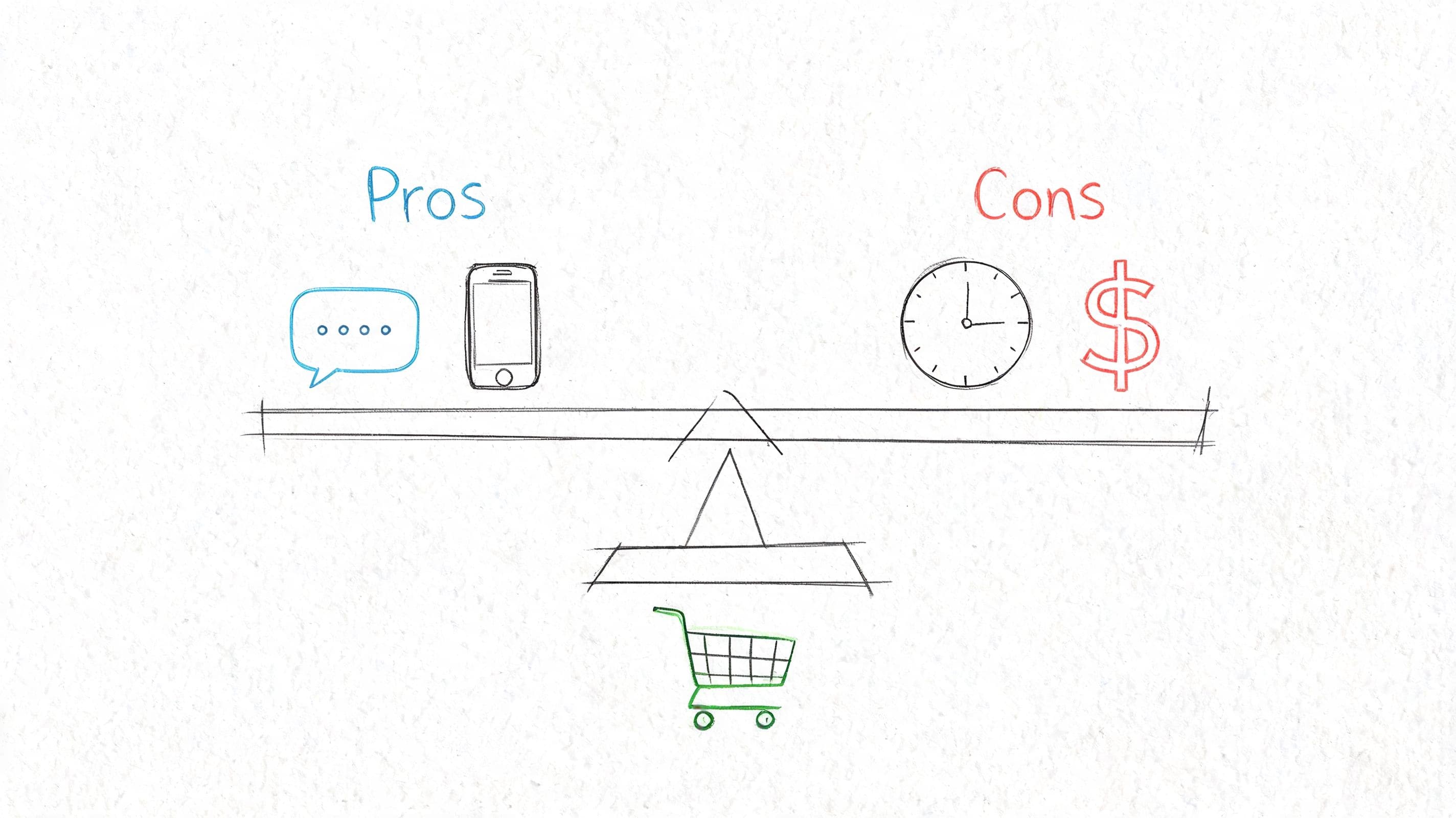
A skincare brand with frequent ingredient questions needs a different setup than a home goods store with fewer tickets but higher order values. One store needs fast, repetitive answers. The other may need more pre-purchase reassurance.
Fast channels versus deep channels
Real-time channels like live chat, social DMs, and messaging apps feel responsive because they reduce the gap between question and answer. That's a sales advantage. They also create expectation debt. If you offer them, shoppers assume someone is there now.
Asynchronous channels like email and self-service are easier to manage operationally. They give your team breathing room and a paper trail. They also miss moments when a shopper is deciding whether to buy.
The common mistake is treating all channels as equal. They aren't. Some channels are conversion channels. Some are resolution channels. Some are just overflow.
Stores usually get into trouble when they launch channels based on customer requests rather than the economics of serving those requests.
Phone support is the clearest example. It can raise trust and save complex orders. It can also consume your best people on low-value tickets. For high-ticket goods, that trade-off may be worth it. For impulse products, it often isn't.
Where merchants usually overbuild
The expensive version of multichannel support looks impressive from the outside. Email inbox, help desk, live chat, Instagram DMs, Facebook messages, maybe a support number. The team calls it coverage.
Inside the business, it often looks like this:
- Duplicate work: One customer sends an email, opens a chat, and posts a DM because nobody answered fast enough.
- Fragmented context: Agents can't see the full path, so they ask repeat questions and create customer friction.
- Weak specialization: Every channel gets partial attention, but none get sharp processes.
- Sales leakage: Pre-purchase questions land in channels built for post-purchase support.
The practical alternative is narrower. Pick one primary real-time channel, one asynchronous fallback, and one self-service layer. Then make them work together.
A helpful explanation of the broader shift toward channel-connected support is in this video.
How to Measure Channel Performance and ROI
A lot of support teams still judge customer service channels with service metrics only. Response time. Tickets closed. Queue length.
Those metrics matter, but on Shopify they don't tell you whether a channel helps the store sell more. That's the gap. According to Wavetec's analysis of customer support channels, reactive channels like email resolve 80% of issues but convert less than 5% of interactions, while proactive AI chat can lift AOV by 12-18% by suggesting products during the buying journey.
Stop judging channels by ticket metrics alone
If a channel solves lots of problems after checkout but contributes little before checkout, that's not failure. It just shouldn't be measured like a revenue engine.
Email is the classic example. It's necessary, but it usually works late in the journey. Live chat or behavior-triggered chat often works earlier, when uncertainty is still reversible.
Here are the metrics that tell the truth faster:
- Channel-assisted conversion rate: Track whether a shopper who interacted on a given channel later purchased.
- Average order value by channel: Compare order size for shoppers who used chat, email, or self-service before buying.
- Cart recovery by channel: Measure which outreach method brings shoppers back.
- Revenue per conversation: Useful for live chat and AI-assisted chat in particular.
- Deflection quality: Not just whether the system prevented a ticket, but whether the shopper still completed the task.
A strong measurement setup doesn't need to be complicated. UTM discipline, Shopify order notes, help desk tags, and event tracking can get you surprisingly far. This guide to e-commerce key performance indicators is a practical reference if you need a tighter measurement framework.
The numbers that matter in Shopify
Support teams often undercount channel value because they only credit the last click. That's too narrow for e-commerce. A shopper may ask about sizing in chat, leave, return from email, and purchase later from direct traffic. The support interaction still influenced the sale.
A better operating model is to split channel reporting into three buckets:
| Metric bucket | What it tells you | Best use |
|---|---|---|
| Efficiency | How much labor a channel consumes | Staffing and tooling decisions |
| Resolution | Whether issues get solved cleanly | CX quality and retention |
| Commercial impact | Whether the channel affects revenue | Budget allocation and expansion |
If a channel is expensive and low-converting, keep it narrow. If it's scalable and purchase-adjacent, invest in it.
That's why many teams overinvest in channels that feel professional and underinvest in channels that shape buying behavior.
Choosing the Right Channel Mix for Your Store
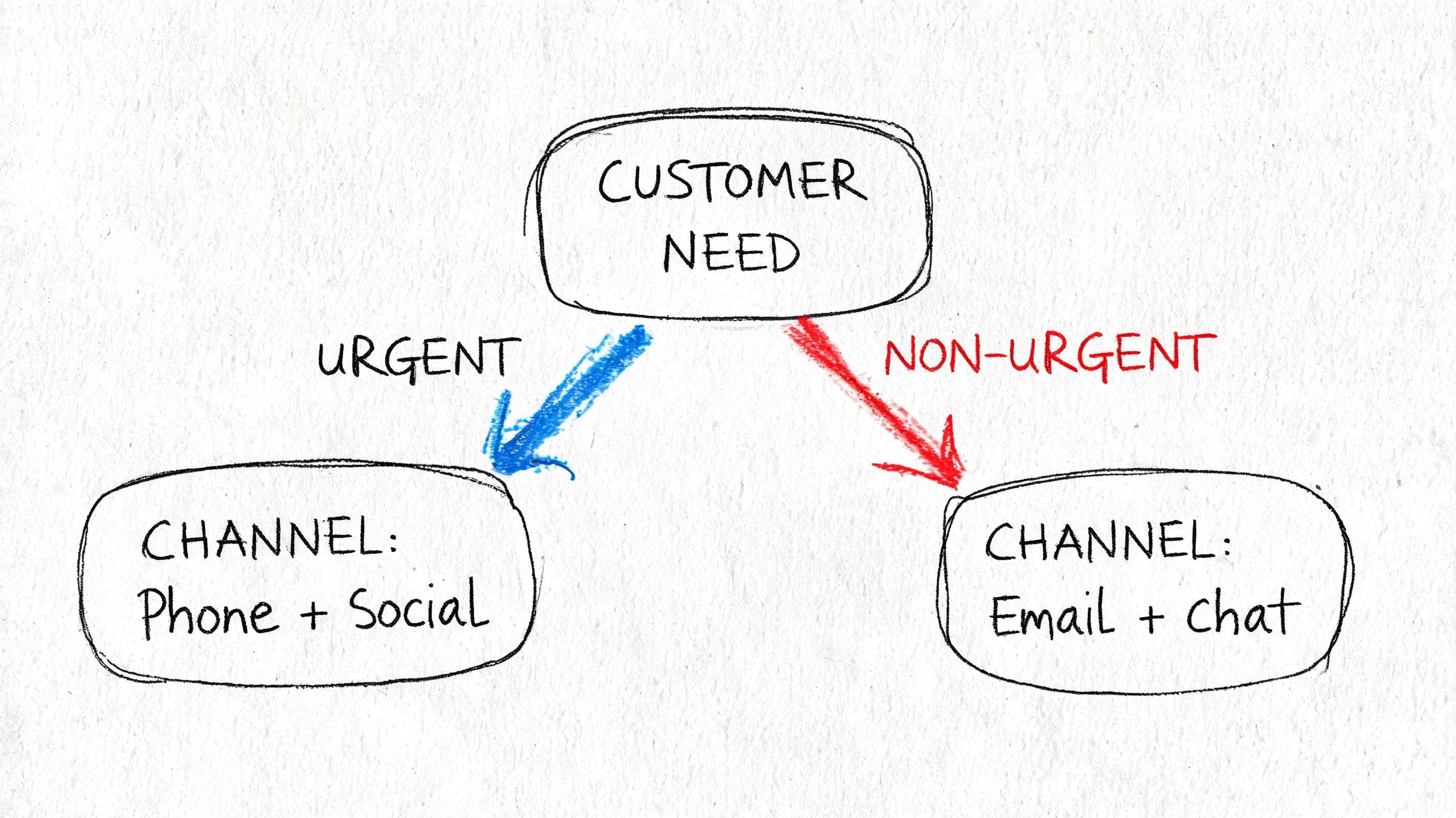
There isn't one correct mix of customer service channels. There is a correct mix for your current stage.
The mistake is copying a larger brand's setup before your store has the traffic, margin, or staffing to support it. For resource-constrained merchants, the better move is to let AI handle the broad front line. According to Kayako's channel strategy discussion, no-code bots can deflect 40% of queries to self-service and recover 10-15% of abandoned carts.
The solopreneur setup
If you're early and doing support yourself, you don't need broad channel coverage. You need containment.
Use this mix:
- Primary channel: AI chat on-site
- Secondary channel: Email
- Aspirational channel: Live chat during limited hours
This setup works because the storefront is where buying decisions happen. If the site can answer shipping, returns, sizing, compatibility, and product questions instantly, email volume stays manageable.
Phone support at this stage usually creates more interruption than trust. Social DMs can stay active, but they shouldn't become your operational core.
The growing brand setup
For a team of a few people, support complexity rises fast. You have enough volume to justify better coverage, but not enough to specialize by channel.
A practical mix looks like this:
| Store stage | Primary | Secondary | Aspirational |
|---|---|---|---|
| Growing brand | AI chat plus live chat handoff | Messaging apps for follow-up | |
| Why it works | Real-time coverage without staffing every minute | Handles complex cases and documentation | Useful after initial contact, not before |
At this stage, social media should be triage, not full-service support. Move customers from public threads into a controlled channel quickly.
The smartest growing brands don't “add support.” They decide where conversations should end up.
The scaling enterprise setup
Larger stores can support more specialization, but they still shouldn't let channels multiply without rules.
A mature mix often includes:
- AI chat as first contact for product questions, policy answers, and triage.
- Live chat agents for high-intent shoppers and escalations.
- Email for exception handling.
- Phone only for categories where human reassurance materially changes outcomes.
- Messaging apps or SMS-style follow-up where ongoing conversation matters.
The key difference at scale isn't the number of channels. It's the clarity of role. Each channel should have a job, an owner, and an escalation path.
Implementing Channels with an AI-Powered Core
The cleanest customer service stack is built around one system that sees shopper behavior, understands store information, and decides what should happen next. Without that core, every channel becomes its own little island.
The reason this matters goes beyond support convenience. According to Bloomreach's breakdown of real-time abandoned cart recovery, the technical foundation is AI-powered behavioral analytics. Systems capture browsing patterns and abandonment timing, then trigger segment-specific recovery actions based on predicted next-best steps.
What the core system needs to do
A strong AI-centered setup should handle four jobs at once:
- Answer instantly: Pull from product data, policies, and FAQs without making the shopper wait.
- Triage intelligently: Separate routine questions from cases that need a human.
- Preserve context: Carry the shopper's history forward if the conversation moves channels.
- Act commercially: Suggest products, answer objections, and respond when cart abandonment signals appear.
If your current channels can't do those four things together, you don't have a channel strategy. You have separate tools.
For merchants comparing approaches, this guide to an AI chatbot for ecommerce gives a useful view of how AI layers into storefront support and selling.
How the workflow should operate
The best workflow is simple for the customer and structured behind the scenes.
A shopper lands on a product page and hesitates. The chat layer can answer fit, delivery, or ingredient questions. If the shopper keeps browsing, the system can refine recommendations based on behavior. If they abandon the cart, the recovery logic shouldn't blast every channel at once. It should sequence the next step based on intent and available contact paths.
That sequencing is what separates modern support from noisy automation. Human agents then step in where judgment matters, already equipped with the conversation context and browsing signals.
The point of AI in support isn't replacing people. It's removing dead time, repeat work, and blind handoffs.
Merchants often ask whether this makes other channels unnecessary. Sometimes yes. More often, it makes the remaining channels better by feeding them cleaner conversations.
Your Channel Rollout Checklist and Timeline
Most channel launches fail because the team turns everything on at once. That creates confusion for customers and operational drag for staff.
A controlled rollout works better, especially if you plan to layer channels into recovery flows. According to Dotdigital's abandoned cart recovery guidance, integrated efforts across email, SMS, and social media can increase recovery rates by up to 45% when secondary channels reinforce the initial contact instead of duplicating it.
The rollout checklist
- Define the job: Decide whether the new channel is for conversion, post-purchase resolution, or overflow.
- Set success metrics: Use commercial and operational metrics together. Don't launch a channel without a clear scorecard.
- Write routing rules: Decide what gets answered automatically, what gets escalated, and what gets redirected elsewhere.
- Build response assets: Prepare policy answers, product info snippets, escalation macros, and handoff language.
- Pilot with a narrow audience: Start with a limited traffic segment, a subset of products, or business-hours coverage.
- Review conversation quality: Look for repeated questions, broken handoffs, and places where customers abandon the thread.
- Scale only after cleanup: Expand volume after the workflow is stable, not before.
A simple 30-day timeline
Days 1 to 7
Choose the channel, define ownership, and map your top pre-purchase and post-purchase intents.
Days 8 to 14
Configure automations, response templates, tracking, and escalation paths.
Days 15 to 21
Run a soft launch. Monitor missed intents, routing errors, and conversion influence.
Days 22 to 30
Refine the flow, add a secondary reinforcement channel if needed, and document the final operating procedure.
A channel rollout should feel boring by the end. That's a good sign. It means the system is doing its job.
Frequently Asked Questions About Customer Service Channels
A few questions come up in almost every Shopify support review. The answers are usually less complicated than the software environment makes them seem.
| Question | Answer |
|---|---|
| Should every Shopify store offer phone support? | No. Phone makes sense when orders are complex, high-consideration, or expensive enough that human reassurance changes the outcome. Many stores are better served by strong on-site chat and clear self-service. |
| Is email still necessary if chat is strong? | Yes. Customers still need a channel for detailed explanations, attachments, and issues that don't need live back-and-forth. Email just shouldn't carry the whole support load. |
| What's the difference between multichannel and omnichannel? | Multichannel means customers can contact you in several places. Omnichannel means the context moves with them, so they don't start over when the conversation shifts. |
| Are social media DMs a real support channel or just a brand channel? | They're both. They matter because customers use them for quick questions and complaints, but they work best as an intake layer that routes people into a more controlled support environment. |
| When should a store add live chat staffed by humans? | Add it when you have enough purchase-intent traffic to justify fast human intervention, and when product questions meaningfully affect conversion. Before that, broad live coverage can be expensive. |
| Can self-service content actually improve sales? | Yes. Good FAQs, shipping pages, returns policies, and product detail answers remove uncertainty that blocks purchases. Self-service isn't just a support tool. |
| What's the biggest mistake with customer service channels? | Spreading a small team across too many inboxes. Coverage feels better, but fragmentation usually leads to slower answers, repeated questions, and missed buying moments. |
| How many channels should a small store actively manage? | Usually fewer than the software stack suggests. One strong real-time channel, one fallback async channel, and solid self-service is often enough. |
| Do messaging apps belong in every setup? | No. They help when customers want ongoing conversation or follow-up outside the site. They're optional if your on-site support and email workflows are already strong. |
| How should I think about AI in the channel mix? | As an operating layer, not just another inbox. The best use is centralizing answers, preserving context, and deciding when a human should step in. |
The short version is this. Customer service channels are only useful when each one has a clear job. If a channel exists because a competitor has it, or because a platform made it easy to toggle on, it usually adds complexity faster than value.
If you want one system to answer shoppers instantly, recover carts, and reduce the support load on your Shopify team, Carti is built for that job. It gives stores an AI-powered support and sales layer that can handle routine questions, guide buyers, and keep customer conversations moving without the usual channel sprawl.

Written by
Daniel AndersonFounder of Carti. 10+ years building ecommerce brands in apparel and supplements. Still runs a Shopify store and built Carti to help merchants convert more browsers into buyers.
Ready to boost your store's sales?
Install Carti in 5 minutes and let AI handle customer questions, recommend products, and close sales 24/7.
Start Free Trial14-day free trial