
Customer expectations for support got stricter heading into 2025. For Shopify and DTC operators, that changes the job of support. Response time affects revenue before an order is placed and margin after it ships.
A shopper asking about sizing, shipping dates, subscriptions, or returns is often close to buying. If that reply sits for hours, the sale does not wait politely in the queue. It goes to another tab, another brand, or gets abandoned altogether. After purchase, slow replies create a different cost. More follow-ups, more duplicate tickets, more chargeback risk, and lower odds of a second order.
That is why strong support teams treat response time as a sales and retention metric, not just a service KPI. The brands customers remember for speed usually pair fast answers with accuracy, clear policies, and channel coverage. You can see that pattern in these examples of exceptional customer service.
For stores running on tight contribution margins, few operational changes do both jobs at once. Faster first responses can recover more pre-sale revenue, reduce avoidable support volume, and protect repeat purchase rate. Manual process fixes help, but if the goal is replying in seconds across chat, email, and post-purchase questions, AI automation is the system that makes those targets realistic.
Why Every Second Counts in E-commerce
Customer expectations for support speed keep rising, especially among younger, mobile-first shoppers. For Shopify and DTC brands, that shift changes the job of support. Response time is no longer a back-office metric. It directly affects conversion, retained revenue, and repeat purchase behavior.
A shopper asking about sizing, shipping dates, subscription terms, or returns is often close to a decision. If the answer comes fast, the order moves forward. If the answer sits in a queue, that shopper has time to compare alternatives, abandon checkout, or decide the purchase is not worth the risk.
In other words, response time influences revenue before the ticket is ever resolved.
When speed becomes a revenue variable
Operators who treat support as a cost center usually optimize for ticket volume and labor efficiency. That misses the commercial reality. In e-commerce, a pre-sale conversation can recover a hesitant buyer, and a post-purchase reply can prevent a refund, chargeback, or angry review.
Fast support signals that the business is under control. Slow support signals the opposite.
That signal matters more online than it does in many other channels because customers cannot see your warehouse, talk to a store associate, or judge your operation in person. They use response speed as a proxy for reliability. A quick, clear reply tells them orders will ship, issues will get fixed, and returns will be handled without a fight.
That is why strong Shopify teams tie response time to revenue metrics, not just service metrics. They look at how quickly they answer pre-sale questions on chat, social DMs, and email because those contacts often sit one step away from checkout. They also track post-purchase response time because delays after the sale create extra contacts, lower trust, and increase the odds of preventable churn.
For brands refining their service model, these examples of exceptional customer service show what customers remember. Usually, it is not the ticket workflow. It is the speed, clarity, and confidence of the reply.
What slow response really signals
Customers read delay as a sign of operational risk. They do not need to know your staffing plan or help desk setup to make that judgment.
Slow support usually communicates three things:
- Your team may be stretched too thin: Customers worry that if the order goes wrong, help will be hard to get.
- Your operation may be disorganized: Even a basic question starts to feel risky when no one answers promptly.
- Your store may not value the sale: Once that impression sets in, conversion gets harder and retention gets more expensive.
This is why every second counts in e-commerce. Speed shapes trust at the exact moment trust determines whether revenue comes in, stays in, or walks out. For many DTC brands, AI automation is the only practical way to meet that expectation across chat, email, and social without adding headcount faster than margin can support.
How to Measure Customer Service Response Time Correctly
If you measure the wrong thing, your team can look efficient while customers still feel ignored. That happens all the time in e-commerce support.
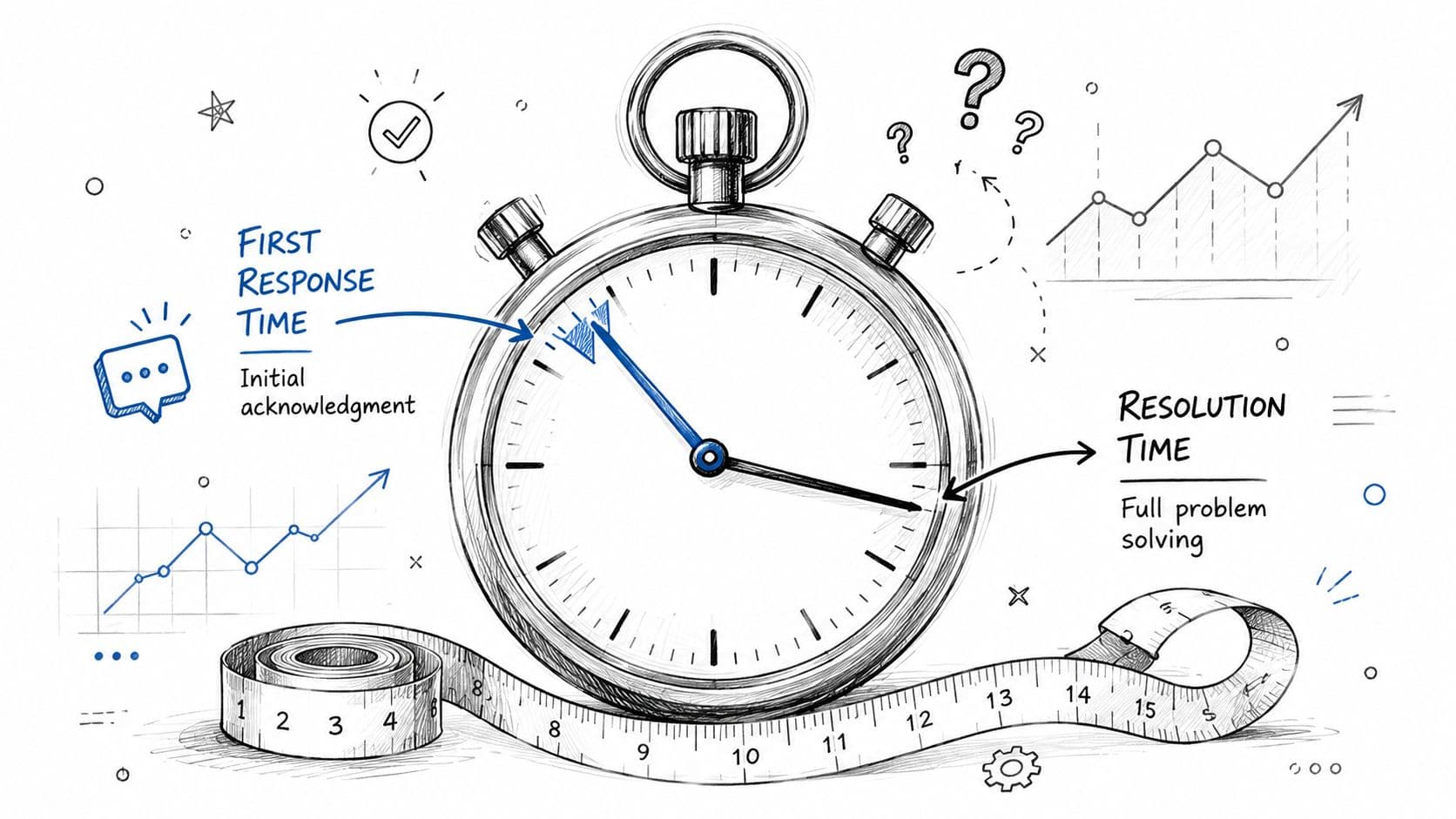
The metric that matters first is First Response Time, or FRT. It measures how long a customer waits before getting the first real reply. Not the final resolution. Not the full handling time. Just the time from inbound message to first answer.
Start with the right metric
The clean definition is straightforward: First Response Time (FRT) is calculated using the formula: FRT = Total time elapsed to first reply / Number of first responses sent. This metric is distinct from Average Handle Time (AHT) and focuses exclusively on the initial latency.
That distinction matters. AHT tells you how long your team spends handling the conversation. FRT tells you how long the customer waits before anyone engages. One is an internal efficiency metric. The other is the customer's first impression.
A physical retail analogy helps. If someone walks into a store and stands there for several minutes before an associate says hello, the bad experience has already started. It doesn't matter that checkout later takes only a minute. Online support works the same way.
Measure what the customer actually feels
The cleanest way to measure FRT is to use server-side timestamps and calculate the gap between the customer's message and the first agent reply. Don't blur that with total resolution time. Don't hide it inside broader SLA reporting.
Practical rule: If your reporting makes a long first wait disappear inside a short final resolution, your reporting is lying.
A few operational rules help:
- Track by channel: Chat, email, social, and phone behave differently. One blended average hides real problems.
- Separate human replies from empty acknowledgments: A generic “we got your message” may help set expectations, but it isn't the same as a useful first answer.
- Review by intent: Order status, returns, product questions, and billing issues shouldn't live in one undifferentiated bucket.
Teams that need a more rigorous quality process can borrow ideas from this evaluation of customer service framework. Response time matters, but it only becomes useful when you pair measurement with review discipline.
Here's the simplest way to keep the metric honest:
| Metric | What it tells you | What it does not tell you |
|---|---|---|
| FRT | How fast customers hear back | Whether the issue was solved |
| AHT | How long agents spend handling a case | Whether the customer waited too long at the start |
| Resolution time | How long the case took end to end | Whether the first impression was strong |
Measure FRT correctly first. Everything else sits on top of that.
The True Business Impact of Slow Responses
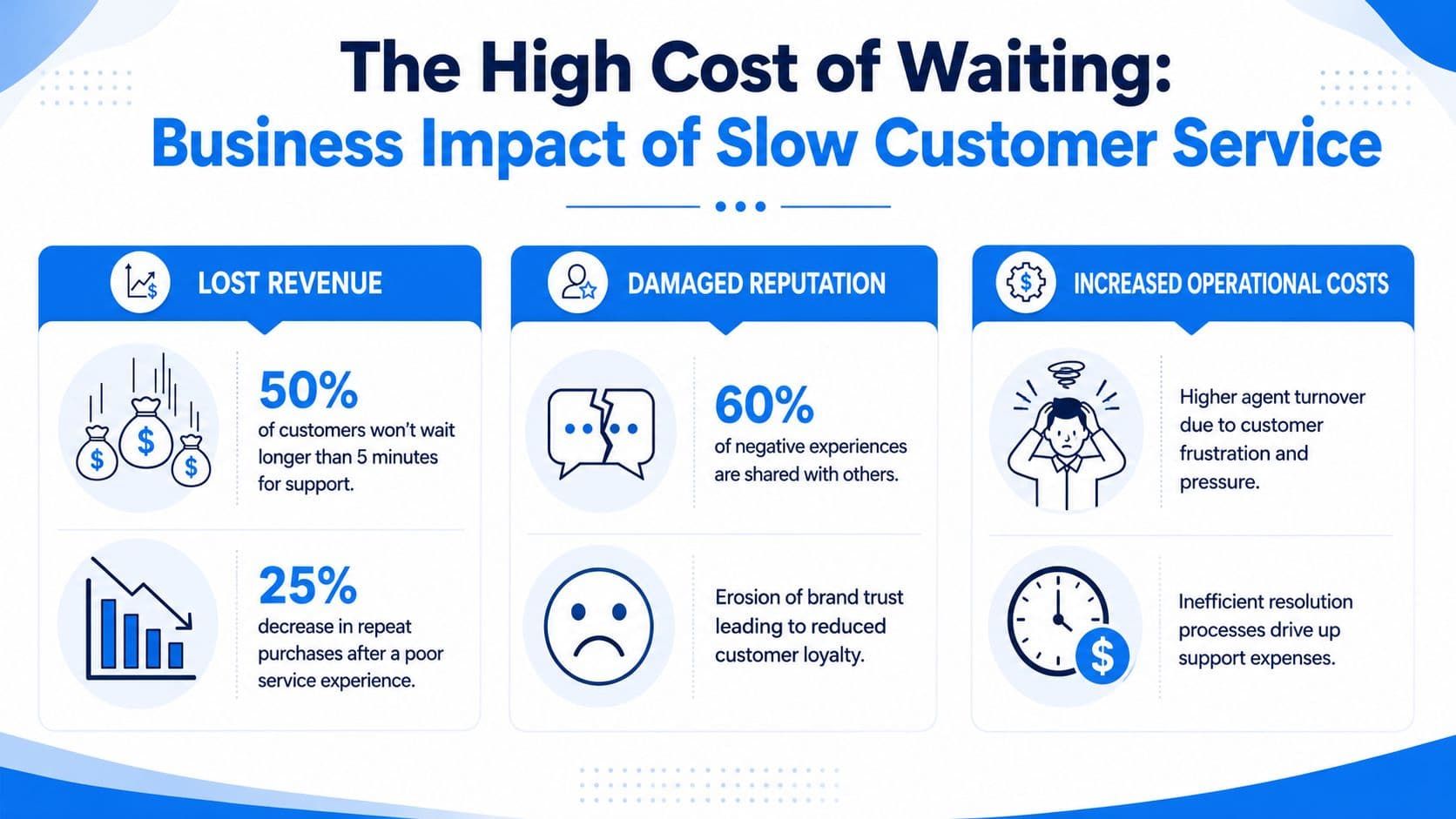
HubSpot reports that live chat teams with an average first response time of 1 minute and 36 seconds see customer satisfaction reach 92% (HubSpot live chat benchmark data). For a Shopify store, that gap is not a service footnote. It is a revenue variable.
Slow support hurts sales before the ticket is solved
On DTC storefronts, support often shows up in the middle of purchase intent.
A shopper asks whether a dress runs small. Another wants to confirm a supplement fits a dietary restriction. Someone else needs to know whether an order will arrive before a trip. Those are support contacts, but they also sit one step away from checkout. If the answer comes late, the sale often disappears before an agent ever joins the conversation.
Chat makes this painfully obvious. A customer opens the widget because they want enough confidence to buy now. If the store takes too long, that customer does not wait politely in place. They leave, compare alternatives, or abandon the decision entirely.
I have seen stores blame weak conversion on traffic quality when the actual issue was slower-than-expected support on product and shipping questions. Paid traffic gets expensive fast when response time lets warm intent cool off.
Post-purchase delays raise cost-to-serve
After checkout, slow replies hit the P&L from the other side. A late answer to “Where is my order?” or “How do I exchange this?” rarely stays contained to one conversation. Customers email, then open chat, then send a social DM, and some escalate to chargebacks if confidence drops far enough.
That creates three expensive problems at once:
- Duplicate contacts: One issue spreads across multiple queues and inflates ticket volume.
- Higher handle time: Agents spend time reconstructing the thread instead of resolving the issue.
- Lower recovery odds: Frustrated customers are harder to retain, refund less gracefully, and leave worse reviews.
This is why support backlogs feel heavier than raw volume suggests. Slow first replies create repeat demand. The team ends up servicing the same anxiety several times.
There is a trade-off here. Chasing a faster metric with empty acknowledgments can reduce reported FRT while increasing total workload. A useful first answer lowers follow-ups. A hollow one just stops the timer and creates another ticket.
For Shopify and DTC operators, the business case is straightforward. Slow response time depresses conversion on pre-sale conversations, increases cost-to-serve after purchase, and weakens retention in between. Faster support is not just better service. It is a direct way to protect revenue and margin.
Response Time Benchmarks for Modern Shopify Stores
For Shopify brands, one response-time target across every queue is operationally lazy and financially expensive. A shopper asking a sizing question on live chat is a conversion opportunity. A customer asking where an order is needs reassurance before they open a second ticket, file a chargeback, or decide not to buy again.
Benchmarks should reflect buyer intent, channel behavior, and the cost of delay at each stage of the journey. If you want a practical framework for how to improve customer service, start by separating pre-sale from post-purchase SLAs.
Channel targets that fit how customers actually buy
Each support channel carries different expectations. Customers will wait longer on email than on chat, but they will not wait forever, especially if they are close to checkout or worried about an order.
Use these baseline targets for modern DTC support:
- Live chat: under 60 seconds
- Phone support: under 3 minutes
- Social media: under 60 minutes
- Email: within a few hours, with faster handling for urgent cases
Those are operating targets, not vanity metrics. A first reply that says nothing useful can make the dashboard look better while increasing total contacts. The benchmark only matters if the first response resolves the issue or moves it forward.
Separate pre-sale and post-purchase SLAs
Pre-sale and post-purchase traffic should not sit in the same average. They create different outcomes, and they need different staffing logic.
| Channel | Pre-Sale Inquiry (Good) | Pre-Sale Inquiry (Excellent) | Post-Purchase Inquiry (Good) | Post-Purchase Inquiry (Excellent) |
|---|---|---|---|---|
| Live chat | Under 60 seconds | Under 30 seconds | Under 60 seconds | Under 20 minutes for order verification workflows |
| Within a few hours | Around one hour or less when staffed | Within a few hours | Under one hour for urgent post-purchase concerns | |
| Social media | Under 60 minutes | As fast as staffing allows within that window | Under 60 minutes | Under 20 minutes for high-anxiety order questions |
| Phone | Under 3 minutes | Near-immediate queue pickup | Under 3 minutes | Fast routing to the right queue without transfer delays |
A few rules make these benchmarks useful instead of decorative:
- Prioritize by commercial value: Pre-sale product, sizing, bundle, and shipping-timeline questions deserve top priority during shopping hours because they can convert in-session.
- Pull high-anxiety post-purchase issues forward: WISMO, address changes, failed delivery, returns, exchanges, and billing concerns generate repeat contacts fast.
- Route by intent, not just channel: A return request in Instagram DMs is usually more urgent than a general product question in email.
- Report separate averages: One blended response-time number hides where revenue is won and where support cost starts climbing.
McKinsey has written about how personalization, speed, and service quality influence retail growth and customer retention, but the main operating point is simpler than any headline number. In DTC, slow pre-sale response hurts conversion. Slow post-purchase response raises repeat contacts and lowers the chance of a second order. That is why strong teams set different targets for different moments in the customer journey, then use automation to hit them consistently instead of relying on heroic staffing.
Manual Tactics to Improve Response Time Today
You don't need a new platform to start fixing response time. Most stores can remove obvious delays with process changes alone.
That said, manual improvements only work if they reduce friction for the team. If the process is clunky, people stop following it during peak periods.
Fix the queue before you buy more software
Start with triage. Incoming tickets should not hit one flat inbox where every message looks equally urgent.
Use simple rules:
- Pre-sale product questions: Route these first during active shopping hours because they can convert immediately.
- Order status and shipping issues: Pull these into a dedicated lane so anxious customers don't stack repeat messages.
- Policy questions: Tag returns, exchanges, warranties, and billing separately because they're repetitive and easy to standardize.
A lot of response time problems come from poor prioritization, not just low staffing. If agents spend the first part of every shift figuring out what matters, the queue is already losing.
Write less and resolve more
The second lever is standardization. Most Shopify stores answer the same questions every day. Shipping windows, return conditions, order edits, sizing guidance, and product compatibility don't need to be reinvented in every conversation.
Build a small operating kit:
- Saved replies: Write short templates for your most common questions. Keep them modular so agents can personalize quickly.
- Internal knowledge base: Put policy rules, edge cases, and brand tone guidance in one place.
- Macros with links: Include direct links to returns pages, shipping policies, and tracking portals so customers can self-serve when appropriate.
If a support rep has to ask, “Where's that returns link again?” your process is costing you minutes on every ticket.
One more manual tactic matters more than people think. Tighten your store content. If shoppers constantly ask the same pre-sale questions, your PDPs, FAQs, or shipping information aren't doing enough work. Better onsite clarity lowers inbound volume, which improves customer service response time without adding headcount.
For teams working through the basics, this guide on how to improve customer service is useful because it covers the service habits behind faster, cleaner responses.
Manual tactics can move the needle. They usually won't get a busy DTC store to instant support across all hours, but they can clean up the operation enough that the next step becomes obvious.
How Carti AI Reduces Response Time to Seconds
A delayed reply costs more in e-commerce than it does in most service businesses. Pre-sale, it kills conversion while buying intent is still hot. Post-sale, it drives repeat contacts, chargebacks, and refund pressure when customers cannot get a straight answer fast enough.
Manual workflows cannot cover that gap 24/7. A Shopify store can.
Fast only works when the answer is right
Bad automation creates a new problem. It replies fast, but it gives the wrong shipping window, points to the wrong return rule, or recommends a product that is out of stock. That does not reduce support cost. It increases cleanup work and damages confidence at the exact moment the customer is deciding whether to buy again.
For Shopify and DTC teams, the standard is simple. The AI needs access to real store context, including product data, policy content, FAQs, and order information where appropriate. If it cannot answer from those sources, it should escalate with context attached instead of guessing.
That is the difference between generic chat widgets and store-connected support automation. Generic tools reduce visible wait time. Connected AI reduces actual resolution time.
A strong setup should handle four jobs reliably:
- Reply to repetitive questions immediately: shipping timing, return rules, product details, sizing, stock status, and order basics.
- Support revenue during pre-sale conversations: guide shoppers to the right product, variant, or bundle while they are still browsing.
- Escalate edge cases cleanly: pass the conversation to a human with the transcript and issue type intact.
- Stay live outside support hours: nights, weekends, launch windows, and campaign spikes are often when abandoned carts pile up.
What AI should handle in a Shopify store
The highest-return use cases are usually the simplest ones. Product compatibility, shipping questions, delivery timing, return eligibility, order tracking, and common policy checks make up a large share of inbound volume for DTC brands. Those contacts do not need a human reply every time. They need a correct reply every time.
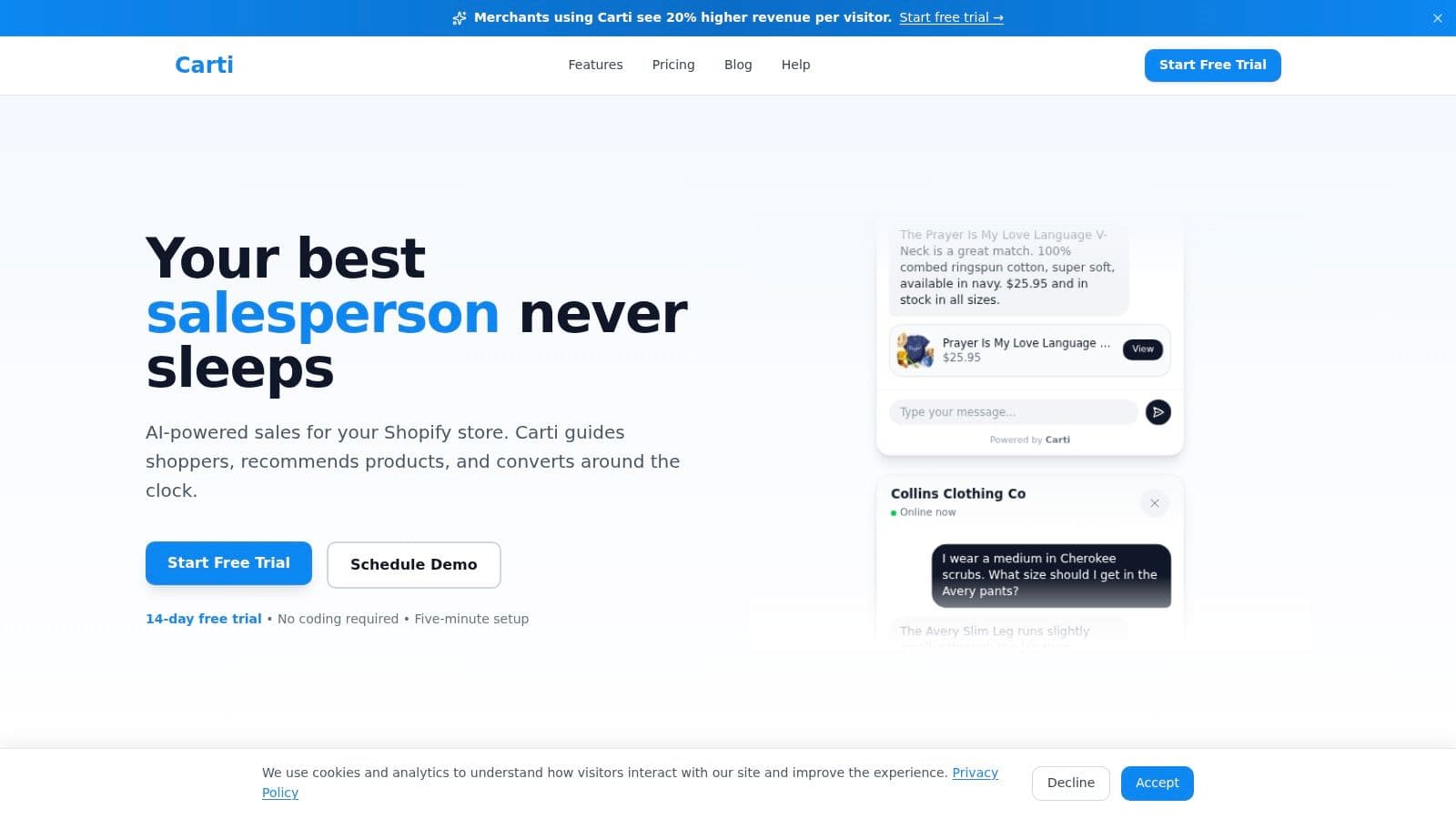
Carti fits that operating model. It is an AI-powered Shopify chatbot that learns from a store's catalog, policies, and FAQs, then responds to shoppers in real time. In practice, that cuts the queue out of routine support and gives agents their time back for exceptions, complaints, and higher-risk tickets.
The operational gain is obvious. Fewer repetitive tickets sit in the queue.
The revenue gain matters more. If a shopper asks about sizing, shipping speed, or return terms before checkout, the answer arrives while the sale is still recoverable. If a customer asks after purchase and gets an immediate answer, the store avoids the second ticket that usually follows silence.
Teams comparing approaches can review MakeAutomation solutions for customer service AI for another example of how AI agents reduce first-response time without adding headcount.
Support starts acting like a sales and retention function once response time drops from hours to seconds. That changes the math. The store no longer scales support cost in a straight line with ticket volume, and customers get answers while intent, trust, and order value are still on the table.
Your Implementation Checklist for Instant Support
Support teams often overcomplicate rollout. They try to redesign the whole support operation at once, then stall. A cleaner approach is to launch in layers.
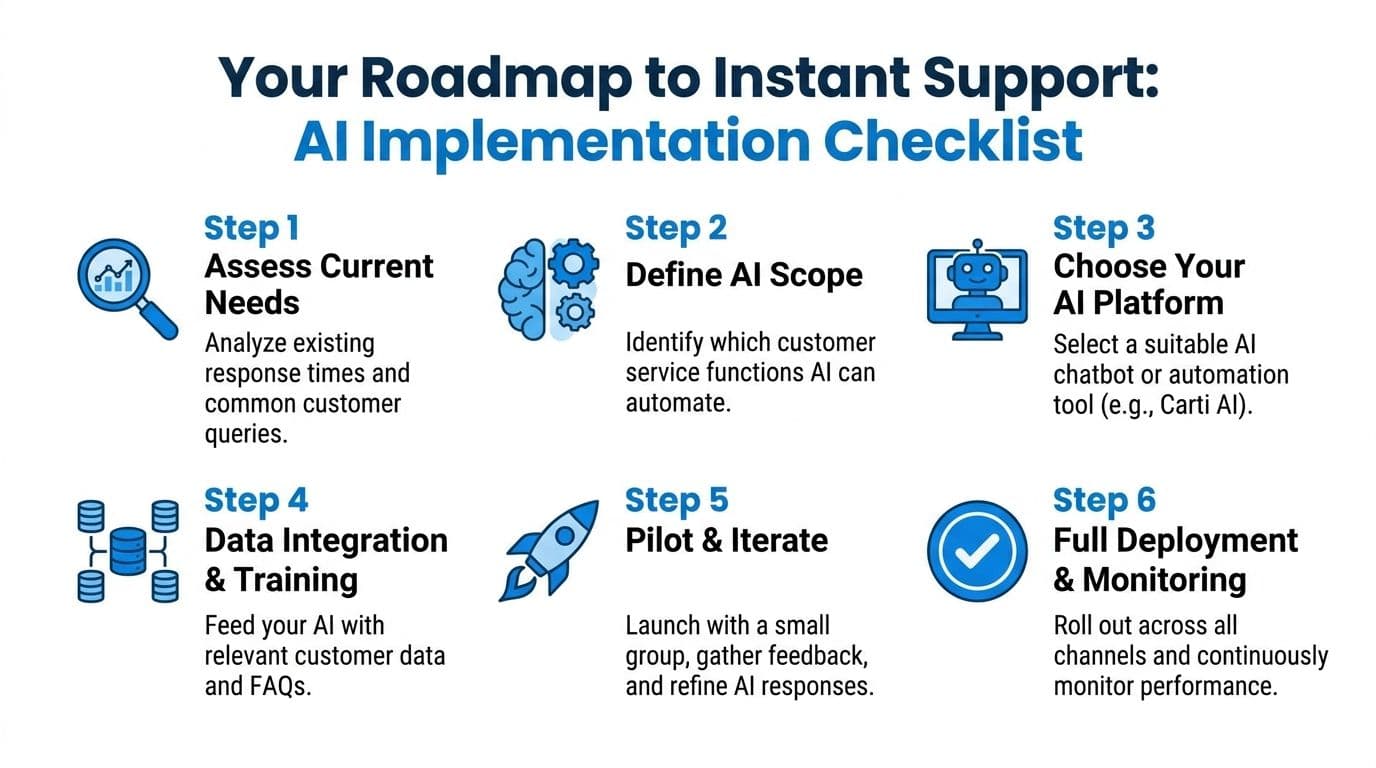
The sequence matters more than the tooling. You need baseline measurement, a defined scope, controlled training data, and a review loop after launch.
Week one priorities
Use a short implementation checklist:
-
Audit the current queue
Pull a sample of recent tickets and sort them by intent. Look for repetitive product, policy, and order questions. Those are the first candidates for automation. -
Define what AI should own first
Start with high-frequency, low-risk conversations. Shipping questions, returns policy, product basics, and order status are usually better launch categories than complex complaint handling. -
Clean the source material
Your help center, shipping policy, returns page, and product content need to be accurate before you automate against them. AI can only be as reliable as the information it draws from. -
Set escalation rules
Decide what goes to a human immediately. Refund disputes, sensitive billing issues, and edge-case fulfillment problems should have a clear handoff path.
For teams comparing approaches and architecture options, MakeAutomation solutions for customer service AI provide a useful reference point on how AI agents fit into support workflows.
What to monitor after launch
After launch, don't judge the system by novelty. Judge it by operational usefulness.
Review these areas first:
- First-response coverage: Are customers getting immediate answers across the hours when your human team is offline?
- Accuracy trends: Which questions generate weak or incomplete responses?
- Escalation quality: When AI hands off to a human, does the context transfer cleanly?
- Content gaps: Which repeated questions reveal missing information on PDPs, FAQs, or policy pages?
The fastest way to improve AI support after launch is usually to improve store content, not tweak the bot endlessly.
Keep the rollout disciplined. Start narrow, monitor real conversations, then expand the scope once answers are stable. That's how you improve customer service response time without creating a quality problem somewhere else.
If your Shopify store is still relying on delayed replies to handle pre-sale questions and post-purchase anxiety, it's worth testing Carti. It plugs into your store with no-code setup, learns your catalog and policies automatically, and helps you move from queue-based support to instant answers while preserving human time for the cases that need it.

Written by
Daniel AndersonFounder of Carti. 10+ years building ecommerce brands in apparel and supplements. Still runs a Shopify store and built Carti to help merchants convert more browsers into buyers.
Ready to boost your store's sales?
Install Carti in 5 minutes and let AI handle customer questions, recommend products, and close sales 24/7.
Start Free Trial14-day free trial