
Stop answering questions, start converting sales. Live chat is handling 1,676,529,825 chats across businesses, with 35 seconds as the average first response time, and shoppers don't wait around when they're already close to buying. The same benchmark shows an average chat lasts 8 minutes 25 seconds, which is long enough to resolve friction and long enough to save a cart when the script is tight and the handoff is fast. For Shopify merchants, the point isn't just support. It's reducing abandonment, answering faster than email, and turning a sample chat support conversation into a revenue tool.
If you're building that system, start with the basics and then layer in automation. This AI chatbot guide for small business is a useful primer if you're still deciding how much of the conversation should be automated versus routed to a human. The scripts below are written for Shopify stores that want practical, AI-ready wording, not vague customer service theory.
1. Product Question Response Script
A solid product script does two things at once. It answers the shopper fast, and it points them toward the right item without sounding like a push. Live chat fits that job because shoppers already expect a conversational reply, and Help Scout's live chat statistics roundup shows why merchants keep investing here, with consumers favoring live chat over phone, email, and social support in many buying moments.
For Shopify stores, the flow should stay tight. Start with the exact item, confirm the use case, then answer with the attribute the shopper cares about. A fashion shopper asks about fabric and fit, a beauty shopper asks about ingredients and skin compatibility, and a home goods shopper asks about dimensions and material. The bot should pull from Shopify product data, not guess.
Sample response
“Hi, happy to help. The [product name] is made for [use case], and the key details are [material, size, ingredient, or dimension]. If you want, I can also show you a matching option or something better for [specific preference].”
That wording works because it keeps the answer short, then gives the shopper a clear next step. For brands using Carti, the biggest lift usually comes from clean catalog data. If your product titles, variants, care notes, and comparison points are incomplete, the chatbot will sound vague even when the intent is strong.
Practical rule: if a shopper asks the same question three times in different ways, the product page is the problem, not the chat script.
Use the script to collect the questions customers repeat, then fix the listing. Carti's Insights Dashboard is useful here because repeated questions often point to missing size charts, unclear ingredient language, or weak photo coverage. That turns a sample chat support conversation into merchandising feedback instead of a one-off reply.
2. Cart Recovery and Checkout Assistance Script
Abandoned cart chat has one job, recover attention before the shopper leaves. Microsoft's shopping guidance says the gap between interest and purchase is shrinking, and shoppers now expect AI to help them compare, decide, and act in the same interaction. The same source says journeys that include Copilot led to 53% more purchases within 30 minutes of interaction compared to those without, and when shopping intent is present, journeys with Copilot are 194% more likely to result in a purchase Microsoft. That is not a reason to push harder. It is a reason to make the first follow-up useful.
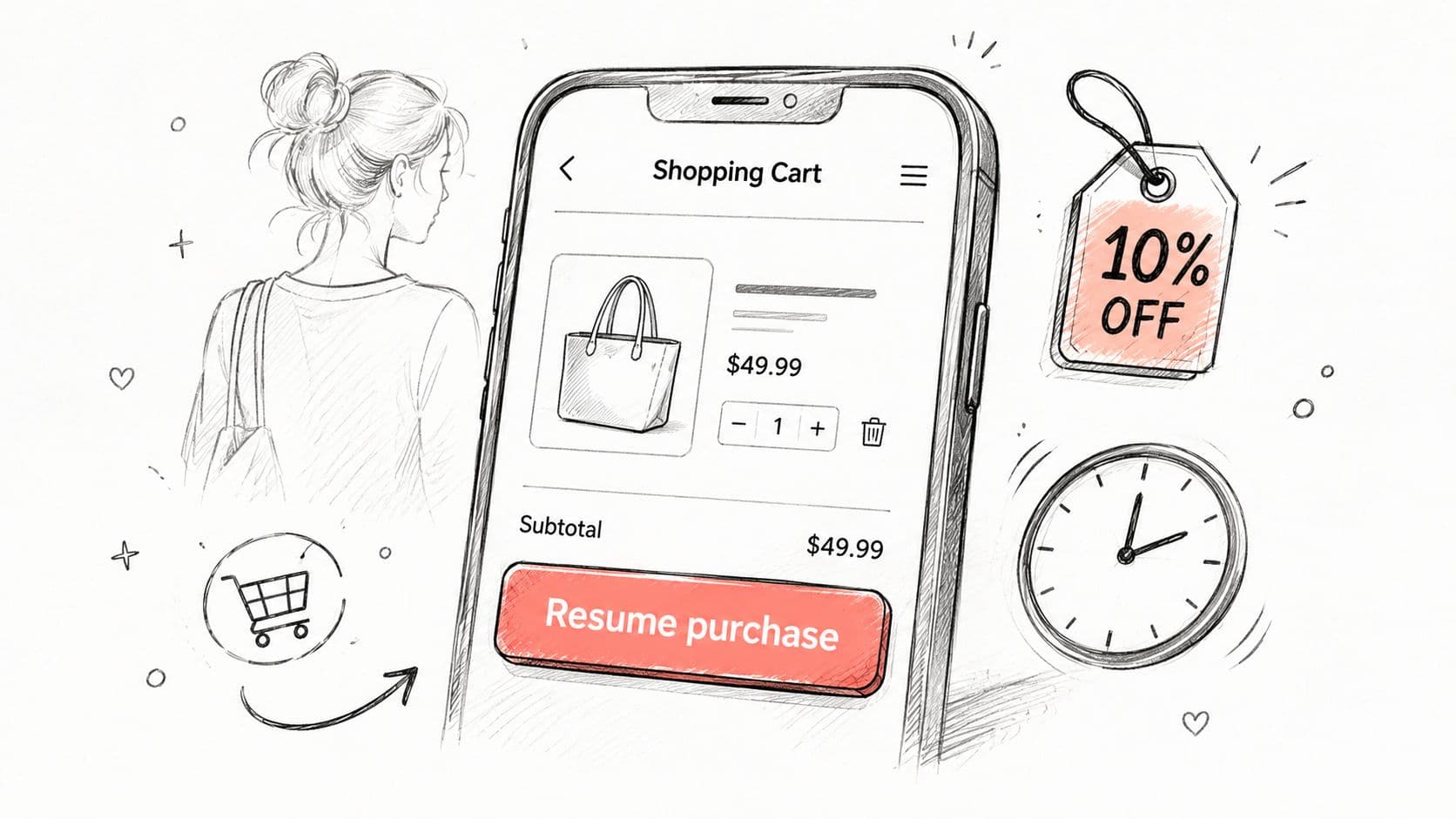
Sample recovery message
“Looks like you left [item] in your cart. I can help with sizing, shipping, or checkout if anything got in the way. If you're ready, I can also apply [promotion] automatically.”
That response works because it names the product, points to likely friction, and offers help without sounding pushy. For Shopify stores using Carti, timing matters as much as wording. A message sent too soon feels intrusive, while a delayed message often arrives after the buyer has moved on. Set the trigger based on product type, then test the flow on high-intent carts first.
A solid recovery flow gives the shopper three real paths. They can ask a question, continue checkout, or accept a relevant incentive. If you offer a discount, keep it specific. Free shipping or a bundle offer usually feels more credible than a vague percentage off, especially when the cart already shows clear intent.
Use a simple sequence:
- Acknowledge the cart: name the item and keep the tone light.
- Remove friction: offer help with shipping, payment, or sizing.
- Close with a next step: send them back to checkout or apply the code automatically.
Carti works best here when the chatbot has clean product, shipping, and promotion data to pull from. If the bot cannot answer basic checkout questions without hesitation, it will slow the sale instead of recovering it. The practical test is simple, if the same cart objection keeps coming up, fix the offer page, shipping copy, or payment flow before you write more chat lines.
If you want more conversation patterns like this, the chat conversation examples page is a useful reference point for phrasing and flow.
3. Order Status and Shipping Inquiry Script
Order status questions are often the fastest win for support automation. In many stores, “Where is my order?” shows up more than any other post-purchase chat, and that is exactly the kind of request a chatbot should answer right away. If your team is manually handling every tracking request, agent time is going to repeat work instead of solving higher-value issues.
A shipping script should do three things in order. Confirm the order, give the current status, and set the next expectation clearly. That matters for fashion, beauty, and wellness stores where delivery timing affects satisfaction, gifting, and replenishment.
Sample shipping reply
“Your order [order number] is currently [status]. You can track the latest update here: [tracking link]. If you'd like, I can also explain the return window or check whether the carrier has a delivery scan yet.”
The first line needs to answer the question directly. Do not hide the status behind a generic greeting. If the item has not moved, say so plainly and avoid padding the reply with extra explanation.
Operational insight: shipping chat gets easier when the store sends proactive updates before customers ask. Each avoided “where is it” message removes one more ticket from the queue and gives your team more time for problems that actually need a human.
Carti works best here when it pulls live Shopify shipping data and carrier information. If your store sells time-sensitive products, set the chatbot to include cutoffs, delivery estimates, and return terms automatically. That lowers support volume and cuts down the back-and-forth that makes customers feel ignored.
For stores with higher order volume, this script also exposes logistics issues quickly. If the same shipping question keeps coming up, the tracking emails may be unclear, the status page may be hard to find, or the carrier handoff may need attention.
For stores that want a fuller post-purchase flow, a well-built chatbot knowledge base gives the bot the policy details and shipment rules it needs to answer without hesitation.
If a shipment stalls, the message should stay calm and specific. Tell the shopper what is known, what is not known yet, and what step comes next, or direct them to reach the help desk if the case needs manual review.
4. Return, Refund, and Exchange Process Script
Returns are where many support scripts get too defensive. A better one is calm, structured, and policy-aware. The shopper wants to know what happens next, and the merchant wants to protect margins and avoid confusion. Both goals are possible if the conversation stays step-by-step.
Retailers already know that live chat covers a lot of ground, with average customer satisfaction on chats rated at 64.2% CSAT and chatbot-handled chats at 64.7% satisfaction in the benchmark data LiveChat report. That's a reminder that automation isn't just for top-of-funnel questions. It belongs in messy post-purchase flows too.
Sample returns reply
“I can help with that return or exchange. Please send your order number, and I'll check your eligibility, the return window, and the next step. If you'd prefer, I can also start an exchange request so you can keep the order moving.”
This script works because it avoids arguing about policy. It leads with help, then narrows the action. For fashion and beauty brands, exchanges often make more sense than refunds, especially when the issue is size or shade selection. For home goods, the wording should be even clearer, since fit and satisfaction issues tend to trigger more back-and-forth.
A strong returns flow should include:
- Eligibility first: confirm whether the item is within policy.
- Process second: tell the shopper exactly what to do next.
- Alternative third: present an exchange or store credit if appropriate.
Keep the language plain. If your policy says 30 days for most items, the bot should say that plainly inside the flow, not hide it behind legal jargon. Carti's value here is consistency. It can keep the tone steady even when the shopper is frustrated, which is where many human reps start improvising.
If your return questions keep clustering around one product line, that's a merchandising signal. The item description, photos, or size guidance probably need revision. This is one of the clearest ways a sample chat support conversation becomes a product quality tool.
5. FAQ and General Knowledge Base Script
FAQ chat looks simple until traffic and ticket volume rise. Then it becomes the front door for size guidance, ingredient details, care instructions, shipping policies, and company information. The problem is that many stores treat the knowledge base like static documentation, then wonder why the chatbot gives weak answers. A chatbot can only retrieve what you've given it, so the FAQ needs to be written for both humans and machines.
Carti's own knowledge base guidance is useful because it focuses on structured content and retrieval instead of guesswork, which is the right setup when shoppers ask the same question in five different ways. The matching logic improves when the wording is simple, categorical, and complete. For merchants building these flows, the chatbot knowledge base resource is a practical reference for organizing articles so the bot can find the right answer quickly.
Sample FAQ reply
“Here's the short answer. [policy or product detail]. If you want, I can also show the page where that's explained in more detail.”
That response is intentionally lean. The point is to answer quickly and then offer the next layer, not dump the whole policy into chat. If the shopper wants the full terms, send them to the page. If they want a fast answer, keep it brief.
A good knowledge base also helps the bot handle variations. A customer might ask, “Is this safe for sensitive skin?”, “What's in it?”, or “Does it contain fragrance?” Those are different phrasings, but they often point to the same article. Grouping those intent patterns together prevents dead ends, and it gives the bot a better shot at answering cleanly on the first turn.
Useful standard: write FAQ entries the way shoppers actually speak, not the way your internal SOP sounds.
For support teams, this script is also the easiest place to find gaps. Weekly review of unanswered questions usually reveals wording problems before they become ticket problems. Some answers belong in chat, others belong on the product page, and a few belong in your help center. Carti's Insights Dashboard is useful because it shows you what people keep asking, not just what you assumed they'd ask.
If a question keeps repeating, the fix is often product content, not support staffing. A clear ingredient list, care note, or shipping explanation can remove the same contact reason from chat and email. When the issue is broader product guidance, a product recommendation chatbot can do more than answer questions. It can route shoppers toward the right item before they ask for human help.
If you need a human to step in, give the shopper a clear path to escalate instead of making them hunt. In that case, tell them they can reach the help desk with the exact issue and order details already attached.
7. Payment, Security, and Billing Question Script
Payment questions can stop a sale fast if the answer sounds vague or buried in policy language. Shoppers are usually asking three things, can they pay the way they want, is the checkout safe, and will billing be clear. Answer those points directly, and you remove friction right before purchase.
A good script should sound plain and confident. State the payment methods you accept, explain security in simple terms, and point shoppers to the right policy details without forcing them to leave chat unless they want more context. That matters most for higher-consideration beauty, wellness, and fashion orders, where trust carries as much weight as convenience.
Sample billing reply
“Yes, checkout is secured, and your payment details are encrypted during the transaction. If you want, I can share the privacy policy and explain how refunds or chargebacks are handled before you place the order.”
That tone is calm and clear. It does not overstate anything, and it does not sound evasive. If your store supports subscriptions or memberships, spell out renewal timing, cancellation options, and any regional limits in plain language. Billing confusion often shows up later as support tickets, so the chat answer should remove uncertainty before the shopper clicks pay.
A few practical rules help here.
- Use plain language: say “encrypted” and “secure” without jargon.
- Show trust cues: keep security badges visible in the chat interface.
- Answer billing directly: do not hide behind a generic policy response.
- Set expectations early: mention subscriptions, renewals, or fees before checkout if they apply.
For merchants using Carti, this is a good place to keep the script short and consistent with the checkout flow. If the shopper asks about a card decline, bank hold, or billing mismatch, give the next step in one sentence, then offer to check the order details. A sample chat support conversation works here only if it sounds like a real operator handling a real payment concern, not a canned FAQ.
7. Payment, Security, and Billing Question Script
Payment questions can stop a sale fast if the answer feels vague. Shoppers are usually not asking for a compliance lecture. They want to know whether checkout is safe, whether their preferred payment method works, and whether billing will be clear before they commit. Answer that directly, and you remove one of the last points of friction before purchase.
A strong script gives a first-time visitor enough detail to trust the store without flooding the chat. State which payment methods you support, explain security in plain language, and point to the policy pages only if the shopper wants to read more. That matters most for higher-consideration beauty, wellness, and fashion orders, where trust carries as much weight as convenience.
Sample billing reply
“Yes, checkout is secured, and your payment details are encrypted during the transaction. If you want, I can share the privacy policy and explain how refunds or chargebacks are handled before you place the order.”
That tone is steady and clear. It does not overstate anything, and it does not sound evasive. If your store supports subscriptions or memberships, spell out renewal timing, cancellation options, and any regional limits in plain language. Billing confusion often shows up later as support tickets, so the chat answer should remove uncertainty before the shopper clicks pay.
Keep the wording simple.
- Use plain language: say “encrypted” and “secure” without jargon.
- Show trust cues: keep security badges visible in the chat interface.
- Answer billing directly: do not hide behind a generic policy response.
- Set expectations early: mention subscriptions, renewals, or fees before checkout if they apply.
For merchants using Carti, this is a good place to keep the script short and aligned with the checkout flow. If the shopper asks about a card decline, bank hold, or billing mismatch, give the next step in one sentence, then offer to check the order details. If they ask about saved payment methods, say what is stored and why. If they ask about region-specific options, do not guess. Escalate cleanly or link them to the relevant payment policy. Good billing scripts reduce fear, and fear is often the reason the cart stalls.
A chatbot should stay conservative here. It is better to say “I can confirm what's supported on this store” than to bluff. A trustworthy sample chat support conversation here often converts better than a flashy one.
8. Discount Code, Promotion, and Sales Script
Promotion chat can be effective, but only if it feels relevant. Shoppers don't want a generic coupon blast in the middle of a shopping decision. They want to know whether a deal applies to the item they're already considering, and whether they need to do anything special to get it.
The strongest promotion script ties the offer to the cart, not to a random campaign. If the shopper has a qualifying product, say so. If the code only applies above a minimum threshold or excludes certain items, say that too. Clarity beats cleverness every time.
Sample promotion reply
“I can check which offer applies to your cart. If [promotion] works for these items, I'll apply it for you automatically and confirm the final total before you check out.”
That's better than making the customer copy and paste a code, then troubleshoot it alone. For Carti, automatic application is a major friction reducer because it keeps the shopper in motion. The bot can also surface a bundle offer, a free shipping threshold, or a time-sensitive promotion without sounding like a hard sell.
The best promotion chat should do three things:
- Match the cart: recommend only relevant offers.
- State the terms: mention exclusions and usage rules early.
- Close the loop: apply the code or show the adjusted price.
If you want urgency, keep it grounded. Don't invent scarcity. Use the terms of the promotion and the actual cart context. A shopper who understands the offer is much more likely to act than one who feels manipulated.
This is also where your Insights Dashboard should inform messaging. If one promotion consistently drives more completed orders, use that language more often. If a message creates confusion, remove it. Merchants who test promotion wording carefully usually stop treating discounts as isolated campaigns and start using them as part of the conversation. That's where a sample chat support conversation becomes a sales script with discipline.
Chat Support: 8 Conversation Scripts Comparison
| Script | Implementation complexity | Resource requirements | Expected outcomes | Ideal use cases | Key advantages |
|---|---|---|---|---|---|
| Product Question Response Script | Moderate, catalog & inventory integration | Accurate product data, real-time inventory, tagging | Faster product answers, increased discovery, reduced support load | Fashion, beauty, home goods product inquiries | Instant specs lookup, cross-sell/upsell, 24/7 consistency |
| Cart Recovery and Checkout Assistance Script | Moderate–High, timing and checkout integration | Shopify checkout integration, discount logic, timing rules | Recover abandoned carts, improved conversion and revenue | DTC brands, high-abandonment stores, time-sensitive purchases | One-click resume, personalized recovery, real-time discounts |
| Order Status and Shipping Inquiry Script | Moderate, carrier API and tracking integration | Carrier APIs, order system access, tracking feeds | Fewer post-purchase tickets, higher customer confidence | High-volume retailers, time-sensitive shipping | Real-time tracking, proactive notifications, transparency |
| Return, Refund, and Exchange Process Script | Moderate, RMA and label workflows | Order history access, shipping label provider, policy rules | Clearer return flows, reduced fraud, lower support time | Retail with frequent returns (fashion, beauty, home goods) | Automated eligibility checks, RMA generation, compliance trail |
| FAQ and General Knowledge Base Script | Low, knowledge ingestion and NLU | Well-maintained FAQ/docs, periodic updates | Answers large share of queries instantly, major ticket reduction | Broad recurring questions across categories | Learns automatically, wide coverage, low manual upkeep |
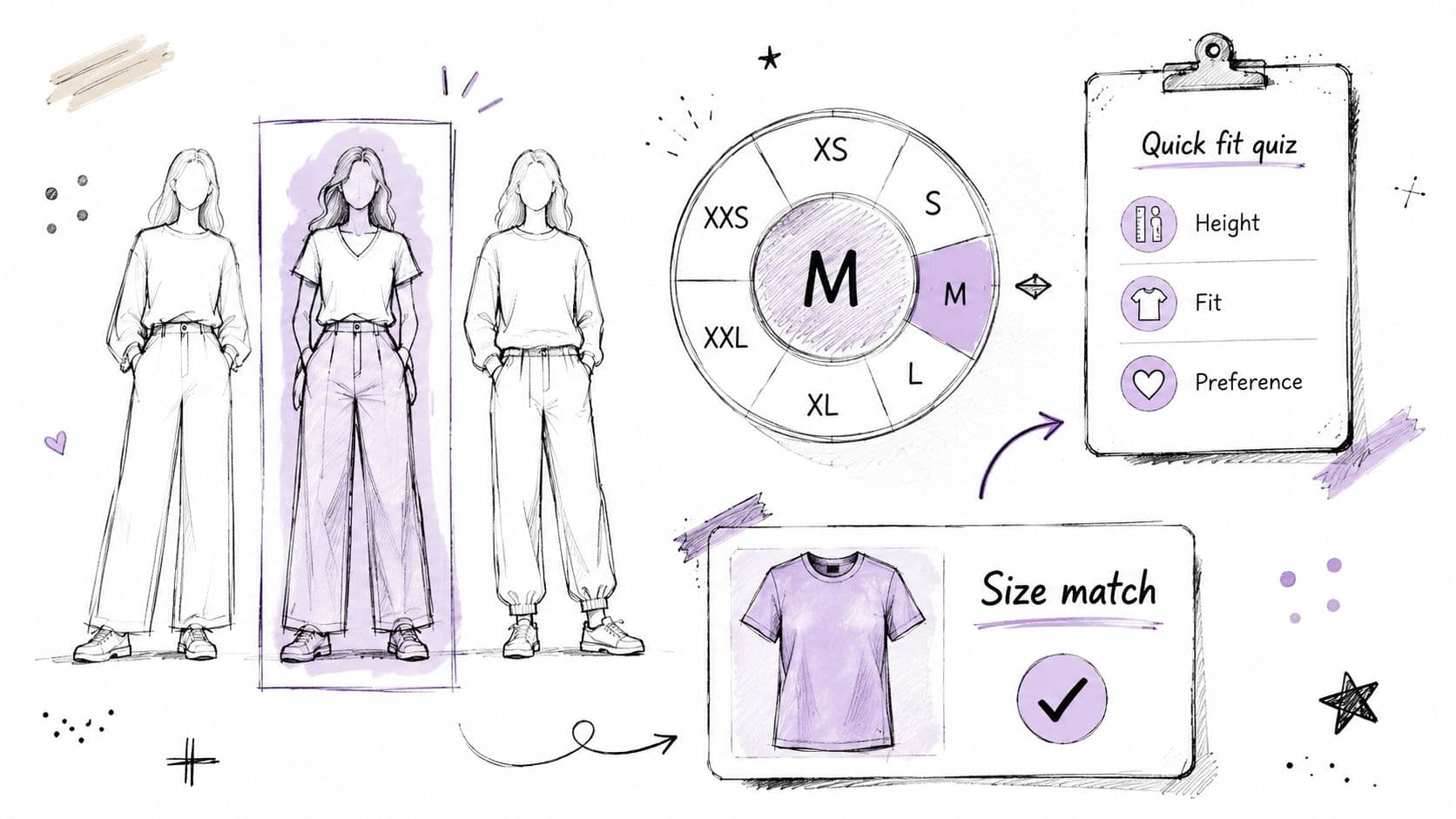
| Size, Fit, and Personalized Recommendation Script | High, interactive assessments & recommendation engine | Detailed product attributes, quiz design, recommendation logic | Higher AOV and conversion, fewer size-related returns | Fashion, beauty, lifestyle brands needing personalization | Personalized fit/recommendations, size finder, first‑party data |
| Payment, Security, and Billing Question Script | Low–Moderate, accurate compliance messaging | Legal/compliance content, finance escalation pathway | Reduced payment hesitation, improved trust and conversions | High-ticket, subscription, international retailers | Clear security messaging, PCI/ENCRYPTION info, consistent responses |
| Discount Code, Promotion, and Sales Script | Low–Moderate, promo rules and auto-apply logic | Promotion data, rule engine, fraud monitoring | Increased promo redemption and conversion uplift | Seasonal sales, flash promotions, bundle offers | Automatic discount application, urgency drivers, higher ROI |
Deploy Your 24/7 AI Sales Assistant in Minutes
These scripts aren't theory, they're the daily operating system for Shopify stores that want faster support and better conversion. Live chat already runs at high volume, with businesses averaging 84.1 chats per agent per day, and a typical chat lasting 8 minutes 25 seconds LiveChat customer service report. That means your team doesn't need more reactive typing. It needs better conversation design.
The strongest stores use chat for both support and selling. They answer product questions, recover carts, explain shipping, handle returns, and recommend the right item without making shoppers wait for an email reply. They also keep the human handoff clean, so a bot handles repetitive work and a rep handles the edge cases that need judgment.
Carti fits that model because it learns your catalog, FAQs, and policies, then uses those inputs to answer quickly and recommend products in context. The value isn't just speed. It's consistency, better merchandising feedback, and fewer lost purchases caused by unclear information. If your current chat flow feels like a support inbox with a typing indicator, these scripts are the upgrade.
Start by picking the two conversations that cost you the most time or the most sales. Then implement the matching script, test the tone, and tighten the knowledge behind it. Once those replies are live, you'll know exactly where automation is helping and where your store still needs human judgment.
If you want to turn these scripts into a working Shopify assistant, visit Carti and set up the conversations that fit your store's catalog, policies, and promotions. Carti can help you answer faster, recover more carts, and keep your support team focused on the conversations that need a person.

Written by
Daniel AndersonFounder of Carti. 10+ years building ecommerce brands in apparel and supplements. Still runs a Shopify store and built Carti to help merchants convert more browsers into buyers.
Ready to boost your store's sales?
Install Carti in 5 minutes and let AI handle customer questions, recommend products, and close sales 24/7.
Start Free Trial14-day free trial