
You're probably living the same loop most Shopify operators know too well. A shopper asks about shipping, another wants a return label, a third needs sizing help, and your team is still answering the same questions that showed up yesterday and the day before. Meanwhile, carts stall, revenue slips, and the inbox keeps pretending it's just a service problem.
The reason automation now matters is simple, it's no longer a side project. One 2026 benchmark says automation already handles 40% to 70% of tier-1 support volume across industries, and another reports 88% of contact centers use some form of AI while only 25% have fully integrated it into daily workflows. In the same research set, automated interactions are estimated at $0.25 to $0.50 each versus $6 to $12 for a human-handled ticket, which is why teams are treating automation as a control lever for support cost and scale, not just convenience. Customer support automation statistics 2026
For Shopify stores, that shift is even sharper because customer service isn't just answering questions anymore. It's the layer that handles repetitive requests fast, routes exceptions cleanly, and keeps human agents focused on higher-judgment sales and retention conversations. The stores doing this well aren't trying to automate everything, they're automating the predictable portion of demand and using that time to improve the buying experience.
One practical way to think about it is this, automation should own the repetitive 70% of interactions and leave the edge cases to people. That's where order status, return windows, shipping policies, and FAQs belong, because they're standardized enough to measure and refine. The rest of this guide shows how to design, launch, and govern an automation stack that pays for itself.
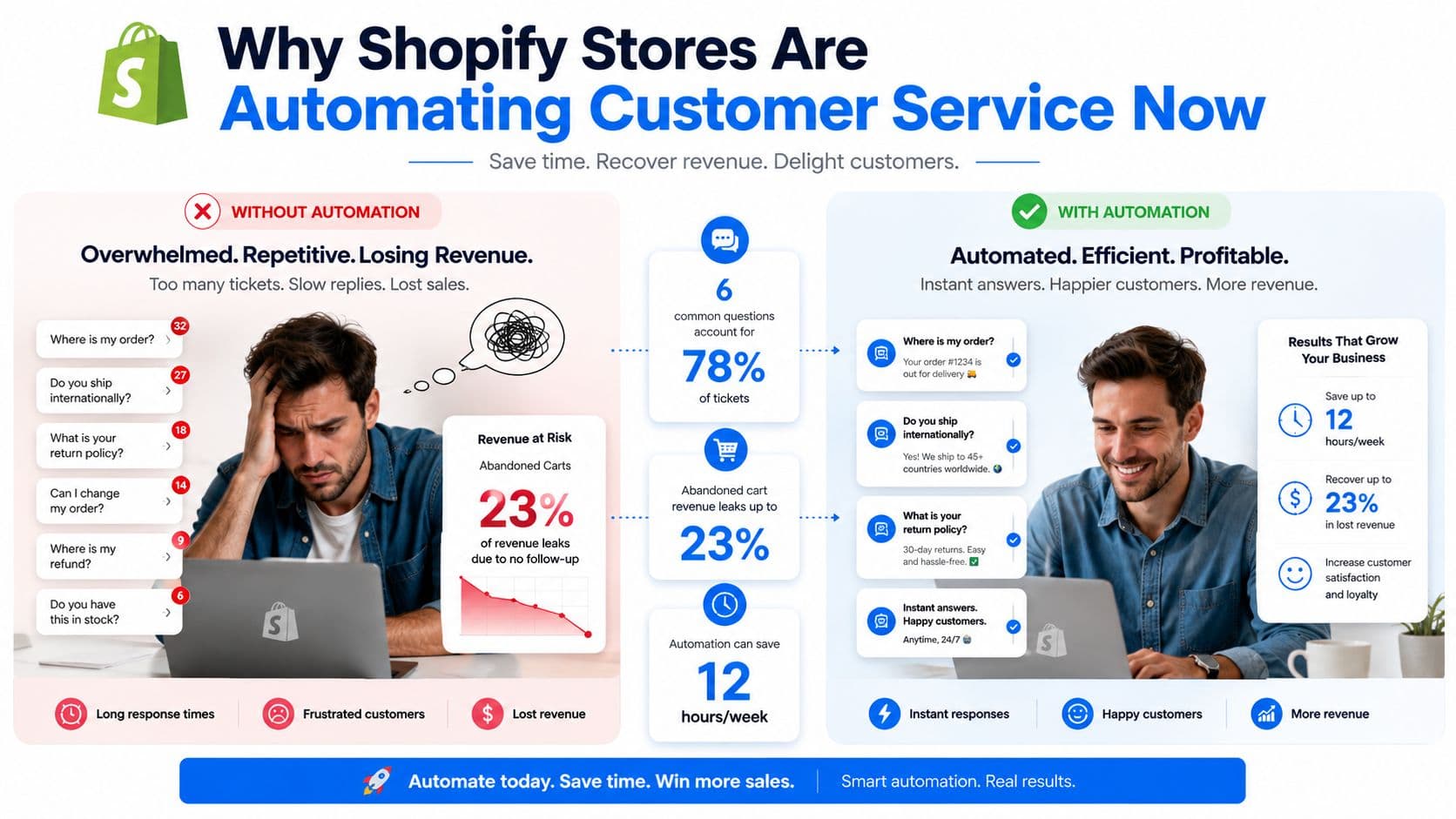
Why Shopify Stores Are Automating Customer Service Now
If you run a Shopify store, you already know the pattern. The same six or seven questions keep landing in email, chat, and social, while abandoned carts sit in the background like quiet leakage. The point of automation isn't to make service feel robotic, it's to stop high-frequency, low-judgment work from consuming the hours your team should spend on revenue-sensitive conversations.
From support queue to sales channel
The historical shift matters because it explains why automation looks different now. Early self-service tools were mainly about deflection, then chat widgets helped customers find basic answers, and now AI-assisted triage and omnichannel routing are being used to resolve routine issues and surface sales opportunities. A 2026 industry summary says 66% of customer service organizations are using AI agents, up from 39% in 2025, while another source says 74% of businesses now use chatbots for customer service, up from 58% in 2024, and 35% of customer interactions are handled fully or partly by automated systems, up from 18% in 2021. AI customer support statistics and ROI data
That adoption curve is the key signal. If your store still treats automation as a future project, you're not ahead of the market, you're behind it. The practical goal is not to replace agents, it's to reserve them for the moments that need judgment, empathy, or commercial nuance.
Practical rule: automate the questions that repeat, not the conversations that shape trust.
Why Shopify teams feel the payoff quickly
Shops with consistent order volume usually see the strongest benefit from routing, order status, returns, and FAQ automation because those issues are easy to standardize. The most mature teams use automation to reduce first-response time and give humans cleaner handoffs, with context attached. That improves the shopper experience and gives agents more space for retention, upsell, and exception handling.
Automation enables service to directly support revenue rather than operating parallel to it. A bot that provides instant shipping answers can also guide the shopper toward checkout, and a routing layer that detects urgency can prevent a frustrated VIP from waiting in the wrong queue. That's why the question is no longer whether to automate, but which parts of the customer journey should be automated first.
Setting Goals and KPIs Before You Touch a Tool
Most automation projects fail for a boring reason, nobody agreed on what success meant before the tool went live. If the only goal is “reduce tickets,” the team can celebrate lower volume while checkout conversion slips, cart recovery stalls, or unhappy shoppers get trapped in a dead-end flow. The right starting point is a written baseline from the last 60 to 90 days, because without that window you can't tell whether automation is helping or just looking busy.
The support metrics that belong on day one
Anchor the rollout on five support metrics: first-response time, average handle time, first-contact resolution, CSAT, and cost per ticket. A rollout guide recommends measuring against those baselines and using a 1 to 2 week shadow-mode pilot before opening automation to shoppers, with 85%+ suggested-response accuracy as a launch threshold and CSAT required to hold steady or improve during rollout. How to automate customer support in 2026
Those metrics tell you whether the service layer is behaving well. They don't tell you whether it's helping the store make money, which is where many guides stop too early.
The commercial metrics most teams miss
For Shopify, add the two metrics support playbooks often ignore: conversion rate influenced by chat and recovered cart value. Those are the numbers that show whether automation is removing friction or actively nudging shoppers back to purchase. If you're using automation on-product, in chat, or in follow-up flows, those metrics matter as much as queue metrics.
A useful internal exercise is to rewrite the goal in commercial language. One apparel store can easily fall into the trap of saying it wants to reduce tickets, but the better target is often “lift checkout completion” or “recover more carts without increasing service load.” That shift changes what the team builds, what it tests, and what it ignores.
| Metric | What It Measures | Baseline Target |
|---|---|---|
| First-response time | How fast shoppers get a first reply | Lower than current baseline |
| Average handle time | How long it takes to resolve a request | Lower than current baseline |
| First-contact resolution | Whether issues are solved in one interaction | Higher than current baseline |
| CSAT | Shopper satisfaction after support | Hold steady or improve |
| Cost per ticket | Support cost per interaction | Lower than current baseline |
| Conversion rate influenced by chat | Purchases affected by support conversations | Higher than current baseline |
| Recovered cart value | Value rescued by automation and nudges | Higher than current baseline |
If you want a broader KPI framework for ecommerce operations, this guide to e-commerce key performance indicators is a useful companion once your support baseline is written.
Practical rule: if you can't compare a new flow against a 60 to 90 day baseline, don't call the result a win yet.
Mapping Your Tickets to Find the Automation Sweet Spot
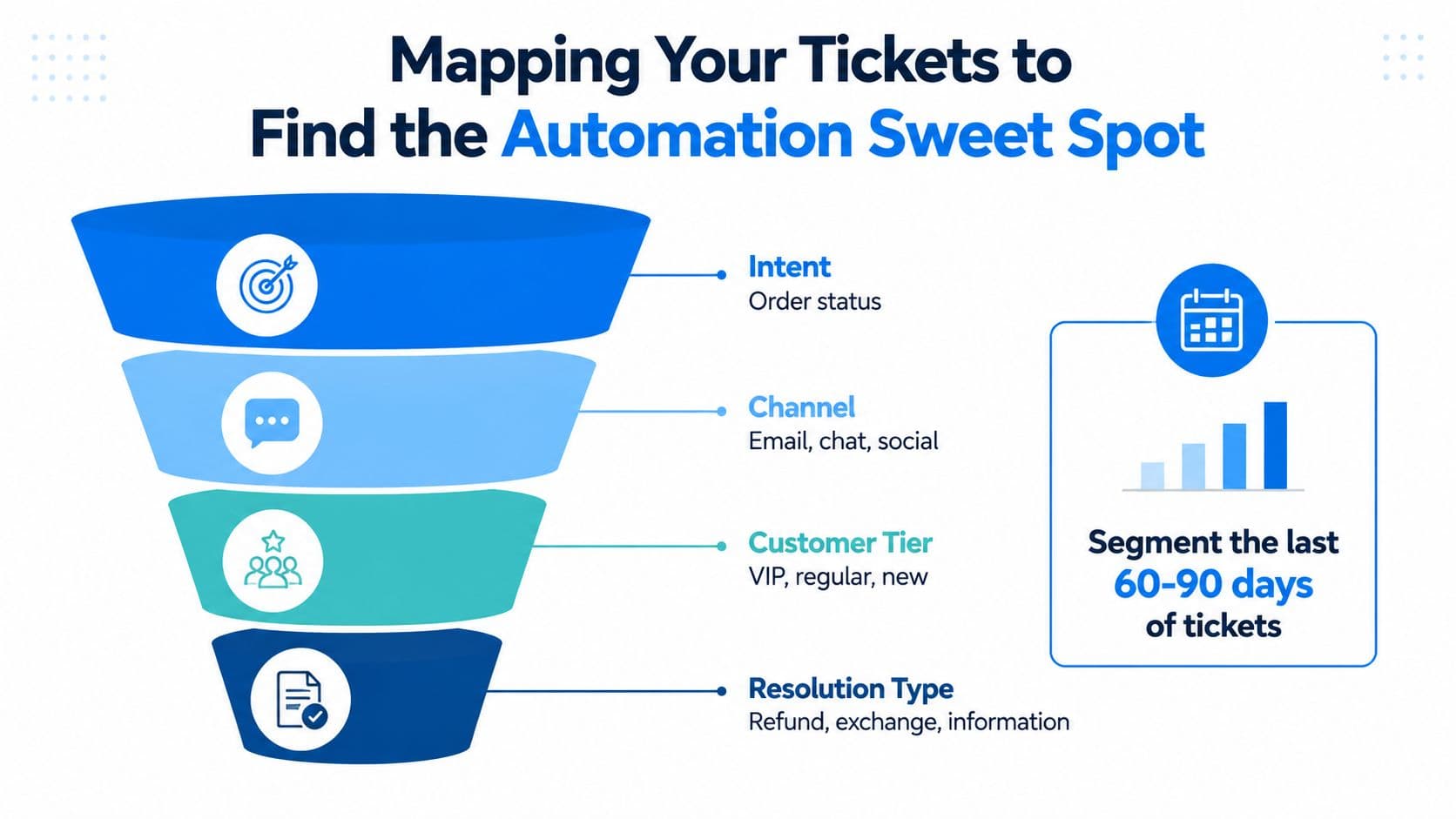
The easiest way to waste time is to automate the wrong conversations first. A Shopify store should start by exporting the last 60 to 90 days of tickets from Shopify Inbox, Gorgias, Re:amaze, or whatever help desk is already in place, then sorting those tickets by intent, channel, customer tier, and resolution type. That gives you a clean view of where the demand is repetitive and where it still needs human judgment.
Find the patterns before you pick the use case
The best candidates are the requests that are common, standardized, and easy to verify. Order status, return windows, shipping policies, sizing FAQs, and storewide policy questions usually belong in the automation sweet spot because they don't require much interpretation. A practical playbook recommends starting with just one or two use cases and mapping the end-to-end journey before launch, because poor scoping is what makes automations brittle. Customer support automation playbook
That doesn't mean every frequent topic should be automated. “Will this dress work for my wedding?” sounds like a support question, but it's really a judgment call wrapped in a question. If you automate that on day one, you'll frustrate the shopper and create extra work for the team.
A simple segmentation model that works
Segment the tickets into four buckets:
- Intent: shipping, returns, product help, payment issues, or recommendation requests.
- Channel: email, chat, social, or on-site messaging.
- Customer tier: VIP, repeat, or first-time.
- Resolution type: information only, exchange, refund, escalation, or order adjustment.
Once those buckets are visible, the priorities usually become obvious. One beauty store I worked with found that a little over half of its inbound messages sat in a narrow set of repeatable intents, which let the team ship two automated use cases first and postpone everything else until the first flows were stable. That kind of focus matters more than trying to automate the whole inbox at once.
The 30-day plan should be narrow. Week one is ticket export and tagging, week two is intent grouping and handoff mapping, week three is drafting the first two automated journeys, and week four is testing and internal review. If the use case can't be clearly defined in that window, it's probably not a starter workflow.
Choosing the Right Automation Tools for Shopify
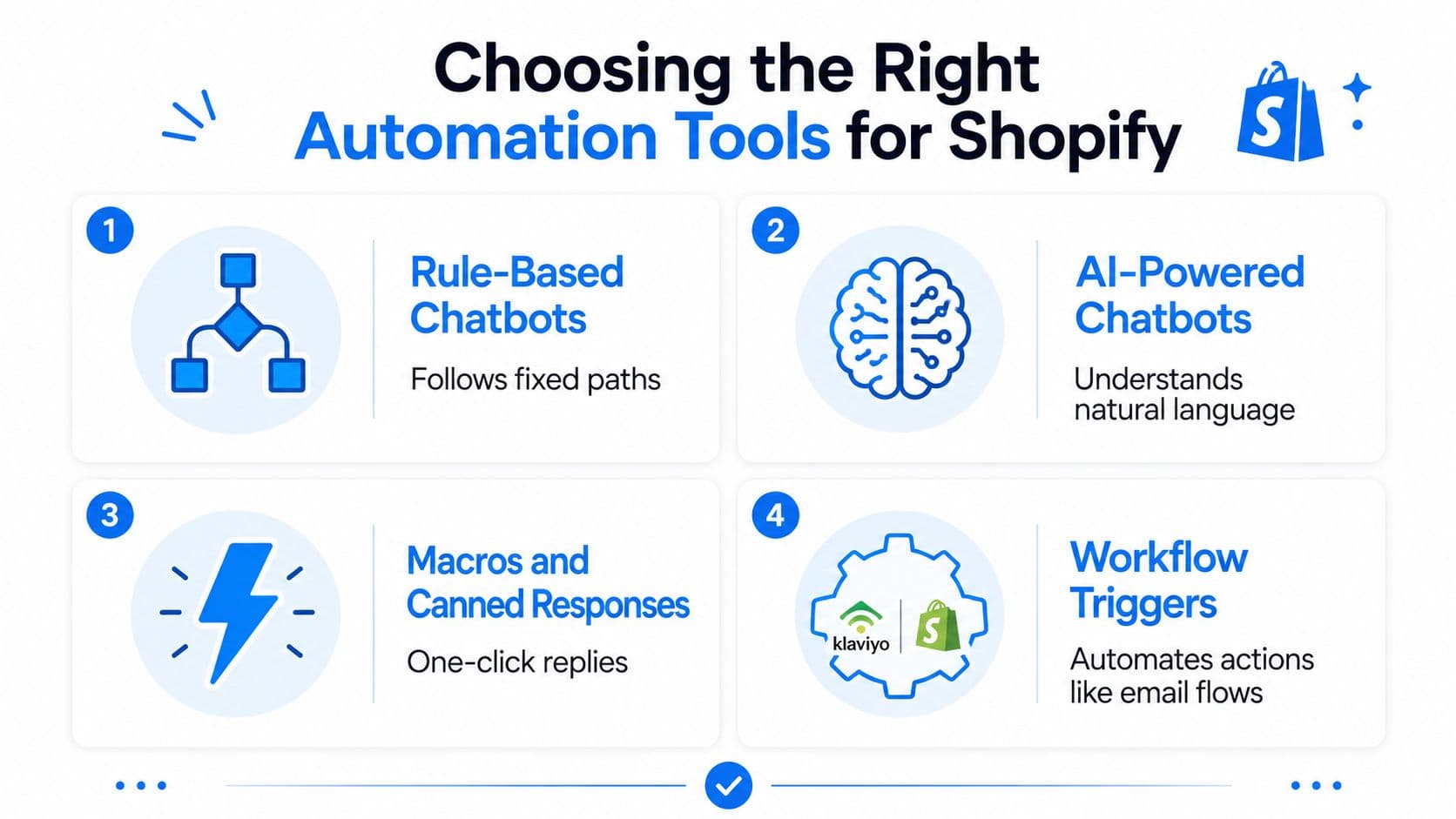
The tool choice should follow the job, not the trend. Shopify support stacks usually involve four layers: rule-based chatbots, AI-powered chatbots, macros and canned responses, and workflow triggers like Klaviyo flows or Shopify Flow. Each one can be right in one place and wrong in another, which is why teams get disappointed when they buy a tool before defining the workflow.
Rule-based bots and AI bots do different jobs
Rule-based chatbots are best when the path is predictable. They work well for “choose one of these options” flows, simple routing, and policy questions with a fixed answer. They break down when shoppers use messy language, ask multi-part questions, or expect a real conversation.
AI-powered chatbots are better for live shopper interactions because they can interpret natural language and handle more flexible question patterns. They're useful when a shopper asks something specific about product fit, delivery timing, or a policy nuance that doesn't fit a rigid menu. They break down when the source of truth is poor, incomplete, or not maintained.
Macros and triggers belong in different parts of the stack
Macros and canned responses are for human agents, not shoppers. They help agents send fast, consistent replies when the answer is known and the tone needs to stay on-brand. Workflow triggers, by contrast, should own the back-office actions, like email sequences, cart nudges, routing, and internal alerts.
That distinction matters because a lot of stores try to make one tool do all four jobs. It rarely works well. If a flow needs instant shopper conversation, use chat. If it needs an internal action after a condition is met, use a trigger. If it needs consistency in a human reply, use a macro.
Here's a useful decision shortcut:
| Tool layer | Best at | Weak spot | Owns this job |
|---|---|---|---|
| Rule-based chatbot | Fixed paths and simple routing | Breaks on nuance | Return policy menu |
| AI chatbot | Natural conversation | Needs clean source data | Live product and order questions |
| Macros | Fast agent replies | Not customer-facing automation | Refund acknowledgement |
| Workflow triggers | Actions across systems | Not a conversation layer | Cart recovery or tag-based routing |
If you're comparing platforms and app stacks, this overview of e-commerce automation tools is a practical place to sanity-check where each layer fits.
One option in this category is Carti, which offers a Shopify-native AI chat layer, automatic catalog and policy learning, and an insights dashboard for common questions. That kind of setup can make sense when the priority is customer-facing chat plus proactive product guidance, but it still needs good governance and clear handoff rules to work well.
Configuring Templates, Triggers, and Escalation Rules
Once the tool is chosen, the actual work is in the configuration. Good automation has four artifacts behind it: a response template, a trigger, an escalation rule, and handoff context. If one of those is missing, the flow tends to either stall, over-escalate, or answer confidently without enough information.
Build the response, then define the trigger
Response templates should be tied to a specific intent, not a generic “help” bucket. A return-policy reply, a shipping-delay reply, and a sizing reply all need different language because shoppers aren't asking the same thing. That matters even more when the answer needs to connect to the live catalog or current policy page.
Triggers should be precise enough that the bot doesn't fire too early or too late. Common ones include exit intent, page URL match, cart abandonment timer, and behavioral signals that show the shopper is stuck. If the trigger is broad, the bot feels intrusive. If it's too narrow, it never appears when needed.
Escalation is the safety system
Escalation rules are where mature automation separates itself from brittle automation. A refund over a defined threshold, repeated fallback, sentiment that suggests frustration, or a keyword blacklist can all force a human handoff. That isn't failure. That's the design working.
Practical rule: a clean handoff beats a clever bot every time.
The handoff should carry context, not just a ticket number. The agent needs the conversation summary, the shopper's cart, and any relevant product or order data so the conversation doesn't restart from zero. Without that context, automation just shifts the burden instead of reducing it.
A fashion store I've seen operate well paired a 30-minute cart-recovery nudge with escalation to email when the order value crossed a certain point. That structure kept the message timely for lower-stakes carts and ensured higher-value orders got a more deliberate follow-up. The architecture mattered more than the message copy.
For a deeper content map and policy structure, the chatbot knowledge base guide is useful when you're building the answer library behind the automation.
Testing, Piloting, and Training Before Launch
Treat launch like a software release, not a marketing switch. A good shadow-mode pilot lets the bot suggest replies to agents for 1 to 2 weeks before shoppers ever see it, which gives you time to catch bad answers, weak handoffs, and policy gaps while the stakes are still low. During that window, the main question isn't whether the bot is active, it's whether it's useful.
Run a test set that reflects real store traffic
The test set should include ten common questions, five edge cases, three multi-language queries, and one adversarial prompt designed to break the bot. That mix catches the mistakes that often stay hidden in clean demos. If the bot can't handle a policy exception, a partial-language query, or a weirdly phrased objection, it's not ready for traffic.
The training inputs matter just as much. Upload policy pages, sync the product catalog, label past resolved tickets by intent, and retrain on a regular cadence so the bot doesn't drift away from what the store sells and ships. Stronger implementation guides also recommend tracking suggested-response accuracy alongside CSAT during the pilot and not moving forward if those metrics don't hold.
Use a simple go-live gate
A clean launch decision is easier than trying to debate it live. If suggested-response accuracy is below 85% or CSAT has slipped, the right move is to fix the flow before exposing it to real shoppers. That's not being conservative, it's protecting trust.
The launch checklist should stay short and practical:
- Shadow mode first: let agents review the bot's replies before customers see them.
- Real ticket samples: use recent conversations, not sanitized examples.
- Edge-case review: check refund exceptions, missing orders, and policy conflicts.
- Language coverage: test beyond English if your store serves multilingual shoppers.
- Weekly retraining: refresh answers as products, policies, and offers change.
The pilot video below is worth watching with your support lead and whoever owns CX operations, because the conversation shifts fast once the team sees how the bot behaves on messy inputs.
Tracking Performance and Iterating to Lift Conversions
The launch date is not the finish line. Automation only earns its keep if you keep reading the numbers, tightening the handoffs, and expanding the knowledge base based on real shopper behavior. That's where support turns into a revenue lever, because the same system that deflects tickets can also protect conversions, recover carts, and reduce friction at checkout.
Read the dashboard like an operator, not a spectator
The post-launch dashboard should show deflection rate, resolution rate, CSAT, revenue influenced, recovered carts, and average order value. Those metrics tell different stories. High deflection with weak CSAT usually means the bot is pushing people away, while healthy resolution and stable satisfaction suggest the system is helping without creating new friction.
A useful signal is unanswered questions. If the same topic keeps showing up in chats, the knowledge base is incomplete. If escalations spike around a specific trigger, the handoff logic is too permissive or too aggressive. If the bot is driving shoppers to products but not to checkout, the commercial logic needs work.
Use a 30-60-90 day governance rhythm
The cadence matters more than the dashboard decoration. Weekly, review unanswered questions and expand the knowledge base. Monthly, review escalation triggers and tighten the handoff logic. Quarterly, review commercial metrics and decide whether the automation needs new sales skills, like product recommendations or cart recovery logic.
That cadence is the part many guides skip, and it's the part that keeps the system honest. Major vendors now explicitly recommend monitoring error tracking, post-interaction surveys, and continuous workflow refinement, which is another way of saying the actual job starts after launch, not before it.
Practical rule: if a flow saves time but damages trust, it's not a good automation, it's a hidden liability.
The commercial lens should stay in place throughout. A store that only measures ticket deflection can miss the fact that automation is helping or hurting checkout completion. A store that measures both support and revenue can make calmer decisions, because it knows when to expand, when to pause, and when to rewrite the flow.
If you want this built without stitching five tools together, Carti gives Shopify stores an AI chat layer that answers shopper questions, suggests products, surfaces common questions in an insights dashboard, and supports cart recovery workflows. It's a practical starting point if you want customer service automation that's tied to conversion, not just ticket reduction.
If you're ready to turn repetitive support into a revenue-aware automation stack, visit Carti, map your highest-volume questions, and launch the first workflow on a real ticket baseline instead of guesswork.

Written by
Daniel AndersonFounder of Carti. 10+ years building ecommerce brands in apparel and supplements. Still runs a Shopify store and built Carti to help merchants convert more browsers into buyers.