
You're probably running your store with a patchwork of habits that used to work. You answer product questions from your inbox. You chase abandoned carts when you remember. You check stock in one tab, Shopify in another, and your email platform in a third. Nothing is fully broken, but nothing is clean either.
That setup feels scrappy and responsible. In practice, it leaks revenue every day.
Most stores don't lose sales because they lack effort. They lose sales because shoppers move faster than manual teams do. A buyer wants a sizing answer now, not in three hours. A cart recovery message works best when it fires while intent is still hot, not after someone exports a list and filters it later. If your systems can't react in real time, your competitors don't need a better brand to beat you. They just need a faster stack.
Why Your Manual Workflow Is Costing You Sales
The pattern is familiar. A customer asks whether a product runs small. Another wants shipping timing. Someone reaches checkout, hesitates, leaves, and never hears from you because no recovery flow is in place. Meanwhile your team is doing honest work, but they're doing it one conversation and one task at a time.
That's the trap. Manual effort feels productive because it's visible. Revenue leakage usually isn't.
In Q3 2025, U.S. retail e-commerce sales reached $310.3 billion and represented 16.4% of all U.S. retail sales, according to U.S. e-commerce statistics for 2025. In a market that large, fast-response automation isn't a nice add-on. It's part of how stores capture demand that already exists.
Manual work is expensive in two ways. You pay for the labor, and you lose the sale when no one acts fast enough.
A lot of operators try to patch this with spreadsheets, inbox rules, and app exports. That usually creates a second problem. Data lives in too many places, so no workflow has the full picture. If your product data, customer records, and event history still depend on static files moving around between tools, it's worth looking at ways to replace flat files with systems that update each other directly.
The hidden cost isn't just time
When workflows stay manual, four things happen:
- Response time slips: Buyers ask pre-purchase questions and wait longer than they should.
- Recovery gets delayed: Abandoned carts don't get follow-up while purchase intent is still strong.
- Segmentation stays shallow: Campaigns go out to broad lists because behavior data isn't connected.
- Reporting gets messy: Teams can't tell which workflow influenced the sale.
None of this looks dramatic on a given day. Over a month, it adds up to missed orders, avoidable support load, and a store that gets harder to run as volume increases.
What E-commerce Automation Really Means for Your Store
E-commerce automation tools are your store's operating system for repetitive decisions. Not a robot that replaces your team. More like an autopilot that handles the routine work so your team can focus on exceptions, merchandising, and strategy.
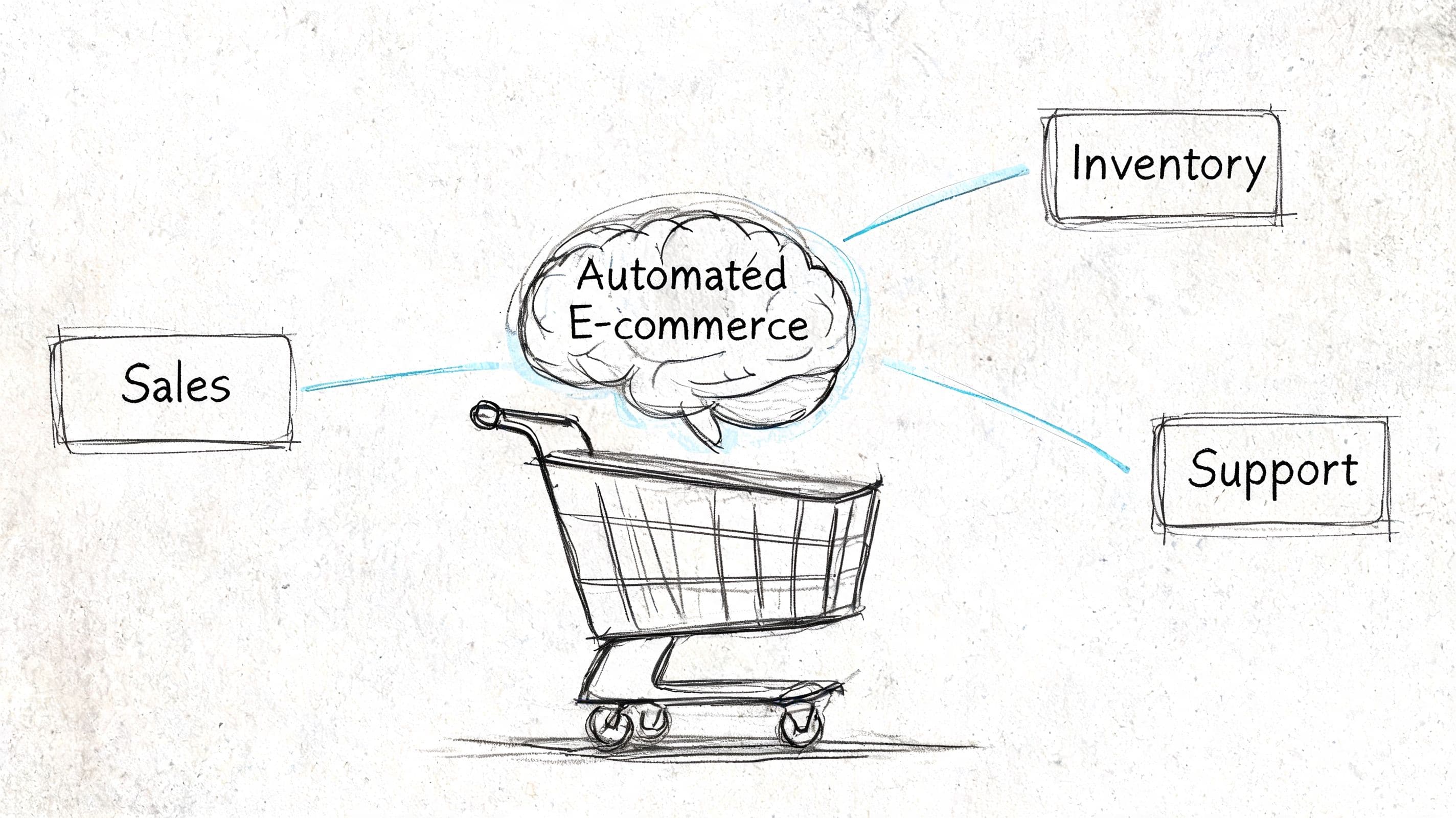
The basic idea is simple. A shopper does something, the system sees it, and the right action happens automatically. They browse a category twice, so your email or SMS platform tags them for a relevant follow-up. They ask about returns, so a support tool answers instantly from your policy. They abandon checkout, so a recovery workflow launches without anyone exporting a list.
That's a better definition than “saving time,” because time savings are only half the point. Good automation improves the buying experience itself. It helps the store respond faster, sell more personally, and stay consistent after hours.
Automation should feel invisible to the customer
The best workflows don't announce themselves as automation. They just make the store feel competent.
A healthy automation layer usually does three jobs at once:
- It reduces lag between shopper intent and store response.
- It adds relevance by using customer behavior, catalog data, or order history.
- It keeps execution consistent when your team is offline or busy.
Practical rule: If a task happens more than a few times a week and follows the same logic each time, it probably belongs in an automated workflow.
This applies across the stack. Shopify Flow can automate store-side actions. Klaviyo and HubSpot can handle triggered messaging and segmentation. Zapier connects systems that don't talk cleanly on their own. Freshchat and similar tools automate support intake and common answers. The value isn't any one app. It's the chain of events working without manual intervention.
If you're trying to think more broadly about how to automate your business processes, start there. Look for tasks with repeatable triggers, clear actions, and obvious downside when they're delayed.
What automation is not
It isn't “install more apps and hope for an advantage.”
That mistake creates bloated stacks, duplicate workflows, and conflicting customer records. Real automation is structured. Each tool needs a defined job, a clean trigger, and a clear owner. If you can't explain why a workflow exists, what starts it, and where the data lives, it probably shouldn't be in your stack yet.
The Three Core Categories of Automation Tools
Most merchants evaluate e-commerce automation tools by feature list. That's backwards. Start with the job each tool is supposed to do. Nearly every useful tool falls into one of three buckets.
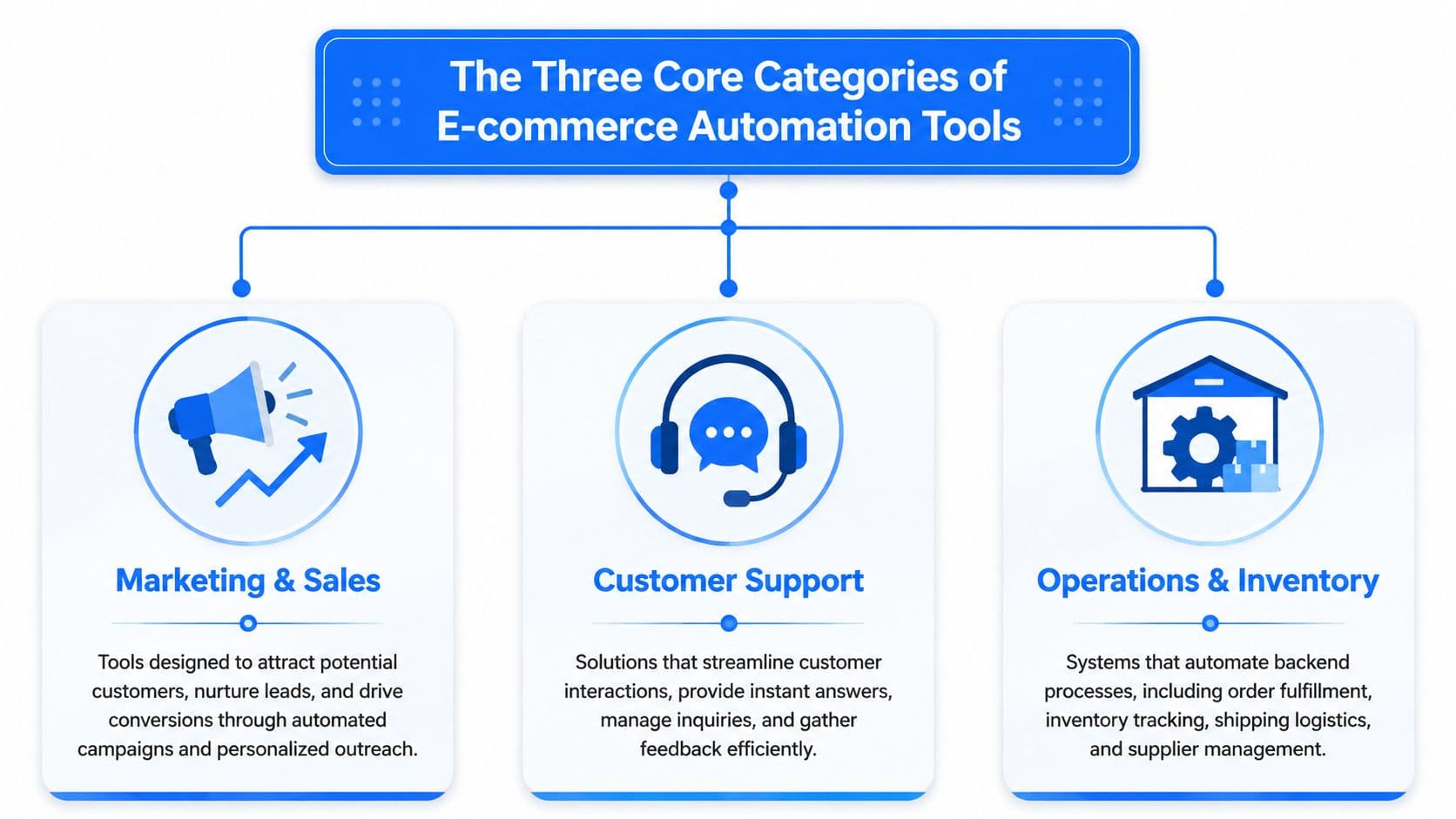
Marketing and sales tools
These tools turn behavior into revenue actions. They send abandoned cart messages, trigger browse recovery, segment customers by interest, and personalize campaigns based on what people do.
A critical distinction here is how abandoned cart recovery works. More advanced platforms connect checkout data with email, CRM, and messaging apps so recovery sequences trigger instantly and cart records are logged in real time, which reduces manual steps and improves recovery rates, as shown in Zapier's abandoned cart automation example.
That matters because native platform features are often enough for basic reminders, but they usually stop short of cross-system coordination. If your store wants high-intent carts to trigger alerts, create CRM activity, and launch personalized follow-up, you need more than a single built-in flow.
Good fits in this category include:
- Klaviyo: Strong for behavioral email and SMS flows.
- HubSpot: Useful when CRM and marketing automation need tighter coordination.
- Zapier: Helpful when checkout, CRM, and messaging tools need to pass data reliably.
- Shopify Flow: Good for store-level triggers and internal process logic.
Customer support tools
Support automation used to be treated as a cost control function. That's outdated. For many stores, support happens before the sale, not after it. Questions about sizing, product compatibility, shipping, returns, bundles, and availability directly affect conversion.
That's why conversational tools belong in a revenue conversation, not just a CX conversation. If you're comparing options, this guide to an AI chatbot for ecommerce is a useful reference point for what modern onsite assistance is expected to handle.
What works in support automation:
- Instant answers to repeat questions: Policy, shipping, sizing, and availability.
- Escalation paths: Automation should hand off edge cases instead of guessing.
- Catalog-aware recommendations: The tool should help shoppers choose, not just deflect tickets.
What doesn't work is a generic chatbot with canned answers that don't reflect your actual catalog or policies. That kind of tool creates friction faster than it removes it.
Operations and inventory tools
This bucket handles the backend. Order routing, low-stock alerts, tagging, fulfillment updates, internal notifications, and sync across systems all belong here.
These automations rarely get the same attention as recovery emails or chatbots, but they hold the stack together. If operations data is late or inconsistent, the customer-facing side suffers too. Promotions go out for out-of-stock items. Support gives outdated answers. Reporting becomes unreliable.
A quick way to assess this category is to ask one question: does the tool reduce work, or does it just move work? If staff still have to export, clean, and re-enter data, the automation is cosmetic.
| Category | Main job | Common failure mode |
|---|---|---|
| Marketing and Sales | Recover demand and personalize outreach | Weak event tracking |
| Customer Support | Answer buying questions quickly | Inaccurate or generic responses |
| Operations and Inventory | Keep store data and workflows clean | Manual handoffs between systems |
The Tangible Business Case for Automation
The argument for automation isn't philosophical. It's operational and financial.
According to sales automation statistics for 2025, organizations adopting integrated automation frameworks report 10% to 20% revenue growth and 15% to 30% shorter sales cycles. In the same body of research, the global sales automation market is reported at $16 billion in 2025, up from $7.8 billion in 2019, with projections to exceed $31 billion by 2035.
That matters for e-commerce because it shows automation has moved out of the experimental phase. Teams aren't installing these systems for novelty. They're using them to reduce response time, recover lost demand, and scale work without adding headcount in a straight line.
Where the payoff actually shows up
The strongest return usually appears in a few places first:
- Cart recovery: Shoppers already showed intent. Fast follow-up matters more here than almost anywhere else.
- Pre-purchase assistance: Better answers remove hesitation at the point of decision.
- Segmentation and follow-up: Behavior-based messaging converts better than one-size-fits-all campaigns.
- Team efficiency: Staff stop burning hours on repetitive handoffs and inbox triage.
There's also direct benchmark data tied to recovery workflows. One comparison of cart abandonment approaches cites median e-commerce store performance of $5.81 in revenue per $1 spent on automated cart recovery, compared with $1.87 per dollar of staff cost for manual recovery, in this cart abandonment automation comparison.
Better unit economics usually appear after instrumentation is done right. The workflow is only as good as the event data feeding it.
What good ROI math looks like
Don't evaluate automation by software cost alone. That's how teams underinvest in systems that would pay for themselves.
A better framework is:
- Recovered revenue: What sales are you currently losing because follow-up is late or inconsistent?
- Labor displacement: Which repetitive tasks stop requiring human time?
- Conversion friction removed: Which buyer objections get answered faster or more accurately?
- Operational drag reduced: Which manual exports, tags, and reconciliations disappear?
If abandoned checkout is a major leak for your store, this practical guide to abandoned cart recovery is a good lens for estimating where automation can earn back lost revenue first.
One caution. Automation isn't magic on install day. The same cart abandonment comparison notes a median 8-day lag from signup to first automated recovery email, and standard Shopify integration with event tracking, customer identification, and catalog sync can take 2 to 4 hours for standard stores. That setup work is real. It's also why some merchants think a tool “didn't work” when the underlying issue was incomplete implementation.
Your E-commerce Automation Implementation Roadmap
Most automation projects fail for boring reasons. The wrong trigger. The wrong owner. The wrong data source. Or too many apps solving isolated problems.
The biggest hidden cost is choosing point solutions that create fragmentation across the stack. Merchants need to ask what stack minimizes operational drag as the business scales, not just what tool is best for one task, as discussed in this overview of automation in e-commerce.
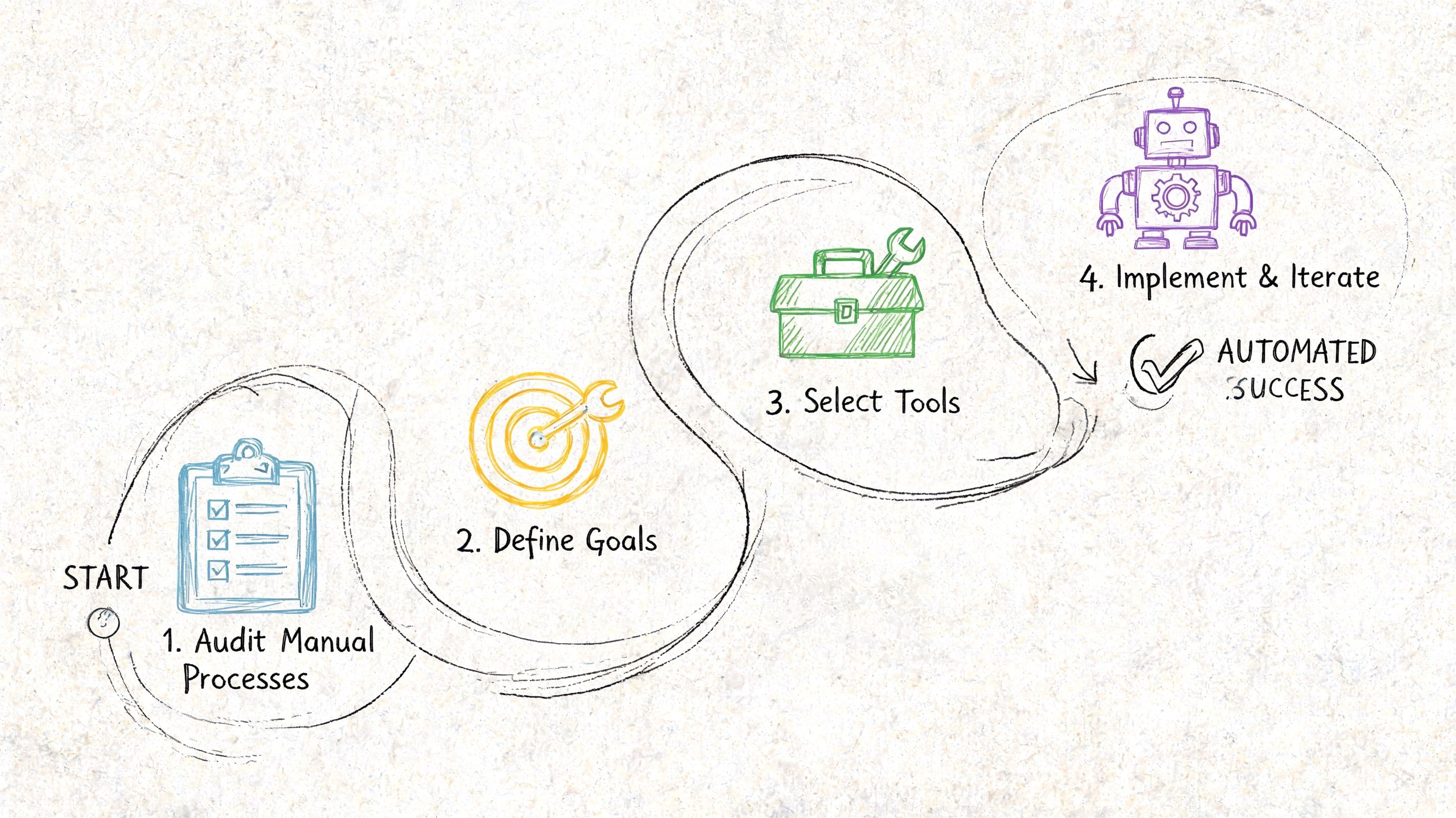
Step one audit the leaks
Don't begin with app research. Begin with your store's recurring failure points.
Look at the moments where revenue or time gets lost:
- Pre-purchase delays: Questions that sit unanswered.
- Checkout drop-off: Carts that don't trigger immediate follow-up.
- Post-purchase confusion: Shipping, return, or order-status issues flooding support.
- Internal repetition: Tasks your team performs the same way every day.
A simple audit table helps.
| Workflow | Current trigger | Manual step | Cost of delay |
|---|---|---|---|
| Cart abandonment | Checkout started | Staff pulls list later | Lost high-intent sales |
| Sizing questions | Customer chat or email | Agent answers repeatedly | Slower conversion |
| Low stock alert | Inventory threshold | Team checks manually | Overselling or missed reorders |
Step two choose based on stack coherence
Many Shopify stores go sideways. They buy one app for email, one for support, one for tagging, one for popups, one for analytics, and one connector to glue them together. Six months later, nobody knows which workflow owns the customer record.
Use this checklist when evaluating e-commerce automation tools:
- Deep Shopify data access: Can it read products, customer behavior, and order events cleanly?
- Clear system role: Is it the source of truth for messaging, support, workflow logic, or data sync?
- Event visibility: Can your team see what triggered the action and whether it fired correctly?
- Escalation handling: When the automation can't answer or decide, where does the issue go?
- Reporting integrity: Will this tool improve attribution or muddy it?
The video below gives a useful walkthrough mindset for planning automations without overcomplicating the stack.
Step three launch narrow then expand
Start with one workflow from each of these zones:
- Revenue recovery such as abandoned cart.
- Buyer assistance such as product or policy Q&A.
- Operational cleanup such as order tagging or inventory alerts.
That sequence works because it creates visible business impact early while improving the plumbing behind the scenes.
A narrow launch beats a broad messy rollout. One workflow firing reliably is worth more than five half-configured automations.
Step four measure what changed
You don't need a giant dashboard on day one. You do need discipline.
Track whether automation changed:
- Response speed
- Recovery throughput
- Support volume by topic
- Conversion from assisted sessions
- Manual workload on repetitive tasks
If a workflow doesn't change one of those, question whether it should exist. A lot of “automation” is just theater with notifications attached.
How an AI Sales Assistant Amplifies Your Strategy
A strong automation stack still has one major gap if it can't handle the live buying moment. That moment usually looks like a shopper hesitating on a product page, asking a question, comparing options, or abandoning checkout because they never got clarity.
That's where an AI sales assistant earns its place. Not as a novelty widget. As the customer-facing layer that connects support, merchandising, and conversion work.
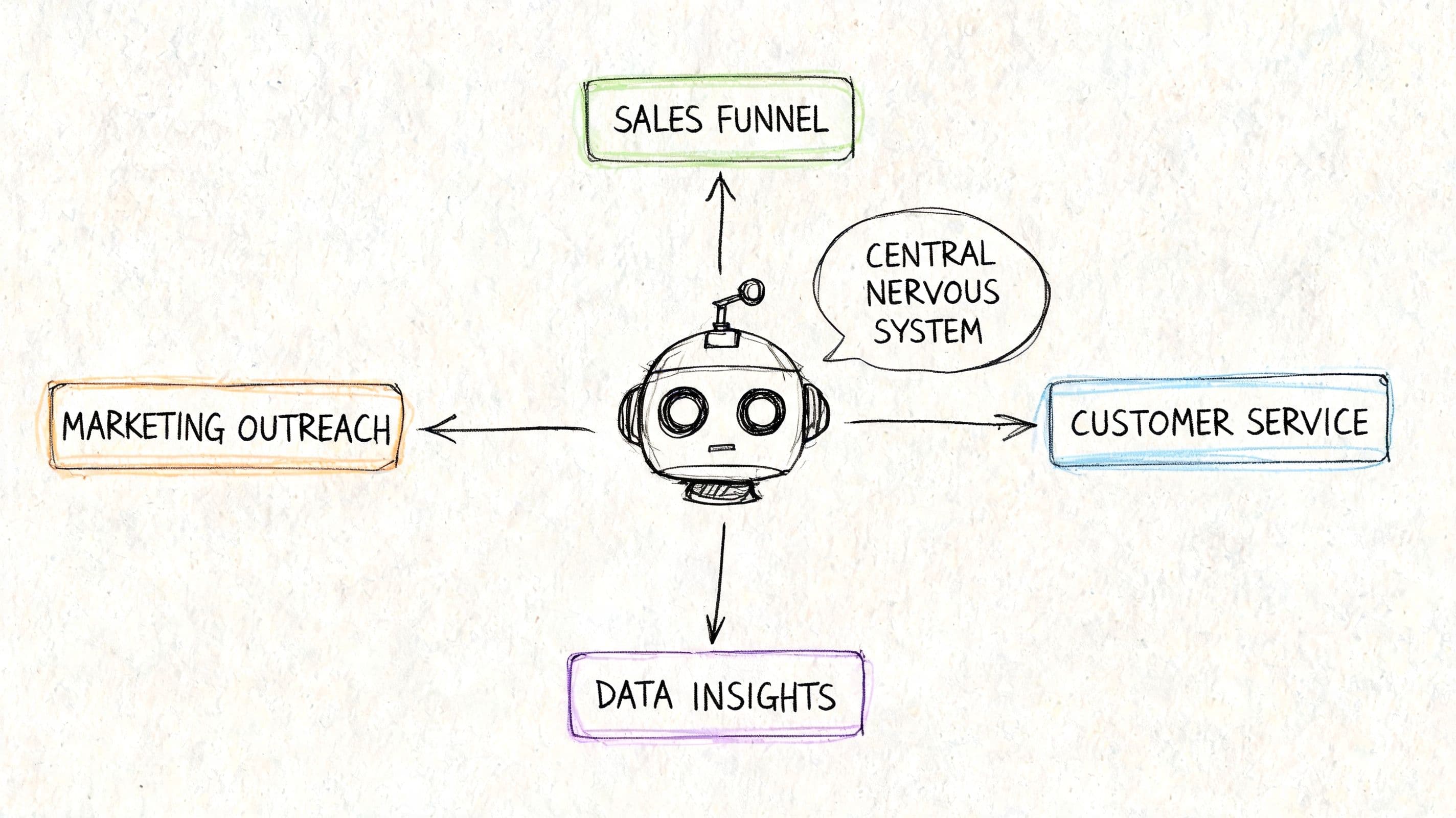
Industry coverage often talks about chatbots as support deflection tools, but the more useful question is how to make conversational automation accurate enough to sell. That includes reliable policy, catalog, and sizing answers across languages, as noted in this discussion of ecommerce automation tools and customer engagement.
Where conversational automation earns its keep
An AI assistant has the most impact in three moments:
- Product discovery: Helping shoppers narrow choices instead of bouncing between collection pages.
- Objection handling: Answering sizing, shipping, returns, compatibility, and stock questions on the spot.
- Checkout rescue: Nudging uncertain buyers before they disappear.
This is why the category matters beyond support cost. A useful assistant can influence AOV, conversion quality, and cart completion without requiring staff to stay online around the clock.
For merchants looking specifically at sales-oriented deployment, this guide to sales assist AI is worth reading because it frames conversational automation around buying decisions rather than just ticket handling.
What to demand from the tool
Most failures in this category come from weak answers. If the tool guesses, overstates, or responds generically, trust drops fast.
A practical evaluation standard looks like this:
- Catalog grounding: The assistant should answer from your actual products, not generic training.
- Policy accuracy: Returns, shipping, and delivery answers need to match your store rules.
- Escalation logic: Unclear or edge-case questions should route to a human.
- Behavior awareness: Recommendations should reflect what the shopper is viewing or asking about.
One example in the Shopify ecosystem is Carti, which functions as an AI-powered chatbot that learns a store's catalog, policies, and FAQs and can support instant answers, smart suggestions, and cart recovery workflows. That kind of role makes sense when you want one layer handling parts of sales, support, and recovery together.
What doesn't work is treating the assistant like a generic FAQ bot. The stores getting value from this category treat it like a trained sales associate with guardrails.
Start Automating Smarter Not Harder
The goal of automation isn't a hands-off store. It's a store that responds faster, sells more clearly, and wastes less effort behind the scenes.
That only happens when you build a system. Not a pile of apps.
The merchants who get the most from e-commerce automation tools usually make a few disciplined choices. They start with the leaks that hurt revenue first. They choose tools that fit the Shopify stack cleanly. They avoid duplicate ownership of customer data. And they judge every workflow by whether it improves conversion, reduces manual load, or both.
You don't need to automate everything this month. You do need to stop treating manual work as harmless. If a task repeats, delays a buyer, or depends on someone remembering to do it, it belongs under review.
Start with one recovery workflow, one support workflow, and one operational workflow. Make them reliable. Then expand from there.
If you want a practical first step, look at Carti as a way to add customer-facing automation to your Shopify store. It's built for instant product and policy answers, product suggestions, and cart recovery support, which makes it useful when you want automation to improve both conversion and workload at the same time.

Written by
Daniel AndersonFounder of Carti. 10+ years building ecommerce brands in apparel and supplements. Still runs a Shopify store and built Carti to help merchants convert more browsers into buyers.
Ready to boost your store's sales?
Install Carti in 5 minutes and let AI handle customer questions, recommend products, and close sales 24/7.
Start Free Trial14-day free trial