
Your Shopify store probably doesn't have a support problem. It has a workflow problem.
The symptoms are familiar. Your team answers the same shipping question all day, product questions sit too long before anyone replies, and high-intent shoppers leave because they can't get a fast answer before checkout. Support starts to feel like a queue to survive instead of a system that helps people buy.
That's where most brands get stuck. They treat customer service workflow as back-office plumbing. In practice, the workflow decides whether a shopper gets reassurance, clarity, and a reason to convert, or whether they bounce and buy elsewhere.
From Cost Center to Conversion Engine
A weak customer service workflow turns your team into expensive human middleware. Someone checks the inbox, copies a canned answer, hunts for an order detail, pings operations, then comes back hours later. The customer got an answer, but too late to help the sale.
A strong workflow does the opposite. It answers routine questions instantly, routes edge cases cleanly, and gives shoppers the information they need while they're still on the product page or in the cart. That's the difference between support as overhead and support as revenue infrastructure.

The business case is hard to ignore. In 2026, poor customer service experiences are projected to put $3 trillion in global sales at risk. AI-assisted workflows can cut contact center costs by over 90% while simultaneously boosting first contact resolution and CSAT scores, according to Amplifai's customer service statistics. For Shopify brands, that's not just an operations story. It's a conversion story.
Two very different workflows
One path looks like this:
- Reactive handling: The team waits for tickets, answers them one by one, and treats every conversation as isolated.
- Fragmented information: Policies live in one place, product details in another, and agents fill the gaps manually.
- Late-stage support: The shopper asks a question only after they're already uncertain, and the answer arrives after intent has cooled.
The better path is more deliberate:
- Instant answers for repeatable questions: Shipping windows, return policy, sizing basics, stock checks, and order status shouldn't wait for a human.
- Context-rich escalations: When a customer does need a person, the agent should receive the issue, the prior conversation, and the likely resolution path.
- Revenue-aware service design: Product education, reassurance, and objection handling should happen before abandonment, not after.
Practical rule: If a support flow helps a shopper decide, trust, or complete checkout, it belongs on the revenue side of the business.
A lot of this starts with better inputs. If product specs, compatibility details, and variant information are inconsistent, no workflow can rescue the conversation cleanly. That's why strong CX teams also invest in reducing churn through better product data, especially in catalogs where small data gaps create big buying hesitation.
Map Your Core Customer Scenarios
Most brands don't need more channels. They need clarity on what customers ask.
When I audit a Shopify support operation, I don't start with tooling. I start with the last few weeks of conversations across email, chat, social DMs, and any help desk tags already in place. The goal is simple. Find the handful of scenarios that create most of the volume, most of the wait time, and most of the lost buying momentum.
Start with ticket reality, not assumptions
Look for recurring customer intents, not just message volume. “Where is my order?” and “When will this ship?” are different operationally, but they often belong in the same service scenario. “Does this fit true to size?” and “Which size should I buy?” usually belong together too.
The useful categories for Shopify stores often look like this:
- Post-purchase reassurance such as order status, shipment timing, returns, exchanges, and cancellations.
- Pre-purchase product clarity such as sizing, ingredients, dimensions, compatibility, or material questions.
- Checkout friction such as promo code issues, payment confusion, or shipping threshold questions.
- Policy interpretation where customers aren't asking for the written rule. They're asking how it applies to their case.
- Edge-case resolution that requires judgment, exceptions, or account-specific review.
The best workflow work is boring at first. You read transcripts, spot patterns, and find where customers keep losing momentum.
If your support team also struggles with order visibility across systems, your workflow audit should include fulfillment and inventory status. For stores outgrowing basic order handling, this guide to choosing an OMS for SMBs is useful context because routing and automation break down when order data is late or incomplete.
Use a six-step design process
There's a practical framework worth following here. A proven 6-step workflow design process starts with auditing bottlenecks, where benchmarks show 40% of tickets stall. Optimized workflows using this method can reduce first response time by 65%, decrease agent volume by 50% through self-service, and ultimately boost Shopify conversions by 15-20%, based on Hiver's customer service workflow guidance.
Applied to a Shopify environment, the six steps are straightforward:
- Audit the stalls: Find where tickets pause. Routing delays, missing macros, unclear ownership, and absent product data are common culprits.
- Map the decision tree: Define what happens for each recurring scenario. If the shopper asks about returns, the workflow should know whether to answer, ask a qualifying question, or route.
- Pull in cross-team inputs: CX can't build this alone. Merchandising owns product truth, operations owns shipping reality, and marketing often owns onsite messaging.
- Automate the repeatable parts: Repetitive questions should move through clear logic instead of relying on inbox availability.
- Test on live conversations: Don't assume the first version is good. Watch where the automation misunderstands intent or misses context.
- Review KPIs and refine: First response time, escalation rate, resolution quality, and chat-driven conversion are enough to surface most workflow gaps.
Manual vs automated responses for common Shopify queries
| Scenario | Typical Manual Workflow (Hours) | Optimized AI Workflow (Seconds) |
|---|---|---|
| Order status | Agent checks order system, confirms shipment stage, replies later | Bot pulls order context and responds instantly |
| Return policy | Agent pastes policy, clarifies eligibility, follows up if needed | Bot explains policy and asks the next qualifying question |
| Size guidance | Agent reads product page, sends chart, answers fit follow-up | Bot provides size chart, fit notes, and guided follow-up |
| Product compatibility | Agent checks specs or asks merch team | Bot retrieves product data and answers on the spot when information exists |
| Shipping threshold or delivery timing | Agent reviews rules and destination details | Bot answers from current shipping and policy logic |
This exercise usually exposes a hard truth. Many “complex” tickets aren't complex. They're just poorly structured, routed late, or dependent on scattered information.
Design Automation Rules and Escalation Paths
The biggest mistake I see is over-automation. Teams try to push every conversation through a bot, then act surprised when conversion drops during edge cases.
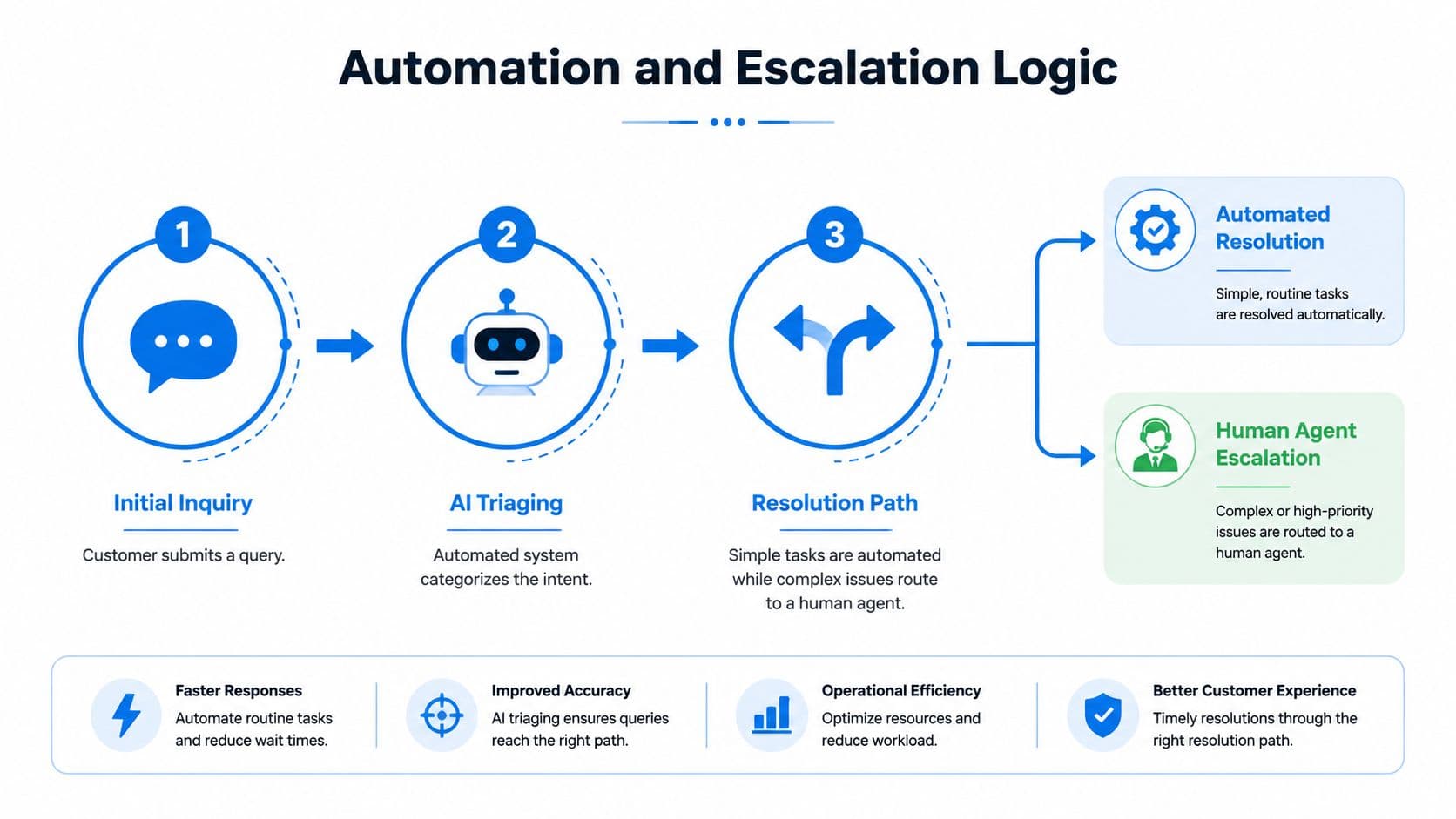
A revenue-focused customer service workflow does something different. It automates what's predictable and fast, then escalates what needs judgment without making the customer repeat themselves.
What should be automated
Good candidates for automation share three traits. They're frequent, rule-based, and answerable from trusted store data.
That usually includes:
- Order lookup questions: Status, shipment stage, and basic delivery expectations.
- Policy questions: Returns, exchanges, shipping rules, and warranty basics.
- Catalog guidance: Variant availability, product details, and FAQ-level comparisons.
- Checkout support: Payment help, code guidance, and cart-related clarifications.
These flows should feel immediate and clean. A customer asks. The system identifies intent, pulls the right knowledge, and responds in a way that keeps the buying session moving.
For teams building automation logic, this breakdown of help desk automation patterns is a useful operational reference because it forces clearer thinking about which issues deserve rules and which deserve people.
What should trigger a human handoff
The handoff is where many implementations fail. Not because escalation is bad, but because it happens too late, too awkwardly, or without context.
That matters more than many organizations realize. A 2025 Zendesk report reveals 68% of e-commerce CX managers see 'handoff friction' as the top AI adoption barrier. Hybrid models that use proactive AI-to-human handoffs, however, have been shown to boost conversions by 23% by preventing delays that cause cart abandonment, as summarized in this analysis of underserved customer needs.
Use human escalation when any of these show up:
- Emotion is rising: The customer sounds frustrated, suspicious, or unusually anxious.
- The request needs judgment: Refund exceptions, damaged item nuance, policy gray areas, and goodwill decisions should not be forced through rigid logic.
- The query spans multiple departments: A bot can answer one thing well. It struggles when support, logistics, and merchandising all need to weigh in.
- The customer shows strong buying intent but hesitation: If someone is close to purchasing and asks a nuanced product question, a confident human answer can save the sale.
Don't escalate because the bot failed. Escalate because the customer would be better served by a person at that moment.
Build the handoff so it preserves momentum
A clean escalation path has three parts.
First, define clear triggers. Use intent type, question complexity, conversation sentiment, and missing knowledge as signals. Second, pass the full conversation context to the agent so the customer doesn't have to restate the issue. Third, set expectations in the handoff message. Tell the customer what happens next and who is taking over.
What doesn't work is a dead-end response like “Please contact support.” That's not a handoff. It's a reset.
The strongest hybrid workflows keep the bot involved even after escalation. It can collect order number, SKU, preferred outcome, or fit details before the human joins. That shortens resolution time and protects purchase intent.
Integrate Carti to Proactively Drive Sales
On Shopify, the best workflows don't stop at answering questions. They use the question as a buying signal.
A shopper asking about sizing may need reassurance. A shopper asking whether two products work together may be asking for a bundle recommendation. A shopper lingering in checkout with a shipping question may be deciding whether to complete the order at all. That's why a sales-aware chatbot performs better when it's grounded in real product and policy knowledge rather than generic scripts.
Turn support intent into buying guidance
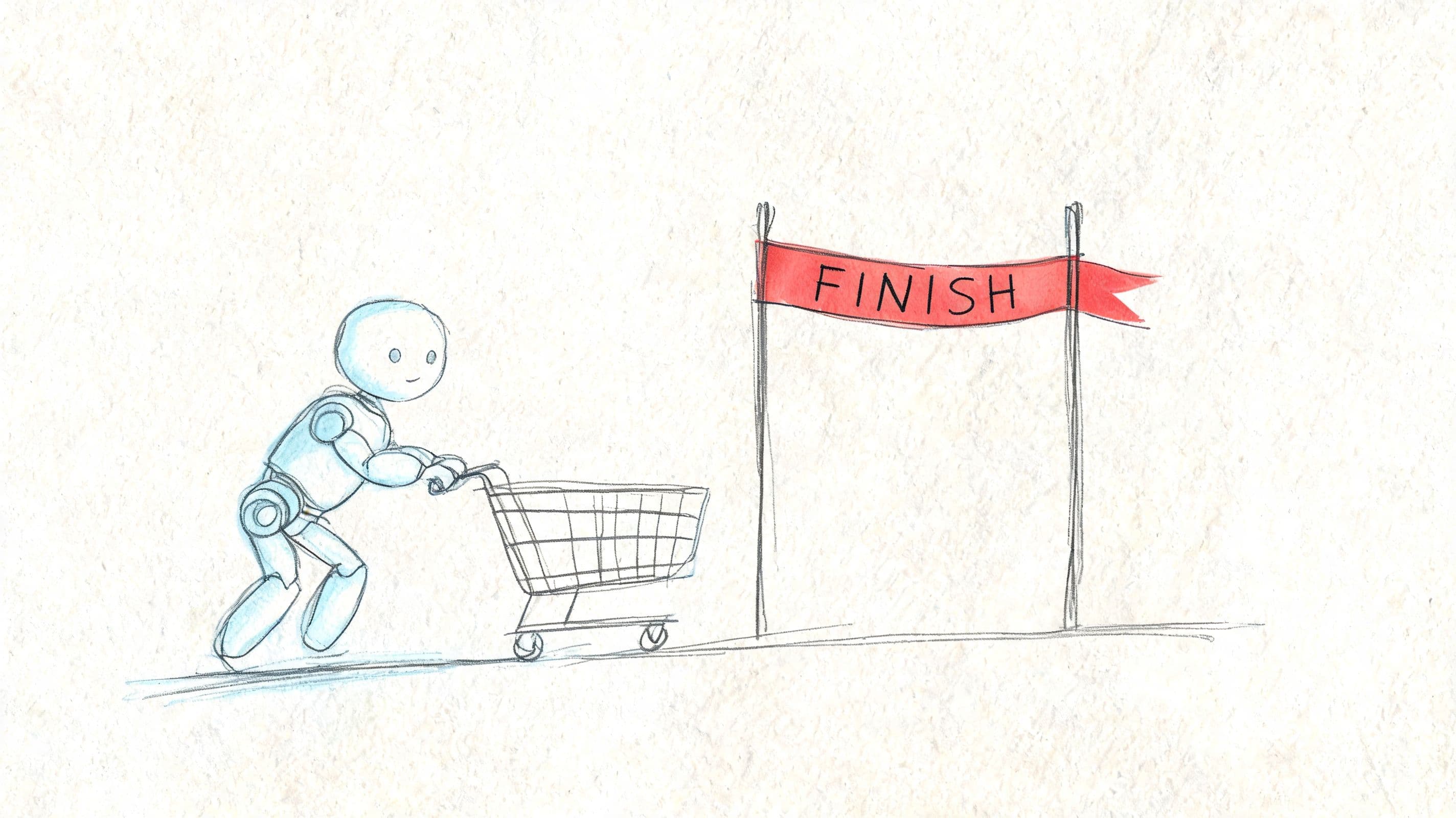
The practical move is to treat the chatbot as part concierge, part sales associate.
That starts with a strong knowledge layer. If the system understands your catalog, policies, and FAQs, it can answer accurately and then guide the next step. A shopper asks whether a dress runs small. The bot answers from the size guidance, then suggests the better-fit variant or a similar style. Someone asks whether a skincare product works for dry, sensitive skin. The bot answers from product details, then points them to the most relevant option.
To make that work, the knowledge source has to stay clean and current. This overview of a chatbot knowledge base is useful because it gets into the operational side of feeding accurate product and policy information into automation.
Use cart recovery as part of the workflow
Many brands treat cart recovery as a separate marketing program. It works better when it's part of the same customer service workflow.
Here's the pattern that tends to work:
- Catch the friction point: The shopper asks a question or stalls at checkout.
- Answer the objection quickly: Clarify shipping, fit, ingredients, delivery timing, or return terms.
- Re-engage if they leave: If they abandon after the conversation, send a relevant nudge tied to the actual concern.
- Keep the message specific: Generic reminders feel like automation. A reminder tied to the exact hesitation feels helpful.
Support and revenue stop being separate functions in this stage. The same workflow that answers questions can also surface intent, flag abandonment risk, and prompt a targeted recovery action.
Close the loop with question data
The hidden value in chatbot workflows is the question log.
If customers keep asking about the same product feature, your product page is weak. If return-policy questions spike before seasonal promotions, your checkout messaging is unclear. If shoppers ask compatibility questions that should be obvious from the PDP, merchandising and content need to fix the source.
Review those patterns regularly and feed them back into:
- Product pages so buyers need less reassurance
- FAQ content so common objections are handled earlier
- Collections and merchandising so shoppers discover better-fit items faster
- Support macros and escalation rules so the team handles recurring issues more consistently
A mature customer service workflow doesn't just resolve conversations. It improves the storefront.
Measure Workflow Performance with a Revenue Focus
If the only thing you measure is ticket volume, you'll optimize for deflection and miss what matters.
A Shopify workflow should be judged by whether it helps customers buy, whether it protects margin, and whether it keeps the team from spending time on low-value repetition. That calls for a tighter scorecard than most support teams use.
Track the metrics that change decisions
Start with a small set of metrics that tell you where the workflow is helping or failing.
- First Contact Resolution: This shows whether the customer got what they needed in one interaction. If it's weak, your automation may be answering too narrowly or escalating too late.
- Customer Satisfaction: Useful when attached to specific intents. A general CSAT number is less helpful than knowing whether size questions score well while returns conversations score poorly.
- Escalation rate: High escalation isn't always bad. Bad escalation is what matters. Look for avoidable escalations caused by missing knowledge, broken routing, or unclear rules.
- Conversion from chat-assisted sessions: This is one of the clearest indicators that the workflow is helping pre-purchase shoppers move forward.
- Resolution quality by scenario: Not every fast answer is a good answer. Review transcripts to spot where the workflow technically responded but didn't provide help.
One issue many teams overlook is analytics setup. If chat outcomes, purchase paths, and support events aren't connected, you can't prove impact. This Four Eyes guide to analytics goals is helpful for structuring ecommerce measurement around actual business actions instead of surface-level engagement.
For a broader view of CX measurement standards, this reference on evaluation of customer service is a good operational companion.
A workflow metric matters only if it leads to a better routing rule, a better answer, or a better buying experience.
Tie workflow quality to sales outcomes
The easiest trap is celebrating shorter queues while ignoring lost revenue.
A better approach is to ask practical questions every week:
- Which conversations happen right before purchase?
- Which product questions correlate with abandonment?
- Where do agents save sales that automation would have lost?
- Which repeat questions should be fixed on the storefront instead of handled in support?
Once you frame the review this way, workflow optimization gets sharper. You stop debating whether the bot handled “more chats” and start asking whether it protected checkout momentum, reduced hesitation, and gave agents more time for high-value conversations.
That's the standard that matters.
Workflow Examples for Fashion Beauty and Home Brands
The shape of a good customer service workflow changes by category. The core logic stays the same, but the buying hesitation is different.
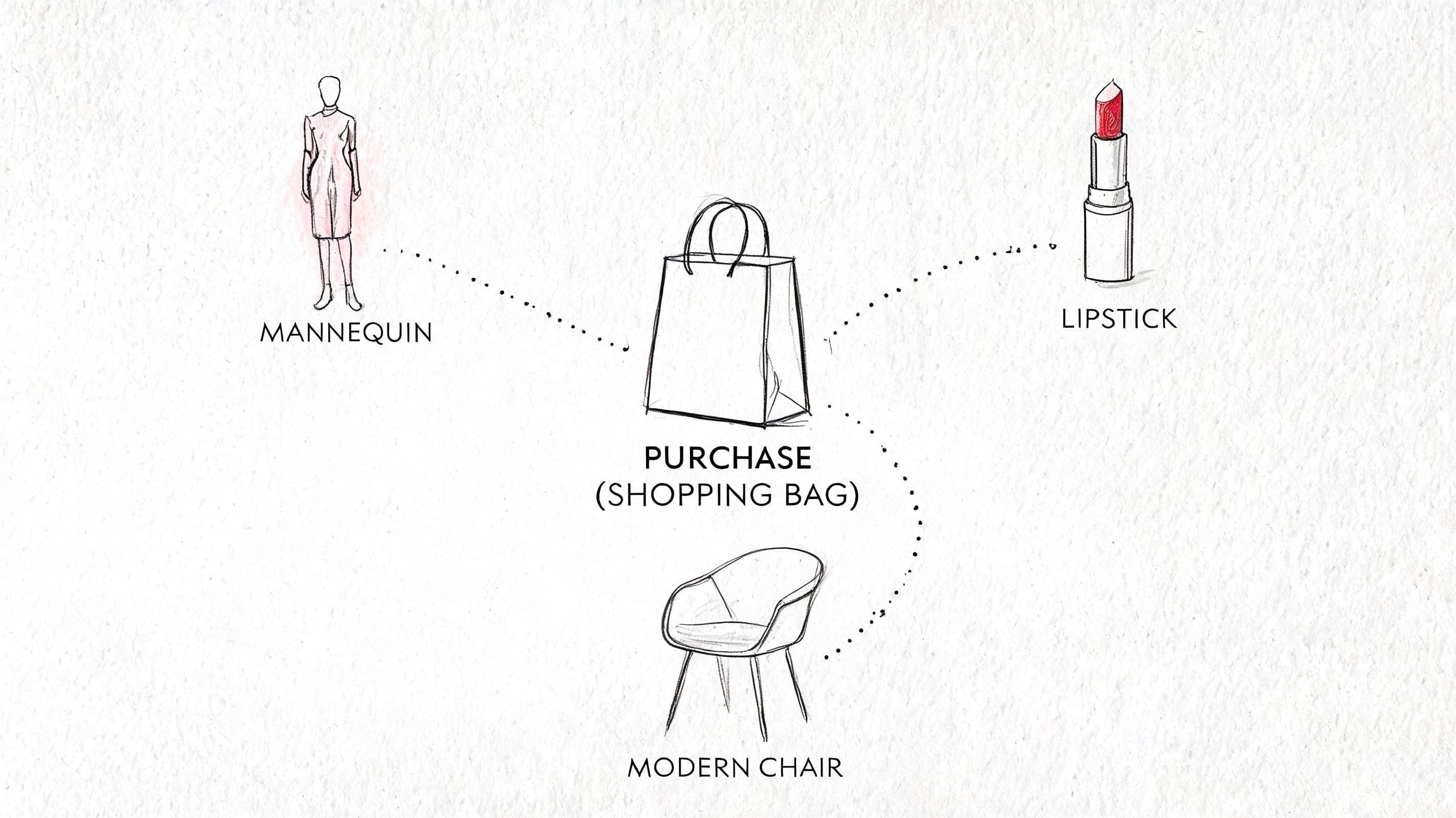
Fashion buyers worry about fit. Beauty buyers worry about suitability. Home buyers worry about compatibility, measurements, and whether they're making an expensive mistake. Your workflow should reflect that reality.
Fashion workflow for size and fit
A shopper lands on a product page and asks, “What size should I get?”
A weak workflow sends the size chart link and stops there. A better one asks a short follow-up question, uses available fit guidance, flags whether the item runs small or oversized, and suggests the closest option. If the preferred size is unavailable, it offers a similar item before the shopper leaves.
What works in practice:
- Lead with fit context: Don't just provide the chart. Explain how the item fits relative to expectation if that guidance exists.
- Ask one useful follow-up: Height, usual size, or preferred fit can be enough. Too many questions slow the purchase.
- Offer an alternative path: If the item is out of stock in the likely size, suggest the nearest substitute or notify when it returns.
The best fashion workflows reduce uncertainty, not just response time.
Beauty workflow for product matching
A shopper asks, “Which product is right for my skin type?”
The workflow should guide them through a simple decision path. Ask about skin concern, skin feel, or product goal. Then recommend the most appropriate item or routine from the available catalog language. If the shopper raises sensitivity concerns or asks about ingredient interactions beyond your approved guidance, escalate to a trained human.
The key is restraint. Don't turn the chat into a quiz. Ask only what helps narrow the choice.
A solid beauty workflow usually includes:
- Concern-based branching such as dryness, oiliness, redness, or uneven texture
- Routine-aware suggestions so recommendations fit with what the customer already uses
- Escalation for nuanced concerns when the question goes beyond the approved support scope
Home workflow for compatibility and confidence
A home shopper often asks a question that sounds technical but is really about reducing purchase risk: “Will this fit my space?” “Is this compatible with what I already have?” “Will this work with my setup?”
Here, the workflow needs reliable product data more than clever scripting. It should pull dimensions, materials, installation notes, or compatibility details from the catalog. If the answer is clear, give it directly. If the data is incomplete or the setup is unusual, escalate before the customer makes the wrong purchase.
This pattern helps in two ways. It increases pre-purchase confidence, and it prevents avoidable returns caused by bad assumptions.
Across all three categories, the lesson is the same. The best customer service workflow doesn't sound robotic or over-designed. It feels like a knowledgeable store associate who answers quickly, knows the catalog, and knows when to bring in a person.
If your Shopify store is still treating support like a queue instead of a buying system, it's worth looking at Carti. It's built for merchants who want faster answers, cleaner automation, and a better bridge between customer questions and completed checkouts.

Written by
Daniel AndersonFounder of Carti. 10+ years building ecommerce brands in apparel and supplements. Still runs a Shopify store and built Carti to help merchants convert more browsers into buyers.
Ready to boost your store's sales?
Install Carti in 5 minutes and let AI handle customer questions, recommend products, and close sales 24/7.
Start Free Trial14-day free trial