
You log into Shopify in the morning and the same questions are waiting again. Where is my order? When will this ship? How do returns work? Does this run true to size? Those tickets look small, but they steal time from merchandising, campaigns, and conversion work.
That's why most advice on how to improve customer service misses the point. The core objective isn't to answer more tickets with a friendlier tone. It's to remove buying friction, protect repeat revenue, and make sure support helps sales instead of interrupting them. For DTC brands, especially on Shopify, customer service sits directly on the path between product interest and purchase.
Why "Good" Customer Service Is Costing You Sales
A lot of Shopify brands think they have decent support because they eventually reply to people and nobody on the team is rude. That standard is too low.
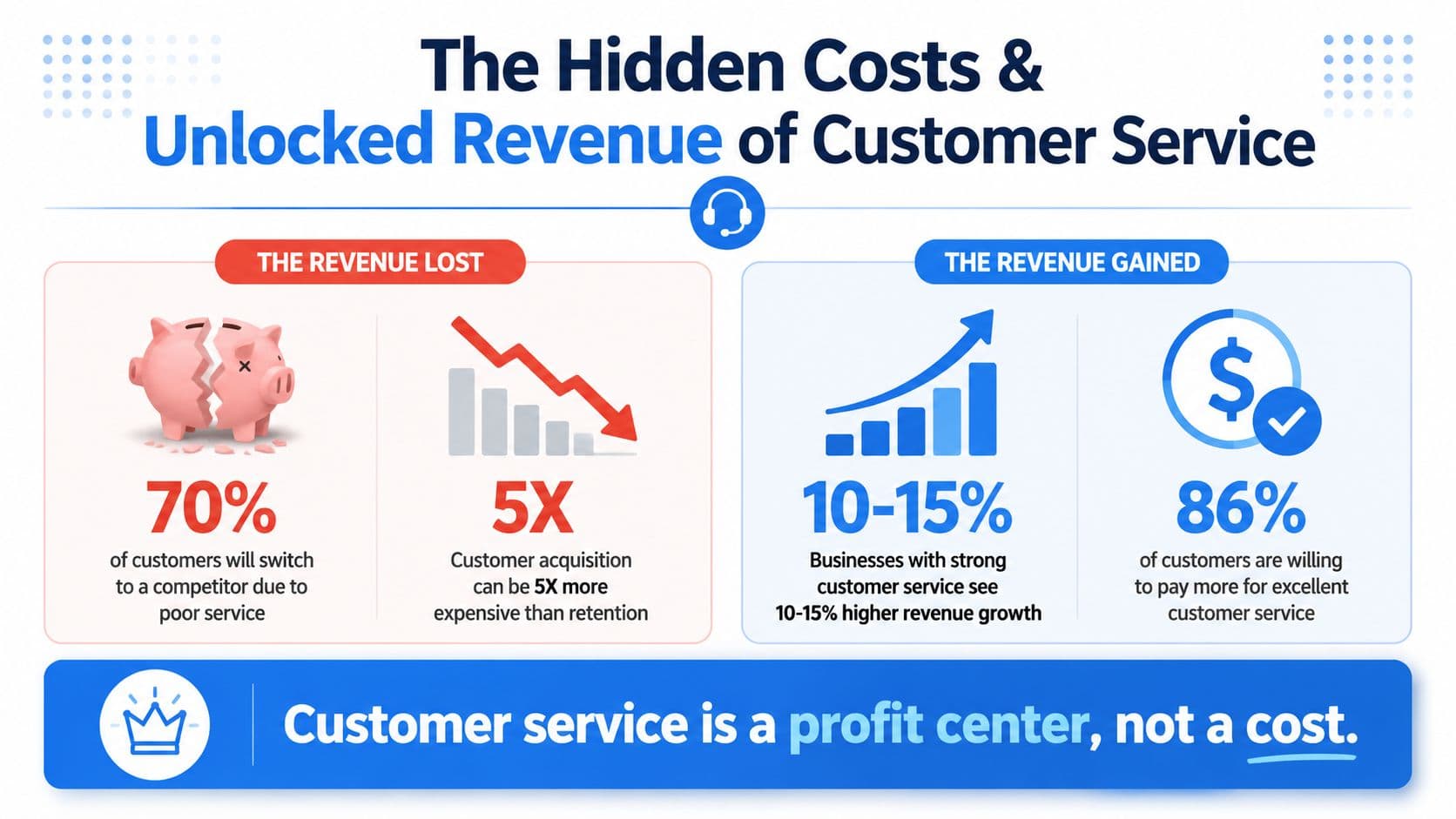
Customers judge service by speed, accuracy, and whether they had to work to get an answer. In 2026, 88% of customers expect faster response times than they did the year before, and poor customer experiences put an estimated $3 trillion in global sales at risk according to Amplifai's customer service statistics roundup. For an e-commerce operator, that's the entire argument in one line. Slow support is not an inbox problem. It's a revenue leak.
What lost sales actually look like
The damage usually doesn't show up as a formal complaint. It shows up in quieter ways:
- A shopper leaves a product page because they can't get a sizing answer fast enough.
- A returning customer hesitates after a shipping issue and buys from another store instead.
- A support queue grows and your team starts sending rushed replies that create another round of follow-ups.
- Your founder time gets consumed by repetitive questions instead of growth work.
The common mistake is treating all support as post-purchase cleanup. For DTC, service starts before checkout. Product questions, policy clarity, shipping confidence, and returns transparency all influence conversion.
Good service doesn't rescue revenue only after something goes wrong. It protects revenue before hesitation turns into abandonment.
There's also a loyalty angle. If you're already investing in ads, landing pages, and retention, support should sit inside that same system. Teams focused on boosting customer loyalty usually learn the same lesson: customers remember friction more clearly than brand messaging.
What works and what doesn't
What works is simple, but not easy. Instant answers to common questions. Clear policies. Consistent replies across channels. A system for spotting repeat issues and fixing the store experience that causes them.
What doesn't work is hiring more people before fixing the incoming demand. If the same avoidable questions hit your inbox every day, adding agents often just scales inefficiency.
If you want to know how to improve customer service in a way that impacts revenue, start by measuring where support friction is showing up in the buying journey.
Diagnose Your Issues and Set Meaningful KPIs
A typical starting point involves tools. Strong teams start with diagnosis.
If you don't know why customers are contacting you, you can't improve service in a durable way. You'll just respond faster to the same broken experience. A support audit doesn't need complicated software. A spreadsheet and two weeks of ticket review is enough to expose the pattern.
Run a ticket audit before you buy anything
Pull a sample of recent conversations from chat, email, social DMs, and any helpdesk you use. Then tag each interaction by reason. Keep the categories practical. Don't invent a taxonomy nobody will maintain.
A useful starter set looks like this:
| Category | What to include | What it usually signals |
|---|---|---|
| Pre-purchase product questions | sizing, compatibility, ingredients, materials | weak product page clarity |
| Shipping and delivery | order status, transit timing, delays | poor post-purchase communication |
| Returns and exchanges | policy confusion, process questions | buried or unclear policy content |
| Promotions and pricing | discount eligibility, bundle confusion | merchandising or checkout friction |
| Account and payment issues | login, failed payments, order edits | technical or process gaps |
Once you do this, you'll usually find that a large share of contacts aren't edge cases. They're repeatable, predictable, and often caused by missing information.
Stop using vanity metrics
A lot of brands track what's easy to count instead of what matters. Tickets closed is the classic example. Closing a ticket quickly means very little if the customer has to come back or decides not to buy again.
A better scorecard should include:
- First contact resolution. Did the customer get the answer in one interaction?
- CSAT. Did the customer feel the issue was handled well?
- Repeat contact rate. Are the same people coming back because the first answer didn't solve it?
- Reason for contact by volume. What keeps showing up?
- Repurchase behavior after service interactions. Did support help preserve the next order?
Salesforce research summarized by Help Scout found that 89% of consumers are more likely to make another purchase after a positive customer service experience. You can review that finding in Help Scout's customer service facts and statistics. That's why support metrics should connect to retention, not just queue management.
Build a simple customer service health scorecard
You don't need a BI team for this. Build one sheet with weekly tracking and force yourself to review it.
Include fields like:
- Top five contact reasons
- Contacts that should have been prevented
- Contacts solved on first reply
- CSAT trend
- Orders from customers who contacted support before buying
- Repeat purchases from customers who had a support issue
If you need a baseline for satisfaction measurement, Carti's breakdown of what a CSAT score is is useful as a quick reference when setting up the scorecard.
Practical rule: If a metric doesn't help you decide what to fix in the store, the policy, or the workflow, it's not a useful support KPI.
What operators usually miss
The biggest blind spot is separating support data from merchandising and lifecycle marketing. If customers repeatedly ask whether a product runs small, that's not only a support issue. It's a product page issue. If "Where is my order?" dominates the queue, that's not only a CX issue. It's a post-purchase communication issue.
The process of improving customer service transitions from theoretical to operational. The audit tells you whether to rewrite product copy, update shipping emails, simplify returns language, or change who handles certain conversations. Without that diagnosis, every later fix is guesswork.
Build Your Foundation with Self-Service and AI
The fastest way to improve customer service is to prevent avoidable contacts.
That sounds obvious, but many stores still act as if every customer question deserves a manual response. It doesn't. The best support interaction is often the one that never becomes a ticket because the answer was already available at the exact moment the customer needed it.
SurveyMonkey's guidance puts the question the right way: the most useful question is not only how do we answer customers faster, but which customer questions should disappear entirely because the store experience has been improved. Their article on improving customer service skills is valuable for this reason. It shifts the focus from reactive handling to friction removal.
Fix the obvious self-service gaps first
Before AI enters the conversation, clean up the basics. Most stores have weak fundamentals in one or more of these areas:
- Shipping policy visibility. Customers shouldn't need to hunt through the footer to understand delivery timing.
- Return policy language. Write for buyers, not lawyers.
- Product detail completeness. Size guidance, materials, care, compatibility, and use cases should be easy to scan.
- Order tracking access. Reduce status-check tickets by making tracking updates visible and easy to find.
- FAQ structure. Organize by shopper intent, not by internal department.
A bad FAQ is just a document dump. A useful FAQ mirrors the questions that block purchase and trigger post-purchase anxiety.
Where AI actually helps
Once the basics are clear, AI becomes the scalable layer. Not because it sounds modern, but because shoppers expect immediate answers at all hours, including when your team is offline.
A solid Shopify AI assistant should be able to:
| Need | What the tool should do |
|---|---|
| Product questions | answer from catalog and product data |
| Policy questions | use your shipping, returns, and store policies |
| Buyer guidance | suggest relevant products based on shopper intent |
| Triage | send complex or sensitive issues to a human |
| Learning loop | surface recurring questions so the store can improve |
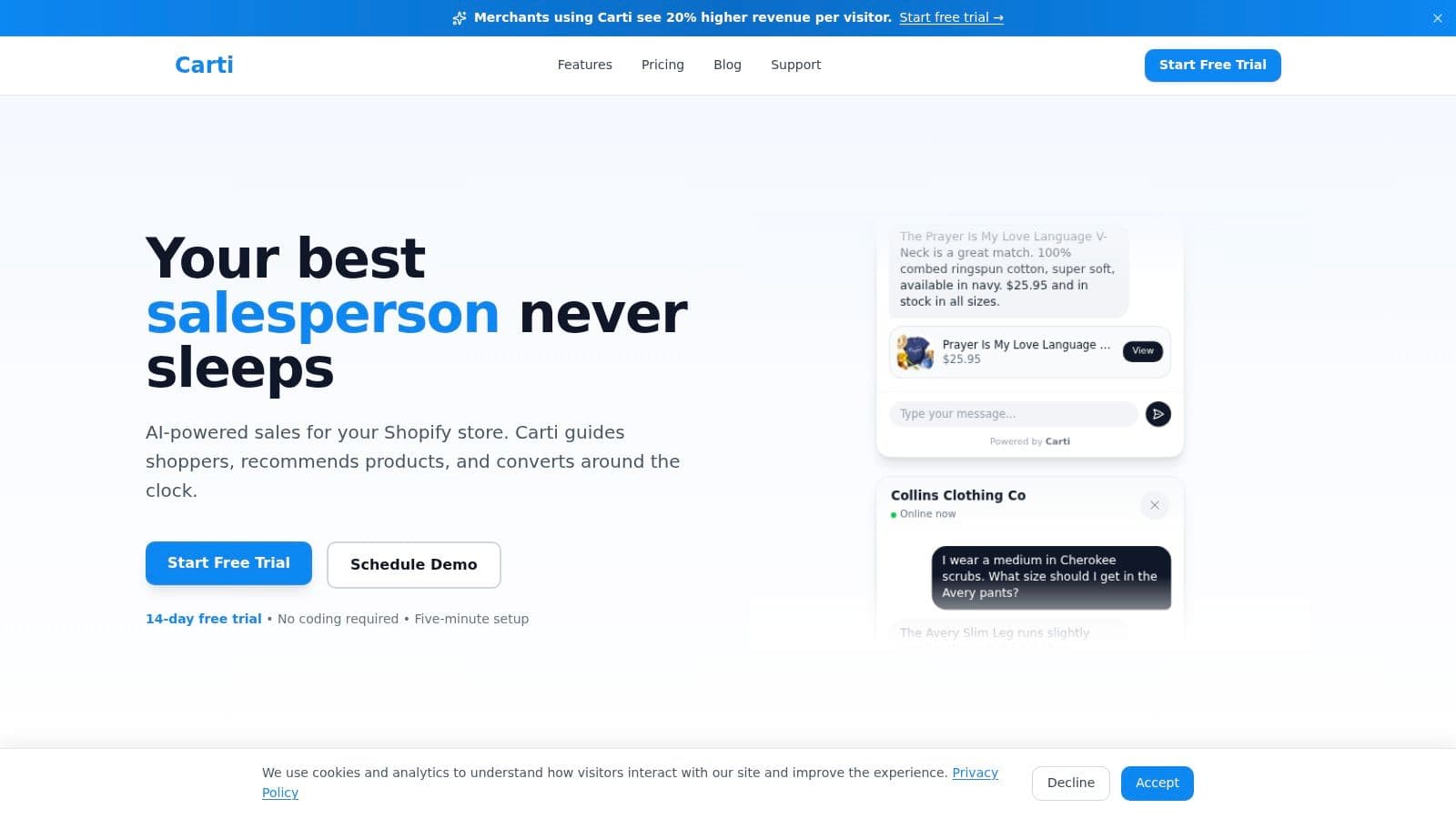
One option in this category is Carti, which is built for Shopify stores and uses product, policy, and FAQ content to answer shoppers automatically. If you're evaluating automation more broadly, this guide to automated customer support is a useful starting point for comparing what should be automated versus escalated.
Don't automate confusion
Many brands get burned when they install a chatbot on top of weak source material and then blame the bot when answers are inconsistent.
AI only helps when the underlying information is clean. If your return policy contradicts your help center, or your product pages leave out key details, automation will reproduce that confusion faster. Fix the content layer first.
If a customer can get three different answers from your product page, FAQ, and support bot, you don't have an automation problem. You have a knowledge problem.
A short walkthrough helps make this concrete:
Self-service should reduce friction before and after checkout
For pre-purchase, the win is conversion. A shopper gets the size, ingredient, or delivery answer immediately and keeps moving toward checkout.
For post-purchase, the win is workload reduction and trust. Order tracking, exchange instructions, and policy clarity keep your team out of repetitive loops.
The point isn't to hide humans. The point is to reserve human attention for moments that need judgment, empathy, or exception handling. That's how self-service and AI improve both customer experience and team efficiency at the same time.
Turn Support from Reactive to Proactive
Reactive support waits for a customer to raise a hand. Proactive support looks for hesitation, risk, or confusion and intervenes before the sale is lost.
That shift matters because many conversion problems don't arrive as formal support tickets. A shopper pauses on a product page, bounces between variants, hovers near shipping info, or stalls in cart. Those are service moments too.

Use segmentation instead of one-size-fits-all support
Modern service systems use segmentation and health scoring to trigger playbooks for risk detection and proactive outreach. Custify describes this model in its customer success strategy guide. The important operational takeaway is simple: not every customer should get the same message, on the same channel, at the same time.
For a Shopify brand, segments can be practical:
- First-time visitors need confidence builders like shipping timing, returns clarity, and product education.
- Returning customers need speed, continuity, and less explanation.
- High-intent cart visitors need fast answers to last-minute objections.
- At-risk customers need outreach tied to the issue they're showing, not a generic check-in.
Proactive plays that actually move revenue
The easiest proactive motions are tied to observable behavior:
-
Product-page hesitation
If a shopper lingers on a page with multiple variants, surface a helpful prompt. Size guide, compatibility note, ingredient clarification, or fit explanation usually matters more than generic “Need help?” chat.
-
Cart friction
If someone reaches cart and stalls, don't just ask if they have questions. Address likely objections. Shipping timing, return terms, and product selection confidence are the usual ones.
-
Post-purchase reassurance
After checkout, proactive service can reduce anxiety by setting expectations clearly. Fewer status questions means less load on your team and a calmer customer.
-
Risk-based follow-up
If a repeat customer hits a fulfillment problem or reports confusion, route that case differently. High-value relationships deserve a different playbook than routine traffic.
If you're building this out with AI-guided onsite selling, this overview of sales assist AI is useful for thinking about the overlap between support prompts and revenue prompts.
The strongest support teams don't wait for complaints. They watch for hesitation and remove it.
What proactive support is not
It isn't spammy popups, forced discounts, or interrupting every visitor with the same scripted message. That approach usually lowers trust.
Proactive service works when the message is tied to context. A shopper on a skincare product page needs different help than someone trying to edit an order. Relevance is the whole game.
This is also where support stops being a cost center. When service helps shoppers choose, reassures them at the point of doubt, and rescues at-risk carts, it starts behaving like a sales function with better timing.
Empower Your Team with Clear Escalation Paths
A shopper reports a missing package, the bot asks for the order number twice, then sends them to a generic inbox. By the time an agent replies, the customer has filed a chargeback and posted about it on Instagram. That is not a support failure alone. It is a revenue leak.
Clear escalation paths protect margin. They cut refund risk, reduce repeat contacts, and give your team room to save orders that would otherwise be lost.
Decide what leaves automation fast
Automation should handle repetitive questions. Judgment calls need a person early, with context attached.
Send these cases to a human queue quickly:
- Billing disputes and payment issues
- Damaged, missing, or incorrect orders
- Exceptions to policy
- Emotionally charged conversations
- VIP or repeat-customer recovery situations
- Anything with legal, safety, or account-security implications
Shopify and DTC brands get into trouble when they let bots over-handle edge cases. The result is familiar. Longer resolution times, more "where is my refund?" follow-ups, and agents walking into conversations with an already-angry customer.
Build a handoff your team can run under pressure
A workable escalation path answers four operational questions. If one is vague, the queue backs up.
| Question | Required answer |
|---|---|
| When does the handoff happen | after a defined trigger, not after repeated failed bot replies |
| Who receives it | a named queue or role, not a general team inbox |
| What context gets passed | order history, transcript, issue summary, customer intent |
| What happens next | response SLA and a clear owner |
For most brands, I set this up by issue type and customer value. A first-time buyer with a simple address change can go one route. A repeat customer with a lost package and a high lifetime value goes another. Treating both the same is a common mistake, and it costs real money.
A customer should not have to restate the problem after handoff. If your AI or self-service flow already collected the order number, SKU, shipping issue, and preferred resolution, the agent should see that before they open the ticket.
Train for judgment, not recitation
Scripts help with consistency. They do not solve the hard cases that affect retention.
Your team needs regular review in three areas:
- Brand voice so replies match across email, chat, and social
- Policy judgment so exceptions stay consistent and margin doesn't get burned by random giveaways
- Product fluency so agents can recommend the right item, not just close the ticket
That last point matters more than many operators admit. In DTC, support often sits one message away from a saved sale or an added item. An agent who understands bundles, fit, ingredients, replenishment timing, or subscription options can turn a problem conversation into retained revenue.
For founders building this muscle, this guide on customer service for founders is a useful reference point.
What the human layer should actually do
Your best agents should spend their time on conversations with financial upside or downside. Recovering a delayed order before it turns into a chargeback. Approving the right exception for a loyal customer. Catching a product mismatch before it becomes a return. Recommending a better-fit replacement instead of processing a refund on autopilot.
That is the job.
In a modern Shopify support stack, humans handle the moments where judgment changes the outcome. The team is not there to answer the same shipping question all day. The team is there to protect conversion, retention, and lifetime value when the situation gets expensive.
Your 90-Day Customer Service Improvement Plan
Most brands don't need a full rebuild. They need a disciplined sequence.
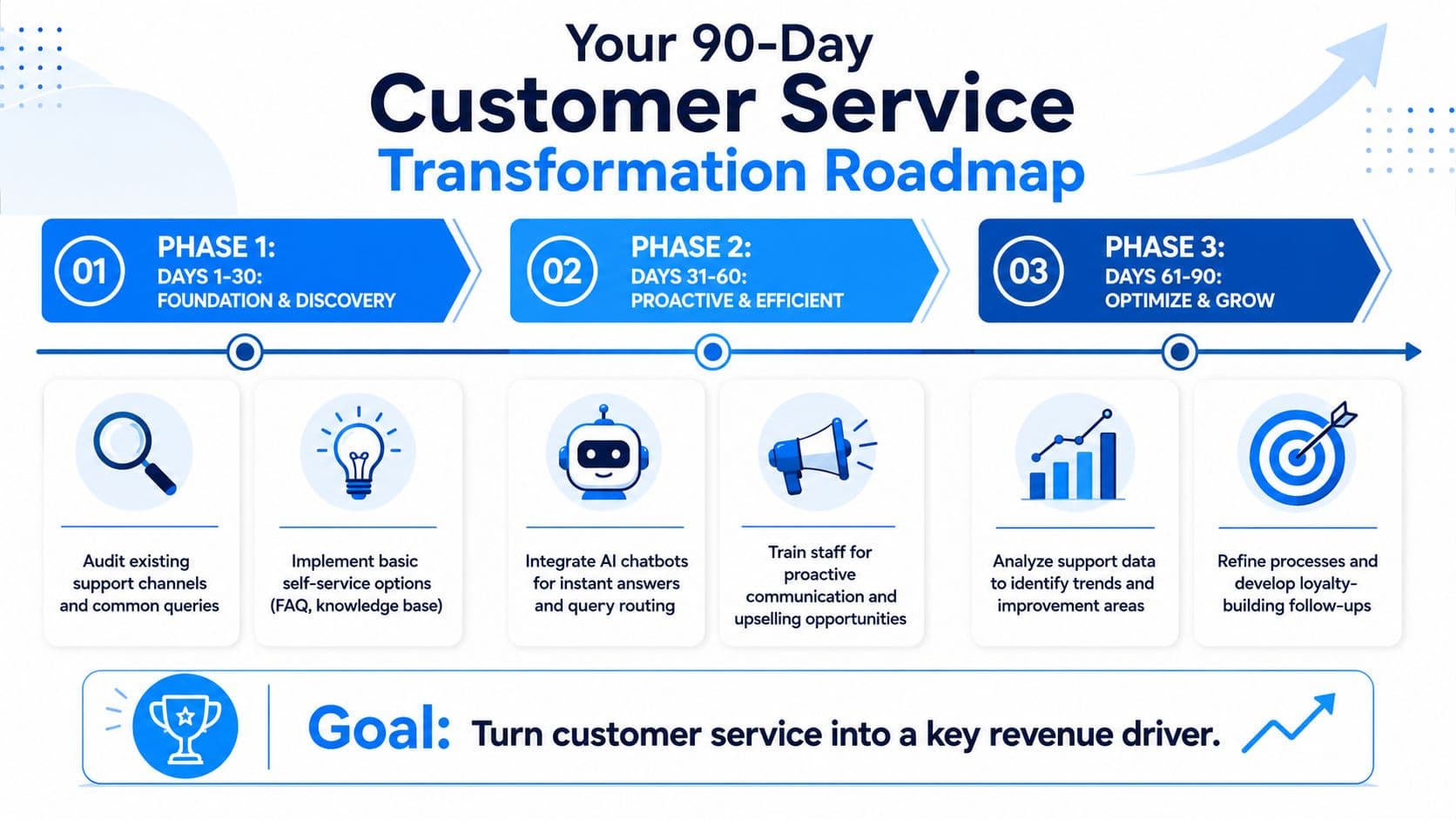
The easiest way to improve customer service without overwhelming the team is to break the work into three thirty-day phases. Each phase should produce a visible operational change, not just a planning document.
Days 1 to 30
Clean up what customers are already telling you.
Review recent tickets, group them by contact reason, and identify which ones should have been prevented by clearer product pages, FAQ content, shipping communication, or return policy wording. Set up your support scorecard and choose owners for each recurring issue.
Good deliverables for this phase:
- Ticket taxonomy
- Weekly scorecard
- Rewritten FAQ
- Clearer shipping and returns pages
- Basic escalation rules
Days 31 to 60
Add automation where the patterns are stable.
This is the right time to deploy AI-assisted answers for repetitive questions, set up proactive chat prompts on high-intent pages, and define handoff rules for billing issues, policy exceptions, and high-friction cases. Keep the scope tight. Start with the questions your team answers every day.
For founder-led brands, this practical guide on customer service for founders is worth reading because it keeps the focus on systems and operator habits instead of generic service slogans.
Days 61 to 90
Use support data to improve the store itself.
Look at what the automation and ticket logs revealed. If sizing questions remain high, update fit guidance. If shipping anxiety keeps showing up, rewrite post-purchase emails. If certain products trigger recurring uncertainty, improve the page or merchandising.
Support then stops being a separate function and starts feeding better conversion work.
90-day customer service overhaul
| Phase | Focus | Key Actions | Success Metric |
|---|---|---|---|
| Days 1 to 30 | Foundation and discovery | Audit tickets, categorize contact reasons, rewrite FAQ and policy pages, define baseline KPIs | Clear baseline and reduced confusion in common contact areas |
| Days 31 to 60 | Proactive and efficient handling | Implement AI answers, add proactive prompts, set escalation rules, train team on handoffs | Faster answers for routine questions and cleaner routing for complex cases |
| Days 61 to 90 | Optimization and growth | Review recurring questions, update product and policy content, refine workflows, track support impact on repeat purchase behavior | Fewer avoidable contacts and stronger alignment between support and revenue |
Common mistakes during the first 90 days
- Doing too much at once. One channel, one workflow, and one contact category at a time is usually enough.
- Automating before fixing content. Bad source material creates bad automated answers.
- Ignoring handoff design. Customers remember broken escalation more than they remember fast automation.
- Not assigning ownership. Every recurring issue needs a clear owner across CX, ops, or merchandising.
If you follow a structured plan, how to improve customer service becomes less about morale speeches and more about workflow, content, and response design. That's the version that changes conversion, retention, and team load.
If you want to put this into practice on Shopify, Carti is built for the exact jobs that usually clog a DTC support queue: instant answers to product and policy questions, proactive shopper guidance, and smarter escalation when a human should step in. It's a practical way to turn support from a reactive inbox into a sales and retention system.

Written by
Daniel AndersonFounder of Carti. 10+ years building ecommerce brands in apparel and supplements. Still runs a Shopify store and built Carti to help merchants convert more browsers into buyers.