
Analysts at Social Intents project that conversational AI will handle a large share of retail customer interactions by 2025. For ecommerce operators, that shifts AI chat from a support experiment to storefront infrastructure.
That shift also changes how enterprise teams should evaluate it.
A lot of Shopify brands still buy on surface signals: a polished demo, a long feature list, and a promised Shopify integration. Those checks are easy to pass. They also miss the two failure points that decide whether the bot drives revenue or creates extra work for support and CX.
First is data integrity. If the model is not tightly connected to live inventory, pricing, shipping rules, and policy logic, it will answer confidently with the wrong information. One bad recommendation is manageable. Repeated errors create refund risk, support load, and a trust problem that hurts conversion.
Second is total cost of ownership. An AI bot can reduce basic ticket volume and still become expensive once human escalations, exception handling, retraining, QA review, and coverage gaps start piling up. On enterprise storefronts, those hidden costs often matter more than the sticker price.
That is the lens for this guide. It focuses less on feature checklists and more on architecture, operational reality, and the questions that expose weak systems early. Teams comparing an AI chatbot for ecommerce on Shopify should ask a simple question: can this system sell accurately, stay aligned with live store data, and hand off edge cases without inflating support costs?
What Is an Enterprise AI Chatbot for Ecommerce
A basic FAQ bot is a receptionist. It points people to help articles, catches repetitive questions, and follows simple rules. An enterprise AI chatbot solution for ecommerce has a different job. It acts more like an experienced sales and service operator that understands products, policies, customer intent, and when to hand the conversation to a person.
The gap between a basic bot and an enterprise system
The easiest way to think about it is this. A basic bot behaves like a new junior assistant with a script. It can answer “Where is my order?” if the wording matches what it expects. It struggles when a shopper asks a layered question such as whether a product is suitable for a specific use case, whether returns are easy, and whether a delayed shipment changes delivery expectations.
An enterprise system has to hold context, pull live information, and respond without guessing. It should know the difference between product education, objection handling, and support triage. It also needs to operate within the inherent complexity of ecommerce, where inventory changes, policies vary by situation, and high-intent shoppers rarely ask clean, scripted questions.
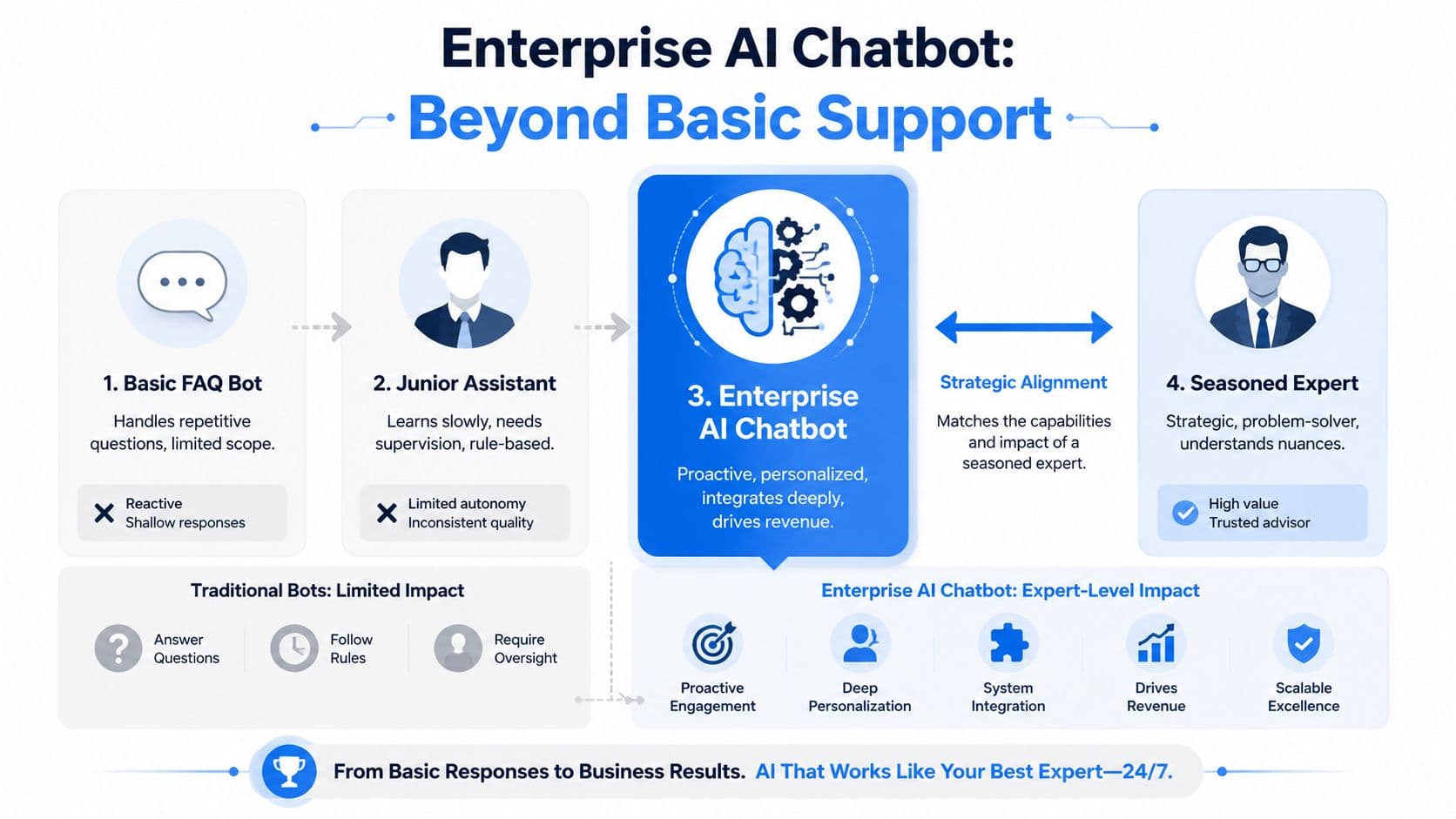
A strong explanation of the shopper-facing side of this shift is in this guide to an AI chatbot for ecommerce on Shopify.
Practical rule: If the vendor describes the product mainly as “answering FAQs,” you're not evaluating an enterprise sales system. You're evaluating support automation.
What the underlying stack actually does
The technical pieces matter because they determine whether the bot is useful under pressure. According to Appinventiv's breakdown of ecommerce AI chatbot architecture, enterprise-grade systems use an orchestration layer and Agentic RAG, routing product catalogs into vector embeddings stored in systems like Pinecone or Milvus for fast retrieval. In plain terms, that means the bot isn't relying only on canned scripts. It retrieves the most relevant product and policy information before answering.
That architecture matters for accuracy. It's what lets the system answer from verified store knowledge instead of making things up. Appinventiv also notes that confidence thresholds should trigger escalation to a human agent or a neutral response rather than a guess. That's a major dividing line between enterprise software and a flashy demo.
A useful way to assess this is with a simple comparison:
| Capability | Basic FAQ bot | Enterprise AI chatbot |
|---|---|---|
| Knowledge method | Keyword matching | Retrieval from store data |
| Answer quality | Scripted and narrow | Context-aware and verified |
| Escalation logic | Often blunt | Confidence-based handoff |
| Commercial role | Deflect tickets | Support plus sales guidance |
If you're running Shopify at scale, this difference isn't academic. It affects whether the bot can help a shopper buy now, or create a service problem that your team has to clean up later.
The Business Value and ROI of an AI Sales Assistant
A small lift in conversion usually matters more than a large drop in ticket volume. For enterprise Shopify brands, that is why the ROI conversation starts with revenue per session, not chatbot containment.
The upside is real, but it is easy to overstate if the model is disconnected from live inventory, pricing, or policy data. A chatbot only drives sales when shoppers can trust the answer enough to act on it. If the bot recommends an out-of-stock variant, misstates delivery timing, or answers a return-policy question with stale information, the apparent efficiency gain turns into canceled orders, service tickets, and manual cleanup.
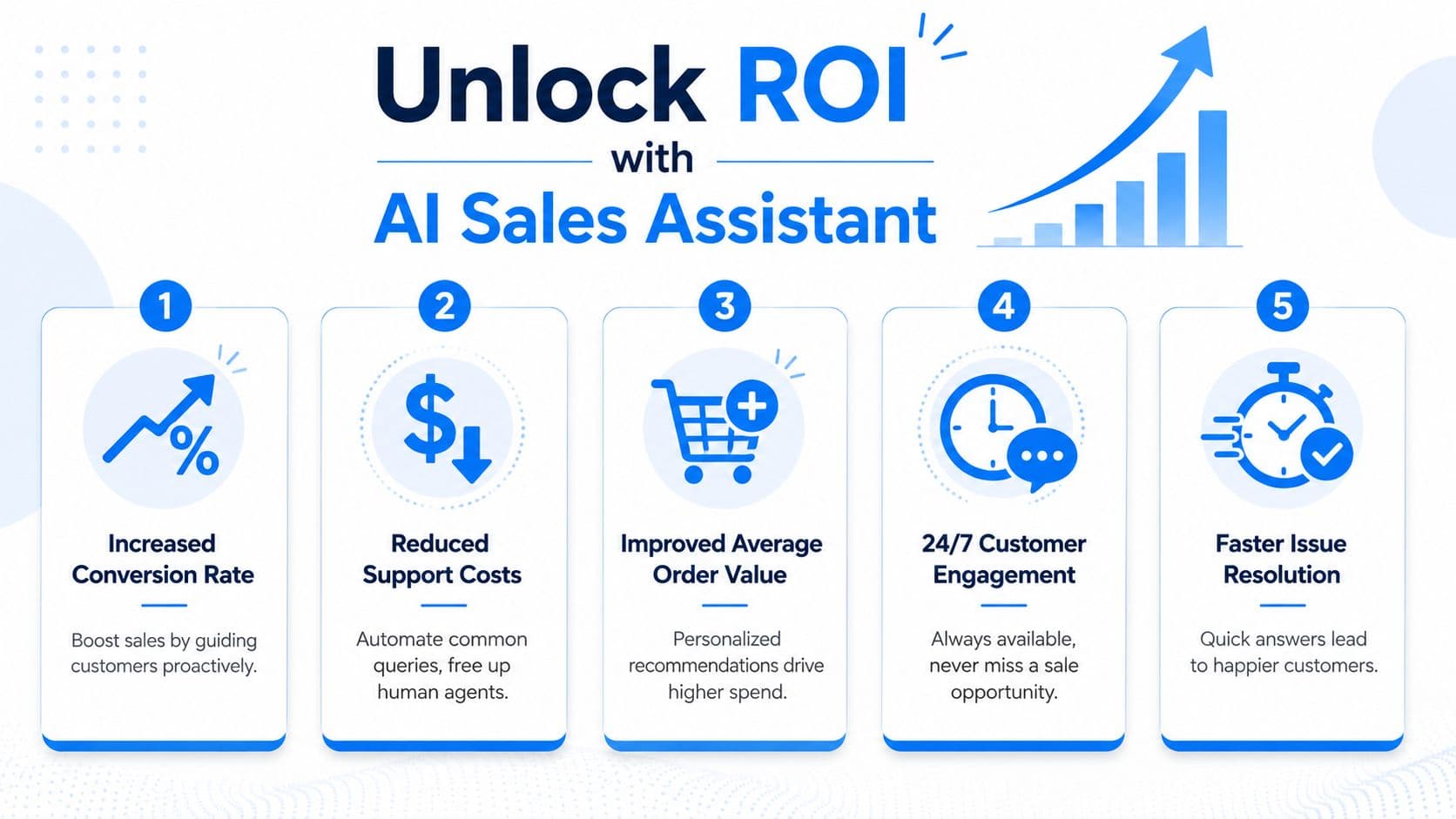
The commercial lift usually comes from a narrow set of moments that happen constantly on product and cart pages:
- Decision support: Answering fit, compatibility, shipping, and return questions before the shopper hesitates long enough to leave.
- Cart recovery: Re-engaging visitors who are close to purchase but still have one unresolved objection.
- Order value growth: Recommending relevant add-ons or higher-fit alternatives inside the conversation, where the suggestion feels useful instead of intrusive.
That is the practical model behind an AI-powered sales assistant for ecommerce. The role is less about replacing merchandising or support, and more about catching high-intent buying questions at the exact moment they affect conversion.
This video shows the broader opportunity in a practical format.
Why finance teams take these tools seriously
Finance teams usually care about three numbers. Conversion impact. Cost per resolved interaction. Headcount pressure.
The labor story is straightforward on paper. Automated conversations are cheaper than human-handled ones, and a capable assistant can absorb a meaningful share of repetitive pre-purchase and post-purchase questions, as noted earlier. In practice, enterprise ROI depends on what gets escalated, how often, and how much review work the team still has to do behind the scenes.
That hidden operating cost is where many deployments disappoint. If the bot escalates too aggressively, the business pays for the software and still funds a near-full service workload. If it escalates too late, agents inherit angry customers and longer handle times. Both outcomes drag down ROI.
The better way to model value is to look at four operating realities together:
- Incremental revenue: Higher conversion, better cart completion, and larger baskets from timely guidance.
- Deflected low-value contacts: Fewer repetitive questions reaching the queue.
- Escalation burden: The percentage of conversations that still require an agent, plus the time needed to review or correct AI output.
- Error cost: Refunds, concessions, and lost trust caused by wrong answers tied to weak system integrations.
The strongest deployments do not remove the service team. They shift human effort toward exceptions, VIP customers, and recovery work that actually needs judgment.
That is why ROI should be evaluated as a system, not a widget. The best enterprise chatbot outcome is not the highest automation rate. It is profitable automation grounded in accurate store data, controlled escalation paths, and measurable revenue lift.
Must-Have Features for Driving Ecommerce Sales
Feature lists get bloated fast. For Shopify brands, the real test is whether the chatbot can support the customer journey from discovery to post-purchase without falling apart when the conversation gets messy.
Awareness and consideration
At the top of the funnel, the chatbot should do more than greet visitors. It needs to interpret intent and narrow choices. That requires advanced NLP, contextual memory, and session-behavior analysis, not canned question trees.
According to AQE Digital's analysis of enterprise ecommerce chatbots, these systems can surface complementary products at natural decision points by reading live conversation context, real-time inventory, order status, and stated intent. That's what separates a sales assistant from a static site widget.
A few features matter here:
- Catalog understanding: The bot should know product relationships, not just product names.
- Context retention: If the shopper asks follow-up questions, the system should remember the earlier constraint.
- Natural recommendation timing: Suggestions should appear when the shopper is choosing, comparing, or hesitating.
What doesn't work is the old rule-based pattern of “You viewed X, so buy Y.” That's generic merchandising with a chat bubble attached.
Purchase and post-purchase
Closer to checkout, the must-have features shift. The bot needs to reduce friction, answer operational questions, and recover revenue when something interrupts the purchase.
A strong enterprise setup should include:
-
Real-time order and inventory awareness
The bot has to know what's in stock, what can ship, and what policy applies before it reassures the customer. -
Cart recovery logic
Recovery isn't just a reminder. It should reflect what changed, including product context or updated checkout conditions. -
Multilingual support with context
AQE Digital notes that enterprise systems can operate across 50+ languages. That matters most for global Shopify brands whose pre-sale and post-sale questions don't arrive in one language or one market pattern. -
Human handoff with context preserved
If the bot can't resolve the issue, the agent should receive the full conversation and relevant store data. Requiring the customer to repeat everything kills the experience.
A chatbot that can answer questions but can't act on context will help support metrics and still miss sales.
One more detail gets overlooked in vendor demos: service reliability. Enterprise buyers should ask for operational commitments, escalation workflows, and support expectations that look more like software infrastructure than marketing software. If the tool sits close to checkout, it needs that level of seriousness.
A 5-Step Shopify Implementation Roadmap
Most chatbot rollouts fail because teams try to launch everything at once. Shopify deployment works better as a maturity curve. Start narrow, prove accuracy, then expand into revenue use cases.
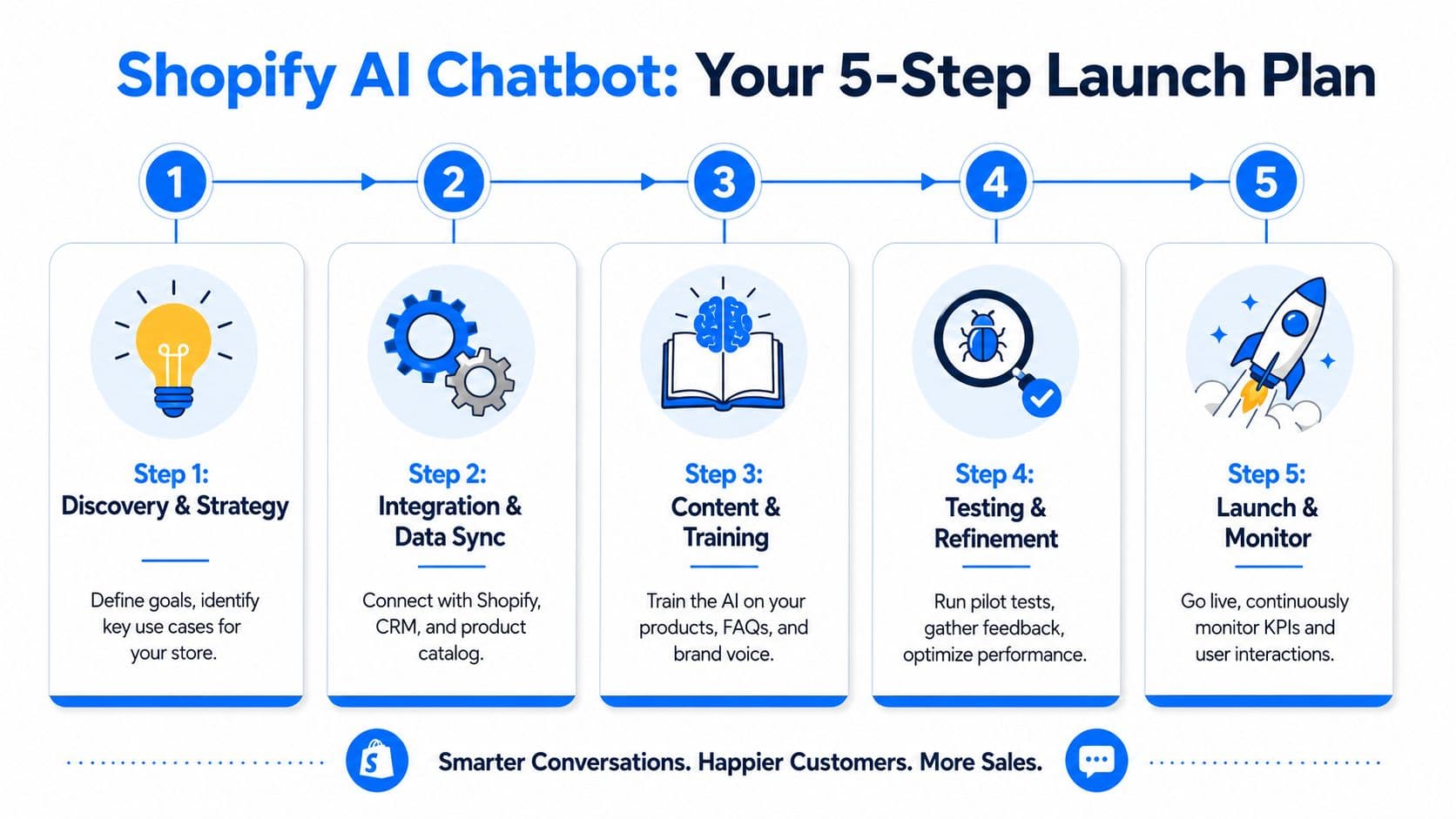
If you want the platform-side setup details, this practical guide on how to add a chatbot to Shopify covers the basics.
Step 1 through Step 3
Step 1 is discovery and scope.
Decide what the chatbot must do first. For most Shopify stores, that means product questions, shipping, returns, and core pre-purchase objections. Don't begin with every workflow in the business.
Step 2 is integration and data sync.
Connect Shopify, product catalog, policy content, and any systems the bot needs for verified answers. This stage determines whether the AI will behave like a reliable operator or a persuasive guesser.
Step 3 is training and brand calibration.
The model needs your product language, policy wording, and tone. This is also where teams define escalation rules, refusal behavior, and the kinds of responses the bot should avoid.
A practical launch checklist helps:
- Define narrow success cases: Start with high-frequency, high-intent questions.
- Clean the source material: Old policy pages and duplicated FAQs create bad answers.
- Set escalation triggers: Decide when the bot should defer instead of improvise.
Step 4 and Step 5
Step 4 is testing under real conditions.
Don't rely on sandbox prompts only. Test edge cases that happen in actual ecommerce operations, such as low-stock items, products with similar names, delayed shipping windows, bundle logic, and partial policy exceptions.
Step 5 is launch and continuous tuning.
Once live, use transcripts to refine product explanations, recommendation prompts, and escalation routes. Good teams review not just unresolved chats, but also “successful” chats that ended without a purchase. That's often where hidden friction sits.
Here's the rollout pattern that tends to work on Shopify:
| Stage | Primary goal | What to monitor |
|---|---|---|
| Initial launch | Accurate answers | Wrong or uncertain responses |
| Early optimization | Better product guidance | Drop-off points in pre-sale chats |
| Commercial expansion | More assisted sales | Recommendation quality and handoff timing |
The important part is sequence. Accuracy comes before aggressiveness. If you push proactive engagement before the knowledge layer is stable, you scale mistakes faster.
Navigating Security Compliance and Data Integrity
Most enterprise evaluations start with GDPR, CCPA, access controls, and vendor security documentation. That review matters. It just isn't the biggest day-to-day risk for an ecommerce chatbot operating on Shopify.
Compliance is required but not sufficient
The larger operational risk is factual accuracy. If the bot promises inventory that isn't available, quotes an outdated shipping expectation, or applies the wrong return rule, the customer doesn't care that your privacy posture is solid. They care that the answer was wrong.
That isn't a fringe issue. Darius Mann's analysis cites a 2025 McKinsey finding that 60% of AI implementation failures in retail stem from data integrity gaps between the AI layer and the transactional database, not the model itself. The same source argues that the number one driver of customer trust erosion in 2026 is a chatbot promising a sale on an out-of-stock item.
Security protects data. Data integrity protects the customer experience and the sale.
That distinction changes the vendor conversation. Instead of only asking “Are you compliant?” ask “How do you validate stock, price, and policy facts before the answer is shown?”
What guardrail engineering looks like in practice
Serious platforms separate from polished demos based on their ability to perform critical functions. The bot should validate high-risk facts against live systems before responding. For Shopify stores, that includes inventory status, variant availability, shipping commitments, discount logic, and return eligibility.
A sound approach usually includes:
- Synchronous validation: Check live backend data before answering time-sensitive questions.
- Confidence thresholds: If confidence is low, escalate or answer conservatively.
- Restricted action scope: Limit what the model can promise unless the system can verify it.
- Auditability: Teams should be able to review what source the bot used for a given answer.
What doesn't work is letting the model “sound helpful” when the source systems are lagging or disconnected. In ecommerce, a wrong answer is often worse than a slower answer.
The Ultimate Enterprise Chatbot Selection Checklist
A polished demo can hide expensive flaws. Selection gets easier when procurement treats the chatbot as an operating system decision, not a feature comparison.
Enterprise teams should pressure-test two areas first: whether the bot can stay in sync with Shopify data under real store conditions, and what happens to labor cost when conversations fall out of the happy path. Those are the gaps that separate a promising trial from a channel that drives revenue without creating cleanup work for support.
Questions that expose weak platforms
Start with the parts that break under load. Ask how the system retrieves product, pricing, policy, and order data. Ask how often that data is refreshed, what gets cached, and which answers require a live check before the bot responds. If a vendor cannot explain those mechanics clearly, the team is buying marketing language, not operational reliability.
Then test escalation design. A chatbot does not replace service work. It redistributes it.
- How is handoff triggered? Look for confidence rules, intent-based routing, and clear thresholds for passing the conversation to a human.
- What context reaches the agent? Agents need the conversation, customer details, cart state, order status, and the source used for the bot's answer.
- Who maintains prompts, policies, and knowledge sources? That responsibility needs an owner on both the vendor side and the merchant side.
- What reporting shows failure patterns? Teams need visibility into unresolved intents, repeated escalations, and answers that require correction.
Use a simple buyer-side screen to cut through vague answers:
| Evaluation area | Strong answer | Weak answer |
|---|---|---|
| Data integrity | Live or tightly governed store data, with clear validation rules for high-risk answers | Generic claims about AI accuracy |
| Shopify fit | Native awareness of products, variants, policies, carts, and order flows | Broad ecommerce positioning with little Shopify depth |
| Escalation design | Defined triggers, preserved context, and measurable handoff outcomes | Human agents step in after the bot fails |
| Operating model | Named owners, QA routine, and reporting tied to business KPIs | “Low maintenance” with no clear review process |
What a realistic TCO review includes
The sticker price rarely tells the full story. Costs rise in the places vendors tend to gloss over: exception handling, policy changes, prompt maintenance, QA, and human review for conversations the bot cannot close safely.
Outvio's writeup makes the right operational point. As chatbot programs mature, teams often see fewer simple tickets and more complex escalations. That changes staffing needs. The workload shifts toward agents who can fix edge cases, recover sales, and correct bad guidance before it turns into refunds or churn.
Review total cost of ownership across these buckets:
- Licensing and platform fees
- Implementation and integration work
- Knowledge and policy maintenance
- Human fallback coverage and agent training
- Ongoing QA, prompt updates, and reporting
One sentence matters here. Cheap automation gets expensive when unresolved conversations land with senior support staff.
The best vendor question is not “How many tickets will this deflect?” Ask, “Which conversations still need people, how often do they escalate, and what will that cost us per month?” That framing forces a better buying decision because it connects architecture to margin, service load, and conversion performance.
How Carti Delivers as an Enterprise Ecommerce Solution
For Shopify merchants, Carti fits the enterprise evaluation criteria in a practical way. It's built specifically for Shopify, uses a no-code setup, learns products, policies, and FAQs automatically, and supports responses in multiple languages without extra configuration. That makes it relevant for teams that want a shorter path from installation to useful customer conversations.
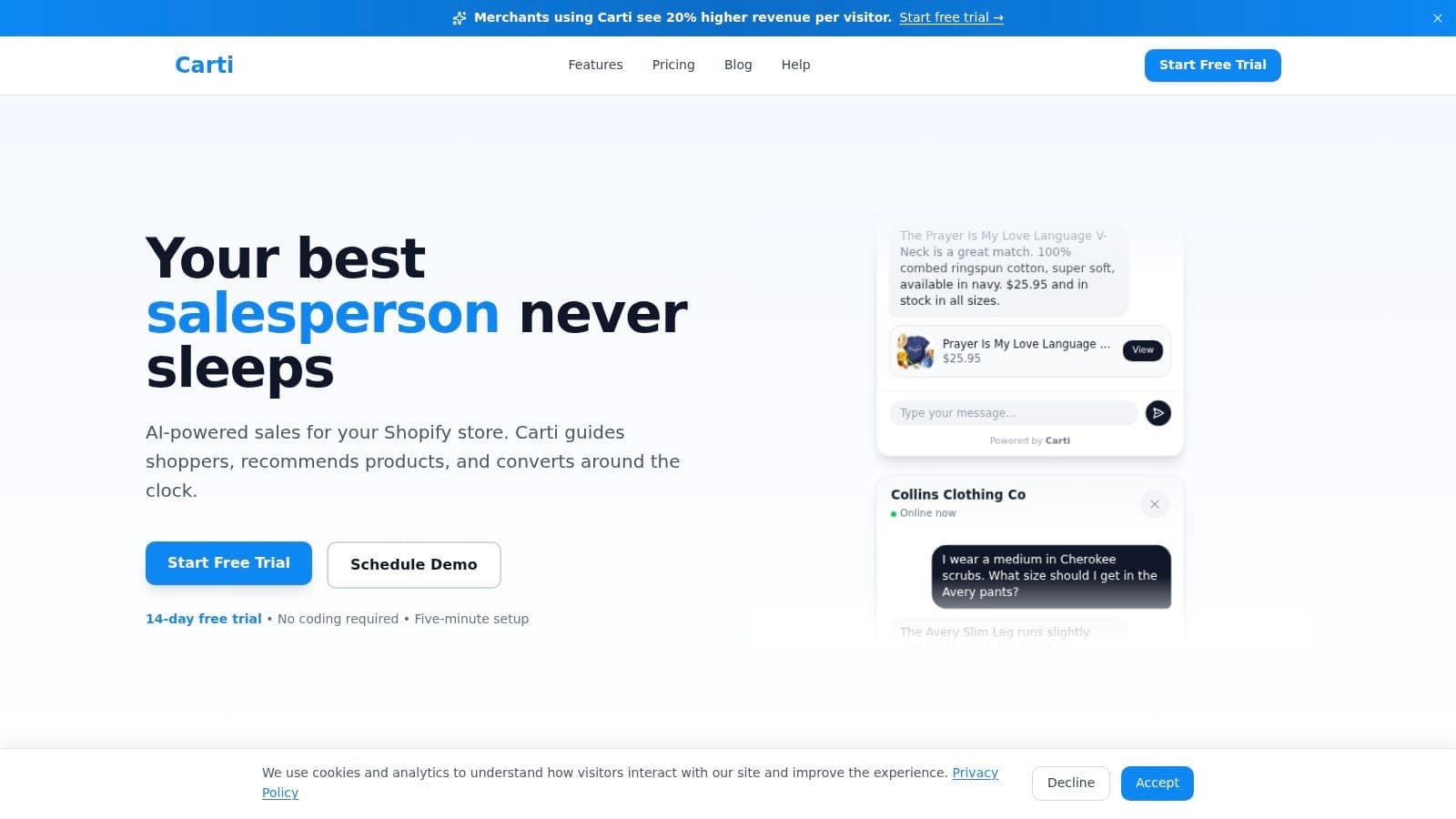
Its feature set maps closely to the operational needs outlined above. Instant Answers address pre-sale and support friction. Smart Suggestions support product discovery and cross-sell behavior. Cart Recovery gives merchants a direct way to re-engage checkout drop-off. The Insights Dashboard helps teams spot recurring questions that should influence merchandising, product content, or policy clarity.
From a deployment standpoint, Carti is also aligned with how Shopify teams usually work. Fast setup matters because long implementations often stall before the team reaches optimization. A chatbot that goes live quickly can start collecting the actual data that drives improvement, provided the store still reviews accuracy, handoffs, and edge-case behavior carefully.
The core lesson applies no matter which platform you choose. The right enterprise AI chatbot solution for ecommerce isn't the one with the longest feature page. It's the one that answers from verified store knowledge, fits the realities of Shopify operations, and doesn't hide year-two complexity behind a smooth demo.
If you want to see how this looks on a Shopify-native platform, explore Carti and evaluate it against the criteria above: data integrity, escalation design, implementation speed, and revenue impact.

Written by
Daniel AndersonFounder of Carti. 10+ years building ecommerce brands in apparel and supplements. Still runs a Shopify store and built Carti to help merchants convert more browsers into buyers.
Ready to boost your store's sales?
Install Carti in 5 minutes and let AI handle customer questions, recommend products, and close sales 24/7.
Start Free Trial14-day free trial