
Margins usually tighten long before a Shopify merchant admits they have a cost problem. Ad spend creeps up. Shipping invoices stop looking predictable. Support volume rises with every promotion. Meanwhile, the app stack gets heavier, the returns queue gets messier, and the team spends more time reacting than improving.
That's the moment when most stores make the wrong move. They freeze spend, cut tools blindly, or push the support team to “do more with less.” The result is usually slower service, lower conversion, and a store that feels cheaper without becoming leaner.
A better approach is to treat operations like a system. If you want to know how to reduce operational costs in a Shopify business, start where the waste lives: repetitive tickets, avoidable returns, duplicated software, weak fulfillment processes, and manual work that should've been automated months ago.
Beyond Cutting Budgets to Boosting Profitability
Most operating cost problems in e-commerce aren't really budget problems. They're workflow problems. A store can spend the same amount on support, fulfillment, and software but produce far more profit if the operation runs cleanly.
That distinction matters. If you cut headcount before reducing repetitive work, tickets back up. If you slash packaging costs without checking damage rates, returns rise. If you cancel useful apps without consolidating workflows, your team starts doing the work manually.

Lean thinking fits Shopify better than blunt cuts
A strong benchmark here is Toyota's lean manufacturing system. The Toyota Production System formalized the elimination of waste, and modern cost-reduction guidance still uses that framework because it improves throughput while reducing cost per unit and cost per employee. The core lesson is simple: operational cost reduction isn't just budget cutting. It's redesigning processes so the same resources produce more output, as outlined in Ramp's overview of lean-based cost reduction.
For Shopify merchants, “waste” usually looks like this:
- Repeated questions: “Where is my order?” “Can I change my address?” “When will this restock?”
- Unnecessary handoffs: Support sends warehouse questions to ops, ops checks Shopify, then replies back through support.
- Waiting time: Orders sit in review, returns wait for manual approval, customers wait for answers.
- Tool overlap: One app handles reviews, another sends review emails, and a third pulls the same customer data into a dashboard no one checks.
Practical rule: If a customer-facing task happens the same way every day, assume there's waste in it until proven otherwise.
Shift the team from expense control to throughput control
A useful operating habit is to stop asking, “What can we cut?” and start asking, “What are we paying for that doesn't improve speed, accuracy, or revenue?” That changes decisions quickly.
A support lead starts measuring ticket categories instead of just staffing hours. An ops manager looks at re-picks, damaged shipments, and return loops instead of only carrier rates. A founder reviews app usage against outcomes instead of accepting the monthly software bill as fixed overhead.
This is why monthly KPI review matters. If you're not already tracking store-level efficiency metrics, build that discipline into your operating cadence using a practical set of e-commerce key performance indicators for Shopify teams.
What works and what usually fails
The merchants who lower operating costs do a few things consistently:
- They map the work first. They don't guess where costs live.
- They standardize obvious workflows. Order edits, exchange requests, and back-in-stock questions shouldn't be improvised.
- They automate repetitive decisions. Humans handle exceptions, not the full queue.
- They review performance continuously. One-time “cost cutting” fades fast.
What doesn't work is the reactive version. Cancel a few apps. Pressure the team. Negotiate shipping once. Then watch costs creep back because the underlying process never changed.
First, Map Your Hidden Cost Drivers
You can't reduce what you haven't broken into parts. In Shopify stores, the expensive work often hides inside broad accounting categories like payroll, software, or fulfillment. That's too vague to manage well.
A more reliable way to reduce operational costs is to treat the diagnosis like an operations project, not a bookkeeping exercise. A structured DMAIC sequence starts with defining the problem, measuring baseline performance, and analyzing root causes before any fix is rolled out. That's what makes it useful. It prevents cost cutting that only shifts the problem somewhere else, as described in 6Sigma's DMAIC approach to operational-cost reduction.
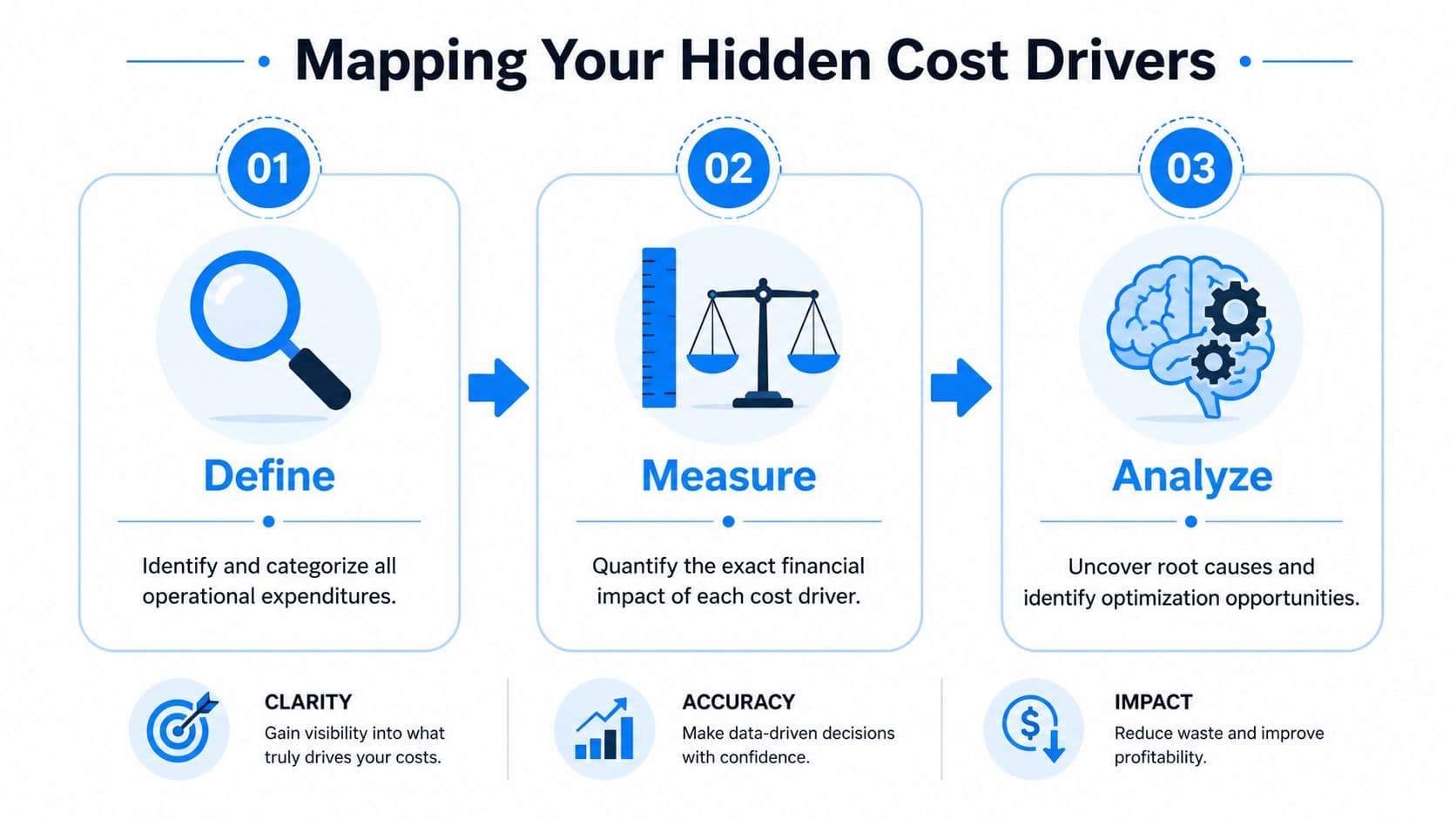
Define the real cost buckets
Start with the cost centers that hit Shopify merchants most often. Not generic overhead. Actual operating friction.
A practical first pass usually includes:
- Support operations: ticket volume, repetitive ticket types, refund and order-edit workload, weekend coverage strain
- Fulfillment flow: pick and pack effort, split shipments, packaging errors, address changes after purchase
- Returns handling: intake, inspection, relisting, exchange processing, customer communication
- Revenue leakage tied to ops: abandoned carts that need intervention, failed post-purchase communication, stockouts caused by poor inventory visibility
- Tech stack: recurring app charges, overlapping tools, apps with low usage but high process dependency
If you define these too broadly, you'll miss the problem. “Customer service” isn't specific enough. “Pre-purchase product questions answered manually in chat” is.
Measure cost at the workflow level
Most merchants often stop too early. They know total payroll. They know total software spend. They don't know the operating cost of a support ticket, a reshipment, or a manual return approval.
Pull data from the systems your team already uses. Shopify gives you order patterns, refund history, and product-level behavior. Your help desk shows ticket tags and volume by topic. Your 3PL or warehouse system shows exceptions, delays, and recurring handling problems.
Measure the work in terms your team can act on:
| Workflow | What to pull | What it tells you |
|---|---|---|
| Support tickets | Top ticket categories, first-response patterns, escalations | Which questions should be automated or fixed upstream |
| Fulfillment | Orders with edits, address issues, split shipments, reships | Where labor and shipping waste are entering the process |
| Returns | Top return reasons, exchange requests, damaged item patterns | Whether the cost lives in product pages, packaging, or policy design |
| SaaS stack | Monthly charges, owners, usage frequency, feature overlap | Which tools earn their keep and which don't |
The cleanest savings usually come from high-frequency annoyances, not dramatic one-off cuts.
Analyze root causes before you touch spend
Operators distinguish between extraneous information and opportunities for improvement. If support volume is high, don't assume you need more agents or cheaper labor. Ask why customers need help in the first place.
Some common root-cause patterns in Shopify stores:
- Shipping questions spike because tracking communication is weak
- Returns stay high because size guidance is poor
- Multiple apps exist because nobody owns the stack
- Fulfillment labor rises because orders require too many exceptions
- Abandoned carts remain untouched because no workflow handles them proactively
A simple analysis method works well here. For each cost bucket, write down the visible symptom, then list the process failure under it. Example: “high ticket volume” is the symptom. “Customers can't self-serve order status or policy questions” is the process failure.
Prioritize by controllability
Not every cost deserves attention first. Ad rates and carrier pricing can be hard to control in the short term. Internal workflow is easier.
Use a short prioritization filter:
- Does this cost happen often?
- Can the team change the process directly?
- Will the fix protect customer experience instead of hurting it?
- Can you measure before and after clearly?
If a problem passes all four tests, it belongs near the top of the list.
Automate Support and Sales to Cut Labor Costs
If I had to choose one starting point for a Shopify brand trying to reduce operational costs fast, I'd start with support automation. Not because support is “cheap to fix,” but because it usually sits at the intersection of labor cost, conversion loss, and customer frustration.
Manual support is expensive in a way many founders underestimate. Every repetitive ticket steals time from the conversations that require judgment. Every delayed answer increases the chance of a refund, a chargeback dispute, or a shopper leaving before purchase.

Start with the questions your team answers every day
The highest-impact automations are usually the least glamorous. They handle things like order tracking, shipping timelines, return policy questions, product compatibility, and simple order changes.
These aren't edge cases. They're queue-fillers.
When merchants ask how to reduce operational costs without hurting service, this is the first answer that holds up operationally. Let software absorb repeatable requests so people can focus on exceptions, retention, and high-intent pre-purchase conversations.
A support setup is becoming expensive if agents spend their day doing any of the following:
- Copy-pasting policy answers: The customer could've received that instantly.
- Checking order status manually: Shopify already has the underlying data.
- Routing basic questions to specialists: That handoff adds labor and delay.
- Missing pre-sale moments: A shopper asks about sizing or bundles, waits too long, and drops out.
A lean CX team doesn't answer everything manually. It decides what deserves a human answer.
The best automation also protects revenue
A lot of merchants still think of support automation as a deflection tool only. That's too narrow. In Shopify, support sits close to the sale.
A shopper who asks about delivery timing may be deciding whether to buy today. A visitor comparing two products may need a recommendation, not a ticket reply. A customer who hesitates in checkout may need a nudge before the cart goes cold.
That's why the strongest systems do both jobs. They reduce labor and recover revenue. If you're evaluating options, look for workflows that combine self-service resolution with onsite engagement, product suggestions, and cart recovery, rather than stopping at ticket triage. A useful reference point is this breakdown of help desk automation for e-commerce teams.
What to automate first and what to leave alone
Don't automate every conversation. Automate the predictable ones.
A practical split looks like this:
| Automate first | Keep human-owned |
|---|---|
| Order tracking | Escalated complaints |
| Return policy FAQs | Sensitive refund disputes |
| Product availability | VIP customer issues |
| Basic sizing guidance | Complex product-fit questions |
| Cart reminders | Wholesale or custom-order requests |
The mistake isn't using automation. The mistake is using weak automation that can't answer accurately, can't read store context, or can't hand off cleanly when needed.
Here's a useful demo format to study before rolling changes out across your own storefront:
What good implementation looks like
The rollout should be narrow at first. Start with your top repetitive intents. Connect the assistant to product data, shipping policies, returns information, and order status tools. Then monitor where it succeeds, where it confuses shoppers, and where handoff is needed.
The biggest wins tend to come from three changes happening together:
- Support queue reduction: fewer repetitive tickets reach agents
- Faster pre-purchase assistance: more shoppers get answers before bouncing
- Recovered checkouts: hesitant buyers get timely prompts instead of silence
What doesn't work is dropping a generic chatbot on the site and calling the job done. If it can't answer with store-specific accuracy, customers won't trust it and agents will still clean up the mess.
Optimize Your Fulfillment and Inventory Playbook
Fulfillment costs rarely explode all at once. They leak out through packaging choices, warehouse exceptions, poor inventory placement, return loops, and routine shipping decisions nobody revisits because the store is too busy shipping.
For Shopify merchants, this area deserves discipline because the cost compounds. A product that's awkward to pack, easy to damage, and likely to be returned doesn't just hurt margin once. It creates labor, freight, customer service, and inventory drag in the same cycle.
Audit the expensive parts of each order
A good fulfillment review doesn't start with “Can we get cheaper shipping?” It starts with “What makes this order expensive to fulfill?”
Look at the mechanics:
- Packaging fit: Oversized boxes can trigger avoidable carrier charges and increase dunnage use.
- Order exceptions: Address corrections, item swaps, and special handling requests create manual work.
- Split shipments: These often signal inventory placement issues or catalog rules that need cleanup.
- Damage and reship patterns: Fragile SKUs may need packaging changes, clearer merchandising, or both.
One useful habit is to walk through a few recent bad orders with your warehouse lead or 3PL account manager. Not the average ones. The annoying ones. That's where the hidden process cost is.
If the same fulfillment exception appears every week, it isn't an exception anymore. It's part of your operating model.
Tighten inventory based on movement, not instinct
A lot of inventory waste in Shopify stores comes from treating all products as equally important. They aren't.
Fast movers deserve tighter replenishment logic, cleaner stock visibility, and fewer stockout surprises. Slow movers need stricter buying discipline and a real decision about whether they still deserve shelf space, warehouse space, and working capital.
A practical way to manage this is to sort products into a simple priority structure:
- High-priority SKUs: Keep these visible, in stock, and easy to pick
- Mid-tier SKUs: Review regularly for margin, attachment rate, and return behavior
- Long-tail products: Challenge whether they justify the carrying cost and handling complexity
This isn't just about cash tied up in inventory. It's also about labor. The messier the catalog, the more expensive the operation.
Make returns cheaper by preventing bad returns
Most brands spend too much time optimizing return handling and not enough time reducing avoidable returns upstream. If fit, material, color, bundle contents, or shipping timing are unclear on the product page, the return starts before the order ships.
A tighter returns cost strategy usually includes:
- Better product detail pages so shoppers buy with clearer expectations.
- Packaging that survives transit without overbuilding the parcel.
- Exchange-friendly flows that keep customers buying instead of only refunding.
- Return reason analysis reviewed by merchandising, CX, and ops together.
Build resilience into cost decisions
Cost reduction in operations now overlaps with energy and resilience. The IEA reported that global energy intensity improved by 1.0% in 2024, while climate-related shocks can still raise operating costs through supply-chain disruption, which is especially relevant for e-commerce warehouses, fulfillment networks, and last-mile operations, according to the AIA summary citing the IEA and IMF context.
For merchants, that changes the fulfillment conversation. Lighter packaging, fewer touches, smarter replenishment, and cleaner routing aren't just “efficiency projects.” They also make the operation less fragile when shipping conditions, input costs, or supply timelines get unstable.
Trim Your SaaS and Vendor Spending
Shopify makes it easy to add software. That's one of its strengths and one of its cost traps. Most stores don't wake up one day and choose a bloated stack. They accumulate one app for reviews, one for upsells, one for search, one for chat, one for email capture, one for analytics, and a few mystery charges nobody can confidently explain.
The same pattern shows up with vendors. Different packaging suppliers. Multiple freelancers doing overlapping work. Agencies retained for tasks your internal team already handles. None of it looks catastrophic alone. Together, it drags margin down.
Run a hard audit on every app
A real SaaS audit needs an owner and a spreadsheet. Pull every recurring app and service charge tied to the store, then list four fields next to each one: purpose, owner, operational dependency, and observed usage.
That process usually exposes three categories quickly:
| Category | What it means | Action |
|---|---|---|
| Essential and used | Clear owner, clear outcome, active dependency | Keep and optimize |
| Useful but overlapping | Similar job covered elsewhere | Consolidate |
| Legacy or unclear | No owner, weak usage, uncertain value | Cancel or review immediately |
Be especially skeptical of tools that “might be useful later.” That's how app sprawl survives.
Consolidate where one system can replace three partial ones
The biggest savings usually don't come from deleting everything. They come from reducing overlap.
You might be paying separately for chat, FAQ search, product recommendation widgets, and cart recovery prompts when one stronger workflow can absorb multiple jobs. The same logic applies to reporting apps, pop-up tools, and post-purchase utilities.
If you're comparing support platforms and trying to simplify stack decisions, this comparison of Gorgias alternatives for Shopify stores is a useful example of how to think about consolidation in practical terms.
Software should remove steps from the business. If it adds another dashboard and another weekly task, question it hard.
Use vendor consolidation carefully
Vendor-base optimization is a legitimate cost lever. Auditing contracts and spend by category, then consolidating suppliers, can improve bargaining power because higher-volume commitments can secure better pricing and terms. But over-consolidation creates risk if you stop monitoring service quality, as explained in Brex's guidance on reducing operating costs through vendor optimization.
For Shopify merchants, the smart version looks like this:
- Group spend by category: packaging, creative, paid media, warehousing, support tools
- Reduce duplicate suppliers where quality is comparable
- Negotiate from volume, not from hope
- Review supplier performance on quality, delivery, and cost regularly
The bad version is handing too much of a category to one supplier, then discovering late shipments or service issues after you've lost flexibility.
Your 90-Day Cost Reduction Rollout Plan
Most cost-reduction projects fail because they're too broad at the start and too vague at the end. Teams audit for a week, make scattered changes, and never install the controls that keep savings in place.
A better rollout is short, focused, and measurable. Ninety days is enough time to find waste, fix a few high-impact workflows, and establish a new operating baseline without turning the business upside down.
Days 1 to 30
The first month is for visibility and prioritization. Pull your support, fulfillment, returns, app, and vendor data into one view. Don't optimize anything yet. Just identify the processes that create repetitive labor, recurring exceptions, or overlapping spend.
Use the first month to make decisions like these:
- Which support intents repeat most often
- Which apps overlap by function
- Which SKUs create outsized returns or handling pain
- Which vendors could be consolidated without creating risk
Keep the list short. If everything is a priority, nothing is.
Days 31 to 60
This is the execution window. Launch a narrow support automation layer. Clean up the most wasteful app overlaps. Fix a small number of fulfillment pain points that repeat constantly, such as packaging mismatch, order exception handling, or return-routing confusion.
The right targets in this phase are the ones that are frequent, measurable, and operationally simple. Avoid major platform migrations unless they remove clear near-term friction.
Days 61 to 90
The final month is where merchants either lock in savings or lose them. Review pre-change and post-change KPIs. Confirm that labor shifted out of repetitive work instead of just moving to a different queue. Check service quality closely. Savings that damage customer experience won't hold.
This is also the moment to document the new standard. If the workflow improved but still lives only in one manager's head, the cost will come back.
Example operational cost savings benchmarks for Shopify stores
Use benchmarks as a planning tool, not a promise. If you don't have clean baseline data yet, keep the benchmark qualitative and tie it to one KPI.
| Initiative | Primary Cost Driver Addressed | Example Savings Benchmark | Measurement KPI |
|---|---|---|---|
| Support automation for repetitive tickets | Labor hours in CX | Measurable reduction in manual ticket handling | Ticket mix, escalation rate, agent time per day |
| Onsite sales automation for pre-purchase questions and cart recovery | Lost revenue tied to unanswered shopper intent | Measurable improvement in assisted conversion efficiency | Assisted sales, recovered carts, chat-to-purchase rate |
| Packaging review and parcel optimization | Fulfillment and shipping overhead | Measurable reduction in avoidable shipping waste | Cost per order fulfilled, damage-related reships |
| Inventory prioritization by SKU movement | Carrying cost and warehouse complexity | Measurable improvement in stock efficiency | Sell-through by SKU tier, stockout rate, aged inventory share |
| Returns prevention through clearer PDPs and policy flows | Reverse logistics and refund handling | Measurable reduction in avoidable return workload | Return reasons, exchange share, return processing time |
| SaaS audit and app consolidation | Software spend and admin overhead | Measurable reduction in overlapping subscriptions | Monthly app spend, number of active tools, owner coverage |
| Vendor consolidation with performance controls | External services and procurement cost | Measurable improvement in pricing leverage and workflow simplicity | Supplier count by category, service quality review cadence |
The benchmark that matters most is whether the store runs with fewer manual touches per order and per customer interaction.
A strong 90-day rollout doesn't try to perfect everything. It builds momentum. In most Shopify stores, the first wins come from support automation, fulfillment cleanup, and software consolidation because those areas combine speed, visibility, and controllability.
If your Shopify store is carrying too much manual support load, too many missed pre-purchase questions, or too many abandoned carts, Carti is worth a close look. It gives merchants a practical way to automate repetitive customer conversations, assist shoppers around the clock, and reduce operational workload without making the storefront feel robotic.

Written by
Daniel AndersonFounder of Carti. 10+ years building ecommerce brands in apparel and supplements. Still runs a Shopify store and built Carti to help merchants convert more browsers into buyers.
Ready to boost your store's sales?
Install Carti in 5 minutes and let AI handle customer questions, recommend products, and close sales 24/7.
Start Free Trial14-day free trial