
A shopper sees a jacket in an Instagram Reel, opens the brand's profile, and sends a DM about fit. The store's team is packing orders, the message sits unanswered, and the shopper keeps scrolling. An Instagram chatbot can handle that question, but only if it knows the product and has permission to reply.
For Shopify merchants, the useful starting point isn't a complicated automation map. It's a dependable answer to a purchase-blocking question, a clear route to a human, and a system that stops sending when Meta's messaging rules require it.
Why Instagram DMs Are a Conversion Moment Most Stores Miss
The jacket shopper hasn't necessarily decided to buy. They may be checking whether the sleeves run long, whether delivery suits an upcoming trip, or whether returns are straightforward. Sending them straight to the homepage leaves the original question unresolved.
That's the commercial opportunity for an Instagram chatbot. It should shorten the distance between product discovery and an informed decision, not turn every conversation into a discount pitch.
Discovery isn't the same as purchase intent
Among shoppers aged 18 to 27, 30% identify Instagram as the platform where they most often discover new products, compared with 23% for TikTok, according to Hootsuite's social commerce overview. For a visually led Shopify store, that makes product questions an important part of the discovery experience.
Discovery still needs supporting information. DHL reports that 45% of global shoppers buy through social platforms, while 63% of retailers sell through them, in its social commerce trends report. Those figures describe participation, not proof that publishing a catalog produces sales.
A useful DM reply removes uncertainty. A weak reply merely sends the shopper somewhere else.
A Shopify-focused benchmark places Facebook and Instagram conversion rates at 0.5% to 1.5%, compared with 2% to 4% for Google Search and 3% to 5% for direct traffic, in Growth Suite's traffic conversion analysis. Treat these as directional benchmarks, not targets every store should expect.
Give the conversation a commercial job
For the jacket shopper, the assistant's job is to explain the relevant fit information, identify any uncertainty, and provide the correct product link. It shouldn't manufacture a confident sizing recommendation from an incomplete description.
Merchants can prioritize questions by the decision they unblock:
- Product suitability: Fit, materials, compatibility, and differences between similar items.
- Purchase confidence: Shipping destinations, delivery conditions, and return eligibility.
- Next action: A relevant product page, a clarification question, or human assistance.
International stores should also avoid treating every audience alike. A market comparison of Instagram purchasing behavior reports that, in 2023, 42% of US consumers used Instagram to purchase a product, compared with 35% of UK social shoppers, 39% in Australia, 57% in Portugal and Spain, and 51% in Sweden. The audience definitions differ, so these aren't interchangeable conversion benchmarks.
What an Instagram Chatbot Can and Cannot Do
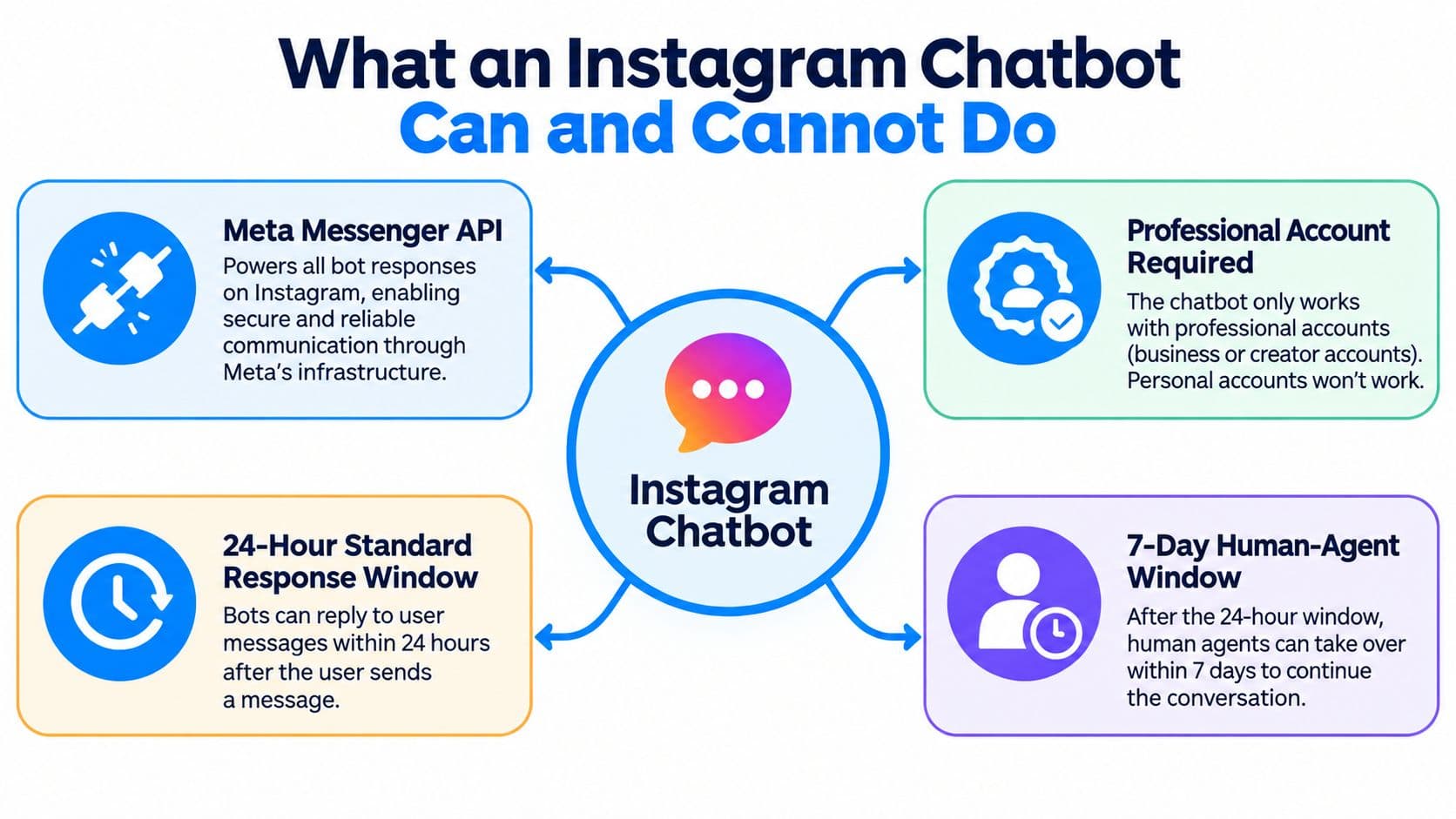
An Instagram chatbot is an application connected to a messaging channel, not an unrestricted outbound marketing tool. Its practical capabilities depend on account eligibility, approved access, and the interaction that started the conversation.
Establish the operating rules
Meta opened its Messenger API for Instagram to all developers on June 2, 2021, after a beta beginning in October 2020, establishing an official framework for business messaging integrations, as described in Meta's API launch announcement.
The connection starts with a professional Instagram account and the permissions required by the chosen application. An incoming message can notify the application's server through a webhook, allowing software to process the message and prepare a response.
Meta's Instagram platform overview describes the professional-account and permissions framework, including a 24-hour standard response window after the user's last message and a 7-day human-agent window for eligible human responses. Agencies serving multiple accounts may also need Advanced Access, app review, and business verification.
Separate automated service from outbound marketing
The human-agent allowance isn't extra time for a bot to send promotions. It exists for human handling, so a workflow must distinguish an automated answer from a staff response.
Likewise, a DM, Story reply, or eligible comment interaction isn't permission to add someone to an indefinite messaging sequence. Different triggers can have different permission requirements and reply conditions. The chosen app should make those distinctions visible.
| Interaction | Sensible automation | Boundary to respect |
|---|---|---|
| Shopper asks about fit | Answer from approved product information | Don't invent measurements |
| Shopper asks about delivery | Explain the published shipping policy | Don't promise an unsupported arrival date |
| Shopper reports a damaged item | Collect minimal context and assign a human | Don't autonomously decide an exception |
| Conversation becomes inactive | Stop scheduled automated replies when eligibility ends | Don't treat past engagement as permanent permission |
Delivery eligibility belongs in the workflow logic. Before a scheduled message is sent, the system should check whether it remains permitted, rather than assuming a previous successful reply makes every later message valid.
A deliberately narrow bot can be more useful than a broad one. Accurate product answers and controlled escalation are a stronger starting point than autonomous follow-up marketing.
Prerequisites Before You Connect Anything
Preparation should happen before the app receives permission to answer customers. Otherwise, the merchant ends up debugging access while also trying to correct incomplete product advice.
Match the tool to the job
A storefront widget, an AI shopping assistant, and a shared inbox solve different problems. Buying one doesn't automatically provide the others.
| Tool category | Appropriate starting need | What to confirm |
|---|---|---|
| Storefront chat widget | Help shoppers already browsing Shopify | Whether Instagram messaging is supported |
| AI shopping assistant | Answer catalog and policy questions | Knowledge sources, channel support, and escalation |
| Inbox replacement | Coordinate staff across conversations | Assignment, bot pausing, and conversation ownership |
For an Instagram-first project, explicit DM support is a selection requirement. A polished storefront demonstration doesn't establish how the same tool handles social messages.
Merchants comparing options should test the same product question and escalation scenario in each candidate. That produces a fairer comparison than comparing feature labels or accepting a claim that everything is automated.
Prepare accounts and knowledge
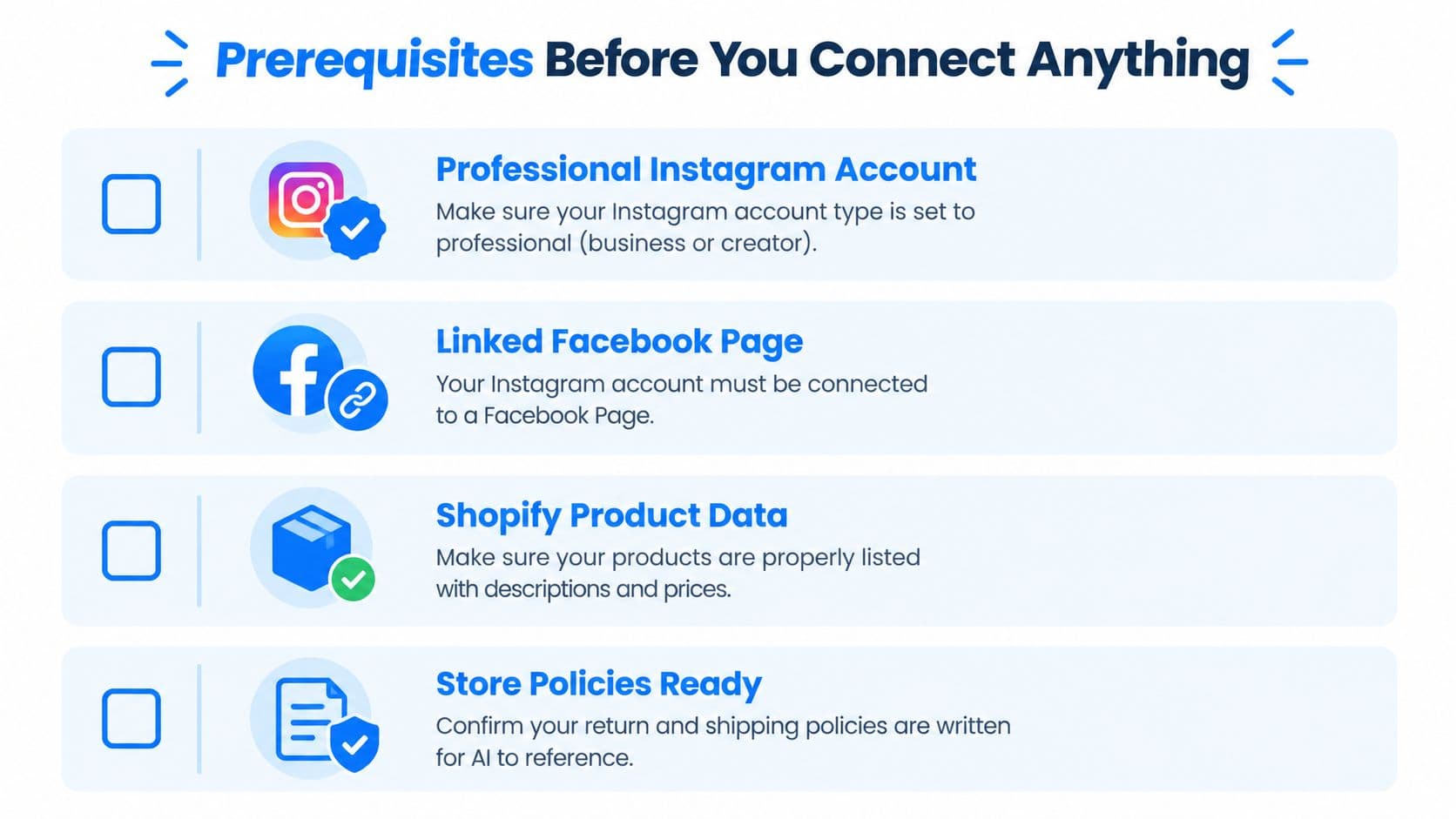
Confirm the professional account, the person authorized to connect it, and access to the relevant business assets. Check whether the chosen connection method requires a linked Facebook Page rather than assuming every app uses an identical authorization route.
The guide to connecting Shopify to Instagram provides a useful preparation reference for the store-side connection.
Catalog preparation needs equal attention. Product descriptions should distinguish variants, explain fit or compatibility, and avoid conflicting availability statements. Policies should identify shipping destinations, return conditions, exclusions, and how shoppers request help.
An assistant shouldn't have to reconcile an old FAQ against a newer returns page. Choose the authoritative content before synchronization.
Before installation, confirm:
- Account ownership: The administrator can authorize the intended Instagram account and required business assets.
- Connection requirements: Any Facebook Page dependency has been checked for the selected app.
- Catalog readiness: Relevant products and variants contain usable descriptions and current prices.
- Policy readiness: Shipping, returns, and FAQs agree with the store's actual procedures.
- Human ownership: A named team or role will receive conversations the assistant can't resolve.
Keep DM replies disabled until the connected channel, synchronized context, and fallback destination have all been checked.
Step-by-Step Setup From Install to First Reply
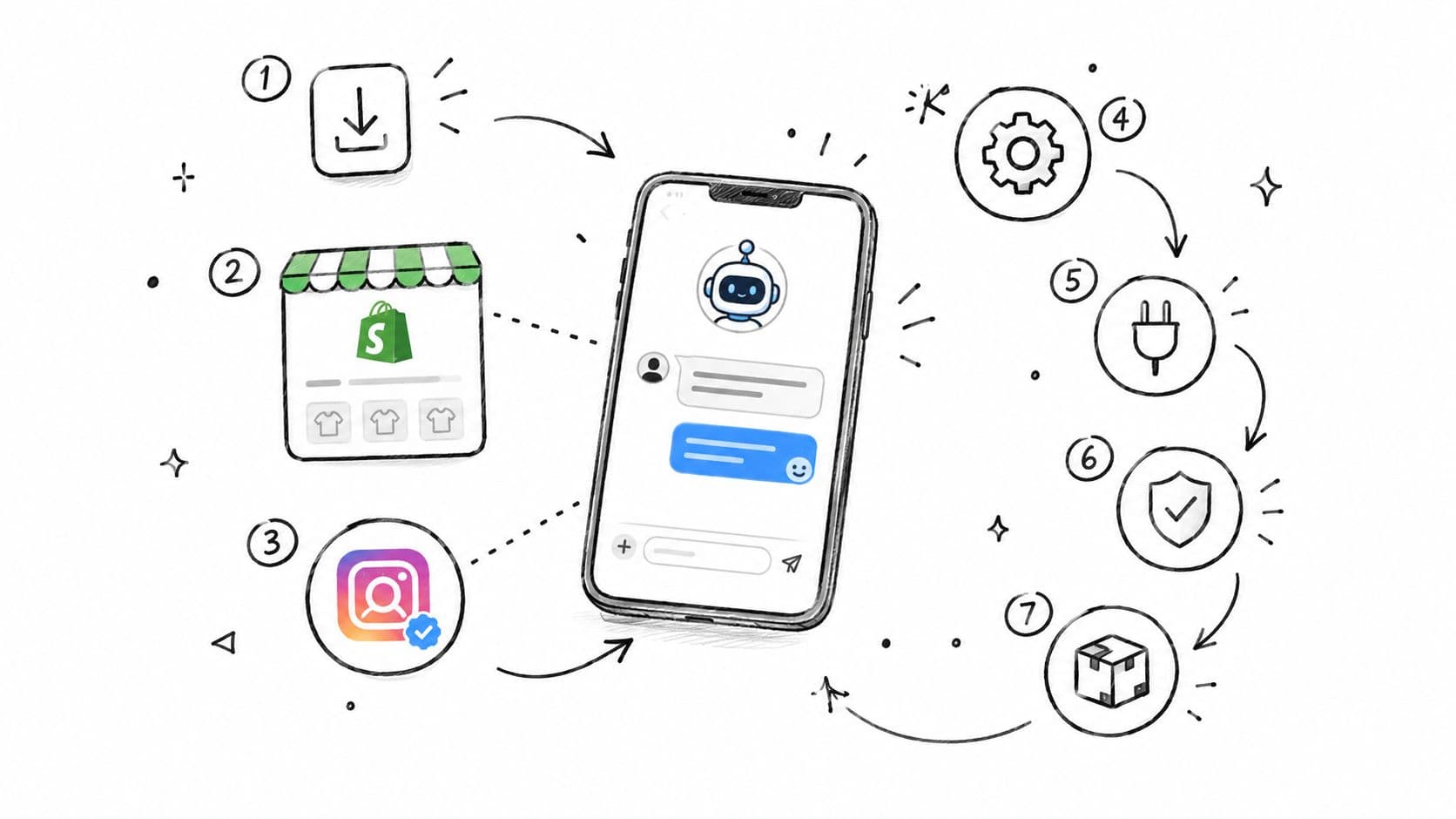
Installation should proceed from access, to knowledge, to controlled testing. Enabling every available trigger immediately makes it harder to identify whether a failure comes from permissions, missing content, or workflow logic.
Connect without publishing every automation
- Install the selected Shopify app. Confirm which permissions it requests and whether its Instagram connection is included in the selected offering. Keep optional campaigns inactive.
- Authorize the intended account. Use the administrator who controls the relevant assets, then verify the displayed Instagram handle before completing authorization.
- Review channel permissions. Confirm access for the intended DM workflow. Comment-related functionality should be checked separately rather than inferred from a working inbox.
- Select approved knowledge. Sync the relevant catalog, shipping policy, returns policy, and FAQs. Exclude outdated campaign copy that could produce misleading answers.
- Configure escalation and stopping behavior. Define unresolved questions, sensitive requests, opt-outs, and staff takeover. Enable basic inbound DM replies only after those controls are ready.
A connection that appears successful doesn't prove every workflow is authorized. For agency installations, check that any required review and business verification belong to the correct business and application.
When authorization stalls, inspect the specific error rather than repeatedly reconnecting. Confirm account ownership, requested access, and approval status before changing unrelated settings.
Test a complete shopper conversation
Use a separate shopper account to send a real product question. Ask about a specific variant, then follow up with a detail that requires the assistant to retain context, such as whether that item suits a particular use.
Check the answer against Shopify, not merely against the app's preview. Open the recommended link and verify that it leads to the relevant item rather than a collection or unavailable variant.
Next, introduce uncertainty. A request for an unlisted measurement should produce a clarification or handoff, not an invented specification.
Acceptance test: A convincing answer is still a failed answer if its product detail, policy interpretation, or destination link is wrong.
Apply the messaging boundaries established earlier to the test. Routine product questions belong in automated replies while eligible, whereas disputes, policy exceptions, uncertain claims, and requests for a person should move to staff.
Human takeover should also stop competing automated responses. Otherwise, the customer can receive incompatible instructions from the bot and the support agent.
Finally, test an expired-window case through the app's available testing or logging controls. Confirm that an ineligible automated follow-up is suppressed and recorded, not treated as delivered without notice. Only then add more triggers.
Message Templates That Convert Inside the 24-Hour Window
Templates work best as reply structures, not scripts that ignore the shopper's question. Each should contain an answer, the relevant limitation, and a sensible next step.
The examples below are editable store copy, not quotations from a source. Bracketed fields must be replaced with verified catalog or policy information before use.
Four DM Scenarios and the Reply Shape That Works
| Shopper DM Scenario | Reply Goal | Must-Include Element |
|---|---|---|
| Sizing and fit | Help assess suitability | Verified fit information and a useful clarification |
| Shipping and returns | Explain purchase conditions | Applicable destination or return eligibility |
| Product comparisons | Clarify a meaningful difference | Supported distinction between the requested products |
| Order status | Route to secure, accurate assistance | Approved verification or tracking route |
Sizing and fit
“[Product] is described as [verified fit detail]. The size guide lists [relevant measurement] for [size]. Which usual size or fit preference should guide the comparison? Product details are available at [product link].”
This gives the shopper something useful before asking another question. Avoid guarantees about how an item will fit, particularly when the catalog lacks measurements or the shopper hasn't described their preference.
If the assistant has no reliable fit information, the better reply identifies that gap and offers staff help. Fabricated certainty is worse than a visible limitation.
Shipping and returns
“For [destination], the published shipping policy states [verified delivery information and conditions]. Returns for this item are [verified eligibility], subject to [relevant condition]. The applicable details are at [policy link].”
Don't compress the entire policy into a wall of text. Include the condition that changes this shopper's decision, such as an exclusion or destination restriction.
Delivery information should retain its qualifications. A policy estimate shouldn't become a guaranteed arrival date because the reply sounds more persuasive that way.
Product comparisons
“[Product A] has [verified attribute], while [Product B] has [verified difference]. For [stated preference], [product] appears more suitable because [supported reason]. Which matters more, [attribute] or [alternative attribute]?”
A comparison should explain a trade-off, not automatically recommend the more expensive item. Provide the relevant product link after the distinction is clear.
If the products don't have enough documented differences, ask what the shopper needs or route the question to staff. Don't invent performance claims to make the comparison feel complete.
Order status and human handoff
“Order updates are available through [approved secure tracking route]. If that doesn't resolve the question, support can review the order through [approved verification process]. Please avoid sharing payment details in this chat.”
Order information requires verified access and appropriate identity checks. Without those capabilities, the assistant should route the request rather than claim an order has shipped.
For a handoff, use direct wording such as:
“This needs a support specialist because [specific reason]. The conversation will be passed to the team with the details already provided.”
Keep these replies within an eligible conversation. A helpful template doesn't make an otherwise prohibited send permissible.
Automation Workflows Worth Turning On First
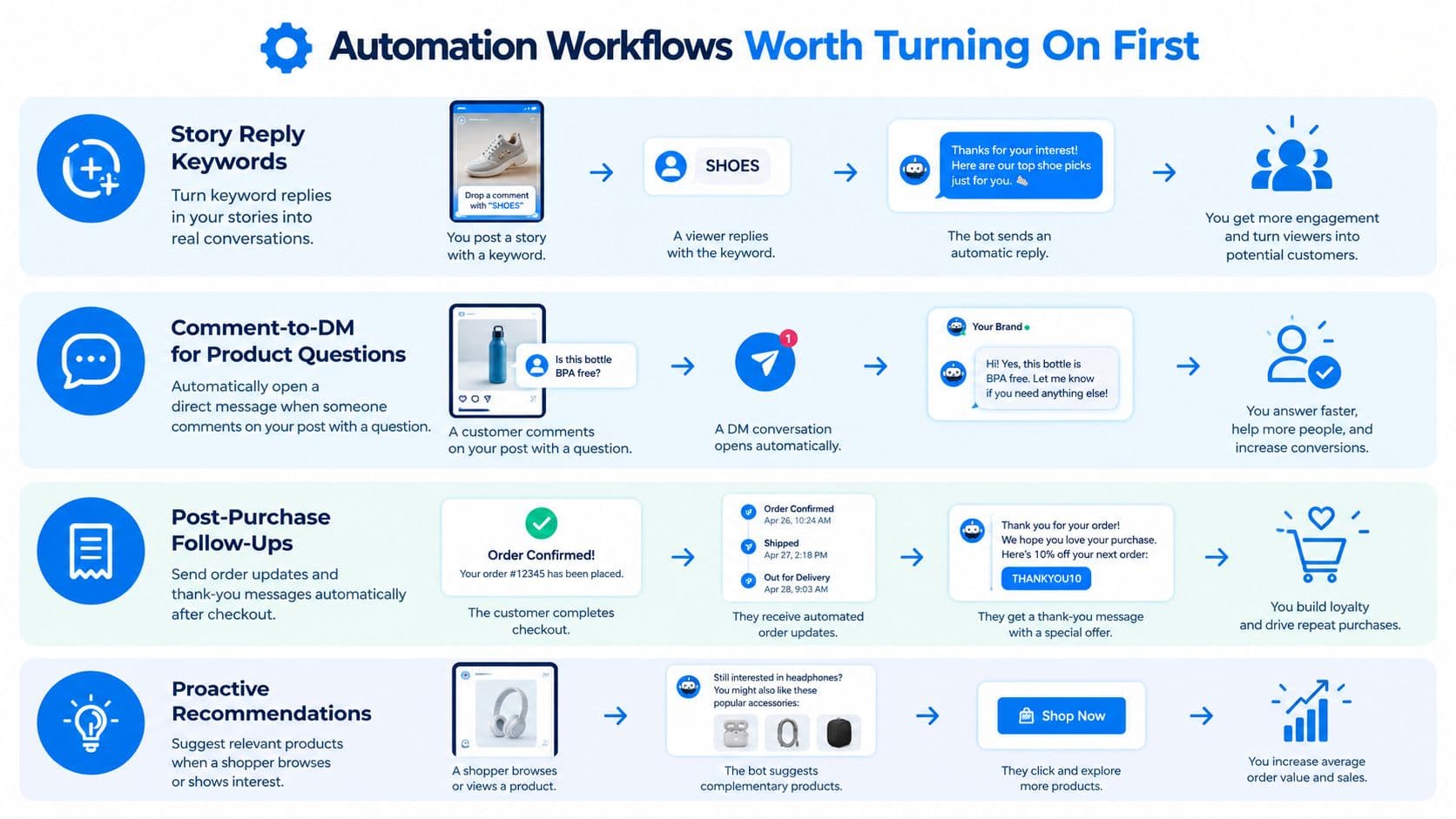
Start with workflows whose triggers express a clear shopper need. The safest launch scope is usually answering an active question, not attempting to infer permission from browsing or checkout activity.
Story replies and product comments
Story reply keywords can route explicit questions to relevant information. A reply containing a fit-related keyword might open a sizing response, while an ambiguous reply should ask for clarification instead of forcing a product pitch.
For comment-to-DM, confirm the app's approved trigger and private-reply conditions. A public comment shouldn't automatically be treated as an unrestricted conversation.
- Trigger: An eligible question or requested keyword on a selected post.
- Content: Information related to that post's product.
- Guardrail: Follow the applicable private-reply rules and distinguish the initial contact from a subsequent shopper response.
Avoid sending the same sales message to every commenter. A product question and a friend tagging another account aren't equivalent signals.
Follow-ups and recommendations need stronger checks
Post-purchase follow-ups should use a properly connected customer record and an eligible messaging interaction. A Shopify purchase alone shouldn't trigger an Instagram thank-you or order update to a presumed account.
The same caution applies to abandoned-cart nudges. If the shopper is already discussing checkout in an eligible DM conversation, the assistant can offer relevant help. Cart abandonment by itself isn't an Instagram messaging trigger, and expired conversations need an appropriate fallback channel with its own consent.
Proactive recommendations require a channel distinction. A storefront assistant may react to browsing behavior if the chosen tool supports it, but lingering on a Shopify product page doesn't itself authorize an Instagram DM.
Inside an active conversation, recommendations can follow the shopper's stated preferences. That's a better foundation than guessing identity from sender information or trying to connect unrelated browsing activity.
Trigger accuracy matters more than workflow complexity. Every automated send should have a clear reason and an eligible recipient.
For a broader channel plan, the automated customer engagement guide can help merchants separate storefront assistance from messaging workflows. Keep opt-outs effective, suppress ineligible sends, and leave outbound experiments disabled until their rules are understood.
Launch Checklist and KPIs to Track After Go-Live
A connected account is not launch-ready until the assistant answers, declines, and escalates correctly. Test the behavior before enabling customer-facing replies.
Check behavior and business outcomes
- Permissions: Confirm the intended account and enabled triggers.
- Answer quality: Test common product questions against current Shopify information.
- Fallback: Verify staff assignment, bot pausing, and opt-out handling.
- Delivery controls: Review failed and suppressed messages alongside successful replies.
Track DM response time, DM-to-checkout rate, assisted order value, repeat-question deflection, and unhelpful reply rate. Define checkout attribution consistently, and separate confirmed purchases from shoppers who only received a link.
Deflection means a question was resolved, not answered. Use the chatbot analytics guide to organize the review. Check whether automated replies fall within Meta's 24-hour response window, and confirm that workflows stop or use an eligible alternative when it closes.
Choose capacity from actual usage
Carti is one option among channel-specific automation tools and shared inboxes, an AI shopping assistant for Shopify that replies to Instagram and Facebook Messenger messages.
Compare tools against actual conversation volume, escalation needs, and supported channels. Check how each counts conversations before choosing capacity. A lower-cost plan may not fit if it limits the conversations your store needs, while extra capacity is wasted if usage stays low.
During the first month, review unresolved questions, misleading answers, failed sends, and checkout attribution. Fix the knowledge base before adding workflows. Keep automation that helps shoppers, not workflows that merely increase message volume. Monitor whether each send is permitted within Meta's response window; automation outside its limits can put the account at risk.

Written by
Daniel AndersonFounder of Carti. 10+ years building ecommerce brands in apparel and supplements. Still runs a Shopify store and built Carti to help merchants convert more browsers into buyers.
Ready to boost your store's sales?
Install Carti in 5 minutes and let AI handle customer questions, recommend products, and close sales 24/7.
Start Free Trial14-day free trial