
The most popular advice about automated customer engagement is also the easiest way to annoy shoppers: build a campaign, choose a delay, and send the message to everyone who matches a segment. That approach treats a Shopify storefront like an email list. Shoppers don't experience your store as a calendar. They hesitate over sizing, shipping, compatibility, price, or trust at a specific moment, and automation works only when it responds to that moment.
The highest-revenue behavior across the stores I've worked with isn't a blast. It's a storefront assistant noticing what just happened, asking one useful question, and connecting the conversation to the eventual order. Post-add-to-cart follow-ups lead that system, with exit-intent saves close behind. The difference between helpful and irritating often comes down to a quiet first minute, a session cap, and whether the message asks about a concern instead of announcing that the shopper left something behind.
Why Automated Engagement Is a Conversation, Not a Campaign
Most merchants begin with the wrong question: “Who should receive this campaign?” A better question is, “What did this shopper just do, and what might they need now?” A cart drawer closing after an add, a cursor leaving the viewport, or a cart sitting idle carries more context than a broad audience label.
That distinction changes the role of automation. A campaign pushes a message because a rule says it's time. A conversational system watches for a meaningful signal, then offers help that fits the situation. It behaves more like a good shop assistant, present when needed and invisible when the customer is confidently browsing.
Practical rule: The trigger picks the moment. The guardrail keeps the moment welcome.
In practice, statement-style prompts such as “You left something behind” get dismissed. Question-style prompts that name a likely hesitation get replies. A question gives the shopper a way to explain what's blocking the purchase, whether that's fit, delivery, ingredients, installation, or another concern. A reply is worth more than a click because the assistant can respond to the information it receives.
This is a useful lens for merchants comparing engagement ideas, including the broader principles in this guide for Omaha businesses. The objective isn't maximum message volume. It's a sequence of small, attributable conversations that remove friction without teaching shoppers to ignore the widget.
The rest of the operating model follows from that premise: define the channels by shopper moment, select behavioral signals instead of timers, measure engagement through orders rather than open rates, and enforce silence as deliberately as you enforce delivery. The strongest automation doesn't feel like marketing automation. It feels like timely assistance.
What Automated Customer Engagement Means for Ecommerce
Automated customer engagement observes shopper behavior and responds through the channel that fits the moment. A 24/7 sales associate can reference the catalog, apply store policies, answer product questions, recognize hesitation, suggest relevant alternatives, and retain conversation context.
A chatbot alone does not create this system. A static FAQ bot waits for a question and returns a fixed answer. A newsletter follows a schedule. Automated engagement connects a behavioral signal with a conversational response, then records whether that interaction influenced an order.
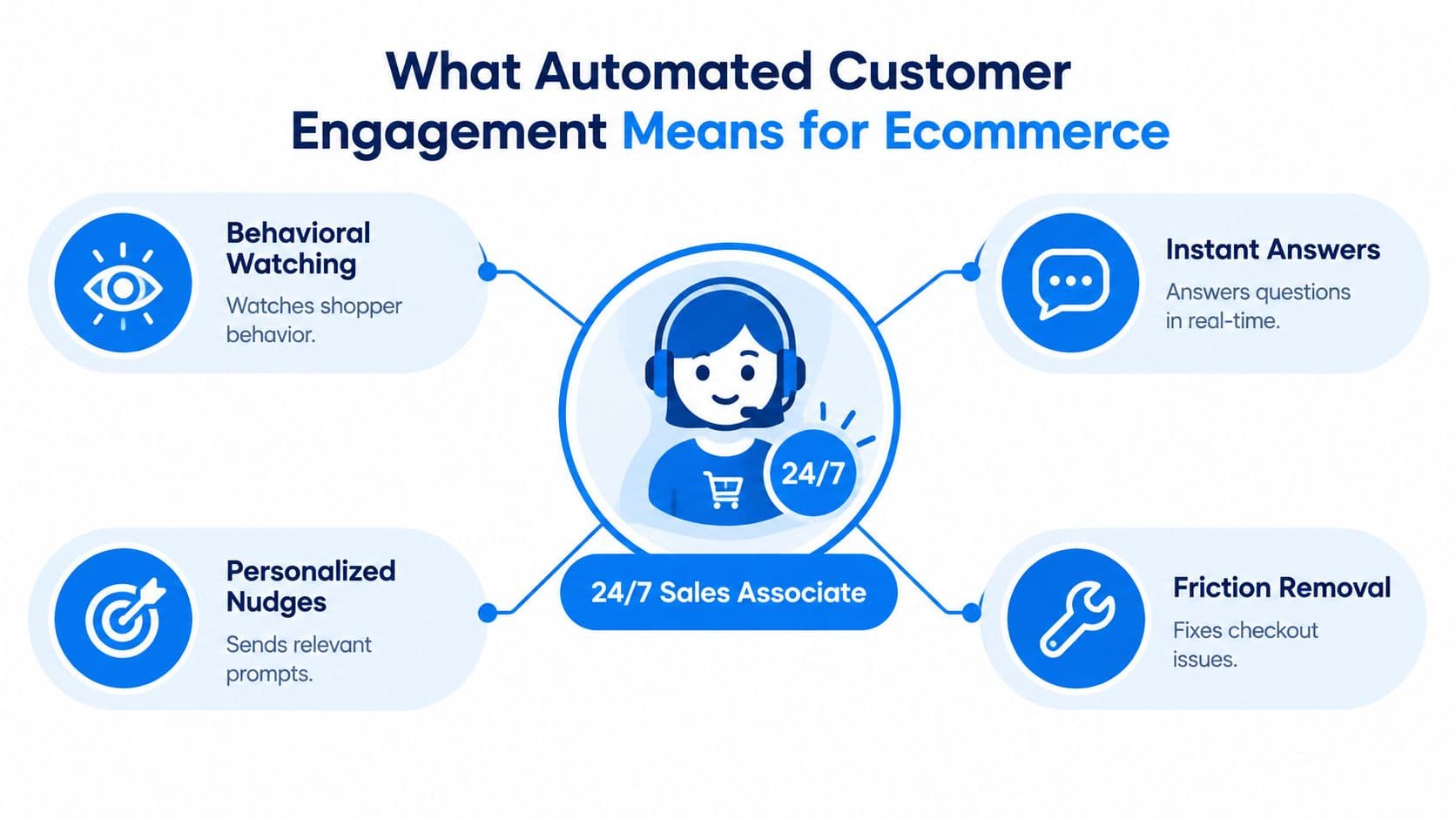
From FAQ replies to active assistance
The category developed from paper files in the 1950s, to database marketing systems in the 1980s, and then to machine-learning and AI features entering CRM in the late 2010s, according to SAP's CRM history. For merchants, that progression matters because current tools can combine catalog context with live behavior instead of treating every shopper like an anonymous support ticket.
Adoption reflects the change. Chatbot.com's chatbot statistics reports that around 80% of companies use or plan to use AI-powered chatbots, with chatbot interactions costing roughly $0.50 to $0.70 compared with $6 to $15 for a human-agent interaction. A separate 2026 industry summary says 91% of businesses with 50+ employees use AI chatbots somewhere in the customer journey, up from about 58% in 2023. These figures are not necessarily contradictory because they use different denominators and survey years. Together, they show that automated assistance has become an operating decision rather than a trial feature.
Cost explains why support teams often start with repetitive, high-volume questions. The savings disappear if a bot gives incorrect policy or product guidance, so catalog data, escalation rules, and response boundaries need testing before wider rollout. Automation should handle routine guidance while people take over when context, judgment, or empathy affects the outcome.
The useful test is operational: the system should explain why it responded, what it answered, and whether the shopper ordered. That connection matters more than message volume or open rates. The Cleffex Digital automation guide offers a broader view of linking catalog assistance with revenue actions.
The Four Channels of Automated Engagement
Each channel owns a different shopper moment. Chat handles questions while the shopper is present. Email follows up after the session ends. Push brings an opted-in shopper back from outside the store. Onsite messaging catches hesitation before the shopper leaves.
| Channel | Best Moment | Strength | Watch-Out |
|---|---|---|---|
| Chatbot | A shopper has a product or policy question | Instant, conversational assistance | Incorrect answers destroy trust |
| A shopper abandons a cart or needs follow-up | Rich context and useful product detail | Delayed sends lose the original buying signal | |
| Push notifications | An opted-in shopper has left the site | Re-engagement outside the store | Frequency fatigue and permission limits |
| Onsite messaging | A shopper hesitates during a live session | Immediate friction removal | Over-firing trains dismissal |
Chat owns the live question
Modern AI chatbots can reduce a support interaction from a long wait to a near-immediate answer. They can also support shoppers across many languages without a separate manual flow for each language, provided the catalog, policies, and escalation rules are accurate. Customer-service research summarized by Zoom's chatbot statistics reports that 60% of consumers engage with support chatbots when prompted, 77% of bot users say they can resolve issues without human intervention at least sometimes, and about 90% of customer queries resolve in fewer than 11 messages.
Email is better when the shopper needs a reminder, a product comparison, or a link back to a saved cart. Push can work for permissioned audiences, but it should carry a clear reason to return rather than a generic promotion. Onsite prompts are the most sensitive channel because they interrupt an active session, so they need the strongest trigger logic.
A form can also become part of the conversation when the next step requires collecting fit, preference, or product-use details. An online form customization platform can support that kind of structured handoff, while your engagement layer handles the timing and context.
Don't choose tools before assigning ownership. Map the moment first, then connect each channel to the smallest useful action. For related thinking on channel roles, see this customer service channels guide.
Choosing the Right Triggers for Your Automations
Use behavioral signals, not timers, as primary triggers. A timer knows that a shopper has been on a page. It doesn't know whether the shopper is engaged, confused, comparing products, or just reading carefully.
Three signals worth prioritizing
Exit intent detects a cursor leaving the viewport on desktop. It often captures a decision point, but it isn't proof that the shopper is abandoning the purchase. Ask a useful question, such as, “Are you comparing sizes, or is there something about delivery I can clarify?” Don't turn every mouse movement into a discount.
The cart drawer closing right after an add is the strongest moment for a post-add conversation. The shopper has expressed interest but may still have a question about suitability, pairing, quantity, or what happens next. One question is enough: “What are you trying to solve with this product? I can point you to the right option if you're still deciding.”
A cart going idle signals unfinished intent without forcing a countdown. The message should help the shopper resume or resolve friction, not imply surveillance. “Would it help to compare this with another option before you check out?” creates an opening for assistance.
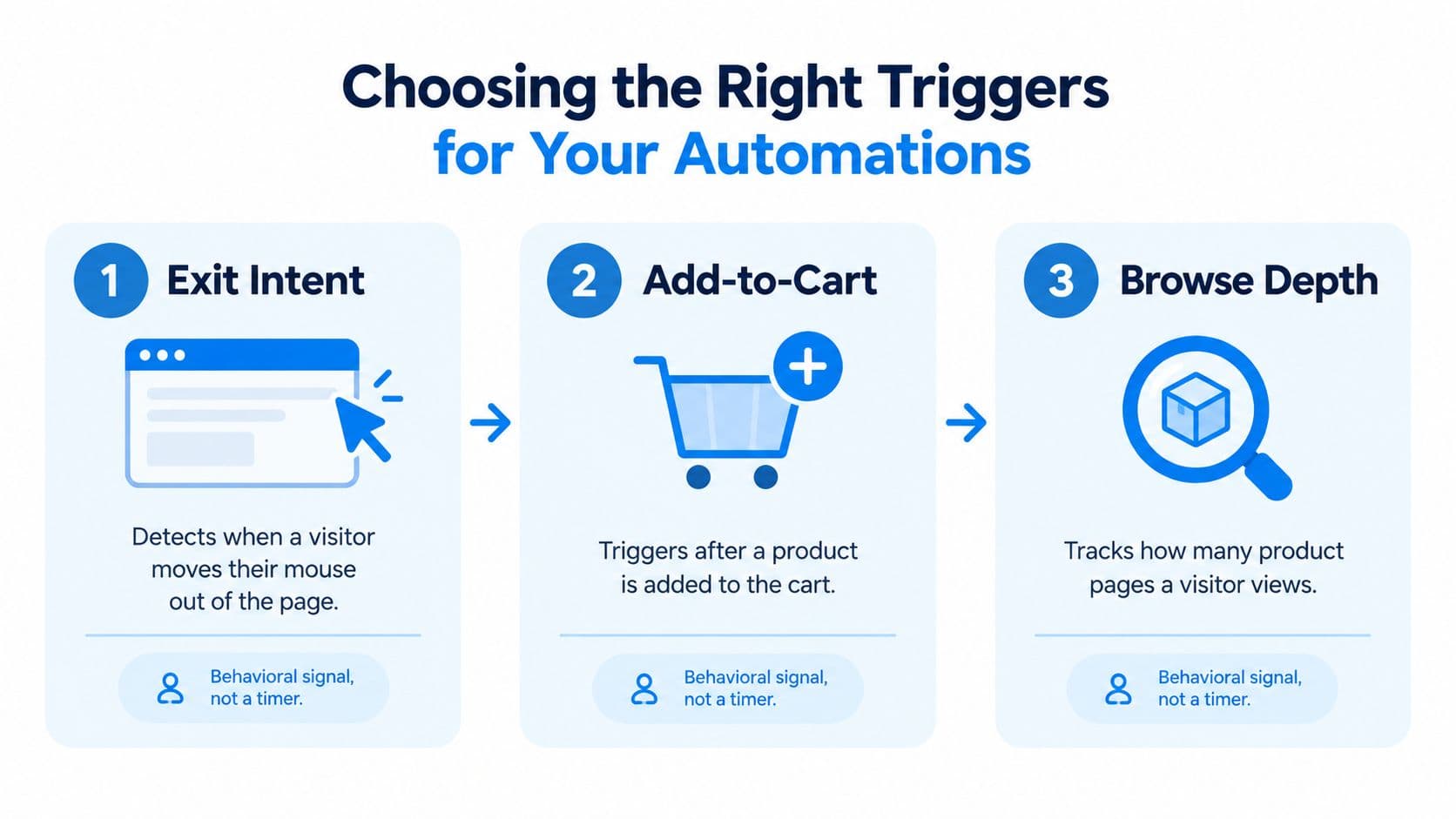
Time-on-page and cart-value triggers can still provide context, but they're poor primary conditions. They fire according to elapsed time or an arbitrary threshold, rather than the shopper's actual moment of hesitation. A high cart value doesn't mean the shopper wants help, and a long product visit may indicate careful research rather than confusion.
Audit every trigger before launch
Ask whether the condition represents intent, friction, or a meaningful transition. Then define what the assistant should learn from the response and where that answer goes. If the trigger cannot lead to a relevant answer, it probably shouldn't launch a conversation.
The video below offers another practical look at trigger selection and timing.
Start with one trigger and one question. Expand only after you can see the prompt, the reply, the click, and the resulting order in the same reporting path.
Measuring What Matters in Automated Engagement
Onsite prompts don't have open rates. Treating engagement like email creates a misleading dashboard, because a prompt can be seen, dismissed, answered, or acted on without producing an email-style open event.
The metric that kept us committed to the top automation is engagement-to-order attribution. Each prompt is paired with its engagement, any click, and any resulting order, so the revenue connection is measured rather than assumed. Shoppers who engage with the strongest prompts convert at roughly 3.5 times the store baseline, and that relationship is visible per prompt in the dashboard.
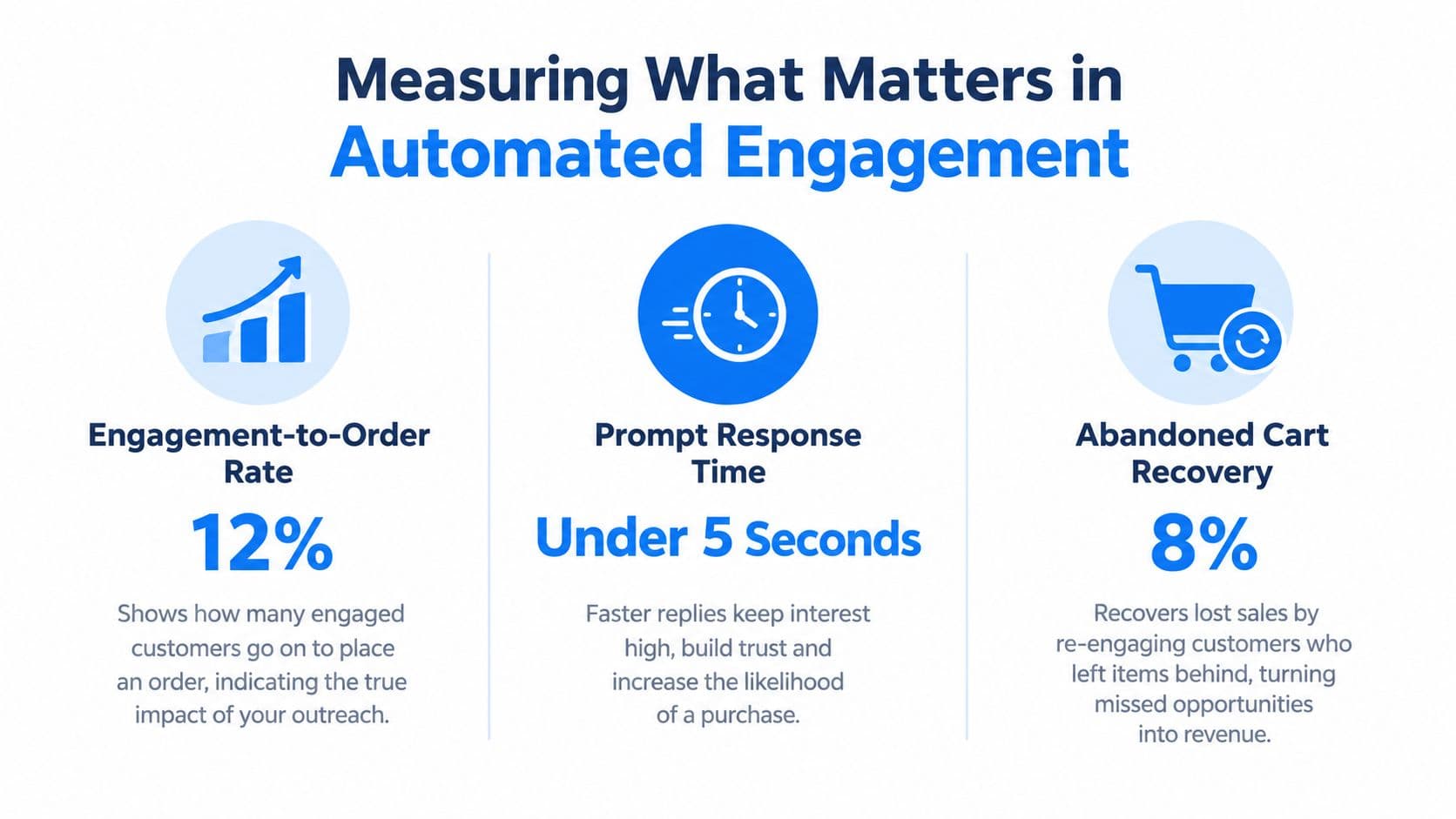
Measure the whole interaction
Track the chain, not an isolated event:
- Prompt engagement: Did the shopper answer, click, or request assistance?
- Conversation outcome: Did the assistant resolve the concern or escalate it?
- Commercial outcome: Did the shopper add, begin checkout, or place an order?
- Prompt quality: Which wording produces useful replies instead of dismissals?
- Negative signals: Are shoppers closing the widget, returning less often, or encountering repeated messages?
Response time belongs in this chain. A benchmark of 2.3 million chatbot interactions found top performers averaged 0.9 seconds to first response, versus 2.8 seconds for the industry average, with 22% higher customer satisfaction at the faster tier. Conversation completion rose from 68% to 89%, while escalation to human agents fell from 32% to 18%, according to the chatbot response-time benchmark.
Email recovery adds a timing dimension. Emails sent within 1 hour of abandonment converted at 20.3%, compared with 12.2% when sent after 24 hours, based on Ringly's ecommerce abandonment data. A separate dataset reports a 39.46% click-to-conversion rate among abandoned-cart email clickers, as shown by Omnisend's abandoned-cart email data.
For a practical KPI vocabulary, use this customer engagement metrics resource. The reporting rule is straightforward: never claim revenue from a message unless the system can connect the interaction to the order.
Two Workflow Templates You Can Launch This Week
The first workflow is the one I'd build before adding a large collection of lifecycle campaigns. It uses a high-intent transition and gives the shopper a reason to answer.
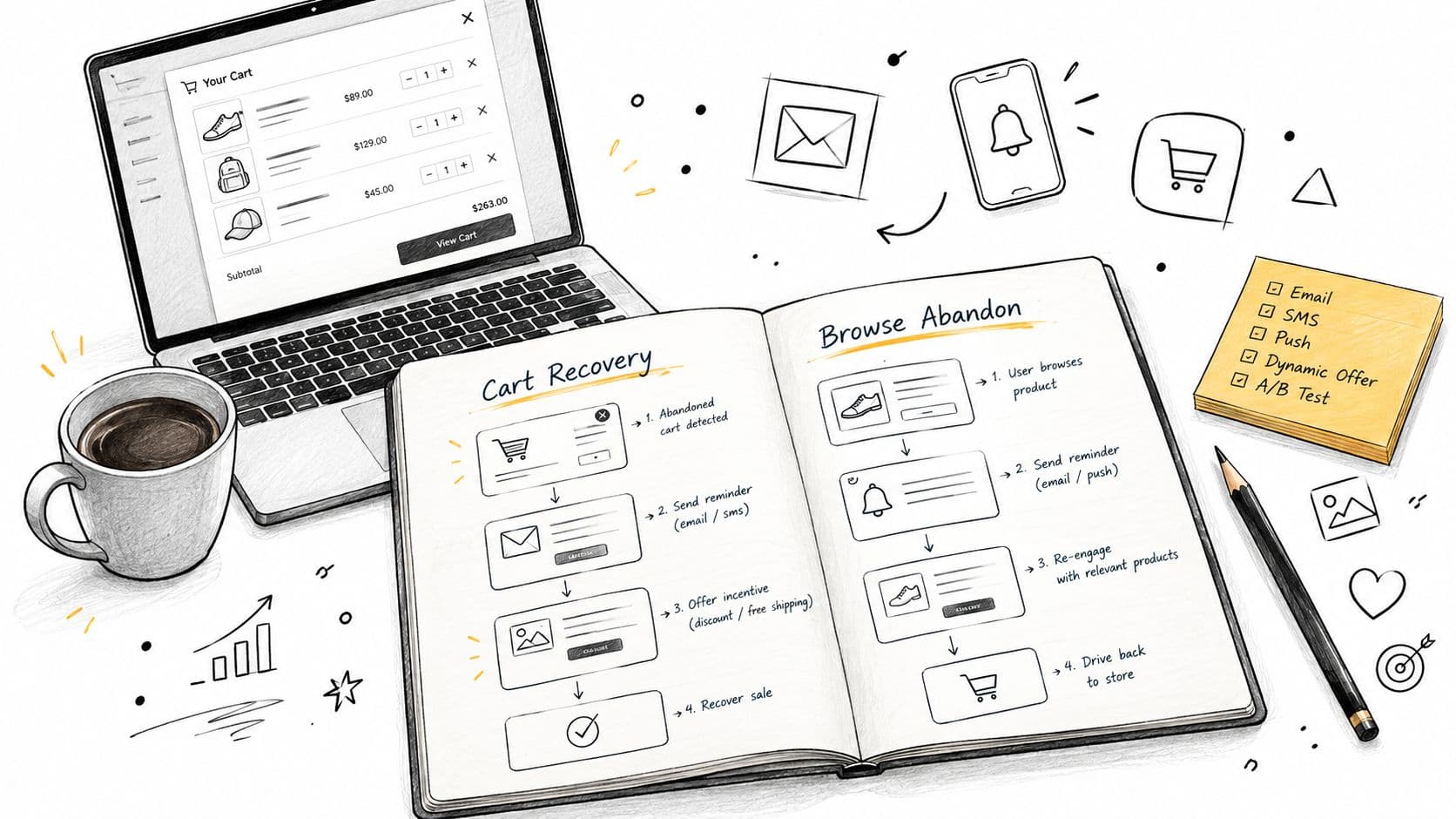
Workflow one post-add-to-cart assistance
Trigger: The shopper adds an item, then closes the cart drawer. Do not fire immediately on page load, and don't show the same prompt repeatedly to returning shoppers.
Message shape: Ask one question about the shopper's situation. For apparel, try, “Are you choosing between sizes, or would you like help with the fit?” For home goods, ask, “Is this for a particular room or setup? I can help check compatibility.” Avoid “You left something behind,” which performed poorly in our experience.
Response handling: Map likely replies to concise answers, product comparisons, shipping details, sizing guidance, or a human handoff. Keep the assistant focused on the current decision. A shopper who asks about ingredients shouldn't receive a generic upsell.
Attribution checkpoint: Record the prompt ID, engagement, reply, click, and resulting order. Across our stores, this post-add behavior generated the highest revenue contribution, with exit-intent saves second. Engaged shoppers converted at roughly 3.5 times the store baseline, so the dashboard must show that comparison for each prompt rather than hiding it in an aggregate.
Workflow two cart recovery with relevant suggestions
Trigger: A cart becomes idle after the shopper leaves or stops progressing. Use the onsite assistant first if the shopper returns, then use email as the off-site fallback where permission exists.
Message shape: Combine a recovery question with a relevant product suggestion. “Still deciding on the cleanser? If your priority is sensitivity, I can compare the gentler option with the one already in your cart.” Product recommendations should follow observed behavior and catalog relationships, not promote the highest-margin item.
Sequence: Send the first abandoned-cart email within 30 minutes when that timing fits the store's consent and messaging setup, because Rejoiner's abandoned-cart guide identifies that window as usually strongest. Other guidance recommends the first message within 1 to 4 hours, followed by a second reminder after 24 to 48 hours, so test the interval against your shopper context rather than treating one schedule as universal.
Attribution checkpoint: Separate recovery caused by the assistant, the email, and the recommendation. For broader funnel design, review this sales funnel automation guide. A recovery workflow earns its place when it resolves hesitation and produces attributable orders, not when it merely sends more reminders.
Guardrails, Pitfalls, and Your Launch Checklist
An engagement automation earns the right to speak by staying quiet most of the time. Early proactive systems often stack prompts, fire within seconds of page load, and repeat the same message on every visit. Shoppers learn to dismiss the widget, and that damage is hard to see because most dashboards don't report, “This shopper now ignores you.”
The controls need to exist before you scale traffic or message volume:
- Delay the first conversation: Nothing fires during the first minute on a page.
- Cap the session: Limit prompt frequency so one visit can't become a sequence of interruptions.
- Remember returning shoppers: Don't show the same message twice to someone who has already seen it.
- Add cooldowns: A behavioral-triggers guide recommends a global cross-channel cap, at least 6 to 8 hours between promotional pushes to the same person, and short windows of 2 to 4 promotional notifications per week, as outlined by Voxwise's behavioral trigger guidance.
- Vary the message: Change the question according to the product and likely hesitation, not just the greeting.
- Check duplicate delivery: In our system, enforcing cooldowns, per-session caps, and message variety brought duplicate fires under 2%.
Speed still matters after the shopper chooses to engage. The benchmark cited earlier found faster top-tier responses at 0.9 seconds, compared with 2.8 seconds for the industry average, and connected that faster tier with 22% higher customer satisfaction. Fast replies don't rescue bad answers, but slow replies waste the moment your trigger worked to identify.
Before launch, test the trigger on mobile and desktop, confirm the assistant's product and policy answers, verify human escalation, inspect the order-attribution path, and review every suppression rule. Then launch one workflow, read the actual replies, and remove anything shoppers repeatedly dismiss.
Carti gives Shopify merchants a catalog-aware AI shopping assistant for instant product and policy answers, relevant product suggestions, proactive conversations, and cart recovery. If you want to replace timer-based prompts with measurable, behavior-led assistance, visit Carti and connect the first workflow to the shopper signals that matter.

Written by
Daniel AndersonFounder of Carti. 10+ years building ecommerce brands in apparel and supplements. Still runs a Shopify store and built Carti to help merchants convert more browsers into buyers.
Ready to boost your store's sales?
Install Carti in 5 minutes and let AI handle customer questions, recommend products, and close sales 24/7.
Start Free Trial14-day free trial