
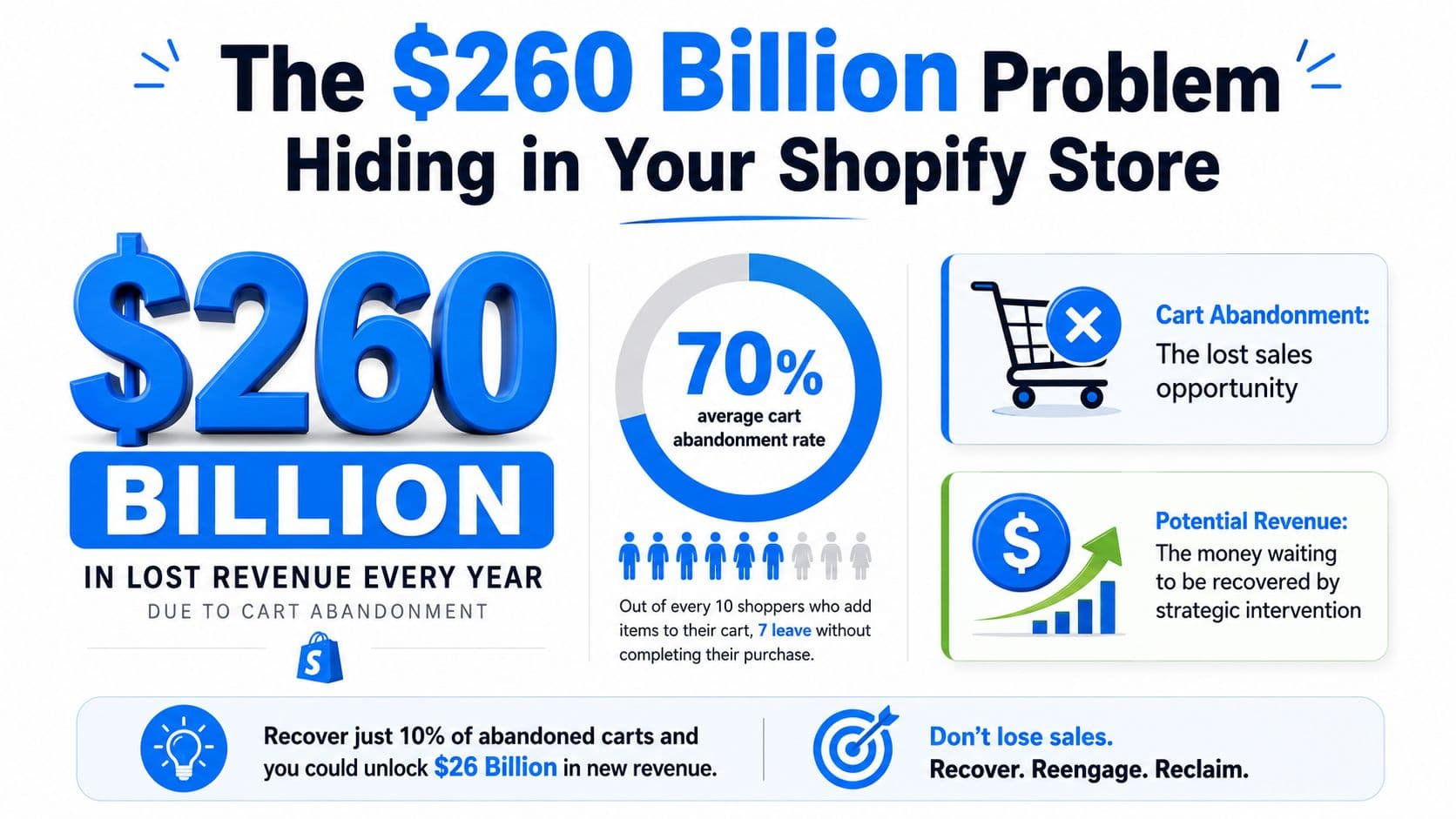
Most Shopify stores treat cart abandonment like a reminder problem. It's bigger than that. Baymard Institute's aggregation of 50 studies puts the average online cart abandonment rate at 70.22%, which means roughly 7 in 10 shoppers leave before purchase, and the pool of potentially recoverable revenue in the U.S. alone is about $260 billion according to Baymard's cart abandonment benchmark.
That number changes the conversation. You're not dealing with a small leak. You're dealing with a structural conversion gap that can justify real operational attention.
The mistake I see most often is relying on a single abandoned cart email and calling it a strategy. Stores that consistently recover abandoned carts usually do three things better. They remove friction before checkout breaks, they follow up across more than one channel, and they make it easy for the shopper to return to the exact cart they left.
The $260 Billion Problem Hiding in Your Shopify Store
A large share of carts that get abandoned are still recoverable revenue. The shopper showed intent, reached the cart, and then hit friction, distraction, or uncertainty before payment.
That distinction matters because it changes the response. Recovery is not just an email problem. It is a checkout design problem, a messaging problem, and a timing problem.
Many Shopify teams treat abandonment as a remarketing task and stop at one or two reminder emails. That leaves money on the table. Shoppers do not all stall for the same reason, so one channel rarely covers the whole problem. Some need a fast answer in chat. Some respond to SMS because they are away from their inbox. Some would have converted if shipping costs, delivery timing, or payment options were clearer before checkout.
I have seen this pattern across stores with healthy traffic and weak recovery. The issue usually is not lack of intent. The issue is that the store reacts too late or with the wrong message.
A better approach is to treat abandoned carts as active buying signals and build a response around them. Email still earns its place, but it works better when paired with conversational follow-up and friction removal. If your team only measures the final checkout completion rate, you miss the earlier hesitation points that show up in a closer look at your Shopify cart and checkout drop-off rate.
This also has operational consequences. If shoppers hit compliance, shipping, or region-based restrictions late in the process, recovery messages will underperform because the order was blocked by policy, not persuasion. In those cases, prevention matters more than follow-up. Teams that sell regulated or restricted products should review tools like Ship Restrict for WooCommerce compliance to see how earlier rule enforcement reduces failed checkouts.
The stores that recover more revenue usually do two things well. They remove friction before asking for the sale again, and they match the follow-up channel to the shopper's likely objection. That is a more durable path than training buyers to wait for a discount.
First Diagnose Why Your Shoppers Are Leaving
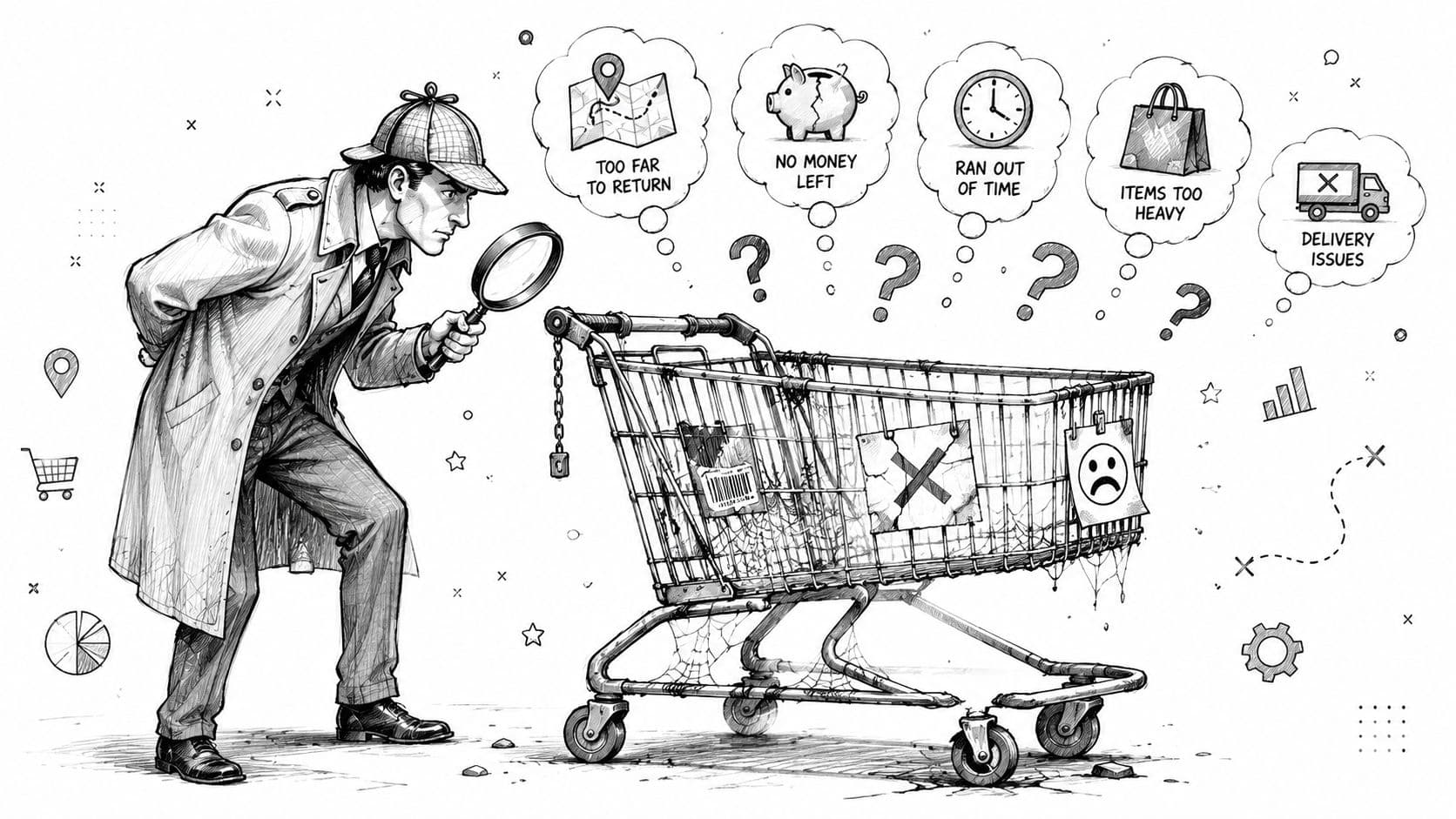
Before you add flows, copy, or tools, find the friction. Too many merchants try to fix abandonment with offers when often the problem is checkout confusion, policy uncertainty, or a missing answer.
Neutral guidance on abandoned cart strategy points to friction removal as the more durable approach and warns that discount-led recovery can train shoppers to wait for a deal. It also highlights unexpected shipping costs as one of the biggest causes of abandonment in Ryder's guidance on abandoned cart strategies.
Start with the checkout path
Open Shopify analytics and map where people drop. Don't stop at overall abandonment. Look at where the hesitation starts.
A practical review usually includes:
- Cart page exits because the cart doesn't reassure. Shipping estimates are missing, return policy is buried, or shoppers can't tell whether taxes or fees appear later.
- Information step drop-off because checkout asks for too much too early, especially on mobile.
- Shipping step exits because options are confusing, delivery feels slow, or costs appear later than expected.
- Payment step exits because trust signals are weak, payment options don't fit customer expectations, or buyers want one last answer before committing.
If you want a simple framework for spotting those funnel breaks, this guide on ecommerce drop-off rate analysis is a useful reference point.
There's also a less obvious failure mode. Some stores let shoppers progress deep into checkout before revealing geographic, product, or shipping restrictions. If your operation has fulfillment constraints, compliance rules, or destination limits, push those rules earlier. This write-up on Ship Restrict for WooCommerce compliance is WooCommerce-specific, but the principle applies across platforms: block non-viable orders before the customer invests effort.
Look for friction in customer language
Analytics tells you where people leave. Support data tells you why.
Read live chat transcripts, support tickets, and post-purchase questions. You're looking for recurring phrases such as:
- “How much is shipping?”
- “Can I return this if it doesn't fit?”
- “Do you ship to my location?”
- “Is this item final sale?”
- “Will my cart still be there later?”
The strongest recovery work often starts before the reminder sequence. It starts by fixing the question that keeps showing up in support.
If you run a post-abandonment survey, keep it short. Ask one question. “What stopped you from checking out today?” Then use broad answer buckets like shipping, payment, timing, trust, product uncertainty, or technical issue.
Once you've done that review, rank issues by impact and ease of fixing. Rewrite the cart page before you rewrite the fifth reminder email. Move shipping transparency higher. Tighten return language. Add product thumbnails in cart. Make support easier to reach. Those changes often improve both conversion and recovery.
Building Your Multi-Channel Recovery Engine
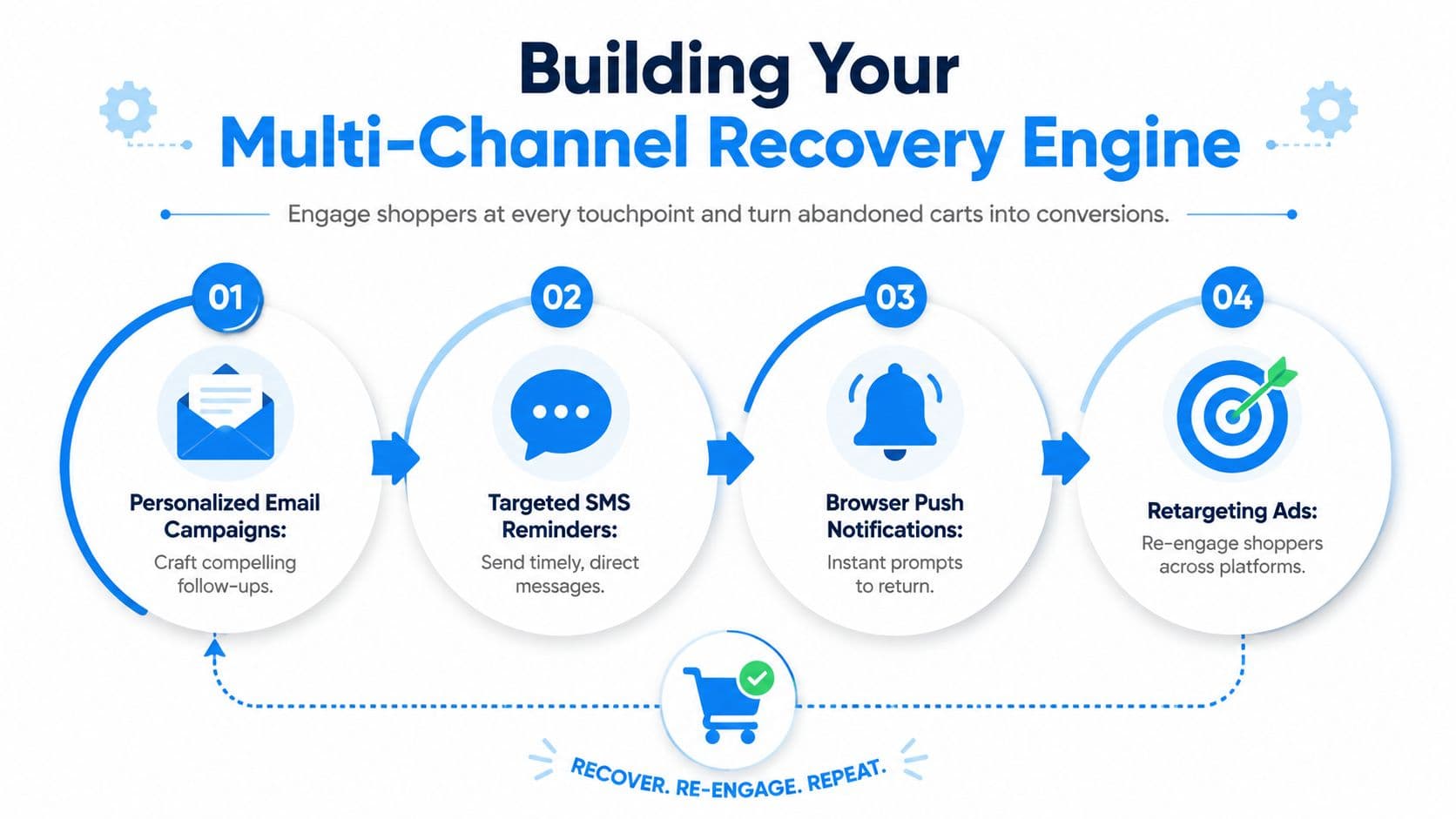
Single-channel recovery leaves money behind because shoppers don't all respond the same way. Some will open email. Some will ignore email and reply to a text. Some need a fast answer onsite before they leave. Others need a prompt that restores the cart without making them start over.
SlickText reported that the right SMS sequence can achieve up to a 58% recovery rate, while abandoned-cart email typically lands in the 17% to 20% range in its abandoned cart recovery analysis. That gap doesn't mean email is weak. It means channel mix matters.
Give each channel a job
Don't send the same message everywhere. Assign roles.
| Channel | Best use | What it should do |
|---|---|---|
| Detailed persuasion | Remind, reassure, show product context, explain policies | |
| SMS | Fast nudge | Bring the shopper straight back to cart with minimal copy |
| Onsite prompts | Save exits in real time | Catch hesitation before the session dies |
| Chat | Handle objections | Answer shipping, fit, returns, availability, and urgency questions |
Email works well when the shopper needs context. You can include the product image, variant, return terms, delivery expectations, and a direct path back to checkout.
SMS works when speed matters. The message should be concise and tied to a direct cart link. Long copy weakens it.
Chat is different. It isn't just a recovery channel after abandonment. It can prevent abandonment while the buyer still has intent. If you're evaluating conversational tools, this overview of a chatbot for retail explains where chat fits in the conversion path.
A conversational layer can also support cart recovery directly. Carti, for example, supports automatic cart recovery, browse abandonment recovery, and purchase-link recovery for Shopify stores.
Here's a useful walkthrough before you build your sequence:
A simple recovery flow that works in practice
Most merchants overcomplicate the logic and underdeliver on timing. Start with a clean sequence and make each touch do a different job.
-
Exit moment onsite prompt
If the shopper hesitates or moves toward leaving, trigger a prompt that offers help, not a coupon. Ask if they have a question about shipping, sizing, returns, or delivery timing. -
Email after the initial delay
Send a reminder that restores the cart and shows exactly what was left behind. Keep the CTA obvious. -
SMS for opted-in shoppers
Use SMS as a direct re-entry path. This is especially effective when the shopper is likely on mobile and the message can take them straight back to checkout. -
Second email with reassurance
Don't repeat the first email. Answer the most common objection. Clarify returns, shipping timeline, stock status, or support availability. -
Support-assisted recovery
For higher-consideration products or larger carts, route hesitation into chat or support instead of another generic reminder.
Keep recovery coordinated
The biggest orchestration mistake is channel collision. A shopper gets an email, an SMS, a push, and a retargeting ad with four different messages in the same window. That feels messy and it weakens trust.
Use these operating rules:
- Suppress after purchase so nobody receives recovery messages once they convert.
- Respect channel preference where you have consent and behavioral history.
- Change the angle by touch so each follow-up adds information.
- Deep-link back to cart instead of sending people to the homepage or product page.
- Escalate only when needed. If the first reminder gets no traction, shift from reminder to objection handling.
Recovery works best when the sequence feels like one conversation, not four disconnected automations.
The goal is simple. Email persuades. SMS accelerates. Chat resolves. Onsite prompts intercept. Together they give you more ways to recover abandoned carts without depending on a coupon every time.
Crafting Messages That Convert Without Offering Discounts
Most abandoned cart messages fail because they're lazy. “You left something behind” isn't persuasive on its own. It doesn't address uncertainty, and it doesn't help the shopper decide.
A better workflow is a timed, multi-touch sequence. Industry guidance recommends sending the first message within about 1 hour, then following up if the shopper still hasn't converted, with top performers recovering 10% to 14% of abandoned carts in this style of program according to Mailmend's cart recovery benchmarks.
Message one should feel helpful
The first touch shouldn't sound like pressure. It should sound like continuity.
Use copy that says:
- The cart is saved
- The exact product is still available
- The path back is one click
- Help is available if there's a question
Example email:
Subject: You can pick up where you left off
You left a few items in your cart. If you were interrupted, your selection is still saved.
Complete your order here: [Return to cart]
Questions about shipping, returns, or sizing? Reply to this email and we'll help.
Example SMS:
You left something in your cart. Your items are still saved here: [cart link]
That's enough. No discount. No fake urgency.
Message two should remove objections
The second message should assume the shopper had a reason for pausing. Your job is to reduce uncertainty, not repeat the reminder.
Here, stores should bring in operational clarity:
- If shipping is the issue mention when shipping costs are shown or explain delivery expectations clearly.
- If trust is the issue mention reviews, returns, or support availability.
- If product fit is the issue point to sizing help, materials, compatibility, or care details.
- If checkout felt risky reassure around payment and policy clarity.
A good second email might look like this:
Subject: Questions before you check out?
If you paused because you wanted a little more clarity, here are the details shoppers usually ask about most: shipping, returns, and product specifics.
Your cart is still ready: [Return to cart]
This message works because it acknowledges hesitation without assuming the buyer only cares about price.
Message three should add a reason to act
The third touch is where you can use urgency, but keep it honest. Don't manufacture pressure. Use real decision support.
Good reasons to act include:
- low stock language if inventory is constrained
- seasonal relevance
- delivery timing for an upcoming need
- limited support windows for custom questions
- social proof themes such as high demand or frequently reordered items, stated qualitatively if you don't have verified public numbers to cite
Don't jump to a discount just because the second message didn't convert. Many shoppers need reassurance more than they need a lower price.
Here are three message patterns that usually outperform generic reminders:
-
The reminder “Your cart is saved and ready when you are.”
-
The reassurance “Need a quick answer on shipping, returns, or fit before you check out?”
-
The decision nudge “If you're still considering it, now's a good time to complete your order before availability changes.”
For chat, the copy should be even shorter:
- “Need help before checkout?”
- “Questions about delivery or returns?”
- “Want me to reopen your cart?”
Good recovery copy does one thing above all. It reduces effort. When you recover abandoned carts without defaulting to discounts, you preserve margin and avoid training repeat visitors to wait for an offer.
Measuring Success and A-B Testing Your Way to More Sales
If you only look at recovered revenue in aggregate, you'll miss what's driving the lift. You need channel-level visibility and you need to separate helpful recovery from noisy attribution.
VWO reports that personalization in cart-abandonment email campaigns can reduce abandonment by 10% to 30%, and it also cites a text-message recovery case that reached a 58% cart-recovery rate when the message was concise, timely, and linked directly back to the shopper's cart in its cart abandonment statistics and optimization guide.
Track the metrics that show incremental value
A practical scorecard should include a small set of metrics you can review every week:
- Recovered revenue by channel so you can see whether email, SMS, chat, or onsite prompts are doing the work.
- Recovery rate by flow step to identify where the sequence loses momentum.
- Cart-to-checkout return rate because some messages generate clicks but not purchases.
- Time-to-recovery so you know whether your sequence is too slow.
- Average order pattern by recovery source, especially if one channel brings back higher-intent buyers.
- Support-assisted recoveries if chat or CX agents influence completed orders.
For merchants building more structured reporting, these chat bot analytics examples are useful because they show how conversational data can expose objections that standard ecommerce dashboards miss.
A broader CRO mindset helps here too. If you're also tightening product pages, forms, and mobile checkout, these website conversion tips are a useful companion resource.
Run tests that change behavior, not just wording
The best A/B tests usually target friction, timing, and path clarity before they target clever copy.
Test ideas worth prioritizing:
| Test area | Version A | Version B |
|---|---|---|
| Timing | First reminder soon after abandonment | Slightly later reminder |
| CTA path | Homepage link | Direct cart restore link |
| Email content | Plain reminder | Reminder plus shipping and returns clarity |
| SMS copy | Minimal reminder | Reminder plus support option |
| Cart display | Text-only item mention | Product thumbnail and variant details |
| Chat trigger | Generic prompt | Shipping or returns-specific prompt |
A strong test changes either speed, certainty, or effort. Cosmetic wording changes matter less than those three variables.
Be careful with false positives. Some recovered orders would have come back on their own. The cleanest way to think about performance is to ask whether the message changed behavior or merely captured demand that was already returning.
When a test wins, document why you think it won. “Faster” is not enough. “Direct cart restore reduced steps” is useful. “Shipping reassurance reduced hesitation” is useful. Those insights improve the rest of your store, not just the recovery flow.
Quick-Start Checklist to Automate Recovery with Carti
To automate recovery quickly, keep the setup tight and map it to the friction you already found in your store.
Set up the basics first
Start with the pieces that remove effort for the shopper and give your team cleaner recovery data:
- Install the app and connect your Shopify store so product data, policies, and FAQ content are available to the assistant.
- Enable Cart Recovery so shoppers who leave can receive a conversational follow-up tied to their abandoned session.
- Review the default recovery message and edit it to match your brand voice. Keep it short, useful, and focused on getting the shopper back to checkout.
- Add policy clarity to the chatbot knowledge base, especially shipping, returns, delivery timing, and common product questions.
- Turn on browse abandonment if it fits your store so you can reach high-intent shoppers before they start checkout.
- Check purchase-link behavior so shoppers return to the right cart state instead of rebuilding the order themselves.
Review performance every week
Once automation is live, review it weekly. Stores that skip this usually end up with recovery flows that send messages but miss the core objection.
Review:
- Which questions appear before abandonment
- Which recovery messages bring shoppers back
- Which products trigger the most hesitation
- Where policy confusion keeps showing up
- Whether shoppers need more support or less messaging
The weekly review provides the most value. It shows whether your problem is timing, uncertainty, mobile friction, or missing information.
If your current setup is one delayed email and a coupon, the fastest improvement is usually to add conversational recovery, restore the cart directly, and answer the objection. Carti gives Shopify stores a no-code way to do that with conversational cart recovery, purchase-link restoration, and onsite support that helps shoppers finish checkout.

Written by
Daniel AndersonFounder of Carti. 10+ years building ecommerce brands in apparel and supplements. Still runs a Shopify store and built Carti to help merchants convert more browsers into buyers.
Ready to boost your store's sales?
Install Carti in 5 minutes and let AI handle customer questions, recommend products, and close sales 24/7.
Start Free Trial14-day free trial