
Product recommendations can influence a meaningful share of ecommerce revenue. In Shopify, they deserve the same scrutiny as paid traffic, pricing, and checkout because they affect conversion rate, units per order, and average order value at the same time. If you need a quick refresher on that metric, this guide on average order value in ecommerce covers the basics.
The common mistake is treating Shopify product recommendations as a theme feature. Install a widget, accept the default logic, and hope it lifts sales. That approach can work at small scale, but it rarely explains which placements create incremental revenue, which recommendation rules fit the catalog, or where the system breaks for low-data products, broad catalogs, and returning shoppers with mixed intent.
A better approach is to treat recommendations as a lifecycle. Start with Shopify's native recommendation blocks and clean product data. Then choose strategy by page type and buying job, measure lift against revenue per session and attach rate, test what changes behavior, and push into AI-driven personalization only when the data foundation is good enough to support it.
The end state is not just a better product page widget. It is a recommendation system that works across product pages, cart, search, post-purchase flows, and customer conversations, where a chatbot can respond to intent in real time instead of waiting for a shopper to click around.
Why Product Recommendations Are a Revenue Engine Not a Gadget
Product recommendations often account for a meaningful share of ecommerce revenue. The exact lift varies by catalog, traffic quality, and how well the store matches recommendations to the buying moment. What matters in practice is simpler. These modules influence which products get seen, which items get added together, and whether a session turns into a larger order.
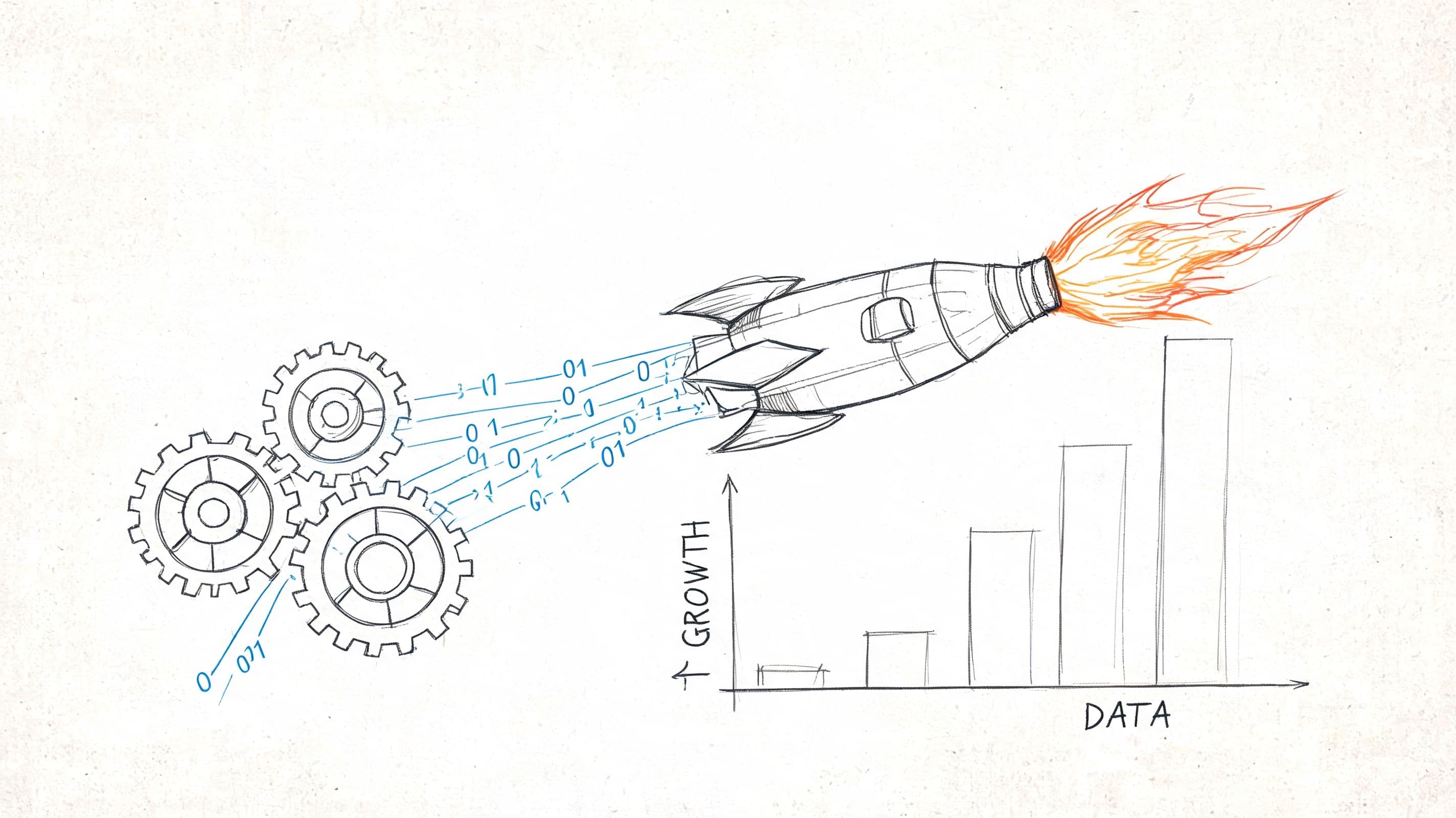
That makes recommendations a merchandising system, not a cosmetic theme feature.
Stores usually underestimate them because the impact is distributed across the funnel. A paid ad gets credit for the click. A discount gets credit for the conversion. Recommendation blocks affect discovery, comparison, attachment rate, and basket size, so their contribution is easier to miss unless you measure it directly. If you are tracking basket growth, start with a clear definition of average order value in ecommerce, because recommendation performance often shows up there before it appears in headline conversion rate.
Three jobs matter most:
- Discovery: Recommendations decide which nearby products a shopper sees instead of leaving catalog exploration to chance.
- Attachment: They increase the odds that an accessory, refill, or add-on gets purchased with the main item.
- Recovery: They give a shopper another relevant option when the first product is close, but not quite right.
The trade-off is relevance versus distraction. A well-placed complementary item in cart can add margin with very little friction. A generic "you may also like" block on every page can pull attention away from the primary buying decision and lower engagement with the whole module over time.
I see this mistake often. Merchants install a recommendation app, accept the default logic, and assume the system is now working. In reality, recommendation quality depends on feed cleanliness, product relationships, page context, and ongoing review. If those inputs are weak, the widget still renders, but it behaves like filler.
Strong recommendation programs are managed in stages. First, get basic placements live. Next, match recommendation logic to intent on each surface. Then measure revenue by placement, not just clicks. The mature version goes further and uses behavior, margin, inventory, and conversation context to decide what to show. That is the difference between a widget and a revenue engine.
Activating Your First Recommendations in Shopify
The fastest way to start is with Shopify's native recommendation surfaces inside your theme. Don't overcomplicate this stage. The goal is to get a baseline live so you can see how shoppers respond before you add extra tooling.
Start with the native theme sections
In most Shopify themes, product recommendations are available as sections on product pages. Open the theme customizer, go to a product template, and look for a recommendation section such as related products or complementary items. If your theme supports cart customization, add a recommendation block there too.
Use the simplest setup first:
- Add a product-page recommendation block: This is usually the safest first placement because the shopper already has item-level intent.
- Add a cart recommendation block: Use this for accessories, refills, or low-friction add-ons.
- Keep the design understated: Recommendations should support the buying path, not hijack it.
If you can choose between manually curated complementary products and automatically generated related items, use both intentionally. Manual complementary items work well when the pairing is obvious and commercially important. Automatic related products help with discovery when shoppers are still comparing.
Keep the first version boring on purpose
Early setups fail when merchants try to solve everything at once. They install an app, add multiple modules, turn on aggressive AI language, and then can't tell what caused any result.
A cleaner starting point looks like this:
- One product-page block: Place it below the product information if you want it to support browsing after the shopper reads the core details.
- One cart block: Keep it focused on add-ons that don't create decision fatigue.
- One objective per block: Discovery on product pages. Basket expansion in cart.
A baseline setup is useful even if it's imperfect. You need something live before you can judge placement, logic, and relevance.
What to check before publishing
Native recommendations are easy to activate, but merchants still miss a few details that matter:
- Product data quality: Titles, images, categories, and tags should be clean enough that related products look intentional.
- Inventory status: Don't let recommendation blocks regularly surface products that are out of stock.
- Mobile spacing: On many stores, recommendation modules become cluttered on smaller screens and drag attention away from the buy box.
- Merchandising conflicts: If you're running seasonal collections or launch pushes, make sure recommendations don't keep surfacing stale items.
When native Shopify is enough, and when it isn't
For many stores, native shopify product recommendations are enough to establish a working system. They're quick to launch, easy to review, and good enough to create your first measurement baseline.
They stop being enough when you need behavior-aware personalization, stronger control by placement, or recommendations that adapt to changing shopper context. That's when strategy matters more than activation.
Choosing the Right Recommendation Strategy for Your Store
Not every recommendation type solves the same problem. Some help shoppers discover alternatives. Others increase basket size. Others reduce friction when a customer is already close to checkout. If you use one generic block for all of those jobs, performance usually plateaus.
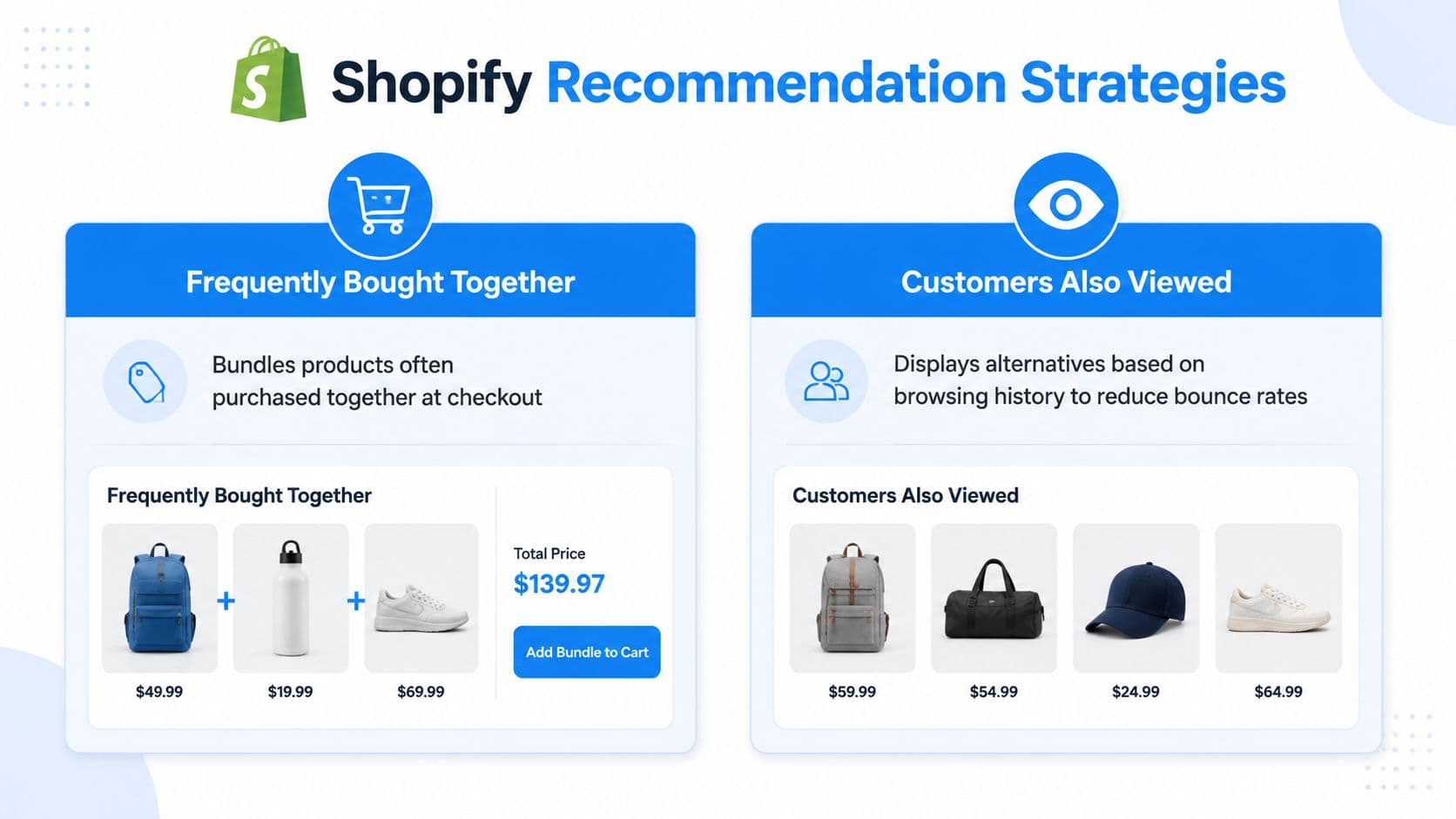
A practical workflow is to start with native product-page and cart placements, then test multiple recommendation types and positions to isolate what drives purchases. Omnisend recommends comparing collection-based and personalized recommendations, and testing positions such as below the product listing or under the add-to-cart button in this implementation guide for Shopify product recommendations. That same discipline shows up in broader growth work too. If you want a wider framework for channel and onsite testing, this actionable digital marketing playbook for startups is a useful complement.
Match the recommendation type to the buying job
| Recommendation type | Best use case | Where it fits | Main trade-off |
|---|---|---|---|
| Frequently bought together | Increase basket size with logical add-ons | Cart page, product page | Looks forced if pairings are weak |
| Related products | Help comparison and keep shoppers browsing | Product page | Can distract if shown too early |
| Collection-based suggestions | Reinforce category exploration | Collection pages, below product details | Less personal than behavior-based options |
| Personalized recommendations | Adapt to browsing and purchase signals | Product page, cart, homepage | Needs stronger data quality |
| Complementary products | Support accessories or routine add-ons | Cart and product pages | Works poorly for catalogs without natural pairings |
| Trending or popular items | Add social proof and simplify choice | Homepage, collection pages | Can become generic fast |
Where each strategy tends to work best
Product page is the highest-value starting surface for most stores. It catches shoppers when they've shown clear intent but haven't committed yet. Frequently bought together and related products both work here, but they do different jobs. One expands the basket. The other reduces bounce by giving alternatives.
Cart page should be more selective. At this stage, shoppers don't want a fresh browsing experience. They want a quick reason to add one more relevant item. Complementary products usually outperform broad discovery logic here because the buying task is narrower.
Collection pages and search flows are often neglected. They shouldn't use the exact same recommendation logic as product pages because shopper intent is less settled. On these surfaces, collection-aware or query-aware suggestions usually make more sense than generic “you may also like” modules.
If the block's purpose isn't clear, the shopper won't do the work for you.
A simple way to choose
Use this decision filter:
- Need bigger baskets: Prioritize complementary products and frequently bought together.
- Need more product discovery: Use related items and collection-based suggestions.
- Need more relevance for repeat visitors: Add personalized recommendation logic.
- Need cleaner execution: Fewer, better-placed modules usually beat adding recommendations to every page template.
A lot of merchants ask whether they should go straight to AI-driven personalization. Usually, no. Start with the recommendation type that matches the commercial job, then test placement. Better logic in the wrong place still underperforms.
Measuring Recommendation Performance and Proving ROI
Recommendation strategy gets interesting when you can prove what it contributes. Without that, merchants tend to judge modules by taste. They say the block “looks good” or “feels helpful,” which isn't enough.

The report that matters
Shopify Analytics includes a built-in Product recommendation conversions over time report that's specifically designed to show how effective recommendations are at turning sessions into sales. Shopify also lets merchants track click rate, add-to-cart rate, and purchase rate for recommended products in its behavior reports documentation.
That matters because it gives you a recommendation funnel, not just a vanity metric. If you need a broader framework for reading metrics in context, this guide to e-commerce key performance indicators is a good reference.
The three metrics to watch together
Don't look at one number in isolation. Recommendation performance is easiest to misread when you only celebrate clicks.
- Click rate: Tells you whether the block is visible and compelling.
- Add-to-cart rate: Tells you whether the products feel relevant after the click.
- Purchase rate: Tells you whether the recommendation contributes to completed revenue.
A healthy setup often shows consistency across those stages. A weak setup usually breaks somewhere obvious. High clicks with poor purchase rate often means the recommendation is interesting but mismatched. Low clicks with decent purchase rate can mean placement is poor even if logic is solid.
Recommendations should be judged like mini sales funnels, not like content widgets.
How to interpret performance without fooling yourself
Placement changes can distort interpretation. A block under the add-to-cart button may attract fewer clicks than one higher on the page, but still drive stronger downstream purchases because it catches more serious buyers.
That's why I prefer side-by-side tests with one variable changed at a time. Compare one recommendation type against another, or one position against another. Don't redesign the whole page and swap recommendation logic simultaneously.
This walkthrough is a useful visual companion if you want a practical look at conversion thinking in action:
For teams tightening onsite conversion work more broadly, this article on how to boost your website's conversion rate pairs well with recommendation analysis because it forces the same question: what moved purchases, not just engagement?
Troubleshooting Common Recommendation Failures
When shopify product recommendations underperform, the problem usually isn't that recommendations “don't work.” The problem is that the logic, data, or placement is wrong.
Why bad recommendations happen
The most common failure mode is relying on static rules or generic “You May Also Like” blocks. Shopify's guide to AI recommendation systems notes that advanced stores use real-time personalization and that AI-driven programs can contribute 10%–35% of revenue, but they require clean product data and behavioral tracking to avoid irrelevant suggestions in this AI recommendation system guide.
There are a few recurring causes behind poor output:
- Dirty catalog data: Inconsistent tags, vague titles, and weak product metadata make both manual and automated recommendations worse.
- Static merchandising logic: If every shopper sees the same block regardless of intent, the module gets stale.
- Weak behavioral signals: Stores with limited browsing and purchase history often struggle to generate reliable automated suggestions.
- Placement mismatch: A browsing-style module in the cart can interrupt instead of assist.
Fixes that usually matter most
Start with the catalog. Recommendation engines can only work with the product information and user behavior they can access. If a shirt is tagged by color in some places, by style in others, and not tagged at all for fit, the recommendation logic has a weak foundation.
Then review recommendations by page type, not just storewide. A module that works on a product page may fail in the cart for perfectly rational reasons. The buying task changed.
Try this audit process:
- Open your top product pages and inspect the block manually: Ask whether the suggestions make sense to a shopper, not just to the algorithm.
- Check your cart recommendations separately: The best cart suggestions tend to be accessories, upgrades, or routine add-ons, not broad alternatives.
- Clean tags and product relationships: Standardize naming, category structure, and complementary pairings.
- Suppress stale seasonal blocks: If a recommendation surface is out of season, hide it rather than letting it drift.
Bad recommendations don't just fail quietly. They teach shoppers to ignore the entire recommendation area.
When to move beyond basic logic
If your catalog is broad, traffic is healthy, and customer behavior varies meaningfully by segment, static blocks usually stop carrying their weight. That's when real-time personalization becomes useful.
But don't confuse “AI” with automatic quality. Better systems still need strong product data, sensible merchandising rules, and enough behavioral tracking to produce relevant suggestions. Upgrading the model without fixing the inputs usually gives you faster irrelevance.
Elevating Recommendations with Conversational AI
The biggest weakness in most recommendation setups is context. Merchants do a decent job on product pages, then ignore what happens in search, collections, and the cart.
Shopify's documentation on product recommendations highlights that recommendations can adapt by page type and shopping context, and that search-based suggestions should relate to the shopper's query in its product recommendations guidance. That's why static blocks often feel incomplete. They wait passively on the page instead of responding to what the shopper is trying to do.

Why on-page widgets miss high-intent moments
A shopper in search has different intent from a shopper on a product page. A shopper in the cart has different concerns from both. They may want confirmation, comparison, compatibility, or a quick add-on.
Static widgets don't handle that well because they aren't interactive. They can't respond when someone asks whether an item comes in another color, whether a refill matches a device, or which product is better for a specific need.
That context gap is where conversational recommendation systems become useful.
What conversational recommendations do differently
A chatbot can turn recommendations into a live part of the shopping flow instead of a passive page element. It can use what the shopper is viewing, what they've already added, and what they ask in the moment.
That creates a different operating model:
- In search-like interactions: The system can narrow suggestions based on intent expressed in natural language.
- In the cart: It can suggest complementary products tied to what's already there.
- During hesitation: It can answer objections and recommend alternatives without sending the shopper back into the catalog.
One option in this category is sales assist AI for Shopify stores, where recommendation logic works alongside support answers and cart-state awareness. The practical advantage isn't just personalization. It's timing. The recommendation appears when the shopper signals need, not only when the page template allows it.
The strongest recommendation isn't always the one with the best algorithm. It's the one shown at the right moment with the right context.
For merchants, that changes implementation priorities. Instead of asking only “Which products should this widget show?”, the better question becomes “What is the shopper trying to do right now?” Once you ask that, conversational AI stops looking like a support add-on and starts looking like a recommendation layer across the journey.
Your Path to Smarter Selling in 2026
Most stores don't need a complicated recommendation stack on day one. They need a disciplined progression.
Start with native shopify product recommendations on product pages and in the cart. That gives you a baseline. Then choose recommendation types based on the actual buying job. Use related products for comparison, complementary items for basket building, and more personalized logic only when your data and traffic can support it.
The next step is measurement. If a block gets clicks but not purchases, it isn't working hard enough. If the cart module distracts people instead of helping them add a useful extra, remove it and rethink the logic. Recommendation systems improve when merchants treat them like conversion assets, not like decorative content.
There's also a broader lesson here. Good ecommerce merchandising is becoming more context-aware everywhere. The same principle applies whether you're tuning a Shopify storefront, refining category pages, or improving marketplace merchandising. Teams that have optimized my listings on Amazon often recognize the pattern quickly. Relevance wins when it matches intent, placement, and data quality.
The strongest stores in 2026 won't be the ones with the most widgets. They'll be the ones that connect merchandising, analytics, and real-time shopper context into one system. Recommendations are one of the clearest examples of that shift. Done poorly, they're easy to ignore. Done well, they behave like a sales layer that keeps improving as you learn where shoppers hesitate, compare, and add more to the cart.
If you want to turn recommendations from static blocks into live, context-aware selling moments, Carti is built for that job. It adds an AI shopping assistant to Shopify that can answer questions, suggest relevant products based on browsing and cart state, and support conversion without forcing shoppers to hunt through the catalog on their own.

Written by
Daniel AndersonFounder of Carti. 10+ years building ecommerce brands in apparel and supplements. Still runs a Shopify store and built Carti to help merchants convert more browsers into buyers.
Ready to boost your store's sales?
Install Carti in 5 minutes and let AI handle customer questions, recommend products, and close sales 24/7.
Start Free Trial14-day free trial