
No-code automation lets you build automated workflows for your store without writing code, and teams report up to a 90% reduction in development time when they use visual builders instead of custom programming. For a Shopify merchant, that means you can set up things like cart recovery, order tagging, and instant customer replies as a digital assembly line that runs in the background.
If you're running a Shopify store, you already know the pattern. A shopper asks the same shipping question for the fifth time today. Someone abandons checkout and disappears. An order needs tagging so your email tool can send the right follow-up. You can handle each task manually, but manual work doesn't scale. It just fills your day.
No-code automation transitions from being a tech buzzword to becoming a profit tool. Instead of hiring developers for every workflow or patching things together with spreadsheets and reminders, you use visual tools to tell your apps what to do: when this happens, do that next. The result is less time spent on repetitive admin work and more time spent improving products, creative, and conversion.
Your Store on Autopilot An Introduction
A typical Shopify day gets crowded fast. You open your dashboard planning to review conversion rates, then spend the next hour answering delivery questions, checking order notes, tagging customers, and nudging your team about follow-ups. None of that work is useless. It just keeps you stuck in operations when you should be focused on growth.
What is no code automation in practical terms? It's a way to hand those repetitive tasks to software using drag-and-drop logic instead of custom development. You decide the rules. The system runs them every time.
That matters because the people building business systems are changing. Gartner projects that by 2026, approximately 80% of technology products and services will be built by individuals who are not professional software developers according to Kissflow's roundup of no-code statistics. For merchants, the message is simple: you don't need to wait for a developer to improve how your store runs.
Practical rule: If a task happens often, follows the same pattern, and doesn't need human judgment every time, it's a candidate for automation.
In e-commerce, the first wins are usually obvious:
- Repeat support questions: Shipping times, return policies, sizing, and stock checks.
- Post-purchase admin: Tagging orders, updating customer segments, and triggering review requests.
- Leaky revenue moments: Abandoned carts, missed upsells, and delayed follow-up.
If you're mapping out broader workflow ideas, this guide to e-commerce automation tools for online stores is a useful place to compare categories. And if your business also sells wholesale or serves retailers, the same logic can drive B2B leads with automation by routing inquiries, qualifying prospects, and shortening response times.
No-code automation isn't about replacing the owner. It's about removing the parts of the job that shouldn't require you in the first place.
How No-Code Automation Actually Works
No-code automation sounds technical until you reduce it to a recipe. One event happens. The system notices it. Then it completes the next step, and sometimes several more after that.
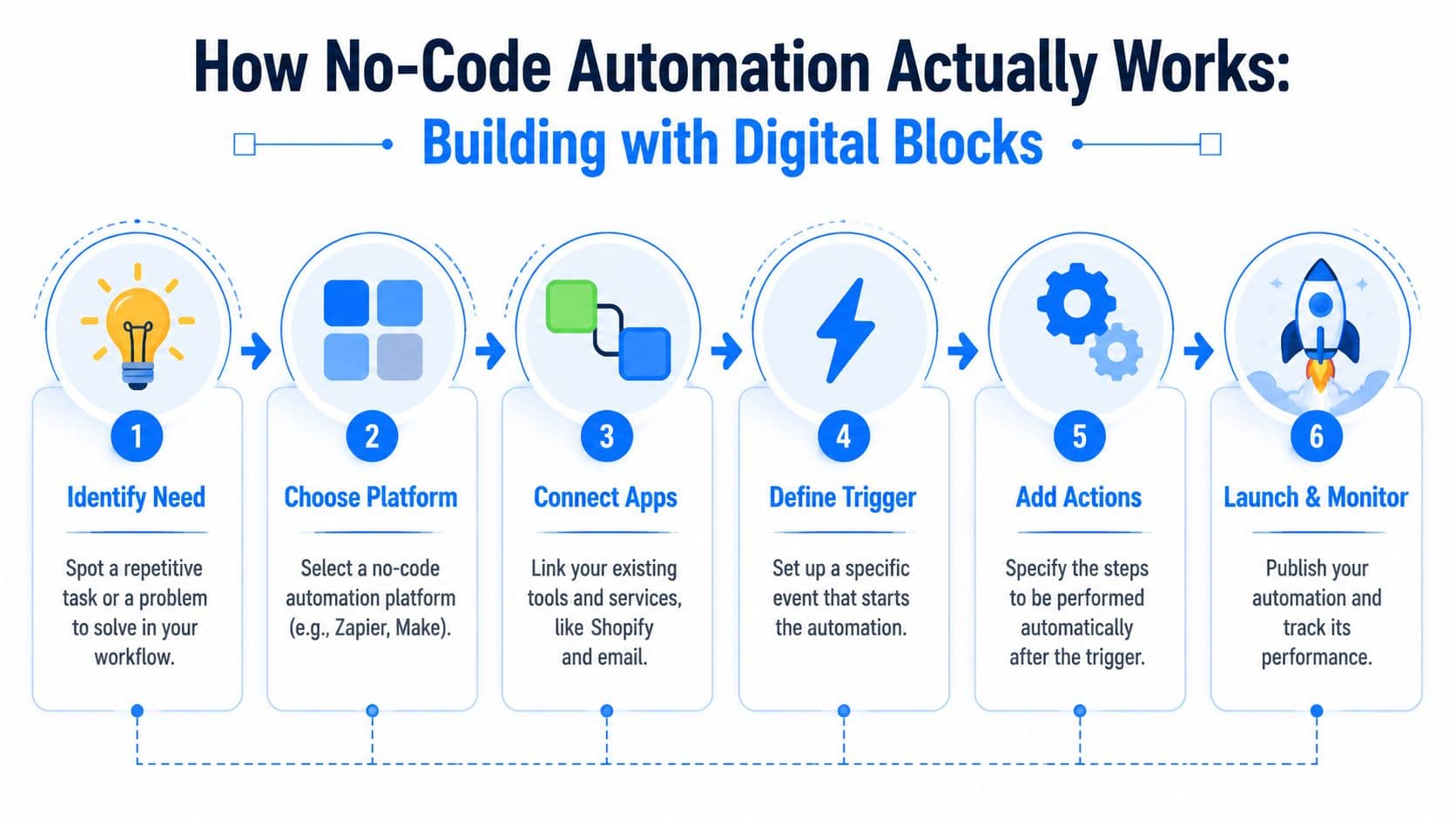
Think of Shopify as your kitchen, and your apps as ingredients. A no-code platform is the recipe card that tells everything what to do and in what order. You don't need to understand the chemistry of baking to make cookies. You need the right ingredients, a sequence, and a clear trigger to start.
The three parts that matter
Most no-code workflows come down to three building blocks:
| Part | What it means | Shopify example |
|---|---|---|
| Trigger | The event that starts the workflow | A customer abandons checkout |
| Action | The task the system performs | Send a reminder email or create a support task |
| Workflow | The full chain of logic | If checkout is abandoned, wait, message the shopper, and tag the customer based on response |
A trigger is the starting gun. In Shopify, that could be a new order, a refund, a cart event, or a customer form submission.
An action is what happens next. Maybe your email platform sends a message. Maybe your support tool creates a ticket. Maybe your CRM updates a customer record so your team sees the right context.
A workflow is the whole set of instructions. It can be simple, like one trigger and one action. It can also branch. For example, if the order value is high, route the customer into a VIP segment. If it isn't, send the standard post-purchase flow.
Why visual tools feel simpler than they sound
No-code platforms replace code with boxes, dropdowns, and connectors. Instead of writing syntax, you choose conditions from menus and map data from one app to another. That's why merchants can usually reason through a workflow once they see it on screen.
No-code systems can speed up delivery dramatically. WeWeb's guide to no-code workflow automation notes that no-code automation can reduce development time by up to 90% by using visual interfaces and prebuilt components instead of manual programming.
The best first automation is boring. If it removes repeated admin work every day, it's doing its job.
You don't need to become technical to benefit from this. But it helps to understand the moving parts so you can evaluate tools properly. If you're dealing with more advanced integrations or want a clearer sense of how APIs fit into automation, Mallary.ai's API developer guide is a solid primer written in plain English.
For most Shopify merchants, that's the breakthrough. No-code automation isn't magic. It's just business logic made visible.
The Power and Pitfalls of No-Code Automation
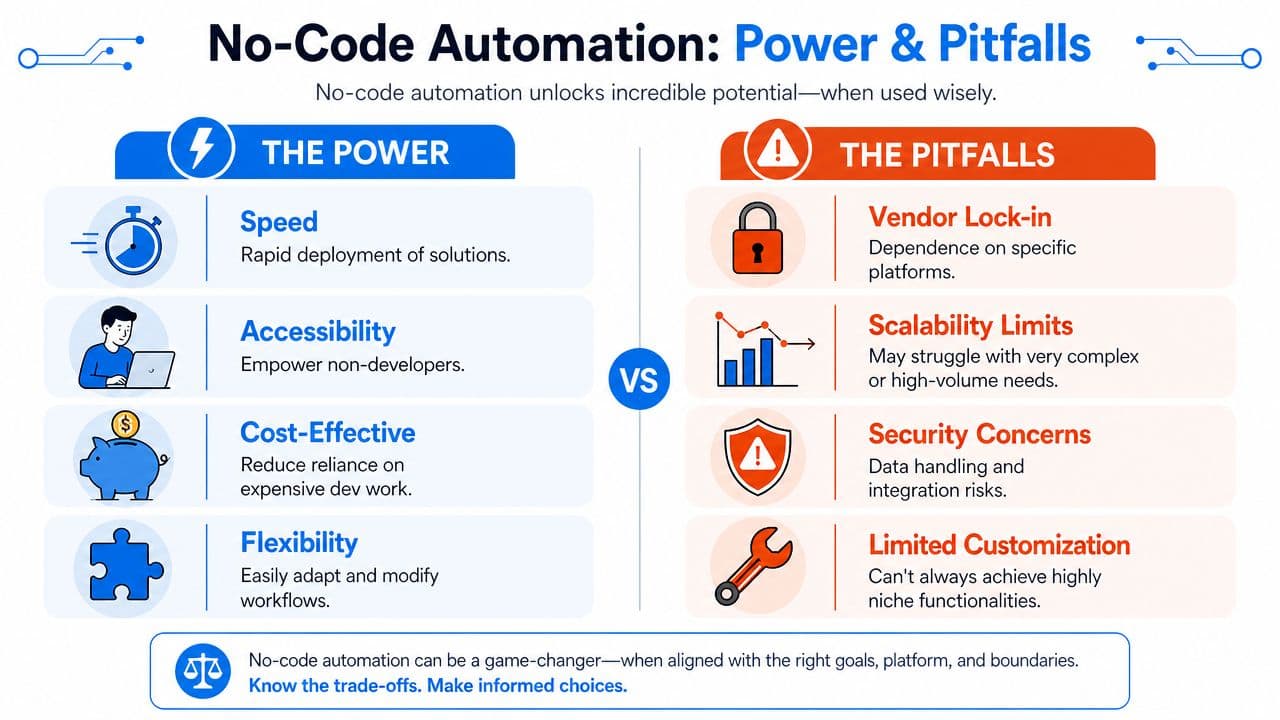
No-code gets oversold when people treat it like a cure-all. It's not. It's a strong fit for some store workflows and a weak fit for others. Merchants do better when they understand both sides before they start wiring tools together.
Where no-code delivers fast wins
The biggest advantage is speed. You can test an operational idea quickly instead of waiting on a backlog, a developer, or a custom build quote. That makes no-code especially useful in e-commerce, where store needs change fast with product launches, seasonal campaigns, and support spikes.
It also puts control closer to the team doing the work. A CX lead can improve ticket routing. A retention marketer can trigger post-purchase flows. An operations manager can build a cleaner order-tagging process. Work doesn't have to sit still just because engineering is focused elsewhere.
A few areas where no-code tends to shine:
- Deterministic tasks: Rules-based workflows with clear inputs and outputs.
- Cross-app coordination: Moving customer or order data between Shopify, email, support, and CRM tools.
- Rapid iteration: Adjusting a sequence, message, or condition without rebuilding the whole system.
Where merchants hit limits
The trade-off is complexity. Glean's discussion of no-code automation limits explains that these tools excel in deterministic, event-driven workflows but struggle with complex, knowledge-heavy processes that require context, reasoning, or adaptation to ambiguous situations. In plain terms, no-code handles "if this, then that" very well. It doesn't handle messy judgment calls nearly as well.
That shows up in real store operations. A return approval with standard rules is easy to automate. A sensitive complaint from a repeat customer with unusual order history probably still needs a person.
No-code is strongest when the process is clear before you automate it. If the process is chaotic, the workflow will be chaotic too.
Other practical pitfalls include platform dependency, limited customization, and governance issues. If one app becomes central to your workflows, moving away later can be painful. And if multiple people create automations without documentation, you'll eventually have hidden logic running your store with no shared oversight.
The right mindset is simple. Use no-code for repeatable workflows that need speed and consistency. Don't force it into jobs that require deep judgment, unusual edge cases, or highly custom business logic.
No-Code Automation Examples for Shopify Stores
A shopper lands on your product page at 9:47 p.m., adds an item to cart, hesitates over shipping, opens chat, and waits. If no one answers, that sale often disappears. No-code automation matters because it handles moments like that in real time, without requiring your team to stay glued to inboxes after hours.
For Shopify stores, the best examples are the ones tied directly to revenue, retention, or workload. Good automations do not just save admin time. They reduce drop-off, speed up response times, and keep post-purchase follow-up from slipping through the cracks.
Support that helps conversion, not just ticket volume
Support is often treated like a cost center. On a Shopify store, it also affects conversion.
A no-code workflow can answer common pre-purchase questions using your product pages, shipping policy, and return rules, then hand off unusual cases to a person. That means a shopper gets help while intent is still high, and your team only steps in where judgment actually matters.
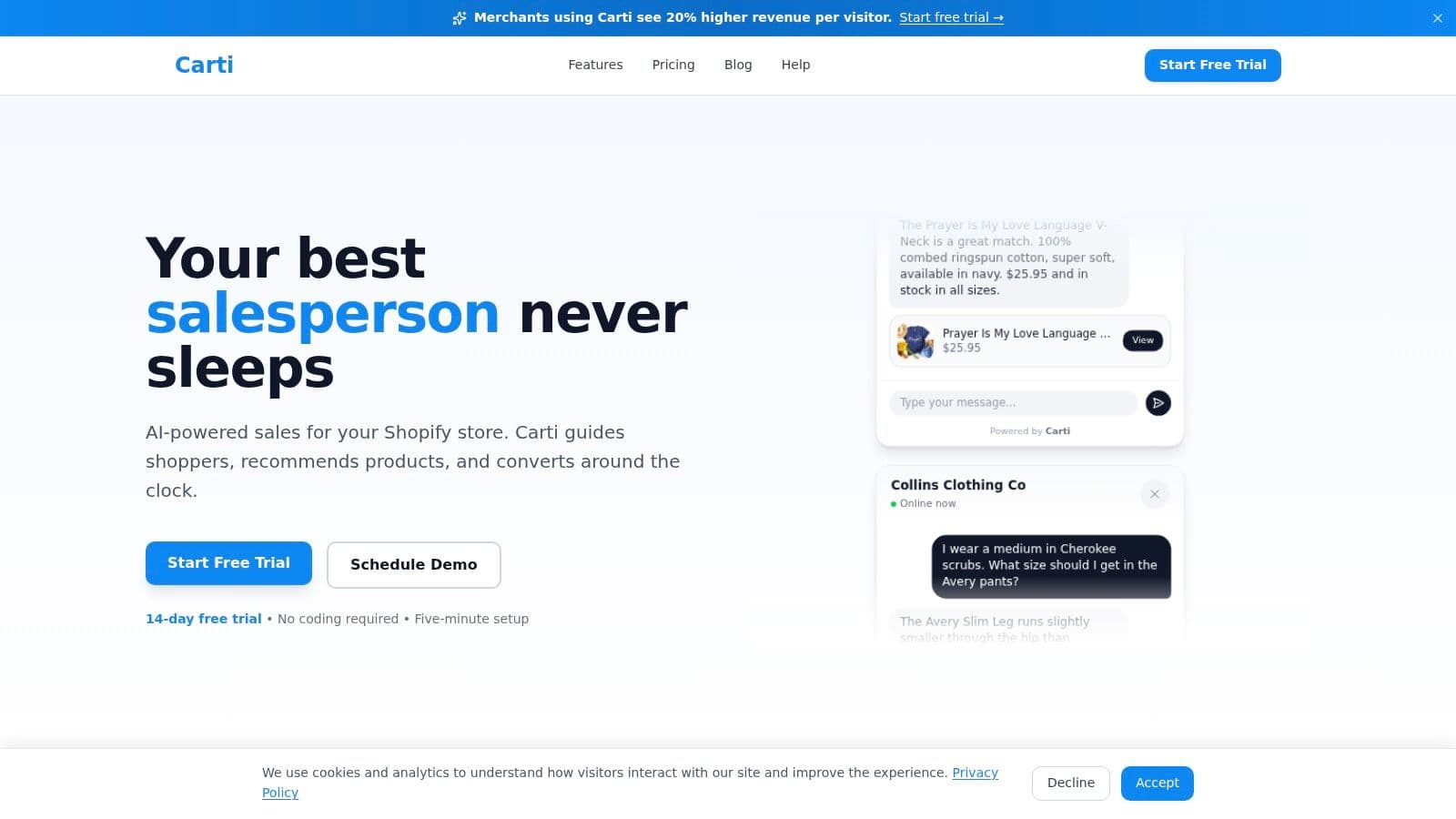
If you want to see how this works on the storefront, this overview of an AI-powered sales assistant for Shopify shows how product guidance and support can work together.
A practical setup usually follows this sequence:
- Trigger: A shopper opens chat or asks about fit, shipping, stock, or returns.
- Action: The workflow pulls from product data, FAQs, and store policies.
- Outcome: The shopper gets an answer, a product suggestion, or a handoff to support.
Cart recovery and post-purchase follow-up
Abandoned checkout is one of the clearest use cases because the buyer already showed intent. A no-code automation can wait a set amount of time, check what was left behind, and send the right follow-up through email, SMS, or chat.
The same logic works after the order is placed. First-time buyers can get onboarding content. Repeat buyers can get replenishment reminders. VIP customers can get early access or loyalty offers. This kind of segmentation used to require custom work or constant manual exports. Now it is often a matter of setting the right conditions once and letting the system run.
Retention workflows also need clean coupon logic. If you plan to manage discounts for loyalty programs, it helps to set the rules early so your offers stay organized as volume grows.
Store operations that stop small mistakes from piling up
Some of the best no-code automations are not customer-facing at all. They keep the back end of the store clean.
I usually see merchants get quick wins from workflows like these:
- Smart order tagging: Label orders by product type, shipping urgency, risk level, or customer history.
- Review request timing: Send asks after delivery or fulfillment instead of relying on someone to remember.
- Inventory or restock alerts: Notify the right team or trigger a customer message when stock changes.
- Customer segmentation: Update audiences automatically based on purchase behavior, AOV, or order frequency.
These automations matter because small operational delays have real costs. A missed tag can send an order down the wrong fulfillment path. A delayed review request can lower response rates. A forgotten replenishment email can mean losing a repeat purchase to another brand.
A short walkthrough helps make this real:
The pattern is consistent across all of them. A store event happens. The workflow checks a few rules. Then it takes the next useful action right away. For a Shopify merchant, that usually means more captured revenue, faster service, and fewer routine tasks eating up the week.
How to Implement No-Code Automation in Your Store
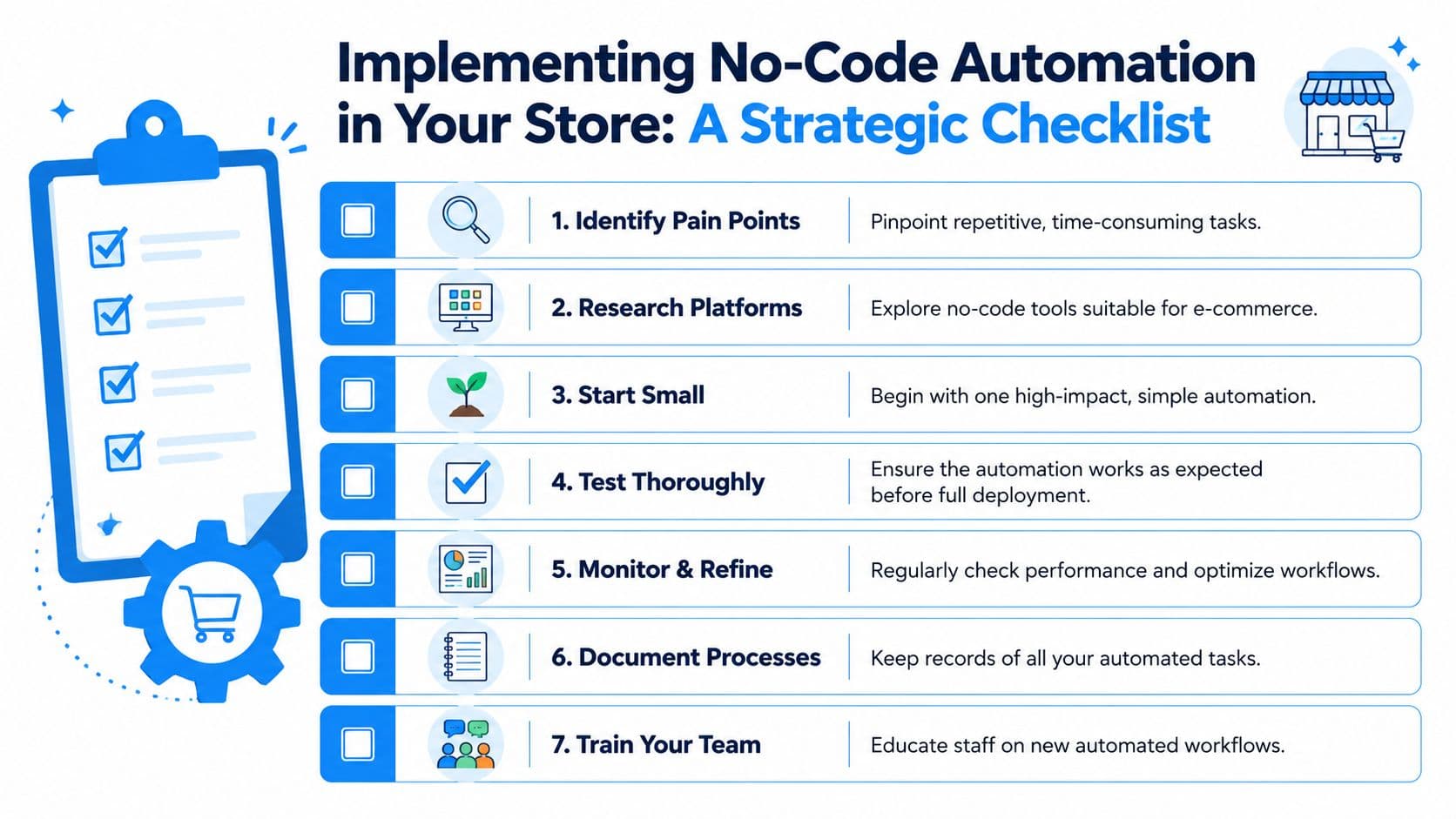
Merchants usually get into trouble when they start with tools instead of problems. The better move is to find one task that wastes time every week and automate that first.
Start with one painful task
Look at the work your team repeats most often. Support queues, post-purchase messaging, tagging, customer segmentation, and cart follow-up are common starting points because they happen frequently and follow recognizable patterns.
Write down the task in plain language before you touch any software. For example: "When a first-time customer places an order, tag them, send a welcome sequence, and create a reminder for a review request later." If you can't describe the workflow clearly on paper, the automation will probably be messy in practice.
Use this quick filter:
- High frequency: It happens daily or weekly.
- Low judgment: The rules are mostly consistent.
- Clear payoff: It saves time, improves experience, or supports revenue.
Choose tools by outcome not by feature list
A lot of merchants overbuy here. They choose the platform with the longest feature page instead of the tool that solves the immediate bottleneck well.
Some stores need an all-purpose automation layer. Others need a specialized tool for support, messaging, reviews, or segmentation. If customer service is your biggest drag on growth, start there. A guide to automated customer support for e-commerce brands can help you evaluate that path before you stack on more workflows.
Operational advice: Start with the automation you'll notice every single day. Early wins build trust faster than ambitious diagrams.
Then keep your rollout disciplined:
- Build one workflow first. Keep it narrow.
- Test edge cases. Refunds, unusual orders, and duplicate contacts matter.
- Document the logic. Someone besides you should understand what runs and why.
- Review performance regularly. Every automation drifts if nobody owns it.
Good no-code implementation feels boring after launch. That's a compliment. It means the process is working without demanding attention.
Measuring the ROI of Your Automation Efforts
Automation isn't valuable because it feels modern. It's valuable when it saves labor, protects revenue, or improves customer experience in a way you can observe.
The broader market growth shows why so many businesses are investing here. According to CodeConductor's roundup of no-code statistics, the no-code development platform market is projected to reach $84.47 billion by 2027, growing at a 28.9% CAGR from 2020. That projection reflects how widely teams now view no-code as an operational lever, not just a convenience tool.
Track operational wins first
Start with the metrics closest to the workflow itself:
- Time saved: Hours your team no longer spends answering repeat questions or updating records manually.
- Ticket reduction: Fewer repetitive support contacts reaching human agents.
- Workflow completion: Whether the automations run cleanly without frequent intervention.
These are often the clearest early signals. If your team is reclaiming time and fixing fewer avoidable issues, the system is already paying back in operational terms.
Then tie them to revenue
Revenue impact usually follows from a handful of store metrics:
| KPI | What to watch |
|---|---|
| Conversion rate | Whether automated support or nudges help shoppers buy |
| Recovered carts | Whether follow-up workflows bring some shoppers back |
| Average order value | Whether automated recommendations or bundles influence basket size |
| Repeat purchase behavior | Whether post-purchase flows bring customers back sooner |
Don't overcomplicate attribution. Compare performance before and after launch, and focus on the workflows closest to money or workload. If a simple automation reduces manual effort and helps more shoppers complete checkout, that's a meaningful return even before you build anything more advanced.
Frequently Asked Questions About No-Code Automation
Is no-code automation secure
Yes, if the store treats it like an operational system instead of a quick app install.
A 2024 report from Baserow said enterprise adoption of low-code and no-code platforms rose 65% that year. The same report also found that 48% of organizations lacked formal governance frameworks. For Shopify merchants, that usually translates into a simple reality. The tool is rarely the main problem. Access control, app sprawl, and unreviewed workflow changes are.
The practical fix is straightforward. Limit who can build or edit automations. Keep a record of what each workflow does. Review connected apps on a schedule. Choose tools with role-based permissions and clear activity logs, especially if automations touch customer data, refunds, or order status.
Can it scale with a growing store
Usually, yes.
No-code automation scales well when the work is repetitive, the rules are clear, and the systems already connect cleanly. It starts to strain when your store has unusual operational rules, heavy ERP dependencies, or frequent exceptions that need judgment.
For a Shopify store, that trade-off matters. Automating order tagging, cart recovery, support triage, and post-purchase follow-up often saves time without adding much risk. Trying to force every complex edge case into a rigid workflow can create customer experience problems and more cleanup work for the team. The best setup automates the predictable 80% and routes the messy 20% to a person.
What is the difference between no-code and low-code
No-code uses visual builders, menus, and templates so non-technical teams can create workflows without writing scripts.
Low-code still gives you visual building blocks, but it also allows custom code when you need deeper logic or tighter system control.
For many Shopify merchants, no-code is the faster way to get results. It works well for common revenue and support workflows, like sending review requests, tagging high-intent shoppers, or answering routine product questions. Low-code becomes more useful when your team needs custom checkout logic, complex backend rules, or direct developer involvement.
If you're ready to turn support and sales conversations into automated revenue moments, Carti gives Shopify stores a practical starting point. It works like a 24/7 sales associate that answers shopper questions, recommends products, and helps recover carts without a heavy setup process, which makes it a strong fit for merchants who want their first automation to improve both customer experience and conversion.

Written by
Daniel AndersonFounder of Carti. 10+ years building ecommerce brands in apparel and supplements. Still runs a Shopify store and built Carti to help merchants convert more browsers into buyers.
Ready to boost your store's sales?
Install Carti in 5 minutes and let AI handle customer questions, recommend products, and close sales 24/7.
Start Free Trial14-day free trial