
Roughly 70.19% to 81% of online shopping carts are abandoned, so most stores are losing shoppers after they've already shown buying intent. The recoverable share usually comes from friction, unclear costs, errors, and unanswered questions, which means you should diagnose the barrier before automating reminders or offering discounts.
That distinction matters for Shopify merchants. A cart isn't a sale, but it isn't meaningless activity either. It records a shopper's decision to select a product, and the point where that shopper stops tells you something about your storefront, checkout, pricing, delivery promise, or support experience.
Why Most Abandoned Carts Are Recoverable
Statista reported a worldwide cart-abandonment rate of 81% during the fourth quarter of 2024, while Baymard Institute's research reported an average of 70.19%. The studies use different methodologies, samples, geographies, and measurement periods, so the figures are not interchangeable benchmarks. Together, they show that roughly seven to eight out of every ten carts do not become completed orders. (Statista's worldwide cart-abandonment data)
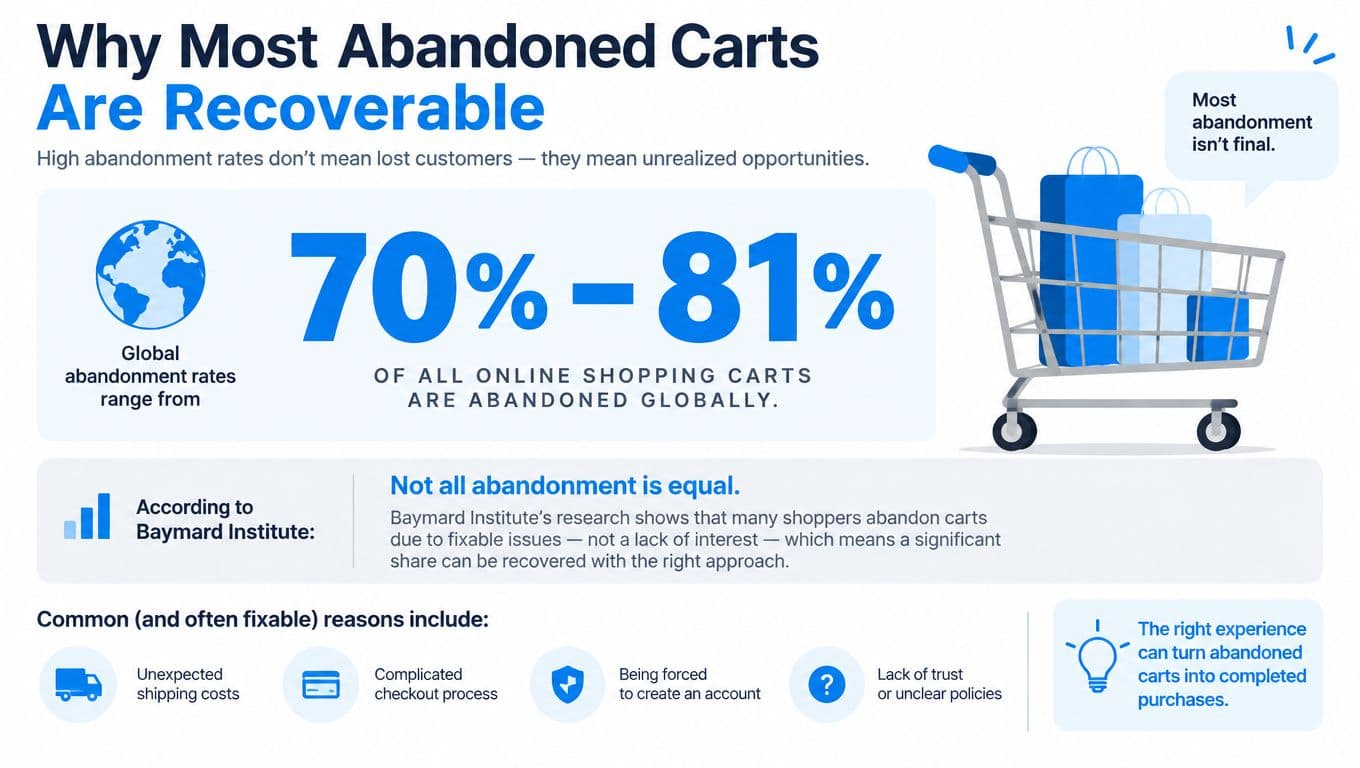
The headline rate combines different kinds of behavior. Some shoppers use a cart to compare products, save items for later, or browse before they are ready to buy. Baymard found that 42% of surveyed U.S. online shoppers abandoned a cart because they were merely browsing or not ready to buy. A checkout redesign cannot eliminate that low-intent activity. (Baymard's checkout usability research)
Other shoppers intend to purchase but meet a preventable obstacle. 17% reported abandoning because the checkout was too long or complicated, while 13% cited crashes or errors and 18% said they didn't trust the site with their card information. Those causes require different responses. A browsing shopper may need better product information or a save-for-later option. Someone blocked by a payment error needs a functioning checkout and immediate, clear assistance.
Treat the cart as a diagnostic signal
The common mistake is treating every abandoned cart as a discount opportunity. That turns a technical or informational problem into a margin problem. If shipping appears only at the final step, a coupon does not answer the shopper's question. If the form rejects a valid address, a reminder email sends the shopper back to the same broken experience.
Diagnose the failure before choosing a recovery tactic:
- Was intent strong? Review checkout initiation, payment submission, repeat visits, product comparisons, and cart value.
- Where did the shopper leave? A cart exit differs from a payment failure or a drop-off during shipping selection.
- What barrier was visible? Cost, delivery timing, returns, sizing, compatibility, trust, accessibility, and technical errors each call for a different fix.
- Can you legally and technically reach the shopper? A known email address or consented messaging channel supports direct recovery. Anonymous activity may support onsite assistance or permitted retargeting, but not improvised outreach.
The same diagnostic discipline applies outside retail: a services business attracting dental and eye care marketing services clients must still separate weak interest from friction before changing its inquiry flow. Conversion leakage becomes useful only when the team can identify its cause.
Use a cart-abandonment rate formula as a reporting reference, but do not stop at the blended rate. The rate shows that performance changed. Funnel segmentation identifies why.
Setting Up Funnel Diagnostics in Google Analytics
You can't fix a checkout leak that your analytics setup collapses into one number. Google's funnel model defines cart abandonment as at least one add action without a subsequent checkout or purchase, allowing merchants to analyze abandonment by cohorts such as new versus returning visitors and mobile versus desktop. (Google's Enhanced Ecommerce funnel documentation)

Build the event chain first
For a Shopify store, instrument a consistent sequence rather than relying only on platform reports:
- Product view: Record the product identifier, category, price, currency, and relevant variant.
- Add to cart: Preserve the item, quantity, variant, value, currency, source, device, country, and user or session context permitted by your privacy setup.
- Cart view: Capture the cart contents and displayed totals.
- Checkout initiation: Record the transition from cart to checkout.
- Checkout steps: Track shipping information, delivery selection, payment submission, and any other meaningful stage in your implementation.
- Purchase: Attach a stable transaction ID, order value, currency, product data, and margin or category dimensions where your reporting model supports them.
The transaction ID matters because duplicate purchase events can make recovery look more successful than it is. Keep product, order, and session naming consistent across Shopify, Google Analytics 4, your email platform, and any chatbot or customer-data system.
Segment the leak instead of averaging it away
Start with cohorts that change the likely diagnosis:
| Cohort | What to inspect |
|---|---|
| New versus returning | Trust signals, account friction, stored payment options, and familiarity with the store |
| Mobile versus desktop | Field usability, keyboard behavior, loading, focus order, and wallet flows |
| Traffic source | Message-to-landing-page consistency, campaign quality, and price expectations |
| Country and currency | Duties, delivery estimates, local payment preferences, and total-cost visibility |
| Product category and margin | Consideration level, compatibility questions, return risk, and recovery economics |
A shopper who adds a product and never opens the cart has a different problem from someone who reaches payment and encounters an error. Create reports for each transition, then compare volume with preventability. A small leak at a highly preventable step may deserve attention before a large volume of low-intent browsing.
Log errors and latency beside funnel events. A spike in payment failures, address validation errors, or slow checkout responses can explain a drop that a campaign report will mislabel as ordinary abandonment. Test on real phones and browsers, not only in an administrator preview.
Practical rule: If your analytics report says shoppers abandoned, but it can't identify the last successful step, it isn't a diagnosis yet.
Use a focused 2026 CRO playbook for broader conversion-testing context, but keep the implementation tied to your own events, cohorts, and business margins. Instrumentation should lead to a decision, not another dashboard nobody uses.
Fixing Checkout Friction Before Sending Emails
Recovery emails address the symptom after checkout has failed. If the path is confusing, expensive-looking, inaccessible, or unreliable, sending more reminders exposes shoppers to the same obstacle. Fix the information and interaction design first, then recover people who leave for reasons unrelated to the checkout itself.
Cost uncertainty is a common example. Baymard found that 48% of surveyed users cited shipping, tax, or fees that were too high, while 16% couldn't see the total order cost before checkout. (Baymard's ecommerce UX statistics) The problem is often presentation, not only price. Shoppers can accept a cost they understand. They are more likely to reject a total that appears late or changes without explanation.
Put the relevant information beside each decision:
- Product page: State delivery expectations, return eligibility, key exclusions, and applicable duties or fees where possible.
- Cart: Show the estimated landed total, shipping choices, taxes, and the conditions for any free-shipping threshold.
- Checkout: Keep the total visible while shoppers enter their details. Explain any change instead of showing a silent increase.
- Payment stage: Display supported methods and provide a specific, recoverable message when a transaction fails.
Remove effort that doesn't protect the order
The Baymard benchmark cited earlier suggests that an efficient checkout may use roughly 12 to 14 form elements, while an average U.S. checkout contains 23.48 default elements. It also indicates that reducing displayed fields by 20% to 60% is often feasible.
Those figures do not justify deleting fields blindly. Retain information needed for fulfillment, fraud prevention, tax compliance, or customer service. Remove duplicate inputs, defer optional questions, enable address autocomplete, and let returning customers use secure wallet or saved-payment flows. Offer guest checkout instead of requiring account creation before the order is complete.
Treat mobile validation as a task-based usability test, not another checklist. Run a five-task pass on two real devices: add an item from a collection page, edit its quantity, apply a discount code, switch the delivery option, and complete payment with a saved wallet. Record taps, delays, keyboard interference, reloads, and recovery after each error. This exposes broken state changes that desktop reviews and email testing miss.
For a focused Shopify implementation, use this guide to optimize Shopify checkout. Set the priority order clearly: make the total clear, make the form short, make errors understandable, and make payment reliable.
Accessibility belongs in the same workstream. An independent 2025 audit of 250 pages across 50 major ecommerce websites in France, Germany, Italy, Spain, and the UK found that 94% had inaccessible checkout journeys. It also found that 84% failed to label buttons and form fields properly. (AccessibilityChecker.org's 2025 ecommerce accessibility study) Test keyboard access, persistent labels, visible focus, adequate contrast, and understandable error messages. These fixes remove barriers that discounts cannot address.
Using Proactive Chat for Real-Time Cart Recovery
Email reaches a shopper after the exit. Onsite chat can answer the question before the shopper leaves, which makes it useful for uncertainty that appears during product selection or checkout.
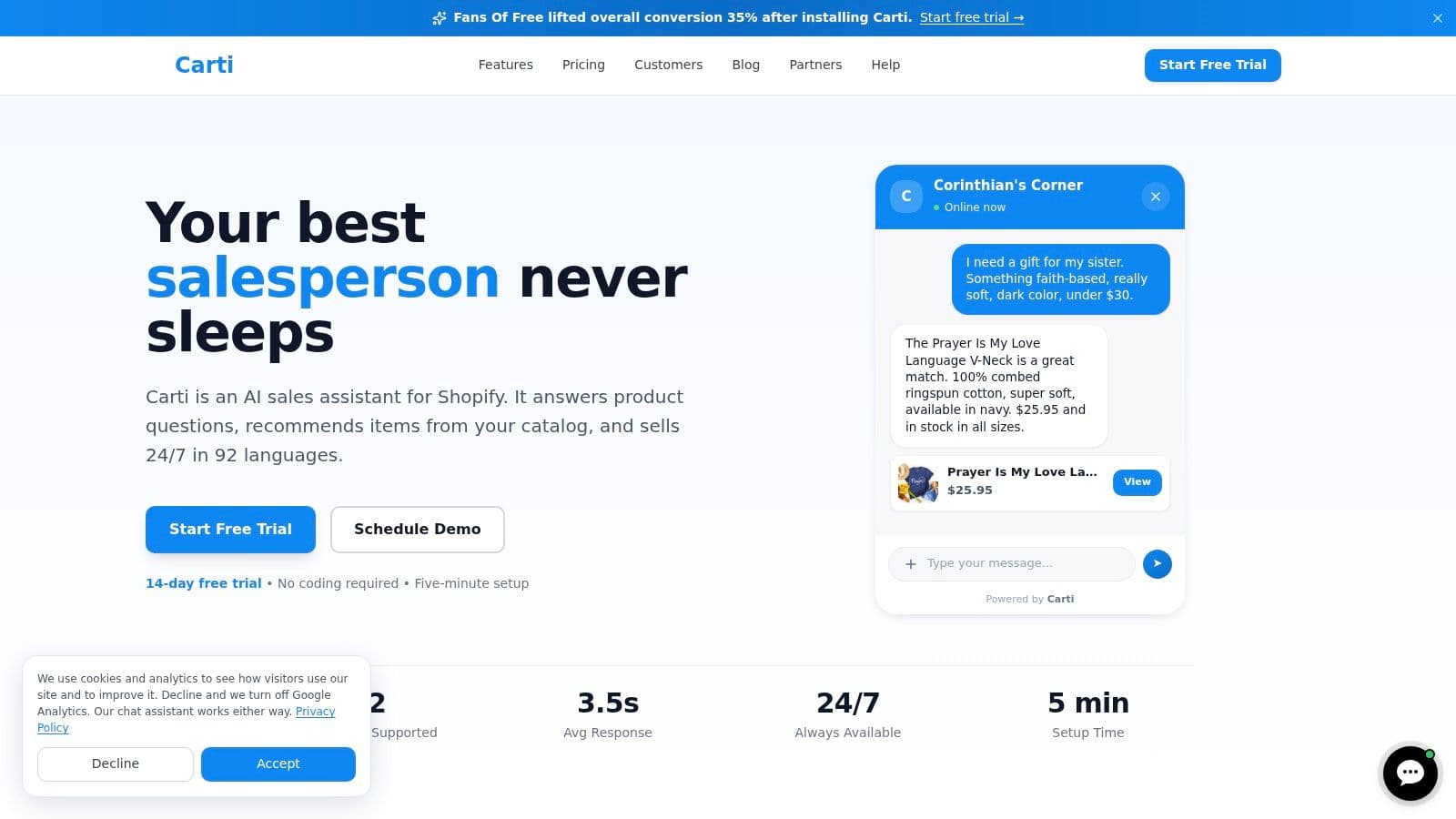
Consider a shopper viewing a jacket, switching between sizes, and returning repeatedly to the measurement guide. A generic “Complete your purchase” message adds no value. A concise assistant response about fit, measurement method, or exchange policy can remove the uncertainty that caused the hesitation.
A different shopper may add a product, open the shipping information, and return to the cart. That behavior suggests a delivery question. The prompt should answer delivery timing, destination coverage, duties, or return handling, using the store's actual policy. It shouldn't lead with a coupon when the shopper is deciding whether the item will arrive in time.
Match the prompt to the evidence
Proactive chat works when the trigger has a reason:
- Repeated product views: Offer help comparing variants or understanding compatibility.
- Sizing-guide activity: Surface concise measurement guidance and return information.
- Shipping-page visits: Explain delivery windows and total-cost factors.
- Payment errors: Provide a recovery path and supported alternatives without asking the shopper to start over.
- Extended cart inactivity: Ask whether the shopper needs help, but avoid interrupting active form completion.
Keep the interaction accessible. The 2025 audit cited above found that 94% of audited major ecommerce websites had inaccessible checkout journeys. A chatbot that traps keyboard users, relies on unlabeled controls, or delivers dense, ambiguous answers can add another barrier. Use clear text, proper focus management, readable contrast, concise replies, and a route to human support when the question exceeds the available policy data.
For Shopify merchants, proactive AI assistance is most useful when it connects catalog information, policies, and observed intent without inventing an answer. Carti can provide instant answers, recommend relevant products, and support context-aware cart-recovery nudges as one option in an onsite assistance stack. The operating rule should be strict: if the system doesn't know the delivery promise, return condition, or product compatibility, it should say so and route the shopper to a reliable source.
Chat also creates feedback for merchandising. Repeated questions about a product's fit, compatibility, delivery, or returns usually indicate missing storefront content. Add the answer to the product page or cart, then measure whether the question and the related drop-off decline. The assistant should reduce dependency on itself over time, not become a permanent patch for weak product information.
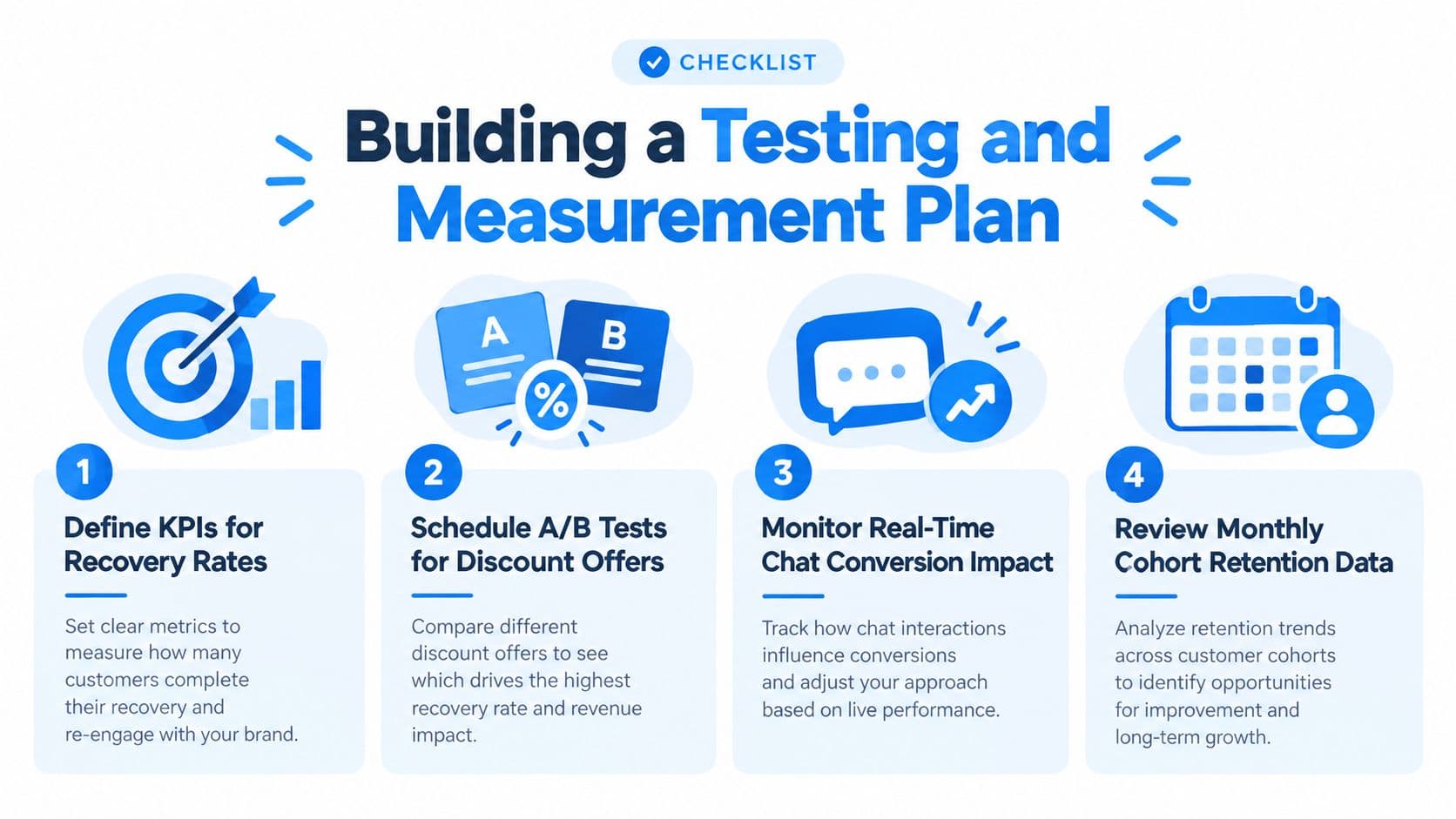
Building a Testing and Measurement Plan
Recovery should be treated as an experiment with a control group, not as a permanent sequence that claims every returning order. The first job is to define the outcome that matters. A recovered order can still be unprofitable if the discount, messaging cost, refunds, support load, or margin loss outweighs the contribution.
Start with an honest baseline
Create a no-message holdout for eligible abandoned carts. Compare the treated group with shoppers who receive no recovery message, then report incremental orders rather than total orders attributed to the campaign. The holdout should remain stable enough to reveal natural return behavior, especially among repeat customers who may have returned without a reminder.
Track the commercial result across several dimensions:
- Incremental conversion: How many additional orders occurred beyond the control group?
- Gross margin: Did the recovered order contribute profit after product and fulfillment costs?
- Discount cost: How much value did the offer give away to shoppers who might have purchased anyway?
- Unsubscribe and consent health: Did the campaign reduce permission to contact shoppers?
- Support workload: Did the message create questions about stock, delivery, payment, or returns?
- Duplicate recovery: Did email, SMS, onsite chat, and retargeting all claim the same order?
Segment the test by diagnosis, not only by cart value. A high-value cart may justify individual assistance, while a shipping-cost exit needs a transparent delivery explanation. A payment error needs troubleshooting. A shopper who viewed a product repeatedly may need compatibility or sizing information. Sending the same message to all four groups produces a clean campaign report and a poor customer experience.
Test one meaningful change at a time
A practical sequence might test message content before timing. Compare a policy answer with a discount, or a product-specific reminder with a generic cart prompt. Keep consent, eligibility, inventory, price, and landing destination consistent so the result reflects the tested variable.
Then test channel and frequency. Email may suit an identified cart with a long consideration period. Onsite chat suits an active session. SMS requires explicit permission and a reason to interrupt. Retargeting requires legal review, frequency control, and purchase suppression. More contact is not automatically more recovery.
Before every send, validate:
- Inventory and variant availability: Don't promote an item that can't be purchased.
- Price and discount eligibility: Ensure the message matches the current cart.
- Shipping estimate: Confirm that the promise is still accurate for the shopper's location.
- Cart persistence: Test that the link restores the correct products and quantities.
- Identity matching: Prevent cross-device or duplicate profiles from receiving conflicting messages.
- Accessibility: Check keyboard operation, labels, focus order, contrast, and readable content.
- Frequency caps: Stop overlapping journeys from competing for attention.
A 2025 U.S. survey found that 39% of shoppers who abandoned checkout cited extra costs, 21% cited slow delivery, and 15% found the returns policy unsatisfactory. (Contentsquare Foundation's 2025 survey) Those results support a useful test hypothesis: a clear answer about cost, timing, or returns may outperform a discount because it resolves the actual objection.
Review the system as an operating loop
Run a monthly cohort review, but don't wait a month to investigate broken payments or an accessibility regression. Pair aggregate reporting with qualitative evidence from support transcripts, privacy-safe session reviews, error logs, and product-question data. Never collect sensitive disability information merely to estimate accessibility-related abandonment. Instead, look for patterns by device, browser, interaction method where available, and observed barriers.
The strongest roadmap is usually:
- Instrument: Confirm every cart and checkout event.
- Diagnose: Find the highest-volume preventable transition.
- Fix: Remove the underlying cost, usability, content, accessibility, or payment barrier.
- Recover: Contact only identifiable, consented shoppers with a relevant answer.
- Experiment: Use holdouts and margin-aware reporting.
- Document: Record the hypothesis, audience, treatment, result, and next action.
That process keeps automation subordinate to customer understanding. It also protects the brand from training shoppers to abandon intentionally for a coupon.
Carti gives Shopify merchants a way to provide instant product and policy answers, recommend relevant items, and trigger context-aware cart-recovery assistance while shoppers are still deciding or after they leave. Visit Carti to evaluate whether its onsite chat and recovery workflows fit the friction patterns in your own funnel.

Written by
Daniel AndersonFounder of Carti. 10+ years building ecommerce brands in apparel and supplements. Still runs a Shopify store and built Carti to help merchants convert more browsers into buyers.
Ready to boost your store's sales?
Install Carti in 5 minutes and let AI handle customer questions, recommend products, and close sales 24/7.
Start Free Trial14-day free trial