
Stop Leaving Money on the Table: Why Most Chatbots Fail
Most chatbot best practices articles bury the lede. The core issue is simple. Stores automate the wrong conversations first.
The strongest economic case sits in high-volume, repetitive support work. Industry summaries report that chatbots can automate about 30% of contact-center tasks, handle roughly 80% of routine inquiries, and reduce response times by about 3x on average, according to this chatbot statistics roundup. For a Shopify store, that means order status, shipping questions, returns, sizing, stock checks, and product basics should come before fancy conversational experiences.
A generic chatbot usually fails because it tries to do everything. It answers vaguely, misses product context, and traps buyers in dead ends right when they're deciding whether to purchase. That doesn't just create support friction. It costs sales.
The better approach is narrower and more practical. Build a chatbot that answers real store questions, recommends relevant products, rescues carts, and hands off cleanly when a human needs to step in. That's where a modern Shopify tool like Carti fits. It isn't just a widget. Used properly, it becomes a 24/7 sales and support layer tied to your catalog, policies, and buyer journey.
These 10 chatbot best practices are written for merchants who care about conversion, ticket deflection, and implementation details. Not theory.
1. Implement Natural Language Understanding with Multi-Language Support
A bot that misreads basic buying questions does not just create a support problem. It cuts conversion from international traffic you already paid to acquire.
That shows up fast on Shopify stores with mixed geographies. Shoppers rarely phrase questions the way your help center does. They ask, "can I return this if it doesn't fit," "does this work on sensitive skin," or "will this arrive before Friday?" They misspell product names, switch languages mid-sentence, and type like they're in a checkout line. Your bot needs to catch intent, not just keywords.
Carti fits this use case well because its multilingual Shopify chatbot support lets stores serve shoppers across markets without building separate conversation trees for every language. If your catalog spans regions, pair that with a strong Shopify product recommendation setup later in the flow so the bot can both understand the question and guide the shopper to the right SKU.
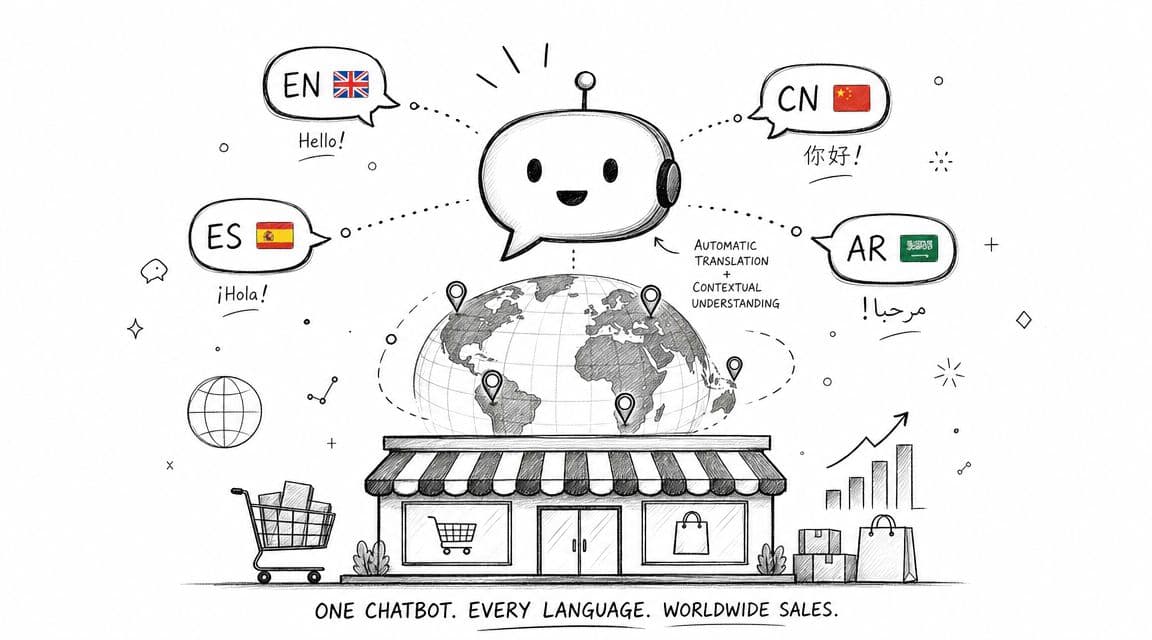
Train on how shoppers actually ask
Start with your own store language. That means support tickets, live chat transcripts, product reviews, on-site search terms, and FAQ clicks. Generic training data gives you a bot that sounds polished and still misses the questions that matter on your storefront.
I have seen this break in predictable ways. Apparel stores fail on fit language like "boxy," "true to size," and "high rise." Beauty stores struggle with ingredient and skin-reaction questions. Home goods stores miss assembly, dimensions, and delivery-access questions. The issue is not model quality alone. It is whether the bot has enough store-specific context to map real phrasing to the right answer.
Use a tighter rollout plan:
- Start with high-volume intents first: Returns, shipping, sizing, product compatibility, stock checks, and order status usually cover the largest share of pre-sale and support demand.
- Clean up catalog inputs: Product titles, variant names, materials, dimensions, and size labels need consistent formatting or the bot will produce fuzzy answers.
- Localize the full answer, not just the sentence: Currency, delivery windows, duty information, and return terms should match the shopper's market.
- Review failure logs by language: Check where the bot drops confidence, hands back irrelevant answers, or misses regional phrasing.
Practical rule: Add languages only after the core intent model works in your main market. Translating a weak bot gives you the same failure in more places.
The trade-off is coverage versus accuracy. Broad language support looks good in a demo, but a smaller set of well-trained intents usually drives better outcomes than a bot that speaks many languages badly. For most Shopify teams, the right KPI set is simple: intent recognition rate, resolution rate by language, fallback rate, conversion rate after chatbot interaction, and support ticket deflection on top pre-sale questions.
If those numbers improve, your NLU setup is doing its job. If fallback rates stay high in one market, fix the training data, catalog labels, or policy content before expanding further.
2. Enable Proactive Product Recommendations and Smart Suggestions
McKinsey has reported that personalization can lift revenue by 5% to 15% and improve marketing efficiency by 10% to 30% for companies that do it well. In a Shopify store, that gain usually comes from simpler moments. Showing the right add-on, answering the last product-fit objection, or guiding a shopper to the right variant before they leave.
Carti's Shopify product recommendation approach is useful because it ties suggestions to shopper behavior and catalog context instead of pushing a generic "best sellers" block into chat. That matters on stores with wide assortments. A shopper looking at a moisturizer needs a compatible cleanser, refill option, or skin-type recommendation. They do not need ten unrelated SKUs.
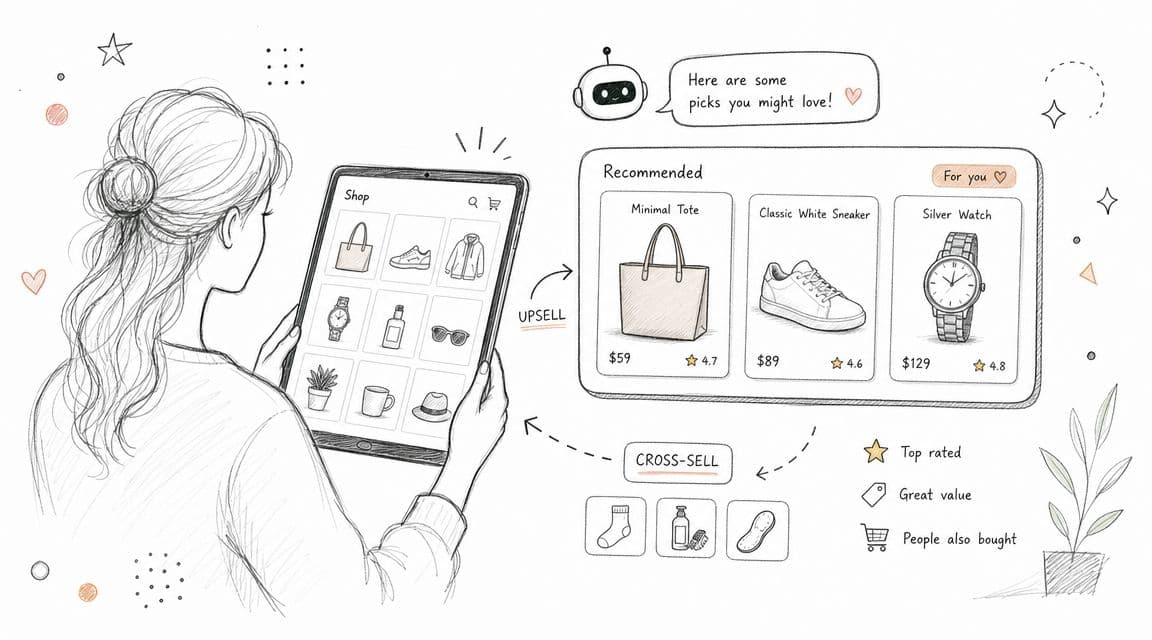
Keep the recommendation moment tight
Proactive recommendations work when they reduce decision friction. They fail when they interrupt.
I usually set this up around a small number of high-intent triggers first:
- Product page hesitation: Trigger after meaningful dwell time, repeated variant changes, or size guide views.
- Cart-building behavior: Suggest one complementary item after an add-to-cart event, not a full bundle pitch.
- Return shopper signals: Use browsing and order history to surface replenishment items or logical add-ons.
- Question-led prompts: If a shopper asks about fit, ingredients, compatibility, or use case, answer first, then recommend the closest match.
The trade-off is straightforward. More prompts create more chances to sell, but they also increase bounce risk. For most Shopify merchants, two or three well-matched suggestions outperform a long carousel because they keep cognitive load low and make the next click obvious.
Implementation matters more than the feature list. In Carti, map recommendations to product tags, collections, purchase patterns, and common pre-sale questions. Then pressure-test the output on your top PDPs. If the bot recommends a winter accessory with a summer product, or pushes low-margin items that hurt average order value, fix the logic before expanding traffic.
Track the metrics that show commercial impact:
- Recommendation click-through rate
- Conversion rate after chatbot interaction
- Average order value
- Attach rate for complementary products
- Revenue per chat session
- Dismissal rate on proactive prompts
One rule keeps this section honest. If a suggestion does not answer a buying question or improve basket quality, cut it. Shopify stores do not need a chat widget that talks more. They need one that sells more.
3. Prioritize Instant Answer Availability and 24/7 Response Times
A chatbot that replies instantly with the wrong answer is still a bad chatbot. But a store that makes buyers wait until morning loses people who were ready to buy tonight.
Industry summaries say chatbots can reduce response times by about 3x on average, and that matters because speed removes buying friction during the decision window. For Shopify stores, the practical use is obvious. Keep the bot focused on questions that block checkout most often, and answer them in plain language.
What to load first into the bot
Don't start by trying to automate your whole help center. Start with the questions that repeatedly appear in pre-sale chat and support tickets.
For most stores, that list includes:
- Shipping basics: Delivery windows, carrier regions, costs, and cutoff timing.
- Returns and exchanges: Eligibility, exclusions, process, and time windows.
- Product specifics: Materials, compatibility, care, dimensions, ingredients, and sizing.
- Order confidence questions: Stock status, restock timing, gift options, and payment methods.
A modern bot like Carti is useful here because it can ingest catalog and policy content fast, but the merchant still needs to pressure-test the answers. If your size guide is incomplete or your returns page is outdated, the bot will repeat that weakness at scale.
One operational benchmark is especially useful. Well-tuned chatbot flows can resolve around 90% of customer queries in fewer than 11 messages, according to this Tidio chatbot benchmarks article. That's a strong reminder that fast chat isn't just about response speed. It's about short-turn resolution.
Shorter conversations usually convert better than clever conversations.
What works is concise answers with a clear next step. What doesn't is a long assistant-style response that buries the actual answer under fluff.
4. Implement Intelligent Cart Recovery and Abandoned Checkout Engagement
Nearly 7 out of 10 online shopping carts are abandoned before purchase, according to the Baymard Institute. That is a revenue problem, not just a messaging problem. Shopify stores that treat recovery as a support interaction usually get better results than stores that treat it like a coupon blast.
Cart recovery works when the bot addresses the reason the shopper paused. A shopper who leaves a hoodie in the cart may be stuck on size, shipping cutoff, or return policy. Sending "you forgot something" adds noise. Sending the right question gets the sale.
Carti's abandoned cart recovery workflow is useful because it lets merchants trigger context-aware follow-up based on the actual cart and the shopper's behavior, then route the conversation into the answer that removes friction.
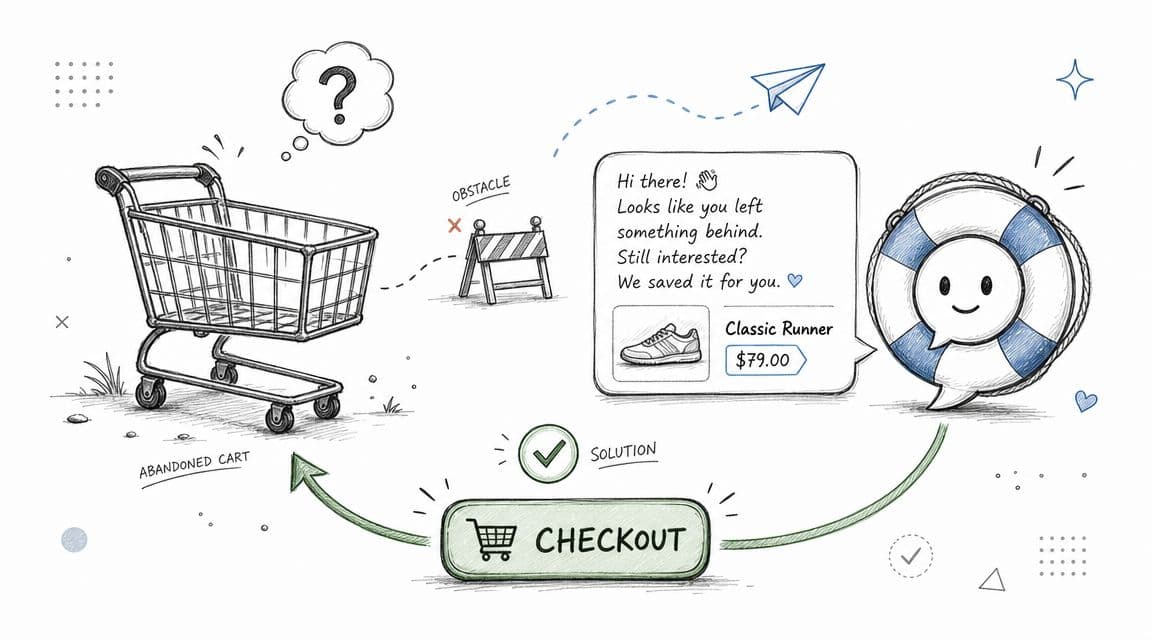
Ask what blocked the purchase
The common mistake is overusing discounts.
Discounts can recover some orders fast, but they also cut margin and teach shoppers to wait for an offer. For many Shopify brands, especially those with repeat buyers, that is an expensive habit to create. Recovery should start with diagnosis.
Use a short message tied to the cart, then offer help paths that match the likely objection:
- Reference the item in the cart: Mention the product name or category so the message feels specific.
- Lead with the blocker: Ask whether the shopper needs help with sizing, delivery timing, ingredients, compatibility, or returns.
- Offer one-tap paths: Give quick replies that open the right answer instead of forcing free-text typing.
- Escalate high-intent shoppers: If someone asks a detailed fit or product question twice, route them to a human.
That sequence gives you cleaner data too. Merchants can see whether abandonment is driven by price resistance, shipping concerns, product uncertainty, or policy friction. Once that pattern is clear, the fix is usually operational. Rewrite the size chart. Tighten shipping copy. Surface return terms earlier. Save discounts for price-sensitive segments instead of using them as the default.
A strong recovery bot should be measured like a revenue tool, not a support widget. Track recovered checkout value, recovery rate by reason code, discount rate on recovered orders, time to recovered purchase, and assisted conversion rate from chat. Those numbers show whether the bot is protecting margin or just buying back orders you could have won without a promo.
One practical rule has held up across stores I have seen. If the shopper's hesitation is informational, answer the question. If the hesitation is economic, test the offer carefully. Mixing those two problems usually lowers profit.
5. Design Conversational Flows That Match Customer Intent and Context
Baymard Institute's checkout and UX research keeps finding the same pattern across e-commerce sites. Friction kills progress. The same rule applies inside chat. If a shopper has to translate their problem into your bot's menu structure, conversion drops and support load rises.
For Shopify stores, flow design should start with the job the shopper is trying to complete. Product discovery, fit guidance, order status, returns, and shipping questions each need a different path. Carti works best when those paths are set up as intent-specific routes tied to store data, not one long generic script.
Context determines the next step. A first-time visitor asking for “best moisturizer for dry skin” should get guided discovery with skin-type, ingredient, and price filters. A repeat customer asking about a return should skip discovery entirely and go straight to order lookup, eligibility, and the next action. Fast resolution matters more than clever conversation.
Build flows around outcomes
The practical mistake I see most often is overbuilding. Merchants try to script every possible branch, then end up with a bot that asks too many questions before it does anything useful. A better approach is to define the top intents, identify the minimum context needed to resolve each one, and cut everything else.
The Nielsen Norman Group's research on chatbot UX recommends keeping interactions focused, giving users visible options, and making recovery easy when the bot gets stuck, as explained in Nielsen Norman Group's chatbot usability guidance. That maps well to Shopify support and sales use cases, where shoppers often switch goals mid-conversation.
Use these rules when building flows in Carti:
- Detect intent early: Route the conversation within the first message or two.
- Ask only for missing context: If Carti already has the product, cart, or order ID, use it.
- Use quick replies for high-frequency branches: Size help, shipping timing, returns, and compatibility questions are good button-based paths.
- Keep the path short: Every extra turn should improve the answer or move the shopper closer to purchase.
- Set a clear handoff trigger: If confidence is low, or the shopper repeats the same question, send them to support before frustration builds.
A strong flow also reflects business priorities. For high-margin collections, product discovery flows can guide shoppers toward bundles or best sellers. For high-return categories like apparel, the flow should prioritize fit, fabric, and return-policy clarity before the shopper adds to cart. That is where chat starts affecting margin, not just response time.
Carti gives merchants a practical advantage here because it can pull in product data, cart state, and customer signals inside the same conversation. That lets you configure flows by intent and attach the right data source to each route. Product discovery can use catalog tags and inventory. Order support can use order status and policy logic. The setup is operational, but the payoff is measurable.
Watch this example of how conversational commerce can guide product discovery on store:
Track flow performance like a commerce funnel. Measure intent recognition rate, containment rate by intent, average turns to resolution, human handoff rate, assisted conversion rate, and revenue per chat session. If a product-discovery flow has strong engagement but weak assisted conversion, tighten the recommendation logic. If a returns flow creates too many handoffs, the problem is usually missing policy context or weak order lookup.
Good flows feel easy because the work happened in setup. The shopper gets an answer, takes the next step, and keeps moving. That is the standard.
6. Leverage Behavioral Data and Purchase History for Personalization
Personalized product recommendations can lift e-commerce revenue, but only when the recommendation fits the moment. For Shopify stores, that means using customer history and on-site behavior to help the shopper make the next decision faster.
A returning customer should not get the same conversation as a first-time visitor. If someone bought foundation last month, the bot should be ready with shade-adjacent products, refill timing, and compatibility answers. If a repeat customer buys supplements every 30 days, the better move is a replenishment prompt or a subscription nudge, not a generic explanation of what the product does.
That is the standard to aim for with Carti. It can pull from Shopify order history, cart contents, catalog data, and browsing signals inside one chat flow. The practical value is simple. The bot can recommend products with context, answer follow-up questions with more accuracy, and shorten the path to checkout.
Personalize with restraint
Stores lose trust when the bot sounds like it is reading from a surveillance log. Good personalization feels relevant, not invasive.
Use customer data only when it improves the next step:
- Purchase history for replenishment prompts, accessories, and cross-sells
- Browsing behavior for intent detection and product ranking
- Customer segment for message timing, discount logic, and retention offers
- Cart contents for compatibility checks, bundles, and upsells
In practice, that means writing responses that show useful context without overexposing the data behind it. "This pairs well with your last order" works. Listing five previously viewed products usually hurts more than it helps.
For Shopify merchants, the implementation matters as much as the idea. In Carti, set rules by scenario. Returning customers can enter a post-purchase flow that prioritizes replenishment, add-ons, or support for the item they already bought. High-AOV shoppers can get premium bundle recommendations. First-time visitors should stay in discovery mode until they show stronger buying intent.
Measure this like any other revenue program. Track assisted conversion rate, average order value from chat-assisted sessions, repeat purchase rate, recommendation click-through rate, and revenue per conversation. If personalized chats get clicks but not orders, the recommendations are probably relevant to browsing, not relevant to purchase. If repeat customers engage but still open support tickets, the bot likely needs better post-purchase logic.
The stores that get this right make the chatbot feel like a well-trained sales associate. The ones that get it wrong sound automated, intrusive, and expensive to maintain.
7. Create a Knowledge Base That Learns and Improves Continuously
Support content gets outdated faster than merchants expect. A single promo change, shipping cutoff update, or return-policy exception can turn a previously accurate bot into a source of bad answers within days.
For Shopify stores, this is an operations problem, not an AI problem. The bot pulls from whatever you give it. If product pages, help docs, promo terms, and policy notes change every week, the knowledge base needs the same update cadence. Otherwise, the chatbot starts creating preventable tickets, refund risk, and abandoned carts from customers who no longer trust the answer.
The practical fix is to treat the knowledge base like a live revenue asset. In Carti, use the Insights Dashboard to review failed answers, low-confidence replies, and repeated question patterns. Then update the source content in small batches every week. That approach usually works better than waiting for a quarterly cleanup, because issues show up in customer conversations long before they show up in a formal report.
A workable operating rhythm looks like this:
- Review unanswered and escalated questions weekly: Find what the bot could not answer clearly or confidently.
- Check content freshness: Revisit shipping windows, launch details, bundles, subscription terms, and active promotions.
- Separate knowledge gaps from policy exceptions: Some issues need better documentation. Others need human review rules.
- Assign a single owner: CX or e-commerce ops should own bot content quality, approval, and update timing.
- Track the business impact: Watch containment rate, support ticket deflection, first-contact resolution, and conversion rate from chat-assisted sessions.
One pattern shows up often in growing stores. The chatbot performs well at launch because the setup used current policies and top-selling products. Then the catalog expands, merchandising changes, and campaign language shifts across email, PDPs, and checkout. If nobody updates the source material, answer quality slips until customer support has to clean up the mess.
I have seen stores fix this by keeping the process boring and strict. Every Friday, review the top missed intents. Every Monday, publish approved updates. That discipline matters more than adding more content.
If you sell across regions or need policy coverage in multiple languages, pair bot training with Bilingual Virtual Assistants who can flag weak answers, update help content, and catch translation issues before they affect conversion.
The metric to watch is not just chatbot usage. Watch whether answer accuracy improves ticket deflection without increasing repeat contacts. If chat containment rises but follow-up tickets also rise, the bot is ending conversations without actually resolving them. A learning knowledge base should reduce both confusion and workload.
8. Maintain Seamless Human Handoff and Escalation Pathways
No serious operator expects a chatbot to handle every conversation. The question isn't whether to escalate. It's when, and how cleanly.
The worst handoff is the fake handoff. The bot says, "I'll connect you to an agent," then the customer waits with no timeline, no context transfer, and no clue whether anyone saw the request. That experience is worse than a clear limitation.
Escalate with context, not apology loops
Well-tuned systems focus on intent accuracy, short-turn resolution, and efficient escalation when the bot can't complete the task. That's the fundamental standard. Not whether the bot can improvise through edge cases.
Use conservative escalation rules for issues like damaged orders, billing disputes, unusual return requests, and high-consideration product questions. When the conversation crosses into judgment or exception handling, get a person involved fast.
The handoff should include:
- Conversation summary: What the shopper asked and what the bot already tried.
- Relevant order or product context: SKU, cart contents, order state, or page context.
- Expectation setting: Tell the customer what happens next and when.
Teams that need bilingual support coverage sometimes combine AI triage with human follow-up from Bilingual Virtual Assistants. That can work well for stores selling across markets, especially when policy nuance or product education requires a human touch.
Customers don't mind escalation. They mind repetition.
A clean handoff turns the bot into a force multiplier for support. A messy handoff turns it into an extra obstacle.
9. Optimize for Mobile-First Conversations and Messaging Apps
Most store chat experiences are designed on desktop and tolerated on mobile. That's backwards.
Mobile shoppers are in a smaller viewport, often typing with one thumb, usually less patient, and more likely to abandon if the interaction feels dense. Your chatbot best practices should reflect that reality from the start.
Mobile chat needs tighter UX
The rules are simple, but stores ignore them all the time.
- Keep replies short: One or two tight sentences beat a large paragraph wall.
- Use tap targets: Quick replies, carousels, and clear CTA buttons reduce typing.
- Surface visual context fast: Product images, variant picks, and track-order shortcuts matter on small screens.
- Prioritize task completion: Mobile users often want a direct action, not a conversation.
This is also where locale-specific behavior matters. Existing chatbot guidance often covers clarity and fallback handling, but it rarely explains how behavior should adapt across languages, regions, or regulatory contexts in commerce. That gap is highlighted in this overview of chatbot feature priorities and localization needs.
For Shopify brands selling internationally, mobile optimization and localization overlap. A shopper in one market may expect WhatsApp-style brevity and local policy phrasing. Another may prefer more detailed product explanation. The bot should reflect that, not flatten every market into one generic English-first experience.
Carti's mobile-friendly Shopify chat experience is helpful because the product recommendations, answers, and recovery prompts sit in the same on-site flow. That keeps the user from bouncing between tabs or waiting for email follow-up.
10. Monitor, Measure, and Act on Performance Metrics and Customer Feedback
A chatbot that answers fast but fails to convert, resolve, or recover carts is not performing well. Shopify teams need a scorecard tied to revenue, support cost, and customer effort.
Start with a short list of metrics you can act on every week. Tracking more data does not help if nobody changes the bot based on what they see.
For most stores, these four metrics are enough to expose what is working and what is wasting traffic:
- Resolution rate: The share of conversations the bot completes without agent help
- Escalation rate: The intents that still need a human, by topic
- Answer feedback: Helpful or unhelpful response signals from shoppers
- Commercial outcome: Assisted conversions, recovered carts, product clicks, and checkout starts that happened after chat
Those metrics should be reviewed by intent, not only in aggregate. A bot with a 70% overall resolution rate can still fail badly on high-value flows like shipping delays, return policy questions, subscription changes, or product compatibility. That is the trade-off operators miss. Top-line chatbot numbers can look fine while revenue-impacting journeys stay broken.
Carti is useful here because the Insights Dashboard shows what shoppers asked, where the bot stalled, and which conversations led to product views or checkout activity. That makes optimization concrete. If "Where is my order?" resolves well but "Which size should I buy?" produces drop-off, the next fix is obvious.
I would review performance on two cadences.
Weekly, check the metric trendline and the top failed intents. Monthly, read a batch of transcripts from successful and unsuccessful conversations side by side. Metrics show the failure point. Transcript review shows whether the problem came from weak product data, poor prompt design, missing policy content, or a handoff that happened too late.
Customer feedback matters most when it changes the build. If shoppers repeatedly downvote answers about returns, restocking fees, shade matching, or delivery windows, update the source content and retrain the flow around those questions first. That work usually pays back faster than adding another flashy feature.
The goal is simple. Run the chatbot like a sales and support channel, not a widget. Measure the outcomes that affect margin, fix the highest-friction intents first, and use Carti's conversation data to improve conversion rate, reduce ticket volume, and protect repeat purchase revenue.
Chatbot Best Practices: 10-Point Comparison
For Shopify operators, the useful question is not which chatbot feature sounds good. It is which setup drives revenue, cuts ticket volume, or saves team time fast enough to justify the work. This table compares the 10 practices by implementation effort, what Carti needs to run them well, and the store metrics worth watching after launch.
| Capability | Implementation complexity | Resource requirements | Expected outcomes | Ideal use cases | Key advantages |
|---|---|---|---|---|---|
| Implement Natural Language Understanding (NLU) with Multi-Language Support | High. Requires language model setup, catalog mapping, and ongoing tuning across markets | Localized product data, translated policy content, language QA, country-specific catalog metadata | Better first-contact resolution, fewer international support tickets, stronger conversion from non-English traffic | Global Shopify stores serving multiple regions and languages | Reduces language friction and extends support coverage across a wide set of shopper languages |
| Enable Proactive Product Recommendations and Smart Suggestions | Medium. Requires recommendation rules, trigger setup, and testing by page type | Product tags, collection logic, shopper behavior signals, A/B testing process | Higher average order value, more product views, stronger conversion from discovery conversations | DTC stores focused on upsells, cross-sells, bundles, and guided shopping | Drives more revenue per session with relevant suggestions placed at the right moment |
| Prioritize Instant Answer Availability and 24/7 Response Times | Medium. Requires knowledge base connection, routing logic, and answer QA | Well-structured help content, monitoring, escalation rules, ownership for content updates | Faster response times, lower ticket volume, less drop-off after unanswered questions | High-volume FAQ stores and brands with significant off-hours demand | Gives shoppers immediate answers at any hour without adding support headcount |
| Implement Intelligent Cart Recovery and Abandoned Checkout Engagement | Medium. Requires abandoned cart triggers, message logic, and offer controls | Real-time cart events, incentive rules, product feed access, checkout event tracking | More recovered carts, measurable recovered revenue, fewer lost checkouts from unresolved objections | Stores with high cart abandonment and long consideration cycles | Re-engages shoppers while purchase intent is still high and addresses common checkout blockers |
| Design Conversational Flows That Match Customer Intent and Context | High. Requires intent mapping, flow design, and ongoing transcript review | Conversation design, intent training data, analytics, testing workflow | Higher resolution rates, fewer unnecessary escalations, better shopper experience on complex journeys | Stores that handle sizing, compatibility, returns, subscriptions, or product matching questions | Keeps the conversation relevant to the shopper's goal instead of forcing rigid decision trees |
| Use Behavioral Data and Purchase History for Personalization | High. Requires integrations, consent controls, and data hygiene | Shopify customer data, CRM or retention data, analytics, privacy controls, audience logic | Better conversion rate, more repeat purchases, stronger retention performance | Brands focused on repeat purchase, replenishment, VIP segmentation, and retention | Makes replies and product suggestions more relevant based on what the shopper already viewed or bought |
| Create a Knowledge Base That Learns and Improves Continuously | Medium. Requires content operations tied to chat logs and failure analysis | Conversation reports, content editor access, version control, owner for article updates | Better answer accuracy over time, lower support costs, fewer repeated failure points | Stores with fast-changing catalogs, policy changes, or heavy FAQ volume | Turns failed conversations into content fixes the team can ship quickly |
| Maintain Human Handoff and Escalation Pathways | Medium. Requires support platform integration, routing, and context transfer rules | Help desk integration, agent routing logic, transcript passing, SLA rules | Better agent productivity, higher satisfaction on complex cases, fewer dropped conversations | Cases involving refunds, damaged items, subscription issues, or edge-case product questions | Passes the shopper to a human with context intact so agents do not restart the conversation |
| Optimize for Mobile-First Conversations and Messaging Apps | Low to Medium. Requires mobile UX work and channel-specific setup | Mobile UI design, messaging app integrations, compressed media, short-form copy | Higher mobile engagement, better completion rates on mobile, stronger response rates in messaging channels | Stores where most traffic comes from mobile or where shoppers prefer messaging | Reduces friction on small screens and meets shoppers in the channels they already use |
| Monitor, Measure, and Act on Performance Metrics and Customer Feedback | Medium. Requires event tracking, reporting, and regular review cadence | Dashboard setup, analytics ownership, transcript review process, testing plan, alerting | Clearer ROI, faster iteration cycles, better performance on the intents that affect revenue and support load | Teams treating chat as an operating channel instead of a widget | Helps teams prioritize fixes by business impact instead of guesswork |
The practical way to use this table is by sequence, not by trying to launch all 10 at once. Most Shopify stores should start with instant answers, product suggestions, and cart recovery. Then add context-aware flows, personalization, and stronger escalation once the basics are stable inside Carti.
Your Blueprint for a High-Converting Chatbot
Implementing these chatbot best practices isn't about adding a trendy app to your Shopify stack. It's about building an operating layer that answers buyer questions, recovers otherwise lost carts, and absorbs repetitive support work without damaging the customer experience.
The stores that get value from chat usually start small. They don't launch with a giant AI ambition statement. They pick the pain that costs the most money or time right now. For one merchant, that's off-hours pre-sale questions. For another, it's repetitive support tickets. For another, it's international traffic that can't get reliable product or policy answers in the shopper's language.
That focus matters because chatbots perform best when they solve specific, repeated problems first. The broader market data supports that approach. AI bots are strongest on routine questions and repetitive support tasks, and adoption has moved well beyond experimentation. Merchants don't need another theoretical CX project. They need a system that answers accurately, resolves quickly, and hands off gracefully when needed.
For Shopify stores, the practical rollout usually looks like this. Start with instant answers for product, shipping, returns, and sizing. Then layer in smart suggestions for PDPs and cart pages. After that, tighten cart recovery and escalation rules. Once the basics are stable, move into personalization, multilingual optimization, and more advanced flow design.
A tool like Carti makes that progression easier because the core pieces are already built for commerce. It learns your catalog, policies, and FAQs. It supports multilingual experiences, proactive recommendations, cart recovery, and analytics in one system. That cuts implementation friction, but it doesn't remove the need for operator discipline. You still need clean product data, current policies, regular transcript reviews, and clear ownership for continuous improvement.
That's the essential difference between a chatbot that sits on the site and a chatbot that lifts revenue. The first one exists. The second one is managed.
If you're deciding where to begin, don't start with personality, clever copy, or edge-case automation. Start where buyers stall most often. Look at your support inbox. Look at abandoned carts. Look at your international traffic. The highest-value chatbot use cases are usually hiding in plain sight.
Then build the bot around those jobs, measure what changes, and keep tuning. That's how a Shopify chatbot becomes a sales associate instead of a support gimmick.
If you want a faster path to applying these chatbot best practices, Carti is built for exactly that. It gives Shopify stores instant answers, smart product suggestions, cart recovery, multilingual support, and a clear insights layer without a heavy setup process. For merchants who want a chatbot that drives conversion and reduces support load, it's a strong place to start.

Written by
Daniel AndersonFounder of Carti. 10+ years building ecommerce brands in apparel and supplements. Still runs a Shopify store and built Carti to help merchants convert more browsers into buyers.
Ready to boost your store's sales?
Install Carti in 5 minutes and let AI handle customer questions, recommend products, and close sales 24/7.
Start Free Trial14-day free trial