
Which Shopify chat app should a store install if one tool is a storefront chat app and the other is a broader customer communication platform?
That distinction matters more than a feature checklist. In a Chatty vs Tidio comparison, a Shopify connection alone doesn't make the products interchangeable. The useful choice depends on whether the store needs to answer shoppers on product pages, organize support across channels, or do both.
Chatty and Tidio at a Glance
| Criterion | Chatty | Tidio | Check before you buy |
|---|---|---|---|
| Primary job | Shopify storefront chat app | Live chat, helpdesk, and automation connected to Shopify | Inbox only, or chat plus a wider support desk |
| Setup | Shopify App Store install | Tidio account plus Shopify connection | How many logins the team must learn |
| Language support | Confirm on current listing | Confirm on current vendor page | Native replies for buyer countries, not a plugin promise |
| Automation | Confirm on current listing | Flows and automated replies documented on Tidio pages | Does it run when no agent is online? |
| Product suggestions | Confirm on current listing | Confirm on current vendor page | Live price, stock, and an add-to-cart path |
| Cart recovery | Confirm on current listing | Confirm on current vendor page | Chat action on an abandoned cart, not only email |
| Analytics | Confirm on current listing | Confirm on current vendor page | Volume only, or revenue tied to a conversation |
| Integrations | Shopify native; other apps only if the listing names them | Helpdesk and marketing stack; Shopify depth only if its page names it | Email, reviews, and social DMs the store already uses |
| Pricing source | Chatty's own pricing page only | Tidio's own pricing page only | Bill at the store's monthly conversation volume |
The table separates confirmed positioning from questions a merchant still needs to check. A “confirm” entry isn't a negative verdict. It means the current vendor page needs to establish the detail before the store relies on it.
A filled cell is a starting label, not a final assessment. The shopper-moment checks below put setup, language, automation, suggestions, cart recovery, analytics, and integrations to the test, one by one. A merchant can also install each app on a staging theme to see what the widget and workflow do.
Pricing belongs in a separate worksheet. The merchant should copy the entry plan, billing unit, limits, and cap behavior from each vendor's own pricing page, then compare plans against the same store volume. The situational pick comes after those checks, not before.
What Each Tool Is Built to Do
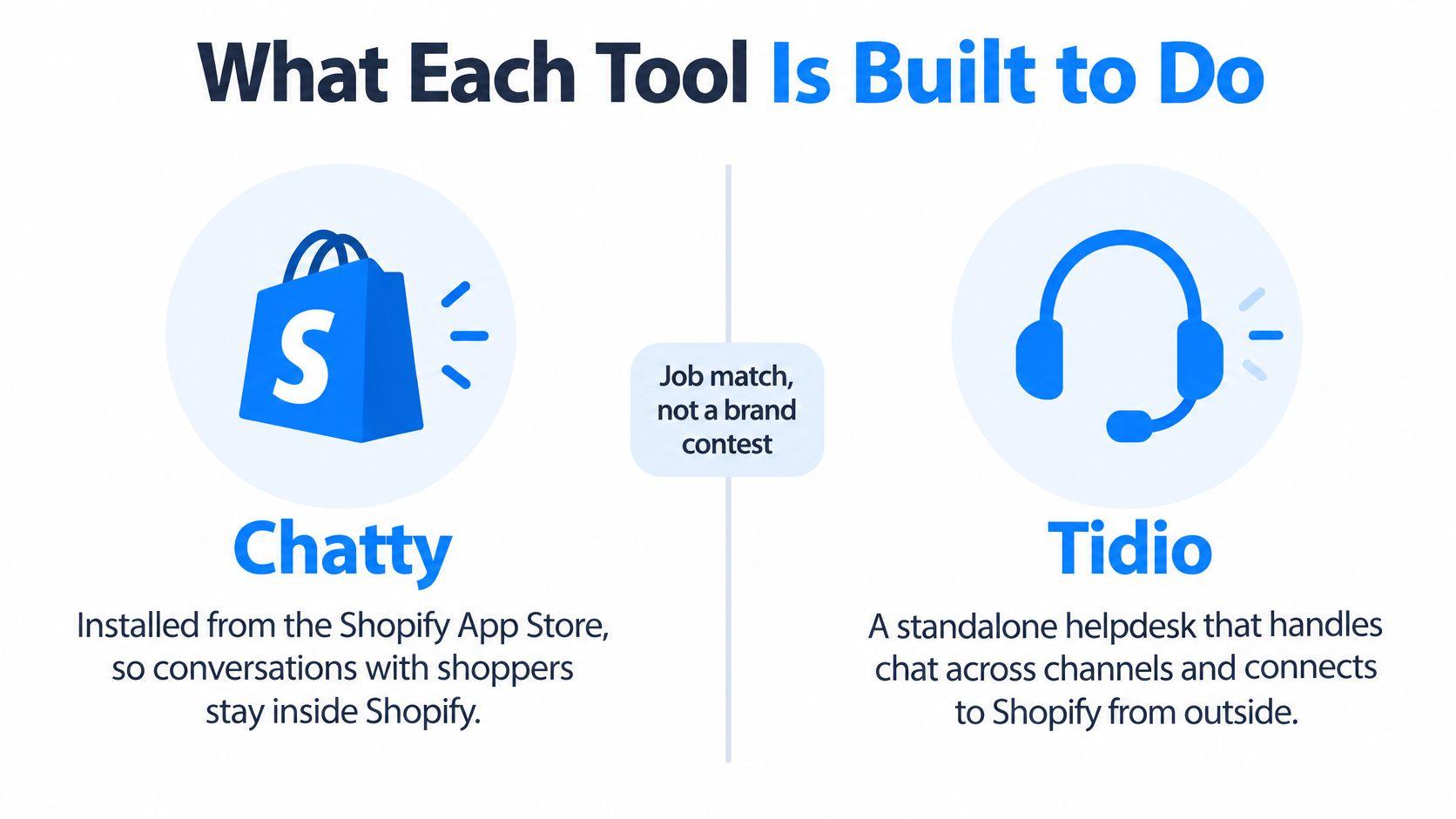
A Shopify storefront widget and a helpdesk solve different parts of customer service. A widget meets the shopper on a product or collection page. A helpdesk helps the team manage the message after it arrives, especially when several agents need to share work.
Chatty is positioned as a Shopify chat app. Its natural fit is a store that wants storefront chat and prefers to keep the team's routine close to Shopify. A small direct-to-consumer team with a compact catalog and a person available to answer questions may value a straightforward install and a human reply path.
Tidio is positioned as a customer communication platform connected to Shopify. Its broader role includes live chat, a shared inbox, and automation. That structure may suit a team that needs to organize incoming conversations and use flows or automated replies for recurring questions.
A Shopify connection doesn't make these tools equivalent. The first question is where a shopper needs help. The second is what the team needs to do once the shopper sends a message.
Two store moments, two kinds of work
Say a shopper is on a dress page and asks whether the item fits like the brand's usual size. The chat needs to give a useful product answer, point to the right size information, and let a person join if the question needs judgment. A store evaluating either app should test that interaction on its own product page.
Now consider a message after checkout asking where an order is. That interaction may need order context, a clear route to an agent, and a place for the team to manage the conversation. A merchant should check what the app's current Shopify connection supports instead of assuming the storefront widget also provides a full support desk.
Teams that advise stores in specialist retail can also find context in this app for extension specialists. The broader lesson applies across niches: the category of the product being sold doesn't tell a merchant which customer-service job the app performs.
Public product pages change. A careful comparison sticks to what each current vendor page documents and tests the actual pre-purchase interaction before relying on a feature label.
Features That Matter Before Checkout
A useful comparison follows the shopper's path. The first check is whether the widget appears where the store needs it, then whether it can handle the questions that arise before a customer adds an item to the cart.
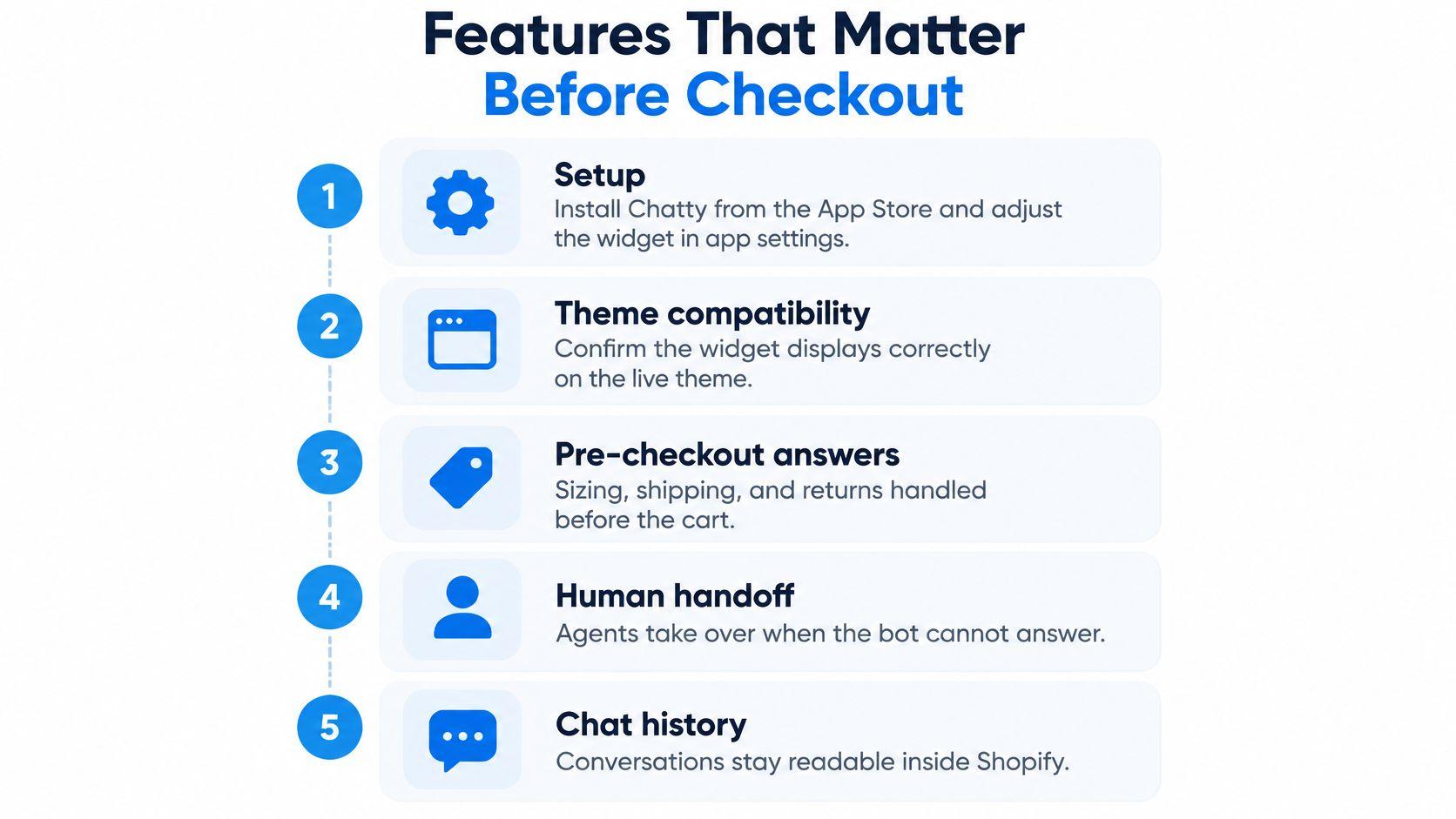
Start with setup, then test language
Chatty's stated setup path begins with a Shopify App Store install and widget settings in the app. A merchant should still confirm theme compatibility on the current listing and check the widget on the store's actual theme.
Tidio's path begins with a Tidio account and a Shopify connection. That extra account may be useful when a team wants a broader inbox, but it also adds another place for staff to learn. Compare the complete workflow, not just the storefront bubble.
Language needs a live test rather than a count copied from a feature list. A merchant can send a French sizing question through each widget and inspect the answer for clarity, product accuracy, and whether an agent can continue in the same thread. A language option is useful only if it works for the store's buyers.
Check automation and product suggestions
A keyword reply or automated flow can answer repeat questions when a person isn't online. The test is whether it can handle the store's actual shipping, return, and product-difference questions, and whether a human can take over the same thread when the bot falls short.
For product suggestions, the useful standard is concrete: does the chat show the live product, its price and stock, and a path to view or add it? A listing that only describes a chatbot doesn't establish that it can recommend products from a live catalog.
Cart recovery also needs a precise definition. Count it as a chat capability only if the chat itself can act on a leaving shopper or an abandoned cart. An email reminder already running elsewhere in the store isn't proof that the chat app can recover a cart.
Separate support reporting from sales reporting
Volume, reply time, and message counts help a team monitor support work. They don't, by themselves, show whether a conversation led to a purchase. A merchant interested in sales attribution should look for a documented connection between a conversation and revenue, rather than treating a chat count as a sales result.
For integrations, use only the connections listed on each vendor's current pages. Check whether the store's email service, reviews platform, Instagram account, or Messenger workflow is named. If a connection isn't documented there, treat it as unconfirmed until the store can verify it.
Staging-theme check: Open a product page, ask a sizing question, ask about shipping, check a product suggestion, test a cart action, and hand the conversation to a person.
How to Read Their Real Prices
A low starting price and a manageable monthly bill aren't the same thing. The relevant cost depends on what the plan meters, what the store's team needs, and what happens when usage reaches the plan's limit.
No competitor price, plan name, or limit is quoted here because the available material doesn't establish those details from Chatty's or Tidio's own pricing page. Merchants should use each vendor's live pricing page as the authority and copy a figure only when it appears there. A summary on another site can help create a shortlist, but it shouldn't replace checking the current plan terms.
| Line | Chatty pricing page | Tidio pricing page | Why it changes the bill |
|---|---|---|---|
| Entry plan name | Copy from page | Copy from page | The name isn't the cost |
| Monthly price | Copy from page | Copy from page | Compare the same billing period |
| What the cap counts | Copy from page | Copy from page | Visitors, seats, tickets, or AI replies |
| At the cap | Copy from page | Copy from page | Block, overage, or forced upgrade |
| AI or automation included | Copy from page | Copy from page | A separately sold product can add cost |
| Trial | Copy from page | Copy from page | Time to test on the store's catalog |
A merchant can estimate monthly conversations by counting shoppers who start a thread, rather than counting every follow-up message, unless the vendor defines a conversation differently. That estimate should be tested against both a normal month and a launch month. The Tidio pricing guide can provide context, but the vendor's current pricing page is the place to verify Tidio's actual terms.
A free or inexpensive plan may still be a poor fit if the limit counts visitors, tickets, or AI replies rather than the conversations the store expects. The team should record the billing unit and what happens at the cap before comparing totals.
The final check is simple: paste only figures visible on each vendor's live pricing page into the worksheet before installing either tool.
Fit for Fashion Beauty Home and Wellness
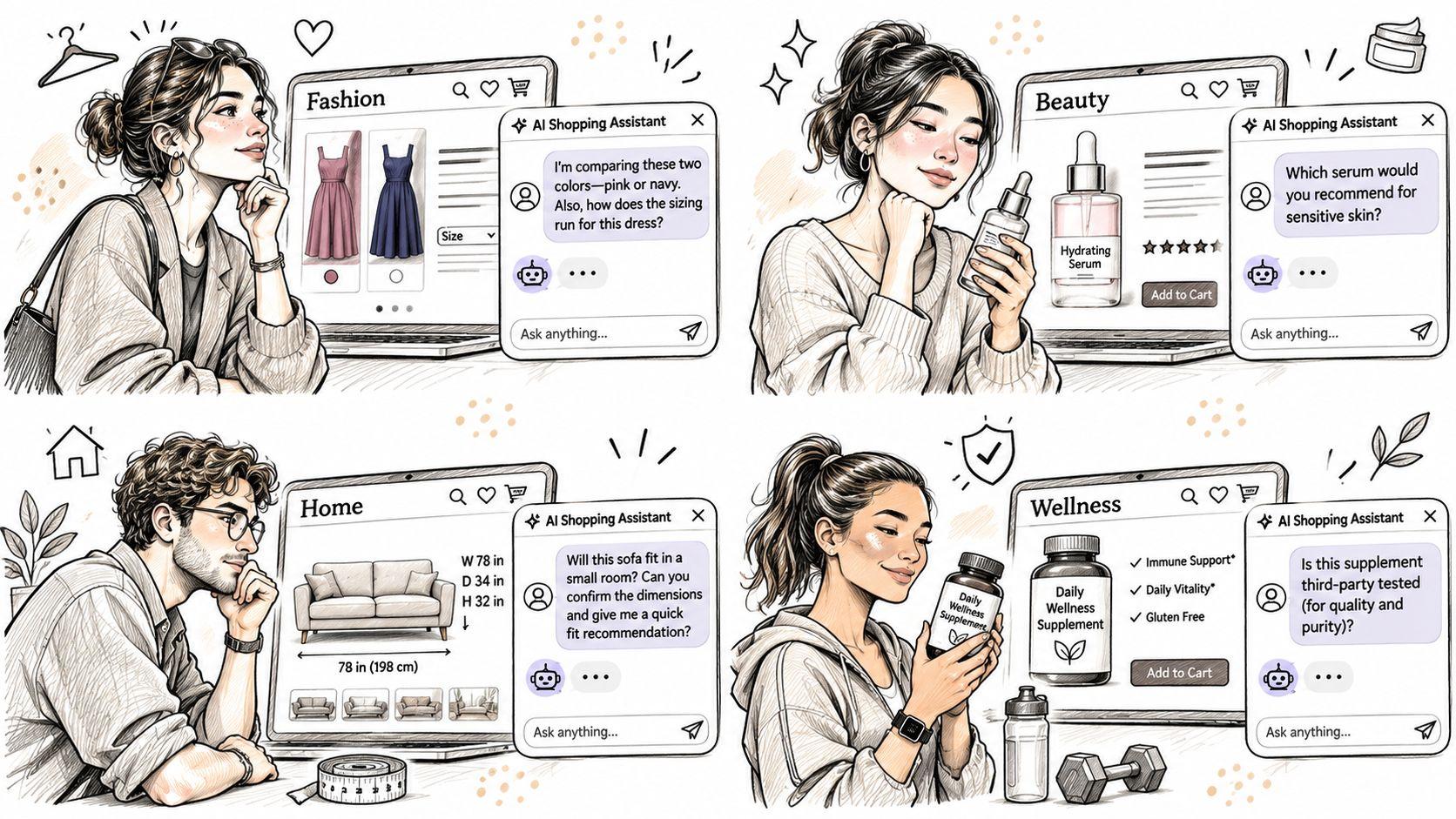
The best test varies by product category. A conversation about clothing fit calls for different evidence than a question about ingredients or delivery for a large item. Neither app should be chosen for an entire industry without testing the store's actual questions.
Fashion and beauty
A shopper on a dress page asks whether a particular size fits like the brand's usual sizing, wants to compare two colors, and can't make sense of the size guide. The chat should use the store's actual size information and reviews, then help the shopper find the appropriate variant. Chatty is the leaner test if the team expects to answer personally and has a small catalog. Tidio is the leaner test if several agents need a shared queue and flows can handle repeat questions.
In beauty, a shopper asks how a serum compares with a moisturizer, what their ingredients are, and where each fits in a routine. The chat should stick to published product information rather than make unsupported claims about skin or results. A store with a small catalog and hands-on product knowledge may start by testing Chatty. A team handling more conversations across agents may test Tidio's queue and documented automation.
Home and wellness
A home shopper browsing a collection asks about an item's dimensions, materials, and delivery. The chat should draw on product and policy details without pushing the shopper away from the collection they're considering. Chatty may be the simpler test when a person handles the conversation. Tidio may fit better when the team needs flows and agent assignment for a larger support workload.
A wellness shopper asks how to use a product and whether it is suitable for a particular condition. The chat should answer from published product facts and hand off medical or personal questions to a person. A merchant should assess the quality of that handoff, not just whether an automated response appears.
A store selling across two of these categories should set its requirement using the stricter shopper scene, often fit or ingredients. A weak answer in a sensitive product conversation can matter more than a polished reply to a routine delivery question.
Support and Day to Day Performance
A merchant can test support routes and storefront behavior in an afternoon without relying on performance promises. The useful evidence is what the current help pages show and what the team sees on its own theme.
| Check | Chatty | Tidio | What to record |
|---|---|---|---|
| Help path shown | Check current listing and help pages | Check current help center and vendor pages | Email, chat, or ticket form named on the page |
| Setup guide | Shopify App Store listing | Tidio help center plus Shopify connection | Steps a new hire can follow |
| Human handoff | Test in the widget | Test in the widget | Whether a teammate can join the same thread |
| Mobile product page | Test on the store's theme | Test on the store's theme | Whether the widget is usable on a phone |
| After-hours coverage | Team process | Flows plus team process | Who answers when the shop is closed |
First, open each vendor's current help pages and write down the support paths they name. For Tidio, include its Shopify connection guide. Then install one widget at a time on an unpublished theme, check a product page on desktop and a phone, and send a size or ingredient question, a shipping question, and an order-status question.
Record whether the answer arrives in the thread and whether a teammate can join it. The team should also note what staff need to learn: one Shopify-admin workflow or a separate shared queue with assignment. Mark an unconfirmed detail with a question mark in the store's worksheet.
The practical risks are a slow or unusable widget, a clash with another theme app, or an after-hours inbox with nobody assigned. Those are store-level test results, not claims to infer from a vendor's marketing page. Save the completed sheet for the final choice.
How to Switch Without Losing Chats
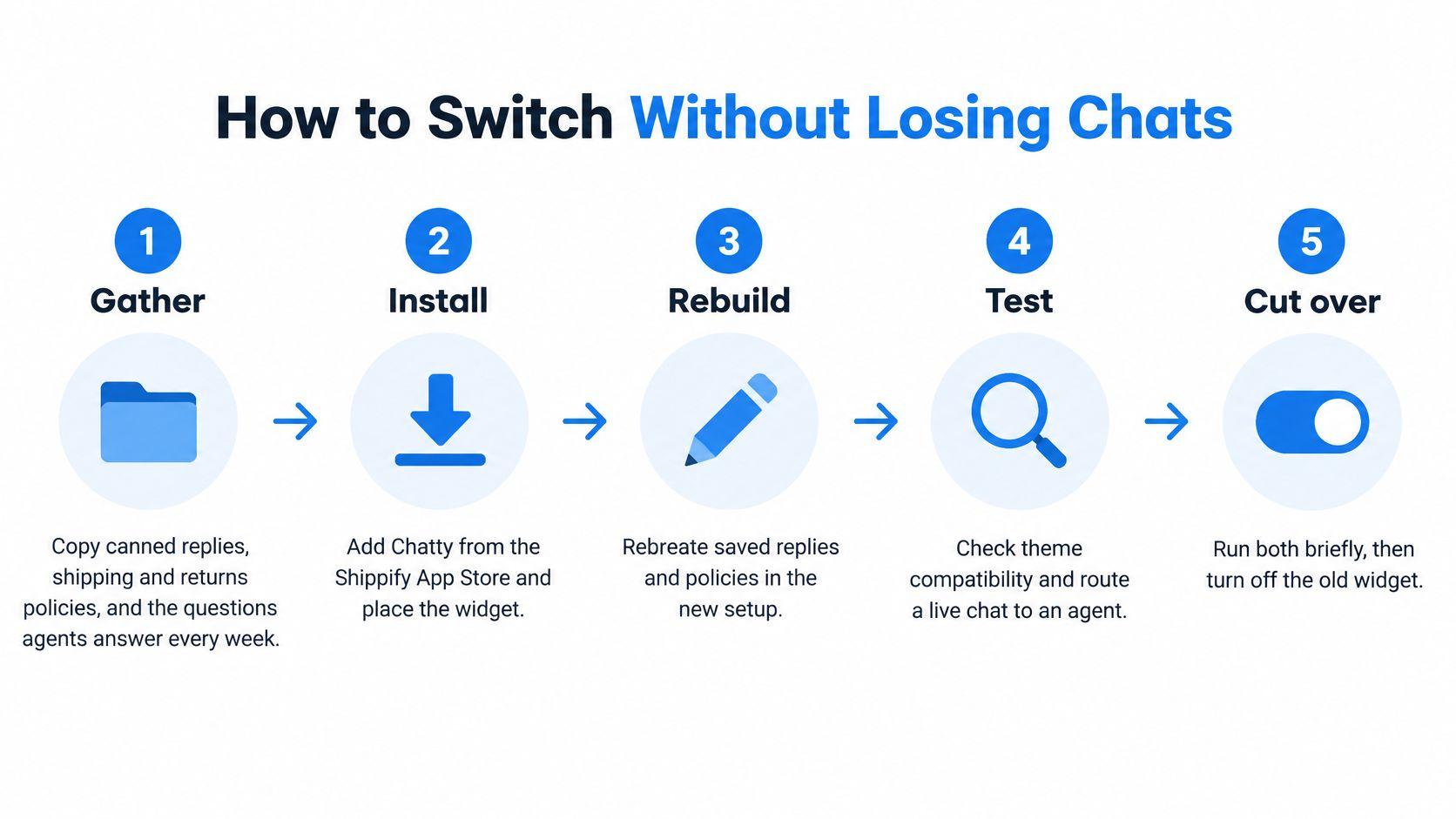
Changing chat apps is a small migration project, not a toggle. The team needs to protect useful answers, keep the right channels available, and avoid showing shoppers two competing widgets.
-
Gather the material. Copy current canned replies, shipping and returns policies, and the questions agents answer every week.
-
List the channels. Write down which conversations must continue, including the storefront widget, email, and any Instagram or Messenger inbox the team uses.
-
Install carefully. Add the new app on an unpublished theme or during a quiet period. Disable the old widget before both can load on the storefront.
-
Rebuild selectively. Recreate only the flows that address real support questions. A large bot project can wait until the core handoff works.
-
Test real questions. Use questions shoppers ask, including sizing or ingredients, order status, and a product comparison. Confirm that answers are accurate and that a person can take over.
-
Keep the team and history in view. Check that staff can see new threads and that old conversations remain readable in the previous tool for an agreed overlap. A merchant might choose a short period, such as two weeks, as an example rather than assuming a vendor will retain or import transcripts.
-
Finish the cutover. Turn off the old widget after the overlap. The store should run both tools only during that transition, then keep one.
Three failures can damage the live-store experience: two widgets confuse shoppers, a bot using stale policy text can give an answer that leads to refunds, and agents can lose access to useful history if nobody records where old transcripts live. Don't assume either product imports chats from the other unless its current help page says so. A Tidio switch checklist can help a merchant organize the change, but the store still needs to verify its own transcript and channel requirements.
Pick the Chat App for Your Store
The right pick follows the work the team needs to do. A storefront chat tool, a shared support platform, and a sales assistant address different gaps, so a brand comparison alone won't settle the choice.
Choose Chatty when the store wants a Shopify-native chat app, a person will handle most replies, and the team doesn't want a separate helpdesk. Before committing, the merchant should verify the app's current feature details and pricing against the store's theme and expected conversation volume.
Choose Tidio when the store needs a shared inbox, documented automated flows, and a communication platform that can support more than one storefront widget. The merchant should first copy the current plan limits from Tidio's own pricing page and confirm the channels and Shopify functions the team needs.
Choose a sales assistant instead when the unresolved problem is pre-purchase product guidance rather than support-queue management. Carti is an AI shopping assistant for Shopify that learns a store's catalog, policies, and FAQs, answers questions about sizing, shipping, returns, and product comparisons, and recommends products. Its Free plan includes 50 AI conversations a month; Starter is $49 for 250, Growth is $99 for 600, and Scale is $249 for 1,750, with a 14-day free trial on paid plans.
For stores weighing chat apps against other Shopify options, this guide to live chat apps for Shopify offers another comparison point. The final action is practical: write down the store's monthly conversation estimate, open both competitor pricing pages, fill the worksheet, and install the tool whose verified plan covers both a normal month and a launch month.
Merchants looking for pre-purchase guidance can explore Carti, an AI shopping assistant for Shopify that answers product questions and recommends items using store information. Its published plans have monthly AI conversation limits, so the store can compare the available options with its own workload before starting.

Written by
Daniel AndersonFounder of Carti. 10+ years building ecommerce brands in apparel and supplements. Still runs a Shopify store and built Carti to help merchants convert more browsers into buyers.