
You're probably already looking at plenty of data.
Shopify shows sales, conversion, and product performance. GA4 shows traffic sources and event paths. Your email tool shows opens and clicks. Support inboxes show the same pre-purchase questions repeating every day. Yet when sales flatten or carts get abandoned, none of those dashboards tell you what to do next in the moment.
That's the gap a real customer analytics solution closes. It doesn't just report what happened. It connects shopper behavior, order history, and customer conversations so your store can react while the customer is still deciding. For a Shopify merchant, that's the difference between another dashboard and a system that helps recover revenue.
Why Your Shopify Store Needs More Than Basic Reports
Most Shopify stores don't have a data shortage. They have an action shortage.
You can see that traffic went up, conversion dipped, and a product page got lots of views. But basic reports rarely answer the merchant question that matters most: what should we change right now to recover sales? A customer analytics solution goes further. It connects signals across the buying journey so you can see not just where shoppers dropped off, but what message, recommendation, or support prompt should fire next.
That matters because e-commerce teams don't win by admiring reports. They win by shortening the time between signal and response. If a shopper lingers on sizing info, revisits shipping details, and exits from cart, that's not just “behavior.” It's a sales opportunity if your system can trigger the right intervention.
A lot of merchants get stuck because they're still treating analytics as a scoreboard. It's useful for review meetings, but not enough for daily execution. If you're working on measuring marketing success, that broader discipline helps frame channel performance, but store operators also need person-level context that connects marketing, merchandising, and support in one workflow.
Practical rule: If a report can't lead to a clear next action, it's reporting, not operational analytics.
The same logic applies to retention. Looking at aggregate conversion and repeat purchase trends won't tell you which shoppers need help, which ones need a reminder, or which ones should see a different offer. That's why merchants also need stronger operating metrics tied to behavior, not just topline store stats. A useful companion read is this breakdown of customer engagement metrics, especially if your current setup measures traffic better than intent.
From Scattered Data to a Single Customer View
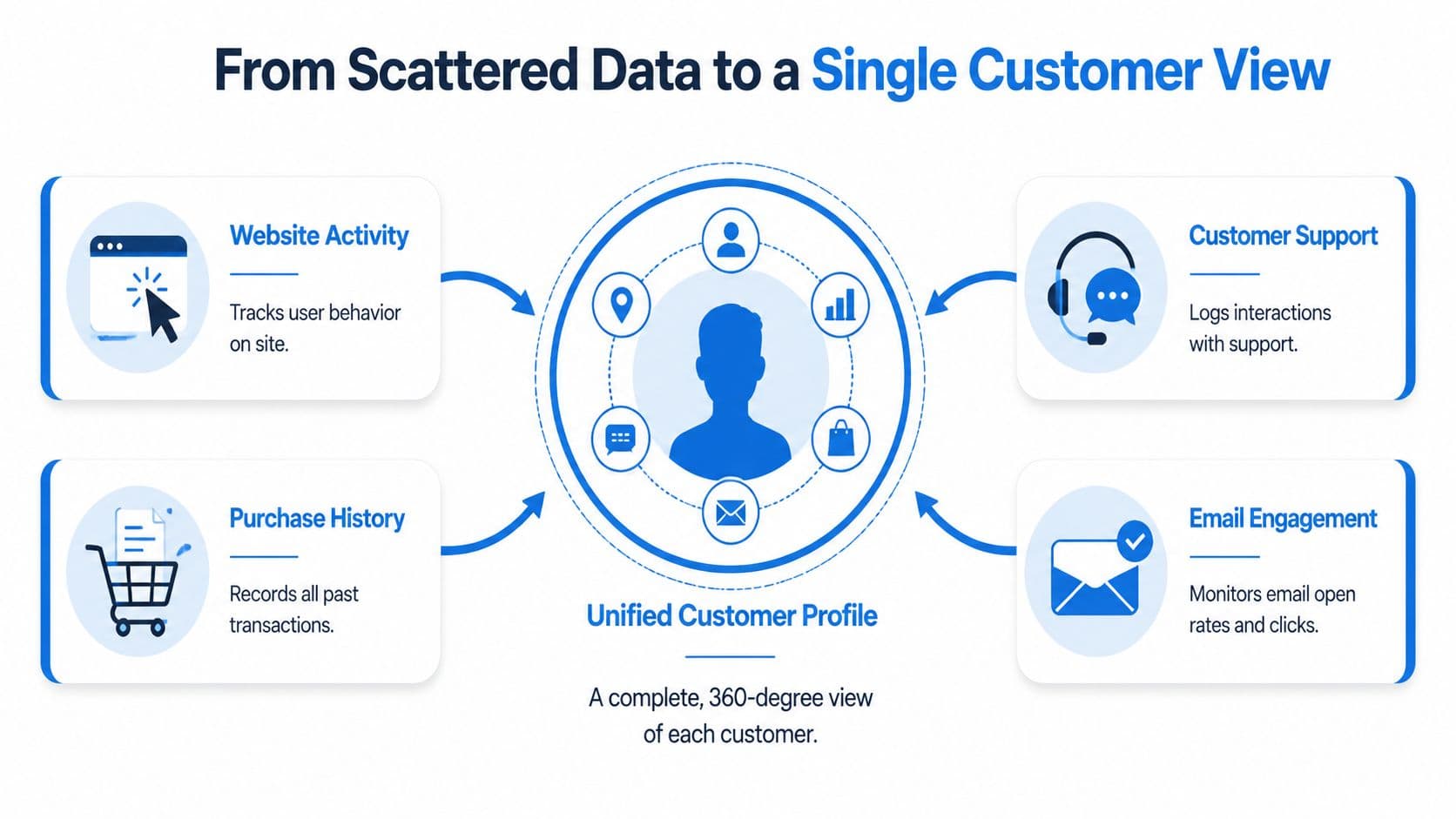
A single customer view matters when a shopper gives you mixed signals and the store needs to respond before intent fades.
One person views the same product twice on mobile, clicks a discount email later that night, starts checkout on desktop, opens the shipping policy, then asks support whether sizing runs small. If those actions sit in separate apps, the team sees fragments. If they connect to one profile, the store can send a sizing-focused cart recovery message, suppress a generic discount, and route the next visit into a more relevant experience.
What a unified profile means in practice
A useful profile combines behavior, purchase history, and service context in one place so the next action is obvious.
ThoughtSpot's overview of types of customer analytics maps well to how Shopify stores usually build this. The core inputs are straightforward:
- Engagement data from product views, collection browsing, add-to-cart activity, and on-site interactions
- Transactional data from orders, returns, discounts used, and purchase recency
- Support and feedback data from chat transcripts, ticket topics, refund requests, and pre-purchase questions
That combination changes what your team can do day to day. A shopper who has high intent but keeps hitting the same friction point should enter an automated flow that addresses the objection. A shopper who buys on a regular cadence should get replenishment timing, not another welcome sequence.
For merchants evaluating data architecture, some of Kogifi's Sitecore CDP insights are useful because they show how customer data platforms are meant to centralize profile data rather than leave it trapped in channel tools.
Why fragmented data costs sales
Fragmented data creates bad timing.
Marketing sees clicks and pushes harder on retargeting. Support sees repeated shipping or sizing questions. Operations sees returns rising on the same SKU. Without a shared profile, each team solves its own problem and the shopper gets disconnected messages. That usually means wasted discount spend, weak follow-up, and missed recovery opportunities.
The fix is not another dashboard. It is a profile layer that can identify the shopper across sessions, combine intent and friction signals, and trigger the next step automatically.
A healthy setup usually answers four operational questions:
| Need | What it should answer |
|---|---|
| Identity | Is this the same shopper across sessions, orders, and support contacts? |
| Intent | Are they browsing casually, comparing seriously, or trying to buy now? |
| Friction | What keeps interrupting checkout or delaying purchase? |
| Activation | What message, recommendation, or workflow should trigger next? |
If you want to make that profile usable in campaigns, retention, and support, customer health scoring for e-commerce teams is a practical model. The label comes from SaaS, but the operating logic fits retail. Combine signals into a clear status, then attach a specific action to each status.
Unified data pays off when it shortens the path from shopper behavior to an automated sales response.
Key Features That Drive E-commerce Growth
The best features earn their keep fast. If a customer analytics solution cannot change what the shopper sees, receives, or experiences while purchase intent is still active, it usually turns into another reporting layer your team checks after revenue is already lost.
For Shopify stores, I would judge features by one standard. Do they reduce hesitation, recover stalled checkouts, raise repeat purchase rate, or improve average order value without adding manual work?
Segmentation that changes offers and timing
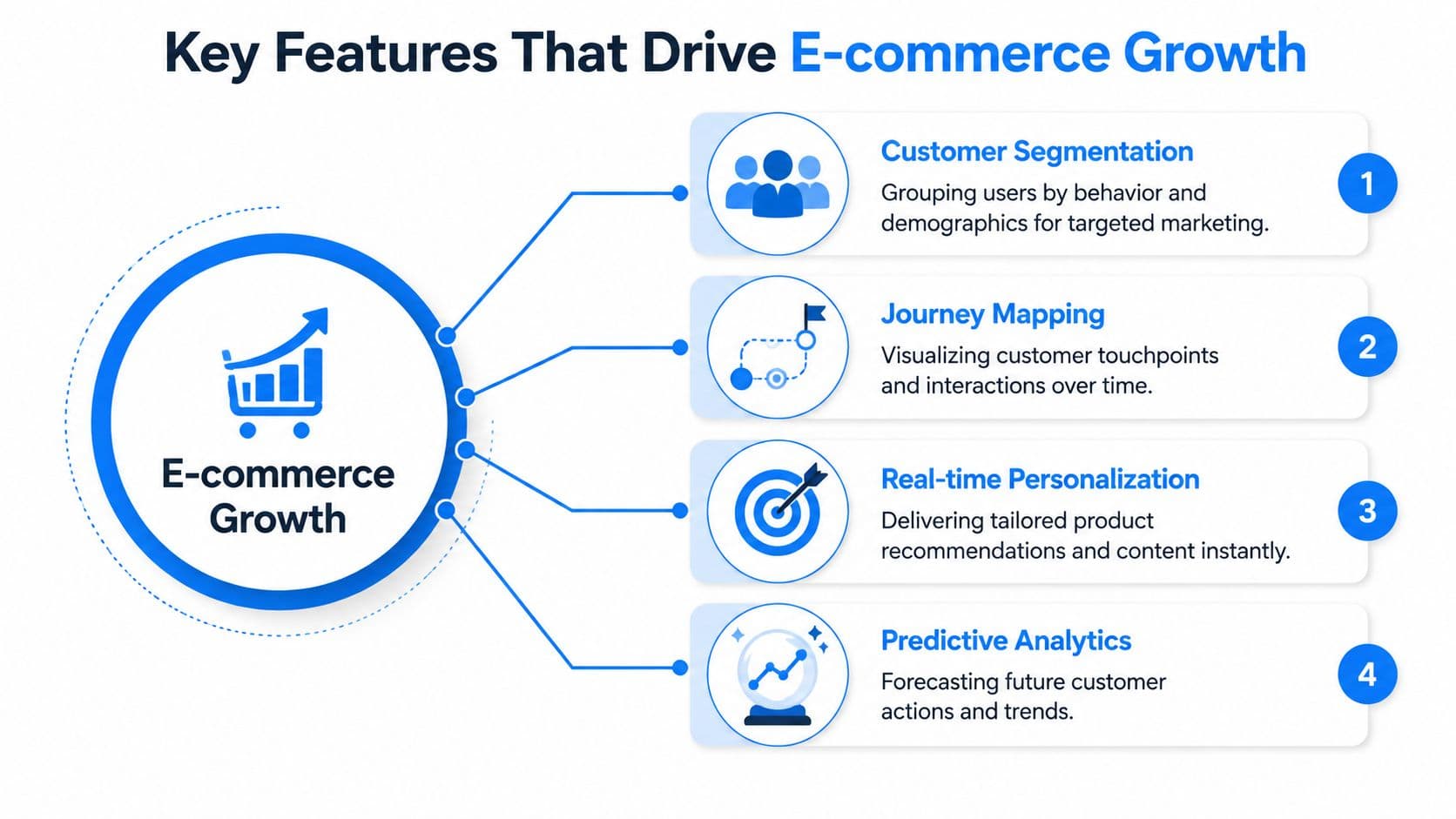
Segmentation matters when it controls action, not just reporting. Age range and location can help with planning, but they rarely tell you what message to send right now or whether a discount is even necessary.
Behavioral segments do.
A first-time visitor reading sizing content needs a different prompt from a repeat shopper returning to the same product three times in two days. A customer buying coffee subscriptions should enter a replenishment flow. A gift buyer should not. A high-support shopper may need a clear delivery promise or live help before checkout, while a loyal repeat buyer often responds better to convenience, bundles, or early access.
The practical test is simple. Can the segment trigger a different email, on-site block, support workflow, or offer automatically? If not, the segment may still be useful for analysis, but it will not do much for growth on its own.
Journey mapping that exposes revenue leaks
Journey mapping should help operators fix buying friction. It should not exist as a slide for quarterly planning.
The most useful journey views show sequences that correlate with hesitation. Product page to shipping policy to returns page to cart usually means concern, not casual browsing. Repeated movement between similar products can signal comparison friction. A cluster of pre-purchase support chats around one SKU often points to missing information on the page, not a support staffing issue.
That gives teams clear decisions to make:
- Policy hesitation: add delivery dates, returns clarity, or trust cues closer to the add-to-cart moment
- Category confusion: improve filters, variant labels, and collection page logic
- Support-led drop-off: answer common pre-purchase questions before shoppers need to ask
Good journey mapping shortens diagnosis time. Instead of arguing about why conversion dipped, the team can see where intent weakens and fix the point of friction.
Prediction and personalization that trigger action
Predictive models are only useful if they change the next step. A conversion score sitting in a dashboard has no direct value. A conversion score that changes product recommendations, suppresses an unnecessary discount, or escalates a save-the-sale message does.
That requires infrastructure that can keep up with live store activity. A modern setup often includes event collection, consent-aware tracking, server-side conversion APIs, cloud warehousing, and BI tools, as outlined in Stape's overview of customer data analytics architecture. For merchants, the point is practical. Better data flow makes it easier to personalize offers, measure funnel drop-off, and keep automation working even as privacy rules tighten.
The feature set that usually drives revenue looks like this:
| Feature | What it does in a store |
|---|---|
| Real-time personalization | Changes recommendations, content, or prompts based on current behavior |
| Predictive scoring | Flags likely buyers, likely churn risks, or support-heavy shoppers |
| Triggered automation | Sends the next message, offer, or assistance without waiting for manual review |
| Cross-channel activation | Uses the same customer state in on-site, email, and support workflows |
What matters is speed to action. If a shopper shows strong purchase intent and then stalls, the system should respond while that intent is still warm. That can mean swapping in stronger social proof, showing the right product comparison, routing a high-value customer to support, or holding back a discount until the behavior justifies it.
That is the difference between analytics that describe yesterday and analytics that help close the sale today.
Three Shopify Use Cases That Boost Revenue
The fastest way to judge a customer analytics solution is to ask what it changes in the buying experience.
If the answer is “it gives us more visibility,” that's incomplete. Visibility is useful, but merchants need actions. The market is shifting from retrospective reporting to embedded analytics that recommend and trigger next steps in real time, which is especially relevant in e-commerce because proactive nudges can materially affect conversion, as noted in Calabrio's discussion of CX analytics.
Cart recovery while intent is still high
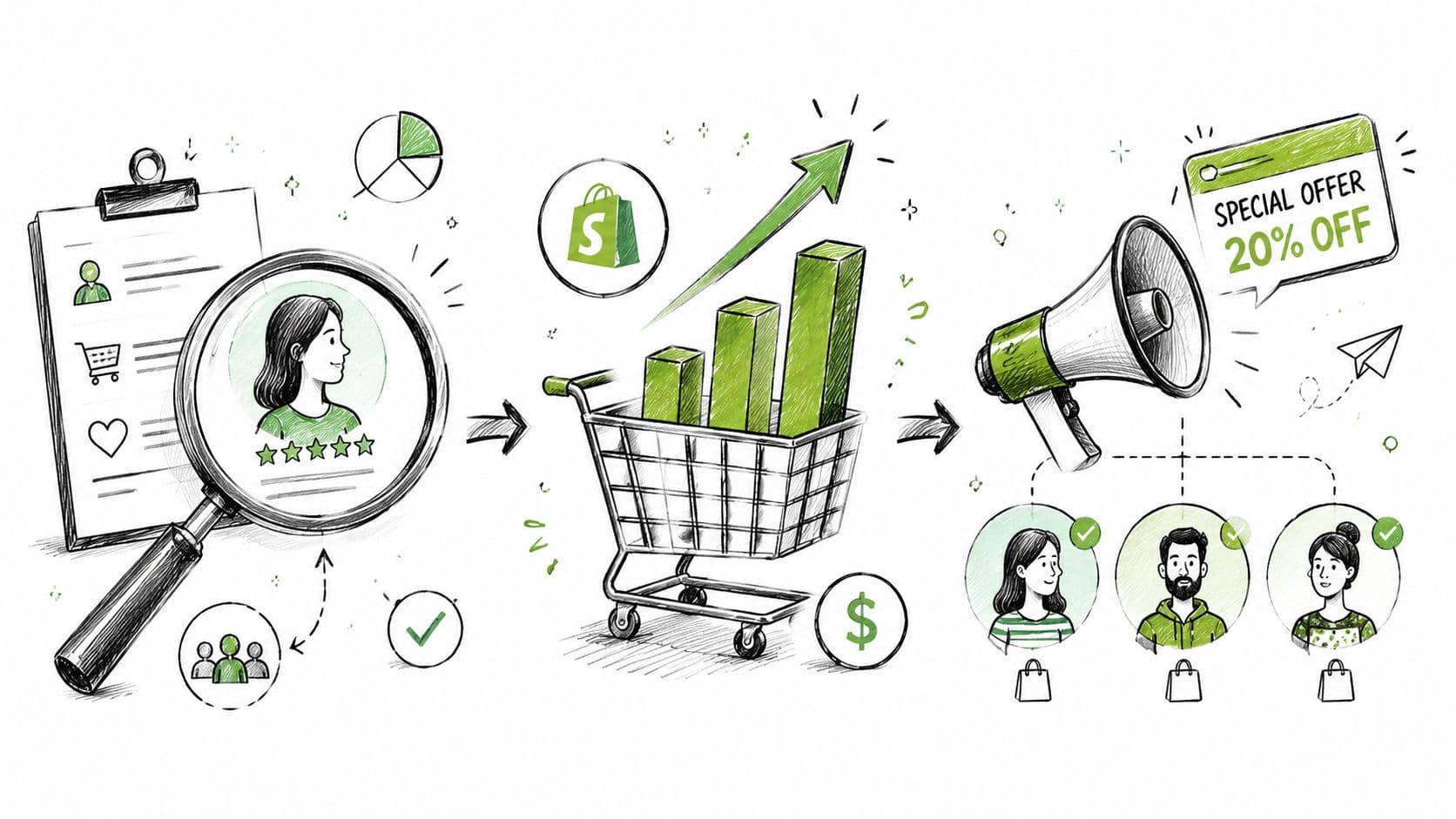
A shopper adds two items, hesitates at checkout, then spends time on shipping or returns. Basic analytics records an abandonment. A stronger system interprets that sequence as hesitation with purchase intent still alive.
That's when an automated action makes sense. Instead of waiting for a generic abandoned-cart email later, the store can trigger an on-site prompt, a support message, or a follow-up specific to the likely friction point. If the hesitation appears tied to delivery timing, the message should answer that. If the shopper has compared variants repeatedly, the message should help with fit, size, or bundle choice.
The best cart recovery workflows don't start with a discount. They start with the reason the customer stopped.
A tool such as Carti fits this use case because it can respond to shopper questions, surface relevant products, and send proactive cart recovery nudges based on behavior inside the Shopify store. That's different from treating abandonment as a delayed email problem only.
Product recommendations based on live behavior
Static recommendation blocks often miss the mark because they're based on catalog logic, not live intent.
A better approach uses current browsing context. If someone keeps comparing ingredients, materials, or features across similar products, the next recommendation should reduce decision fatigue. If someone keeps returning to one product but browses accessories before checkout, the recommendation should support basket building.
This works best when the recommendation engine is fed by more than pageviews alone. Order history, repeat-category behavior, and support interactions all sharpen the recommendation. A shopper who previously asked about skin sensitivity should not see the same recommendation pattern as someone shopping for gifts.
A short walkthrough helps here:
VIP treatment for customers worth protecting
Not every high-value action is about recovering an imminent sale. Some are about protecting future revenue.
Say a repeat customer with a strong order history lands on support after a delayed shipment. If your analytics system recognizes that profile in real time, the next step shouldn't mirror the workflow for a first-time, low-intent browser. That customer may need immediate escalation, a loyalty gesture, or a personalized recommendation once the service issue is resolved.
The same principle applies before purchase. Loyal customers who return regularly often don't need aggressive promos. They may respond better to early access, fast answers, or product suggestions tied to what they buy. A useful analytics setup gives your team a way to identify those people automatically and route them into a distinct experience.
Three high-yield patterns show up repeatedly:
- Hesitant buyer workflows tied to policy, fit, or shipping questions
- Intent-based recommendations that react to current browsing, not just past sales
- Retention protection for shoppers whose future value matters more than a one-time conversion
These use cases are where customer analytics becomes operational. The system isn't just watching the customer journey. It's participating in it.
A Merchant's Checklist for Choosing the Right Tool
Shopping for analytics software gets messy fast because most demos are designed to impress, not clarify.
Vendors will show dashboards, AI labels, and attractive journey screens. What you need to know is whether the tool can unify your customer data, work cleanly with Shopify, and trigger actions without a long implementation cycle.
Questions to ask in the demo
Ask direct operational questions. If the answers stay abstract, that's usually a warning sign.
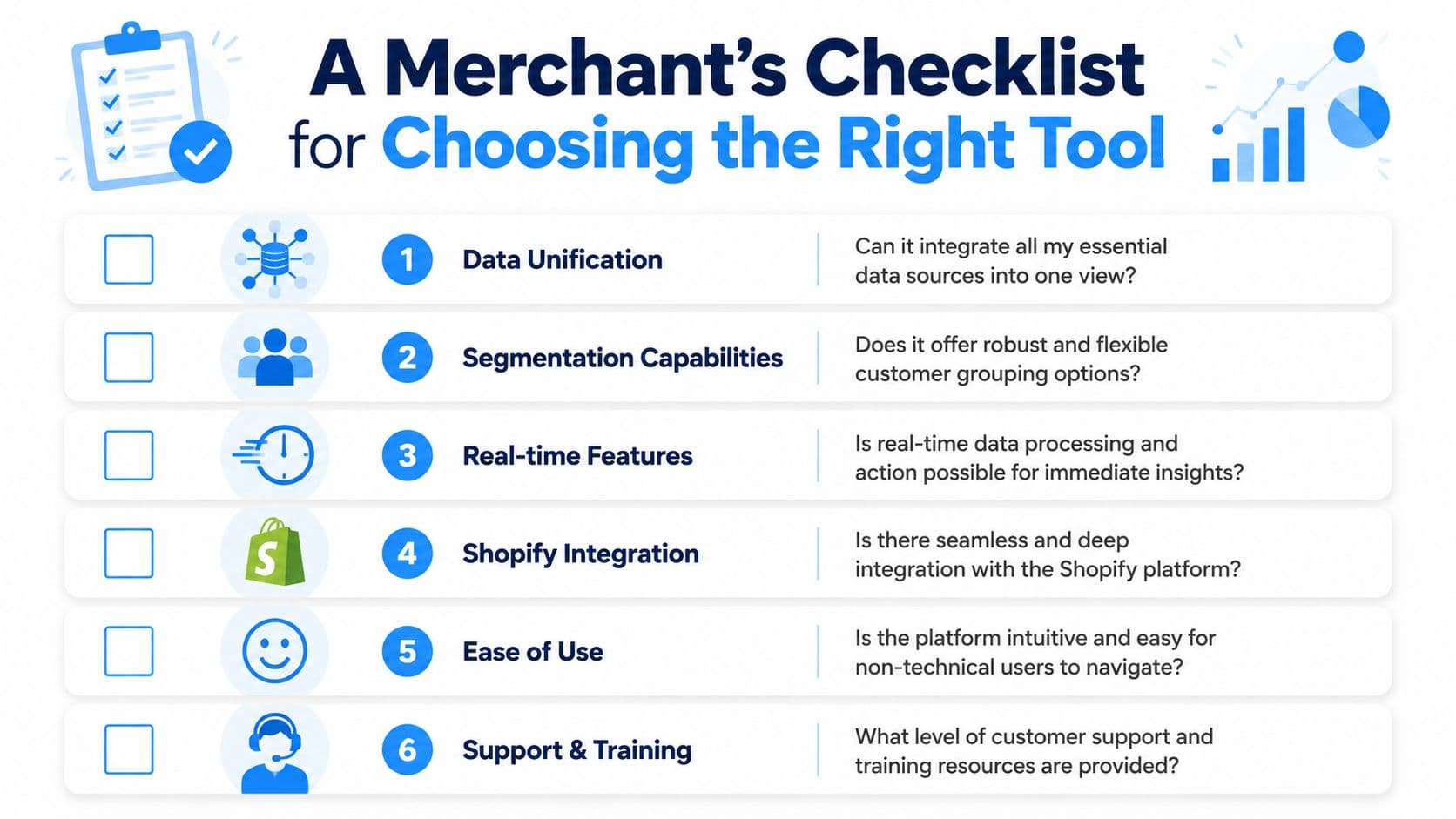
Here's the shortlist I'd use in a merchant demo:
-
Can you unify my core data sources into one profile? Ask specifically about Shopify orders, on-site behavior, support conversations, and email engagement. If the answer depends on custom engineering for basic use cases, rollout will drag.
-
What can the system trigger automatically? Don't settle for “we have dashboards and alerts.” Ask whether the platform can launch on-site messages, recommendations, support prompts, or audience syncs based on behavior.
-
How does identity work across sessions and channels? If a returning shopper looks like a new user every time they switch device or re-enter from email, your segments will be unreliable.
-
How fast does data become usable? There's a practical difference between daily reporting and near-real-time response. For cart recovery and personalization, delay reduces value.
-
Can non-technical teams use it? Marketing, CX, and merchandising teams need access without filing tickets for every change.
One benchmark matters here. Total Expert notes that a lack of centralized data is the barrier holding back 1 in 3 companies' analytics programs in its guide on unifying customer data into a single source of truth. If the vendor cannot clearly explain the unification layer, the rest of the promise won't hold.
What usually goes wrong during rollout
The common failure isn't buying the wrong category of software. It's buying a tool that can collect data but can't govern or activate it well.
Amplitude's overview of customer analytics is useful on this point because it highlights a gap many teams run into: collecting omnichannel signals is one thing, but maintaining governance, identity resolution, metric ownership, and clean definitions is where trust usually breaks down. When merchants skip that layer, teams end up arguing about what a “repeat customer,” “engaged shopper,” or “abandoned cart” means.
A practical selection checklist should also include operational fit:
| Check | Why it matters |
|---|---|
| Shopify depth | You need catalog, orders, customer events, and storefront context, not just generic web analytics |
| Activation options | Insight without triggers creates more review work, not more sales |
| Consent handling | Privacy-aware measurement should still preserve enough signal for decisions |
| Governance | Shared event definitions prevent teams from optimizing against different numbers |
| Support quality | Merchants need implementation help, not just documentation |
Buy the tool your team can operate every week, not the one that looks impressive in a quarterly strategy deck.
Proving the Value of Your Analytics Investment
The return on a customer analytics solution doesn't come from having better charts. It comes from faster, better actions that improve conversion, average order value, retention, and support efficiency.
That's why ROI should be measured at the workflow level. Did cart recovery improve because the store responded to hesitation earlier? Did product recommendations become more relevant? Did support deflect repetitive pre-purchase questions without hurting conversion? Those are business outcomes. Dashboard usage is not.
Track business outcomes, not dashboard activity
The economics are stronger than many merchants assume. ScienceSoft's 2026 guide says customer analytics implementations typically cost $20,000 to $80,000, often break even within 12 months, and can generate up to 730% ROI in 3 years in its overview of customer analytics ROI and implementation costs. For a growing merchant, that makes the primary question less about whether analytics is “worth it” and more about how quickly insights get turned into revenue-producing actions.
When proving value internally, tie the investment to a small set of commercial metrics. This guide to e-commerce key performance indicators is a useful reference if you want a tighter scorecard for conversion, order value, and retention.
A simple ROI review should ask:
- Did conversion improve where automated intervention was added?
- Did average order value improve where recommendations became behavior-driven?
- Did repeat purchase behavior strengthen for prioritized customer segments?
- Did support volume shift when pre-purchase answers became immediate and contextual?
Where ROI gets lost
The biggest ROI leak is analysis paralysis. Teams collect more events, build more dashboards, and keep postponing activation until the model is perfect. That usually means the store reacts too late.
The second leak is poor data quality. If event definitions are inconsistent or customer identity is fragmented, your workflows will fire at the wrong time or to the wrong shoppers. The third is choosing software that reports beautifully but doesn't integrate well enough to trigger actions.
The stores that get value out of customer analytics don't treat it as an analytics project. They treat it as a revenue operations system for the storefront.
If you want to turn shopper behavior into immediate support, product recommendations, and cart recovery inside Shopify, Carti is built for that workflow. It uses store and shopper interaction data to answer questions, suggest products, and trigger proactive sales assistance without a heavy setup.

Written by
Daniel AndersonFounder of Carti. 10+ years building ecommerce brands in apparel and supplements. Still runs a Shopify store and built Carti to help merchants convert more browsers into buyers.
Ready to boost your store's sales?
Install Carti in 5 minutes and let AI handle customer questions, recommend products, and close sales 24/7.
Start Free Trial14-day free trial