
You're probably dealing with this right now. A shopper asks whether a dress runs small, another wants to know if a serum is pregnancy-safe, and someone else is sitting in checkout waiting for a shipping answer before they buy. By the time your team replies, one customer has bounced, another has abandoned cart, and the overnight traffic from ads has come and gone.
That's why smart Shopify operators stop treating support like back-office cleanup. The best customer service solutions don't just reduce ticket volume. They protect conversion, recover revenue, and keep sales moving when your team is offline.
The market is moving that way fast. The global customer service software market is valued at about $14.9 billion and is projected to reach $68.19 billion by 2031, while poor service puts an estimated $3.8 trillion in global revenue at risk in 2026, according to customer service benchmark data compiled by AnswerConnect. For a Shopify merchant, that big picture shows up in very practical ways: missed chats, unresolved objections, and shoppers who leave because nobody answered in time.
From Support Tickets to Sales Growth
The usual pattern in e-commerce is easy to spot. Support piles up during the day. Evenings bring a second spike from shoppers browsing after work. Weekends create a backlog. Then the team starts Monday by answering questions from people who were ready to buy two days ago.
That's the old view of support. It treats customer questions as interruptions. Strong operators treat them as buying signals.
A question about size, ingredients, compatibility, delivery timing, or return policy usually means the shopper is close to purchase. If your store answers quickly and clearly, you remove friction. If it answers late, the customer either leaves or buys from a competitor with less uncertainty.
Why this moved from operations to strategy
Customer service solutions used to sit in the same bucket as inbox management. Today, they sit much closer to conversion optimization. On Shopify, the line between support and sales is thin because the conversation often happens right before the order.
A shopper asking “Will this fit a small apartment?” or “Can I use this with sensitive skin?” isn't opening a generic ticket. They're asking for the final nudge.
Practical rule: If a question appears near product pages, cart, or checkout, treat it like revenue work, not admin work.
The merchants who get the most value from service tech usually do three things well:
- They respond in buying moments: Product questions get answered while the shopper is still on-site.
- They reduce repeat friction: Policy and shipping questions don't keep hitting the team manually.
- They connect service to store performance: They look at whether conversations lead to orders, not just whether tickets were closed.
What changes when you treat support as a growth lever
This shift changes which tools make sense. A basic inbox helps your team keep up. A stronger solution helps the store sell even when nobody is logged in.
That's the difference between a queue manager and a revenue system. One organizes work. The other removes obstacles that block checkout.
The best customer service setup for a Shopify store doesn't just answer faster. It answers the exact questions that stop people from buying.
What Are Customer Service Solutions Anyway
Most merchants hear “customer service solutions” and think of a helpdesk. That's only part of it. In practice, the category includes every system that helps your store answer questions, resolve issues, and guide shoppers toward a confident purchase.
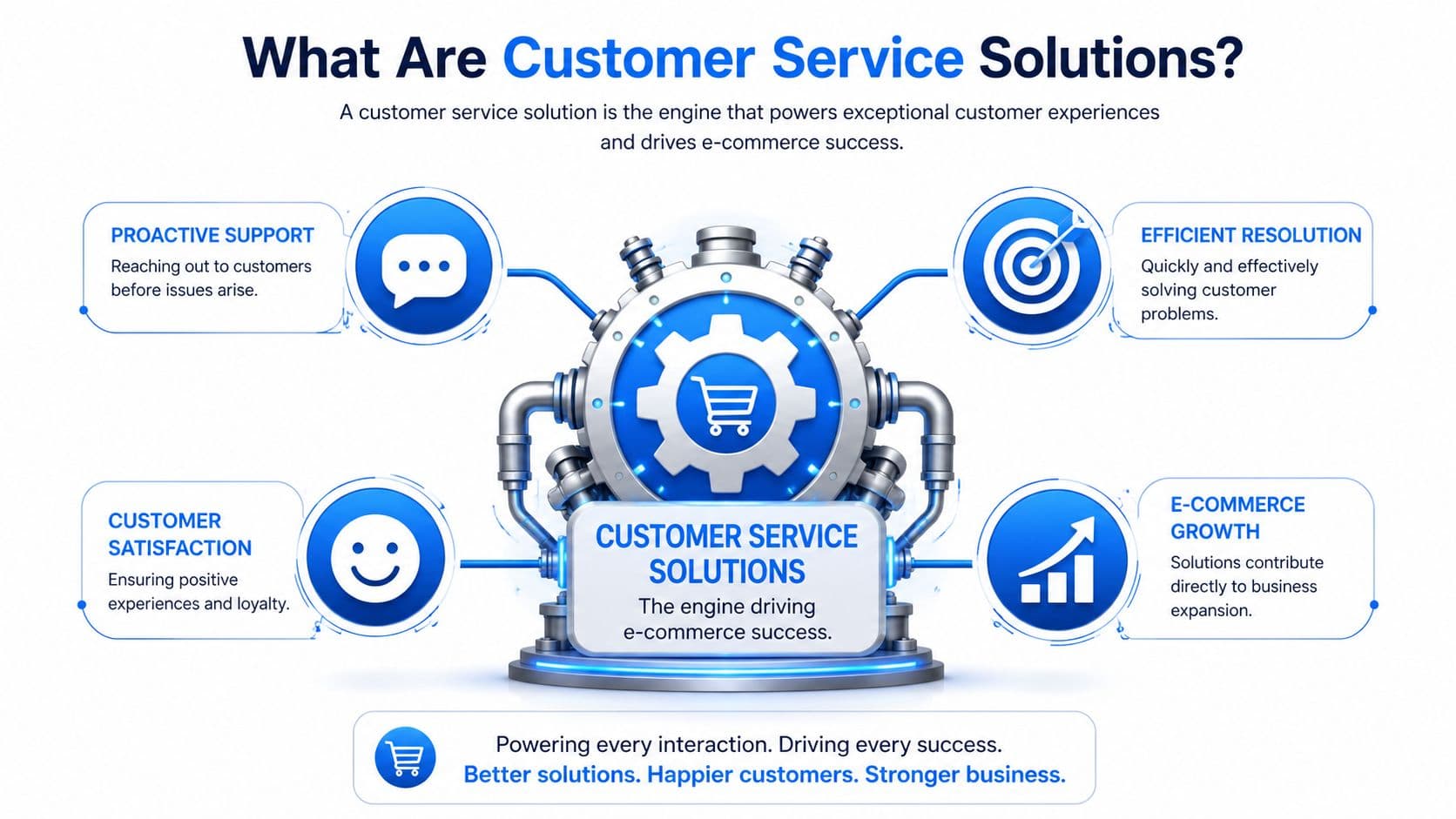
The difference between reactive and proactive tools
A basic support tool is like a silent security guard in a retail store. It's there when something goes wrong. It logs the incident. It helps after the problem appears.
A stronger solution acts more like a skilled floor associate. It greets, answers product questions, recommends alternatives, and helps the customer keep moving toward the register.
That's the spectrum merchants need to understand:
- Reactive systems catch incoming tickets after the customer decides to ask for help.
- Responsive systems offer live chat so the customer can get an answer in-session.
- Proactive systems start the conversation, suggest products, handle routine objections, and support the path to checkout.
The label matters less than the job the tool performs. If it only helps after friction appears, it's useful but limited. If it prevents hesitation from turning into abandonment, it affects revenue directly.
What sits inside the stack
For Shopify brands, customer service solutions usually combine several layers:
- Helpdesk functions: Shared inboxes, ticket routing, macros, and order lookup.
- Live chat: Real-time messaging on product pages, cart, and account pages.
- Automation: FAQ handling, shipping updates, return policy responses, and status checks.
- Sales assistance: Product recommendations, cart nudges, and guidance based on shopper intent.
- Reporting: Visibility into what customers ask, where conversations happen, and which issues repeat.
What works depends on your stage. A small catalog with a lean team might need fast answers and a clean inbox. A larger store with paid traffic and international demand needs something that can support both service and conversion.
A useful way to judge any platform is simple: does it mostly organize conversations, or does it also improve the outcome of those conversations?
The Main Types of Customer Service Solutions
Most Shopify merchants end up comparing three broad categories. The differences matter because each one solves a different problem.
Three categories merchants actually compare
The first category is the traditional helpdesk. Think Zendesk or Gorgias. These systems are built to centralize support operations. They're strong when your team handles volume across email, chat, and social channels and needs assignment rules, tags, macros, and reporting.
The second category is simple live chat. Shopify Inbox fits here. It gives shoppers a direct line to your team and gives merchants a lightweight way to respond on-site. This works well when you mainly want a real-time message channel and don't need heavy workflow logic.
The third category is the AI-powered sales assistant. This category aims to do more than wait for incoming questions. It can answer routine requests, stay available outside business hours, and support commercial goals like product discovery or cart recovery.
Organizations using AI report 95% tangible time and cost savings, and agents using AI handle 13.8% more inquiries per hour, according to customer service statistics compiled by Salesmate. The same source also notes that 51% of customers prefer bots when they need instant support. That's the key distinction. Speed matters, but simple chat and capable AI are not the same thing.
| Solution Type | Primary Goal | Proactive Sales? | Scalability | Typical Cost |
|---|---|---|---|---|
| Traditional helpdesk | Organize and resolve support work | Usually limited | Good for structured teams, but may require more staff as demand grows | Often tied to seats, features, or ticket volume |
| Simple live chat | Let shoppers reach a human quickly | Minimal | Fine for modest traffic, weaker during spikes if nobody is available | Usually lower entry cost |
| AI-powered sales assistant | Answer, guide, and assist purchase decisions at scale | Yes, if configured well | Strong during after-hours periods and traffic surges | Varies by platform, often justified by automation and conversion impact |
Where each type fits
If your store gets a manageable number of questions and your products are simple, live chat may be enough for now. If your team already has multi-agent workflows, returns complexity, and channel sprawl, a helpdesk is usually the operational backbone.
If your biggest issue is that shoppers arrive ready to buy but leave when they can't get immediate answers, you need to think beyond inbox management. That's where AI becomes commercially interesting.
For merchants comparing channels and workflows, this guide to customer service channels for e-commerce teams is useful because channel choice affects both staffing and conversion.
Don't buy a heavyweight helpdesk if your real problem is missed buying moments. Don't buy a chatbot if your team still lacks basic support workflow discipline.
Benefits That Directly Increase Your Revenue
Faster replies are nice. Revenue impact is better. Customer service solutions matter because they reduce hesitation at the exact point where shoppers decide whether to buy now, buy later, or leave.
Revenue comes from removing hesitation
On a Shopify store, most pre-purchase questions are objections in disguise. “When will this ship?” can mean “I need it by Friday.” “Is this good for dry skin?” can mean “I'm interested but unsure.” “Do you have this in another color?” can mean “I'm still shopping if you don't.”
When your system handles those moments well, several things improve:
- Conversion rate: More product-page visitors get the final answer they need to place the order.
- Average order value: A relevant recommendation can steer shoppers toward bundles, add-ons, or better-fit alternatives.
- Cart recovery: If someone stalls at checkout because they're uncertain, a timely answer or reminder can bring them back.
- Retention: Good post-purchase support lowers friction after the sale, which makes repeat buying easier.
The critical point is that service quality and sales performance are connected. In e-commerce, the customer often asks support because your product page didn't fully close the sale on its own.
The best gains come from combining service and selling
Many implementations fail at this stage. Merchants install a tool, connect the widget, and stop there. The software becomes a prettier inbox instead of a selling layer.
What works is using customer service solutions around buying decisions:
- Product-fit questions get answered with context, not canned replies.
- Policy concerns get resolved quickly so trust doesn't erode.
- Recommendation moments are built into the flow instead of left to chance.
- Cart hesitation triggers follow-up support before the shopper disappears for good.
A good system should help with routine support. A valuable system should also influence what happens next: purchase, upsell, repeat order, or churn.
If your support tool can't help a shopper choose, compare, or commit, it's only solving half the e-commerce problem.
How to Choose the Right Solution for Your Shopify Store
The wrong tool creates more work. The right one disappears into your operation and quietly fixes the moments that cost you orders.
What to evaluate before you install anything
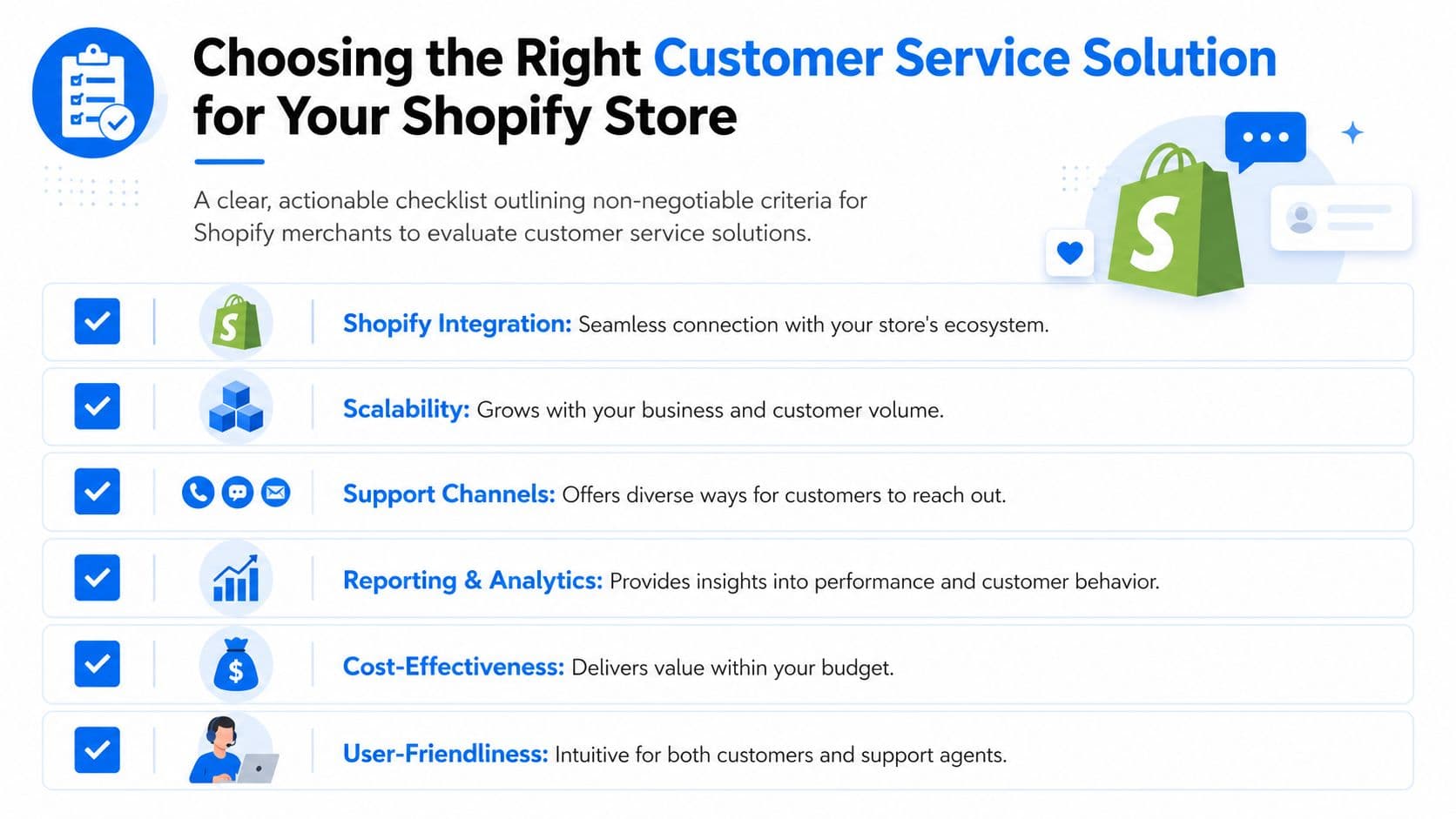
Start with the basics, but don't stop at a feature checklist. For Shopify stores, the key questions are operational and commercial.
- Shopify depth: Can the tool read product data, policies, and order context in a way that produces accurate answers?
- Sales capability: Does it only wait for tickets, or can it support product discovery and reduce drop-off in cart?
- Traffic handling: Will it stay reliable during launches, promotions, and seasonal spikes?
- Handoff quality: When automation can't solve the issue, does the customer move smoothly to a human?
- Usability for your team: If agents avoid the tool because it's clunky, your implementation won't stick.
A polished demo can hide a weak operational fit. Look closely at how the tool behaves with your actual catalog, shipping logic, and common customer questions.
Here's a quick visual walkthrough worth reviewing before shortlisting platforms:
Translation is not the same as trust
This is the part many merchants miss, especially brands selling across borders. Multi-language support sounds impressive in app listings, but translation alone doesn't create confidence.
A critical evaluation point is multicultural nuance. According to Digital Leadership's discussion of underserved customer needs, 75% of consumers prefer to buy from companies that communicate in their native language. The practical issue isn't just vocabulary. It's whether the system understands local phrasing, shopping expectations, tone, and policy explanations without sounding awkward or wrong.
A beauty shopper in one market may ask about texture and finish in a very different way than a shopper elsewhere. A fashion customer may interpret fit language differently depending on region. A bot that translates words but misses intent can damage trust fast.
A multilingual tool that sounds unnatural still feels foreign to the buyer.
Use this simple scorecard when evaluating vendors:
| Decision Area | What good looks like |
|---|---|
| Shopify integration | Pulls in relevant store context cleanly |
| Customer experience | Fast answers, clear handoff, on-brand tone |
| Sales support | Helps with recommendations and purchase questions |
| Global readiness | Handles language and cultural nuance well |
| Team adoption | Easy to review, edit, and improve over time |
Your Shopify Implementation Checklist
A strong implementation is usually simple. The bad ones are either rushed, with weak answers and sloppy automation, or overbuilt, with too many flows nobody maintains.
Set the foundation first
Before you turn anything live, make sure the system has the information customers need. Most support failures come from poor inputs, not bad interfaces.
- Load the real knowledge base: FAQs, shipping details, returns policy, product care instructions, sizing rules, and warranty language should be current.
- Define your brand voice: A luxury skincare brand and a playful home-goods store shouldn't sound the same.
- Decide escalation rules: Some topics should go straight to a human, especially sensitive complaints or exceptions.
- Test common pre-purchase questions: Don't launch until product, shipping, and returns answers are consistently clean.
If your team needs a tighter operating model, this breakdown of a customer service workflow for e-commerce helps map where automation should start and where people still need to step in.
Launch with revenue use cases, not just support coverage
After the basics, configure the use cases tied closest to sales. Many Shopify teams then start seeing significant upside.
A key question is cart recovery. Public ROI data is often framed around enterprise support teams, but the issue is just as real for smaller stores. According to Radius Global Solutions on scaling customer service and CX, 40% of customers abandon carts due to lack of immediate support. That makes fast answers and timely nudges commercially important, not just operationally convenient.
A practical rollout usually looks like this:
-
Welcome and product guidance Use gentle prompts on high-intent pages where shoppers often need help choosing.
-
Cart-stage reassurance Trigger answers around shipping, delivery timing, payment concerns, or returns before the shopper exits.
-
Post-purchase self-service Deflect routine order-status and policy questions so your team can focus on edge cases.
-
Weekly review Look at missed questions, weak answers, and recurring objections. Then improve the knowledge base.
The fastest way to waste a customer service tool is to install it and never train it on what your customers actually ask.
KPIs That Prove Your Solution Is Working
If you only measure chat volume, you'll miss the point. More conversations don't automatically mean better service or higher revenue.
Track business outcomes, not activity
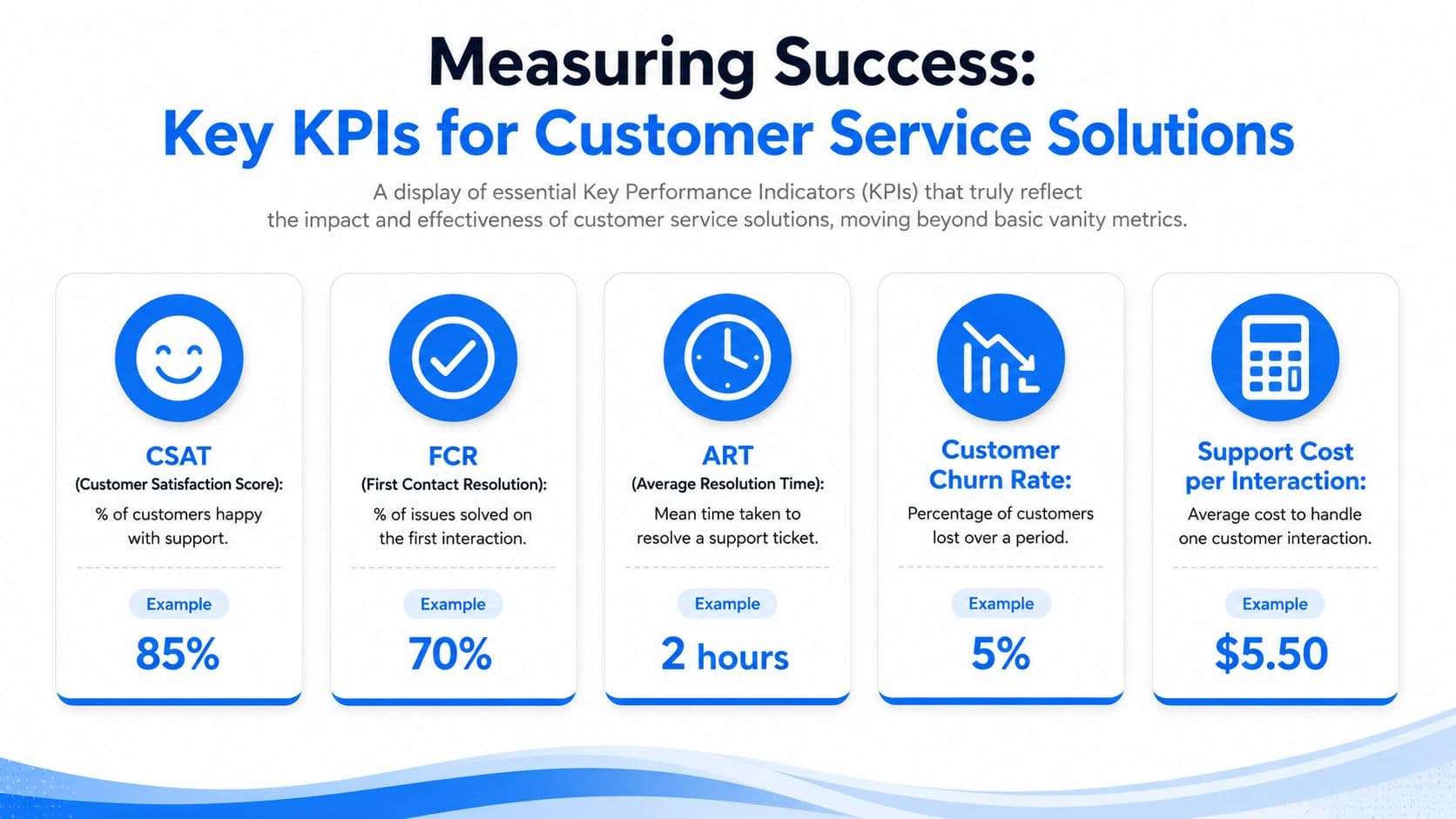
The most useful KPI set blends service quality with commercial impact.
- First-contact resolution: Are customers getting what they need in one interaction?
- Customer satisfaction: Are answers helping, or creating another round of confusion?
- Assisted conversion rate: Do shoppers who engage with the tool buy more often than similar visitors who don't?
- Cart recovery revenue: How much saved revenue can you tie to support-triggered nudges?
- Deflection with quality: How many routine issues are handled without hurting the customer experience?
A customer service solution is doing its job when it reduces manual load and improves buying outcomes at the same time.
Use benchmarks carefully
For live chat in North America, high performance targets a 58-second first response time, 92% CSAT, and 70.2% first-contact resolution, according to Zoom's customer service benchmarking guide. AI may beat human response speed by a wide margin, but those benchmark numbers still matter because automation that answers fast and poorly is not a win.
For a broader measurement framework, this guide to the evaluation of customer service performance is worth using alongside your store analytics.
The healthy way to judge your setup is simple: are more questions resolved cleanly, are fewer carts lost to uncertainty, and are your human agents spending more time on high-value issues instead of repeat basics?
If you want a customer service solution built for Shopify revenue, not just ticket handling, take a look at Carti. It's designed to answer shopper questions instantly, recommend products, and recover otherwise-lost sales while learning your catalog, policies, and FAQs with a no-code setup.

Written by
Daniel AndersonFounder of Carti. 10+ years building ecommerce brands in apparel and supplements. Still runs a Shopify store and built Carti to help merchants convert more browsers into buyers.
Ready to boost your store's sales?
Install Carti in 5 minutes and let AI handle customer questions, recommend products, and close sales 24/7.
Start Free Trial14-day free trial