
A shopper found the jacket three days ago. The size chart tab is still open, the reviews are half-read, and the cart sits untouched while one question gets weighed: does this run large enough to size down?
That hesitation is a pre purchase question, and it decides more sales than most store owners give it credit for. Pre purchase questions cover everything a shopper wants to know before committing, from fit and delivery to returns, quality, materials, comparisons, availability, and what happens if the product fails six months later. The answers they find, or fail to find, decide whether the order happens.
The eight questions below come up most often in apparel, home, beauty, and wellness stores. Each one is built the same way: a short answer you can publish as-is, a longer version for the product page, a prompt for an AI shopping assistant, and one metric to watch so you know whether the answer is working. Treat the list as a publishing checklist and a measurement plan at the same time, and start with the three questions that already fill your support inbox.
1. Will This Fit Me? Sizing and Fit Questions
A footwear store gets the same message every week. Does the boot run narrow? The shopper has the page open and likes the price, but needs one fact before paying. Supply it and the order goes through. Make them guess and the result is an abandoned cart or a return that costs more than the sale.
Baymard Institute's testing found that 84% of participants used sizing information to determine which size to select, and that shoppers who went looking for a size guide sometimes couldn't find one, leaving them to guess or leave (Baymard Institute size guide research). The stakes run both ways. A 2025 study of 496,365 fashion orders from 75,707 customers found that use of sizing tools was associated with higher customer lifetime value, while 44% of consumers have abandoned a purchase because product information was insufficient (Syndigo report).
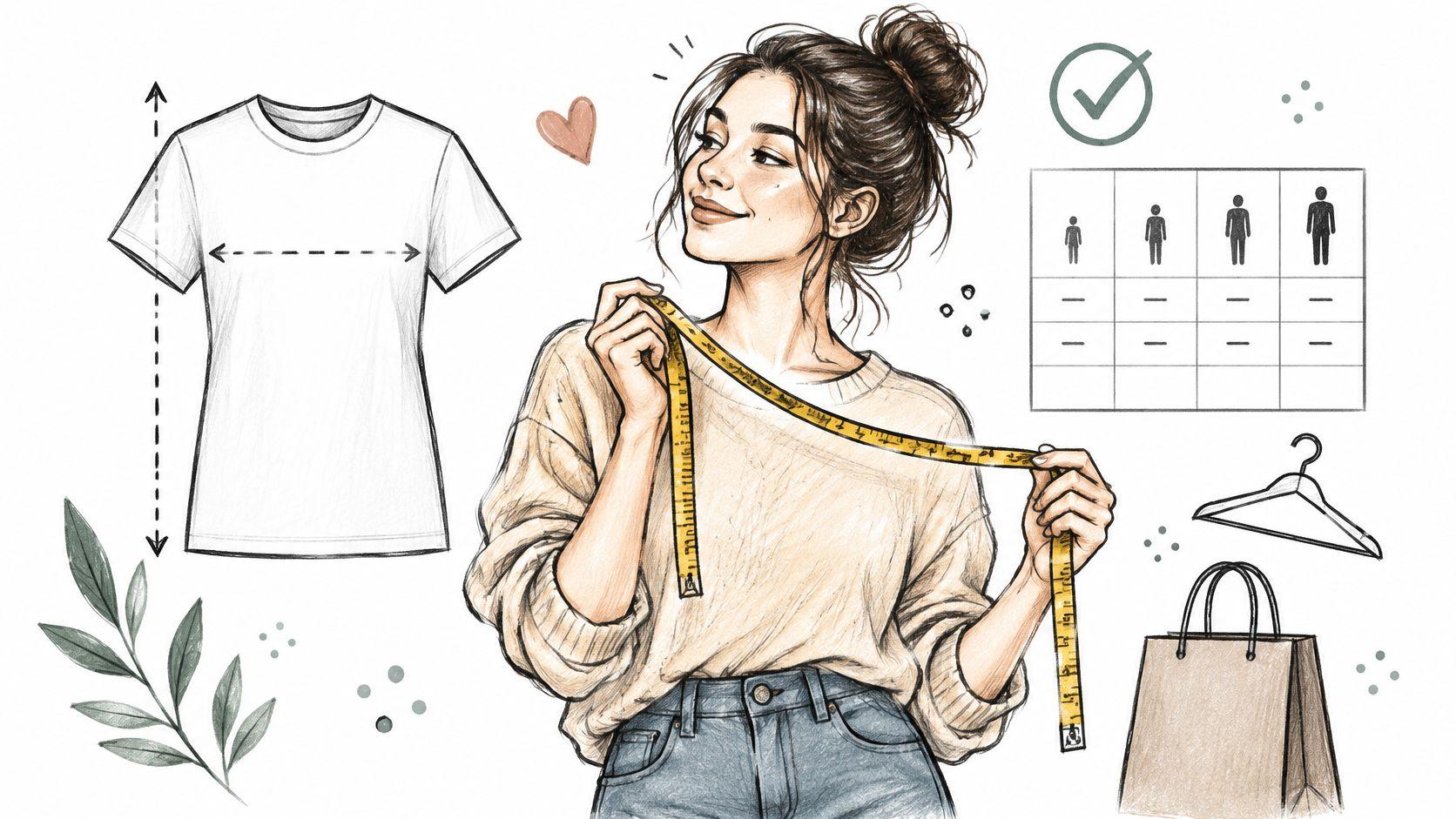
Short answer: This jacket runs true to size. If you're between sizes, take the larger one. Flat measurements sit below the chart so you can check them against a jacket you already own.
Long answer: Three or four sentences that turn a chart into a decision. Name the fit in plain words, state the model's height and the size worn, give chest and length in inches and centimetres, and say who should size up. Close with the exchange path.
Assistant prompt: "When a shopper asks about sizing, quote the measured garment dimensions, reference fit comments from verified reviews, and recommend a size only after the shopper gives their measurements or the size they wear in a comparable brand."
Signal to track: The share of sizing conversations that end in an add to cart, and the volume of "which size" questions per product. A product with heavy question volume and weak conversion has a chart problem, not a traffic problem.
Fix the Chart Before You Rewrite the Copy
- Publish both units. Inches alone lose anyone who thinks in centimetres, and the reverse is just as true.
- Add a one-line fit note. "Runs small, size up" beats a paragraph of fabric description for a shopper standing at the decision point.
- Show the model. Height and worn size make a photo measurable instead of aspirational.
- Mine reviews for fit language. If ten reviewers mention tight shoulders, that belongs in the product copy this week.
Practical rule: When size-driven returns climb above your store average on one product, rewrite the fit note before you touch the ad spend.
Shoppers who don't know their own measurements need a starting point, and a clear guide to finding your running shoe size is the kind of reference worth linking from the size chart itself. The full process for wiring this into product pages is in this walkthrough on how to answer sizing questions on Shopify.
2. How Long Will Shipping Take and What Will It Cost?
The delivery question arrives earlier than most merchants expect. Shoppers ask it before they decide, not at checkout, because a date they can't meet or a fee they didn't plan for changes the entire purchase.
DHL's 2025 survey of 24,000 shoppers across 24 markets found that 81% abandon carts when their preferred delivery options are unavailable, and separate 2025 survey work found 83% would abandon a purchase when unexpected fees appear at checkout (DHL e-commerce trends report). Shopify's shipping research points the same direction, with 45% of consumers wanting clearly stated anticipated delivery times and 75% saying free shipping has a significant or very significant influence on their decision (Shopify shipping research).
Short answer: Orders placed before 2pm ship the same business day. Standard delivery runs 3 to 5 business days, express runs 1 to 2, and shipping is free over $75. Both options are tracked.
Long answer: Separate processing time from transit time, name the cut-off, list the carriers, and state which countries you ship to and what duties the buyer pays. If a holiday will delay dispatch, put that on the page instead of in an apology email after the order.
Assistant prompt: "Answer delivery questions with processing time, transit window, cost and destination rules for the shopper's location. If the request is date-sensitive, state the order cut-off and flag the risk of carrier delay."
Signal to track: How many delivery questions arrive after an order is placed versus before. Late questions mean the product page failed, and every one of them is a save your support team has to make manually.
Two Fixes That Beat Another FAQ Line
- Move the free shipping threshold into the cart. A shopper who sees "$12 away from free shipping" adds a second item. A shopper who meets the threshold for the first time at checkout leaves.
- Show a dated estimate, not a range. "Arrives by Friday 14 March" is a decision. "3 to 5 business days" is arithmetic the shopper has to do at 11pm.
- Put cut-off times next to the buy button. Gift season punishes stores that bury them in a footer.
The common variants and where each one belongs are covered in this guide to answering shipping questions on Shopify.

3. What Is Your Return and Exchange Policy?
A shopper who likes the product still runs a private calculation before checkout: what happens if it does not fit, and who pays to send it back. The National Retail Federation estimates that 19.3% of online sales will be returned in 2025, part of $849.9 billion in total retail returns, and that 82% of consumers consider free returns important when shopping online (National Retail Federation). DHL's 2025 Online Shopper Trends report goes further, finding that 41% of online shoppers said they would buy only from retailers that offer free returns.
Treat the answer as a publishing checklist, not a single FAQ line. Put a short version where the shopper decides, a longer version on the product page, a prompt the shopping assistant can follow, and one analytics signal that tells you whether the copy worked.
Short answer: Returns are free within 30 days on unworn items with tags attached. Size exchanges are always free. Start a return from the link in your order email and the label arrives within a minute.
Long answer: Spell out the window, the condition rules, who pays return shipping, how long refunds take to land, and which categories are excluded. Then give one worked example. A beauty brand that says opened products cannot be returned, but unopened ones can be exchanged inside the window, removes the doubt in a single sentence.
Assistant prompt: "Answer return questions with the window, the condition requirements, who pays shipping, the refund method and any category exclusions. Never promise a goodwill exception in chat. Offer the returns portal link instead."
Signal to track: Return reasons broken down by product, plus how many return questions arrive before the order versus after. A cluster of "didn't fit" or "not as described" is a description problem wearing a logistics costume. If pre-purchase questions stay high after you publish the short answer, the summary is too vague or too far from the buy button.
Where the Policy Summary Belongs
Place a plain-language summary within one screen of the add-to-cart button. A policy page nobody opens mid-decision does not do this job. Write it the way you would explain it at a market stall, then link to the legal version underneath. An apparel store that charges a fee for refunds but offers free exchanges should say both facts in the same breath. A shopper who discovers the fee later assumes the store hid it.
A return policy written to protect the store reads as a warning. A return policy written to explain the option reads as a guarantee.
Operations detail pays for itself here. Explain how to start a return, what the shopper needs to have ready, and whether the original packaging matters. For a broader operational view of the returns cycle, the ServeApps guide to ecommerce returns covers the moving parts behind the counter.

4. Are the Reviews Good, and Is the Quality Worth the Price?
A shopper adds the backpack, then stops on the reviews tab. They want a buyer who already wore it. A star average alone does not tell them whether the straps, the weight, or the fabric will bother them, so they keep reading until a specific complaint matches their own use.

Short answer: 4.7 stars from 312 verified buyers. Reviewers consistently mention the weight and the pocket layout. Two reviewers with wider shoulders found the straps snug, so consider the larger frame if you're above a 44-inch chest.
Long answer: Quote the specific language that keeps coming back, including the complaints. A skincare shop that says "most reviewers describe the texture as light and fast-absorbing, a few found it tacky under makeup" answers a quality question better than any adjective you could write yourself.
Assistant prompt: "Answer quality questions by summarizing what reviewers praise and what they raise most often, always naming the review source and marking the answer as reviewer opinion rather than a product specification."
Signal to track: The gap between review-page visits and add-to-cart rate on products with strong ratings. If shoppers read and still hesitate, the reviews aren't organized around the decision they're making.
Make Reviews Answer the Quality Question
Publish the review so it settles price and quality, not so it fills a widget.
- Collect after delivery, not after checkout. A one-click request three days post-arrival beats a survey at the confirmation screen. Early requests catch unopened boxes and inflate empty praise.
- Show review photos on the product page. Reviewers photograph real rooms, real skin, real wear after six months. Those photos show scale, color in daylight, and how the item looks after use.
- Separate the anecdote from the guarantee. A reviewer's claim about durability is opinion. Your warranty is a promise. Never blend the two in one sentence.
- Reply to negative reviews with the fix. A public answer that explains the replacement process reassures the next ten readers. Leave the thread visible. The reply is part of the sales page.
For the same work inside chat, use this guide on using Judge.me reviews to answer product questions. The pattern transfers to any review app that exposes review text: pull the repeated praise and the repeated complaint into the answer the shopper sees while they decide.
5. How Does This Compare to Other Products in Your Store?
Comparison is the question stores lose to a competitor without noticing. A shopper browsing two of your products with no clear difference between them usually solves the problem by leaving and reading someone else's comparison instead.
Photography alone won't close that gap. Baymard reports that 42% of users try to determine a product's size from product-page images, and that this gets difficult without an in-scale reference point (Baymard product page research). Shoppers also expect the comparison to reflect their own situation. In Salesforce Research's 2018 State of the Connected Customer study of 6,723 consumers and business buyers across 15 markets, 94% of respondents indicated willingness to share information for personalized product recommendations (Salesforce Research).
Short answer: The Grinder One suits filter and pour-over brewing with its flat burrs. The Grinder Two suits espresso with its conical burrs and finer adjustment. Both hold 40g. Pick the One if you brew by hand, the Two if you're dialling in shots.
Long answer: Compare on the attributes that change the buying decision, not every specification in the catalog. A coffee equipment store that compares two grinders on burr type, capacity and noise level in four lines does more for the shopper than a full spec sheet side by side.
Assistant prompt: "When a shopper is choosing between two products, compare them on the attributes that match the shopper's stated use case, price range and constraints, and name the one best fit plus the scenario where the other is the safer pick."
Signal to track: How often comparison questions end in a recommendation and how often they end with no click. A high rate of unanswered comparisons means your catalog lacks a plain-language difference statement.
Build Comparison Blocks That Do the Selling
- Cap it at three or four products. A table of nine options moves the decision back to the shopper.
- Lead with the use case. "Best for travel" and "best for beginners" beat "Model A" and "Model B".
- Use in-scale imagery. A photo of the bag next to a laptop tells a shopper more about size than a dimension list does.
- Refresh specifications when products change. A stale comparison is worse than none, because the shopper acts on it and returns the item.
6. What Materials, Ingredients, or Features Does It Include?
A shopper with sensitive skin, a small doorway, or a device that needs a specific connector isn't browsing. They're checking whether the product is disqualified. Generic descriptions force them to email and wait, and most won't.
Product detail is the floor a store has to clear before anything else works. Nielsen Norman Group's longitudinal ecommerce research, built on usability studies of more than 350 websites across the United States, United Kingdom, Denmark, India and China, treats product information as a prerequisite for the purchase decision and recommends presenting details, availability, price, reviews and answers to common concerns in a decision-oriented format rather than relying on generic descriptions (Nielsen Norman Group product page research).
Short answer: Full ingredient list, fragrance-free, and formulated without alcohol denat. Contains niacinamide at 4%, so patch test if you haven't used it before. The 50ml jar lasts roughly ten weeks at twice daily.
Long answer: Put the materials or ingredients in the first screen, not the eleventh paragraph. Add what's in the box, the dimensions, the weight, and the maximum load where it applies. A furniture store that lists frame material and weight capacity prevents both an email and a return.
Assistant prompt: "Answer ingredient and material questions verbatim from the product record. If the catalog doesn't state an allergen, a composition or a box contents list, say the information isn't listed and offer to check with the team rather than inferring."
Signal to track: The count of questions where the answer was "we don't have that on file." Each one is a catalog field to fill, and the same gap usually appears across a whole product family.
Write Specifications a Shopper Can Act On
- Lead with the constraint, not the romance. Allergens, capacity limits and compatibility matter more than a paragraph about heritage.
- Use bullets for anything measurable. Dimensions, weight, what's included, care instructions.
- Version the details. When a formula or material changes, update the page the same day the new stock lands.
- Test the copy against real questions. Bring three customer emails into the rewrite and the specification block practically writes itself, which is the method in this piece on testing product copy to improve conversions.
Format matters as much as content. A specification block that reads as a wall of text gets skipped, while the same facts under short bold labels get read on a phone in a checkout queue.
7. Is It Available in My Size, Color, or Region?
A sold-out size is a strange kind of loss. The shopper wanted the product, the page loaded, the price was right, and the only thing standing between you and the sale was a greyed-out button with no explanation. They leave, and the ad that brought them there pays for a visit that never converts.
Short answer: This runs true to size and is in stock in Black and Sand. Navy restocks in the week of 21 April and you can join the back-in-stock list for it. We ship to the UK, Ireland, France, Germany and the Netherlands.
Long answer: Show stock status per variant rather than per product, because a single "in stock" label on a product with eight variants misleads seven of them. Where a variant is gone, give the restock date if it's known, an email alert if it isn't, and one similar alternative in stock now. For region questions, name the countries you ship to and what the shopper pays on arrival.
Assistant prompt: "Check live variant availability before answering. If a size or colour is sold out, say so plainly, offer the back-in-stock option, and suggest one available alternative that matches the shopper's stated use rather than the nearest price point."
Signal to track: Sold-out variant page views against requests for alternatives. That ratio tells you which product deserves the next reorder, and which one is absorbing ad budget without noticeable return.
Turn a Sold-Out Variant Into a Second Chance
- Never hide the sold-out variant. Removing it breaks the link a shopper saved and loses the intent along with it.
- Give the restock date when you have one. "Back the week of 21 April" holds a shopper. "Out of stock" releases them.
- Offer a substitute that fits the need. A shopper who wanted the wide fit wants another wide fit, not the same shoe in a different colour.
- State shipping regions before checkout. Region clarity is availability information, and discovering a blocked destination at the final step reads as a bait and switch.
8. What Warranty or Guarantee Comes With It, and Who Do I Contact if Something Goes Wrong?
A shopper comparing two similar products often stalls on the higher-priced one. They want to know what happens if it fails in the first month, who answers, and how long that answer takes. A clear warranty and a named contact route close that sale in a way a discount does not.
Automated answers still need a person behind them. Salesforce Research found that 80% of consumers and business buyers believe human validation of AI output is important (Salesforce customer expectations research). Publish the handoff next to the warranty summary so the shopper can see it before they buy.
Short answer: Covered by a one-year warranty against manufacturing faults, not accidental damage. Email the support team at the address listed on your order confirmation, include your order number and a photo, and expect a reply within one business day. Outside the warranty, we still quote a repair.
Long answer: State the length, what is covered, what is not, who pays shipping on a claim, and the first step to take. Link the full policy for the shopper who wants the detail. A small appliance store that lists a one-year warranty and two lines of exclusions answers the question before it becomes a ticket.
Assistant prompt: "Answer warranty questions with the coverage period, the exclusions, and the contact route. For a specific claim, a disputed exclusion, or a refund decision, hand the conversation to the support team with the order details attached."
Signal to track: Escalation rate on warranty and support questions, and how many are answered without a handoff. A rising rate means the policy page is missing a clause the assistant should already know.
Show the Support Path Before the Sale
- Name a real contact method. An email address plus a stated response window beats a contact form with no promise.
- Say what the shopper needs ready. Order number and a photo cut a round trip.
- Link the full policy from the product page. Shoppers who want detail will open it. Everyone else can trust the summary.
- Only promise what you will honour. Miss a response window once and it shows up in a public review.
Key Details and Risks for Each Pre Purchase Question
| Item | Key details to publish | Main risk if unanswered | Best published on |
|---|---|---|---|
| Will this fit me? (Sizing and fit questions) | Size charts in inches and centimeters, fit notes, model measurements, and customer fit feedback | Cart abandonment and size-related returns | Product pages, size guides, and review sections |
| How long will shipping take and what will it cost? | Delivery estimates by region, shipping rates, free-shipping thresholds, and dispatch cut-off times | Checkout abandonment from unexpected costs or delivery delays | Product pages, cart, and shipping policy |
| What is your return and exchange policy? | Return window, item conditions, return shipping responsibility, and refund or exchange options | Lost trust, customer frustration, and disputes | Product pages near the add-to-cart button and return policy |
| Are the reviews good, and is the quality worth the price? | Star ratings, review counts, verified reviews, customer photos, and review filters | Shoppers lack reliable proof of quality and value | Product pages and review sections |
| How does this compare to other products in your store? | Side-by-side specifications, use cases, prices, included items, and recommendations | Confusion between similar products or choosing the wrong option | Product pages and comparison guides |
| What materials, ingredients, or features does it include? | Materials, ingredients and allergen notes, dimensions, capacity, included accessories, and compatibility | Safety concerns, unmet expectations, and repeated support questions | Product descriptions and specification sections |
| Is it available in my size, color, or region? | Variant stock status, available options, shipping regions, and restock alerts | Shoppers discover unavailability late or leave without choosing an alternative | Product pages and availability notices |
| What warranty or guarantee comes with it, and who do I contact if something goes wrong? | Coverage length and terms, guarantee details, support contacts, and claim steps | Purchase hesitation, unclear expectations, and warranty disputes | Product pages, warranty policy, and support FAQs |
Turn Pre Purchase Answers Into a Routine
Pick the three questions your shoppers ask most often. Publish a short answer and a long answer for each, then check where they appear: the product page, the cart, the confirmation email, and the message channel a shopper uses from Instagram or Messenger. Most stores find the answer exists somewhere and is visible almost nowhere.
Then set a monthly review. Pull the questions shoppers asked in the last thirty days, group them by theme, and look for the cluster that grew fastest. A run of questions about duty fees or a specific size means the catalog has a gap, not that the support team is slow. Fix the gap at source, in the product record or the policy page, and the question volume drops without anyone writing another template.
Two habits make this stick. The first is versioning. Every time a shipping rate, a return window, a formula or a restock date changes, the answer changes with it, and the same edit needs to reach every channel the answer lives on. The second is measuring answers, not just conversations. Count how many pre purchase questions were resolved without a handoff, how many needed a human, and how many ended in an add to cart. A high resolution rate with a low add-to-cart rate means the answers are accurate and unhelpful, which is a copy problem rather than a knowledge problem.
Watch the shape of the questions too. A store that gets asked "is this in stock" twenty times a week has a variant display problem on the product page. A store asked "can it arrive by Friday" has a cut-off time buried somewhere. The question is almost always a symptom, and the fix usually costs one product page edit.
Carti's Insights Dashboard gives you that view directly, showing which questions shoppers ask most, which products draw the most questions, and where drop-offs happen. To see how a storefront assistant handles these questions on a live catalog, book a session through the Schedule Demo option at heycarti.com.
Carti is an AI shopping assistant for Shopify stores that learns your catalog, policies and FAQs, then answers pre purchase questions about sizing, shipping, returns, materials and product comparisons on the storefront and recommends products that fit. It replies in 92 languages, answers Instagram and Facebook Messenger messages, hands complex questions to your team, and can draw on reviews from Judge.me, Loox, Yotpo, Okendo, Fera and Areviews to answer fit and quality questions, with setup taking a few minutes and no code. Plans run from Free with 50 AI conversations a month to Starter at $49 for 250, Growth at $99 for 600 and Scale at $249 for 1,750, with a 14-day free trial on paid plans. Start with the Carti free plan and put your three most-asked questions to the test this week.

Written by
Daniel AndersonFounder of Carti. 10+ years building ecommerce brands in apparel and supplements. Still runs a Shopify store and built Carti to help merchants convert more browsers into buyers.