
Most advice about Shopify Inbox alternatives starts by trying to prove Shopify Inbox is inadequate. That's the wrong frame. Shopify Inbox is free, native, and perfectly reasonable for stores with light support volume and dependable human coverage. It gives small teams a clean starting point.
A limitation is structural, not cosmetic. Shopify Inbox's AI suggested replies are assistive only. It drafts a reply in the composer, but a human still has to review, edit, and send it, according to Shopify's Shopify Magic documentation. If nobody is watching the inbox at 11 p.m., the shopper waits. That's the line that matters when you compare Shopify Inbox alternatives with AI assistants, helpdesks, and hybrid chat tools.
By 2026, live chat is no longer a niche add-on in ecommerce. It's a mainstream support channel, with 53% of retailers offering live chat and customer preference for live chat at 47% in one 2026 roundup. That's why this category has split into three distinct jobs: support operations, hybrid live chat plus automation, and autonomous selling.
This list compares 10 Shopify Inbox alternatives using public information and product positioning, not a pretend lab test. The shortest version is simple: Gorgias fits stores that need a support helpdesk with order actions, Tidio fits budget-conscious teams that want live chat plus basic automation, and Carti fits stores whose main goal is selling while nobody is online.
Before you pick, compare pricing models, not just entry prices. Verify current rates at publication because support software changes packaging often.
- Carti: Autonomous sales assistant, deep Shopify catalog grounding, flat monthly model with free tier, strongest for selling and answering product questions while offline
- Gorgias: Ecommerce helpdesk, strong Shopify order actions, ticket-based pricing with AI add-ons, strongest for support operations
- Re:amaze: Shared inbox plus chat and FAQ, per-user pricing, strongest for smaller support teams that want an all-in-one setup
- Tidio: Live chat plus automation, modular pricing with free plan, strongest for budget-conscious hybrid chat
- Richpanel: AI support platform with seat plus automation pricing, strongest for self-service and support cost control
- Zendesk Suite: Enterprise omnichannel support, seat-based model, strongest for larger teams with complex routing
- Intercom: AI-forward messaging and engagement platform, seats plus usage credits, strongest for brands wanting advanced automation across channels
- Help Scout: Clean helpdesk with chat widget and docs, per-user pricing, strongest for calm email-centric support
- LiveChat: Best-in-class chat interface, seat-based pricing, strongest for teams that want polished live chat first
- Crisp: Flat workspace pricing with live chat core, strongest for predictable monthly cost
1. Carti
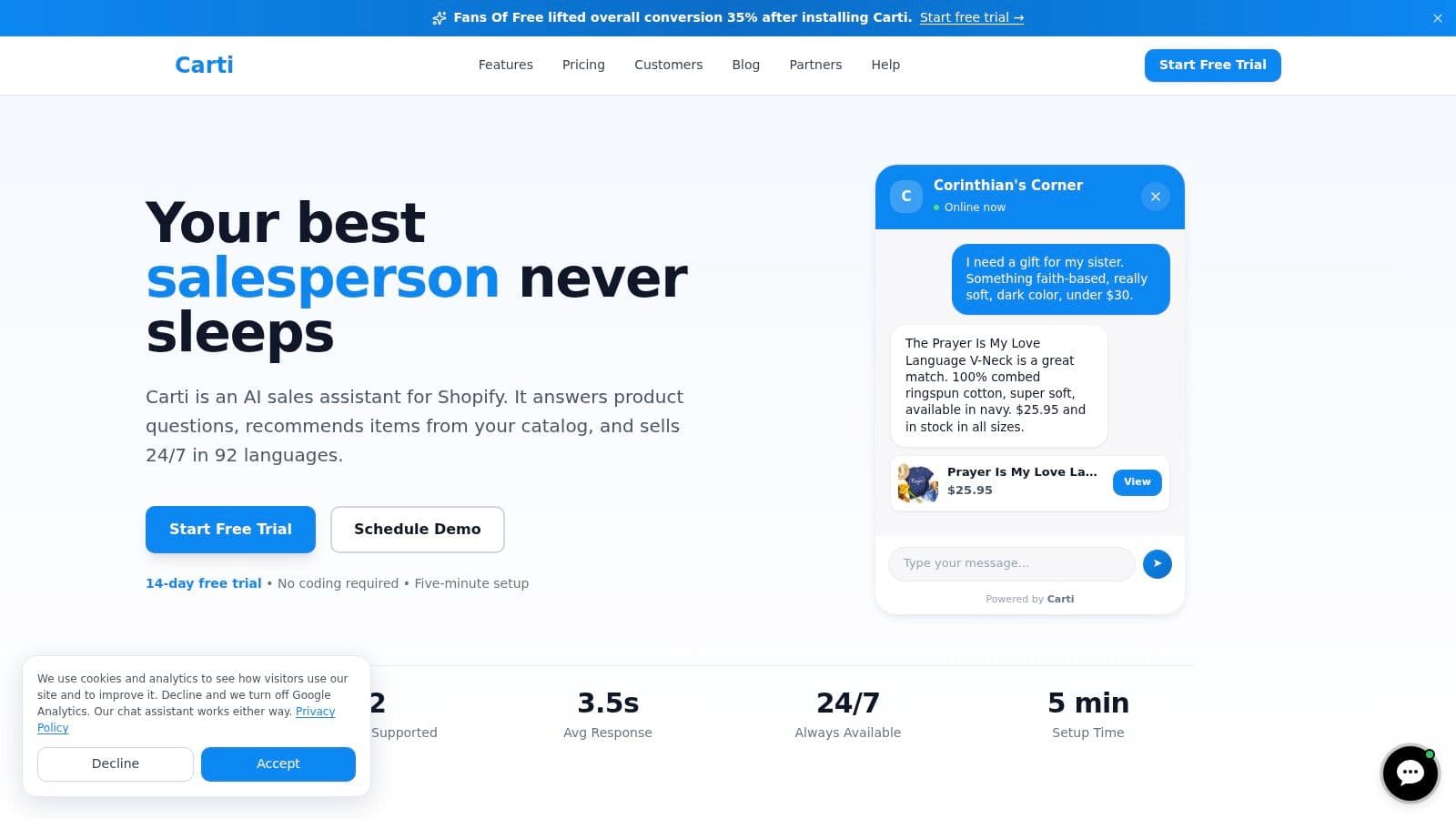
Shopify Inbox is a fair baseline for stores that want a free, lightweight way to chat with shoppers. Carti fits a different job. It is built for stores that want the assistant to keep answering product questions and guiding purchases after the team signs off for the day.
That distinction matters because "AI chat" can mean two very different things. Some tools help agents reply faster. Carti is positioned as an autonomous sales assistant that can respond on its own, recommend products, and keep the conversation moving without a human in the queue.
Why Carti stands out
Carti focuses on pre-purchase conversations. It learns from the Shopify catalog, store policies, and FAQ content, then uses that context to answer common buying questions such as fit, shipping, bundles, and product comparisons. That is closer to a digital sales rep than a standard support inbox.
The setup also appears intentionally light. The product is presented as no-code and designed to start learning from existing storefront content, which lowers the testing burden for smaller teams. Stores can compare it against Shopify Inbox based on a simple question: does the chat tool mainly assist staff, or does it sell while staff are offline?
One more practical difference is pricing. Carti offers a free tier and is framed around a flat monthly model, which is easier to budget for than software that expands with every seat or every rise in ticket volume. Current packaging can change, so verify plan details directly on Carti's website.
Use this rule: choose a helpdesk when the main bottleneck is support operations. Choose a sales assistant when the main bottleneck is unanswered buying questions.
Trade-offs to understand
Carti is not a replacement for every support stack. Stores with heavy post-purchase volume, frequent order edits, or a real need for email, social, and chat in one shared queue may still need a helpdesk first. In that setup, Carti makes more sense as the selling layer on the storefront, not the center of support operations.
There is also a workload trade-off that pricing pages do not always make obvious. A human-led inbox creates staffing work. An autonomous assistant reduces some of that work, but you still need to review answers, watch conversation limits by plan, and make sure catalog and policy content stay accurate.
For stores where the missed revenue comes from shoppers asking questions at night, Carti addresses the right problem. For stores drowning in service tickets, it addresses the wrong one first.
2. Gorgias
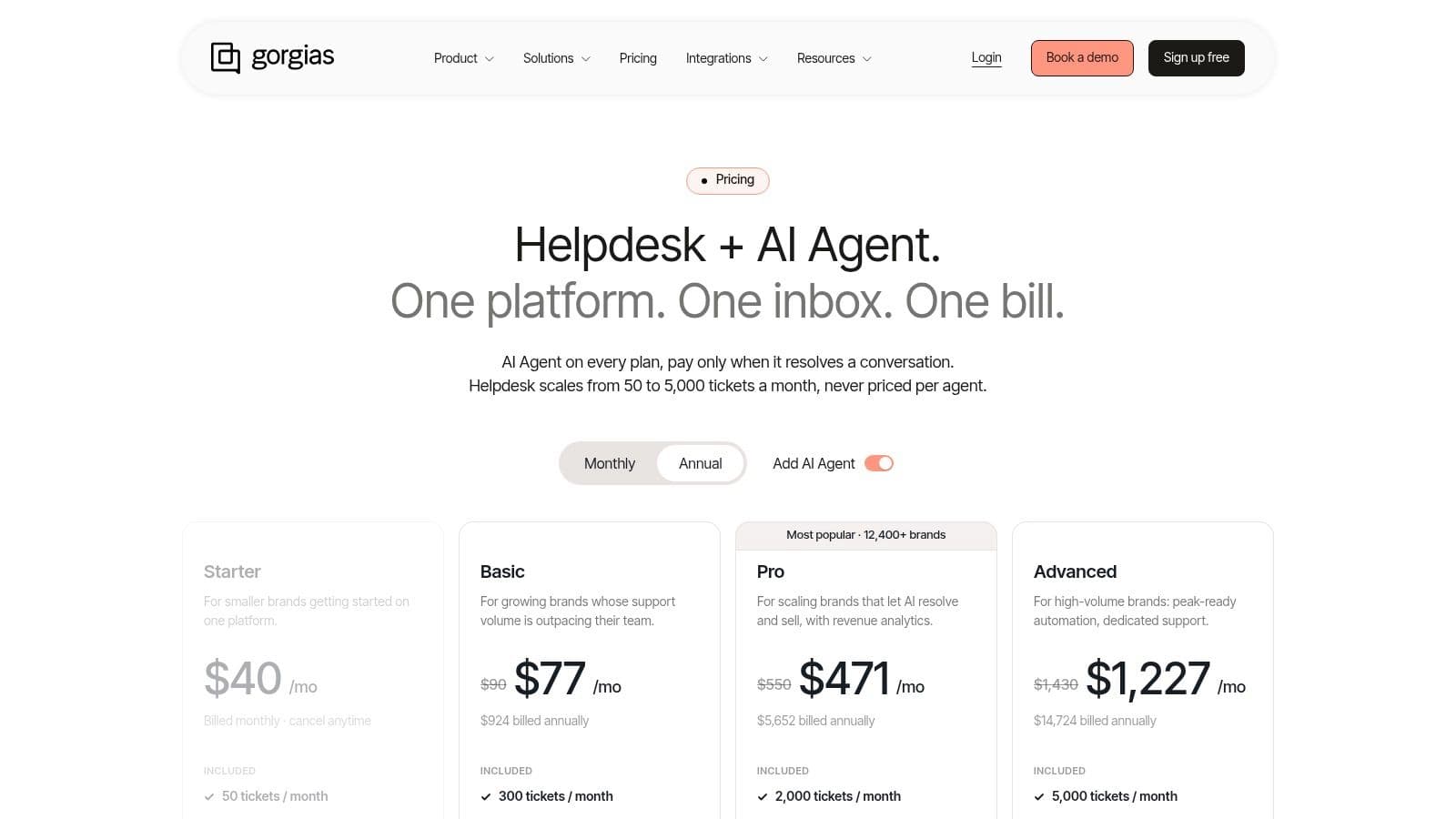
If Shopify Inbox feels too small, Gorgias is one of the clearest “next stage” options. It isn't trying to be just chat. It's a support operating system for ecommerce teams.
That's the reason many merchants compare the two in the first place, and this deeper look at Gorgias vs Shopify Inbox is useful if your store is stuck between staying lightweight and moving to a full helpdesk.
Best for support teams that act inside the inbox
Gorgias is strongest when support work includes order actions, not just conversation. On its product page, Gorgias says agents can choose a product, apply a discount, place the order, send an invoice, and reply to the customer “all within about 5 seconds” from the same workflow on Gorgias order management. That's a materially different job than Shopify Inbox handles.
For teams dealing with cancellations, invoice requests, and order edits all day, this matters more than a nicer chat widget.
- Best fit: Stores with a dedicated support team and meaningful order-management workload
- Pricing model: Ticket-volume based, with extra meters possible for AI and add-ons
- Main caution: Success can increase the bill if ticket counts spike
Gorgias also aligns well with stores that already think in terms of support operations. Macros, routing, multichannel inboxes, and order context all belong here. If your team says “we need to process work faster,” Gorgias usually makes more sense than a chat-first product.
3. Re:amaze
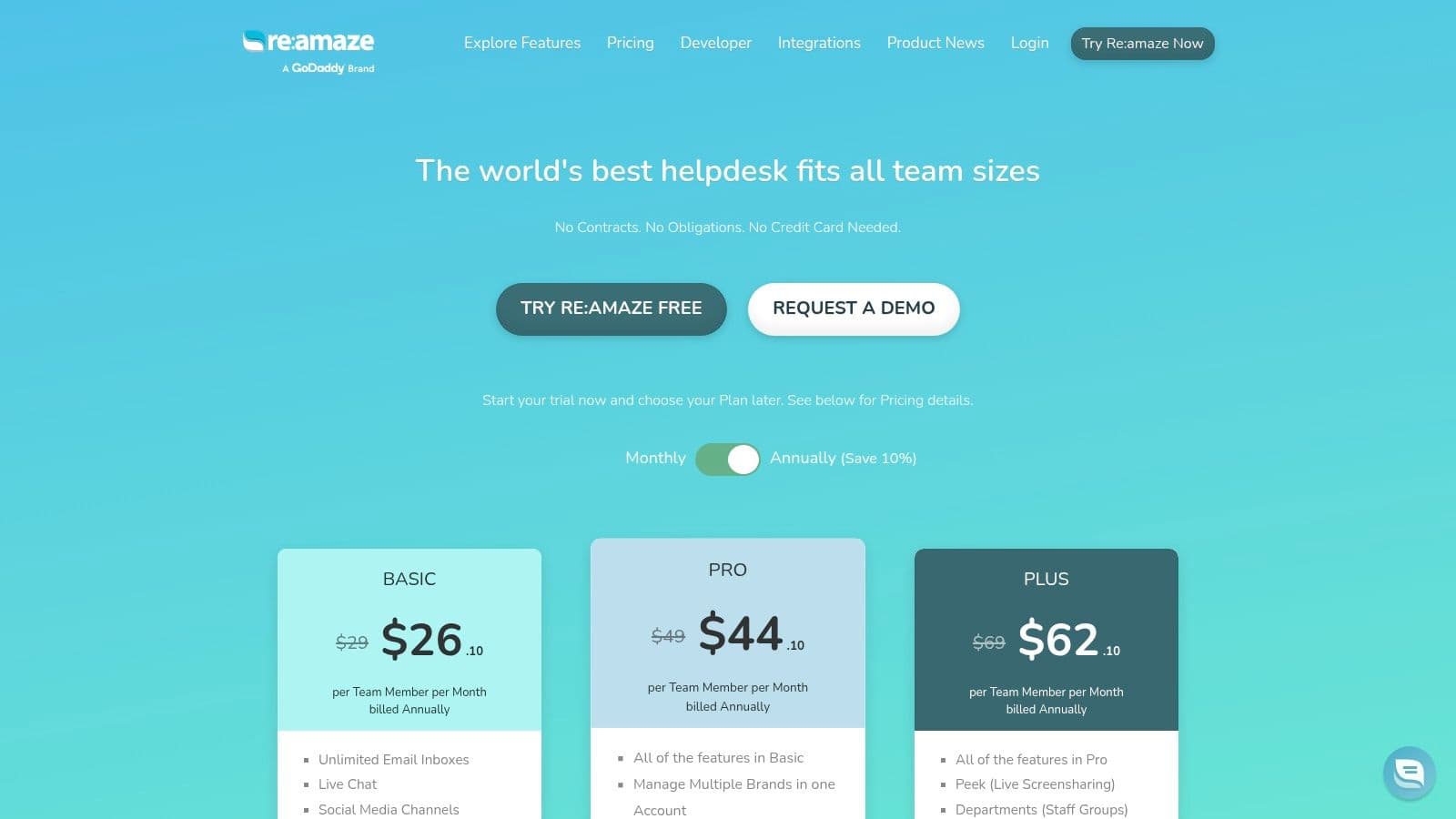
Re:amaze sits in a practical middle ground. It's broader than Shopify Inbox, but it usually feels less heavyweight than enterprise helpdesks.
For many growing Shopify stores, that's exactly the appeal. You get a shared inbox, live chat, proactive messaging, chatbots, FAQ tooling, and optional SMS or voice without jumping into a more complex support stack than you need.
Why teams pick it
Re:amaze works well for merchants that want one support workspace with enough ecommerce context to be useful, but don't need the operational depth of Gorgias or Zendesk. It's especially attractive for teams that want straightforward per-seat forecasting rather than ticket-based surprises.
Its proactive chat features are also worth noting. If your team wants to greet shoppers, prompt them on key pages, and route common questions into automated paths, Re:amaze gives you that option without changing the entire support motion of the business.
Re:amaze makes the most sense when your store has outgrown chat-only support, but hasn't yet outgrown a simpler shared inbox.
The trade-off is feature gating. Some of the stronger capabilities sit on higher plans, and AI usage beyond included limits can introduce another variable cost. That doesn't make it a bad choice. It just means Re:amaze is best when you want balance, not maximum specialization.
4. Tidio
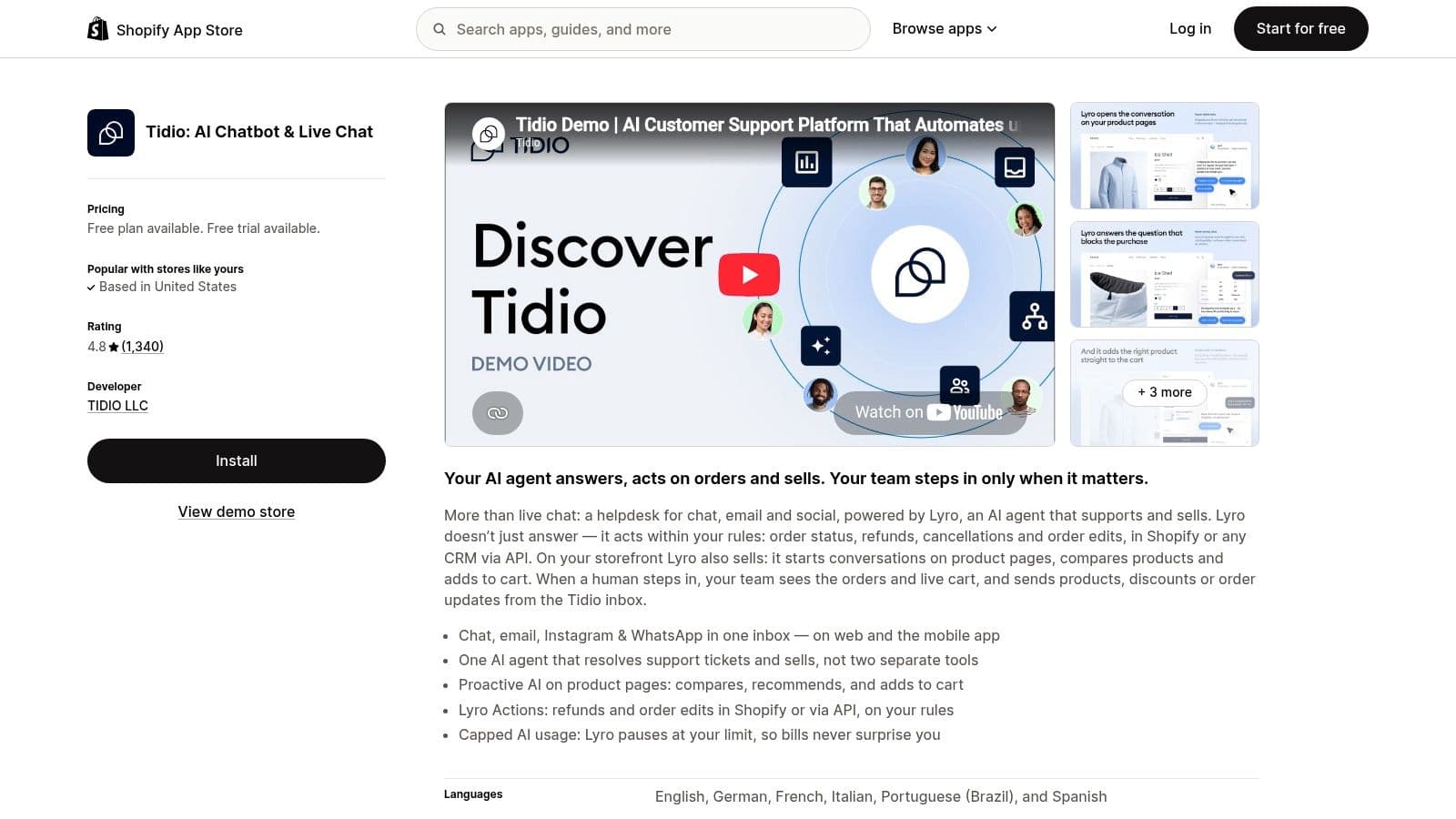
Tidio is one of the easier recommendations in this market because its role is clear. It's for merchants who want live chat plus basic automation without committing to a full support helpdesk.
That budget-conscious positioning is real, not marketing fluff. Tidio lists a Free plan, Starter at $24.17 per month billed annually, Growth at $49.17 per month billed annually, and Plus at $300 per month. It also advertises multilingual Lyro AI support, with one independent pricing summary cited in the verified data noting 48 supported languages.
Where Tidio works best
Tidio is a good fit for smaller teams that want to answer shoppers live, automate FAQs, and add some cart-recovery or product-prompt behavior without rebuilding their support stack. The visual builder and templates lower the setup burden, which matters when one person is running support and merchandising at the same time.
It also gives merchants a hybrid operating model. Human chat stays available, but common questions can be handled by flows or AI first.
- Use Tidio if: You want onsite chat, moderate automation, and a lower starting commitment
- Skip Tidio if: You need deep ticketing operations or extensive order-management workflows
- Watch closely: Modular pricing and add-on structure as usage expands
Tidio's limitation is that it doesn't fully replace a mature helpdesk for larger teams. But that's fine. Not every store needs one.
5. Richpanel
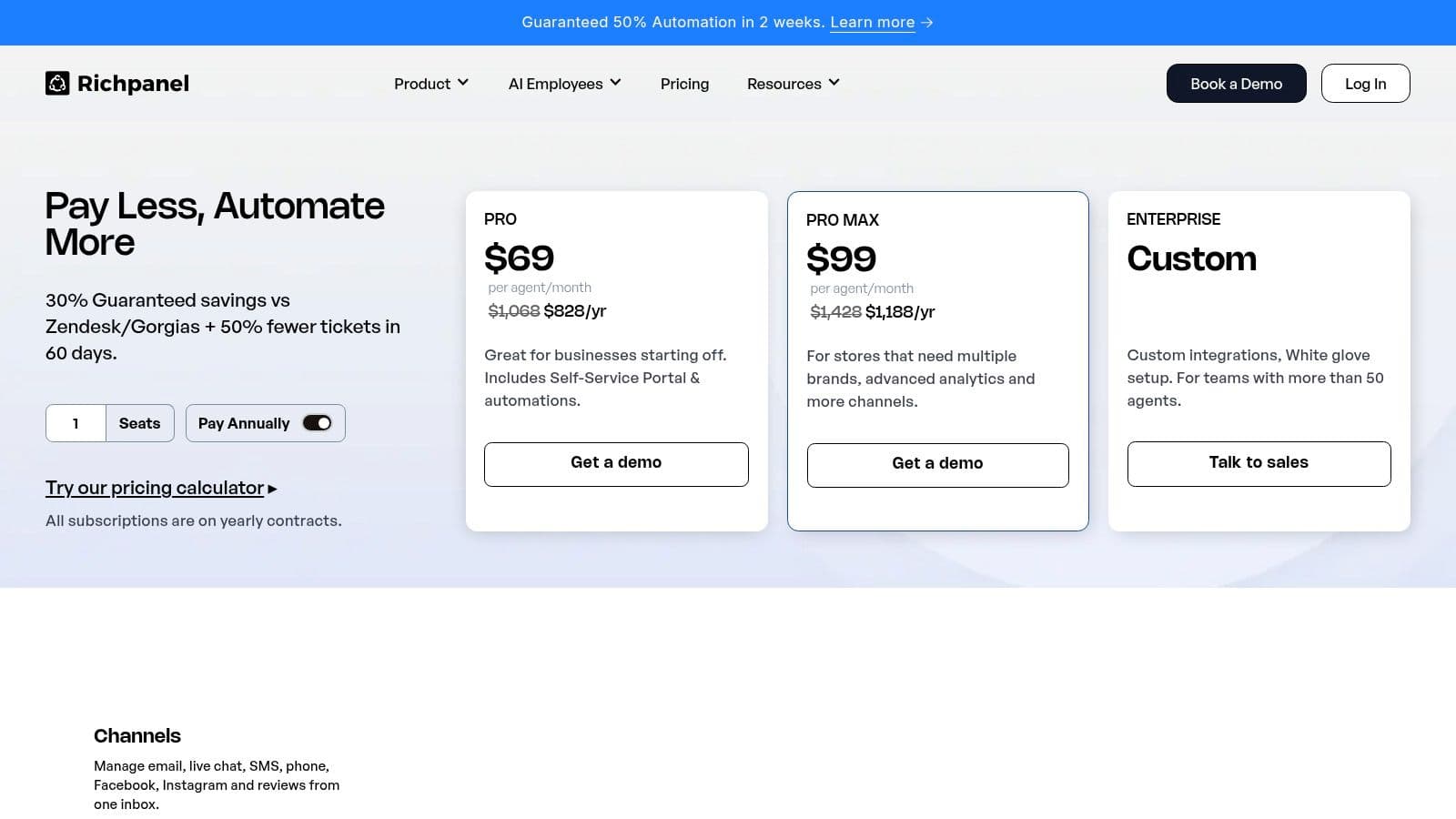
Richpanel is for merchants who want support automation without turning every human reply into a metered event. That's an important distinction in this category.
Its positioning centers on an AI-native support stack across chat, email, social, SMS, and WhatsApp, combined with seat-based helpdesk pricing for human agents. That structure will appeal to teams that dislike ticket-based billing and want self-service to absorb repetitive requests.
What makes it interesting
Richpanel leans heavily into customer self-service, including portals for common support flows like order-status questions, cancellations, and FAQs. If your support load is dominated by repetitive post-purchase issues, this approach can reduce pressure on agents without requiring a larger support team.
It's also one of the tools that frames migrations as part of the product story. For stores moving off another helpdesk, that matters. Switching costs are real even when vendors don't highlight them.
A support platform becomes expensive in two ways. The invoice grows, or the team keeps doing avoidable work by hand.
The catch is pricing clarity. Richpanel often requires a calculator or a sales conversation to forecast exact cost, especially once add-ons like returns enter the picture. For operators who want a simple line item, that can be frustrating. For stores focused on support efficiency, it may be worth the extra evaluation step.
6. Zendesk Suite
Zendesk isn't a “Shopify tool” first. It's an enterprise service platform that also supports Shopify well enough to matter for larger commerce teams.
That difference explains both its strengths and its friction. If you need advanced routing, permissions, analytics, quality assurance processes, or broader service operations beyond storefront chat, Zendesk has the depth. If you just need a better replacement for Shopify Inbox, it can be more system than you need.
Best for larger teams and complex support environments
The official Shopify integration surfaces order and customer context inside Zendesk, and the platform supports broad omnichannel workflows. That makes it viable for brands running multiple channels, larger teams, or support models that need stricter process control.
If your evaluation is broader than chat, this guide to the best Zendesk alternative is useful for understanding when Zendesk is the right fit and when a more commerce-specific tool wins.
Zendesk's main drawback for Shopify merchants is overhead. Configuration, admin work, and seat-based pricing can add up quickly. Still, for organizations that need a mature service platform more than a storefront conversion tool, Zendesk remains a serious option.
7. Intercom
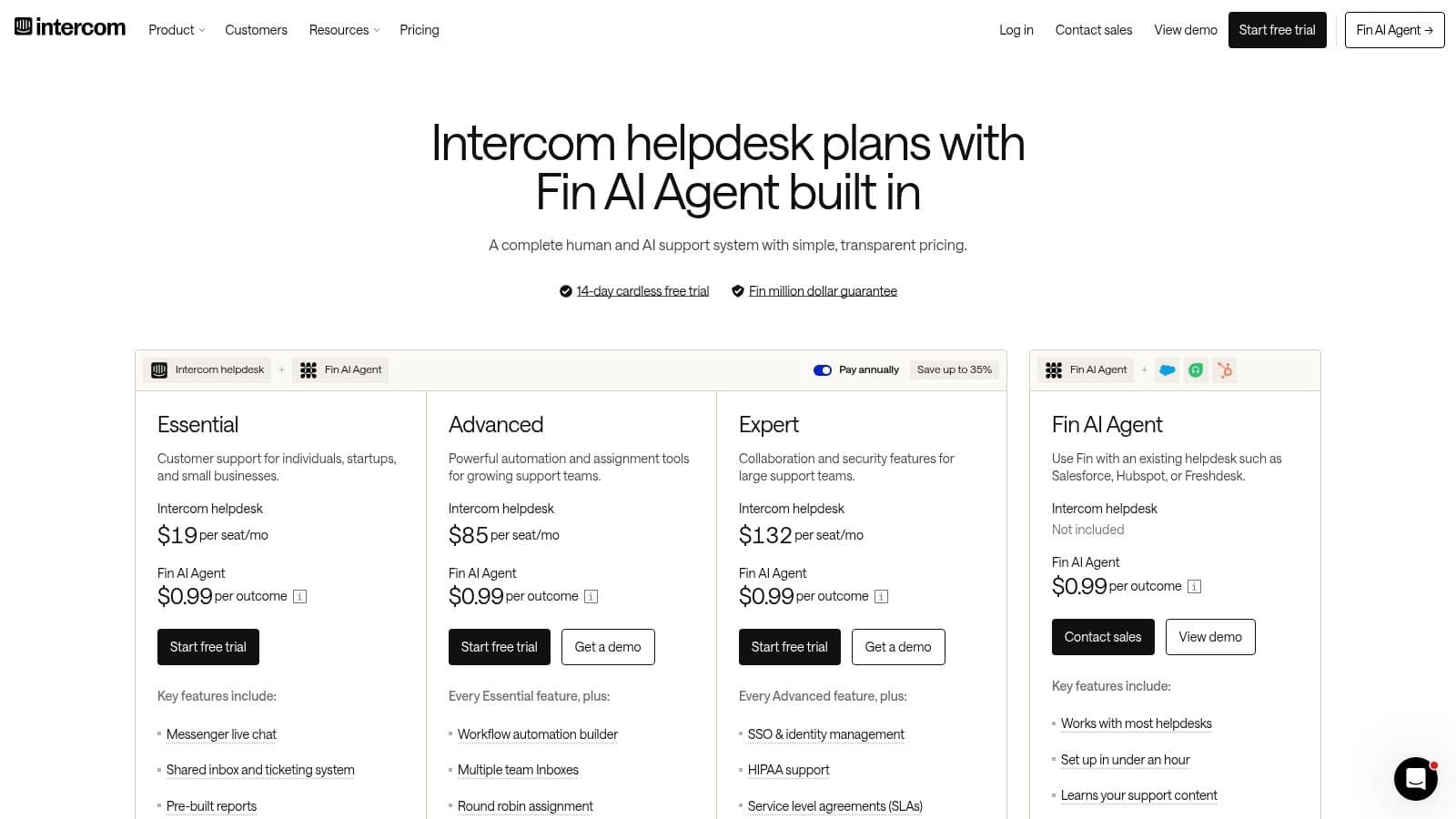
Intercom makes sense when your team sees chat as one part of a bigger customer communication layer. It combines support, AI automation, engagement, and messaging across channels in a way that goes beyond classic helpdesk software.
That's why it often shows up in conversations with growth teams, not just support teams.
Better for engagement-heavy brands
Intercom is well suited to brands that want proactive messaging, AI-driven routing, knowledge support, and a single front door for customer conversations. For teams thinking about onsite engagement and lifecycle communication together, that's attractive.
It's also relevant if your company already uses conversational marketing tactics elsewhere. This overview of conversational marketing platforms helps place Intercom in that broader category.
The trade-off is that Intercom isn't as Shopify-specific as ecommerce-first helpdesks. It integrates, but it doesn't always speak the native language of order-heavy retail operations the way Gorgias does. It's a stronger fit when engagement and automation strategy matter as much as support throughput.
8. Help Scout
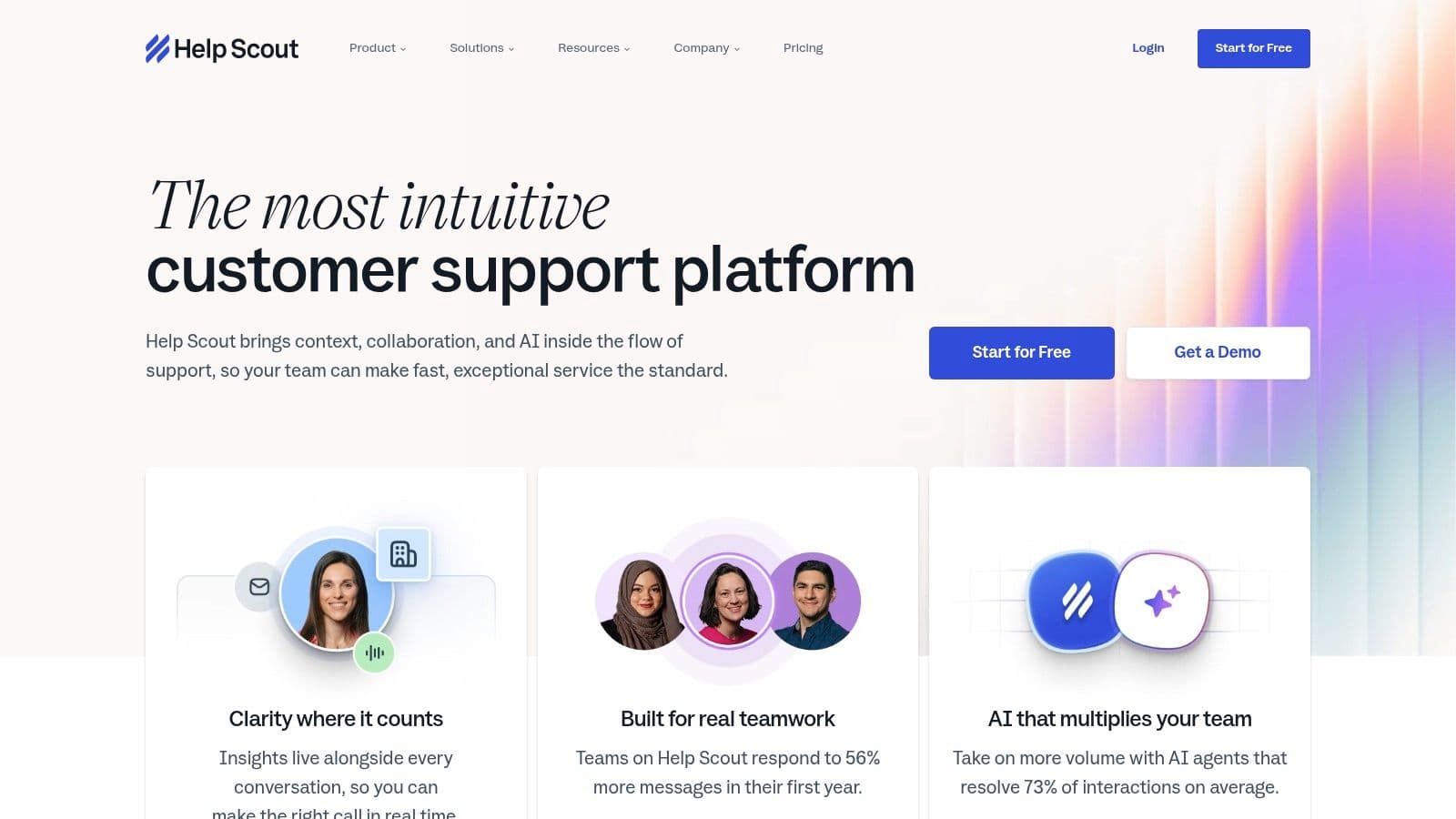
Help Scout is the calm option in a category full of ambitious software. That's a compliment.
Some Shopify stores don't need a sprawling omnichannel command center. They need a shared inbox, a chat widget, a knowledge base, and light automation that won't create extra admin work.
Why people like it
Help Scout's Beacon widget combines live chat and proactive messaging with Docs for knowledge-base support. The product tends to appeal to teams that want a clean interface and a lower-complexity support environment.
Its AI billing approach is also conceptually easier to live with than some usage-heavy models because it's framed around qualifying resolutions rather than every message sent.
- Strongest fit: Email-first support teams that want optional chat without helpdesk sprawl
- Less ideal for: Stores that need deep Shopify-native order workflows
- Operational benefit: Easier onboarding and less admin clutter
The main limitation is Shopify depth. Help Scout can work in a commerce environment, but it doesn't feel as purpose-built for Shopify support actions as ecommerce-first tools do. If your team mostly answers questions and manages conversations, that's fine. If they constantly act on orders, it's more of a compromise.
9. LiveChat by Text
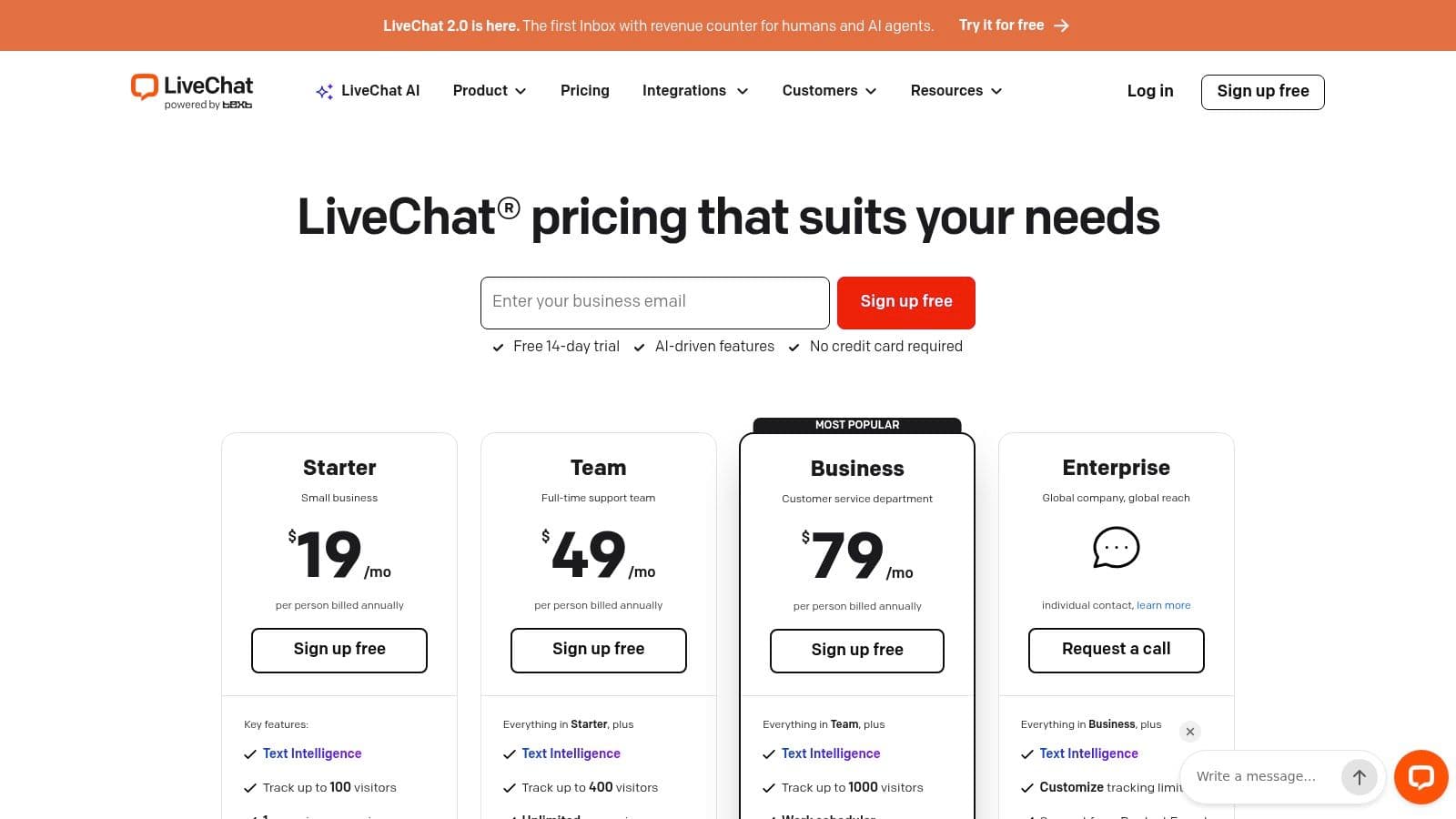
LiveChat is one of the simpler alternatives to categorize. It's for teams that want excellent live chat first, then decide later whether they need broader support tooling.
That focus has value. Not every merchant wants to swap one inbox for a bigger, more complicated inbox.
Best if chat quality is the priority
LiveChat offers a polished agent console, routing, canned responses, analytics, and Shopify integration that can surface customer profile details, order history, and live cart context. That makes it stronger than a basic chat widget while keeping the product centered on real-time conversation.
A useful lens here comes from broader chat behavior data. In an analysis of 5 billion website visits, live chat appeared on just 0.84% of visits, while chatbot conversations made up 8.8% of all conversations and average conversation ratings reached 4.3 out of 5. For Shopify merchants, that suggests chat is less a mass-volume channel and more a high-intent surface. Tools like LiveChat can work well when that's your operating assumption.
The limitation is scope. If you later need a true support suite, you may end up adding more software around it. LiveChat is strongest when “better chat” is the actual need, not a proxy for broader service problems.
10. Crisp
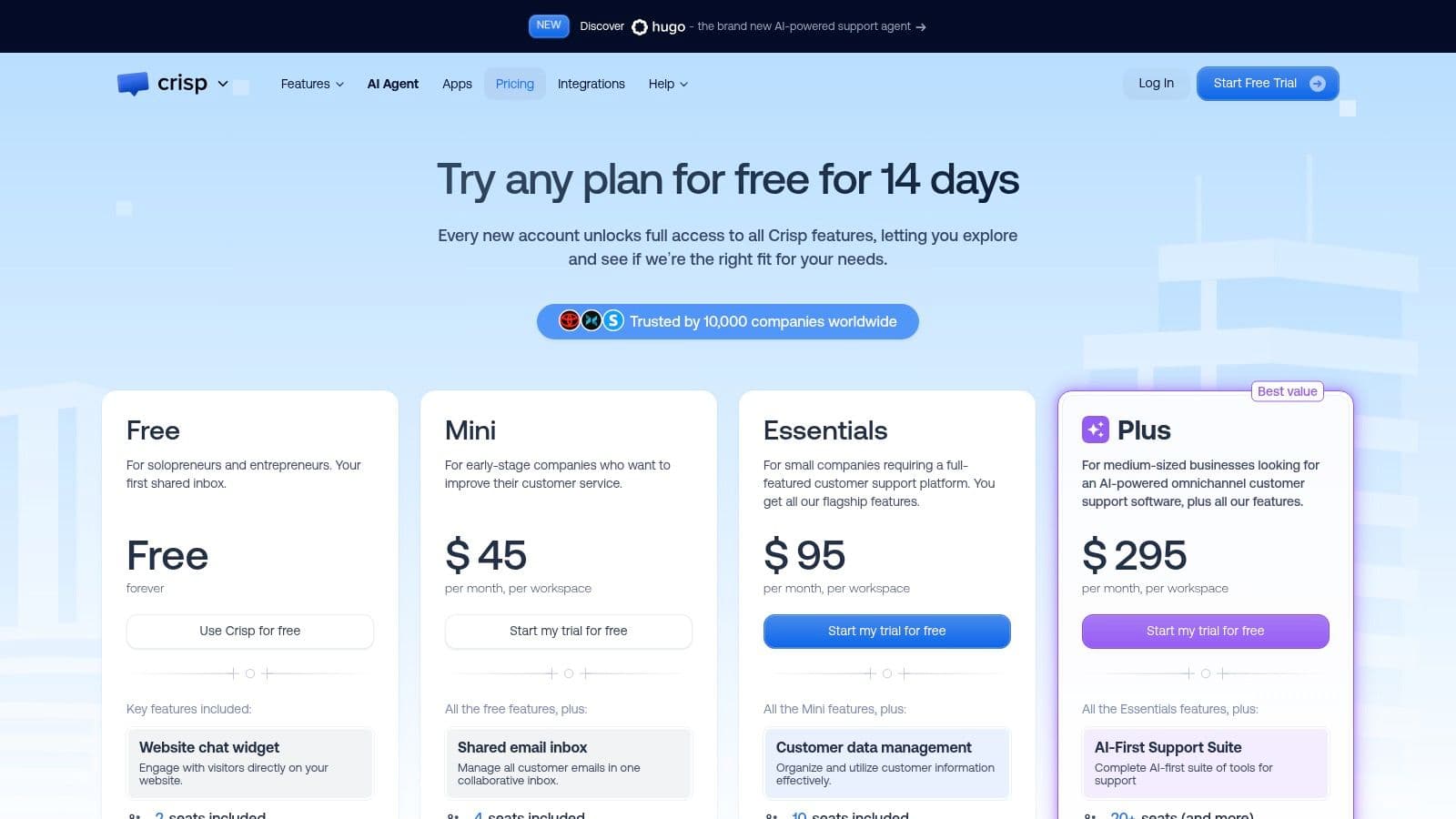
Crisp's appeal is straightforward. It offers live chat and inbox functionality with flat workspace pricing, which immediately makes it easier to budget than many seat-heavy alternatives.
For smaller teams and agencies managing multiple brands, that predictability is often the entire point.
Good fit for predictable cost and fast setup
Crisp supports team inboxes, automation, bot options, and Shopify installation guidance. It's attractive when you want live chat at the center, basic multichannel coverage around it, and less fear that adding another teammate will reshape the invoice.
This kind of pricing model can be especially appealing in a fragmented market where alternatives are often split by operational stage rather than direct one-to-one competition, as noted in this overview of how Shopify Inbox alternatives increasingly separate by use case.
Crisp's trade-off is ecommerce specificity. It can support a Shopify store well, but it doesn't provide the same native support-action depth you'd expect from a commerce-first helpdesk. If your goal is affordable live chat plus a team inbox, that may not matter at all.
Shopify Inbox Alternatives, Top 10 Feature & Pricing Comparison
| Product | Core features | UX / quality | Value proposition | Best for | Pricing & USP |
|---|---|---|---|---|---|
| Carti | AI Shopify chatbot; auto-learns catalog, Instant Answers, Smart Suggestions, Cart Recovery, Insights | ~3.5s replies; 5‑min no‑code setup; 92 languages; 24/7 | Increases conversions (case studies +35% / up to 3.5x); reduces response time; revenue attribution | Shopify merchants (fashion, beauty, home, wellness) wanting rapid conversion lift | Free tier (50 conv/mo); Starter $49 (250); Growth $99 (600); Scale $249 (1,750); 14‑day trial; limited offer: first 100 merchants free |
| Gorgias | Unified inbox (email/chat/social/SMS/voice); deep Shopify order actions; macros & rules; AI Agent | Strong agent workspace with Shopify context; purpose‑built ecommerce UX | Centralizes commerce workflows with in‑inbox actions to speed resolutions | Brands needing robust ticket workflows and native commerce actions | Ticket‑volume billing; AI billed on successful automations; voice/SMS add‑ons |
| Re:amaze | Shared inbox; proactive chat (Cues); chatbots; KB; live visitor view | Clear per‑user plans; quick setup; starter capped option | All‑in‑one support suite for small teams with proactive chat | Small teams wanting predictable per‑user pricing and multi‑channel support | Per‑seat pricing; Starter option (flat responded conversations); AI usage fees beyond included amounts |
| Tidio | Live chat widget; visual chatbot builder; AI (Lyro); cart recovery; product recommendations | Fast, low‑lift Shopify install; template library; mobile apps | Onsite chat + automation to capture shoppers and recover carts | Small stores prioritizing onsite chat and templates | Modular pricing with add‑ons/meters; costs scale with usage |
| Richpanel | Seat‑based helpdesk + per‑conversation AI; self‑service portal; returns/exchanges; Shopify sync | Predictable seat costs; AI automation charged per convo | Reduces per‑ticket fees while adding automation and self‑service | Brands wanting seat predictability with AI automation and self‑service | Seat pricing; AI per automated conversation; returns/exchanges add‑on |
| Zendesk Suite | Omnichannel workspace; automation, analytics, WFM/QA add‑ons; Shopify integration | Enterprise‑grade scale; extensive config & admin tooling | Advanced routing, analytics and enterprise controls at scale | Large teams/enterprises needing complex routing and integrations | Seat‑based enterprise pricing; higher tiers unlock AI & advanced features |
| Intercom | AI Agent (Fin), knowledge base, in‑app messaging, multichannel routing; Shopify sync | Strong automation and proactive engagement tooling | Unified engagement + automation across lifecycle | Brands seeking advanced automation and in‑app engagement | Seats + usage credits model; totals vary by volume |
| Help Scout | Shared inbox + Docs; Beacon chat/proactive messages; AI billed on resolved interactions | Simple UI; fast onboarding; predictable admin | Calm, email‑centric helpdesk with guardrails on AI spend | Teams preferring email‑first support and easy administration | Per‑user billing; AI charged by qualifying/resolved interactions |
| LiveChat (by Text) | Real‑time chat, routing, canned responses, chatbot add‑ons; Shopify integration | Polished agent console and UX; reliable real‑time performance | Best‑in‑class live chat experience for converting visitors | Teams focused on real‑time chat with polished agent tools | Per‑seat plans; annual discounts; bots often add extra cost |
| Crisp | Team inbox & live chat; flat‑rate per workspace with included seats; optional AI (Hugo) | Budget‑friendly tiers; quick Shopify embed; mobile apps | Predictable flat monthly cost for chat + inbox | Teams wanting predictable pricing and included seats | Flat‑rate workspace plans with included operators; higher plans unlock more features |
Choose the Tool That Matches the Bottleneck
The mistake most stores make is shopping for Shopify Inbox alternatives as if this were a single category. It isn't. Some tools are helpdesks. Some are hybrid chat products with light automation. Some are autonomous assistants built to sell while your team sleeps.
Keep Shopify Inbox if your volume is light and someone reliably covers the inbox. That baseline is more legitimate than many comparison pages admit. It's free, native, and for some stores that's enough. It also sits inside a market where Shopify Inbox has become the basic entry point while alternatives spread from free to much more expensive plans depending on team size and support complexity, as summarized in this Shopify support app comparison.
Choose Gorgias when the central problem is multi-channel support plus Shopify order actions. It's strongest when agents need to resolve support work, not just answer chats. Choose Tidio when you want budget-friendly live chat and basic automation without adopting a full service platform. Choose Carti when the priority is autonomous selling, catalog-grounded answers, recommendations, cart actions, 92-language coverage, and a flat $39 per month positioning that you should verify against the current offer and available plan details on the product site.
A pricing table should compare models first. Per seat, per ticket, per conversation, credits, flat workspace, and add-on billing tell you more than a starting price ever will. “Free” also has a workload cost. Someone still has to staff the inbox.
The operational benchmark to keep in mind is response speed. Published live-chat benchmarks in 2026 put strong first-response targets under a minute, with top-performing teams even faster, while one benchmark places average live-chat first response at about 35 seconds and email at roughly 12 hours in contrast on customer support response time benchmarks. If your new tool can't help you meet that standard, it isn't really an upgrade.
For migration, keep it controlled:
- Document knowledge first: Export or rewrite FAQs, shipping policies, sizing guidance, macros, and existing flows before changing the widget
- Run side by side: Install the replacement alongside Inbox during a short test instead of switching blindly
- Audit real questions: Test against product questions, sizing ambiguity, returns scenarios, and policy edge cases
- Set handoff rules: Decide when AI should answer, when staff should take over, and how order issues get routed
- Track the right metrics: Watch unanswered questions, response time, assisted sales, and chat volume before making the switch permanent
One final implementation note matters more than it sounds. If you mention widget collisions with cart drawers or popups, attribute those reports to public Shopify App Store reviews rather than presenting them as firsthand evidence. Theme compatibility issues are real enough to test, but they should be described carefully.
A good replacement for Shopify Inbox doesn't just add features. It removes the bottleneck that's costing your store sales, time, or coverage.
If your store's main issue is that shoppers ask buying questions when nobody is around to answer, Carti is built for that exact gap. It gives Shopify brands an AI sales assistant that can answer product questions, recommend items, and keep selling in 92 languages instead of just drafting replies for a human to send. See how it compares in practice at Carti.

Written by
Daniel AndersonFounder of Carti. 10+ years building ecommerce brands in apparel and supplements. Still runs a Shopify store and built Carti to help merchants convert more browsers into buyers.
Ready to boost your store's sales?
Install Carti in 5 minutes and let AI handle customer questions, recommend products, and close sales 24/7.
Start Free Trial14-day free trial