
Data Security: Your Store's Most Valuable Asset.
Right now, your Shopify store is probably carrying more sensitive data than you think. Customer emails, order histories, support conversations, refund notes, app permissions, and staff access are all sitting in connected systems that make money when they work and create risk when they don't. If one of those pieces is exposed, the problem isn't abstract, it shows up fast in lost trust, stalled sales, support chaos, and compliance headaches.
For a merchant, data security isn't just about keeping hackers out. It's about keeping checkout moving, keeping customers confident, and keeping your app stack from becoming a liability. The most reliable ways to ensure data security start with visibility, least-privilege access, encryption, backups, and disciplined deletion, because modern guidance treats those as the minimum controls for protecting sensitive information, not optional extras (NCSC guidance on data security).
Shopify merchants also need a practical lens. The right controls protect customer trust, prevent revenue disruption, and make it easier to pass audits without scrambling. If you run a store, manage CX, or oversee apps like Carti, the job is straightforward. Reduce the amount of data you hold, limit who can touch it, encrypt it in transit and at rest, back it up properly, and review everything on a schedule.
1. End-to-End Encryption
Encryption at the transport layer is the first line of defense for a Shopify store because customers expect their checkout and support data to move safely, not travel in the clear. Shopify stores already rely on HTTPS and SSL, and that's the baseline standard merchants should insist on for every connected tool, including chatbot traffic, webhooks, and internal support workflows. The NCSC's guidance is blunt on the essentials, protect data in transit and at rest, use current standardized cryptographic algorithms, and keep critical data backed up with multiple copies in different locations (NCSC data security guidance).
For a merchant, the practical win is simple. Encryption helps protect emails, order details, browsing behavior, and customer messages from interception when apps exchange data. It also reduces the chance that a support agent, contractor, or vendor ever sees raw sensitive content where they shouldn't.
Keep the connection locked down
A strong setup means no HTTP fallbacks, no mixed-content shortcuts, and no casual certificate drift. If a webhook or customer conversation service can fail open to an insecure route, that's not a minor technical issue, it's a trust problem that reaches your checkout and your inbox.
Practical rule: treat every integration as if it can leak on a bad day, then verify that it can't.
A good operational habit is to review encryption status regularly, especially after store changes, app installs, or support stack updates. Shopify's native HTTPS model sets the expectation, and tools like WhatsApp and Signal show how encrypted communications reduce unnecessary exposure when teams handle sensitive customer conversations. For a merchant, the trade-off is clear, stronger encryption discipline takes a little maintenance, but weak transport security can cost far more than the time it takes to check certificates and payload handling.
2. OAuth 2.0 Authentication and Authorization
OAuth 2.0 matters because it lets you connect apps without handing out passwords, and that's exactly how a Shopify stack should behave. A chatbot, reporting tool, or loyalty app should get only the access it needs through scoped tokens, not the keys to the whole store. Industry guidance from Adverity, Switchboard, and Acceldata all points in the same direction, use least privilege IAM, enforce MFA where possible, centralize policy, and continuously monitor for suspicious behavior (Adverity data security guide).
That advice maps cleanly to Shopify. If a support app only needs product and customer lookups, it shouldn't request admin-level reach into billing, fulfillment, or theme control. The more scopes you grant, the bigger the blast radius if the token is exposed.
Scope requests should feel boring
A healthy app approval flow is dull on purpose. The permission screen should ask for the minimum needed to function, and your team should be suspicious of anything that asks for more than its job requires. That's especially true for apps connected to order history, returns, and customer support, because those datasets are easy to overexpose when teams approve apps too quickly.
Keep access narrow, then review it every time the app's role changes.
A merchant should also store tokens securely and never expose them in client-side code. If an integration needs refresh logic, that should happen behind the scenes, not in a browser where anyone can inspect it. Regularly audit connected apps in Shopify, remove stale integrations, and treat unexpected scope requests as a red flag, not a convenience feature. OAuth is a security tool, but only if you use it to limit access instead of widening it.
3. Data Encryption in Database Storage
Data at rest is where many stores get complacent. Once customer conversations, cart recovery records, preference data, and order-linked notes land in a database, they can sit there for months unless you design controls around them. Encrypting that storage means the data stays unreadable if someone accesses the database without the decryption keys, which is exactly why database encryption belongs in the same operating standard as classification and backups.
Merchants need to think beyond the app front end. If Carti or another connected service stores customer messages, recommendation signals, or abandoned-cart context, the backend should encrypt those records as standard practice. The NCSC's guidance on protecting data at rest, using standardized cryptography, and keeping multiple backup copies in different locations is directly relevant here (NCSC data security guidance).
Protect the store, not just the website
A lot of teams secure the storefront and ignore the warehouse. That's a mistake. The risk isn't only outside intrusion, it's also a backup file, an export, a staging database, or a poorly handled recovery process that exposes customer data after the main site is already locked down.
If you run ecommerce operations with multiple apps, separate encryption keys by data category where possible. Customer conversations shouldn't live under the same assumptions as catalog data, and backups need their own recovery procedures. Quarterly restore testing is worth the effort because encryption without recovery discipline can leave you safe but stuck, which isn't much better when orders are on the line.
Encryption is only useful if your team can still restore the store when something breaks.
Amazon RDS encrypted databases, MongoDB field-level encryption, and PostgreSQL pgcrypto all show how storage encryption can be built into normal operations rather than bolted on later. The practical trade-off is overhead. Key management takes process, but the alternative is giving attackers, or a careless internal export, a much easier path to readable customer data.
4. Two-Factor Authentication
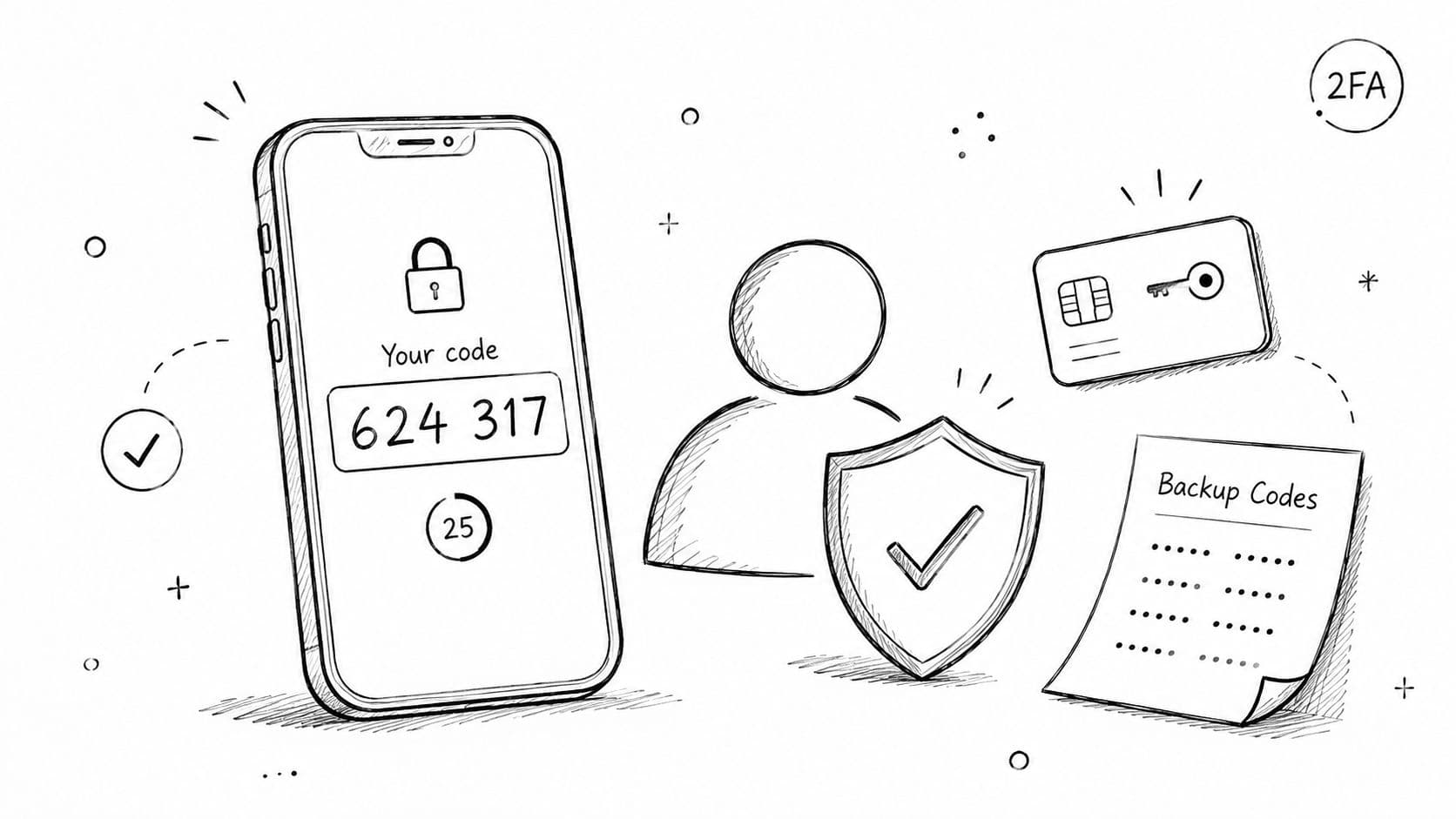
Passwords fail in the real world. They get reused, guessed, phished, or exposed in other breaches, and a Shopify store owner who relies on password-only admin access is taking avoidable risk. Two-factor authentication adds a second proof step, which makes account takeovers much harder even when a password is already compromised. That matters for store admins, support leads, finance staff, and anyone who can see customer records or connected app settings.
Shopify already supports 2FA for admin accounts, and that should be mandatory, not optional. The same applies to connected tools that touch customer data. If a staff member can change shipping settings, reset apps, or view order history, they need a second factor.
Use authenticators, not shortcuts
Authenticator apps are stronger than SMS in most setups because they reduce dependence on phone-number-based interception. Google Authenticator, Microsoft Authenticator, and Authy are common options, and the important point is not the brand, it's the habit, every person with data access should use 2FA consistently and keep recovery codes stored safely.
A merchant also needs a clean offboarding process. If someone leaves the team or changes roles, the account should be reviewed immediately and 2FA recovery routes should be reset. That avoids the messy situation where an ex-employee still has a working path back into the store or support stack.
If one admin account can be taken over, the whole store feels it.
The trade-off is mild friction at login, but that friction is tiny compared with the cost of an admin compromise. For ecommerce, 2FA is one of the fastest ways to protect revenue, because a hijacked account can damage pricing, orders, refunds, and customer confidence in a single session.
5. Role-Based Access Control
Role-based access control is how you stop your store from becoming a free-for-all. A support agent should not see billing exports. An analytics lead should not be able to edit app permissions. A founder should have broad access, but even that access should be intentional and reviewed. This is the practical side of least privilege, and it's one of the most actionable ways to ensure data security in a Shopify environment.
The NCSC's guidance on identifying what data you have, where it's stored, and what's most sensitive supports this approach directly, because you can't restrict access properly until you know what each role needs (NCSC data security guidance). Acceldata's recommendation for a single centralized policy framework fits here too, because role definitions work best when they're consistent across apps and systems (Acceldata data security and privacy strategies).
Build roles around tasks, not job titles
Job titles are too vague. Tasks are better. A “Support Agent” role can read chats and order status, but not export customer data. An “Administrator” role can manage integrations, but only a small set of people should hold it. That structure reduces the blast radius if any one account is compromised.
Use Shopify's staff permissions system as the backbone, then map third-party tools to the same logic. Slack, AWS IAM, and other mature platforms use the same pattern for a reason, access works best when it's explicit and narrow. Quarterly role reviews are a practical rhythm for most merchants, and role changes should trigger immediate access updates, not a delayed cleanup ticket.
Roles drift over time, so audit them before they become a back door.
The business trade-off is speed versus control. Loose permissions make onboarding easy, but they also make mistakes easier. Tight RBAC takes more setup, but it keeps customer data, refund logic, and app controls from ending up in the wrong hands.
6. Regular Security Audits and Penetration Testing
Security controls age quickly if nobody tests them. A Shopify store can look fine on the surface while an app permission, API route, or backup process opens a risk path underneath. Regular audits and penetration testing catch those issues before a malicious actor does, which is why formal review belongs in any serious merchant security program.
Acceldata recommends formal audits annually at minimum, with extra audits after incidents, large architecture changes, new regulations, or onboarding critical vendors (Acceldata data security and privacy strategies). That cadence makes sense for ecommerce, where app stacks shift fast and new tools get added whenever growth teams want a new capability.
Test the parts that actually move data
For Shopify merchants, the most valuable tests focus on the points where customer data flows out of the store, into apps, and back again. That includes API endpoints, webhook handling, admin permissions, backup restore paths, and any support workflow that stores transcripts or notes. OWASP Top 10-style reviews are useful because they force you to look for common weaknesses rather than trusting that everything works because nobody has complained yet.
Keep the results operational. Document each vulnerability, assign a remediation owner, and set a timeline to fix it. If the issue affects customer data, the support team and store leadership should know about it in plain language, not buried in a technical ticket.
An audit has no value if the findings never change how the store operates.
The trade-off is cost and disruption, especially if you bring in outside testers. But for a store that depends on trust, that disruption is smaller than the damage caused by a preventable breach or a broken recovery workflow.
7. Data Minimization and Selective Data Collection
Collecting less data is one of the smartest security choices a merchant can make, because data you never collect can't be leaked, subpoenaed, or misused later. The FTC has made this point sharply, linking retention limits, deletion, and reduced third-party sharing to lower risk, and it points to enforcement matters including Chegg, Blackbaud, CafePress, Amazon Alexa, Verkada, and Drizly as real examples of why data handling discipline matters (FTC on security through data management).
For Shopify merchants, the strongest security move is often not another layer of storage protection. It's deciding which data fields, transcripts, and behavior signals you need for sales and service. Order histories, support transcripts, and customer profile fields can spread across apps, help desks, and chatbots fast, so every extra copy expands risk.
Keep only what improves the customer experience
A practical approach starts with a simple inventory of what Carti or any other system collects, why it collects it, and who uses it. If a data point doesn't improve recommendations, cart recovery, or support quality, it probably doesn't deserve a permanent place in the stack. Shopify merchants often benefit more from a narrower dataset that's clean and current than a large dataset that's hard to defend.
You can be selective without harming service. Anonymized analytics can still show common questions, and a chatbot doesn't need every field forever to be useful. The internal privacy policy should spell out the retention logic clearly, and the public privacy page should match it, including the way you handle customer conversations and deletion requests. If your current policy needs a clean reference point, review the details in the Carti privacy guidance.
Smaller datasets create fewer failures, fewer permissions, and fewer cleanup jobs.
The trade-off is obvious, less data can mean less granularity for analysis. But in ecommerce, a smaller and safer dataset is often the better commercial choice because it supports trust while lowering the chance that a breach becomes a brand event.
8. API Security and Rate Limiting
APIs are the nervous system of a Shopify stack. They move product data, customer records, order events, and support actions between systems, which makes them valuable and dangerous at the same time. If API keys are over-permissioned, exposed, or left unchecked, a merchant can end up with data integrity problems or outright abuse.
Secure APIs depend on authentication, validation, and rate limiting. Shopify's GraphQL API is a good real-world reminder that access needs to be controlled and monitored, not assumed safe because it comes from a trusted ecosystem. Twilio and GitHub use similar ideas in their own API programs, because the logic is the same across platforms, limit abuse, confirm identity, and keep visibility on request patterns.
Watch for unusual patterns, not just failures
A healthy merchant setup logs API errors, tracks spikes, and sets conservative rate limits that still work under real traffic. That matters during sales and campaigns, when normal demand can look suspicious if the system isn't tuned well. Exponential backoff helps prevent noisy retries from turning one failure into a flood, and alerts for authentication errors make it easier to spot bad keys before they become a bigger incident.
Rotate API keys on a schedule, and use the smallest permission set that still lets the integration do its job. If a third-party app only needs product lookups, don't give it access to everything else just because that option is convenient. The more systems you connect, the more disciplined the API layer has to be.
APIs fail quietly before they fail loudly, so logs matter.
The trade-off here is tuning effort. Too strict, and legitimate traffic suffers. Too loose, and an attacker or buggy app can hammer your stack. The right balance protects customer data without getting in the way of sales.
9. Compliance Monitoring and Regular Updates
Compliance is not a yearly paperwork sprint. For Shopify merchants, it's an ongoing operational habit that keeps security controls aligned with GDPR, CCPA, PCI DSS, and the internal policies that sit around them. Acceldata's guidance is clear on the governance side, maintain one centralized policy framework, audit annually at minimum, and review again after major changes or incidents (Acceldata data security and privacy strategies). That matters because app sprawl and cloud tools move faster than static documents.
Software updates matter for the same reason. Shopify, connected apps, and infrastructure components all need patch discipline, because old versions create avoidable openings. A patch policy with quick handling of critical fixes is not glamorous, but it's one of the most reliable controls a merchant can maintain.
Make compliance visible to the team
A useful rhythm is to keep a compliance calendar, document software versions, and review security notices from the vendors your store depends on. Staff should know which regulations apply to customer data handling, and leadership should know when a change in process needs legal review. For merchants working through GDPR-specific obligations, the Carti GDPR guide is a useful internal reference point for aligning privacy practice with store operations.
Regular updates also reduce the chance that a forgotten plugin or abandoned integration becomes the weak link. The best security programs don't wait for an incident to clean up. They remove stale risk as part of routine operations.
Compliance is easier when the store changes are documented before anyone forgets why they happened.
The trade-off is process discipline. Updates can introduce friction, and legal review can slow launches. But in ecommerce, that slowdown is usually cheaper than the operational mess created by broken privacy handling or an unpatched system.
10. Secure Data Deletion and Disposal Procedures
Deletion is a security control, not just an admin task. If customer data stays in primary databases, caches, backups, archives, and vendor systems after it's no longer needed, the store keeps carrying risk it doesn't need. The FTC's view on retention and deletion makes that point clear, and for Shopify merchants it's especially relevant because support threads, chat logs, and order notes tend to accumulate across tools (FTC on security through data management).
A solid deletion process should cover the full lifecycle. That includes retention rules, customer deletion requests, backup review, and secure disposal of old storage media. The NCSC's emphasis on tested backups and media sanitization reinforces the same operational idea, data security includes recovery and disposal, not just prevention (NCSC data security guidance).
Remove data all the way through the stack
For a merchant, the hard part is not deleting one database row. It's making sure the record disappears from every place it was copied. That means backup policies, archive cleanup, temporary caches, and any downstream app that received the same data. Cryptographic erasure can help when the design allows it, because deleting the key can make the data effectively inaccessible without relying on repeated manual cleanup.
Keep a deletion audit log. That gives you proof when customers request removal and helps you verify that the process worked across systems. If you need a reference point for how data and privacy handling should be documented, review the Carti help center guidance on data and privacy.
Retention is a business decision, so deletion should be one too.
The trade-off is obvious, keeping data longer can help with reporting and support, but it also creates more places for something to go wrong. Merchants that define deletion clearly usually end up with cleaner systems, simpler compliance, and less exposure when customers ask what happened to their data.
10-Point Data Security Comparison
| Security Measure | Implementation complexity | Resource requirements | Expected outcomes | Ideal use cases | Key advantages |
|---|---|---|---|---|---|
| End-to-End Encryption (E2EE) | Medium, requires TLS and key handling | Moderate: certificate management, key infrastructure | Confidential data in transit and at rest; reduced MITM risk | Protecting payment, chat and sensitive customer data in transit | Strong privacy guarantees; compliance support |
| OAuth 2.0 Authentication & Authorization | Medium, protocol flows and token handling | Moderate: secure token storage, refresh logic, scope design | Tokenized access with scoped permissions; no password sharing | Third‑party app integrations between Carti and Shopify | Least-privilege access; easy revocation |
| Data Encryption in Database Storage | Medium–High, DB config and key rotation | High: HSM/KMS, backup encryption, rotation processes | Encrypted data at rest; limits impact of data breaches | Storing customer conversations, analytics, backups | Persistent protection; regulatory alignment |
| Two-Factor Authentication (2FA) | Low–Medium, integrate TOTP/SMS/biometrics | Low: authenticator apps or SMS providers, UX support | Reduced account takeover risk | Admin and dashboard access for store owners and staff | Large reduction in credential compromise |
| Role-Based Access Control (RBAC) | Medium, role design and permission mapping | Moderate: access management UI, audit logs | Granular access limits; smaller blast radius if compromised | Differentiated staff access (support, billing, analytics) | Limits insider risk; simplifies audits |
| Regular Security Audits & Penetration Testing | High, coordination and remediation cycles | High: external firms, tooling, downtime windows | Discovery of vulnerabilities and compliance gaps | Periodic assessment of Carti-Shopify integrations and APIs | Proactive risk identification; compliance evidence |
| Data Minimization & Selective Collection | Low–Medium, policy and product changes | Low–Moderate: policy enforcement, data classification | Less data exposure; simpler breach response | Privacy-first personalization and analytics | Reduced compliance burden and storage costs |
| API Security & Rate Limiting | Medium, auth, validation, throttling rules | Moderate: gateway/configuration, monitoring, logging | Stable API performance; reduced abuse and DDoS risk | Carti-Shopify API endpoints and high‑traffic flows | Prevents abuse; improves reliability |
| Compliance Monitoring & Regular Updates | Medium, continuous process and tooling | Moderate–High: monitoring tools, training, patching | Ongoing regulatory alignment and patched systems | Operations in regulated regions or handling payments | Maintains compliance; reduces known-vulnerability risk |
| Secure Data Deletion & Disposal Procedures | Medium, retention policies and automation | Moderate: deletion tooling, backup purging, audits | Irreversible removal of personal data on request | GDPR/CCPA subject requests and retention limits | Meets erasure rights; reduces retained risk |
Your Prioritized Shopify Security Checklist
Securing a store can feel like a long list of chores until you rank them by impact. Start with the controls that reduce account takeover risk, then move to the ones that reduce data exposure, then finish with the ones that make recovery and compliance routine. For most Shopify merchants, the right order is simple, enforce 2FA, audit app permissions, lock down encryption, restrict access by role, and formalize deletion and backup review.
The biggest mistake merchants make is treating security as a one-time setup. It isn't. A Shopify store changes whenever you add an app, hire a support rep, launch a new campaign, or connect a chatbot, and each change deserves the same basic questions: who can see the data, where is it stored, how is it protected, and how do we get it back if something breaks?
Use the NCSC's minimum-control mindset as your baseline, identify the data you have, protect it in transit and at rest, keep multiple backup copies in different locations, and test those restores regularly (NCSC data security guidance). Then add governance discipline with annual audits and extra reviews after incidents or major changes, because a growing store needs regular reassessment, not assumptions (Acceldata data security and privacy strategies).
If you want one practical rule to carry forward, make it this. Any system touching customer data should be easier to review than it is to install. That pressure forces better permissions, tighter retention, cleaner vendor choices, and fewer surprises when customers, auditors, or your own team start asking hard questions.
Carti helps Shopify merchants handle customer conversations without exposing more data than necessary. It learns your catalog, FAQs, and policies quickly, supports proactive sales help around the clock, and gives you a cleaner way to manage trust while improving conversion. If you want a chatbot that fits into a serious security-minded operation, visit Carti and see how it can support your store.

Written by
Daniel AndersonFounder of Carti. 10+ years building ecommerce brands in apparel and supplements. Still runs a Shopify store and built Carti to help merchants convert more browsers into buyers.