
41% of consumers choose live chat over phone and email, and 38% of buyers say the chat itself directly triggered their purchase decision, according to Nextiva's live chat statistics. That should change how Shopify merchants think about website live support chat.
Too many stores still treat chat like a support expense. They install a widget, wait for complaints, and judge success by whether it reduced a few tickets. That misses the bigger opportunity. On a Shopify store, live chat can answer buying questions, remove hesitation, recover carts, and shorten the path from product page to checkout.
The stores that get the most from chat don't treat it like a help desk bolted onto the footer. They treat it like a sales system with support benefits attached.
Why Live Chat Is a Sales Channel Not a Cost Center
Many Shopify stores still budget live chat as a support tool. That framing leaves money on the table.
A pre-purchase chat usually starts at the point of hesitation. The shopper wants to know whether a product fits, arrives in time, works with what they already own, or justifies the price. If the answer comes quickly and clearly, the path to checkout stays open. If it comes late, or not at all, the shopper keeps researching and your conversion window narrows.
What the best stores understand
Strong operators treat live chat as part of the buying journey. The team is handling objections, reducing uncertainty, and helping customers choose with less effort. Those outcomes affect revenue just as directly as a discount or a better product page.
The operational side matters too. A good chat program lowers repetitive email volume, shortens resolution time, and prevents the same pre-purchase questions from hitting support after the order is placed. That is the part many ROI calculations miss. Chat can raise conversion and reduce service load at the same time.
Practical rule: If a shopper starts a conversation before checkout, route it with the same urgency you would give to an active cart.
Where merchants usually undersell chat
The weak version is easy to recognize, and it usually shows up in three places:
- Passive placement: The widget is live, but there are no targeted prompts on PDPs, cart, shipping, or returns pages where hesitation is highest.
- Support-only staffing: The person answering knows policies but cannot compare products, recommend alternatives, or explain which option fits the shopper's use case.
- Thin measurement: The store reports reply times and ticket counts, but ignores influenced orders, assisted conversion rate, deflected tickets, and the reduction in customer effort.
That last point matters. If chat only gets judged as a labor expense, it will always look smaller than paid acquisition and less strategic than merchandising. Once stores measure sales influenced, tickets avoided, and friction removed from the buying process, the economics look very different.
The mindset shift that pays off
Cost control still matters. Labor hours, coverage windows, and queue quality are real constraints. I have seen stores hurt margin by staffing chat all day without matching coverage to traffic or intent. But the answer is not to shrink chat to a bare-minimum support queue. The answer is to run it like a commercial channel with clear goals.
For Shopify brands, that means assigning chat to moments where buying intent is high, training agents to sell with relevance instead of scripts, and reviewing transcripts for objections that product pages, FAQs, or shipping policies should solve upstream. Done well, live chat produces two gains from the same conversation. It helps recover revenue now, and it removes avoidable workload later.
Understanding Website Live Support Chat
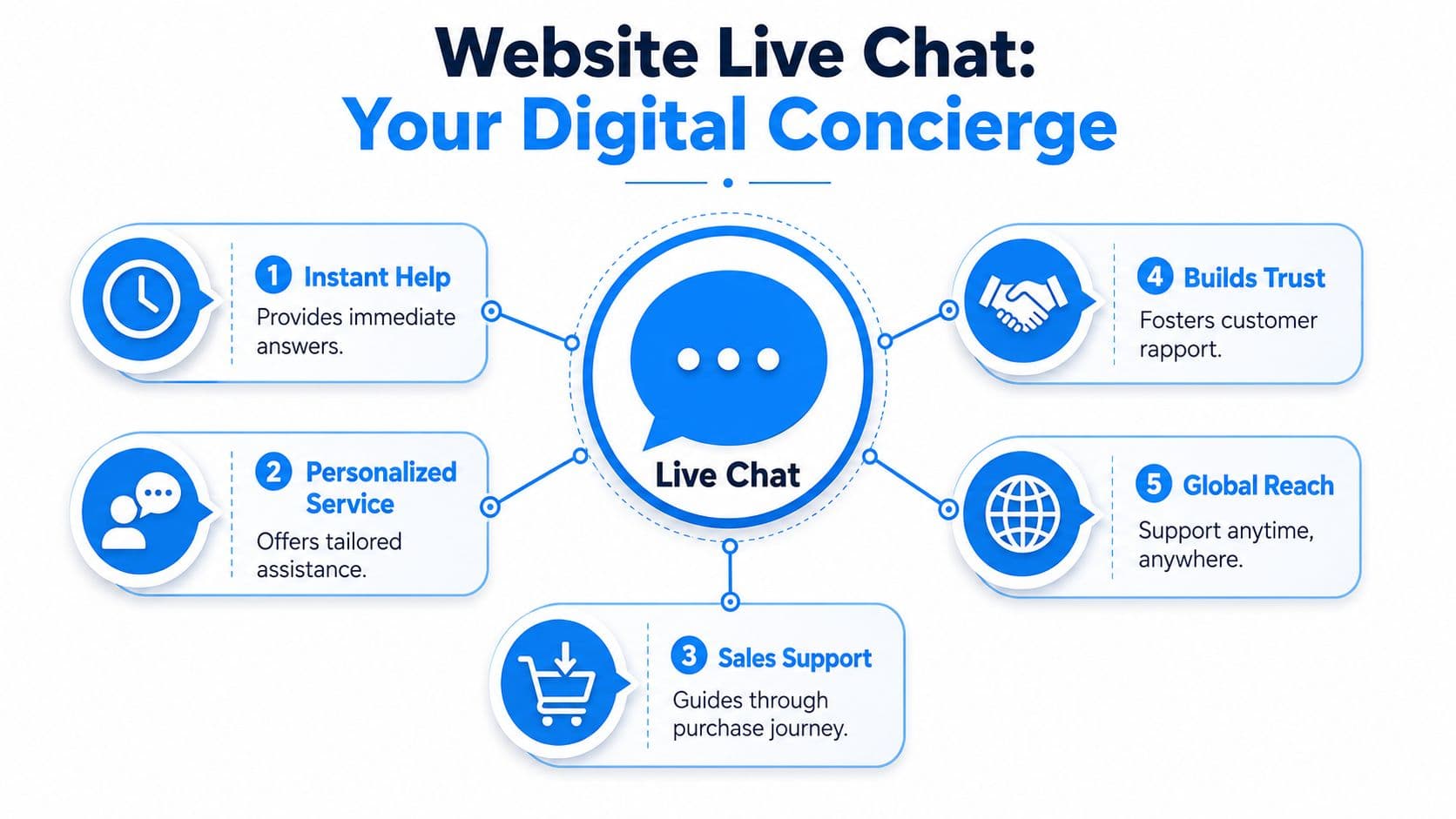
Website live support chat gives shoppers a fast path to answers while giving your team the context to resolve, route, or convert the conversation. For Shopify stores, that matters because the same tool can reduce pre-purchase hesitation, handle repetitive support work, and surface what is slowing people down across the buying journey.
The widget is the visible part. The operating system behind it is what determines whether chat drives revenue or just adds another inbox.
The two sides of the system
Shoppers judge chat by how easy it is to start and how quickly they get a useful answer. Operators need a very different setup behind the scenes.
| Part | What the shopper sees | What your team needs |
|---|---|---|
| Customer side | Chat button, welcome message, reply flow | Clear prompts, mobile-friendly design, fast first response |
| Operator side | Invisible to shopper | Inbox, routing, saved replies, order context, escalation tools |
That split is easy to miss. A polished widget does not help much if the agent has to ask for the order number, restate policy from memory, or switch tabs to check inventory. In practice, speed comes from context, not just staffing.
Human-led, bot-led, and hybrid setups
Shopify stores usually run chat in one of three ways.
- Human-led chat: Best for higher-consideration products, bundles, fit questions, and edge cases. The trade-off is cost and limited coverage.
- Bot-led chat: Useful for order status, return policy, shipping windows, and other repetitive requests. The trade-off is weaker handling of nuanced buying questions.
- Hybrid chat: Usually the strongest option for stores that want both conversion support and lower service load. Automation handles triage and basic requests, then passes higher-intent or higher-risk conversations to a person.
The hybrid model works because not every message deserves the same response path. "Where is my order?" should not sit in the same queue as "Which variant is right for oily skin?" One is a process question. The other is a sales opportunity.
Platforms have gotten better at this handoff. Shopify merchants can now route by intent, order status, page viewed, returning-customer status, or cart value. That is more useful than treating all chats as support tickets. If you want the broader operating model behind that approach, this executive guide to ecommerce AI explains how chat fits into the full buying and service journey.
A strong chat setup gets the shopper to the right answer quickly, and sends the simple work down the cheapest path.
What chat actually includes
A live chat system is not just a message box. For a store team, it usually includes:
- a customer-facing widget on product, cart, and help pages
- a shared agent inbox
- conversation history tied to customer records
- rules for routing and escalation
- saved replies and macros for repeat questions
- integrations with Shopify data such as orders, tags, and cart context
- automation for triage, FAQs, and after-hours coverage
This matters for ROI. If chat resolves repetitive contacts automatically, the store saves agent time. If it gives an agent enough context to answer a pre-purchase question in one interaction, the shopper spends less effort and is more likely to complete the order. Many guides stop at conversion rate. Store operators should also care about labor hours avoided, contacts deflected, and the number of conversations that end without forcing the customer to repeat themselves.
Where merchants misread the channel
A common mistake is installing chat and judging it only by reply time or ticket volume. That leaves out the central question. Did the system help a shopper buy, prevent an avoidable support contact, or shorten the path to resolution?
Another mistake is using one workflow for every conversation. Stores get better results when they separate service from sales intent, set clear escalation rules, and review transcripts for recurring friction. If five shoppers ask whether a fabric stretches, the issue is not only staffing. The product page is missing information.
That is the practical definition of website live support chat for Shopify. It is part customer communication tool, part routing system, and part feedback loop for both revenue and operations.
The E-commerce Benefits That Drive Revenue
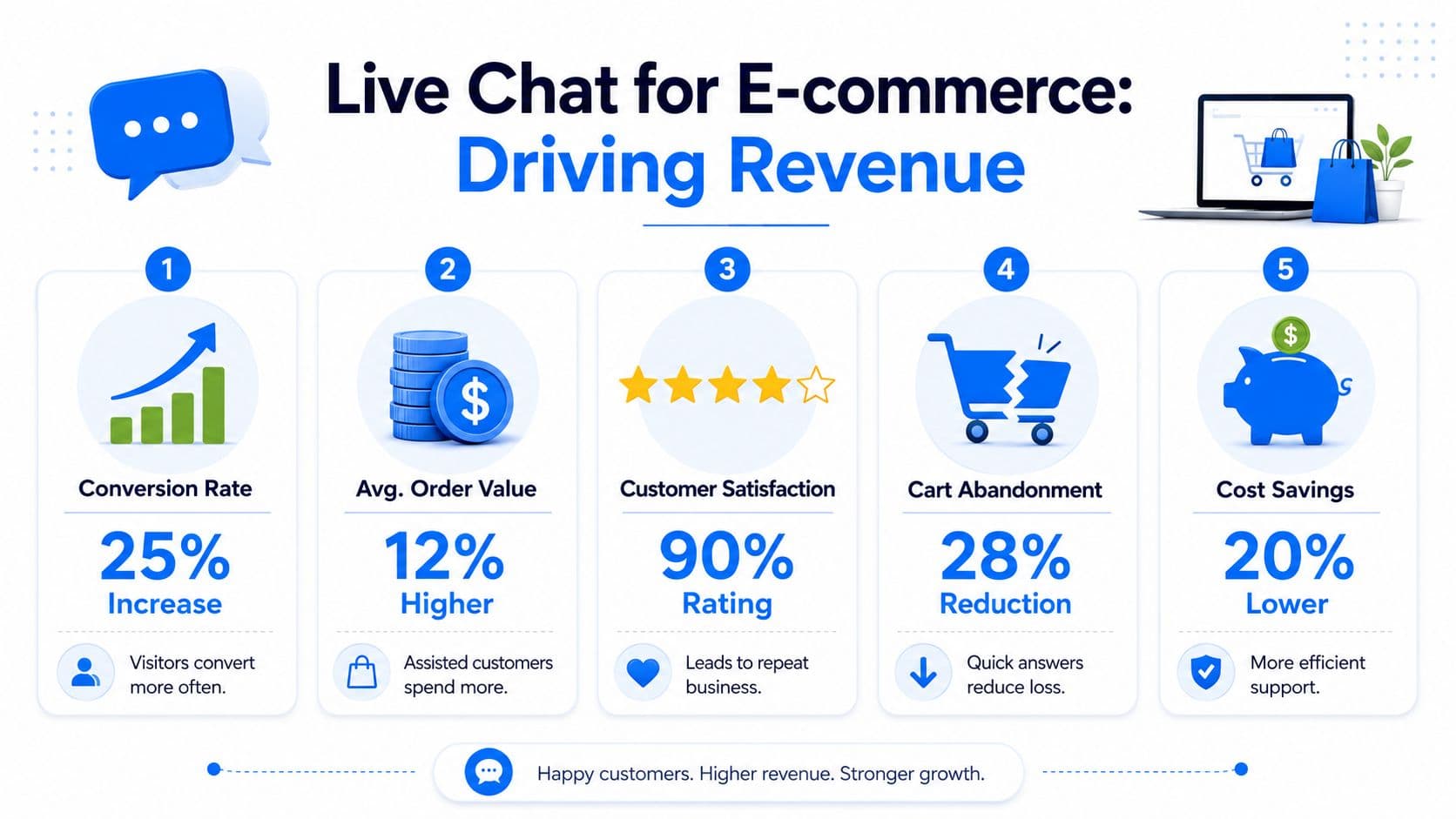
For Shopify stores, the value of live chat shows up in three places: more completed purchases, better buying confidence, and fewer lost carts. Those are not abstract benefits. They affect revenue directly.
Conversion improves when uncertainty disappears
Most shoppers don't need a full sales conversation. They need one answer that lets them proceed.
That answer might be about materials, size, replenishment timing, shipping restrictions, or product fit. When chat resolves that uncertainty in the moment, checkout friction drops. Verified data shows that customers who interact with live chat agents are 8% more likely to purchase, and average order value is 10% higher for those sales, according to SQ Magazine's roundup of live chat commerce data.
For merchants building a broader onsite automation stack, this executive guide to ecommerce AI is useful because it frames chat as one part of a larger buying journey, not an isolated widget.
Customer experience gets better in ways that affect sales
Fast answers aren't only a support metric. They're a trust signal.
If a customer asks whether a serum is pregnancy-safe, whether a sofa cover is removable, or whether a gift can arrive by Friday, the speed and clarity of the reply shape how credible the brand feels. In practice, live chat often outperforms slower channels in these situations. It helps shoppers stay on-page, keep momentum, and avoid opening a new tab to hunt for answers elsewhere.
A few high-value use cases show up again and again on Shopify stores:
- Product comparison: A shopper is deciding between two variants and needs guidance.
- Policy clarification: They want to know whether returns, exchanges, or shipping terms fit their situation.
- Bundle confidence: They need help choosing the right set, subscription, or add-on.
Cart recovery is where proactive chat earns its keep
Reactive chat waits for the shopper to ask. Proactive chat steps in when behavior suggests hesitation.
That doesn't mean spamming every visitor with a greeting. It means placing targeted prompts where intent is high and uncertainty is common. On cart pages, checkout-adjacent screens, and product pages with lots of variants, chat can stop drop-off before it becomes abandonment.
The same verified SQ Magazine source reports that approximately 60% of abandoned carts are recoverable through timely proactive live chat interventions. That's the clearest argument for treating chat as revenue infrastructure, not just service software.
If your cart page has questions but no answers, you're forcing the customer to do the work your store should do.
The pattern is consistent. Stores gain the most when they use chat to answer pre-purchase questions, guide selection, and intervene at moments of hesitation. The support value is real, but the sales value is usually bigger.
Essential Features for Shopify Stores
Not every live chat tool is built for commerce. Some are fine for generic support and weak for selling. Shopify merchants need a different standard.
The best test is simple: can the system understand what the shopper is looking at, who the shopper is, and what happened in previous interactions? If the answer is no, the tool will create more noise than value.

The must-have stack for a Shopify store
The most important factors to consider when evaluating website live support chat for Shopify:
- Catalog awareness: The tool should understand products, variants, and availability so replies don't stay generic.
- Order and customer context: Agents should see prior purchases, current cart contents, and conversation history in one place.
- Behavior-based triggers: The system should let you prompt on product pages, cart pages, and repeat visits without overfiring.
- Analytics tied to commerce: You need more than chat counts. Look for influence on orders, common objections, and recovery patterns.
- Mobile usability: A huge share of shopper questions happens on phones, so the widget can't block product images or break checkout flow.
Integration matters more than fancy scripts
A polished greeting isn't enough. Shopify stores win when chat pulls context from the systems that already run the business.
Verified data shows that technical integration with CRM and e-commerce platforms enables agents to view purchasing history and chat context simultaneously, which directly causes a 27% reduction in average resolution time and a 15% lift in cart recovery success rates for abandoned checkouts, according to Microsoft's live chat setup documentation.
That tells you what to prioritize. Integration is not a nice-to-have. It's what makes replies relevant.
For merchants comparing widget behavior and placement options, this guide to a web chat widget is a helpful reference point because it focuses on how the chat layer appears and functions on store pages.
Features that sound good but often disappoint
Some capabilities look impressive in demos and underdeliver in stores:
| Feature | Why merchants buy it | Why it often falls flat |
|---|---|---|
| Over-scripted bots | Promises efficiency | Breaks when shoppers ask layered product questions |
| Aggressive pop-ups | Aims to increase engagement | Interrupts browsing and lowers trust |
| Vanity dashboards | Looks data-rich | Doesn't connect chat activity to store outcomes |
Buy for context first, automation second. A slightly simpler tool with strong Shopify context usually outperforms a smarter-looking tool that answers in a vacuum.
The strongest live chat setup is rarely the one with the most features. It's the one that sees the same customer reality your store sees.
Implementing Your Live Chat Strategy
Implementation doesn't need to be complicated, but it does need to be intentional. Most failed chat rollouts don't break because the software was hard to install. They break because the merchant never decided what the tool should handle, when it should speak, and how it should escalate.
A practical rollout starts small and gets sharper over time.
Start with the store's real friction points
Before you configure anything, list the questions shoppers already ask through email, social DMs, or order notes. Those questions usually reveal the first jobs chat should take on.
For most Shopify stores, the early list is predictable:
- Pre-purchase questions: Sizing, product fit, ingredients, compatibility, shipping timing.
- Policy questions: Returns, exchanges, warranty, subscriptions.
- Post-purchase basics: Order status, edits, delivery issues, restock timing.
That list becomes your initial knowledge base and routing plan. Human teams can answer all of it manually, but that approach gets expensive fast. Hybrid or AI-first setups work better when they can absorb repetitive questions and escalate edge cases to a person.
Configure the widget like a sales surface
A lot of stores leave the default launcher, default greeting, and default behavior untouched. That's lazy configuration, and shoppers can feel it.
Set the chat to match the store's buying flow, not generic support logic. Product pages should invite product questions. Cart pages should address last-minute purchase friction. The homepage doesn't need the same prompt as a high-intent PDP.
A sound first setup usually includes:
- Clear opening prompts: Offer help with sizing, shipping, or product choice instead of a vague “How can we help?”
- Targeted triggers: Use prompts on product and cart pages where hesitation is common.
- Escalation rules: Route unusual, sensitive, or high-value conversations to a human.
Feed the system accurate store knowledge
Chat quality rises or falls with the information behind it. If your store policies are inconsistent or your product details are thin, chat will expose that weakness immediately.
Merchants should be candid about trade-offs. A human-only team can deliver excellent conversations, but you still have to train each person on catalog details, exceptions, and policy nuance. A modern automated setup can learn from your catalog, FAQs, and policy pages much faster, but it still needs clean source material to work well.
Later in the rollout, use richer media to train the team and standardize expectations:
Launch narrow, then expand
Don't try to automate every conversation on day one.
Roll out in phases. Start with product and policy questions. Watch transcripts. Fix weak answers. Add proactive triggers only after the core responses are reliable. If you try to do too much too early, the system will feel intrusive instead of useful.
The best implementations feel simple to the shopper because the merchant did the hard thinking before launch.
Measuring Success and Calculating True ROI
Most Shopify teams stop at one question: did chat increase conversion? That's important, but it's not enough.
If you only measure chat by influenced revenue, you'll miss half the return. Live chat also changes support workload, customer effort, and the speed at which shoppers get unstuck. Those gains matter, especially when support costs are rising and lean teams have to justify every app in the stack.
The three-part ROI model
A stronger way to evaluate website live support chat is to score it across three buckets:
| ROI area | What to measure | Why it matters |
|---|---|---|
| Sales lift | Chat-influenced orders, assisted AOV, recovered carts | Shows direct commercial impact |
| Operational savings | Ticket reduction, agent hours saved, faster resolution | Shows cost relief, not just revenue |
| Customer effort reduction | FRT, CES, repeat contact patterns, sentiment | Shows whether the experience got easier |
Verified data from NexGen's guide to live chat setup and ROI says that 73% of chat interactions reduce support ticket volume. The same source highlights that measuring Customer Effort Score and First Response Time can lead to 28% higher customer retention, yet only 12% of Shopify stores currently implement these metrics.
That's the gap most merchants leave on the table.
A practical way to calculate return
Use a simple internal formula:
True ROI = sales lift + support cost savings + retention impact - total chat cost
You don't need a finance team to start. Pull assisted revenue from your chat platform or attribution model. Estimate support savings from lower ticket volume and reduced manual handling. Then add customer experience indicators that predict future value, especially faster first replies and lower friction in repeat contacts.
For teams building a more mature measurement setup, this overview of modern sentiment analysis approaches is useful because sentiment data can help interpret whether conversations are merely resolved or actually reassuring.
Metrics most stores should add immediately
If your dashboard only shows number of chats and conversion rate, expand it.
- First Response Time: Tells you whether the store meets buyer urgency.
- Customer Effort Score: Reveals whether answers felt easy to get.
- Deflected or reduced tickets: Shows operational impact.
- Top pre-purchase objections: Gives merchandising and content teams direct insight.
If you want a tighter reporting framework, this chat bot analytics guide is a useful internal reference for deciding what to track and how to read it.
Revenue tells you that chat worked today. Effort and efficiency tell you whether it will keep working next quarter.
The Future Is AI Powered Chat Solutions
Gartner expects agentic AI to resolve 80 percent of common customer service issues without human intervention by 2029. For Shopify stores, the implication is practical. More buyer questions get answered immediately, and the support team spends more time on exceptions that require judgment.
Human chat still matters. It handles fraud concerns, delivery failures, order edits, and sensitive complaints far better than automation alone.
The limit is cost and coverage. A human-only setup goes offline after hours, slows down during traffic spikes, and gets expensive as conversation volume rises. AI changes that math because it can cover repetitive pre-purchase questions, qualify intent, and route high-value conversations to the right person without adding headcount for every increase in demand.
That shift matters most in the moments stores usually lose revenue. A shopper asks about sizing, shipping cutoffs, bundle compatibility, or return terms while deciding whether to buy. If the answer is instant and specific, the sale often stays alive. If the answer arrives ten minutes later, the tab is already closed.
What smart merchants should expect next
The next step is not a generic bot pasted onto the storefront. The useful version is trained on your catalog, policies, promotions, and theme context. It should answer product questions accurately, recognize when a customer is close to purchase, and hand off to a human with the conversation history intact.
It also needs to be measured like a mixed sales and operations system. Good AI chat does more than increase assisted conversions. It reduces repetitive tickets, shortens time to resolution, and lowers customer effort for simple tasks like order status, returns, and product fit. Those savings are part of ROI, even when they do not show up as a last-click sale.
Merchants who want to understand the broader shift in buyer behavior should look at how online stores use AEO. The same expectation now applies on your site. Shoppers want direct answers in the moment, not more pages to search through.
For stores evaluating what this looks like in practice, this AI-powered sales assistant for Shopify stores shows how modern chat can support both conversion and support efficiency.
The strongest setup is a hybrid one. AI handles speed, coverage, and repeatable questions. Humans handle edge cases, VIP buyers, and situations where tone or judgment changes the outcome.

Written by
Daniel AndersonFounder of Carti. 10+ years building ecommerce brands in apparel and supplements. Still runs a Shopify store and built Carti to help merchants convert more browsers into buyers.
Ready to boost your store's sales?
Install Carti in 5 minutes and let AI handle customer questions, recommend products, and close sales 24/7.
Start Free Trial14-day free trial