
Customer self-service lets shoppers find answers and complete tasks without waiting for a human. 70% of surveyed businesses have implemented a self-service solution, while more than 60% of customers expect service availability around the clock for issue resolution.HubSpot's self-service statistics put the shift in context.
It's Sunday evening. A shopper has a jacket in the cart and one question before checkout: “Will this arrive by Friday?” Instead of opening an email ticket and waiting until Monday, they ask the store's chat assistant. It checks the store's actual shipping policy, confirms the relevant stock and delivery details, and gives an answer in seconds. The shopper checks out. One automated answer has prevented a support ticket and saved a sale in the same sixty seconds.
What Customer Self Service Actually Means for Shoppers
The practical definition is simple: self-service is any path that gives a customer an immediate answer without requiring a human reply. That path might be a product-page FAQ, a searchable help center, an order portal, or a conversational widget. The technology matters less than the experience. If the shopper gets a clear answer faster and with less effort than sending an email, the path functions as self-service.
Consider the shipping question. A delayed human response might arrive after the shopper has bought elsewhere, abandoned the cart, or forgotten why they visited. An effective chat response can use the store's cut-off times, delivery location, current cart contents, and shipping rules to answer the question in context. A static policy page may contain the same information, but it asks the shopper to leave the product page, search for the right article, interpret general wording, and calculate whether it applies to this order.

The answer has to unblock the next action
A shopper doing the lookup themselves doesn't mean the merchant has successfully avoided a conversation. Success means the answer resolves the uncertainty that caused the shopper to pause. For ecommerce, that uncertainty often concerns sizing, fit, shipping, returns, stock, product care, or payment.
That's why conversational self-service is also sales-service. Many questions labeled “support” are purchase questions in disguise. “Does this fit?” and “When does it arrive?” sit directly on the path to revenue. The assistant that answers them quickly can remove friction before checkout, while the same answer in a ticket queue may arrive too late.
Self-service also supports post-purchase confidence. Clear delivery instructions, order-status guidance, and return information can prevent avoidable contacts and reduce confusion that later becomes a refund or dispute. Merchants dealing with payment disputes may find ecommerce chargeback help useful alongside their customer-facing policies. Your FAQ can also serve as the source material for a conversational layer, as described in this FAQ management system guide.
Why Placement Beats Preference in Self Service
Merchants often ask which channel they should choose first. The better question is where the shopper is when doubt appears. A carefully written knowledge base article in a footer link has little value if the shopper is comparing delivery options on a product page. A shorter answer placed beside the relevant decision can prevent the abandonment that the longer article never gets a chance to address.
The placement changes the customer's next step:
| Placement | Shopper Intent Moment | Likely Channel | Conversion Risk if Missing |
|---|---|---|---|
| Footer help-center link | General research or troubleshooting | Knowledge base | The shopper leaves the store to search elsewhere |
| Product-page FAQ | Evaluating fit, materials, stock, or delivery | FAQ or chatbot | The shopper delays the purchase or abandons |
| Cart drawer | Checking total cost, shipping, or discount rules | Chat widget or contextual prompt | The shopper removes items or exits checkout |
| Checkout page | Resolving payment, delivery, or policy anxiety | FAQ accordion or assistant | The shopper fails to complete the order |
| Account area | Tracking an existing order or managing a return | Customer portal | The shopper contacts an agent for a routine lookup |
Match the channel to the effort
FAQs work when the question is narrow and the answer can sit beside the decision. Knowledge bases handle depth, but only if their taxonomy reflects how shoppers phrase problems. A portal is valuable after purchase because it can show order-specific information. Community forums can help with long-tail questions, although they need moderation and accurate merchant participation.
Conversational assistants get used heavily because they meet shoppers in the moment. The recurring pattern across store conversations is revealing: shoppers often ask questions in chat that are already answered on the FAQ page. The missing ingredient isn't always content. It's reachability at the moment of doubt.
Practical rule: Put the answer where the decision happens, then make the deeper resource available when the shopper needs detail.
A chat bubble in the lower corner can still underperform if it appears without context. A prompt beside shipping information, a sizing selector, or a return-policy question has a clearer job. Placement turns self-service from a destination shoppers must remember to visit into an answer they can use while staying in flow.
The Four Main Types of Customer Self Service
A coffee shop makes the differences easy to understand. The menu board is the FAQ, the recipe binder behind the counter is the knowledge base, the barista who remembers your name is the chatbot, and the loyalty app showing your past orders is the customer portal. Each format helps customers act independently, but each trades off reach, depth, and effort differently.
FAQs provide quick answers
An FAQ is the menu board. It exposes the questions a store expects most often, such as delivery windows, return conditions, sizing guidance, or payment methods. FAQs are fast and easy to scan, especially when they appear on the relevant product or checkout page.
Their weakness is breadth. A general answer may not resolve a shopper's specific situation, such as whether a particular cart can reach a particular location by a particular date.
Knowledge bases provide depth
A knowledge base is the recipe binder. It can explain procedures in detail, organize related topics, and support troubleshooting that doesn't fit in a short accordion. The trade-off is search effort. Shoppers must recognize the category, choose the right article, and translate their own question into the store's information architecture.
Good articles should use the language customers use. “Can I wash this?” is more useful as an entry point than an internal category such as “garment maintenance.”
Chatbots provide conversation
The chatbot acts like the barista who knows the context of the order. It can handle natural phrasing, ask a clarifying question, and point the shopper toward a product or policy without forcing them to browse a separate help center. When it has access to reliable catalog and policy content, it can answer pre-purchase questions and support post-purchase tasks.
The risk is confidence without accuracy. A conversational answer that sounds certain but misreads a policy creates more damage than a visible “I'm not sure.”
Portals provide account-level answers
A customer portal is the loyalty app. It can show order status, shipping progress, returns, invoices, and account details that generic articles can't personalize. It's particularly useful after checkout, when the shopper wants information about a specific transaction rather than a general policy.
Community forums can add a fifth layer for brands with active customer participation. They're useful for unusual scenarios and peer advice, but they need moderation, clear ownership, and a way to correct outdated answers. The strongest systems combine these formats. The FAQ and knowledge base supply trustworthy source material, the assistant makes it reachable, and the portal handles account-specific information.
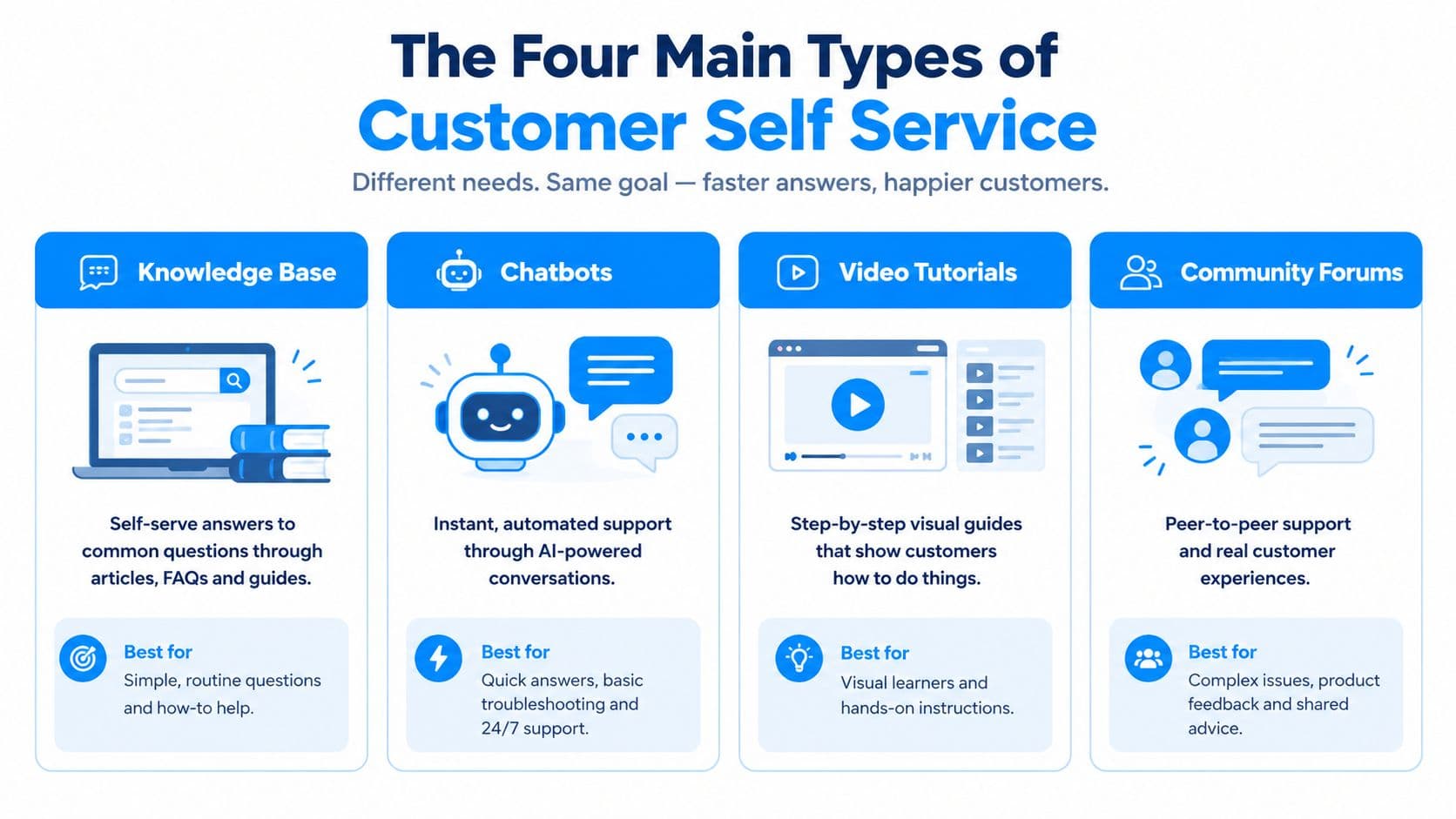
For a broader overview of support formats, compare these customer service types before choosing a channel mix.
Reading Self Service Numbers Without Getting Burned
The self-service industry has a measurement problem. A vendor can advertise 90% deflection while leaving a merchant unable to answer a basic question: did shoppers receive correct answers and complete what they came to do?
Historical benchmarks show why the distinction matters. Gartner reported an average self-service success rate of 14%, while 90% of surveyed customer service and support leaders considered improving that rate a moderate or significant priority.Gartner's self-service customer service overview also reported that only 14% of support issues were fully resolved through self-service, and that even among issues customers called “very simple,” only 36% were completed without human help.
Those figures aren't a promise for any particular Shopify store. They're a warning against treating adoption or avoidance as proof of resolution.
| Claimed Metric | How It's Calculated | What's Missing |
|---|---|---|
| Tickets avoided | No ticket appears after a visit or chat | The shopper may have left without an answer |
| Resolved without escalation | The conversation ends without a human | The answer may be incomplete or incorrect |
| Bot-only session | The assistant was the only support touch | The shopper's purchase, repeat contact, and satisfaction remain unknown |
Ask what “resolved” means
A bot may mark a session resolved when the shopper clicks away. That doesn't prove the shipping answer was right, or that the shopper completed checkout. The denominator matters too. Was the percentage calculated across every chat, or only conversations that matched a preselected intent?
Ask vendors three questions:
- What's the denominator? Include all eligible conversations, not only successful intent matches.
- What qualifies as resolution? Require a meaningful customer action, a satisfaction response, or a verified outcome where appropriate.
- What's the time window? Separate same-session completion from a customer who returns later or contacts support again.
A serious dashboard should connect containment with CSAT, repeat-contact rate, effort, and assisted conversion. The useful question isn't “How many tickets disappeared?” It's “Did the shopper get the right answer, avoid repeating the problem, and move forward?”
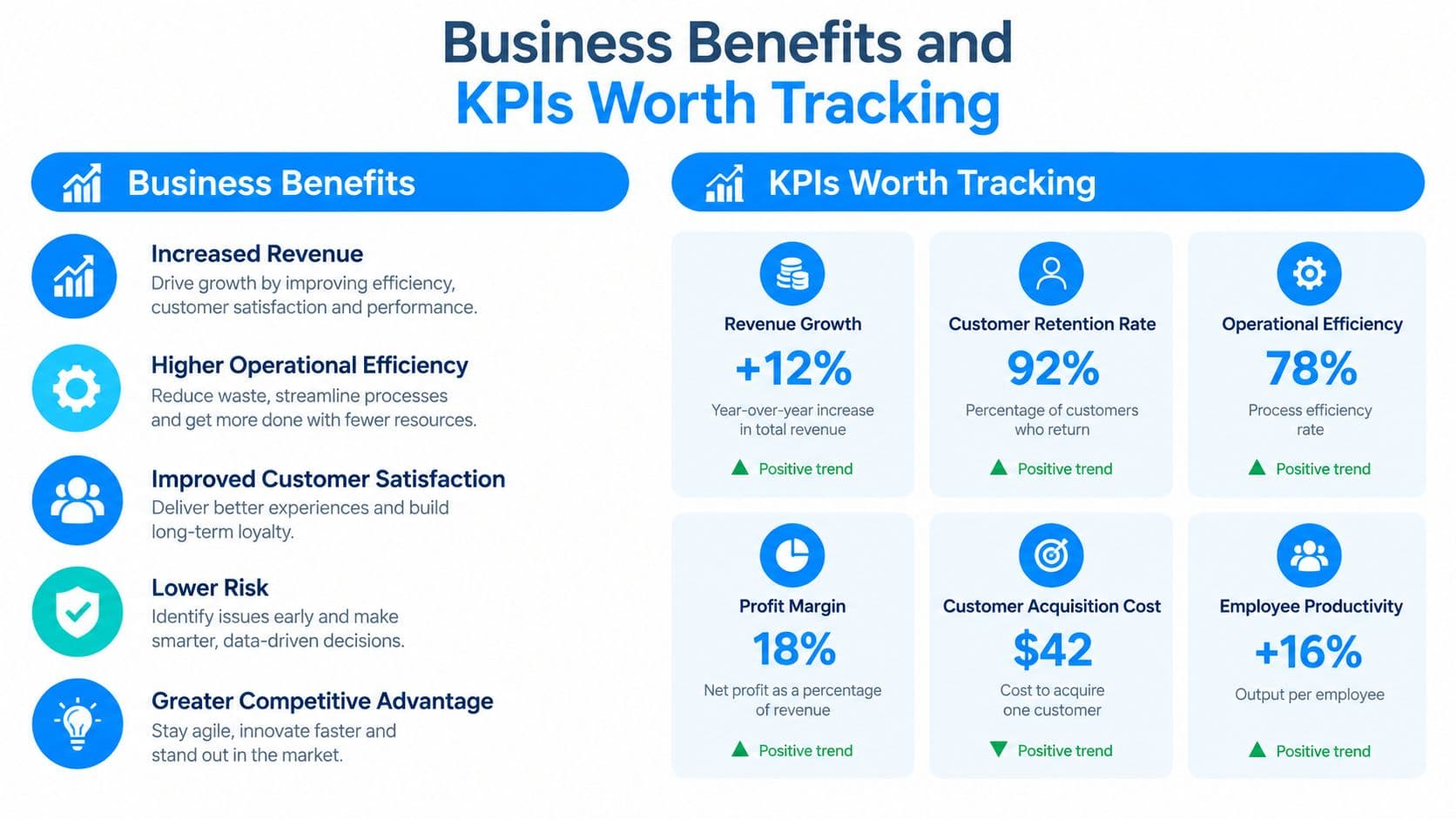
Business Benefits and KPIs Worth Tracking
Self-service can create operational value and commercial value, but the dashboard must show both. A knowledge base can deflect up to 40% of support tickets before they reach an agent, according to ecommerce guidance from Ringly's support-ticket reduction recommendations. That only becomes meaningful when the deflected interaction was resolved rather than abandoned.
The operational layer includes lower ticket volume, faster answers, and more agent capacity for exceptions. Proactive order notifications can help customers follow shipment milestones such as order confirmation, dispatch, out-for-delivery status, delivery, and delay alerts. Those messages address predictable questions before the shopper opens a chat.
Measure efficiency and experience together
Track efficiency with cost per resolution, first-response time, and agent handle time. These show whether automation is changing the workload rather than merely adding another interface.
Then measure the experience:
- Self-service CSAT: Did the customer consider the answer useful?
- Repeat-contact rate: Did the same customer return with the same problem?
- Effort score: Could the shopper find and understand the answer without hunting?
Coveo's research found that 84% of 4,000 consumers put in moderate to high effort to find information online, and more than half identified poor search and discovery as their biggest self-service frustration.Coveo's self-service research That makes search quality a customer-experience metric, not a technical detail.
Tie answers to revenue
Revenue metrics include assisted conversion rate, revenue per chat session, and support-influenced lifetime value. A seven-day click attribution window and a thirty-day view attribution window can provide useful baselines, but a shopper asking “will this arrive by Friday?” and checking out in the same session is a direct attribution event. It proves that the answer did more than reduce cost. It removed a purchase barrier.
A separate Gartner survey found that 55% of service leaders were exploring customer-facing GenAI chatbots by 2025, while only 35% of customers who last interacted by phone were willing to adopt a GenAI digital assistant.Gartner's 2025 survey release Track willingness and outcomes by channel. Business adoption alone doesn't establish customer trust.
A Shopify Implementation Checklist That Ships
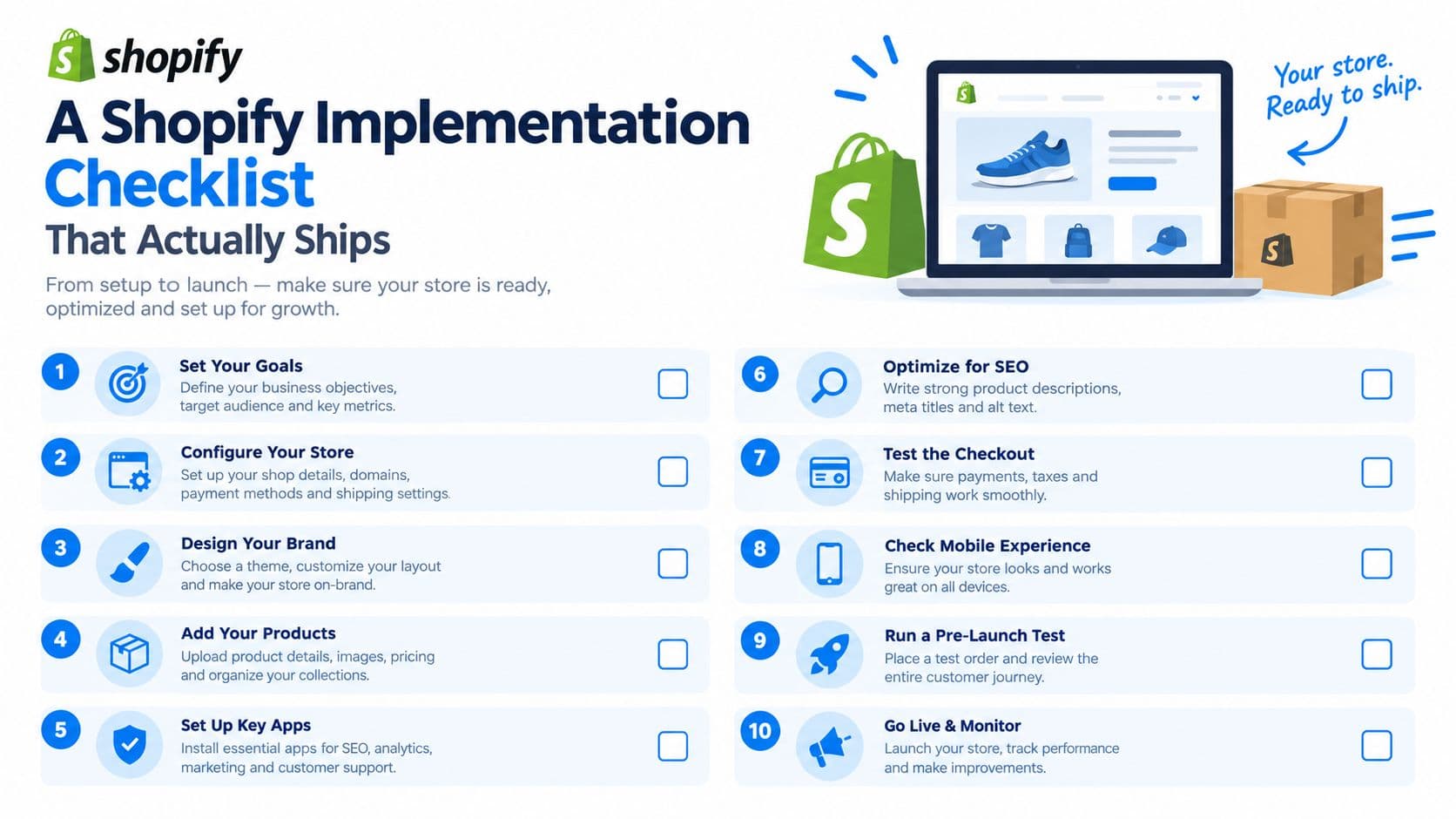
A shopper asks, “Will this arrive by Friday?” If the answer requires a support ticket, a help-center search, or a second visit, the store has already added friction at a buying decision. A Shopify self-service build should start with real conversations and deliver reliable answers inside the path to purchase.
Start with the questions you already receive
Export the last 90 days of support tickets. Use existing conversations instead of guessing. Tag recurring intents such as delivery timing, size, returns, product compatibility, stock, and order status.
Identify the 20 questions that drive 80% of volume. Treat this as a planning target, not a universal benchmark. If your ticket mix does not follow that pattern, use your highest-volume intents and record the difference.
Write source answers before adding automation. Give each answer an owner, a clear policy date, and wording shoppers can understand. Start with shipping, returns, sizing, and product details because these questions often arise before purchase.
Layer the experience
Build a searchable knowledge base. Organize articles around customer tasks, not internal departments. Shoppers should find delivery information without knowing your support taxonomy.
Connect the conversational layer to those articles. Carti, for example, can use a store's catalog, policies, FAQs, shipping details, returns language, sizing rules, product-care information, and warranty content to answer questions and recommend products. Keep these systems on shared source material. When a policy changes, update one source instead of maintaining a separate chatbot script.
Place answers on product pages. Put sizing and material guidance beside product information, and delivery context near shipping details. A corner bubble invites questions, while a context-aware prompt gives shoppers a specific reason to ask.
Add cart and post-purchase entry points. The cart should address delivery, discounts, payment, and total-cost concerns. After purchase, direct shoppers to order tracking, returns, and delay information.
For the technical setup, follow this practical guide on how to add a chatbot to Shopify.
Test the Sunday-evening moment
Type the actual question: “Will this arrive by Friday?” The assistant should use current shipping settings, the cart, and the store's policy. The shopper should receive a useful answer, continue checkout, and avoid loading the help center.
Review failed conversations every week. Turn unanswered questions into content improvements, product-page prompts, or controlled handoffs. Track the question, source used, outcome, and whether the shopper converted. That final field matters because a self-service answer can create revenue, not merely prevent a ticket.
Common Self Service Pitfalls and How to Avoid Them
A keyword-only bot often fails in a way that looks functional in a product demo. The shopper types “shipping,” and the bot returns a link to the shipping page. That isn't an answer. It forces the shopper to repeat the work the bot was supposed to remove.
A stale knowledge base creates a quieter failure. Suppose the store changes its delivery policy on Monday but leaves the old FAQ, chatbot source, and checkout wording untouched. On Sunday, the assistant confidently answers the jacket question using the wrong rule. The merchant may not see the error until the customer requests a refund or contacts support with a screenshot.
Fix the content and the handoff
Audit policies weekly. Shipping cut-offs, return windows, exclusions, and regional conditions change often enough to require a named owner and a repeatable review. Check the source article, product templates, assistant responses, and transactional messages for consistency.
Maintain locale parity. An untranslated or partially translated return policy can make international shoppers doubt the entire store. If a market is supported, keep its core delivery and return information aligned with the primary language.
Set a confidence-threshold handoff. The assistant should escalate when it lacks the required information, encounters an exception, or detects sustained frustration. A human should receive the conversation context so the shopper doesn't have to start over.
Add a clear “still stuck?” action. Give customers a visible route to email, chat with an agent, or request another form of help. Escalation isn't a failure. Trapping someone after automation fails is the failure.
A self-service system earns trust by knowing when it shouldn't answer alone.
For the Sunday-evening shopper, the difference is immediate. A current policy and a precise handoff preserve confidence. A stale article, generic link, or blocked escalation turns a simple delivery question into a preventable support problem.
Self Service as a Sales Channel, Not a Cost Center
The traditional support model asks whether self-service reduced the queue. A Shopify operator needs a broader question: did the interaction help the shopper buy, receive, use, or return the product with less effort?
The Sunday-evening example shows why. The shopper wanted delivery certainty before committing to the jacket. A conversational answer resolved the purchase objection, and the order completed in the same session. Counting only the avoided ticket would capture the operational benefit and miss the commercial result.
| Lens | Primary KPI | Success Signal | Failure Signal |
|---|---|---|---|
| Cost-center view | Deflection or containment | Fewer contacts reach agents | Shoppers leave without resolution |
| Sales-channel view | Assisted conversion and revenue per session | Answers help shoppers complete orders | The assistant answers but doesn't move intent forward |
| Experience view | CSAT, effort, and repeat contact | Customers solve the issue confidently | Customers rephrase, escalate, or contact support again |
Build around purchase questions
“Does this fit?” may require sizing guidance, measurements, and a recommendation. “When does it arrive?” may require shipping rules, destination, inventory, and cut-off timing. These aren't distractions from support. They're decision points that belong close to the product and cart experience.
This framing also changes content priorities. Merchants should use chat transcripts to improve product descriptions, delivery explanations, sizing charts, and return language. The questions that appear repeatedly are signals that the store's pages aren't answering uncertainty at the right moment, even when an FAQ technically contains the information.
Self-service still needs human support for exceptions, judgment, refunds, complaints, and customers who explicitly request an agent. The aim isn't to eliminate human contact. It's to reserve human attention for cases where it adds value, while giving shoppers immediate answers for routine decisions.
Containment is a diagnostic, not a destination. Revenue attribution and customer outcomes tell you whether the channel earns its place in the growth plan. When a saved ticket also becomes a saved sale, self-service stops looking like a support cost and starts behaving like an onsite sales associate.
Carti gives Shopify stores a conversational layer that answers product, shipping, returns, sizing, and FAQ questions while also recommending relevant products and supporting cart recovery. Visit Carti to add an always-available self-service and sales channel to your store, then test it against the Sunday-evening question your shoppers already ask.

Written by
Daniel AndersonFounder of Carti. 10+ years building ecommerce brands in apparel and supplements. Still runs a Shopify store and built Carti to help merchants convert more browsers into buyers.
Ready to boost your store's sales?
Install Carti in 5 minutes and let AI handle customer questions, recommend products, and close sales 24/7.
Start Free Trial14-day free trial