
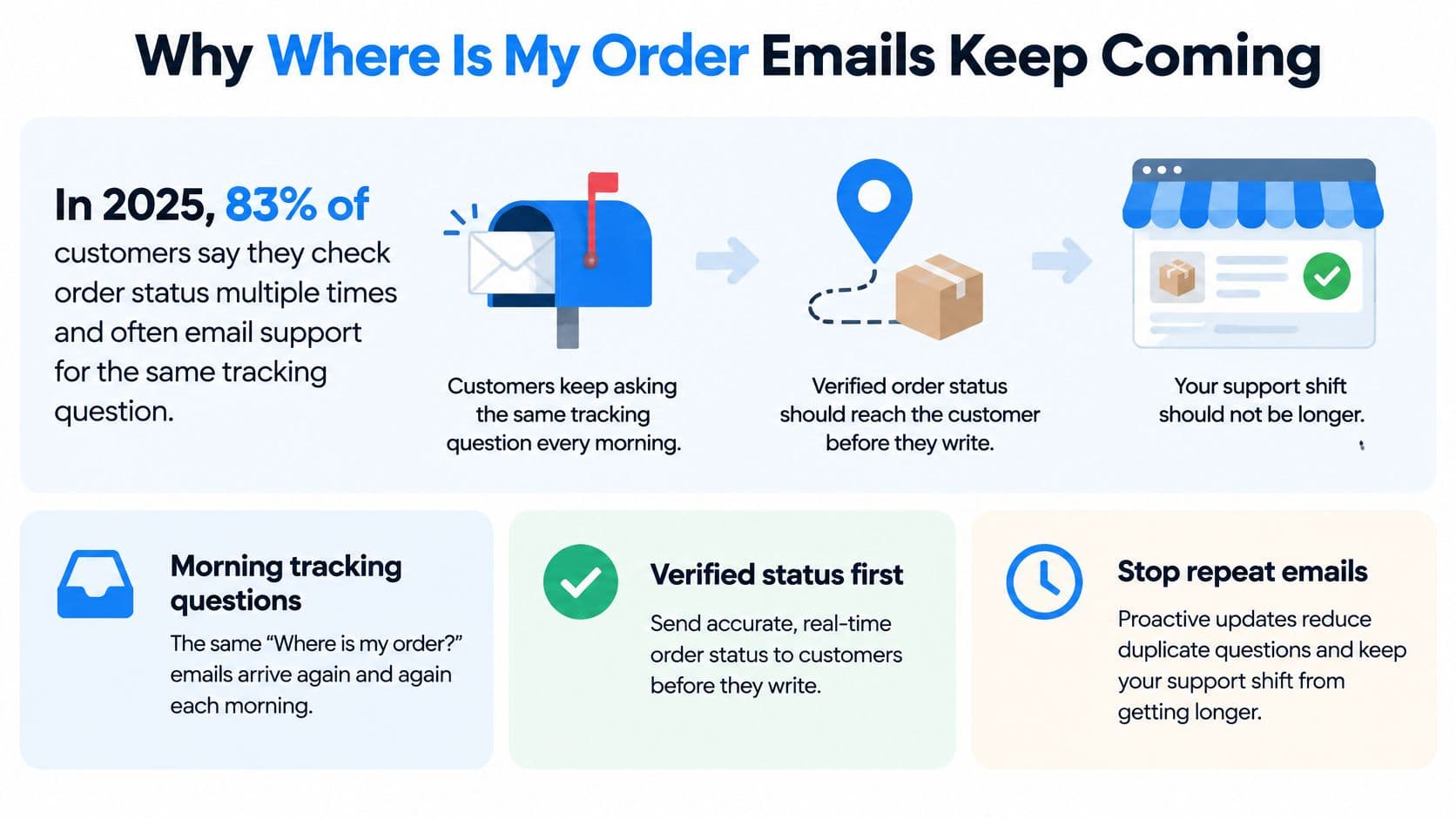
In 2025, 83% of shoppers said regular shipping updates improved their experience, according to Starshipit's Evolving Expectations 2025 report. Reducing order-status emails starts with getting verified information to customers before they need to ask, not with answering the same question faster.
Why Where Is My Order Emails Keep Coming
Say a Shopify store opens its support inbox every morning to another batch of tracking questions. An agent searches each order, opens the carrier website, and pastes the latest status into a reply. The next morning, customers ask again because nothing in their post-purchase experience has changed.
The missing piece usually isn't a longer support shift. It's a tracking number that never reached Shopify, an order-status page customers can't find, or silence after an expected delivery date passes.
Find the information gap
A customer can't tell whether an order is still being packed or already moving if the only message says the purchase succeeded. A shipping email isn't much better when its tracking link opens an empty carrier page.
Support should distinguish between these gaps before choosing another tool.
- Missing fulfillment data: The order has no usable carrier or tracking number.
- Missing access: Tracking exists, but customers can't find the destination.
- Missing explanation: A scan or delivery date changed without a useful update.
Put verified status before conversation
Shopify can surface shipment information through notification emails, the order-status page, and the Shop app when fulfillment records contain valid tracking details, as described in Shopify's order-tracking guide. Chat belongs after that foundation, not in place of it.
An assistant can't recover a tracking number that the warehouse never wrote back to the order.
For stores reviewing the whole customer journey, Next Point Digital's post-purchase guidance for D2C and marketplace brands provides broader context for connecting delivery communication with customer care. A focused shipping-question checklist can also help identify which answers customers should find without contacting support.
The practical answer to how to reduce where is my order emails on Shopify is operational: map the milestones, configure their messages, make tracking easy to reach, and compare tagged contacts against order volume. Some customers will still need help. The objective is fewer preventable conversations, with more attention available for genuine exceptions.
The Milestone Alerts That Stop Status Emails
Shopify alerts that deflect status email
| Stage | Shopify notification | Customer should see | Send when |
|---|---|---|---|
| Order placed | Order confirmation email | Order status link and what happens next | Right after checkout |
| Label created only | None as a shipped message | Do not call this in transit | Hold until the carrier accepts the parcel |
| Fulfilled with tracking | Shipping confirmation | Carrier, tracking number, and status link | Tracking number and carrier are saved |
| In transit | Shipping update | Latest scan time and expected date | A new carrier scan arrives |
| Date changed or delayed | Shipping update or a dedicated exception note | What changed and the next expected event | The promise date moves or the parcel stalls |
| Out for delivery | Out for delivery | That it should arrive today and the status link | Carrier marks out for delivery |
| Delivered | Delivered | Delivery confirmation, then no more routine alerts | Carrier marks delivered |
Shopify's customer-notification documentation identifies shipping confirmation, shipping update, out for delivery, and delivered as distinct notification events, with controls for selected messages. The table is a communication policy, not a claim that every carrier scan automatically produces a native Shopify email.
Keep messages tied to evidence
A row should stay off when its trigger can't be trusted or another system already owns that event. For specialized delay alerts, a logistics integration or custom notification workflow may be necessary.
A shipping confirmation can acknowledge fulfillment with tracking attached. Its wording still needs to reflect custody accurately. If the carrier hasn't accepted the parcel, the message mustn't say the package is moving.
Label creation is not carrier acceptance. Printing a label establishes shipment details, but it doesn't prove that a driver collected the parcel. If fulfillment automatically triggers a shipped message at label creation, adjust the workflow or change the wording before sending it.
A delivery estimate needs similar care. Present it as an expected date, not an unconditional promise, and revise it when better information arrives. If no reliable estimate exists, name the next expected event instead of inventing a date.
Make each message useful
Shipping notifications should answer what changed, when the carrier last reported it, and what the customer should expect next. Include a timestamp with clear local-date or timezone context wherever the integration supplies one.
- Use plain status language: Translate carrier codes into understandable delivery stages.
- Keep the destination consistent: Send customers to the store's status experience rather than scattering them across unrelated carrier pages.
- Handle uncertainty explicitly: Say when tracking hasn't updated instead of implying live movement.
- Close completed journeys: Stop routine shipping alerts after confirmed delivery, while leaving exception support available.
A new scan doesn't always justify another email. Movement through intermediate facilities can be recorded on the status page without generating an inbox notification for every scan.
Date changes deserve more attention because they alter what the customer expects. An exception message should explain the changed expectation and the next action, not just announce a delay.
If an order has no tracking number, template edits won't solve the problem. The fulfillment record needs attention before the notification copy does.
How to Turn On Shopify Order Updates
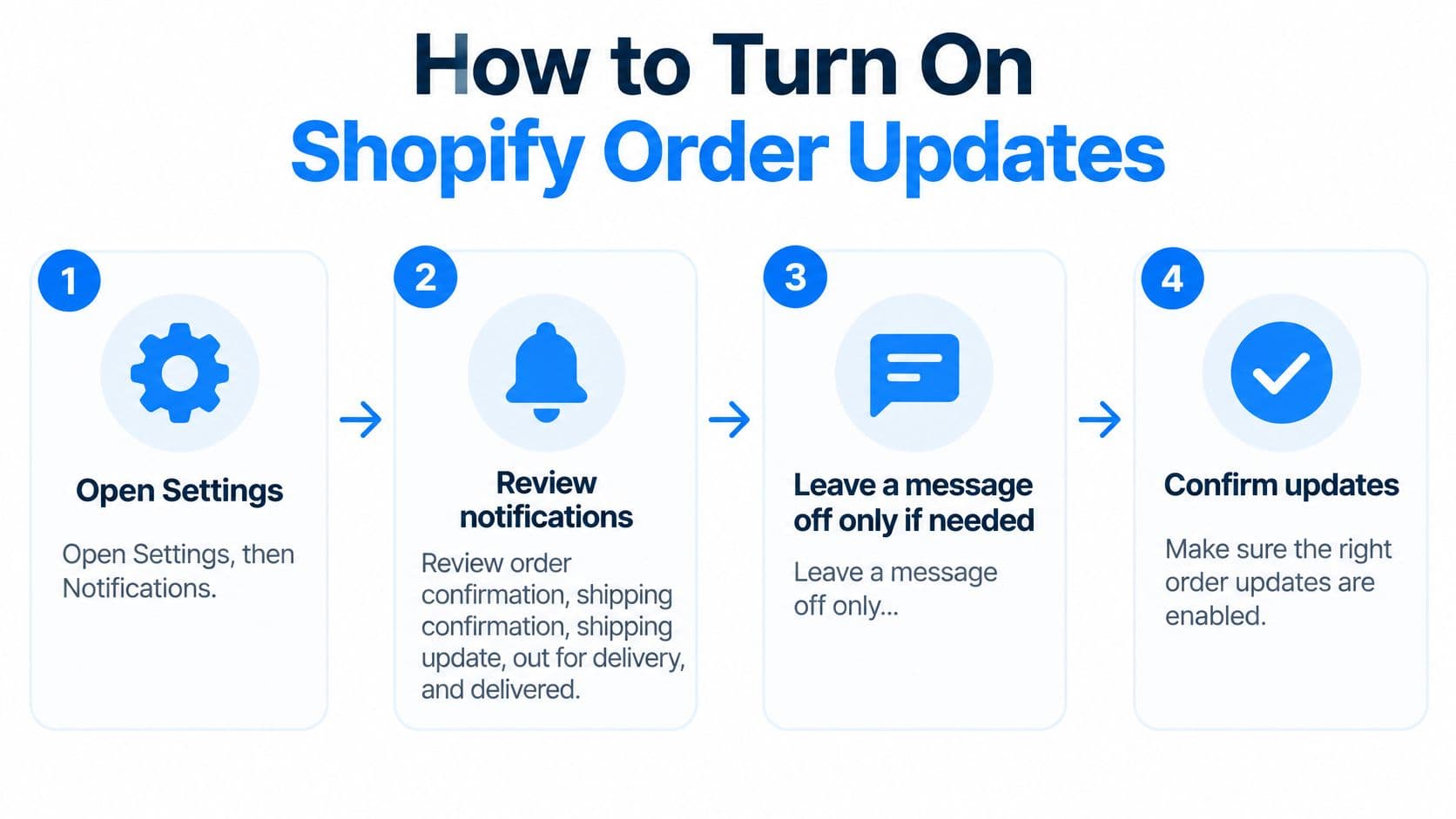
Shopify's notification settings control event-triggered messages rather than requiring staff to compose each update manually. Its notifications guide documents management under Settings > Notifications and template customization with Liquid variables.
Configure the sender and templates
-
Open Settings, then Notifications. Review order confirmation, shipping confirmation, shipping update, out for delivery, and delivered. This prevents an attractive order-confirmation template from hiding gaps later in the journey.
-
Check which system owns each event. Keep the relevant Shopify message active unless another connected system already sends the same milestone. Record that ownership so a later app installation doesn't introduce duplicate notices.
-
Open each template before editing. Preserve the working template, then use the Liquid variables supported by that notification for order details, carrier information, tracking, and the order-status URL. Add conditional text so unavailable details don't leave empty labels or broken sentences.
-
Preview the result with realistic order data. Check the primary tracking button, supporting text, and mobile layout. A preview confirms formatting, but it doesn't prove that a warehouse event will trigger the message.
Test the actual fulfillment path
-
Open a test order and inspect its fulfillment details. Enter a valid tracking number and matching carrier before completing the shipping workflow. A mismatched carrier can produce a useless destination even when the number looks plausible.
-
Follow a controlled shipment through its supported milestones. Check the shipping message, an in-transit update, and delivery confirmation as real events arrive. Template previews alone won't expose missing carrier data or messages sent in the wrong sequence.
-
Open the received links as a customer would. Test on a phone and in the browser used for the purchase. Confirm that the destination shows the correct order rather than a generic tracking form.
-
Check the Shop app experience separately. Treat it as another place customers may receive shipment visibility, not as a reason to remove the email path.
-
Inspect the fulfillment integration. When a third-party logistics provider ships the order, verify that its feed writes the carrier and tracking number back into Shopify. Fix a failed handoff at the integration rather than repeatedly changing the email template.
For merchants preparing a new storefront, Wonderment Apps' guidance to plan your Shopify store launch is useful context for treating fulfillment testing as part of launch readiness, not a task postponed until customers complain.
Save the received test emails and screenshots alongside the configuration date. They establish what customers received when the measurement period began, which is more useful than a screenshot showing only that a setting was enabled.
A Tracking Page Customers Can Find
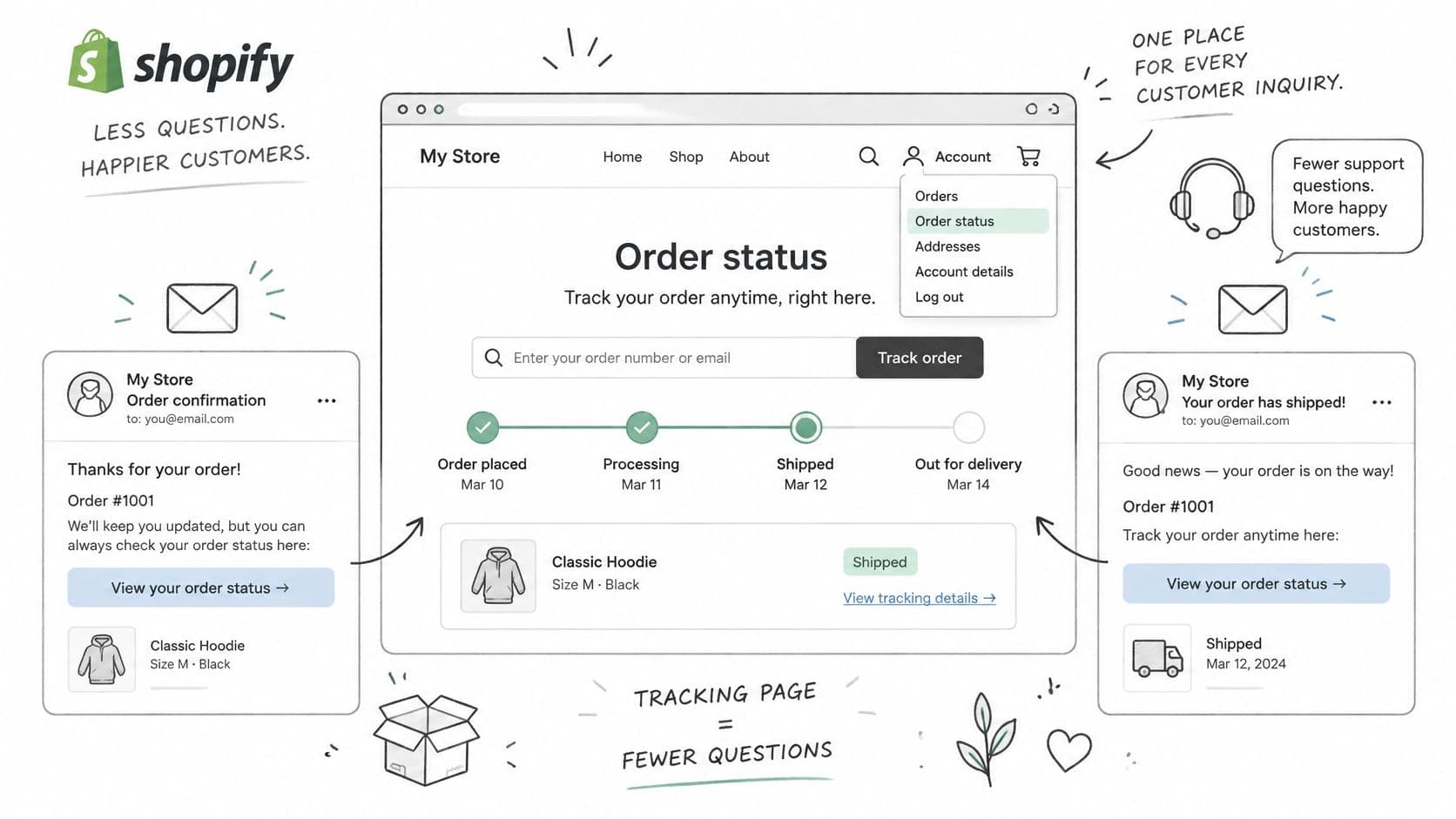
Place an Order status entry in the header or account area, then use the same destination in confirmation and shipping messages. Customers shouldn't have to search a marketing footer or create an account just to locate a shipment.
Guest tracking should accept an order number plus an appropriate matching identifier, such as email or postal code. The lookup must protect order information rather than expose shipment details to anyone who guesses an order number.
Build a readable destination
Keep the tracking experience branded, mobile-friendly, and on the store's domain where the implementation supports it. Put shipment information before recommendations, banners, or newsletter forms.
- Current stage: Use plain phrases such as packed, on the way, out for delivery, and delivered.
- Latest evidence: Display the most recent scan timestamp, with clear date context.
- Expected arrival: Show an estimate only when a usable one exists.
- Exception support: Provide a visible way to contact the team when the parcel needs investigation.
Baymard's self-service UX research treats order-list design, tracking access, guest tracking, and order-status emails as distinct requirements. That distinction matters because a well-designed page can't help customers who never find its entrance.
A carrier website can provide supporting detail, but it shouldn't be the only explanation. Peak Transport's final mile tracking guide offers useful context for the delivery stage where customers need clarity about arrival.
Publish the questions that remain
Where is the tracking link?
The order-confirmation and shipping emails should contain the status destination. According to Shopify's order-status setup guide, customers can access the page from the order-confirmation email for 3 weeks without logging in when using the same browser.
What does label created mean?
Shipment details have been prepared, but carrier possession hasn't been verified. The page should name the next expected scan rather than suggest that a delivery problem has already occurred.
What happens when the expected date moves?
The page should display the latest available estimate and explain any known change. When the carrier hasn't supplied a replacement date, the store should say so and provide the next support step.
What if tracking says delivered but the parcel isn't there?
Customers can check the delivery location and available delivery evidence, but the page must also provide a direct route to a person. Repeatedly sending an affected customer back to the same delivered scan isn't resolution.
The order-tracking feature page provides a focused reference for merchants evaluating an additional conversational access point. The page itself still needs to work without chat.
Add Texts Only For The Same Milestones
In 2025, 56% of consumers preferred receiving order updates by SMS, while only 12% of brands provided updates through that channel, according to Stord's shopping report cited in Shopify's shipping-delays guide. That preference doesn't mean Shopify's native shipping emails automatically have matching text alerts.
Shopify doesn't send order and shipping updates by SMS. Customers entering an email at checkout receive those updates by email, so an SMS delivery workflow requires a separate connected service.
Treat SMS as another delivery channel
Email should remain the milestone record unless another system has deliberately taken ownership. Account-related SMS functionality isn't a substitute for shipment notifications.
| Decision | Practical rule |
|---|---|
| Which events qualify? | Fulfillment with tracking, first carrier scan, date change, delay, out for delivery, and delivered |
| What belongs in the text? | Latest verified status and a link to the store's status page |
| What should stay out? | Unsupported arrival promises, raw carrier codes, and unrelated promotions |
| When should it stop? | After delivery, except for an active support exception |
A text add-on introduces another sender, another event mapping, and another opportunity for conflicting information. It should reuse the same verified milestones rather than maintain an independent interpretation of the parcel's journey.
Test the event connection
For a custom workflow, Shopify webhooks can notify a connected integration about relevant fulfillment changes. Carrier-level events may need to come from the logistics system, so the integration must distinguish Shopify fulfillment from actual carrier movement.
- Check event mapping: Confirm that label creation can't masquerade as carrier acceptance.
- Set suppression rules: Skip a routine text when the matching email already covered the same scan.
- Respect channel permissions: Configure the SMS service's consent and opt-out handling before activation.
- Run the complete test: Receive a test email and, if the SMS service is active, a test text, then open both destinations.
Adding SMS is useful only when it closes an information gap. Repeating an unchanged status through another channel adds noise.
Delay messages may warrant different treatment from ordinary movement updates because they change the customer's plans. Even then, the text and email should agree on the status, estimate, and next step.
Measure Status Mail After 30 Days
Use a 30-day baseline and a 30-day post-change test, following the comparison approach described in Baymard's self-service implementation recommendations. Keep the store's own tagged contact count as the result, rather than importing a vendor's promised reduction.
Separate questions by fulfillment state
Tag every order-status contact using a consistent classification. The support team should apply the same definitions before and after notification changes.
| Contact bucket | What belongs there |
|---|---|
| Pre-shipment | Questions before verified carrier movement |
| In transit | Status requests while the parcel is moving |
| Delayed | Questions after a missed or revised expected arrival |
| Delivered but missing | Carrier delivery confirmation without customer receipt |
| Return-related | Questions about a return shipment or its status |
Narvar's delivery guidance emphasizes proactive exception communication, concise next steps, duplicate suppression, and separate handling for delivered-but-not-received cases. Those practices provide useful test candidates without establishing a guaranteed result for a particular Shopify store.
Compare rates rather than inbox totals
Record WISMO contacts per 100 orders using the contact-rate approach in the same Baymard recommendations. Also record repeat contacts on an order, tracking-page visits, and the share of fulfilled orders with both carrier and tracking details.
A lower raw email count isn't enough. Fewer orders, a different destination mix, or a quieter shipping period can reduce mail without improving communication.
- Match shipment conditions: Compare similar carriers, destinations, shipping methods, and seasonal conditions.
- Separate delayed shipments: Don't let improved on-time delivery conceal ineffective exception messages.
- Inspect repeat questions: A customer asking again may indicate that the first reply didn't explain what happens next.
- Check data completeness: Missing tracking can undermine every notification change at once.
Compare delayed-shipment customers who received an exception note with comparable customers who didn't. Keep the note when recipients contact support less often, and revise or remove it when the groups show no meaningful difference.
A small sample shouldn't support a confident performance claim. If shipment conditions changed sharply or there aren't enough comparable orders, extend observation rather than declaring success.
Hand Leftover Questions to Storefront Chat
Use an initial setup week to establish ownership before handing residual questions to chat. The warehouse owns fulfillment accuracy, the notification workflow owns milestone delivery, and the support team owns exceptions that require investigation.
- Audit open shipments: Resolve missing carrier and tracking fields.
- Verify milestone coverage: Check that the intended sender handles each event.
- Check destinations: Confirm that received messages open the correct status experience.
- Start consistent tagging: Record the change date and classify incoming status questions.
- Define escalation: Decide who handles policy exceptions and delivered parcels customers can't locate.
Give chat a bounded job
Carti is an onsite assistant that can answer shipping-policy and status questions using synchronized order data. Its appropriate role is to explain the latest verified information and the next expected event, while transactional shipping messages remain event-triggered.
When Carti can't confidently answer a shopper, it emails the store's team. That handoff matters more than a fluent answer when the customer needs a missing-parcel investigation or an exception to store policy.
Chat should explain the evidence available, not turn missing evidence into a confident delivery promise.
Carti tracks which questions shoppers ask most, which products receive the most questions, and where drop-offs happen. Those patterns can identify an unclear policy or a tracking entry point that needs attention.
Test answers against the storefront
To install Carti, the merchant installs it from the Shopify App Store, then enables the Carti Sales Assistant app embed in the theme. The assistant remains invisible to customers until that embed is enabled, and the theme change must be saved.
Test the unresolved FAQ cases before relying on the assistant: finding tracking, interpreting a prepared label, explaining a revised date, and reaching a person about a missing delivery. Access guidance should match the published status-page FAQ rather than introduce a different login window.
The practical approach to answering customer questions automatically on Shopify is to automate answers that have dependable inputs. Missing fulfillment information still belongs with the team responsible for supplying it.
Carti offers storefront answers to shipping, returns, and order-status questions, with an email handoff when it can't answer confidently. Visit Carti to evaluate chat for the questions that remain after fulfillment updates and a findable tracking page are working.

Written by
Daniel AndersonFounder of Carti. 10+ years building ecommerce brands in apparel and supplements. Still runs a Shopify store and built Carti to help merchants convert more browsers into buyers.