
A messenger chatbot is an automated assistant that answers shoppers inside Facebook Messenger, Instagram direct messages, WhatsApp or a store's own site chat, using the store's catalog and policies. It can reply at 11 pm on a Sunday, and it can move the conversation to a person the moment a question needs one.
A shopper has a jacket in her cart and one doubt she can't settle from the product page. She messages the store to ask whether it runs small. If the reply comes from the size chart within seconds, she buys. If she types "are you a real person" and gets a scripted answer with no way forward, she closes the tab. That second exchange decides the sale more often than the first.
Merchants compare chatbots on feature lists. Shoppers compare them on whether the conversation feels safe. Channel choice, honest disclosure and a fast route to a human decide whether the chat continues at all, and each one is a decision a store owner makes before a single line of setup happens.
What a Messenger Chatbot Is and Where It Came From
A rain-jacket store has closed for the night. A shopper in another time zone wants to know whether a medium runs small. She also asks if an order placed tonight will ship before the weekend. A chatbot can answer from the size chart and shipping policy, even when the store team is offline. The answer still needs to feel reliable: if the bot cannot confirm something, shoppers should have a clear way to reach a person.
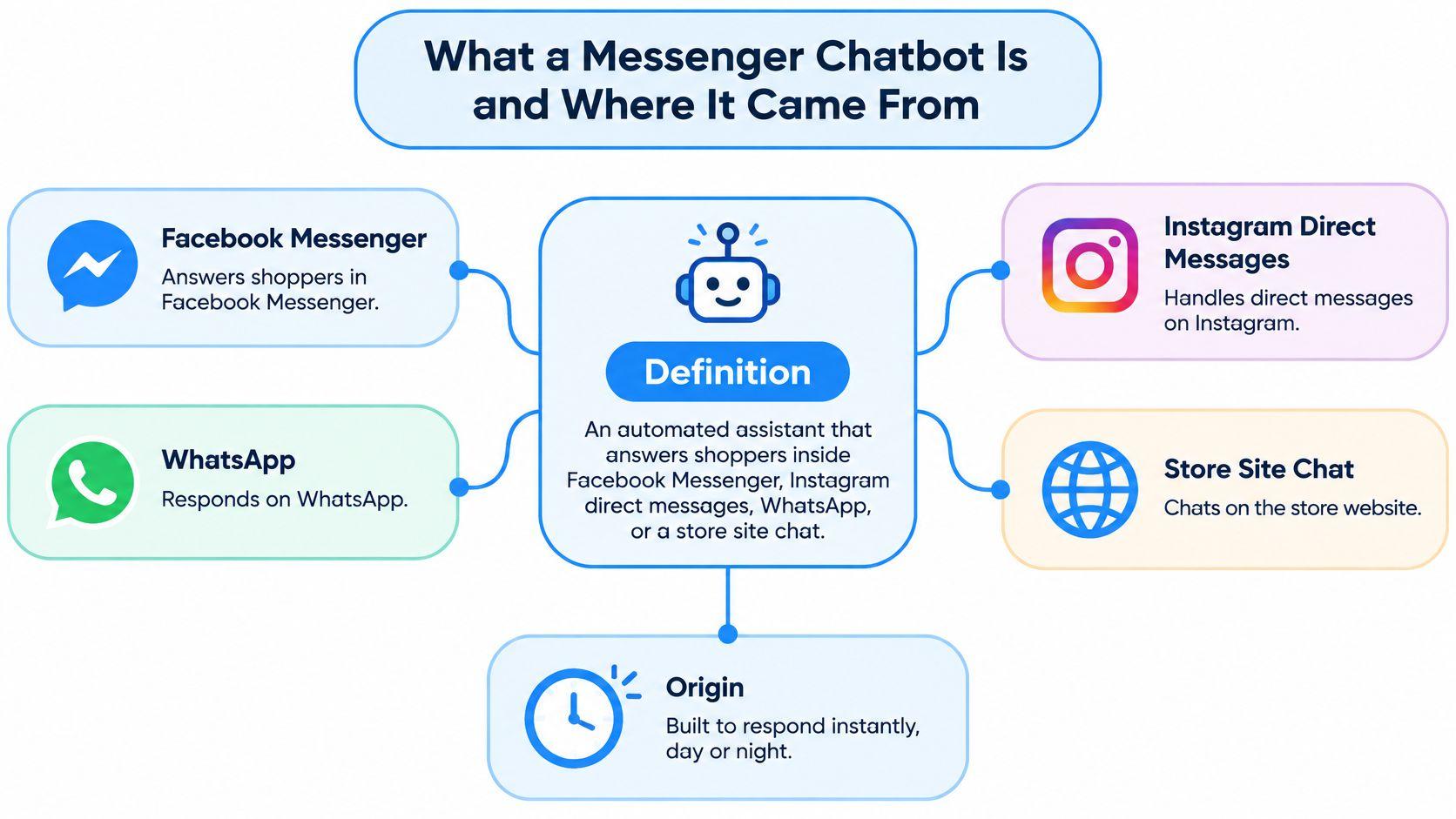
The idea behind chatbots predates the messaging apps stores use today. Joseph Weizenbaum's ELIZA, first published in 1966, matched phrases in a person's message to scripted responses. A Cambridge University Press review of chatbot history traces this pattern into later commercial assistants. ELIZA did not understand language. It recognized cues and returned a prepared response, much like a basic shopping bot that looks up an answer in a size chart.
The idea moved into social messaging in April 2016, when Facebook opened Messenger to third-party developers. That let stores build bots for Messenger and reach its large audience without asking shoppers to install a separate app. The channel made access easier, but it did not guarantee trust. A useful bot still needs accurate information, clear expectations, and a route to a person.
The three parts every messenger chatbot needs
A shopping bot needs an entry point, information it can draw on, and a way to hand off a conversation. If one part is missing, the experience breaks down.
- An entry point. This might be a Facebook Page, an Instagram Professional account, a business number, or a chat widget on a product page. Shoppers need to know where to start the conversation.
- A knowledge source. Product details, size charts, shipping and returns policies, and FAQs give the bot material for its answers. If the catalog or policies are out of date, the bot may give shoppers incorrect information.
- A route to a person. A complaint, a payment problem, or a question the bot cannot resolve should lead to a human. Without that route, shoppers can get stuck repeating themselves.
To check whether a bot's answers are grounded in store information, ask it a few shipping questions in different ways. Then compare its replies with the store's policy page. If the answers conflict, shoppers have reason to doubt the conversation.
Messenger, Instagram, WhatsApp and Site Chat Compared
The table below puts the four common placements side by side. Read it as a fit test, not a ranking, because the right channel is the one where your questions already arrive.
| Channel | Where shoppers reach you | Setup effort | Best for | Watch for |
|---|---|---|---|---|
| Facebook Messenger | Facebook Page inbox | Connect a Page and set up app permissions | Shoppers who already message brands on Facebook | Platform rules on message timing and volume |
| Instagram direct messages | Professional account inbox | Link the account and set up app permissions | Product questions from social-first shoppers | Replies must stay within platform rules and messaging windows |
| Business phone number chat | Verify a business number and prepare templates for outreach | Mobile-first customers who expect a phone conversation | Business-started messages generally need approved templates | |
| On-site chat widget | Chat bubble on product and cart pages | Install in the storefront theme, often without code | Shoppers already browsing and comparing products | Shoppers who leave the page may not return to the chat |
Facebook Messenger has the lowest cold-start problem of the four. If a store already answers questions through a Page, the audience exists before the bot does. The constraint isn't reach, it's discipline. Replies have to respect Meta's messaging window and volume rules, so a bot that fires three follow-ups in an hour will get the Page restricted rather than praised.
Instagram direct messages suit stores whose shoppers screenshot a product and ask "does this come in a large" in the same breath. The account has to be a Professional account, and the same platform rules apply. The upside is context. A shopper messaging from a product post is already interested, so a short answer often finishes the job.
WhatsApp behaves like a phone conversation. Mobile-first customers expect it, and stores selling into markets where WhatsApp is the default messaging app find far less friction there than on a website widget. The catch is proactive outreach. Business-started messages generally need approved templates, so this is a channel for answering, not for surprise campaigns.
On-site chat reaches the shopper who is comparing two items right now, with her cursor over the size selector. That timing is hard to beat. The limit is attachment. Once she closes the tab, she may never reopen the bubble, so a chat that ends without an email or a captured question loses the thread.
A bot on one channel doesn't cover the others. Before choosing, answer three questions. Where do customers already message you? Which channel brings in the most questions each week? Who reads that inbox every day?
Practical rule: count the last 50 customer questions by channel, then start the first test on the channel with the highest count. A second channel can wait until the first one answers cleanly.
Which Shoppers Will Use a Messenger Chatbot
Acceptance isn't one number, and treating it as one is the most common planning error. The 2025 customer communications survey published by the Institute for Public Relations found that 72% of Gen Z consumers were open to AI customer support, compared with 20% of Baby Boomers. A store whose buyers skew older shouldn't assume chat replaces email or phone. It probably won't.
The same survey shows where caution sits on the business side. Organizational leaders named data privacy and security (46%), accuracy and reliability (39%) and consumer trust (34%) as their leading concerns about AI communications. Research across 12 countries cited in the same review found that only about 5% of consumers chose an AI chatbot as their preferred support option, while 22% preferred live chat with a human. Gen Z and millennial shoppers were more likely than older groups to use Messenger or WhatsApp for support at all.
The US messaging picture adds the part that matters for channel choice. Research published by Webex on the state of messaging found that 54% of consumers dislike messaging brands because they don't trust they're talking to a real person, and 77% would not trust messages from unverified companies. Yet 82% still want the option to reach a human when they need one, and 72% would accept a chatbot if it worked and delivered an immediate response.
Read together, those figures describe uncertainty rather than resistance. Shoppers aren't refusing automation. They're refusing to guess who's on the other end.
Matching the first channel to the buyer
A fashion store with a young Instagram audience can start in direct messages and expect a fair hearing. A home goods store selling to buyers in their sixties should treat chat as a helper on the product page and keep a visible email path beside it. Same technology, different job.
If the order data carries buyer age or region, sort the last 30 orders and look at where the volume sits. Match the first channel to the group most open to chat, then let the other groups keep the channel they already trust.
How a Messenger Chatbot Answers a Shopper
A shopper is looking at a dress at 9 pm on a Sunday and wants to know whether it runs small. Here is what happens between her question and her answer.
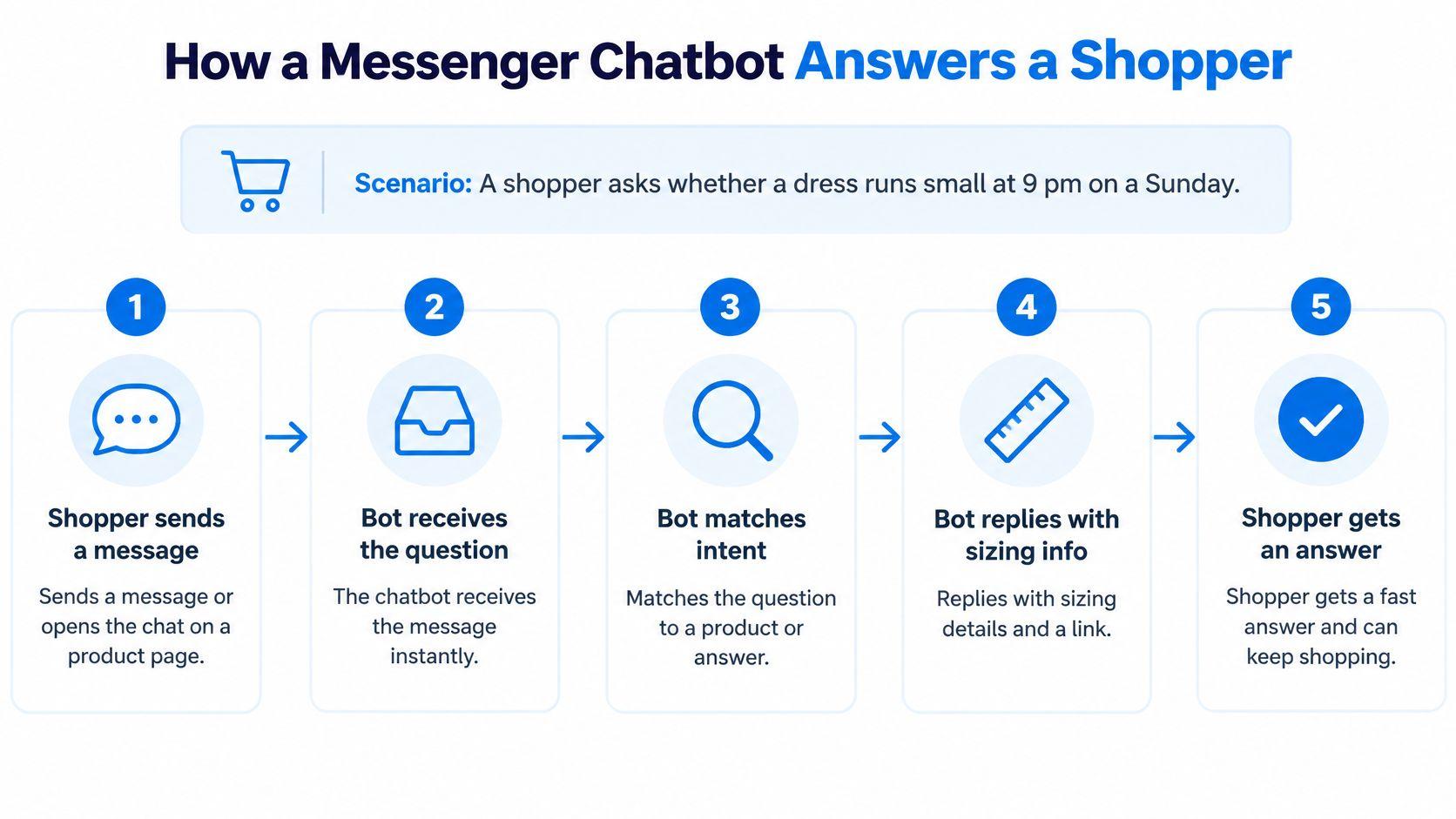
- The shopper starts the conversation. She sends a direct message or opens the widget on the product page. Where she types changes which platform rules apply, not the work the bot does.
- The platform hands the message over as an event. Meta sends a real-time webhook notification when someone messages a Page or an Instagram Professional account, so the bot doesn't need to keep checking for new messages, as Meta's Messenger Platform documentation explains. Polling instead of listening wastes requests and eats rate limits during exactly the busy periods when the store needs headroom.
- The bot classifies the question. Product fit, shipping, returns, order status or something else. Misclassification is the most common cause of a confident wrong answer, so a bot that isn't sure should ask one clarifying question rather than guess.
- It searches the store's own material. The catalog, the size chart, the policy pages and past tickets, then it drafts a reply in the brand's voice, short enough to read on a phone.
- It escalates when the answer isn't there. Payment disputes, complaints and repeated questions go to a person with the transcript attached, so the shopper doesn't have to explain herself twice.
- The exchange is logged. Weekly review turns transcripts into fixes: a missing size line, an unclear return window, a shipping table nobody has updated since spring.
Why the first reply carries so much weight
Speed sets the expectation before the answer does. A worldwide Salesforce survey of 14,300 consumers and business buyers found that 71% of customers expect companies to communicate with them in real time. That expectation turns a Sunday night sizing question into a test of the store's service, and a reply that arrives Tuesday reads as a failure regardless of how accurate it is.
Accuracy still matters more than speed, and the platform rules push in the same direction. Messaging channels reward short text answers over long, media-heavy ones, which is convenient, because a two-sentence reply pulled from the size chart is easier to trust than a paragraph.
Write down the five questions your inbox receives most often, then map each one to a step above. Any question that has no clear step is the first gap to fix.
Where Messenger Chatbots Pay Off for Shopify Stores
Cart abandonment sets the scale. Baymard Institute reports that roughly 70% of online shopping carts are abandoned before purchase, based on an unweighted average of 50 studies published from 2006 through 2025 (Baymard Institute cart abandonment research). Plenty of those exits are price decisions nobody can talk a shopper out of. Many others are unanswered questions about shipping cost, delivery timing, payment trust, account requirements or the returns policy.
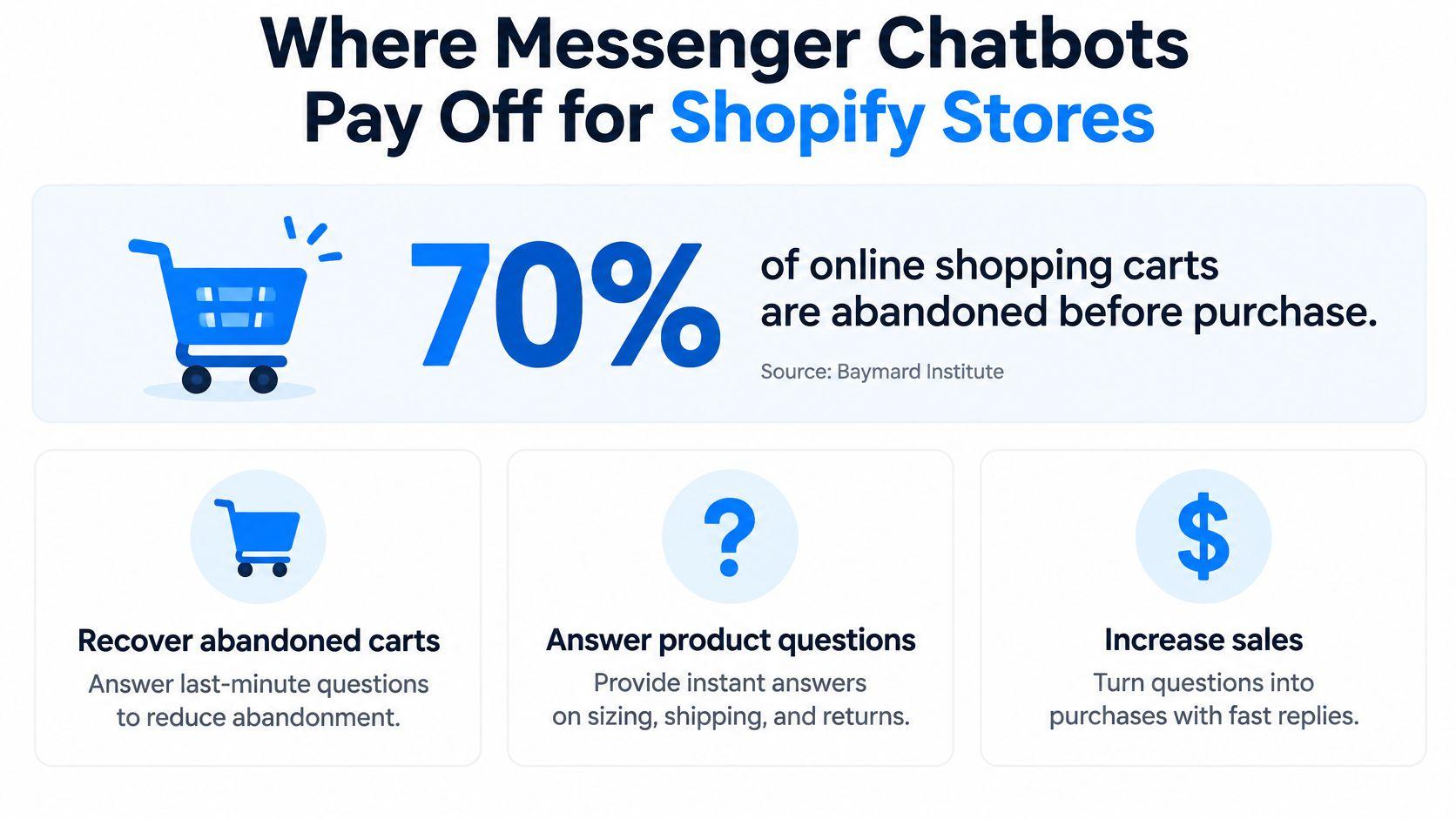
That's the gap a messenger chatbot addresses, and it shows up in three places.
- Conversion on the product page. A shopper weighing two sizes gets an answer in the moment and stays. Without it, she opens a new tab to compare, and the store loses the decision to whoever answers first.
- Cart recovery. A chat that opens when a shopper hesitates at checkout can answer the one question blocking the sale, whether that's a customs fee, a delivery date or a return window.
- Support outside business hours. A question at midnight gets an answer instead of waiting until Monday. For stores selling across time zones, that's most of the week.
The distinction between a support bot and a sales bot matters more than most merchants expect. A support bot waits for a ticket and closes it. A sales bot answers pre-purchase questions and recommends from the catalog, which means it needs product attributes, not just policy text. A store that loads only its FAQ gets an efficient policy reader and very little else.
A bot that says "here's our returns policy" twice a day isn't selling. A bot that says "that jacket runs about half a size small, and the medium is in stock in navy" is.
Pull the top three reasons shoppers abandon carts at your store, from analytics or from the support inbox, and write the answer you'd give each one in two sentences. That document becomes the first content you load.
How to Set Up, Train and Localize Your Chatbot
Setup follows a fixed order, and skipping a step usually shows up as a wrong answer two weeks later.
- Connect the channel and confirm the business details. Shoppers see a Page name or a verified number before they see a reply. An unverified identity undercuts every answer that follows, so finish verification first.
- Load the catalog, size charts, shipping and returns policies, and FAQs. Answers can only come from visible material. If a policy lives only in a PDF nobody has opened since 2023, the bot will invent a version of it. The same logic applies to auto replies set outside the bot, which is why the Facebook Messenger auto reply setup walkthrough is worth reading before you duplicate work.
- Write brand voice rules. Tone, forbidden promises and a sign-off. "We can't confirm a delivery date we don't control" belongs in that document, because a bot without limits will promise one.
- Test 30 real questions from past tickets. Not invented questions. Real ones, with the typos left in. Fix every vague or wrong answer before launch, because the first ten shoppers set the reputation.
- Set answer scope. Decide which topics the bot handles alone, such as sizing and shipping, and which go straight to a person, such as payment disputes and damaged-goods complaints.
- Plan languages. Start with the two languages that bring in most orders. Have a native speaker check translated policy terms, and confirm currency and measurement units for each market, because a size chart in inches read by a shopper expecting centimeters creates returns.
- Review transcripts every week. Correct wrong answers at the source, then update the policy or product page so the fix sticks.
The first month is a training period, not a finished product. A trained bot looks unremarkable in the best way: short replies that match the published policy, a visible route to a person, and no promises the store can't keep.
Trust, Privacy and the Mistakes That Lose Shoppers
Trust is built in the first message. Disclose the automation there, show a verified Page or business number, and name how to reach a person. Shoppers who know what they're talking to stop testing the bot and start using it.
The three-way routing rule
Every incoming message gets one of three decisions.
- Answer now when the policy is clear, such as a published shipping cost or a listed return window.
- Ask one clarifying question when the request is ambiguous, such as which order number or which product variant.
- Route to a person for complaints, payment issues, sensitive purchases, or the same question asked twice.
That third trigger is the one merchants leave out. A shopper repeating a question isn't confused, she's dissatisfied, and a second automated answer makes it worse.
Privacy in three checks
Collect only what the answer needs, and ask for marketing consent before adding an email or SMS contact to a list. State how long chat records are kept, in the privacy policy rather than in a footnote. Stores selling into Europe have a further layer to work through, and the guide to GDPR compliance for e-commerce covers the consent and retention questions that come up first.
Mistakes that repeat across stores
- Promising a discount or delivery date the bot can't verify. Limit offers to published policies, and let the bot say it will check rather than improvise.
- Hiding the human route. Put it in the first reply, not behind two menu taps.
- Answering in one language for a multilingual market. Match the buyer's language or hand over immediately.
- Letting catalog data sit stale. Refresh product data on a fixed day each month, not when someone notices.
- Collecting contacts without consent. Stop the flow until consent is stored against the contact, because a list built on implied permission damages the domain and the brand together.
Choose One Channel and Measure It for 30 Days
Pick one channel from the comparison table and run it for 30 days before adding a second. One channel produces a readable result. Four channels at once produce four half-answers and no decision.
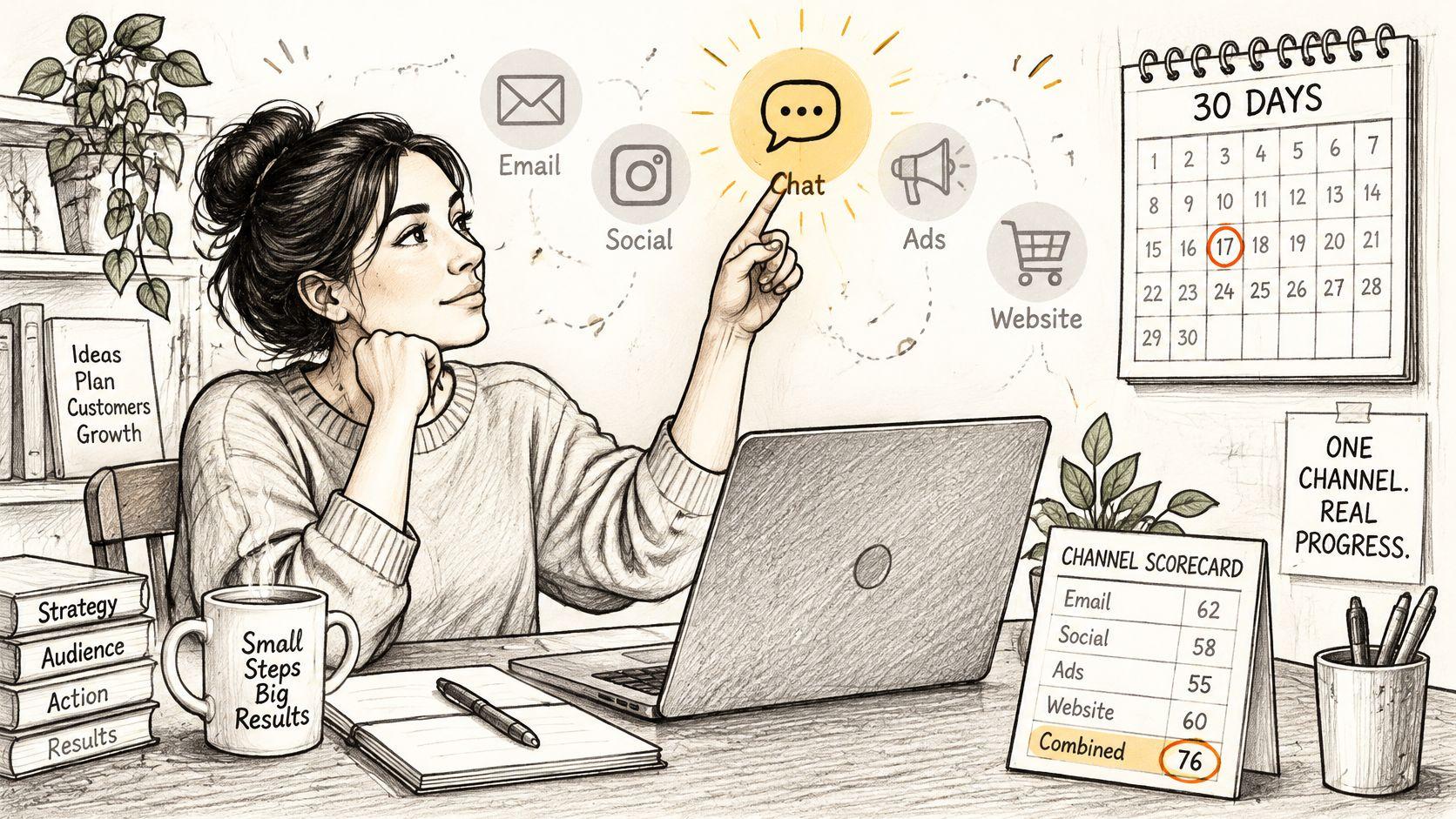
The table below is the whole scorecard. Score any tool on these seven, including the one already installed.
| KPI | What It Shows | Warning Sign |
|---|---|---|
| Response rate | Share of chats the bot answers | Many chats that get no reply at all |
| Average reply speed | How fast the first answer lands | Slow replies during peak hours |
| Messages per session | Depth of each conversation | Long threads that end without an answer or sale |
| Shopper-started versus trigger-started chats | Whether shoppers ask or the bot interrupts | Trigger chats rising while shopper questions fall |
| Unresolved-question rate | Questions the bot could not answer | The same question appearing every week |
| Human handoff rate | How often a person takes over | Handoffs above what staff can handle |
| Customer re-contact rate | Shoppers who return with the same issue | Quick replies that still need a follow-up |
Read the rows in pairs rather than one at a time. A fast reply followed by a repeat question means the answer was wrong, not helpful. Trigger chats climbing while shopper-started chats fall means the bot is interrupting a store that had no demand problem.
Pace proactive messages separately from reactive support. Meta's Messenger Platform rate-limiting documentation warns that sending more than 40 messages per second, or sustaining high activity across many simultaneous conversations, can temporarily stop new messages from appearing in the Page Inbox. A launch or a flash sale is the worst possible moment to discover that.
Three actions carry the test. Set a baseline in week one for reply speed and unresolved questions. Review those unresolved questions every Friday and fix the source policy or product data. At the end of the month, compare cart outcomes for shoppers who chatted with shoppers who didn't, using the same window and the same attribution rules documented in this guide to revenue attribution.
Carti is one option to score against those seven metrics, with no ranking implied. It's an AI shopping assistant for Shopify with plans Free (50 AI conversations a month), Starter at $49 (250), Growth at $99 (600) and Scale at $249 (1,750), and paid plans include a 14-day free trial. Plan details sit on Carti's site.
Carti answers pre-purchase questions from a store's own catalog and policies, replies inside Instagram and Facebook Messenger, and moves a conversation to a person when a shopper needs one, which is exactly the work the 30-day test measures. A store can start on the Free plan with 50 AI conversations a month, or use the 14-day trial on a paid plan to put reply speed, unresolved questions and handoff rate against real traffic before deciding. Visit Carti to see the plans and run the test on one channel first.

Written by
Daniel AndersonFounder of Carti. 10+ years building ecommerce brands in apparel and supplements. Still runs a Shopify store and built Carti to help merchants convert more browsers into buyers.