
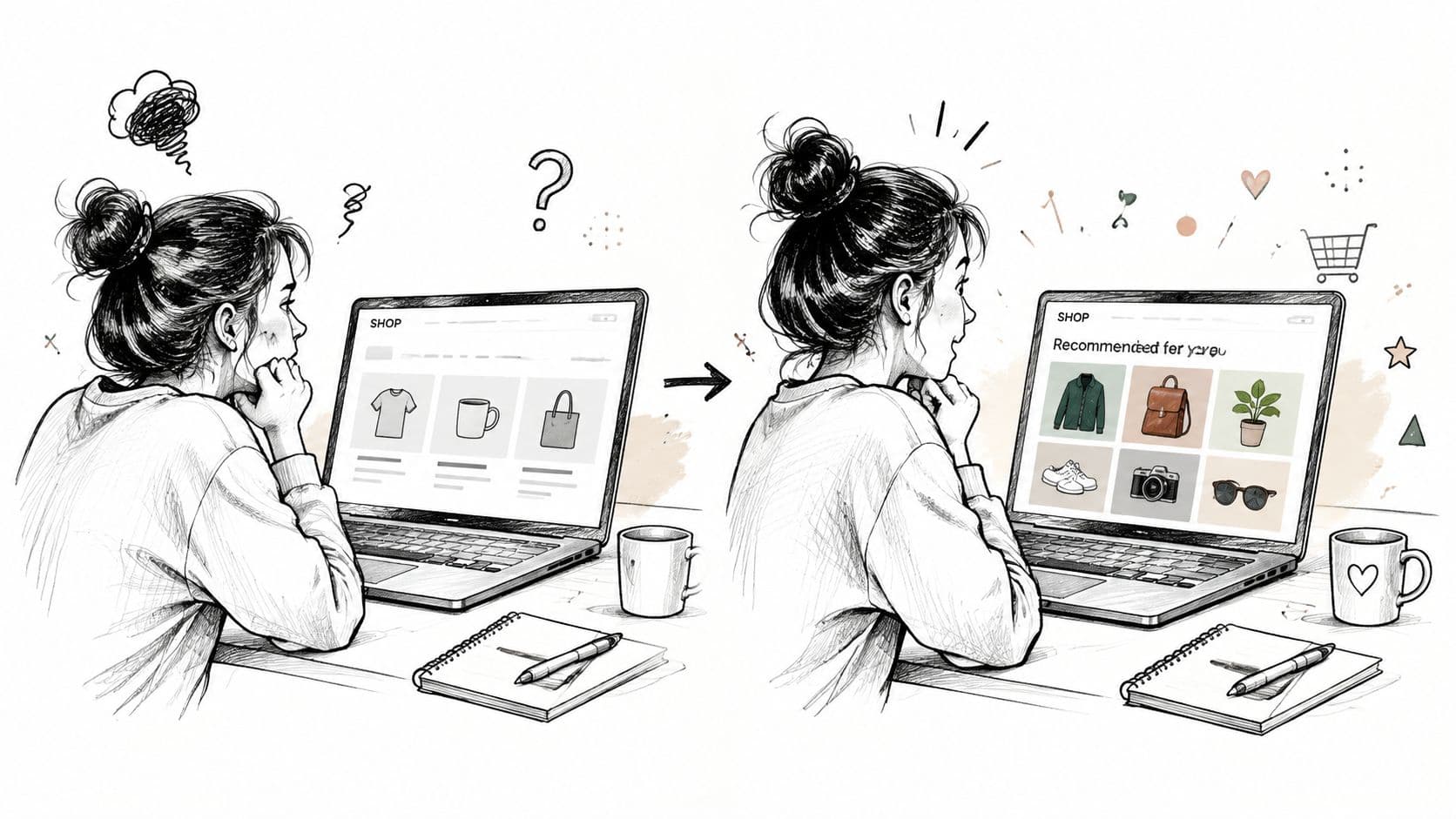
A shopper lands on your Shopify store, opens three products, checks a size guide, and leaves. The products may be excellent, but the storefront gave that visitor no reason to believe it understood what they needed. They saw the same hero banner, product order, recommendations, and chat prompts as everyone else.
That's the problem a personalized shopping experience should solve. Done well, personalization removes irrelevant choices and helps shoppers move from uncertainty to a confident purchase. Done badly, it feels like surveillance, creates awkward recommendations, or lets automation act without permission. The strongest Shopify implementations improve relevance while making the shopper's control obvious.
"Why Generic Stores Lose Shoppers and What Personalization Actually Changes"
A generic store treats every visit as a blank session. It may know that a visitor viewed a product, added an item to a cart, or returned after browsing, but the experience still serves the same content and the same sales prompts. The shopper has to repeat their intent through filters, searches, and product comparisons.
Personalization changes the storefront's job. Instead of presenting the entire catalog with equal emphasis, it uses signals such as browse history, cart activity, past purchases, product attributes, and stated preferences to reduce friction. A returning customer can find replenishment products quickly. A first-time visitor can get guided discovery. Someone comparing two products can receive answers that address fit, compatibility, or use case rather than another generic promotion.
The commercial case is strong. McKinsey's personalization research found that 71% of consumers expect personalized interactions, while 76% feel frustrated when those interactions don't happen. The same source reports that 44% of consumers in 2017 said a personalized digital shopping experience would make them repeat buyers, rising to 56% by 2023. Personalization has moved from an optional marketing layer to part of the expected ecommerce experience.
Relevance affects more than the first order
Relevant recommendations can change what shoppers notice, compare, and add. Benchmark research from Netcore's ecommerce personalization report reports an average 45% increase in retailer conversion rates with personalization. The same report summarizes that 80% of consumers are more likely to buy when brands personalize the experience, and 89% of marketers report positive ROI from personalization.
Those results don't mean every Shopify store should install every personalization feature. A recommendation block can't rescue poor product data, slow pages, unclear shipping information, or weak merchandising. It also shouldn't replace a useful default experience for visitors who haven't shared enough information to justify a customized intervention.
Practical rule: Personalize the decision a shopper is trying to make, not every visible element on the page.
Trust sets the boundary. YouGov's retail AI research reports that 83% of Americans want personalized shopping experiences, but only 26% trust AI in retail. Trust is even lower for autonomous actions such as order placement and customer-service handling. A useful system recommends, explains, and asks before it acts. It doesn't infer sensitive preferences or create pressure through unexplained targeting.
"Laying the Strategic Foundation Before Adding Tools"
The first personalization decision isn't which Shopify app to install. It's what you want the experience to accomplish. “Personalized” might mean product recommendations for a broad catalog, guided product discovery for a technical category, replenishment reminders for consumables, or customized content for different shopper intents. Those are different jobs, and each requires different data and measurement.
Start with a short audit.
Define the commercial job
Choose one primary outcome for the first implementation. Conversion is a reasonable choice for a store with strong traffic but weak product discovery. Average order value may matter more when shoppers commonly buy complementary items. Repeat purchase behavior deserves priority for products with a natural replenishment cycle.
Write the decision in operational language: “Help shoppers choose the right running shoe,” or “Show relevant accessories after a customer selects a camera.” This keeps the system focused and makes bad recommendations easier to diagnose.
Map usable shopper signals
Separate explicit information from observed behavior. Explicit information includes a preference quiz answer, selected size, budget range, or stated use case. Behavioral signals include viewed products, searches, collection visits, cart additions, and completed orders.
Use the strongest signal available for each decision. A shopper who explicitly selects “fragrance-free” has provided a clearer preference than someone who briefly visits a skincare collection. A recent cart addition may matter more than an old product view. Build rules for recency, confidence, and opt-out behavior before asking an algorithm to rank products.
Audit the catalog and events
Personalization can only be as accurate as the information behind it. Check whether product titles, descriptions, variants, tags, collections, availability, compatibility details, and images follow consistent conventions. If one product uses “blue” and another uses “navy” for the same attribute, a recommendation engine may struggle to understand the relationship.
Then verify event tracking. At minimum, your team should know whether the system captures product views, searches, recommendation impressions, recommendation clicks, cart additions, purchases, and returns. Tie each event to a clear action so your team can distinguish interest from noise.
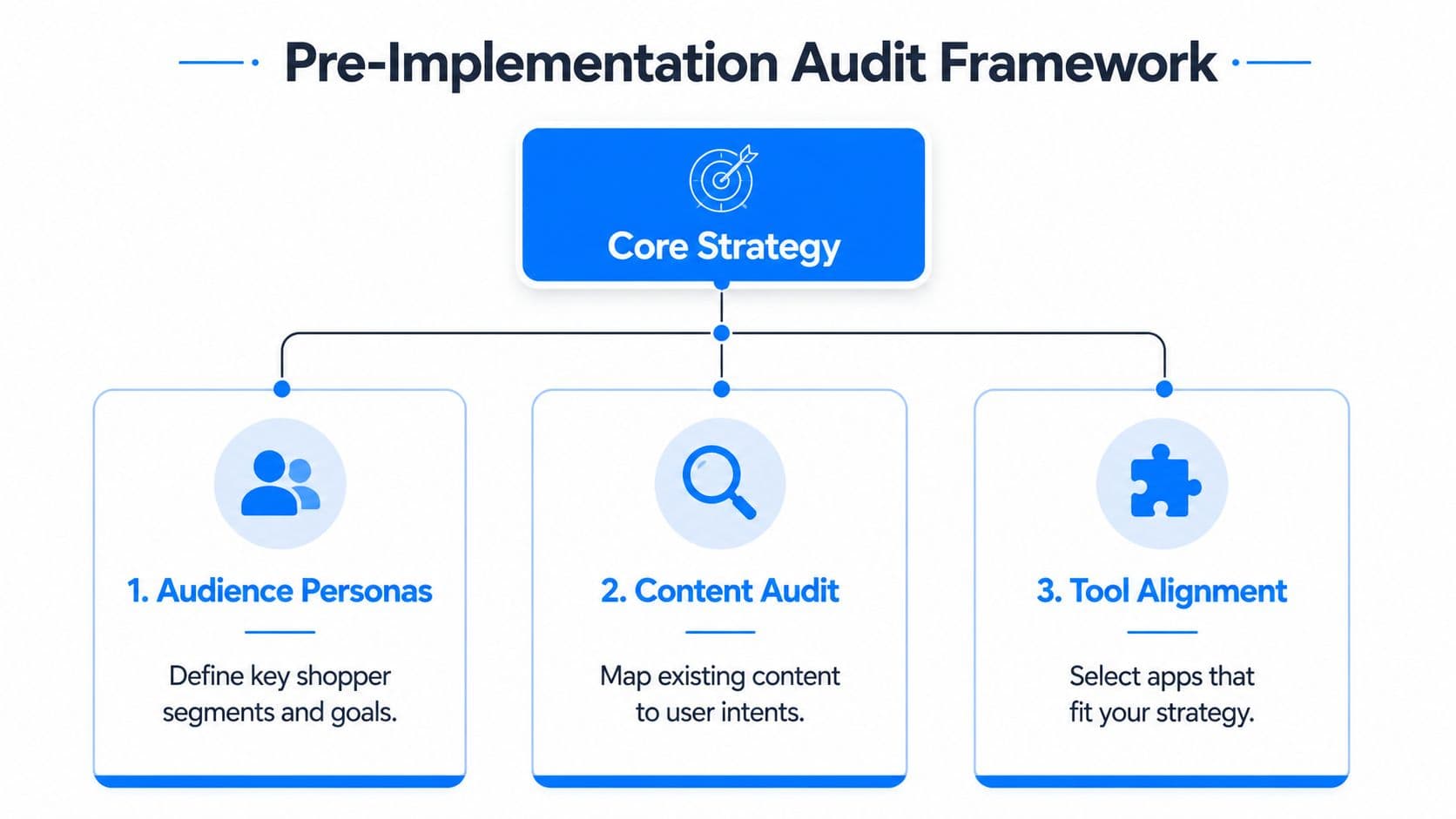
Use this checklist before scaling:
- Goal: Choose one business outcome and one shopper problem.
- Segments: Define meaningful groups based on intent, lifecycle, or product need.
- Data: Confirm that catalog attributes and customer signals are reliable.
- Boundaries: Decide what the system may recommend and what requires consent.
- Baseline: Record performance for the existing generic experience.
- Review process: Assign someone to inspect poor recommendations and update merchandising rules.
A store with limited behavioral history should begin with content-based recommendations, such as products sharing category, material, compatibility, or use case. A larger catalog with reliable interaction data can test collaborative or hybrid approaches later. More sophistication won't compensate for unclear goals or inconsistent source data.
"Implementing AI Chat for Real-Time Personalized Engagement"
AI chat works best when it answers a concrete shopping question at the moment that question appears. A visitor may ask which moisturizer suits sensitive skin, whether a jacket runs small, or which cable works with a specific device. A static FAQ can contain the answer, but a conversational assistant can connect the answer to relevant products and guide the next step.
For Shopify merchants, Carti can be installed with a five-minute, no-code setup and can learn a store's catalog, policies, and FAQs without manual configuration. It supports responses in 92 languages, which is useful for stores serving multilingual audiences. The practical advantage isn't the chat bubble itself. It's the connection between accurate store information and a shopper's immediate intent.
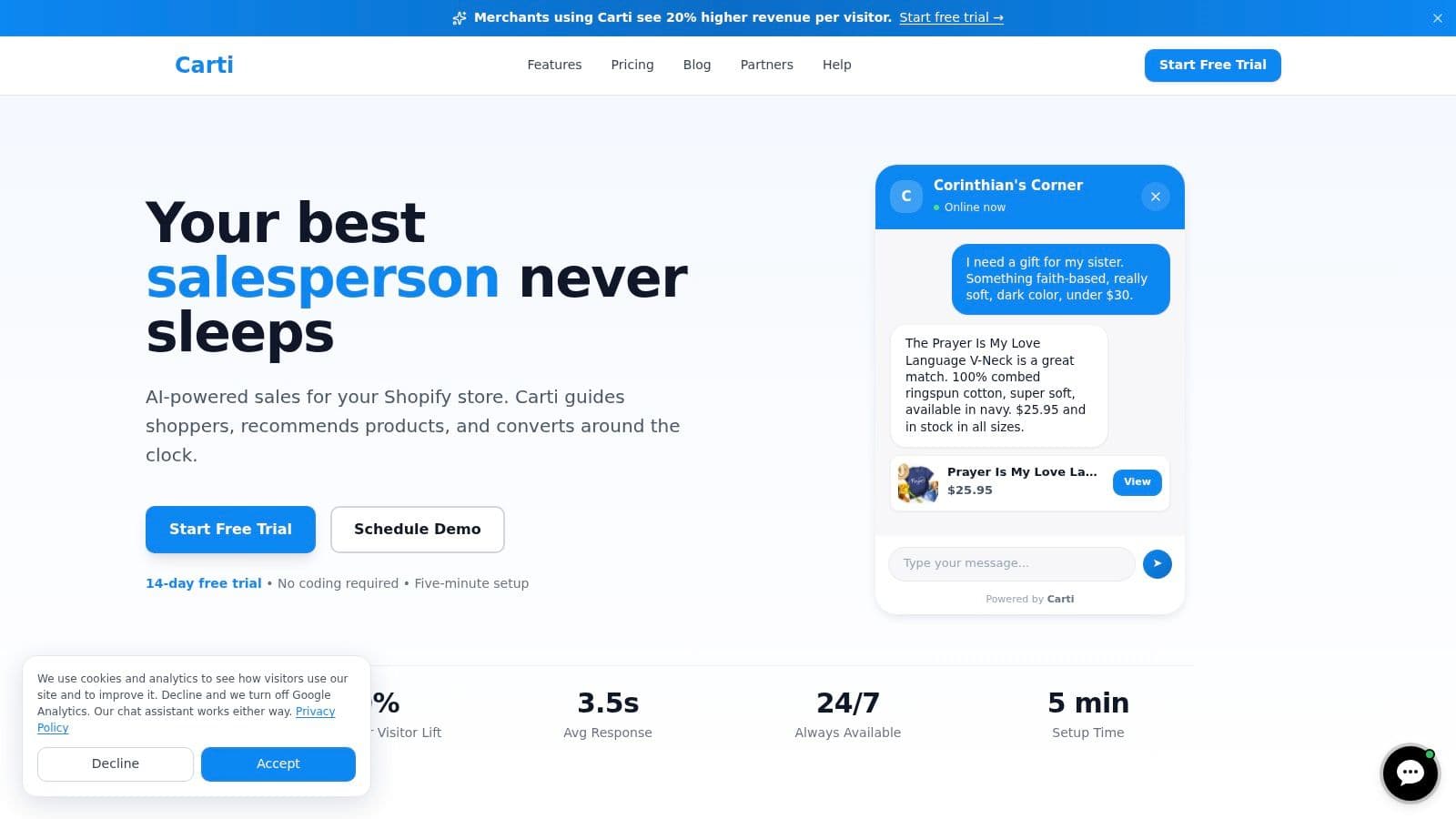
I'd configure the assistant in this order:
- Catalog context: Confirm that variants, stock status, dimensions, ingredients, and compatibility details are available and current.
- Policy accuracy: Review shipping, returns, exchanges, and warranty answers. An engaging assistant that gives incorrect policy information creates support tickets.
- Brand voice: Set the tone to match the store. A beauty brand may use warmer guidance, while a technical retailer needs concise, precise answers.
- Language behavior: Let shoppers choose their language or detect it conservatively. Don't infer identity from weak signals.
- Engagement mode: Start with passive availability. Add proactive prompts only on pages where shoppers commonly need help.
Consider three visitors browsing the same fashion store. A new visitor may ask for a lightweight layer and receive a short set of options based on weather resistance, fit, and intended use. A returning customer may receive help locating a familiar size or a complementary item. A shopper who added products and left can receive a recovery message that references the cart, but only within the communication permissions the shopper granted.
The assistant should explain why it's making a recommendation. “This option has the relaxed fit you selected and is available in your chosen size” feels useful. “You'll love this because we know you” feels invasive. Clear disclosure also matters: Adobe's retail digital trends report says 74% of consumers want retailers to disclose AI-generated content, recommendations, or images, while only 26% of brands meet that expectation.
A helpful conversational layer also fits the broader principle that dynamic content boosts engagement when it responds to actual user context rather than changing elements randomly. Keep the assistant available, label it as AI, explain what it can do, and provide a clear route to human support for exceptions.
For implementation detail, see Carti's guide to AI chatbots for ecommerce. The key design choice remains permission. Let chat recommend and clarify. Require confirmation before any consequential action, especially order changes, service decisions, or checkout activity.
"Onsite Recommendation Strategies That Drive Clicks and Sales"
Recommendation quality depends on two things, ranking logic and placement. A highly relevant product hidden below an overloaded page won't help. A prominent block with weak relevance teaches shoppers to ignore every recommendation that follows.
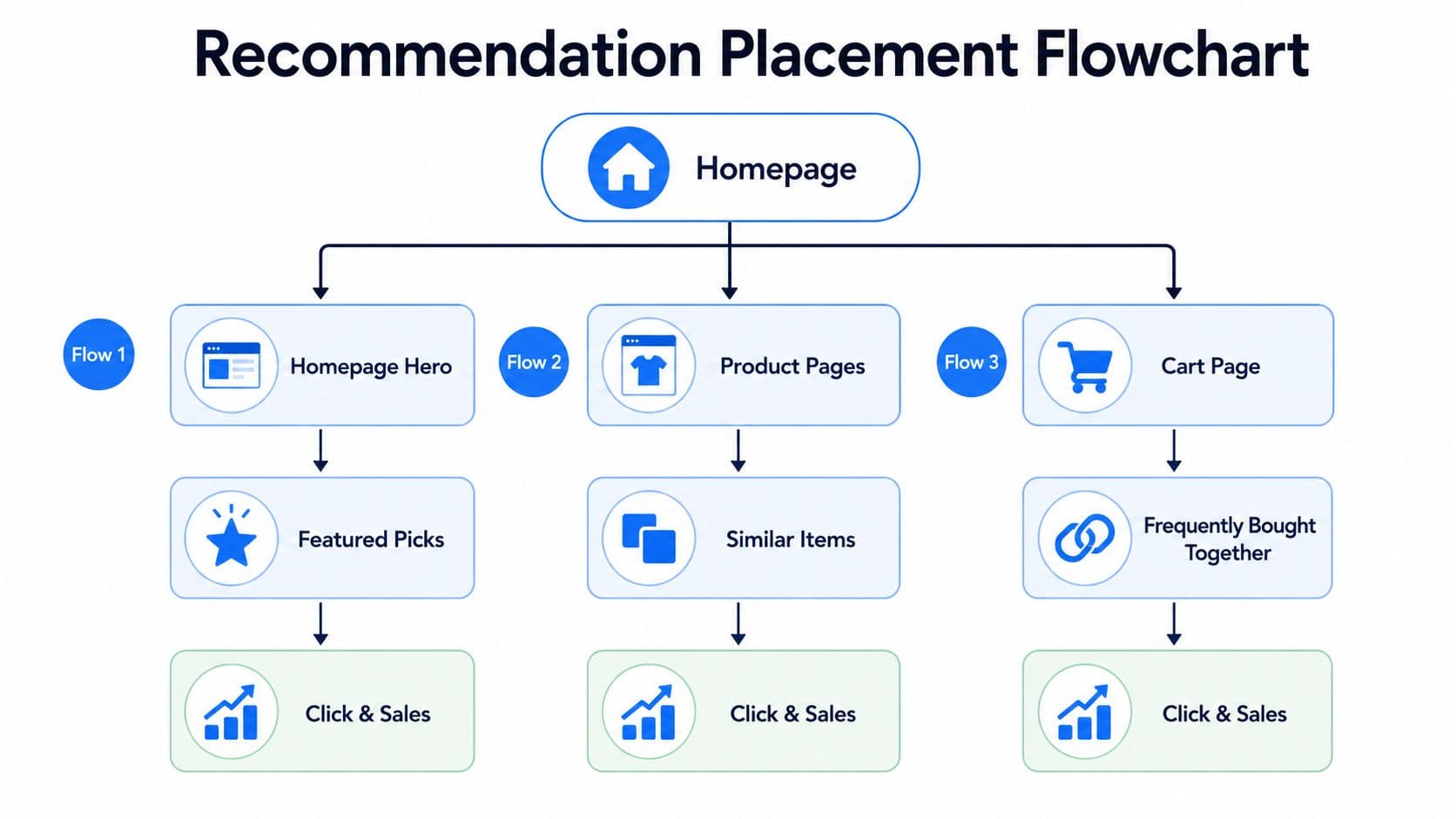
Use each storefront location for a distinct job:
| Store location | Useful recommendation role | Example |
|---|---|---|
| Homepage | Orient returning or undecided visitors | Recently viewed products or category picks |
| Product page | Help comparison and complement selection | Similar items, compatible products, or outfit components |
| Collection page | Reduce catalog scanning | Personalized ordering within a relevant category |
| Cart page | Complete the intended purchase | Accessories or frequently paired products |
On a homepage, avoid replacing the entire merchandising strategy with an algorithm. Keep a clear best-seller or seasonal path for anonymous shoppers, then add personalized picks where behavior provides enough confidence. Product pages can carry stronger relevance because the viewed product supplies context. If someone is looking at a linen shirt, “complete the outfit” may be useful, while unrelated best sellers create distraction.
The cart deserves restraint. A shopper who has already decided what to buy usually needs one or two complementary suggestions, not another catalog. For a camera store, a compatible memory card may make sense. A random premium lens probably doesn't, unless the shopper's behavior indicates active comparison.
Choose the ranking method deliberately
Content-based filtering recommends products with similar attributes. It's practical for newer stores and specialized catalogs because it can work before the system has extensive interaction history.
Collaborative filtering uses patterns across shoppers, such as products frequently viewed or purchased by people with similar behavior. It can uncover useful relationships, but it needs clean event data and enough activity to avoid repetitive or misleading results.
Hybrid ranking combines product attributes, behavior, inventory, margin, and merchandising rules. This is usually the most flexible direction for a mature store, but it also needs stronger governance. If margin overrides relevance, shoppers notice.
The first interaction deserves disproportionate attention. Barilliance's recommendation engagement data reports conversion at about 1.02% for sessions without recommendation engagement, with conversion rising 288% after a single recommendation click. It also reports that shoppers who click recommendations are 4.5 times more likely to purchase. Treat those figures as a measurement signal, not a promise. The lift depends on the click representing genuine relevance, and poor tracking can make the journey impossible to evaluate.
For an implementation guide focused on storefront placement and ranking, use Carti's product recommendation resource. Keep recommendation labels specific, load products quickly, suppress unavailable items, and prevent the same product from appearing in every block. A personalized shopping experience should feel curated, not mechanically repeated.
"Building Automated Cart Recovery and Retention Flows"
Cart recovery fails when every shopper receives the same reminder at the same time with the same language. Someone who added one product and hesitated needs a different intervention from someone who built a large cart, returned repeatedly, or left after encountering a shipping question.
Three recovery approaches cover most Shopify use cases.
Exit-intent prompts work while the shopper is still present. Use them to answer a question, clarify delivery, or invite an email opt-in. A discount shouldn't be the default. If the hesitation comes from uncertainty, reducing uncertainty protects margin better than immediately reducing price.
Timed follow-ups work after the session ends, provided the shopper has given permission to receive them. Reference the cart contents accurately, preserve the conversational tone, and include a direct route back to checkout. Don't create false urgency or imply that inventory is disappearing unless that information is genuine and clearly supported.
Post-session personalization uses later visits to restore context. A returning shopper can see recently viewed products, saved preferences, or an unfinished comparison. Anonymous visitors should receive less specific treatment until they identify themselves or voluntarily share information.
Match the message to the behavior
A practical Carti Cart Recovery flow might distinguish among several signals:
- Single-product hesitation: Answer the likely objection, such as fit, ingredients, or compatibility, before presenting a reminder.
- Multi-item cart: Summarize the selection and surface only complementary information, such as shipping thresholds or product care.
- Repeated visits: Offer continuity by restoring viewed products and inviting the shopper to ask a question.
- Policy-sensitive behavior: Send the visitor to clear return or delivery details rather than pushing another sales message.
The system should stop recovery messages when the purchase completes, when a shopper opts out, or when repeated contact produces no useful engagement. Frequency control matters because relevance decays quickly when the brand keeps repeating itself.
List-building creates another boundary. Ask for an email when the shopper receives a clear benefit, such as saving a cart or receiving product information. Explain what the address will be used for, and avoid disguising a marketing subscription as a necessary checkout step.
Carti's cart abandonment recovery guide covers the mechanics, but the operating principle is simple: recovery should restore context, not manufacture pressure. Manual follow-up still makes sense for high-consideration products or unusual orders. Automation handles routine signals consistently, while human support handles exceptions that require judgment.
"Measuring What Matters and Iterating for Long-Term Growth"
Personalization earns its place when it improves the shopper's path without weakening trust. Define the baseline experience first, then specify the event that shows progress. A recommendation impression is exposure, not a sale. A chat opening shows interest, not proof that the assistant solved the shopper's problem.
Track the path from first contact to repeat purchase:
- Exposure: Which personalized block, message, or chat prompt did the shopper see?
- Engagement: Did the shopper click, search, ask a question, or add an item?
- Commercial result: Did the session convert, and what was the order value?
- Retention: Did the customer return or purchase again?
- Quality: Did the shopper dismiss the recommendation, contact support, return the item, or report inaccurate information?
Shopify event tracking should retain the recommendation's source and position. Without that context, revenue attribution becomes unreliable. Connect product views, recommendation clicks, cart additions, purchases, and recovery interactions so the team can inspect the click-to-purchase path instead of assigning every increase to “AI.”
Test the intervention, not just the outcome
Run an A/B test between personalized and non-personalized experiences when the store can support a meaningful comparison. Keep the variable narrow. Changing recommendation logic, page layout, discount language, and email timing together makes the result difficult to interpret.
Seasonality, promotions, paid media, inventory changes, and price adjustments can move the same KPIs as personalization. Compare similar traffic where possible, document concurrent campaigns, and review product-level results. A recommendation system may improve one collection while hurting another because catalog relationships differ.
Review qualitative evidence with the dashboards. Chat transcripts can show repeated sizing questions. Search queries may reveal missing product attributes. Returns can indicate that a recommendation was related to the product category but unsuitable for the shopper's actual use case.
Measurement rule: Every personalized component needs an owner, a success metric, a stop condition, and a review cadence.
Use the Insights Dashboard in tools such as Carti to turn recurring questions and recommendation behavior into merchandising work. Update product content, refine exclusions, adjust ranking rules, and retest. The system should connect shopper intent, storefront content, and business decisions in a continuing feedback loop, not end with app installation.
Trust belongs in the same review. The Adobe retail report reports that only 16% of brand experiences are rated excellent. Measure complaints, opt-outs, inaccurate answers, and unwanted contact alongside conversion. A personalized shopping experience creates lasting value when shoppers feel helped and understand how the system uses their signals.
Carti gives Shopify stores a five-minute, no-code AI chat setup, catalog-aware answers, Smart Suggestions, Cart Recovery, multilingual support, and an Insights Dashboard for merchandising decisions. Visit Carti to add a transparent, permission-aware conversational layer to the shopping experience.

Written by
Daniel AndersonFounder of Carti. 10+ years building ecommerce brands in apparel and supplements. Still runs a Shopify store and built Carti to help merchants convert more browsers into buyers.
Ready to boost your store's sales?
Install Carti in 5 minutes and let AI handle customer questions, recommend products, and close sales 24/7.
Start Free Trial14-day free trial