
A shopper who asks a question today may expect an answer within minutes, not tomorrow. Seventy-two percent of customers expect a response within 30 minutes, while the average ecommerce store still takes 12 hours to answer an email, according to ecommerce support benchmarks. For Shopify merchants, that gap isn't just a customer experience problem. It can decide whether a hesitant visitor completes checkout or buys from a competitor.
A customer service app for Shopify closes that gap with instant answers, order-aware self-service, live chat, automation, and proactive sales assistance. The right tool does more than reduce the number of tickets your team handles. It answers sizing questions before a shopper leaves, recommends a suitable product, explains delivery policies, and recovers purchase intent when a customer hesitates.
The Hidden Cost of Unanswered Questions on Your Shopify Store
High-performing ecommerce teams aim to answer live-chat messages within 12 to 30 seconds, while email targets commonly sit at 4 to 6 hours, according to the 2026 ecommerce support dataset. That gap has a direct revenue effect. A shopper who cannot confirm fit, delivery timing, or return eligibility may leave before showing any visible sign of dissatisfaction.
Consider a late-night visit. Someone finds a coat, adds it to the cart, and hesitates because the size guide does not explain whether the cut is relaxed or slim. The contact form promises a reply several hours later, so the shopper closes the tab and checks another store. No complaint reaches your inbox, but the sale is already at risk.
Ecommerce demand does not follow office hours. Customers browse across time zones, compare several stores at once, and ask questions while their purchase intent is still fragile. A closer look at response time shows why support speed belongs in a revenue discussion, not only in a customer experience report.
Response latency changes buying behavior
A slow reply turns uncertainty into comparison shopping. Every additional delay gives a shopper more time to question the product, search for alternatives, or postpone the purchase entirely. Fast answers keep the conversation attached to the product and can move a hesitant visitor toward checkout.
Shopify's own support model illustrates the operational challenge. Chat is available around the clock for all plans, but email support typically has a 48-hour response time, according to Shopify's support guidance. A merchant cannot offer that kind of delay to someone asking whether an item will arrive before a birthday or whether a return qualifies.
Practical rule: Treat every unanswered pre-purchase question as a possible abandoned sale, not as an ordinary support ticket.
Support tools create commercial leverage
A dedicated AI app can provide an initial answer while human agents are offline. It can explain shipping, retrieve an order update, clarify a policy, recommend a relevant product, and recognize when a conversation needs a person. Routing the exchange with its context attached prevents the customer from repeating the same details.
That changes support from a cost center into a sales channel. One benchmark cited in ecommerce chatbot research reports that chatbot-enabled shops handled 89.2% of inquiries, compared with 71.2% for stores without chatbots, while managing six times more conversations overall. Automation still needs human judgment for complex cases, but it gives every visitor a useful starting point and preserves buying intent that an unattended inbox would lose.
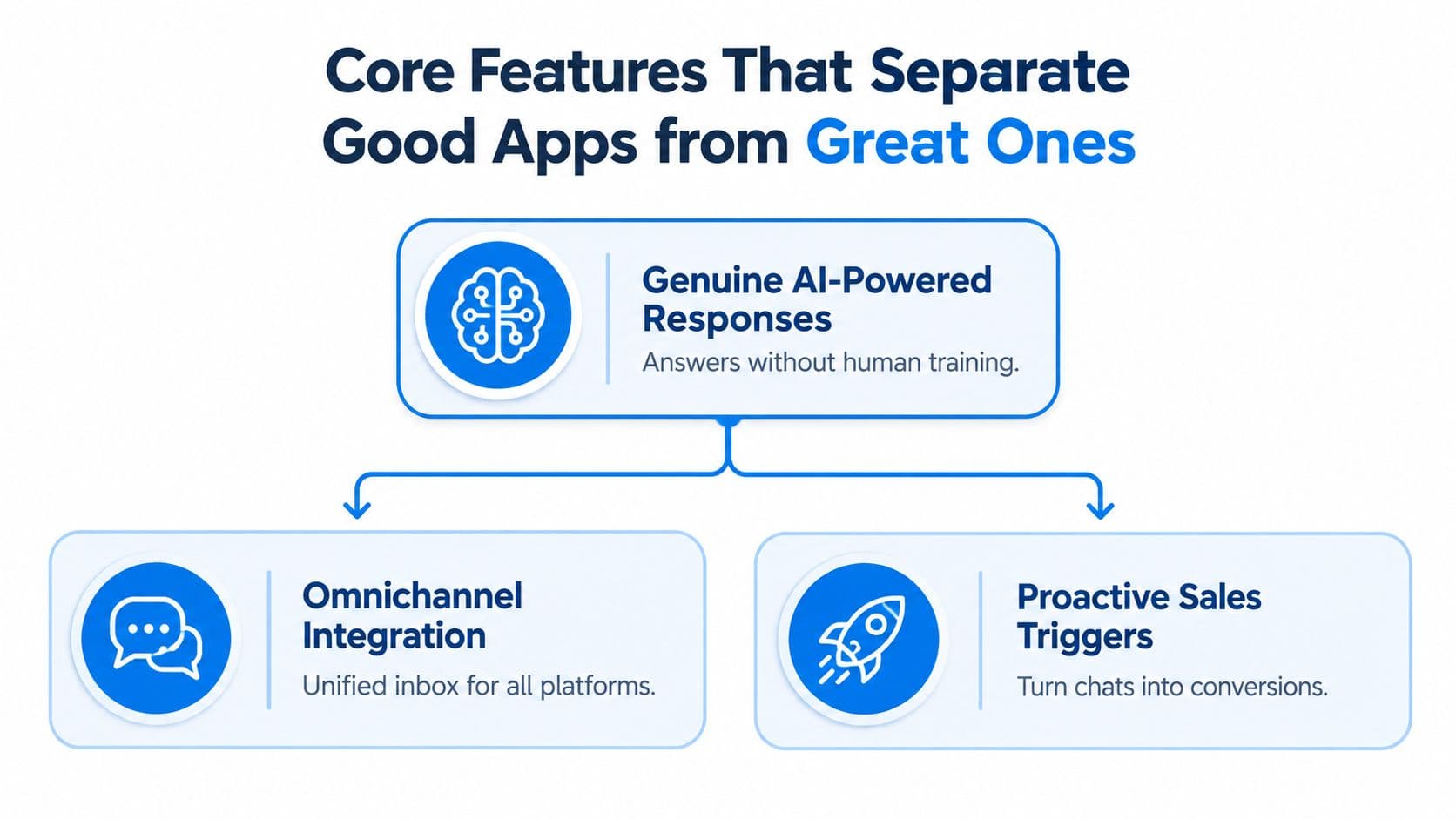
Core Features That Separate Good Apps from Great Ones
A Shopify support app can display a chat bubble and still leave revenue on the table. The useful test is whether it removes a buying obstacle, draws from current store information, and responds before uncertainty becomes an abandoned session.
Evaluate response quality first
A reliable AI assistant must understand intent, not just match keywords. If a shopper asks, “Which running shoes work for flat feet?”, the app should use your catalog, product descriptions, and merchandising rules to give a specific recommendation. Sending the shopper to a generic FAQ leaves the decision unresolved.
Commerce context is the dividing line. Check whether the app can work with product details, line items, order status, return eligibility, subscription information, and customer history when appropriate. Guidance on ecommerce customer service software describes context-aware support as a central direction for ecommerce because shoppers need answers that resolve the issue, not another search task.
A fast, relevant answer can protect the sale while reducing routine workload. That is the hidden revenue effect of response time. AI handles the first exchange, answers product questions, and passes complex cases to a person with the conversation attached. Support then contributes to conversion instead of only absorbing operating cost.
Check integration depth and language coverage
The app should connect to Shopify without making your team maintain duplicate product and policy data. Changes made in Shopify need to reach the support experience quickly. A separate knowledge base that drifts out of date can produce confident, inaccurate answers.
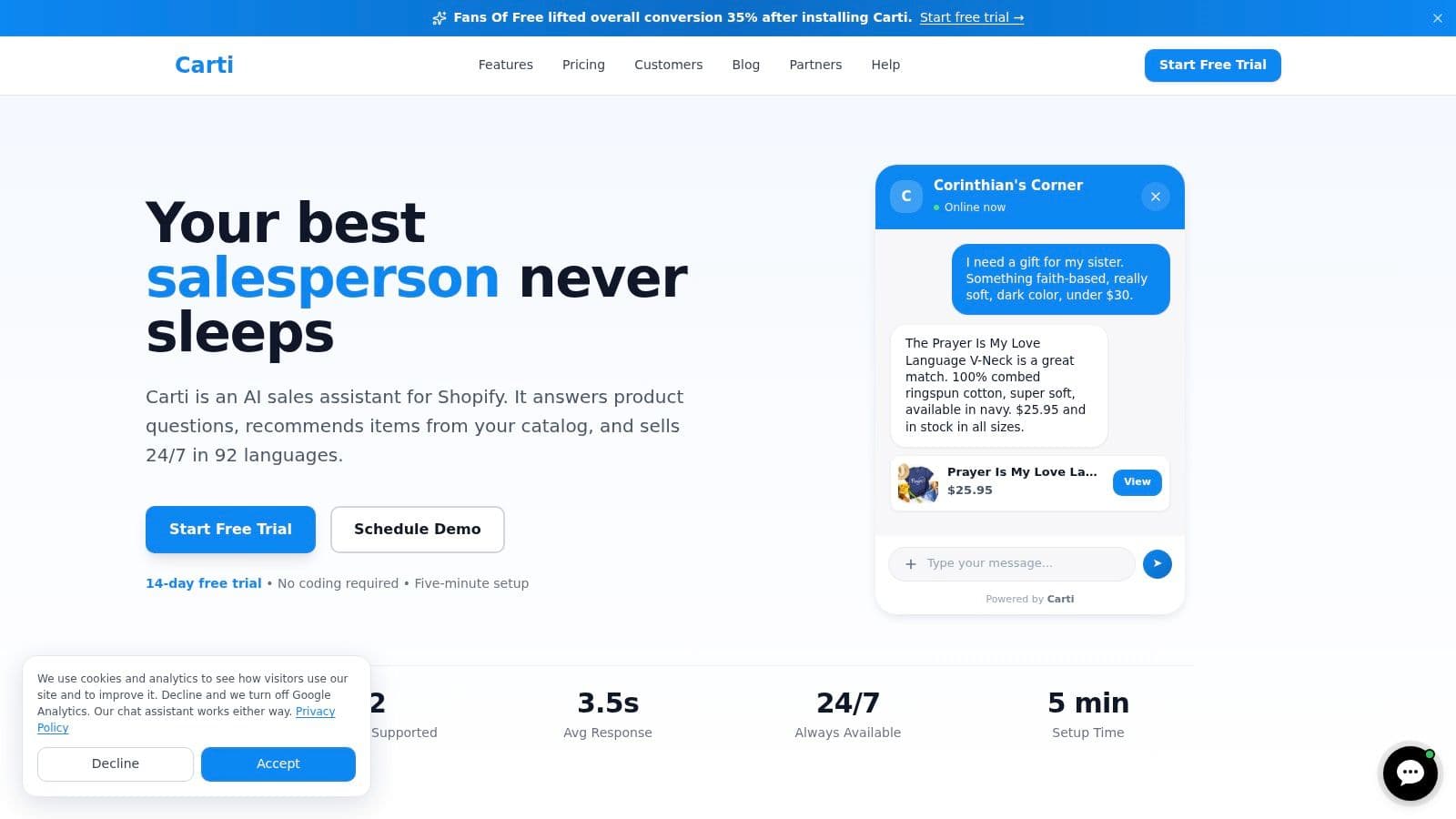
Language coverage matters for international stores. Carti states that it responds in 92 languages and offers a five-minute, no-code setup, according to its product site. That can reduce friction for multilingual shoppers without requiring a separate support workflow for every market.
Demand action, not just answers
A strong app can start a useful conversation when a visitor hesitates, abandons a cart, or needs help comparing products. It should also surface recurring questions through analytics or an insights layer. Those patterns can expose missing sizing information, unclear delivery copy, or product pages that need better comparisons.
For a closer comparison of customer-facing chat functions, review this guide to live chat software for ecommerce. The practical test is whether the tool only reduces ticket volume or helps shoppers make confident decisions.
How to Select and Implement the Right Customer Service Solution
Choose the app against the revenue you may lose while shoppers wait, hesitate, or leave without asking for help. Start by exporting recent tickets and reviewing abandoned-chat transcripts. Separate pre-purchase questions from tracking, returns, and product issues. A store with reliable post-purchase processes may gain more from a sales assistant, while a store flooded with delivery questions may need order-aware self-service first.
Use a practical evaluation sequence
-
Map the buying journey. Mark points where shoppers wait for an answer, repeat information, or switch between channels. Give extra attention to product pages and checkout, where a delayed response can cost a sale rather than create another ticket.
-
Test five genuine questions. Include sizing, delivery, returns, compatibility, and an existing order. Add a SKU-level variant question, such as, “Does the size M in blue have the same inseam as black?” Verify that the app reads the relevant Shopify variant metafield, not only the general product description. Answers should be accurate, specific, and easy to act on.
-
Test the handoff. Ask a question the app cannot resolve, then check whether the customer reaches the right person with the conversation and relevant order context intact. Also confirm how the app handles refunds, damaged deliveries, complaints, and requests involving sensitive information.
-
Check implementation effort. Confirm that product, policy, FAQ, and order data can stay current without a second system for your team to maintain. Carti states that it can scan a store's catalog, policies, and FAQs during a five-minute setup. Treat that as a starting point, not proof that the answers are ready for live traffic.
-
Review the commercial model. Check conversation limits, agent seats, escalation fees, usage charges, and plan restrictions. Compare the cost with the sales opportunities the app can help recover, not only with the number of tickets it may deflect.
For another perspective on deployment and workflow choices, review this guide to AI live chat for Shopify brands. The useful question is whether the tool reduces response time while helping shoppers decide, compare, and complete a purchase.
Build escalation rules before launch
Set clear boundaries before exposing the app to every visitor. Define which questions it can answer independently, which require order verification, and which must move directly to a human. Launch on a controlled group of pages or customer journeys if possible. Review conversations regularly, correct weak answers, and update source content when the same questions keep appearing. The app becomes a sales channel only when its information and escalation rules remain reliable.
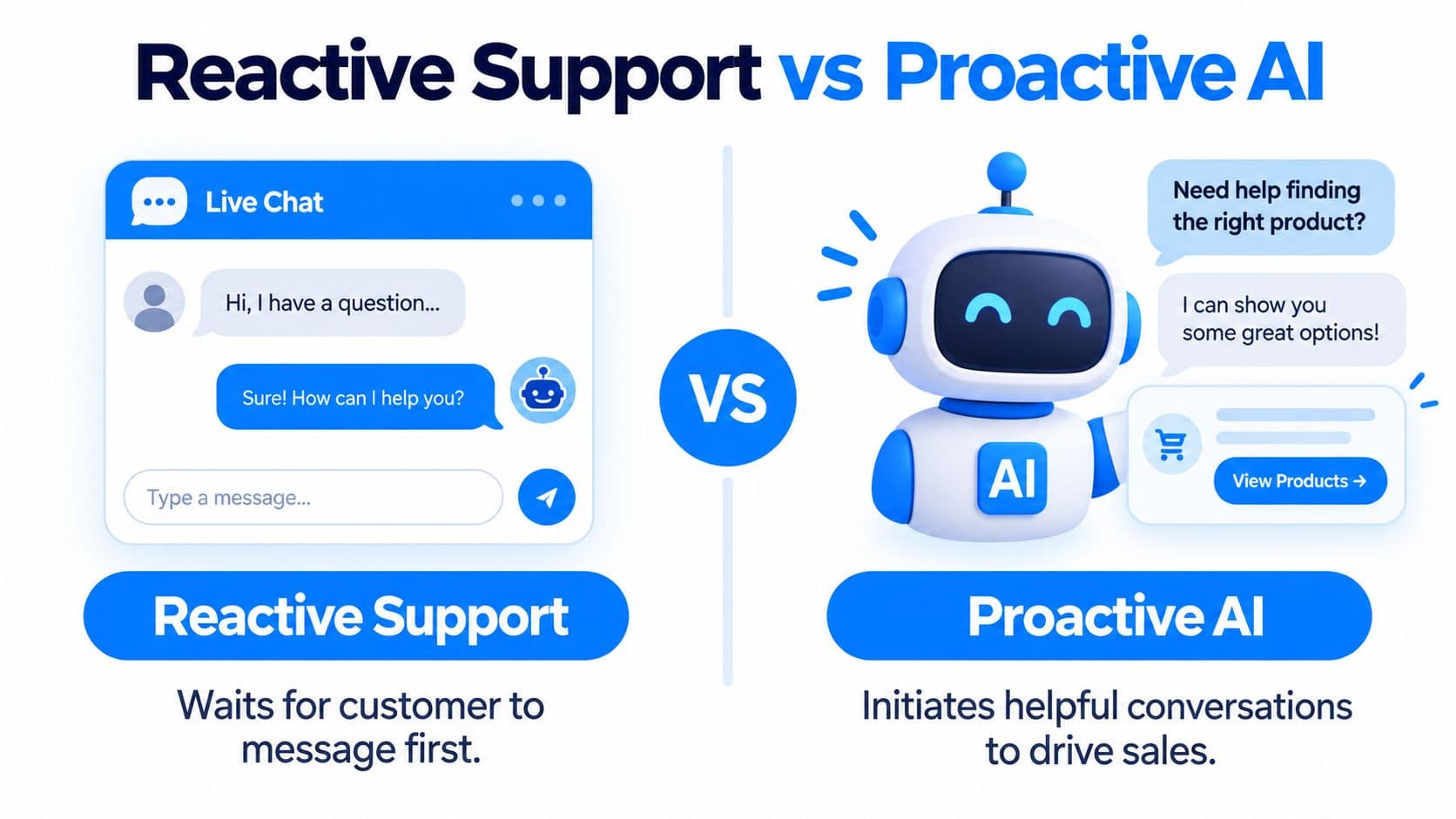
Reactive Support vs Proactive AI Understanding the Difference
A reactive support widget only starts working after a shopper opens it and asks a question. That helps customers who already know what they need, but it leaves uncertain visitors, distracted shoppers, and people close to abandoning a purchase without assistance.
What reactive support does well
Reactive support is predictable and easier to govern. It can answer “Where's my order?” after a customer makes contact, share a return-policy link, or collect details for an agent. For a store with simple questions and limited conversation volume, that may be sufficient.
The weakness is timing. By the time the tool appears, the shopper has already encountered friction. If the visitor never opens the widget, the store cannot clarify a product benefit, resolve uncertainty, or address hesitation before the cart is abandoned.
What proactive AI adds
Proactive AI uses signals such as repeated product views, cart activity, and exit intent to offer relevant help. A prompt can address fit concerns on a product page, suggest a more suitable item, or remind a shopper about an unfinished checkout. Timing and relevance determine whether the message helps. A generic pop-up interrupts the visit, while an answer connected to a visible concern can support the purchase decision.
The revenue effect comes from influencing behavior before a shopper leaves. An industry summary of chatbot implementations reports one implementation where proactive assistance reduced cart abandonment from 74% to 58% and increased recovery from 3% to 19%. Those figures describe a reported result, not a forecast for every Shopify store. They also measure proactive intervention, which is a different question from how many inquiries a reactive system can handle.
Reactive tools answer demand. Proactive tools can help create the conditions for conversion.
The practical setup combines both approaches. Keep reactive answers available for shoppers who initiate contact, then configure targeted prompts for visitors showing hesitation. Carti is positioned for this support and sales workflow, and its overview of proactive AI assistants offers useful guidance on choosing triggers that help rather than annoy. Review prompt timing, frequency, and conversion impact regularly. A proactive customer service app for Shopify becomes a sales channel only when its interventions remain relevant and its answers remain accurate.
How Carti Transforms Customer Service for Shopify Merchants
A fashion store can lose a sale before a support ticket is ever created. A shopper asking whether a jacket fits a 42-inch chest may leave if the answer takes too long, even when the product is right for them. Carti is designed to turn that buying hesitation into a guided product conversation rather than a queue for manual replies. Its capabilities are described in Carti's product information.
Where the workflow fits
For example, when a shopper asks, “Will this jacket fit a 42-inch chest?”, Carti can use the store's product information to explain the relevant size option. If the shopper has an existing order, the conversation can also provide context about that purchase. The assistant can then suggest a suitable size or related variant with a product-page link, keeping the shopper close to checkout instead of sending them to a generic FAQ.
That answer matters because response time has a revenue effect. A delayed reply gives the shopper more opportunity to compare alternatives or abandon the visit. A relevant answer can remove uncertainty, support the purchase decision, and create a natural point for cart recovery if the shopper adds the item but hesitates.
Carti also includes smart product suggestions, cart recovery, and an Insights Dashboard. The dashboard can reveal repeated questions about fit, shipping, or product comparisons. Those patterns help merchants improve product copy and policies, reducing avoidable support demand over time.
Automation still needs boundaries. Test answers against real store policies before launch, especially for refunds, unusual order problems, and sensitive cases. Define when a conversation moves to a human, and review escalations for missing information or incorrect recommendations.
A product walkthrough can help merchants assess whether the interaction style fits their storefront:
The practical test is simple: does the assistant answer accurately, understand buying context, and connect the response to a useful next action? For a Shopify merchant, those three checks determine whether AI reduces workload or contributes to sales.
Turning Customer Service Into Your Store's Growth Engine
Customer service becomes a growth channel when each conversation connects a shopper's question to a useful buying action. A fit question can lead to product guidance; an order question should produce a clear update. That connection matters because delayed replies leave shoppers time to compare alternatives or abandon checkout.
The commercial case includes response speed. A customer service KPI benchmark reports 71% retention for stores responding within one hour, compared with 48% for stores taking 24 hours. It also reports that 89% of customers expect an email reply within 60 minutes. Faster replies do not guarantee a sale, but slow support creates avoidable friction at the point of purchase.
Measure the revenue layer
Ticket volume shows workload, not commercial impact. Track a support-assisted conversion rate by tagging sessions where an assistant answered a pre-purchase question, then comparing checkout completion with unassisted sessions over 30 days. Review assisted average order value and recovered carts alongside that rate to see whether support influences more than first purchases.
Also measure resolution quality. A bot that closes conversations with a generic FAQ may reduce visible workload while increasing frustration. A useful system gives a specific answer, confirms the next step, and hands off cleanly when it lacks context.
The strongest Shopify setups combine instant answers, commerce-aware data, proactive engagement, and human escalation. They use conversations to improve product copy, identify policy gaps, and help ready shoppers complete checkout.
Carti offers a five-minute, no-code setup, support in 92 languages, cart recovery, smart product suggestions, and an Insights Dashboard. Merchants can evaluate whether those features turn support interactions into measurable sales opportunities without removing human review.

Written by
Daniel AndersonFounder of Carti. 10+ years building ecommerce brands in apparel and supplements. Still runs a Shopify store and built Carti to help merchants convert more browsers into buyers.
Ready to boost your store's sales?
Install Carti in 5 minutes and let AI handle customer questions, recommend products, and close sales 24/7.
Start Free Trial14-day free trial